Are you looking for an Apollo alternative that fits your outbound process better?
Apollo brings prospecting, contact data, enrichment, and outreach together in one platform. Users generally like its search filters, ease of use, and all-in-one workflow.
However, reviews also mention inconsistent data accuracy, credit limitations, a learning curve, and some advanced features that can be harder to navigate.
You may be looking for more accurate contact data, better coverage in your target market, stronger enrichment, or more advanced features for your outbound workflow.
I looked at the leading Apollo alternatives to see how they compare on lead data, enrichment, intent signals, email finding, outreach, pricing, and ease of use.
TL;DR: 8 Best Apollo Alternatives for Lead Generation and Cold Outreach
Leadsforge – Best for AI-powered lead generation and prospect discovery.
Clodura.AI – Best for B2B sales teams that need lead generation, verified contact data, buyer intent, AI-powered outreach, and cold calling in one platform.
Instantly – Great for lead generation, cold email outreach, and warmup in one platform.
Lemlist – Ideal for personalized multichannel outreach campaigns.
Snov.io – Best for budget-friendly lead generation and email outreach.
Clay – Excellent for automated prospect research, enrichment, and list building.
Icypeas – Great for contact enrichment and accurate B2B prospecting.
Smartlead – Ideal for scaling cold email campaigns while managing mailboxes and outreach.
Why People Look for Apollo Alternatives
Apollo is a popular prospecting platform, but some users report limitations that may lead them to consider other tools.
Data accuracy: Users report outdated or inaccurate contact details, especially when searching for prospects outside the US.
Credit system: The credit-based model can make costs harder to predict when you need to find and enrich contacts at scale.
Per-seat pricing: The cost increases with each additional user, which can become expensive as your sales team grows.
Customer support: Some users report slow or less responsive support, particularly on lower-tier plans.
How I Evaluated the Best Apollo Alternatives?
When comparing Apollo alternatives, I focused on the features that matter most for finding prospects and running outbound campaigns. Here are the criteria I used:
Lead Generation Capabilities – How well the platform helps you find new prospects and build targeted lead lists.
Contact Data Quality – The accuracy and completeness of email addresses, phone numbers, and company information.
Prospect Enrichment – How effectively the tool enriches lead and account data to support better outreach.
Outreach Features – Support for email sequences, personalization, automation, and multichannel outreach.
AI Capabilities – Whether the platform uses AI to improve prospecting, research, personalization, or workflow automation.
Ease of Use – How quickly teams can get started and manage campaigns without a steep learning curve.
Integrations – Compatibility with CRMs, sales tools, and other platforms used in outbound workflows.
Pricing – Whether the platform delivers good value for the features and data provided.
Scalability – How well the tool supports growing teams, larger prospect lists, and higher outreach volumes.
Using these criteria, I narrowed the list down to seven Apollo alternatives that stand out for lead generation, prospecting, and cold outreach.
8 Best Apollo Alternatives in 2026 to Pick: A Quick Comparison
Every plan name and price above was checked against each vendor's own pricing page in August 2026. Prices in this category move often, so check the live page before you commit.
1. Leadsforge
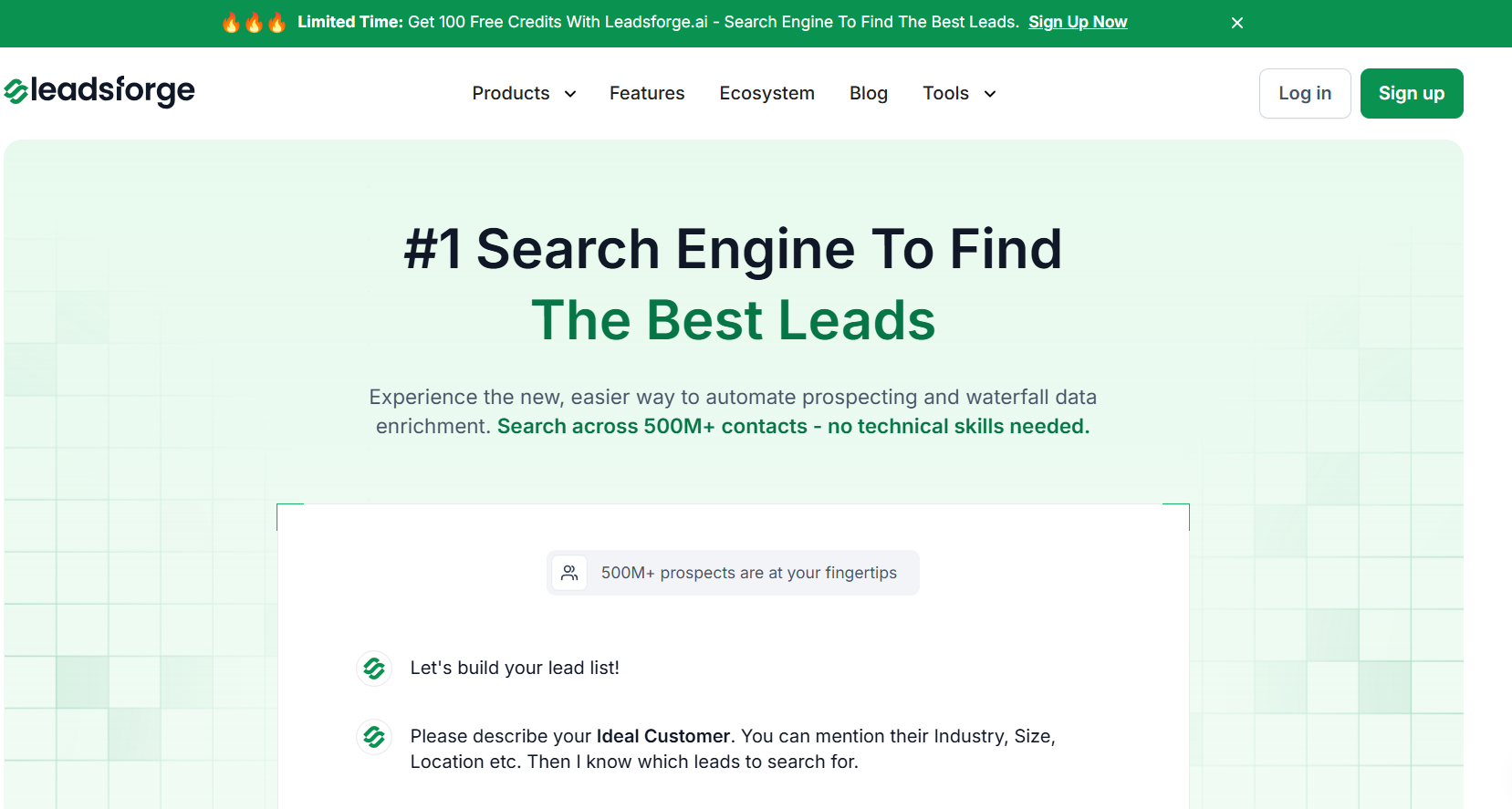
This image shows the Leadsforge homepage
Leadsforge is a B2B lead search engine you talk to rather than filter. You use it when building the list has become the slow part of your week and you want verified contacts without the research project.
Leadsforge stands out for three strengths.
Chat-based search. You type who you sell to the way you would say it to a colleague, and a matched list comes back.
Waterfall enrichment. It keeps querying providers until it finds a verified email, LinkedIn URL or mobile number.
MCP and CLI access. You can run searches, enrichment and lookalikes from Claude, Cursor or your own scripts.
I described an ICP in one sentence and had [N] enriched contacts back before I would normally have finished stacking filters. That is the whole pitch, and it is the part that changed how I prospect.
How Leadsforge Actually Works
Most lead tools hand you a filter panel. You stack industry, seniority and geography, then hope the result is worth emailing. Leadsforge gives you five ways into a list instead.
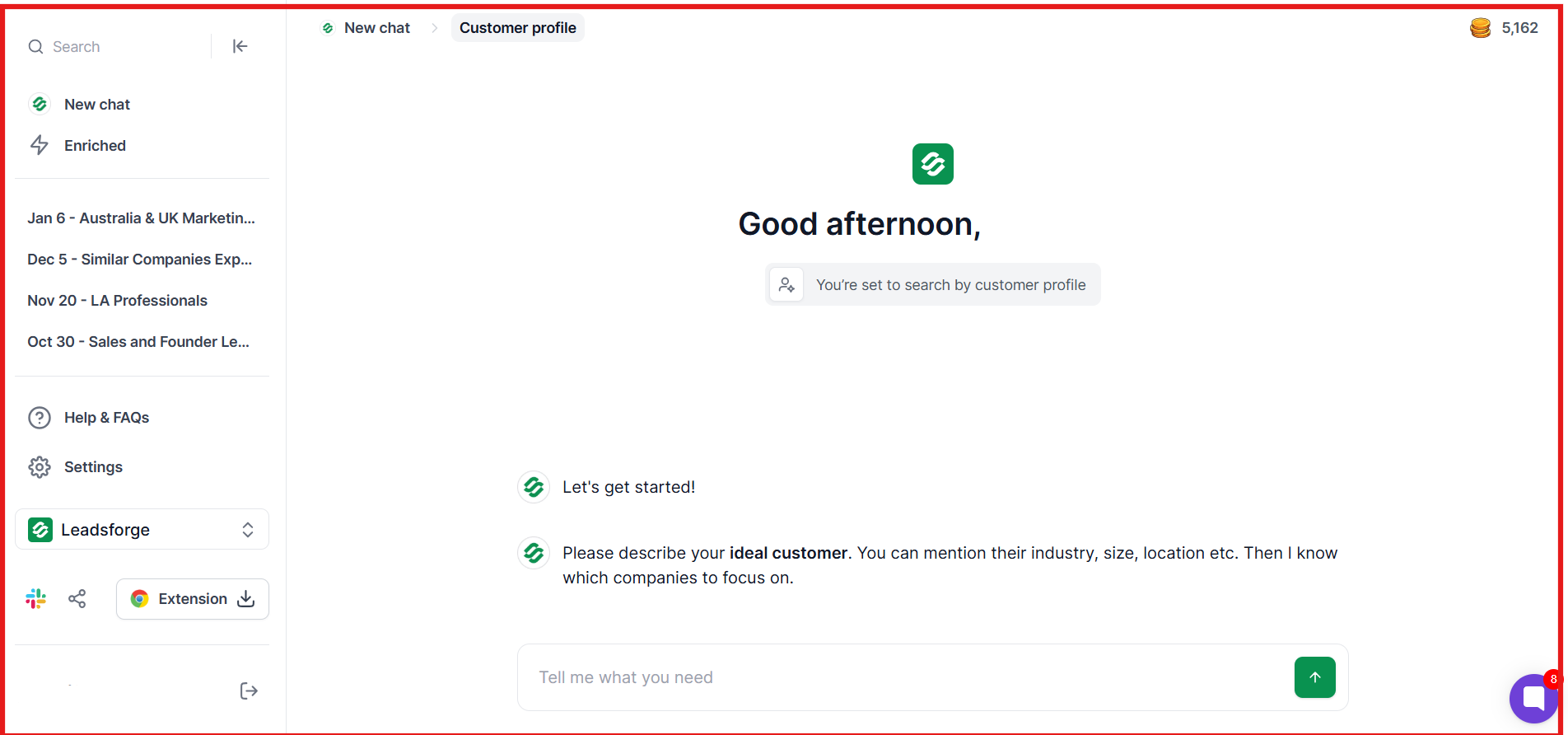
Describe your ICP: Type who you sell to in plain English and refine in the same chat.
Company lookalikes: Paste in domains you have already won and get back similar companies.
Company page followers: Give it a competitor's domain and get the people following that page.
Business signals: Start from a funding round, an acquisition or a job change, then narrow by location, industry, size and role.
Local companies: Set a location and radius, pick a business type, and pull matching companies.
Whichever route you take, enrichment works the same. A waterfall runs across multiple verified providers covering 500M+ contacts, validating emails in real time, checking LinkedIn URLs against live profiles and testing phone numbers for validity.
This image shows how to Describe your ideal customer on Leadsforge
Searching and refining cost nothing. Credits only spend on enrich and export, so a tight ICP stretches your balance further than a broad one.
Key Features
Chat-Based Lead Search: You can describe your ideal customer in plain English and get a matched list without learning a filter system.
500M+ Contact Database: You can pull from a pool that competes on scale with the largest incumbents in the category.
Waterfall Enrichment: You can fill emails, LinkedIn URLs and mobile numbers by querying provider after provider.
Company Lookalikes: You can feed in accounts you already closed and get back similar companies. Charged at 1 credit per company.
Competitor Followers Search: You can pull the people following a competitor's company page and enrich them at 1 credit each.
Intent Signals: You can surface accounts already researching your category. Included in the plan.
Direct Salesforge Push: You can send a finished list straight into an email and LinkedIn sequence with no CSV export step.
LinkedIn Email and Phone Finder Chrome Extension: You can pull verified contact details while browsing LinkedIn, using credits from the same account. New signups get 100 free credits.
API, MCP and CLI: You can run searches, enrichment and lookalikes from Claude, Cursor or your own scripts through the Forge MCP server.
Credits That Roll Over: You can carry unused credits into the next billing period.
CSV Export With No Lock-In: You can take enriched lists out at any time at no extra charge.
Leadsforge vs Apollo: Quick Comparison
Feature
Leadsforge
Apollo
Search method
Chat, plain English
Filter panel, 65+ filters
Database size
500M+ contacts
210M+ contacts (their site)
Enrichment
Waterfall across multiple providers
Single source, own database
Email credit cost
1 credit
1 credit
Mobile credit cost
10 credits
8 credits
Credit rollover
Yes, credits never expire
No, unused credits are lost
Pricing basis
Per account
Per seat, plus credits
Intent signals
Included in plan
Included, topic limits by tier
Built-in sequences
No, pushes to Salesforge
Yes
Dialer
No
Yes, on Professional and above
CRM sync
Salesforge, HubSpot, Pipedrive and CSV
Salesforce, HubSpot and more
MCP and CLI
Both
MCP available
Free trial
100 credits, no card required
Free plan, no card required
Pros and Cons of Leadsforge
Pros
Cons
Combines Company Lookalikes, Competitor Followers and event-based Signals in a single platform
You get only 100 free credits on signup
Chat-based prospect search feels close to ChatGPT or Claude, which cuts the learning curve for new users
Native flow into the outreach layer under one login, so there are no manual CSV exports between prospecting and campaigns
Waterfall enrichment across multiple providers means fewer blanks than a single-source database
Credits never expire, so a slow month does not cost you anything
Priced per account rather than per seat, so adding a colleague does not change the bill
Intent signals and qualification prompts come with the plan, not a separate tier
Leadsforge Pricing
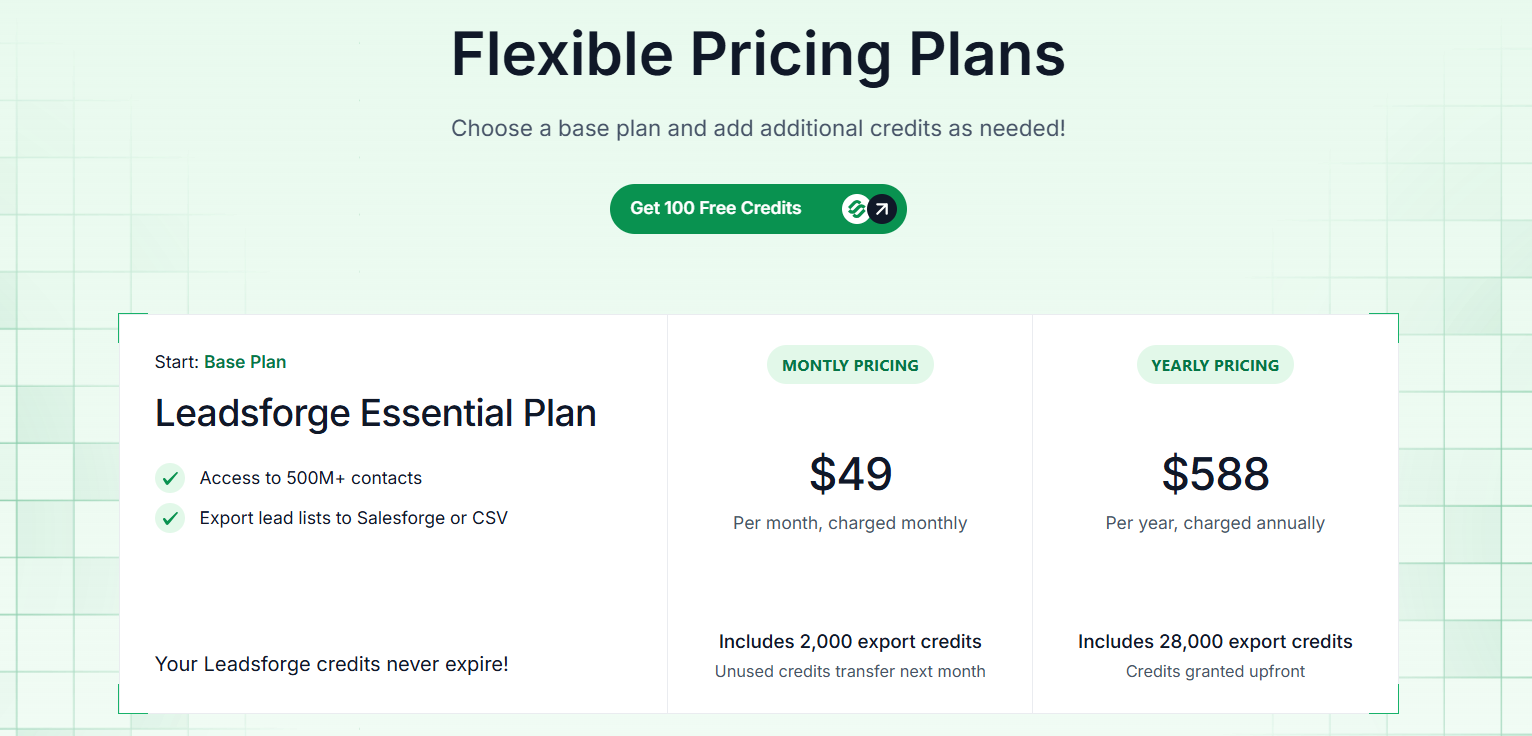
This image shows the Leadsforge pricing
Leadsforge uses a credit-based pricing model, giving flexibility for teams of any size:
Plan
Price
What you get
Free credits
$0
100 credits on signup, no card required
Essential (monthly)
$49 per month
2,000 credits, unused credits carry over
Essential (annual)
$588 per year
28,000 credits granted upfront, over 14% saving
Extra credits
Add-on
Tiers from 2,000 up to 200,000+ credits
Credit costs: 1 for an email, 1 for a LinkedIn URL, 10 for a mobile number, 1 for a company follower, and 1 per company for a lookalike. Sign up and get 100 free credits, no credit card required.
Every subscription includes:
Access to 500M+ contacts
Chat-based ICP search
Waterfall enrichment for emails, LinkedIn, and phone numbers
Lookalike and competitor follower search
Integration with Salesforge and CSV export
I like that Leadsforge only charges for the credits you need rather than forcing a large subscription plan. This makes it easy for small teams to start and scale as your lead generation needs grow.
Best For: Teams that want fast, AI-assisted prospecting with verified data and minimal manual work.
Avoid If: Your main priority is running email sequences or multi-channel outreach without needing enriched lead data.
Personalized Outbound Strategy
Get The Right Outbound Strategy In Minutes
Enter your email to get a custom plan & stack recommendation for your
business
It's being carefully crafted by AI
Please check your mailbox in 5 minutes
2. Clodura.AI
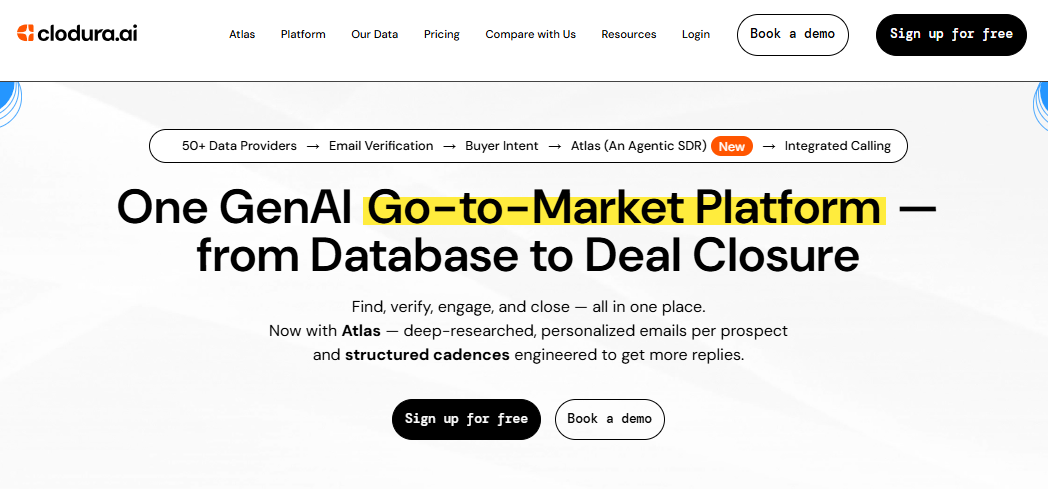
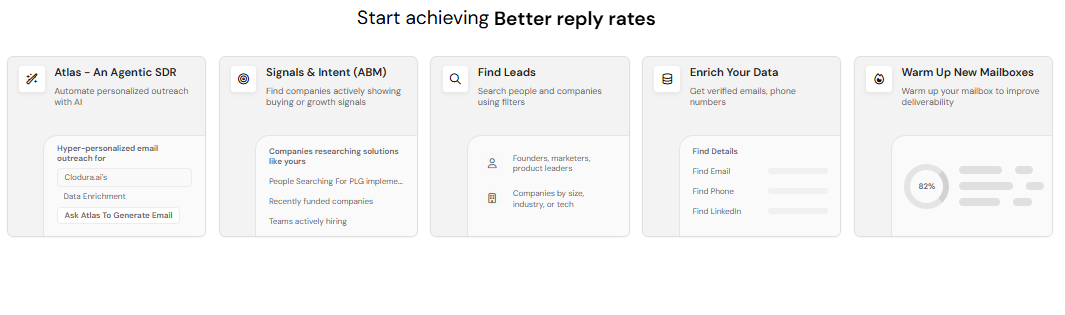
This image shows the Clodura.AI homepage
Clodura.AI is an all-in-one GenAI-powered GTM platform that helps sales teams find, verify, enrich, engage, and call prospects from one place. It is built for B2B teams that want Apollo-like prospecting, but with deeper company intelligence, buyer intent signals, email verification, AI-powered outreach, and calling workflows built into the same platform.
This image shows the dashboard (Sequence) on Clodura.AI
I think Clodura.AI is a better Apollo alternative if your team wants more than a contact database and basic outreach sequences. Apollo works well for finding prospects and managing outreach, but Clodura.AI brings together a 600M+ B2B contact database, 50+ waterfall email finder and verifier, 20+ phone number finder, org charts for 18M+ companies, buyer intent, hiring signals, AI sequences, Atlas AI SDR, inbox placement, warmup, and integrated calling.
What stood out to me is how much of the outbound workflow Clodura.AI covers in one platform. Instead of using one tool for data, another for verification, another for enrichment, another for email outreach, and another for calling, teams can manage prospecting, verification, engagement, and conversations inside Clodura.AI. This makes it useful for SDR teams, founders, RevOps teams, and agencies that want to reduce tool switching while improving outbound execution.
Clodura.ai vs Apollo.io Comparison
Feature
Clodura.AI
Apollo
Primary Focus
GenAI GTM platform with prospecting, intent, outreach, and calling
Prospecting and sales engagement
B2B Database
600M+ B2B contacts
231M+ Only
Email Verification
50+ waterfall email finder and verifier
Yes
Phone Data
20+ waterfall phone number providers
Yes
Org Charts
18M+ company org charts
Available on higher plans
Buyer Intent Signals
Yes
Available
Hiring Signals
Yes
Limited
AI Capabilities
Atlas AI SDR, AI sequences, company intelligence
AI-assisted personalization and scoring
Outreach Sequences
Yes
Yes
Calling
CallPilot with local presence numbers
Dialer available
Team Users
Unlimited users on plans
Usually seat-based
Best For
Teams wanting data, intent, outreach, verification, and calling in one GTM platform
Teams wanting prospecting and sales engagement
Clodura.ai Pros and Cons
Pros
Cons
600M+ B2B contact database
New users may need time to explore all features
50+ waterfall email finder and verifier, 20+ phone number providers
Advanced workflows depend on credit usage
Buyer intent and hiring signals
Very small teams may not need the full GTM stack
Atlas AI SDR for personalized outreach
Some high-volume plans may require planning credits properly
Built-in email sequences, warmup, inbox placement, and spam score checks
CallPilot for outbound calling and local presence numbers
Clodura.AI Pricing
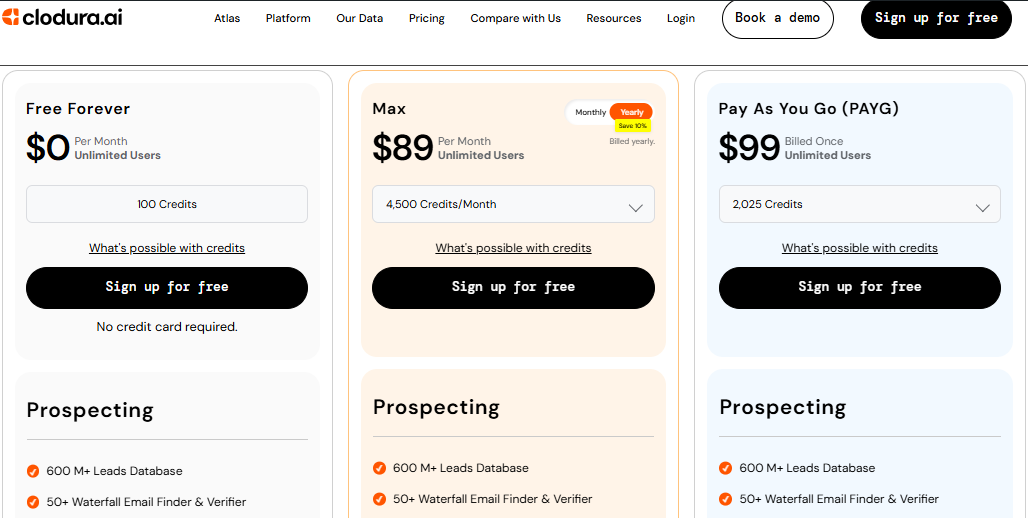
This image shows the Clodura.AI pricing
Clodura.AI uses a flexible credit-based pricing model designed for GTM teams.
Free Forever – $0/month, includes 100 credits and unlimited users
Max Plan – starts around $99/month, based on required credits
PAYG Plans – available for teams that want one-time credit packs
Custom Plans – available for larger teams and high-volume GTM workflows
Every plan includes access to key GTM features such as prospecting, email verification, phone number discovery, org charts, company intelligence, Chrome extension, CRM integrations, team collaboration, and outreach workflows. Clodura.AI also offers startup discounts and credit estimation to help teams choose the right plan.
I like that Clodura.AI does not force teams into a heavy enterprise contract just to access prospecting and outreach features. For growing sales teams, the combination of unlimited users, shared credits, verified data, AI outreach, and calling can make the platform more cost-efficient than stacking multiple separate tools.
Best For: B2B sales teams, SDR teams, founders, RevOps teams, agencies, and GTM teams that want prospecting, verified data, buyer intent, AI outreach, email sequencing, and calling in one platform.
Avoid If: You only need a simple email sending tool or a lightweight cold email platform without prospecting, enrichment, intent data, or sales intelligence.
3. Instantly
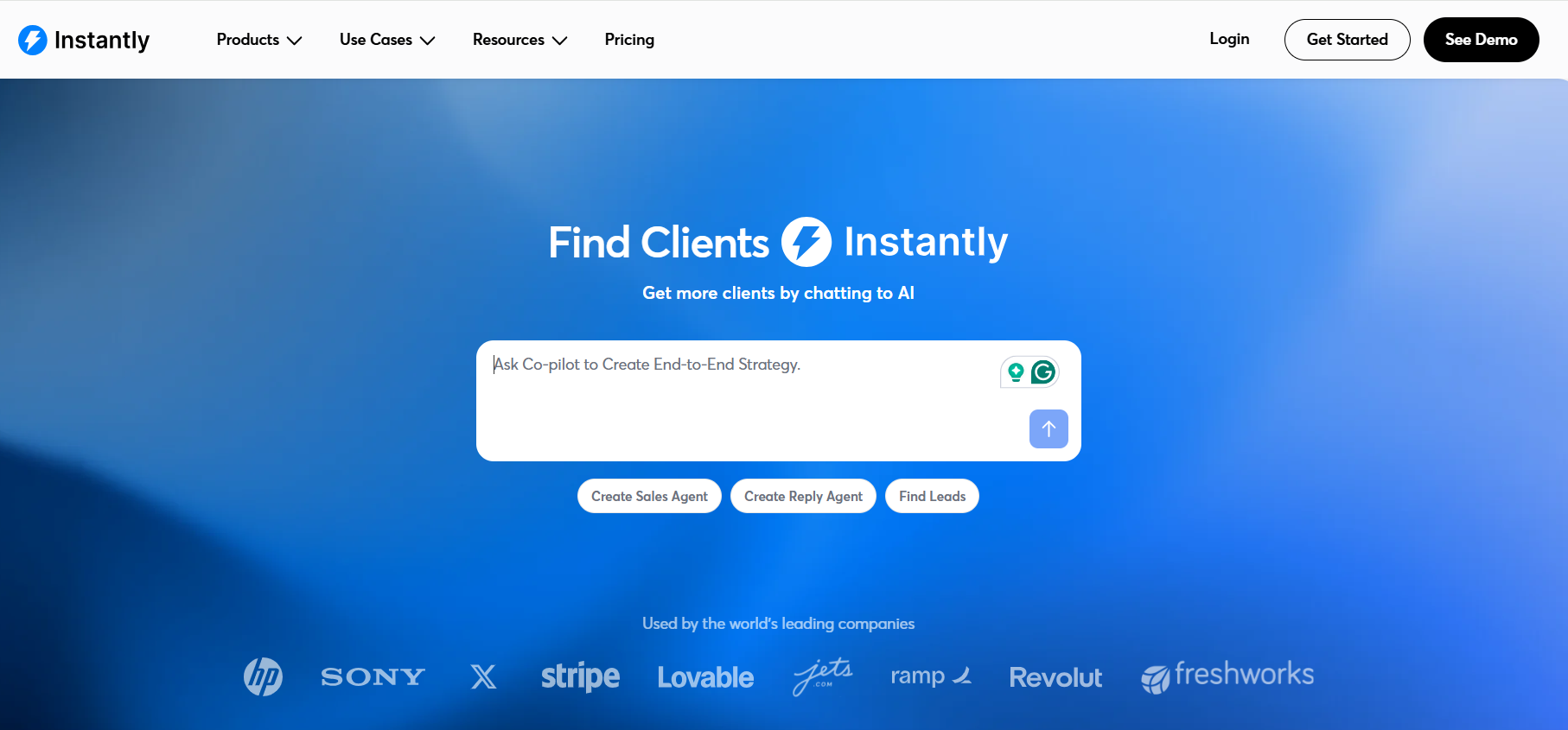
This image shows the Instantly homepage
Instantly is a cold email and lead generation platform that helps teams find leads, enrich contacts, automate outreach, and manage campaigns from one place. It is built for teams that want to execute outbound campaigns faster and at scale.
While Apollo focuses more on prospecting and sales engagement, Instantly focuses on automating emails, warmup, and campaign management so you can reach more leads efficiently.
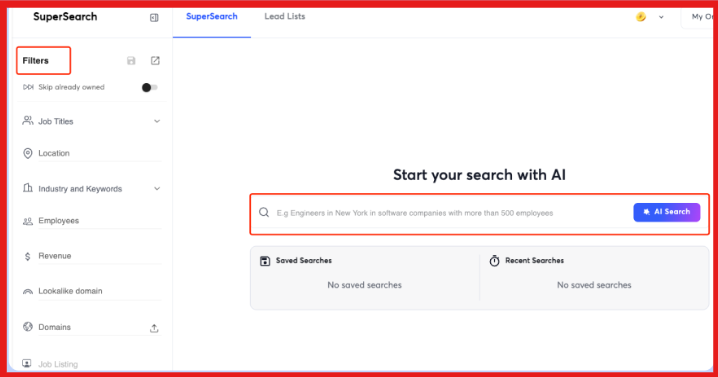
What stood out to me is how easy it is to set up campaigns and manage everything in one place. You can find leads using Lead Finder, warm up unlimited accounts, create AI Sales Agents, automate replies with AI, and monitor performance.
This image shows Use SuperSearch to generate leads
Instantly vs Apollo: Quick Comparison
Feature
Instantly
Apollo
Primary Focus
Cold email outreach & lead generation
Prospecting & sales engagement
Lead Generation
Built-in Lead Finder
210M+ contacts database
Email Automation
Yes
Yes
Email Warmup
Unlimited on paid plans
Included on paid plans
MCP Support
Yes
Yes
AI Features
AI Sales Agent, AI Reply Agent, AI Workflows
AI research, lead scoring, personalization
Unlimited Email Accounts
Yes
Limited by plan
Best For
Scaling outbound campaigns
Prospecting and sales workflows
Pros and Cons of Instantly
Pros
Cons
Unlimited email accounts and warmup on paid plans
Contact data is not as deep as Apollo
Built-in Lead Finder for prospecting
Advanced features require higher-tier plans
AI Sales Agents and AI Reply Agent
Focused primarily on email outreach
Easy setup and campaign management
Limited CRM features
Automation reduces manual work
Best suited for email-first outbound teams
Instantly Pricing
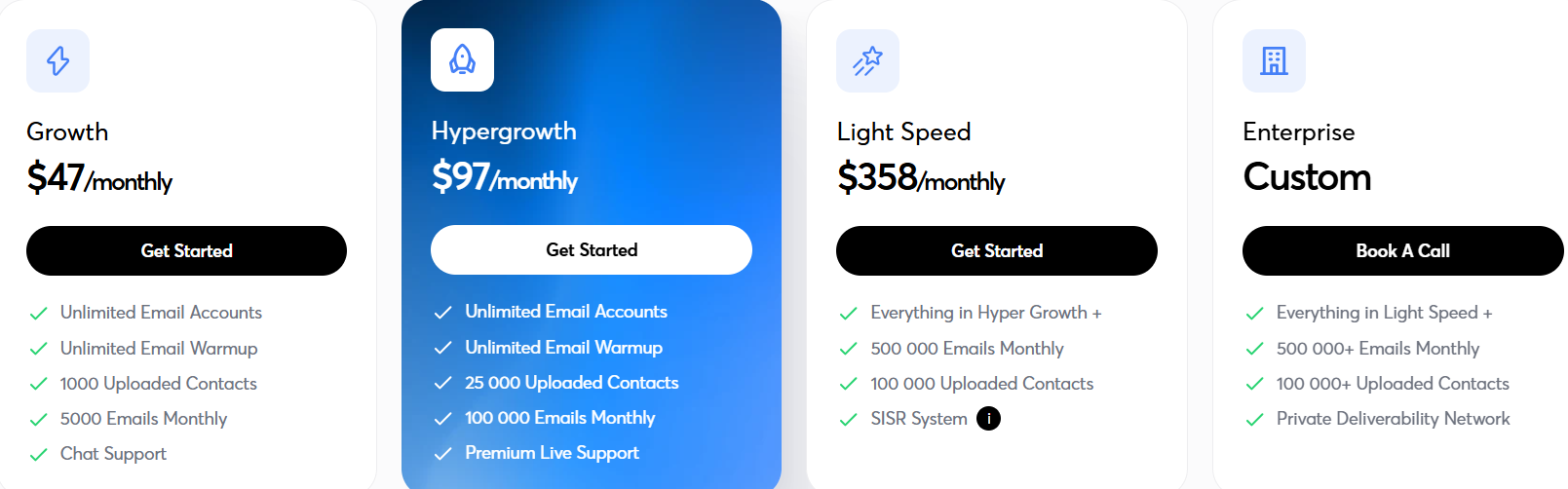
This image shows the Instantly pricing
Instantly uses a simple, volume-focused pricing model:
I like that Instantly charges based on campaign scale rather than per mailbox. This makes it easy for agencies, SDR teams, and growing businesses to scale without overpaying for additional accounts.
Best For: Teams that want fast, automated outbound campaigns with lead discovery, AI-powered outreach, and email warmup in one platform.
Avoid If: Your main goal is deep prospecting, CRM-based sales workflows, or enterprise-level sales intelligence rather than executing high-volume email campaigns.
4. Lemlist
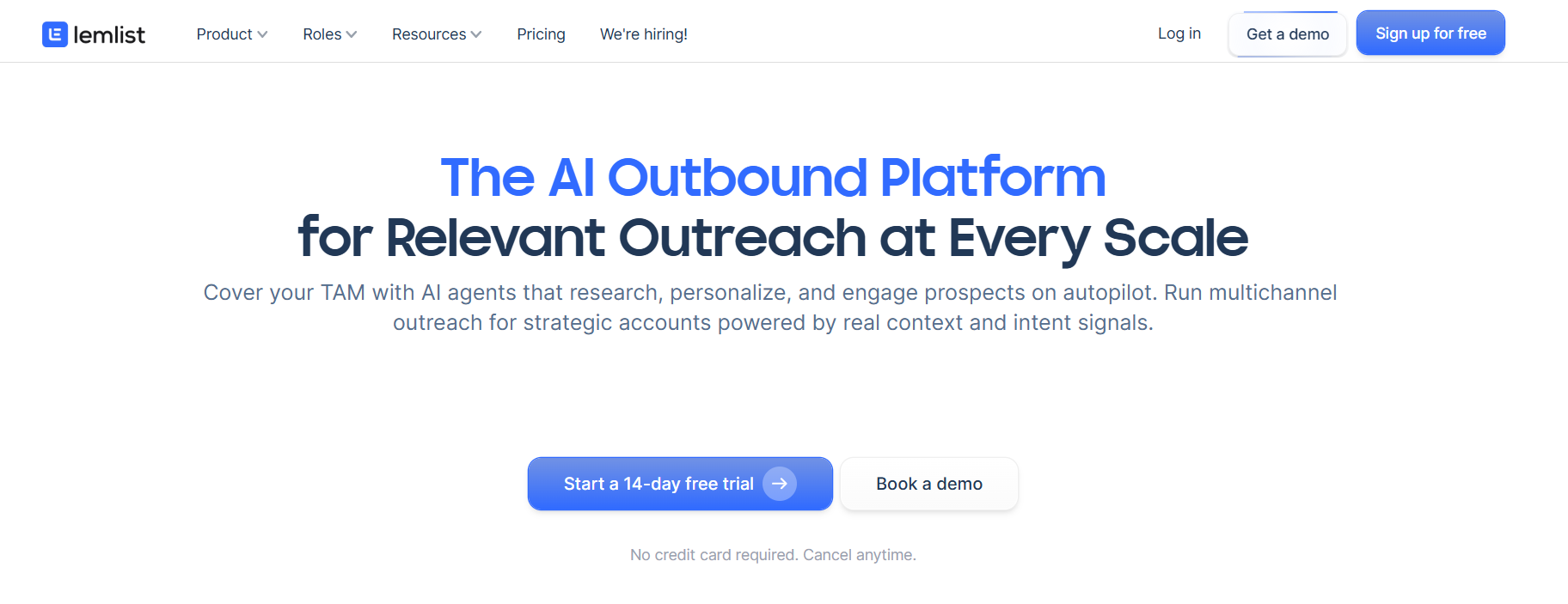
This image shows the Lemlist homepage
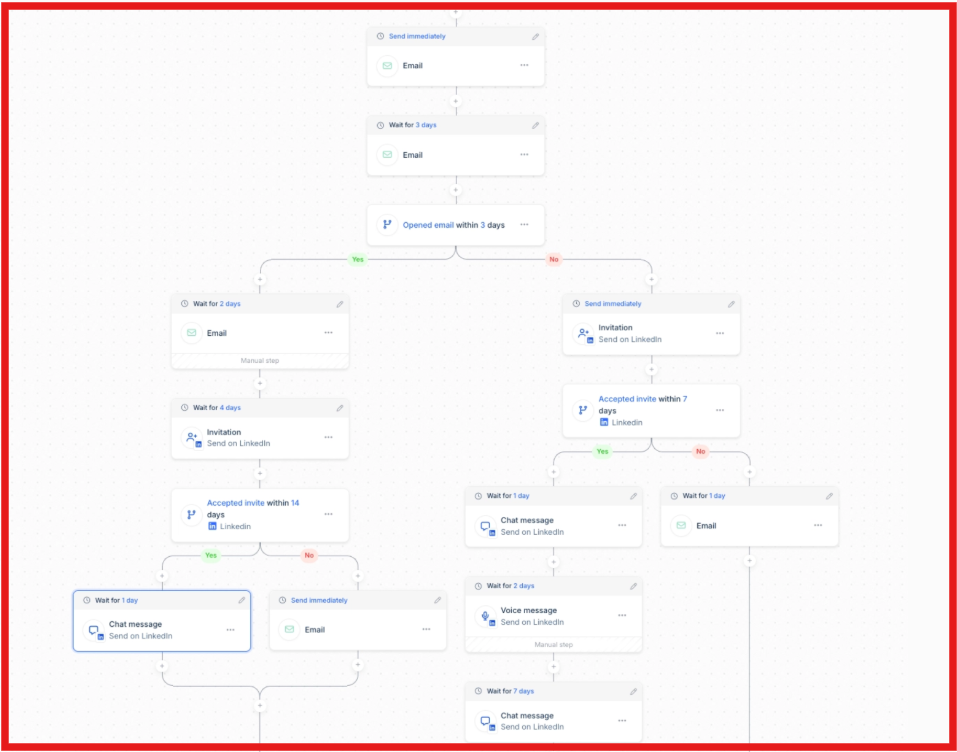
Lemlist is an AI-powered sales engagement platform designed to automate multichannel outreach while maintaining a personal touch. It helps sales teams find high-quality leads, enrich contact data, and run outreach campaigns across email, LinkedIn, WhatsApp, calls, and SMS from a single interface.
I find Lemlist particularly strong for teams that want to combine lead enrichment with AI-driven multichannel campaigns. While Apollo excels at prospecting and pipeline management, Lemlist focuses on outreach execution and deliverability, making it ideal for teams scaling personalized sequences across channels.
What impressed me is Lemlist’s AI agents, which handle lead enrichment, intent signals, and personalized messaging automatically. The unified inbox consolidates replies from all channels, and built-in tools like lemwarm protect deliverability. These features save teams hours of manual work while keeping campaigns highly targeted and effective.
This image shows the Multi-channel sequence example of Instantly
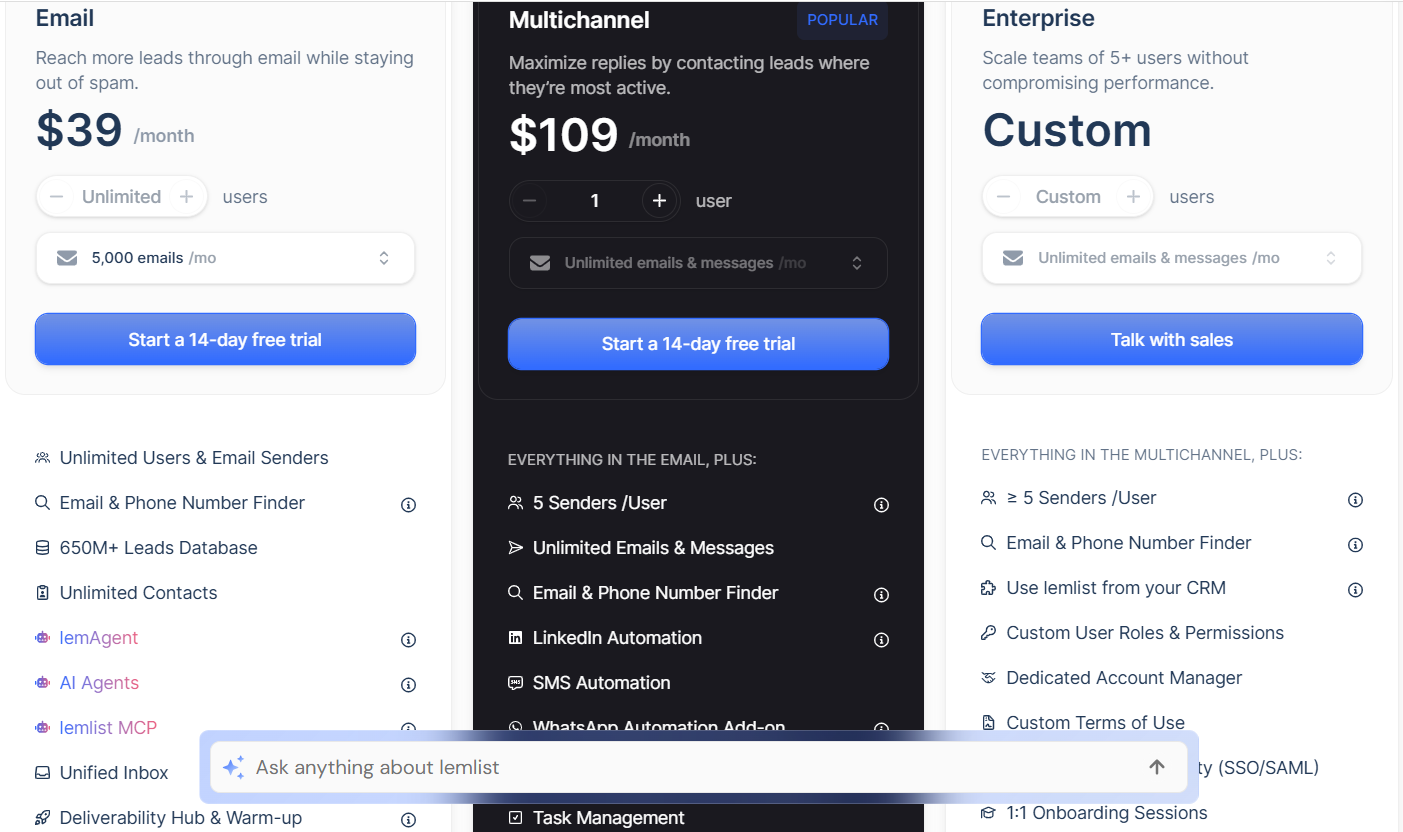
Every plan includes AI-driven personalization, deliverability tools, and CRM integration, making it easier for teams to scale targeted outbound campaigns efficiently .
Best For: Sales teams that want to run multichannel outreach, maintain inbox deliverability, and scale AI-personalized campaigns.
Avoid If: Your main focus is lead discovery or building prospect lists from scratch; Lemlist relies on integrations or imported data for initial prospecting.
5. Snov.io
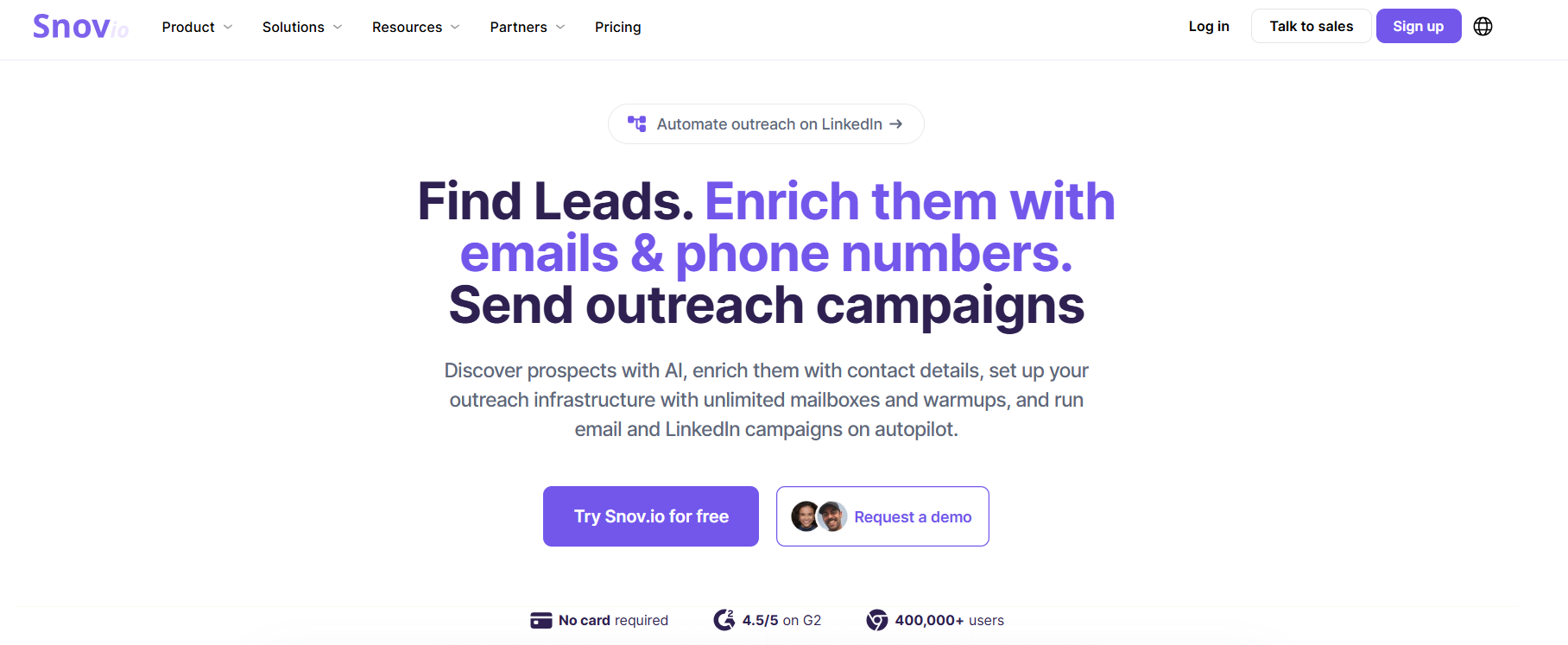
This image shows the Snov homepage
Snov.io is a sales platform that combines lead generation, email verification, multichannel outreach, CRM, and deliverability tools in one product. Instead of buying separate tools for prospecting, email verification, outreach, and pipeline management, you can handle most of it from a single dashboard.
For smaller teams and agencies, that's where Snov.io makes the most sense. Apollo offers a larger prospecting ecosystem, but Snov.io gives you a practical mix of lead generation and outreach tools at a lower starting price.
The feature I like most is the built-in verification and deliverability toolkit. Finding leads is only useful if your emails actually reach the inbox. Snov.io includes email verification, warm-up, blacklist monitoring, sender reputation checks, DNS record checks, and mailbox rotation alongside its outreach features.
Snov.io vs Apollo: Quick Comparison
Feature
Snov.io
Apollo
Primary Focus
Lead generation and outreach
Prospecting and sales engagement
Email Verification
Yes
Yes
LinkedIn Automation
Yes
Limited
Multichannel Outreach
Email and LinkedIn
Email, calls, and sequences
MCP Support
Yes
Yes
Email Warm-up
Yes
Yes
Built-in CRM
Yes
Yes
Team Seats
Unlimited
Per-seat pricing
Best For
SMBs and agencies
Growing sales teams
Pros and Cons of Snov.io
Pros
Cons
Combines prospecting and outreach in one platform
Smaller database than Apollo
Built-in email verification
Advanced plans cost more
Includes email warm-up tools
LinkedIn automation requires setup
Unlimited team seats
Enterprise functionality is more limited
CRM and outreach tools included
Credit limits depend on plan
Snov.io Pricing
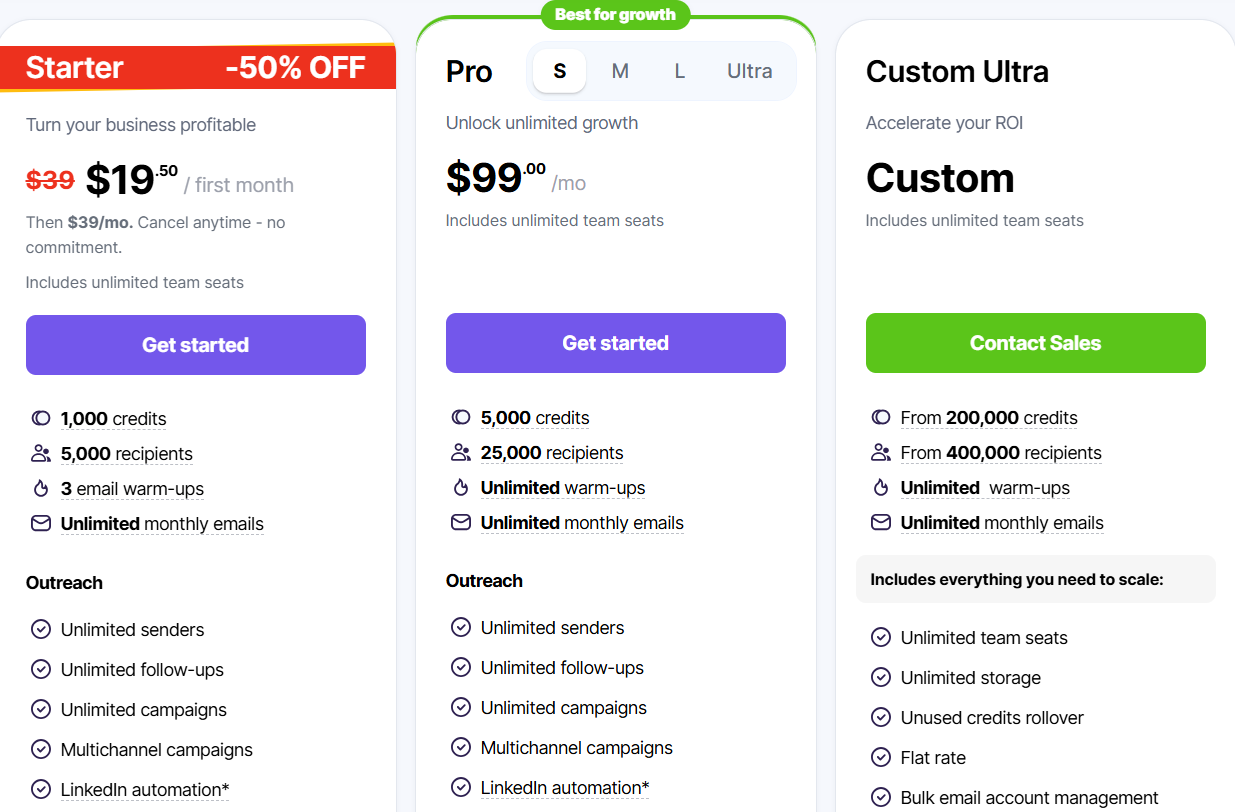
This image shows the Snov pricing
Snov.io offers three main plans:
Starter: $39/month (currently $19.50 for the first month)
Pro: $99/month
Custom Ultra: Custom pricing
Every plan includes unlimited team seats, lead generation tools, email verification, outreach campaigns, CRM functionality, and integrations. I like that Snov.io doesn't charge separately for every user. For agencies and small sales teams, that can make the pricing easier to justify compared to tools that charge per seat.
Best For: Agencies, startups, and sales teams that want prospecting, outreach, verification, and CRM features in one platform.
Avoid If: You need enterprise-level sales intelligence or the largest contact database available.
6. Clay
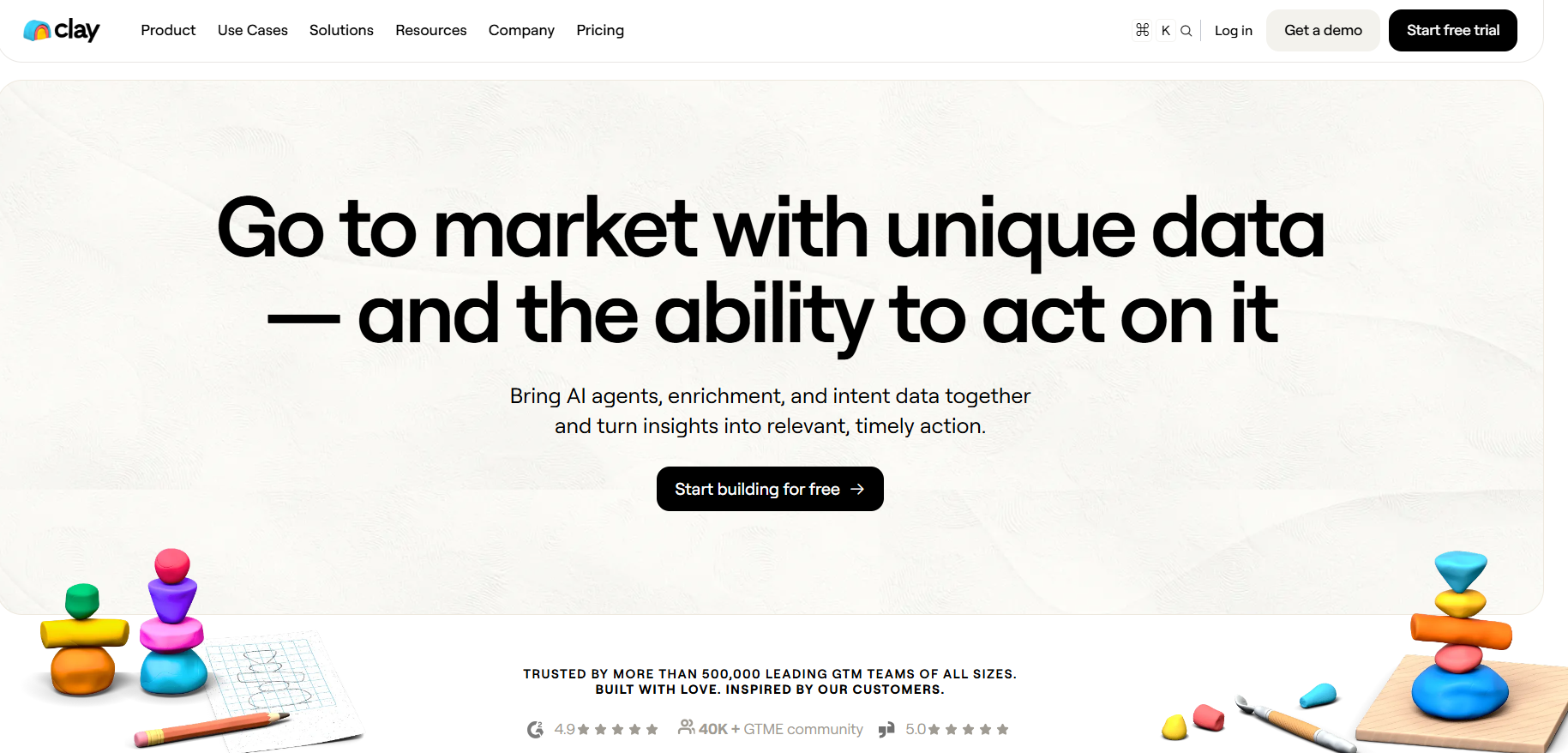
This image shows the Clay homepage
Clay is a lead generation and outbound prospecting platform that helps teams find prospects, enrich contact data, track buying signals, and build highly targeted outreach lists.
Instead of relying on a single database, Clay connects with more than 150 data providers and combines them into one workflow, helping teams get better coverage and more complete prospect data.
I think Clay is a better Apollo alternative for teams that care more about lead quality than lead quantity. Apollo gives you a large database and built-in outreach tools. Clay takes a different approach. It lets you combine multiple data sources, enrich records automatically, track intent signals, and build highly targeted prospect lists before sending outreach.
The feature I like most is the waterfall enrichment system. If one provider cannot find an email, phone number, or company detail, Clay automatically checks additional providers. Combined with Claygent, its AI research agent, this helps teams uncover data that would normally require manual research.
Clay vs Apollo: Quick Comparison
Feature
Clay
Apollo
Primary Focus
Lead enrichment and prospecting workflows
Lead generation and sales engagement
Data Sources
150+ providers
Apollo database
Waterfall Enrichment
Yes
No
Intent Signals
Yes
Limited
MCP Support
Yes
Yes
AI Research
Claygent
AI assistance
Outreach Sequences
Native Sequencer available
Built-in sales engagement
Best For
Building highly targeted prospect lists
Finding leads and running outreach
Pros and Cons of Clay
Pros
Cons
Access to 150+ data providers
More complex than Apollo
Strong waterfall enrichment
Can get expensive at scale
Tracks job changes and buying signals
Requires workflow setup
AI-powered research with Claygent
Learning curve for new users
Flexible workflow automation
Not the simplest tool for beginners
Clay Pricing
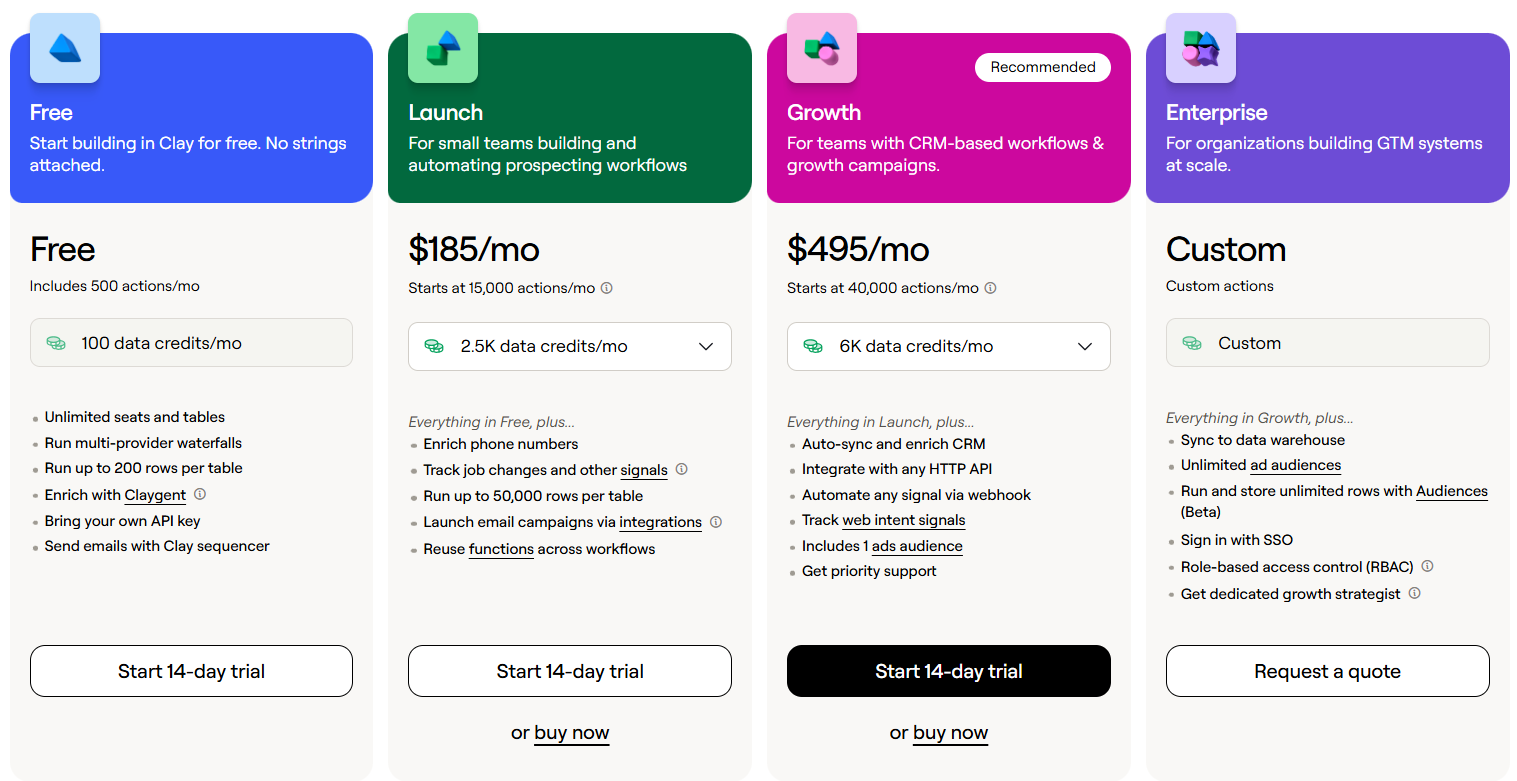
This image shows the Clay pricing
Clay offers several pricing plans:
Free – 500 actions/month and 100 data credits/month
Launch – Starts at $185/month
Growth – Starts at $495/month
Enterprise – Custom pricing
Every plan includes:
Multi-provider waterfalls
Claygent AI research
Lead enrichment workflows
CRM integrations
Workflow automation tools
I like that Clay lets teams access multiple data providers through a single platform instead of managing separate subscriptions. For outbound teams that spend a lot of time enriching leads and researching accounts, that can simplify the prospecting process significantly.
Best For: Teams that want better prospect data, advanced enrichment, buying signals, and highly targeted lead lists before launching outreach.
Avoid If: You want a simple plug-and-play prospect database with minimal setup and workflow customization.
7. Icypeas
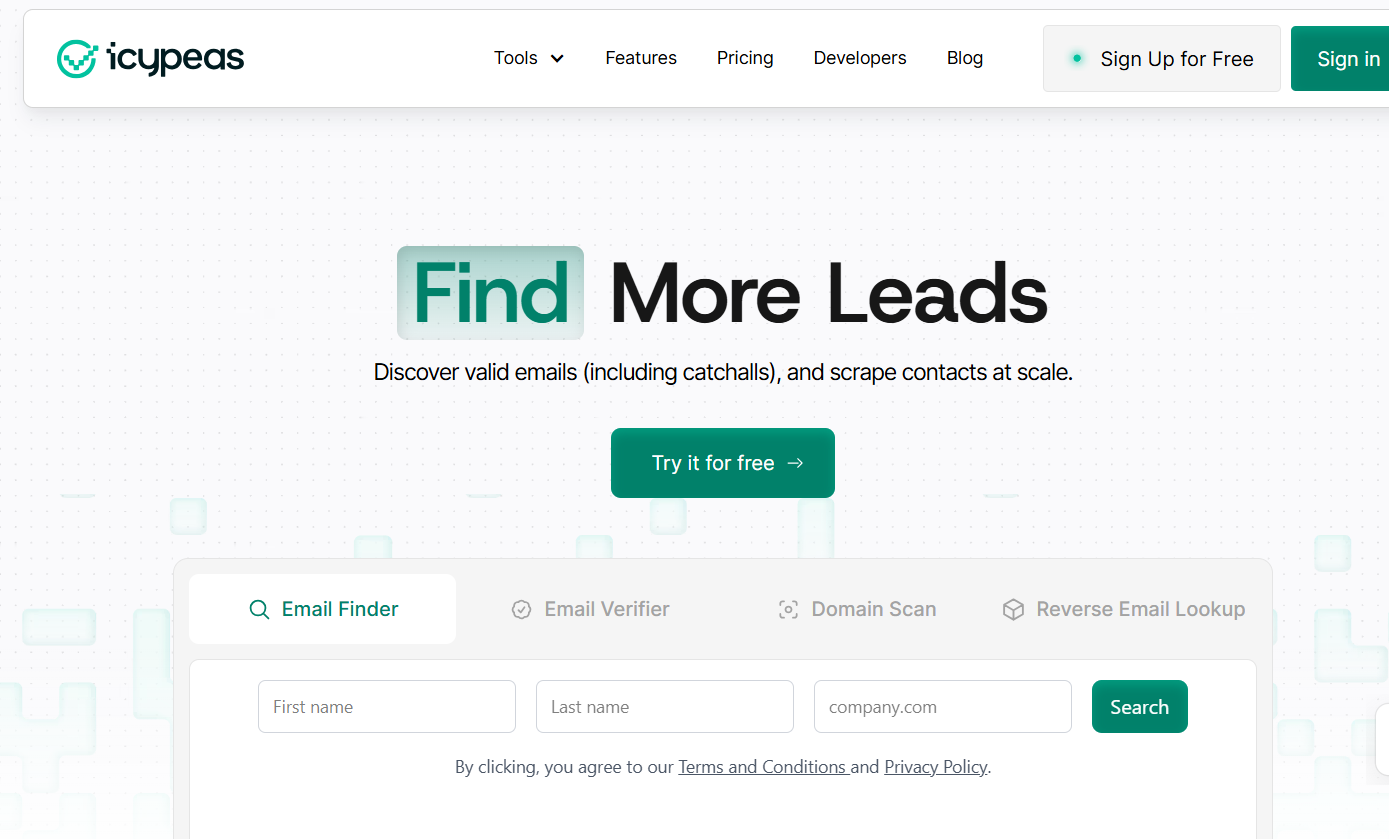
This image shows the Icypeas homepage
Icypeas helps you find verified emails, verify existing lists, scan domains, enrich profiles, and scrape contact data at scale. For cold outreach teams, this matters because bad data can quickly lead to high bounce rates, poor sender reputation, and wasted campaigns.
I would pick Icypeas over Apollo if my main problem was email data quality. Apollo gives you a bigger sales platform with outreach, CRM, and sequencing. Icypeas is better when you already have your outreach stack and just need cleaner, cheaper, and more reliable contact data.
The best part is its catch-all verification. Many tools struggle with catch-all emails, especially on Google and Microsoft mailboxes. Icypeas specifically highlights this as one of its strengths, which makes it useful for teams that care about reducing bounce risk before sending cold emails.
Icypeas vs Apollo: Quick Comparison
Feature
Icypeas
Apollo
Primary Focus
Email finding and enrichment
Prospecting and sales engagement
Email Finder
Yes
Yes
Email Verifier
Yes
Yes
Catch-All Verification
Yes
Not highlighted
Domain Scan
Yes
No
MCP Support
Yes
Yes
Reverse Email Lookup
Yes
No
Outreach Sequences
No
Yes
Best For
Clean contact data
All-in-one sales workflow
Pros and Cons of Icypeas
Pros
Cons
Strong email finding
No built-in outreach sequences
Catch-all verification
No CRM
Good for cleaning lead lists
Not an all-in-one sales platform
API and no-code integrations
You need another tool to send campaigns
Credits roll over and do not expire
Less useful if you want full sales engagement
Icypeas Pricing
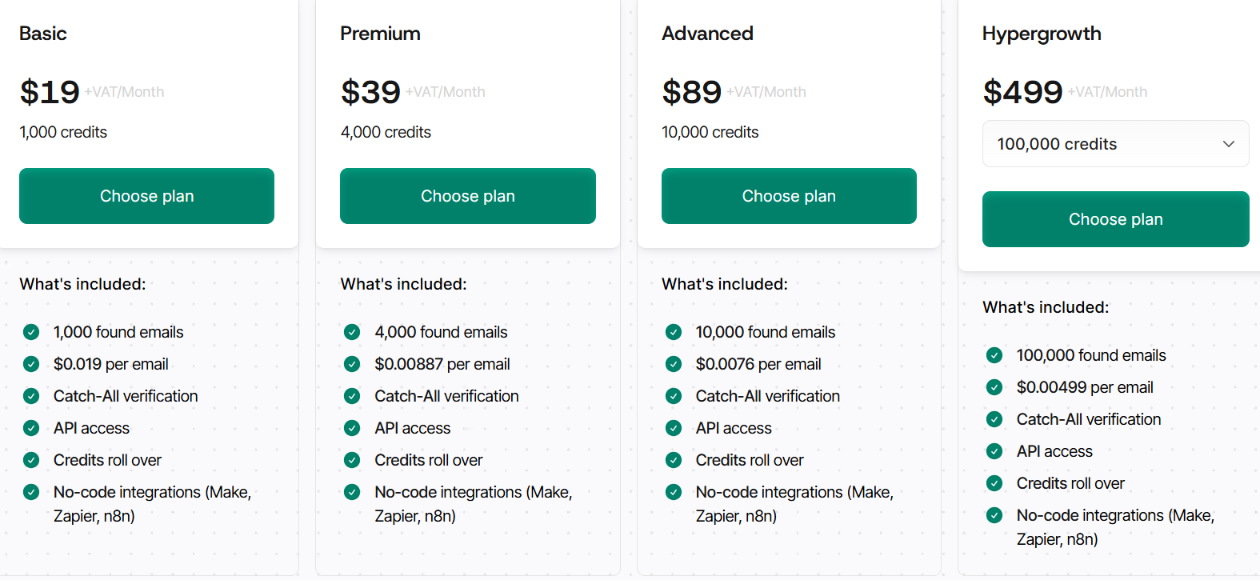
This image shows the Icypeas pricing
Icypeas uses credit-based pricing:
Basic – $19/month, includes 1,000 credits
Premium – $39/month, includes 4,000 credits
Advanced – $89/month, includes 10,000 credits
Hypergrowth – $499/month, includes 100,000 credits
Credits are used for tasks like email finding, verification, domain scans, profile scraping, and reverse email lookup. Unused credits roll over and do not expire. I like the pricing because it is simple and focused on output. You are not paying for a huge platform if all you need is verified email data.
Best For: Teams that already use a sequencer and need verified emails, cleaner lists, and better enrichment before outreach.
Avoid If: You want one platform for lead generation, email sequences, calling, CRM, and sales engagement.
8. Smartlead
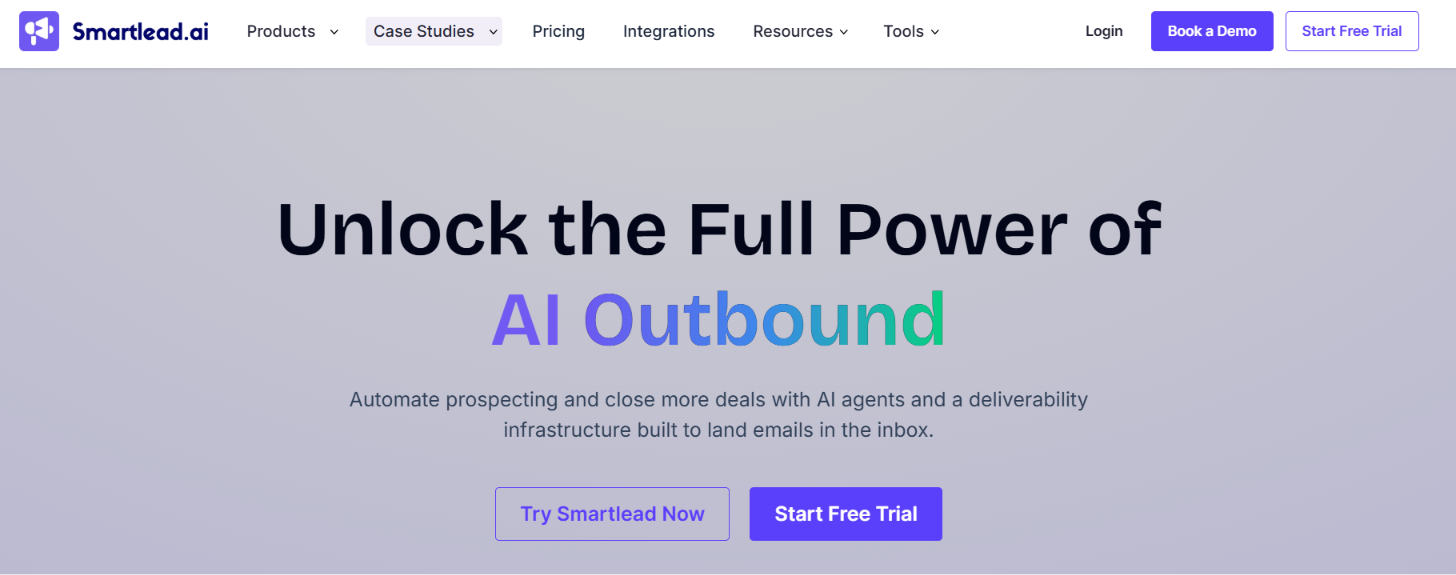
This image shows the Smartlead homepage
Smartlead is a cold email platform built for teams that want to run outreach across many mailboxes and domains. It combines email sending, mailbox management, warmup, reply handling, and outreach automation in one platform.
I think Smartlead is a better Apollo alternative if your main goal is running cold email campaigns at scale. Apollo gives you prospecting data and outreach tools, but Smartlead puts much more attention on the sending side of outbound. If you already have leads and need a way to manage large outreach campaigns, Smartlead is often the better fit.
What stood out to me is that Smartlead removes a lot of the operational work behind cold email. You can manage mailboxes, warm up accounts, rotate senders, and handle replies from one place.
Smartlead vs Apollo: Quick Comparison
Feature
Smartlead
Apollo
Primary Focus
Cold email outreach
Prospecting and sales engagement
Lead Database
Limited
Yes
Email Sequences
Yes
Yes
Unlimited Email Accounts
Yes
No
MCP Support
Yes
Yes
Unlimited Warmup
Yes
No
Email Infrastructure
Yes
No
Best For
Scaling cold email campaigns
Finding leads and managing outreach
Pros and Cons of Smartlead
Pros
Cons
Unlimited email accounts
Not focused on lead generation
Unlimited email warmup
Smaller prospect database than Apollo
Automatic mailbox rotation
Lead discovery is not the main strength
Unified inbox for reply management
Teams may still need enrichment tools
Built for high-volume outreach
Less focused on sales intelligence
Smartlead Pricing
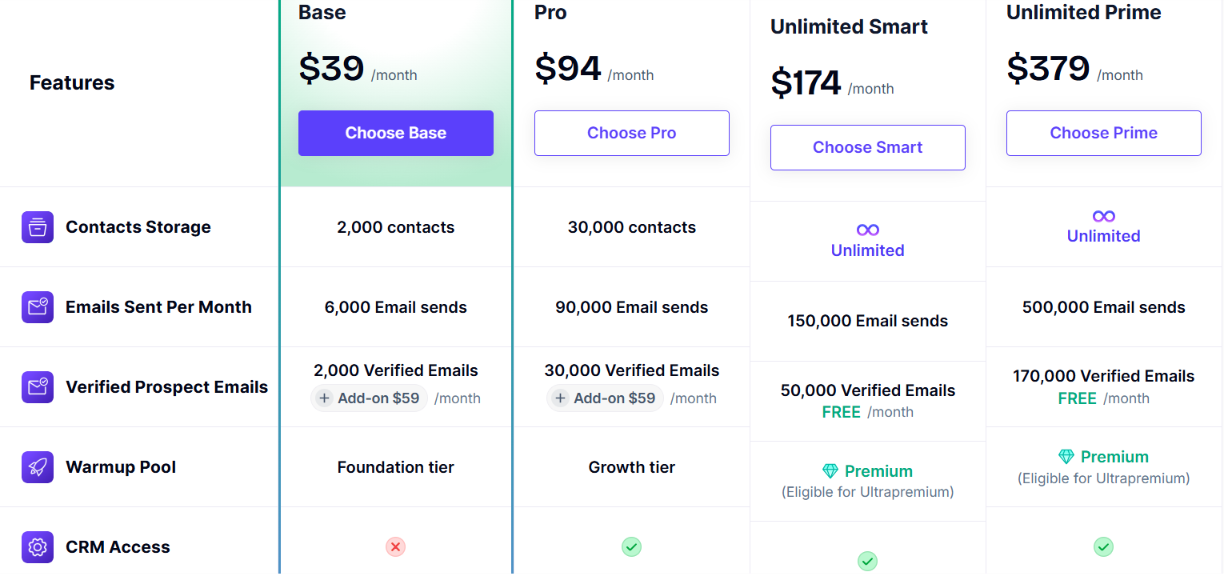
This image shows the Smartlead pricing
Smartlead offers three main plans:
Basic – $39/month
Pro – $94/month
Custom – Starts at $174/month
Plans include features such as unlimited email accounts, unlimited warmup, outreach automation, mailbox rotation, and centralized inbox management. I like that Smartlead does not charge based on the number of connected mailboxes.
As outbound programs grow, that can become a significant cost advantage compared to tools that charge per mailbox or per user.
Best For: Agencies, SDR teams, and outbound teams that need to run cold email campaigns across multiple mailboxes while keeping management simple.
Avoid If: Your biggest need is finding prospects, account research, or sales intelligence data. Apollo is stronger for prospecting, while Smartlead is stronger for outbound execution.
Which Apollo Alternative Should You Choose Based on Your Use Case?
Each tool on this list solves a different problem. Some are better for finding leads. Some are better for outreach. Others focus on data enrichment or email deliverability.
Here is a simple way to choose the right tool based on what you need most.
If You Want...
Choose...
Find qualified leads with AI
Leadsforge
Build prospect lists faster
Leadsforge
Run cold email campaigns at scale
Instantly
Reach prospects across email and LinkedIn
Lemlist
Manage prospecting and outreach in one platform
Snov.io
Build custom enrichment workflows
Clay
Find and verify email addresses
Icypeas
Verify catch-all emails
Icypeas
Send high volumes of cold emails
Smartlead
Manage multiple mailboxes for outreach
Smartlead
Research and enrich leads with AI
Clay
Improve email deliverability
Lemlist
Warm up mailboxes before outreach
Smartlead
Run outbound as a solo founder
Lemlist
Manage outreach for multiple clients
Smartlead
If lead generation is your biggest challenge, Leadsforge is the strongest choice on this list. If you already have leads and need a better way to reach them, Instantly, Lemlist, and Smartlead are better options. If your team spends a lot of time enriching data and building workflows, Clay and Icypeas are worth a closer look.
Personalized Outbound Strategy
Get The Right Outbound Strategy In Minutes
Enter your email to get a custom plan & stack recommendation for your
business
It's being carefully crafted by AI
Please check your mailbox in 5 minutes
Conclusion
Apollo tries to combine lead data, prospecting, and outreach in one platform. For some teams, that works well. For others, the biggest limitation is that one part of the workflow is stronger than the rest.
If your biggest challenge is finding more qualified prospects, Leadsforge is the option I would look at first. It makes prospecting much simpler by letting you describe your ideal customer in plain English and then generating verified prospect lists with emails, phone numbers, LinkedIn profiles, lookalikes, and intent signals.
The other tools on this list solve different problems. Instantly, Lemlist, and Smartlead are stronger if your focus is cold outreach. Clay is better for custom enrichment workflows. Icypeas is useful when email finding and verification are your main priorities.
But if you are replacing Apollo because prospecting has become slow, manual, or inconsistent, Leadsforge is one of the strongest alternatives available today.
1. What is the best Apollo alternative for lead generation?
If your main goal is finding qualified prospects, Leadsforge is one of the strongest Apollo alternatives. It helps you build targeted prospect lists using AI-powered searches, waterfall enrichment, lookalikes, and intent signals.
2. Which Apollo alternative is best for cold email outreach?
Instantly, Lemlist, and Smartlead are all strong options for cold outreach. Instantly focuses on email at scale, Lemlist supports multichannel outreach, and Smartlead is built for high-volume sending and mailbox management.
3. Which Apollo alternative has the best data enrichment?
Clay is one of the best options for data enrichment and workflow automation. It combines data from multiple providers and lets teams build custom enrichment workflows without switching between tools.
4. Is there an Apollo alternative for finding and verifying emails?
Yes. Icypeas specializes in email finding and verification. It also supports catch-all email verification, helping teams improve list quality and reduce bounce rates.
5. Which Apollo alternative is best for LinkedIn outreach?
Lemlist and Snov.io both support LinkedIn outreach alongside email campaigns. This makes it easier to run multichannel campaigns from a single platform.
6. Can I replace Apollo with multiple tools instead of one platform?
Yes. Many teams use separate tools for prospecting, enrichment, and outreach. For example, you could use Leadsforge for lead generation and pair it with Instantly, Lemlist, or Smartlead for outreach.