
If you've ever tried to buy an email list, you already know the struggle.
Most companies that show up when you search for "buy email list" fall into one of two camps.
They're either selling the same stale CSV that's probably been passed around for years, or they're lead databases.
But the problem is that it's surprisingly hard to tell which ones are actually good until you've already spent your money.
Pick the wrong provider, and you're dealing with bad data, higher bounce rates, weaker deliverability, and a sender reputation that's a lot harder to fix than it is to break.
So instead of relying on marketing claims, I evaluated 11 of the most recommended email list providers using the same criteria.
I looked at
I also dug through the latest G2 reviews to see what actual customers were saying in 2026. (Because marketing pages tell one story. User reviews usually tell another.)
Here's what I found.
If you only have a minute, this table gives you the fast version of what I picked and why.
Grab 100 free verified emails
The short answer I would give anyone asking me this question is yes, but only if I bought the right kind of list from the right kind of provider.
Someone would scrape a CSV of 50,000 contacts and sell the same file to a hundred buyers. By the time I imported it, half the addresses had already been marked as spam by every major inbox provider.
I have watched companies get their primary domain blacklisted inside a week doing exactly this, and the recovery process took months.
Instead of selling me a pre-built file, today's providers give me access to a live database and let me build a targeted list on demand. The moment I run a search, the platform pulls fresh contacts that match my ICP, verifies the emails in real time, and lets me export only what I need.
My copy of the list is built the second I click download, which means it has not been resold and the emails have been checked seconds before they hit my CSV. That is the version of "buying an email list" that actually works, and it is what every provider on this list uses.
Cold outbound in the United States is legal under CAN-SPAM as long as I include a clear opt-out and honor unsubscribes within 10 business days. Violations run up to $51,744 per email if I get sloppy.
Over in the EU and UK, GDPR requires me to show legitimate interest in every business contact I reach, and fines can hit 4% of global annual revenue for repeat offenders.
California's CCPA adds another layer for any US company selling into California, and I have to honor "do not sell" requests and disclose where my data came from on demand.
Even if I buy a perfectly clean list of 5,000 verified contacts, sending them from my primary business domain will burn my sender reputation inside seven days.
Gmail and Outlook do not care whether the list is clean or scraped, and they treat any sudden spike in cold volume from my main domain as a spam signal.
Once my bounce rate crosses 4%, blacklisting kicks in, and every mailbox tied to that domain gets pulled down with it.
I break the sending side of this down in more detail inside my post on how domain reputation affects cold email deliverability.
Every tool on this list got tested against the same six criteria, and these are the ones that decide whether a purchased list makes me money or wrecks my deliverability.
Accuracy is the single metric I care about more than any other, because a 200M-contact database with 95% accuracy beats a 500M database with 70% accuracy every single time.
The providers publishing specific numbers, like UpLead's 95% or BookYourData's 97%, are the ones that tend to back the claim up on export.
The providers using vague words like "accurate" or "verified" without a published percentage are the ones where I saw bounce rates climb past 8% on my test campaigns.
There are two ways providers verify emails, and the difference matters. Real-time verification runs the check when I search, so the email hitting my CSV was validated seconds before I exported it.
Periodic verification refreshes the database on a schedule, which means the email I export might have last been checked six weeks ago. Real-time verification is what I want, and the tools doing it well are UpLead, Leadsforge, BookYourData, and Hunter.
Most databases pull from a single source, and when that source has a gap, I get no result. Waterfall enrichment queries a second, third, and fourth source until one returns a verified email, and it is the difference between a 60% hit rate and an 85% hit rate on harder segments. This matters most in EMEA mid-market and APAC SMB, where single-source tools drop off fast.
No provider covers every region equally well, and the mismatch will make or break my campaign if my ICP sits outside the US. Apollo and ZoomInfo are US-strong and EU-weak, while Cognism and Kaspr are the exact opposite.
Lusha covers LATAM and APAC better than most, and Leadsforge holds up globally through waterfall enrichment.
GDPR, CAN-SPAM, and CCPA are non-negotiable for me, and I look for providers that let me filter out non-consented contacts before I export, not after.
Cognism and Kaspr treat this as a first-class feature with dedicated workflows, while most others treat it as a footer disclaimer. If I am running outbound into the EU, this is the criterion I weigh heaviest.
CSV export is the baseline, but what I actually want is a direct push into my sending stack so I can go from search to sequence inside one workflow.
Leadsforge exports directly into Salesforge, Apollo has its own sequencer built in, and everyone else has me moving CSVs by hand. The friction adds up when I am running multiple campaigns a week.
I tested every provider below against the six criteria above, and I flagged where each one wins and where each one falls short.
No perfectly balanced pros-and-cons that read like AI wrote them, just what worked, what did not, and what I would use each tool for in 2026.
The best place to buy email lists in 2026 is Leadsforge, because its waterfall enrichment holds up in regions where single-source databases go stale, and its real-time email validation runs at the point of search rather than periodically in the background.
That combination means the emails I export are checked seconds before they hit my CSV, which shows up in bounce rates on send.
Standout facts
The interface works like a chat-based search engine rather than the filter-heavy dashboards I am used to on Cognism or ZoomInfo.
I describe my ICP in plain English, the tool queries multiple B2B databases at once, and it returns matched contacts with verified emails and LinkedIn URLs inside the same view.
Exports go straight to CSV or push directly into Salesforge, which saves me the manual import step I run into with every other tool on this list.
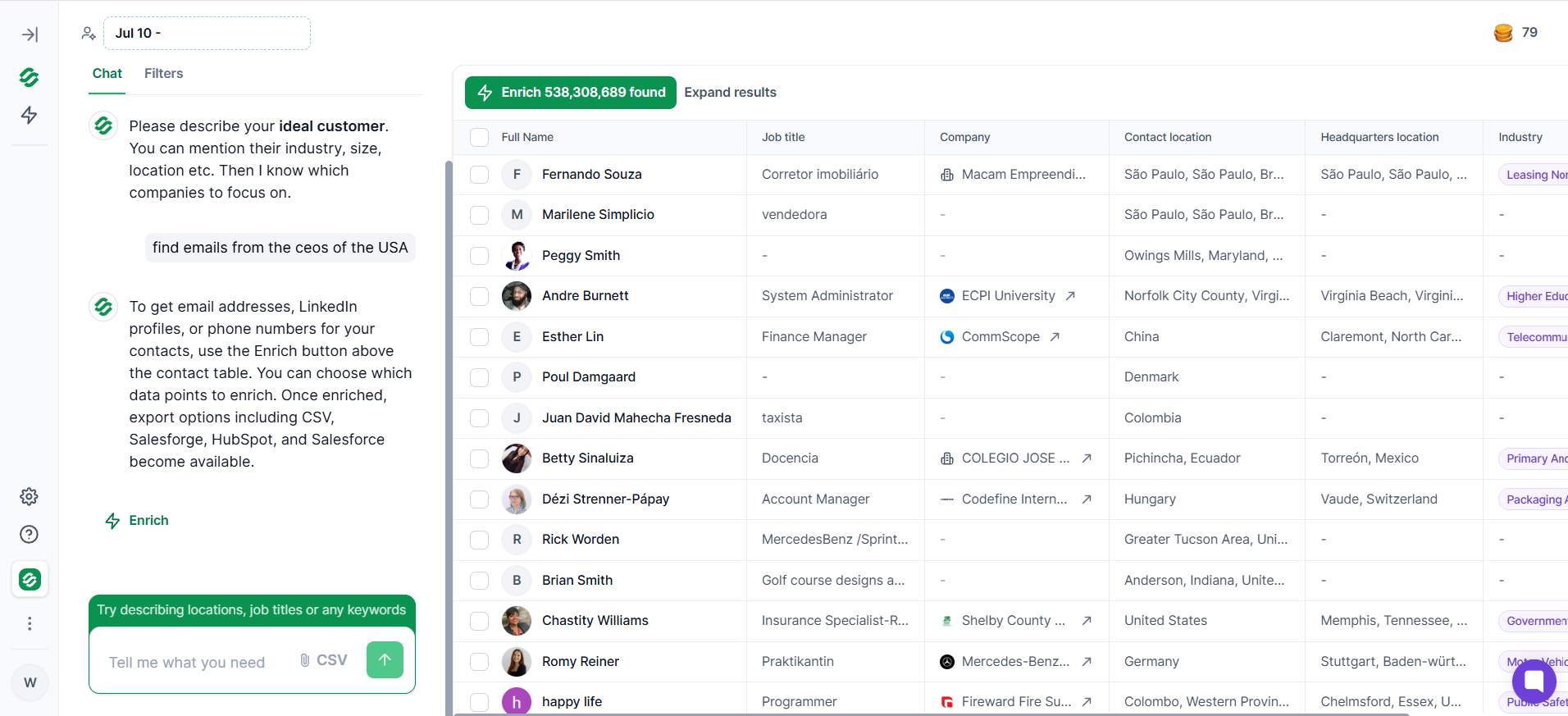
Why I picked it as the best overall: Most providers force me to run a separate verification step after export because their in-database emails go stale between refreshes. Leadsforge validates in real time when I search, so the hit rate on export stays high even when I am pulling from harder segments like EMEA mid-market or APAC startups.
The tool sits on SOC2-compliant infrastructure, and the 100 free credits I get on signup do not expire, which is unusual on this list. Credit packs scale up to 200,000+ contacts for teams running heavy volume.
The next platform to buy email data from is Cognism, and if my ICP sits in EMEA, this is the tool I would evaluate first.
Its European B2B email coverage holds up better than any competitor I tested, and the verification workflow catches stale addresses before they hit my export.
Standout facts
The reason Cognism keeps winning EMEA deals is that most competitors treat European data as an afterthought, while Cognism built the platform around it.
I ran the same set of German mid-market queries through Apollo, ZoomInfo, and Cognism, and Cognism came back with a materially higher hit rate on verified work emails.
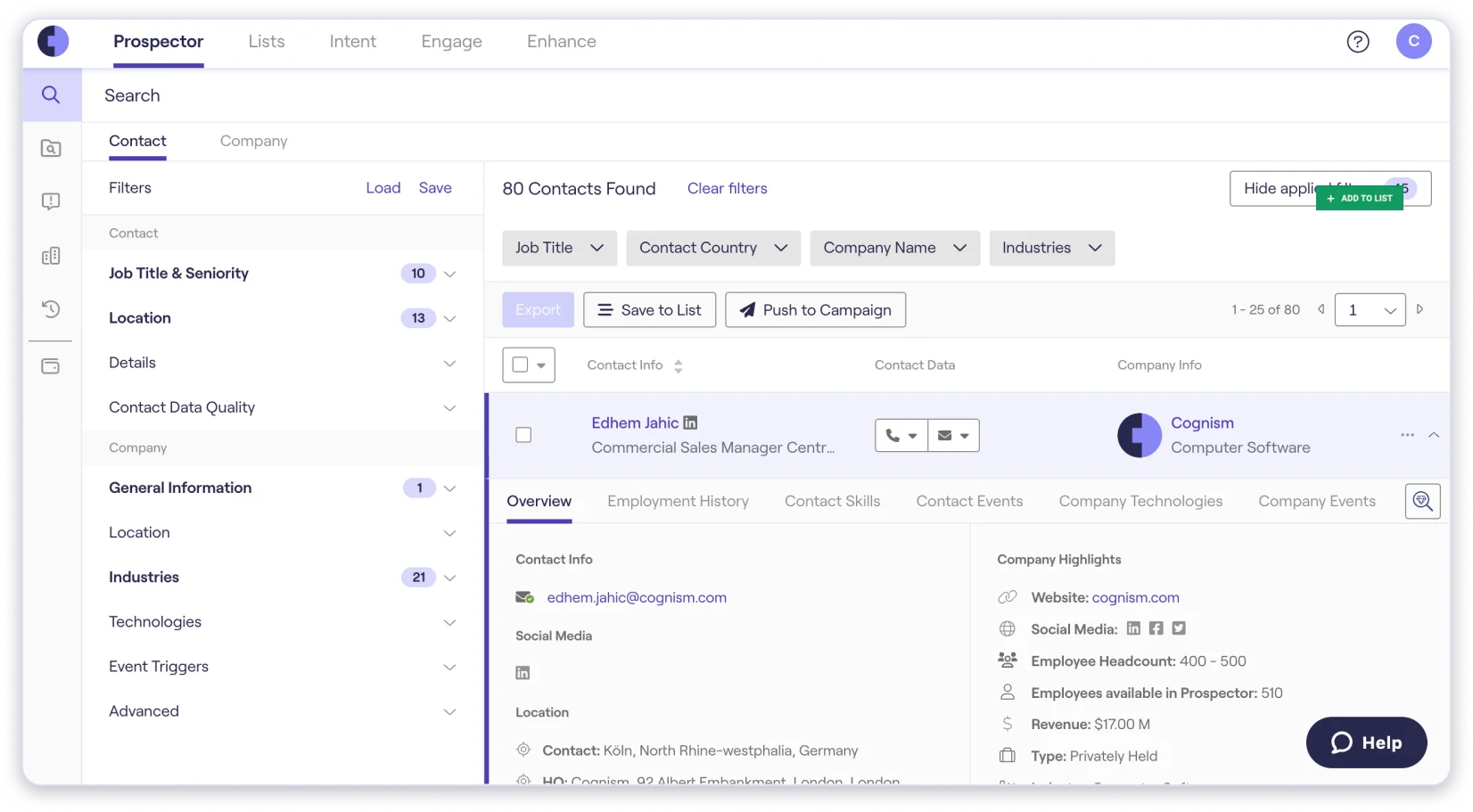
The catch: Pricing is entirely custom, and every plan runs through a sales conversation. G2 reviewers flag that verification credits deplete faster than expected on high-volume outreach, and I ran into the same thing during my testing. Bulk-exporting large lists is also slower than I would like.
One pattern I noticed reading through the current G2 page is that "inaccurate data" got flagged across 91 separate reviews.
The complaints tend to concentrate on Italian and Southern European records, so buyers targeting DACH and UK see better results than buyers targeting Mediterranean markets.
The best place to buy email lists for free is Apollo, because no other tool on this list gives me a free plan with actual usable credits that I can turn into a real campaign.
If I am running a small outbound test and I do not want to commit to a subscription yet, Apollo is the fastest way to get started without touching a credit card. You can also check my breakdown of Apollo alternatives if the free tier ceiling starts to feel tight.
Standout facts
Apollo is the tool most SDRs I know cut their teeth on, and it is priced at roughly one-third of what ZoomInfo and Cognism charge for a comparable seat.
Filters cover the standard prospecting criteria, sequence tools are built in, and the credit allotments on paid plans are generous enough to run real campaigns without constantly topping up.
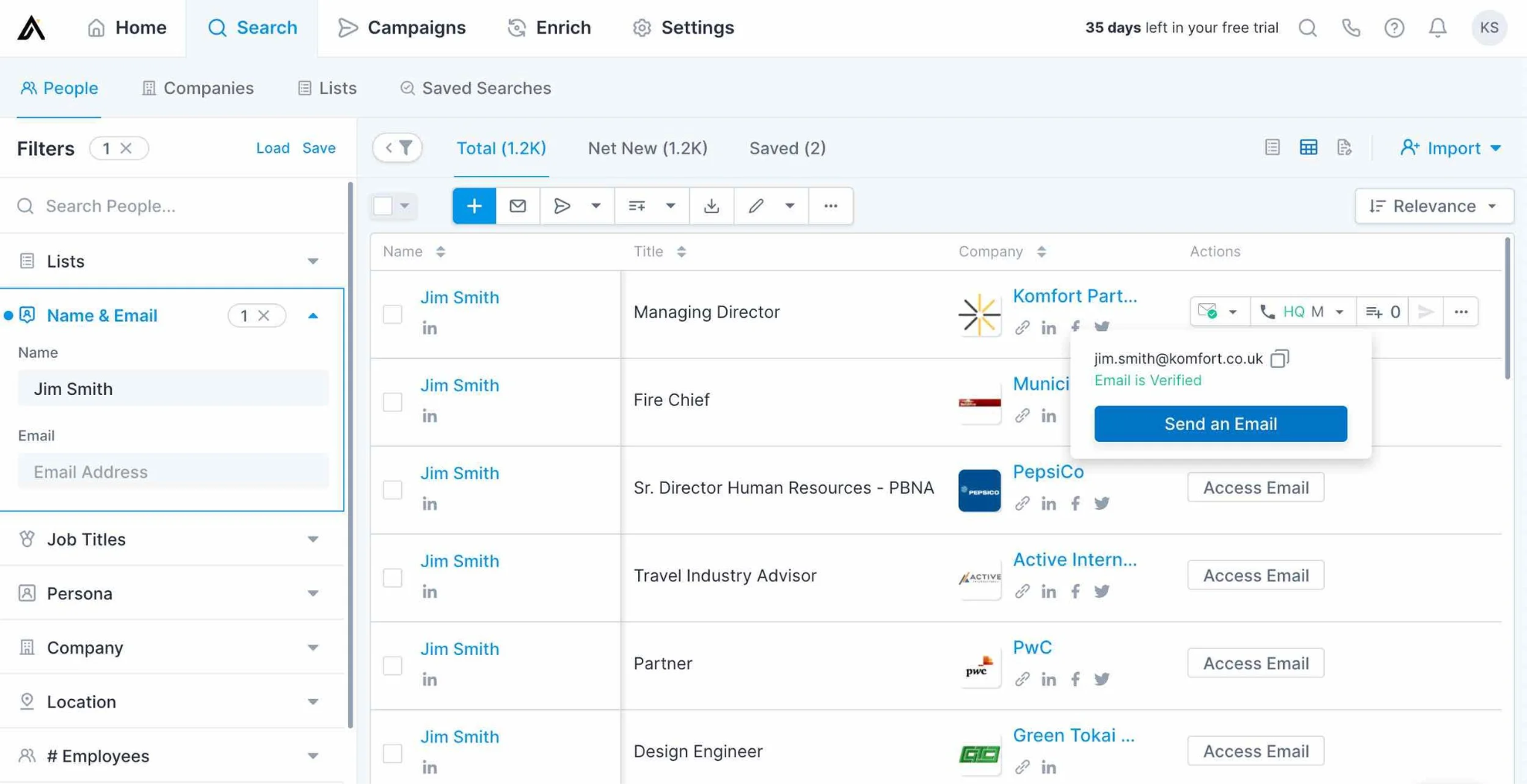
Where it falls short: Data quality outside the US takes a noticeable hit. One G2 reviewer this year flagged that older records in APAC and the Middle East show email bounce rates 10-15% higher than newer ones, and credits still burn even when the data is stale.
I saw the same pattern on my own tests when I pulled a list of Singapore-based SaaS founders through Apollo versus Leadsforge, and the Apollo list came back with a materially higher share of dead addresses.
The pattern on the G2 page is loud on this one. "Inaccurate data" showed up as a repeat complaint across 469 separate reviews, which is the highest count of any tool on this list. That is a signal worth taking seriously if my ICP sits outside US enterprise.
Another top email list provider worth covering is ZoomInfo, and it earns the US enterprise slot because nobody else on this list matches its verified email coverage at enterprise scale.
If my ACV is $50K+ and my ICP is Fortune 500 or upper mid-market, this is the tool that gets picked over the alternatives.
Standout facts
The reason ZoomInfo commands a premium is that it layers intent data and technographics on top of the contact database, so I do not just get an email address, I get a signal that the account is actively researching solutions in my space.
I have used this on enterprise accounts to prioritize outreach, and the signal quality genuinely holds up on high-consideration purchases.
The tradeoff is data decay on smaller accounts. Enterprise records stay sharp because the accounts do not change fast, but mid-market and SMB records go stale faster than the platform's messaging suggests.
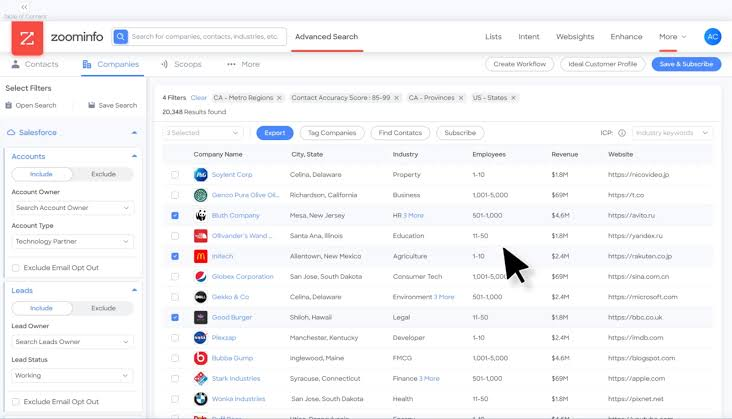
I saw "inaccurate data" flagged across 205 separate reviews on their G2 page, and "outdated data" showed up in another 203. Both complaints skew heavily toward the SMB tier.
If I am targeting anything under 500 employees, I usually cross-check ZoomInfo records against a second source before I send.
Pricing is quote-only and lands well above Cognism or Apollo, which is why ZoomInfo tends to win only when the ACV justifies the seat cost.
The next tool to purchase email lists from is UpLead, and it earns the accuracy guarantee slot because it is the only provider on this list that publishes a 95% number and backs it up with real-time verification at the point of search.
Standout facts
UpLead pitches itself as the tool that "invented email verification-as-a-service," and the product genuinely delivers on that positioning.
When I ran a US-focused mid-market query, the export came back with a bounce rate under 3%, which is the lowest I saw across every tool I tested for this post. The suppression list upload on the Plus tier is also a feature I use to keep existing customers and prior contacts out of new campaigns.
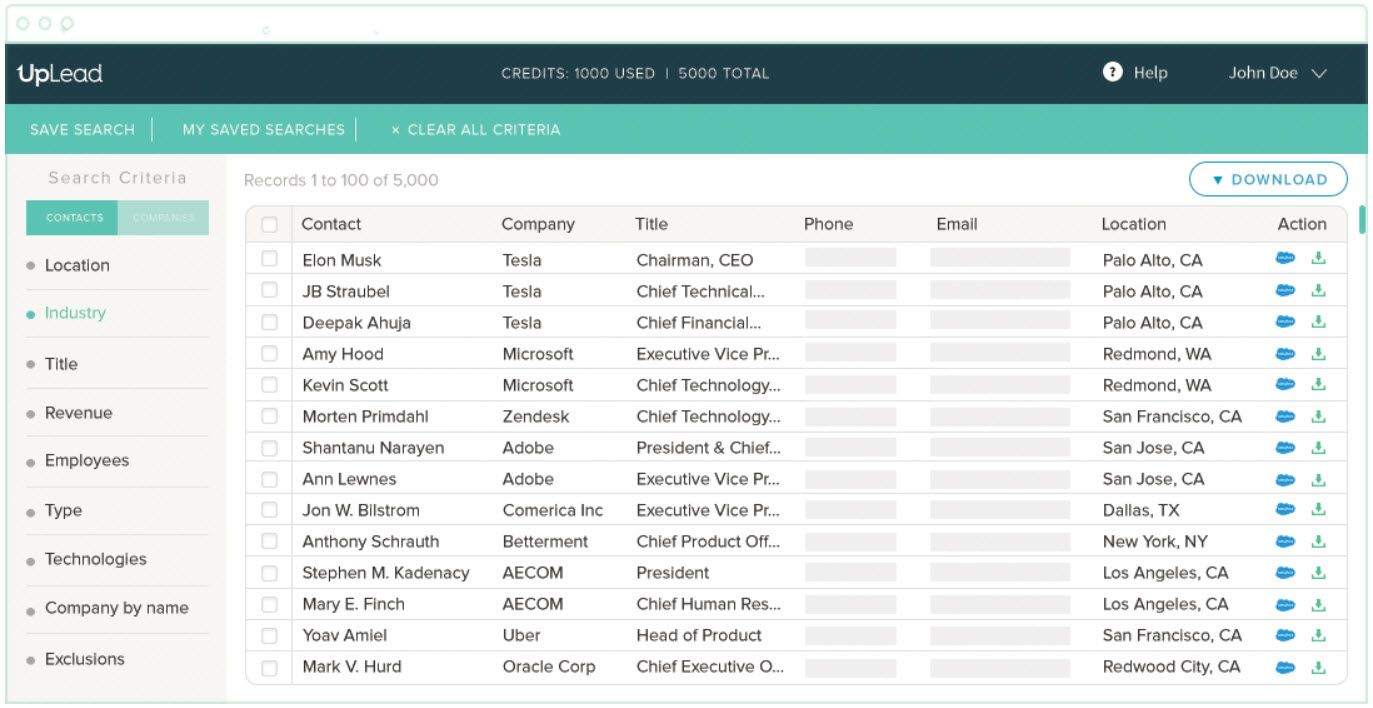
Where it falls short: UpLead does not do reverse-append. If I already have a list of names and I want to find their emails without providing company or role context, the tool cannot help.
One G2 reviewer flagged this exact gap this year, and I ran into it myself when I tried to enrich a set of event attendees.
Pricing transparency on credit consumption is also a recurring complaint on G2, though the base rates themselves come in noticeably below Apollo Organization or ZoomInfo.
A place to purchase an email list that I want to cover next is Lusha, and it earns the multi-region slot because it is one of the few providers that publishes email coverage across NA, EMEA, APAC, and LATAM in a single database.
Standout facts
If my ICP sits in a region that most tools treat as an afterthought, Lusha is one of the few options where I can pull LATAM or APAC contacts without running into empty result sets.
The Chrome extension for LinkedIn is also faster than what Kaspr or Cognism ship, and it makes one-off enrichment feel closer to a native LinkedIn feature than a bolt-on.
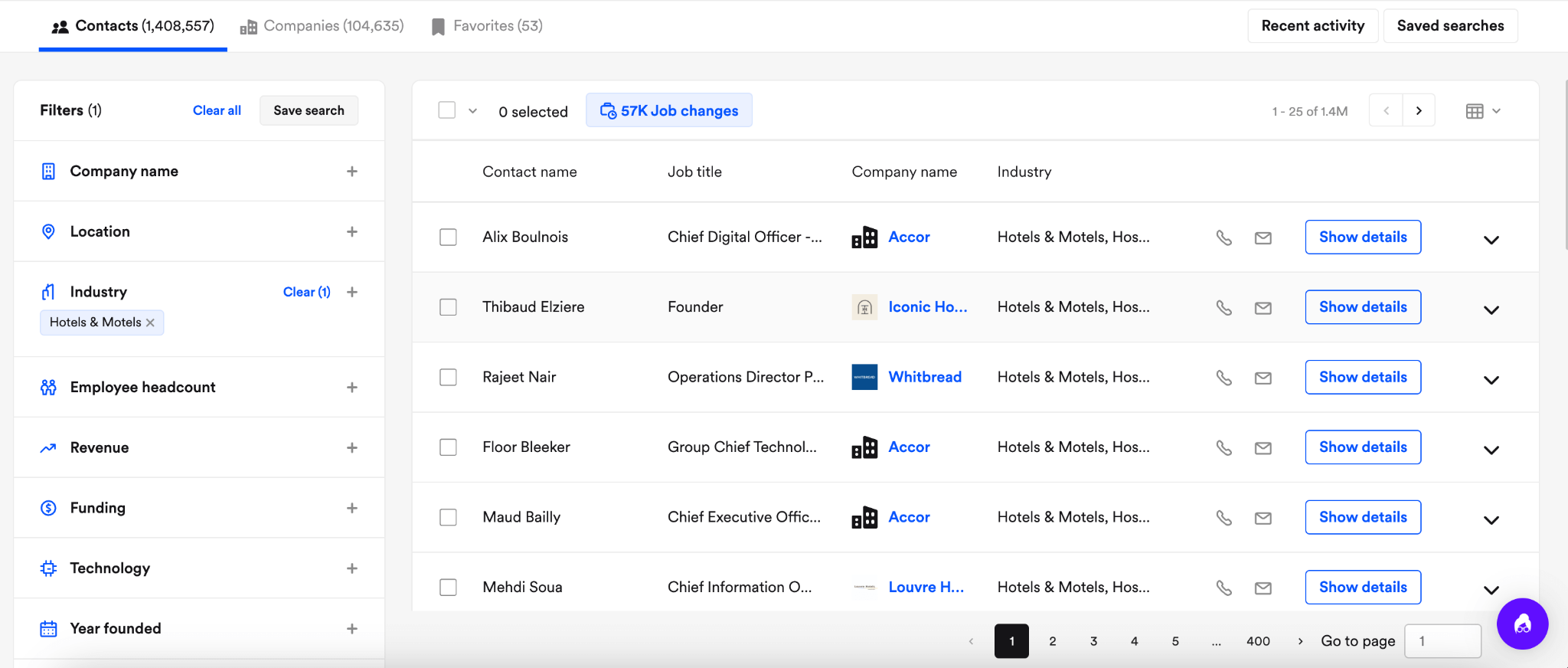
The tradeoff is credit consumption on large-scale prospecting. One G2 reviewer this year called the credit burn "slightly high," and I ran into the same issue when I pulled a list of 500 contacts and watched my credit balance drop faster than the export volume suggested it should.
Email data on smaller organizations also shows more staleness than what Cognism ships, and I saw "outdated data" flagged across 31 separate reviews on their G2 page.
Another top email list provider on my list is Hunter, and it earns the domain-based lookup slot because it is the sharpest tool on this list when I already know the company and I just need to find the right person's email.
Standout facts
Hunter is a verification-first tool rather than a full database, and that framing is what makes it useful in a specific set of scenarios.
When I have a list of target accounts and I need to find the head of marketing or head of RevOps at each one, Hunter's Email Finder returns a domain-based match with a confidence score, and the Auto-verification feature on paid plans runs an SMTP check before I export.
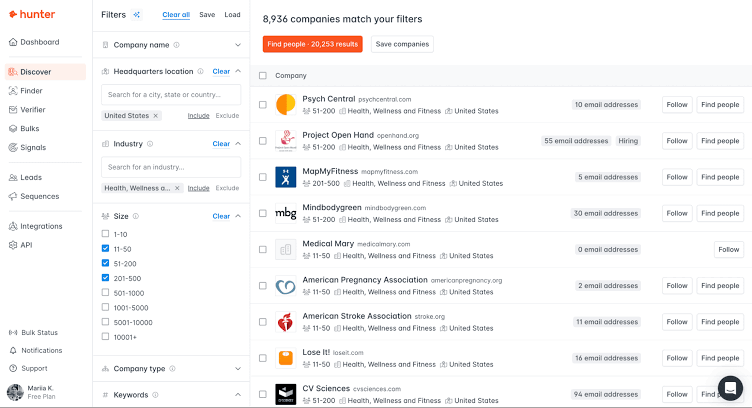
Where it falls short: Advanced audience filtering is thin compared to what Cognism or ZoomInfo ship. If I want to segment by revenue band, technology stack, or geographic region inside a target account list, Hunter does not go deep enough.
One G2 reviewer this year called out that regional segmentation for the German market specifically is weak, and I noticed the same limitation when I tried to filter DACH-based Series B SaaS accounts.
Credit limits are also a recurring complaint on their G2 page. "Limited credits" showed up as the top pattern across reviews, and the free-tier credits are enough to test the tool but not enough to run a real campaign.
The best place to buy an email list without a subscription is BookYourData, because it is the only tool on this list that lets me pay per lead rather than commit to a monthly plan. Every other provider gates access behind a subscription, and BookYourData is the outlier.
Standout facts
BookYourData is the tool I recommend to teams that need a one-off list for a specific campaign and do not want to lock into $99/month or higher for a subscription they will not use again.
The 97% accuracy claim comes with an actual refund guarantee, and real-time verification runs at the point of export rather than on a periodic schedule.
The pricing model is genuinely unusual for this space. I buy a credit pack, and the credits do not expire.
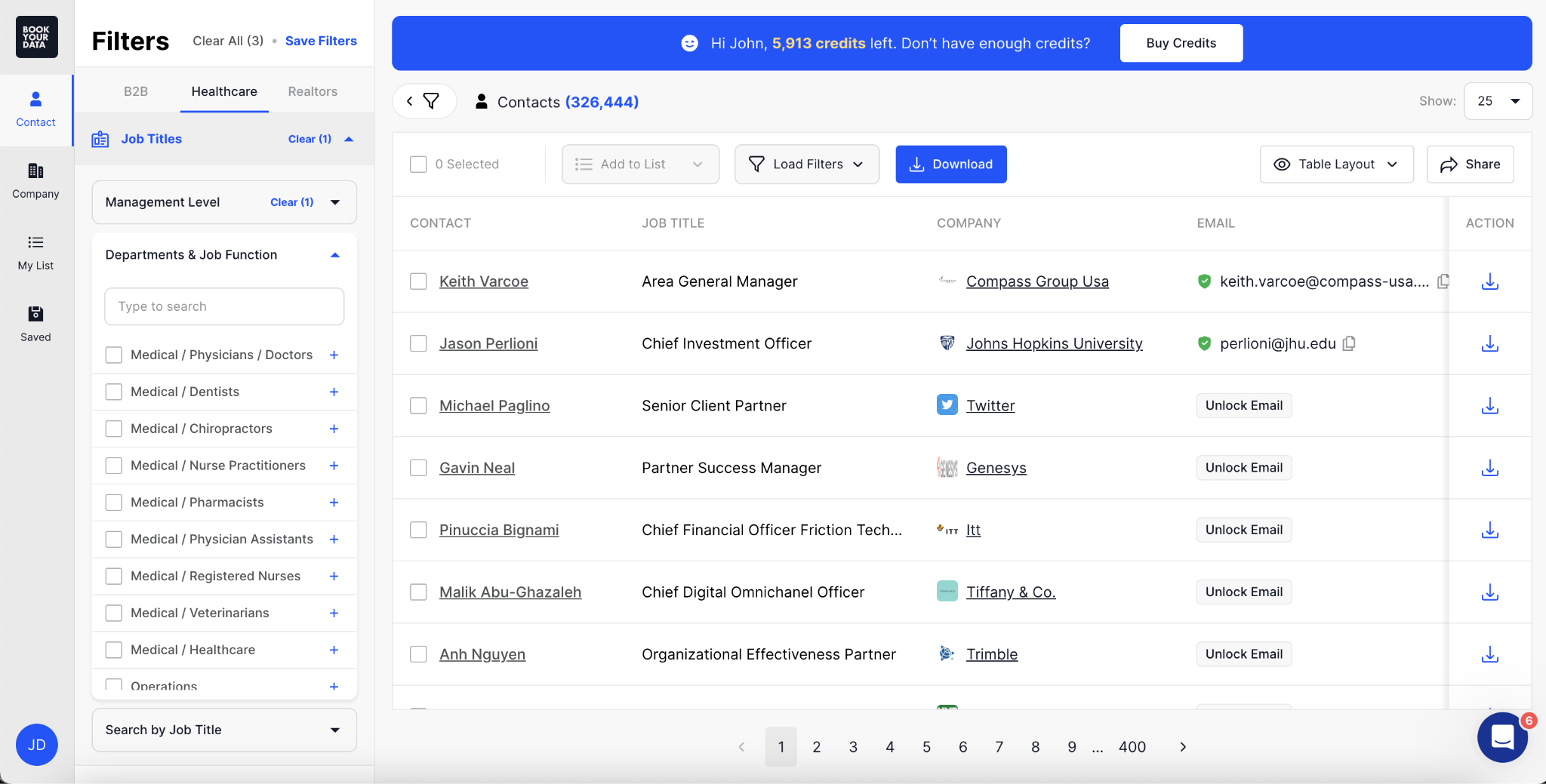
If I want 250 leads today and 1,000 leads six months from now, I pay per pack and the tool does not push me into a recurring plan. G2 reviewers this year cite lower bounce rates on niche verticals like dental and German industrial B2B, which matches the pattern I saw when I tested the tool.
Where it falls short: CRM integration is not as smooth as what Apollo or Cognism ship, and a few G2 reviewers this year flagged that some records need manual verification before importing into a CRM.
Technical and granular filtering for niche targeting is also more limited than the enterprise tools, so I would not pick BookYourData for complex ABM plays.
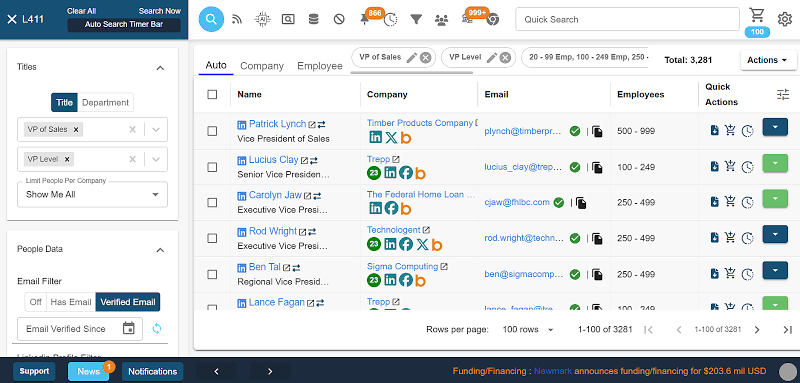
The next place to buy email lists in bulk is Lead411, and it earns the unlimited exports slot because it is one of the few tools on this list that removes credit caps entirely on annual plans.
Standout facts
Lead411 is a tool I would pick if I am running high-volume SMB outbound in the US and I need to send thousands of exports a month without watching my credit balance.
The Unlimited Data option on annual plans removes the credit ceiling entirely, and the triple-verified email process keeps bounce rates in a range I can actually work with.
Buyer-intent triggers are also bundled in, which means I get signals like "hiring for [role]" or "recently funded" alongside the contact data. For US-focused SMB outreach, the combination of unlimited exports plus intent triggers is genuinely differentiated.
Where it falls short: Global and enterprise-scale coverage is thin.
One G2 reviewer this year specifically called out that email data on niche or smaller markets is outdated, and coverage drops when I try to run queries outside US SMB. If my ICP is EMEA mid-market or Fortune 500, Cognism or ZoomInfo will outperform Lead411 on hit rate.
I also saw "outdated data" flagged across eight separate reviews on their G2 page, which is a smaller signal but consistent.
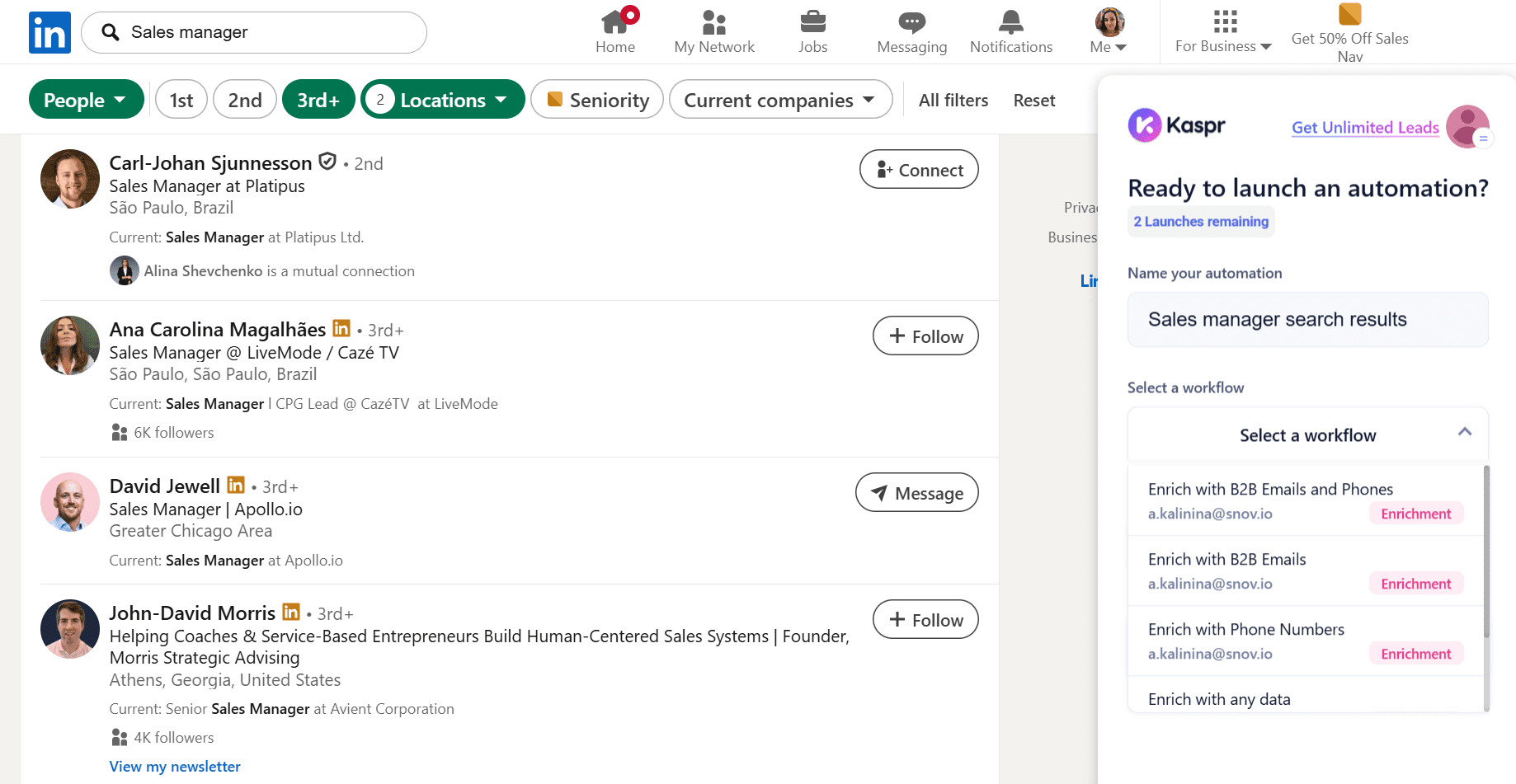
A top place to purchase email data for EU-focused outbound is Kaspr, and it earns the LinkedIn slot because it is the sharpest tool on this list for pulling EU contacts through the LinkedIn Chrome extension.
Standout facts
Kaspr sits alongside Cognism as one of the two EU-first tools on this list, and the LinkedIn Chrome extension is what makes it feel different day-to-day.
When I am prospecting inside Sales Navigator and I want to pull verified emails without switching tabs, Kaspr surfaces the data live on the profile view. Unlimited B2B email credits from the Starter tier upward is also a meaningful differentiator versus tools that meter every export.
Where it falls short: Coverage in emerging markets is spotty. One G2 reviewer this year called out that "smaller, fast-growing markets" show weaker data than what the tool ships for Western Europe, and the same reviewer flagged that Kaspr does not offer a native API for direct sync.
That means CRM imports run through manual export and upload, which slows me down when I am working across multiple tools.
For pure EU-first outreach through LinkedIn, Kaspr is still the fastest path I have used.
The final email list provider on my list is Saleshandy, and it earns the all-in-one slot because it is the only tool where the list-buying step and the sending step happen inside the same platform.
If the built-in Lead Finder feels light compared to what you need, my post on Saleshandy alternatives covers the fuller comparison.
Standout facts
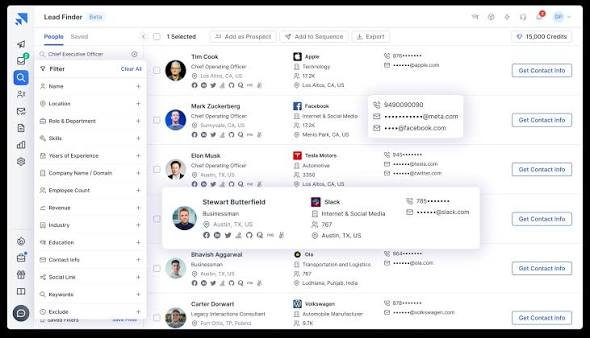
Saleshandy Lead Finder is the email database side of the platform, and it bundles verified contacts with the sequencing engine so I can go from search to send inside one subscription.
Built-in verification keeps bounce rates lower than what I would get sending an unverified export from Apollo or Lusha.
Where it falls short: Email verification credits are one-time grants rather than monthly refills, which one G2 reviewer this year specifically flagged as a friction point. Once the credits run out, I have to buy more separately.
The Lead Finder product is also newer and less battle-tested than dedicated databases like Cognism or ZoomInfo, so record depth on niche ICPs is thinner.
For teams already running Saleshandy sequences and looking to add a list source, the all-in-one workflow is a real advantage. For teams shopping for a pure list provider, I would rank the tools above it higher.
Buying the right list is only half the job. The other half is setting up the infrastructure that lets me send to that list without torching my primary domain, and this is the step nobody explains inside the blogs that show up for "buy email list."
Here is the five-step workflow I run every time I add a new list to my outbound stack.
The first rule I follow is that no purchased list ever gets sent from my main business domain. Instead, I buy secondary domains that look similar to my main domain and use those for cold outreach exclusively.
My real email goes to [email protected], and my cold outreach goes from [email protected] or [email protected].
The reason is simple. Cold outbound at scale is a spam signal to Gmail and Outlook, and any bounce spike or spam complaint on my main domain affects every mailbox tied to it.
If my whole company relies on mycompany.com for daily email, I cannot afford to burn that domain on a cold campaign. I break the domain health side of this down further in my post on cold email domain health best practices if you want the full playbook.
Once I have the secondary domains locked in, I need mailboxes on those domains and the DNS setup to make them deliverable.
This is the step where I use Mailforge, and the reason is that the alternative is setting up Google Workspace or Microsoft 365 mailboxes manually, one at a time, with SPF, DKIM, and DMARC records I have to configure by hand for every domain.
Mailforge runs on shared IP infrastructure with automated DNS setup, which means I can spin up hundreds of mailboxes across dozens of domains inside five minutes.
Pricing lands at $2 to $3 per mailbox per month, which is materially cheaper than the alternatives.
For teams sending high volume that need dedicated IPs and full control over sender reputation, Infraforge is the sister product to consider on the same infrastructure stack.
Read my deeper breakdown on cold email infrastructure covers the shared versus dedicated IP tradeoff in more depth.
Fresh mailboxes cannot send cold outreach on day one. Instead, they need a warmup period where the tool simulates natural email conversations across the mailbox to build sender reputation with inbox providers.
The warmup runs for 14 days before I send my first cold email, and it takes the heat score on each mailbox above 85, which is the threshold I want before I load a real campaign.
I use Warmforge for this step, and the reason is that it is built into the same stack as Mailforge and Salesforge, so the warmup runs automatically without me touching a second tool. Warmforge also includes a free warming slot and a free placement test on signup, which is enough to validate that the setup is working before I commit to a paid plan.
Even with a real-time verified list from Leadsforge or BookYourData, I run one more verification pass before I load the list into a sequence. The reason is that the more layers of verification I stack, the closer my bounce rate gets to zero, and every point I shave off the bounce rate protects my sender reputation.
Tools like ZeroBounce and NeverBounce cost roughly $0.007 to $0.008 per email, and running a 5,000-contact list through one of them costs $35 to $40. That is a rounding error against the cost of getting blacklisted, and I do it on every campaign. My target is a bounce rate under 2% on send, and this final verification pass is what gets me there.
The last step is loading the verified list into a cold outreach platform that handles sequencing, reply management, and multi-mailbox rotation.
This is where I use Salesforge, and the reason is that it runs email and LinkedIn sequences from unlimited mailboxes on a single subscription rather than charging me per seat like most competitors do.
The Primebox™ unified inbox pulls every reply across every mailbox into one view, so I do not need to log into 40 different Gmail accounts to check replies.
If I want the sending step to run autonomously, Agent Frank is the AI SDR built into Salesforge that handles prospecting, sending, and follow-up on his own, and I can hire him separately from the base platform. For more options, my post on cold email tools covers the alternatives.
The full stack looks like this: Leadsforge for the list, Mailforge for infrastructure, Warmforge for warmup, ZeroBounce for final verification, and Salesforge for sending. That is the setup I run for every new campaign, and it is what keeps my bounce rates under 2% and my sender reputation intact.
The best place to buy email lists in 2026 is Leadsforge, because its waterfall enrichment and real-time email validation deliver the highest usable hit rate across regions where single-source tools go stale, and the chat-based ICP search cuts the time it takes to build a targeted list.
Cognism wins if my ICP sits inside EMEA and I need the strongest European email coverage. UpLead wins if I want the strictest published accuracy guarantee at 95%. BookYourData wins if I need a one-off list without committing to a subscription.
For everyone else, Leadsforge is the tool I would sign up for first. You can start with 100 free credits and see the waterfall enrichment work on your own ICP.
Yes, buying an email list is legal in most regions as long as I follow the local rules. In the US, CAN-SPAM allows cold outbound to purchased contacts if I include an opt-out mechanism and honor unsubscribes within 10 business days. In the EU and UK, GDPR requires me to show legitimate interest in every business contact I reach, and California's CCPA requires me to honor "do not sell" requests. The tools on this list build compliance workflows into the export step, which is why buying from a modern provider is safer than buying a static CSV from an unknown source.
Prices range from $0.10 per verified contact on pay-as-you-go plans like BookYourData to $2 to $5 per contact on premium platforms like Cognism and ZoomInfo. Subscription-based tools like Apollo and Leadsforge bundle credits into monthly or annual plans, which brings the per-contact cost down when I run high volume. The right price depends on how many contacts I need per month and whether I want a subscription or a one-off purchase.
The old model of buying an email list means paying for a static CSV that has been resold to a hundred other buyers and never re-verified. The modern model of using an email database means paying for access to a live, continuously refreshed database and building targeted lists on demand with real-time verification. Every tool on this list uses the modern model, and it is what makes purchased contacts safe to send in 2026.
No, standard email marketing platforms like Mailchimp and HubSpot explicitly prohibit purchased contact lists. If I try to upload a bought list, my account gets flagged or suspended. Instead, I need a dedicated cold outreach platform like Salesforge, which is built for cold sending and handles sequencing, multi-mailbox rotation, and reply management on purchased contacts.
Even if the list comes from a real-time verified source, I run one more verification pass through a tool like ZeroBounce or NeverBounce before I load it into a sequence. The cost lands at $0.007 to $0.008 per email, and it drops my bounce rate to under 2% on send, which protects my sender reputation.
I aim for a bounce rate under 2% on every campaign. Gmail and Outlook start flagging senders as spam once the bounce rate climbs above 4%, and blacklisting kicks in shortly after. Real-time verification at export plus a final verification pass through a tool like ZeroBounce keeps the bounce rate in the safe zone.
