If you are here, you are probably looking for the right cold email service provider for your campaigns.
But choosing one is not always easy.
Some cold email service providers focus on sending emails and campaign automation, while others offer multiple inboxes, email warm-up, lead databases, and deliverability tools. As a result, pricing can vary based on the number of inboxes, users, emails, or contacts.
Almost every provider says it can help you run better cold email campaigns. But which ones actually work?
I tested every provider on this list and compared their deliverability, features, ease of use, pricing, reporting, and limitations.
In this guide, I will share what I found and help you choose the right cold email service provider for your needs.
I judged every provider against the same questions.
Pricing model: Does the bill grow when you add a teammate, a mailbox, or a client, or do you pay a flat monthly fee? Which features are behind the higher tiers?
Core sending features: How much control do you get over personalized email sequences, conditions, and automated follow-ups? Can you run multiple clients or projects in separate workspaces?
Email deliverability: Is warm up included or sold separately? Does the provider rotate senders, verify email addresses, block likely bounces, and match sending provider to recipient provider? Can you run inbox placement testing before a campaign?
Ratings and reviews: What do verified reviewers say on G2, and does Trustpilot tell a different story?
Multichannel: Can LinkedIn automation and connection requests run inside the same sequence as email, or do they need a second tool?
AI and analytics: What does the AI write, and what does it decide? Which reporting arrives out of the box?
Integrations: Which CRMs and sales tools connect natively? Is there an API, an MCP server, or a CLI for sales teams who want to script things?
Learning curve: How long before a new operator can send campaigns without help?
1. Salesforge
G2 rating: 4.6/5 (130+ reviews)
Best for: GTM teams and agencies who want multichannel cold outreach with premium warm up and deliverability.
Salesforge is worth considering if you are comparing cold email and outreach tools. It gives you the features you need to run and scale outreach without managing several different tools.
Here are the main reasons I picked it:
Multi-channel outreach: Run email and LinkedIn campaigns from one place.
Unlimited mailboxes and workspaces: Add as many inboxes and workspaces as you need without paying for each one.
Email warm-up: Get access to a premium warm-up pool through Warmforge and monitor your inboxes from one place.
If you want to scale cold outreach, Salesforge lets you manage your campaigns, inboxes, and deliverability from one platform. Based on my testing, I’ve seen multichannel campaigns reach around a 10% reply rate with Salesforge.
You can also try Salesforge with a 14-day free trial and no credit card required.
Why Have I Kept Salesforge at #1 on My List of Cold Email Service Providers?
Here is what you actually work with day to day.
Unlimited Senders & Users: You can connect unlimited LinkedIn senders and add unlimited team members without paying per sender or user.
Unlimited Mailboxes & Workspaces: You can connect unlimited email accounts and create separate workspaces for different clients, teams, or projects.
Unlimited Warmup: You get a premium warm-up pool through Warmforge with no mailbox slot limits.
AI Personalization: You can personalize emails with AI variables across 21+ languages.
Multichannel Sequences: You can combine email and LinkedIn outreach in one sequence and branch the flow based on prospect actions.
LinkedIn Actions: You can add six native LinkedIn actions, including connection requests, messages, InMails, post likes, follows, and connection withdrawals, to the same sequence.
Bounce Shield: You can block risky email addresses before they affect your sender reputation.
Primebox™: You can manage email and LinkedIn replies from one inbox, with AI handling routine replies or drafting responses for your approval.
Chrome Extension: You can find verified emails and phone numbers from LinkedIn and get 100 free Leadsforge credits to start.
A/B Testing: You can test subject lines and email copy and compare campaign performance.
CRM Integrations: You can connect HubSpot, Salesforce, Pipedrive, Attio, Folk, and GoHighLevel with Salesforge.
API, MCP & CLI: You can connect Salesforge to your own workflows, AI agents, and development tools using its API, MCP, and CLI.
Pros
Warmup is included on every plan with unlimited slots.
Unlimited mailboxes let you scale sending without paying for each mailbox.
Unlimited users and workspaces make it easier to manage multiple teams, clients, or projects.
Primebox™ lets you manage all your email and LinkedIn replies from one inbox.
Built-in deliverability features help you manage sending without separate add-ons.
Three infrastructure options are available from the same login as your sending needs grow.
MCP, CLI, and API access lets you connect Salesforge with AI agents and custom workflows.
Agent Frank can handle prospecting, outreach, replies, and meeting booking for an additional cost.
Cons
There is no free plan, only a 14-day trial.
Pricing Plans
Plan
Price (annual)
Price (monthly)
What's included
Pro
$40/month
$48/month
1,000 active contacts in sequence, 5,000 emails/month, 1 user, 1 LinkedIn sender, unlimited mailboxes, unlimited warm-up, unlimited workspaces, Primebox™
Growth
$80/month
$96/month
10,000 active contacts, 50,000 emails/month, unlimited users, unlimited LinkedIn senders, plus MCP & CLI, A/B testing, multi-language, API, and ESP matching
Agent Frank
From $499/month
From $499/month
Autonomous AI SDR (billed quarterly or annually); 2,000+ contacts/mo at $0.25 per contact
Best for: Outbound teams sending at scale who want a simple sending console with unlimited mailboxes.
Instantly is a cold email platform built around one job: sending a lot of email from a lot of mailboxes without getting flagged as spam.
Instantly stands out for two strengths. Every Outreach plan includes unlimited email accounts, built-in warm up, and unlimited team seats. The console is also the easiest to navigate of any provider here.
The catch is the product structure. Instantly sells Outreach, Instantly Credits, and CRM as three separate subscriptions, with further paid modules on top. The price you see is the sending product alone.
Why Have I Kept Instantly at #2 on My List of Cold Email Service Providers?
Here is what the Outreach plan and its paid modules cover.
Unlimited Mailboxes: You can connect as many sending accounts as you want on every Outreach plan.
Unlimited Warmup: You can warm every connected account at no extra charge on any plan.
Unibox: You get a unified inbox for every mailbox on the Hypergrowth plan and above.
Lead Database: You can search a B2B contact database and enrich records, billed as a separate subscription.
Placement Testing: You can run inbox placement testing across providers, sold as a paid module.
Visitor Tracking: You can identify companies visiting your site and add them to campaigns, sold as a paid module.
IP Rotation: You can spread sending across rotating IPs and dedicated servers on the Light Speed plan.
Zapier and API: You can connect Instantly to your CRM and internal tools without a native integration.
Annual billing takes roughly 20% off these numbers. Instantly Credits and CRM are priced separately.
3. Lemlist
G2 rating: 4.7/5 (1,300+ reviews)
Best for: Teams running high-touch outreach who want strong personalization with images, videos, and landing pages.
Lemlist is a cold outreach platform that built its name on personalization. You can add custom images with a prospect's logo, record a video with their name on screen, or build a personalized landing page.
Lemlist stands out for two strengths. The personalization tooling is deeper than anything else on this list. Lemwarm is also a mature warmup product, included on qualifying plans.
Lemlist restructured its pricing during 2026. The Email plan now covers unlimited users and unlimited email senders, while Multichannel is priced per user with five senders each. LinkedIn, SMS, and WhatsApp steps only arrive on that per-user tier.
Why Have I Kept Lemlist at #3 on My List of Cold Email Service Providers?
Here is where the personalization work actually happens.
Dynamic Images: You can generate custom images and videos for every prospect from one template.
Landing Pages: You can send each prospect to a page that names them and their company.
Lemwarm: You can warm your sending mailboxes with a product Lemlist built and maintains itself, on qualifying plans.
Multichannel Sequences: You can combine email, LinkedIn, and calling steps in one sequence on the Multichannel plan.
Lead Database: You can search a built-in database of 850M+ leads and find or verify addresses using credits.
Unlimited Users: You can add unlimited users and unlimited email senders on the Email plan.
Chrome Extension: You can find, verify, and export contacts while browsing, including on the free tier.
CRM Integrations: You can sync natively with HubSpot, Salesforce, Pipedrive, and others.
Pros
Personalization tooling is the best on this list.
Lemwarm warmup is included on qualifying plans.
The Email plan covers unlimited users and unlimited email senders.
A lead database and email finder are built in.
Native CRM integrations are broad.
Cons
LinkedIn and calling steps need the Multichannel plan.
5+ users, SSO/SAML, custom roles, dedicated account manager, priority support
Email volume is adjustable on the Email plan and starts at 10,000 a month. Yearly billing takes 20% off and quarterly takes 10% off. Lead credits are separate, at $10 for 1,000 credits, which covers roughly 200 emails or 50 phone numbers. Both paid plans come with a 14-day free trial.
4. Reply.io
G2 rating: 4.6/5 (1,800+ reviews)
Best for: Revenue teams who want email, LinkedIn, and calls in one sequence.
Reply.io is one of the older platforms in this category, and the maturity shows in the sequence builder. You can start with email, escalate to a LinkedIn touch if nobody opens, then add phone calls for your best accounts.
Reply.io stands out for two strengths. The conditional logic across channels is more capable than most competitors here. Reply.io also sells Jason, an AI SDR that prospects, writes, sends, and answers on its own.
The overlap with Salesforge is genuine, and Reply.io has been refining it for longer. If the sequence builder is what you care about most, it deserves a trial.
The pricing structure is where teams get surprised. LinkedIn automation and calling are add-ons billed per user on top of the seat price, and the AI SDR is a separate product again.
Why Have I Kept Reply.io at #4 on My List of Cold Email Service Providers?
Here is what the sequence builder and the AI layer cover.
Multichannel Sequences: You can branch a sequence across email, LinkedIn, calls, SMS, and WhatsApp based on prospect behaviour.
Jason: You can hand prospecting, writing, sending, and replying to an AI SDR priced as its own product.
AI Assistant: You can get copy suggestions and optimization on every plan, including Email Volume.
Built-in Dialer: You can make phone calls inside one platform through a per-user add-on.
Contact Database: You can source prospects from Reply.io's own data, though coverage is narrower than Apollo's.
Reply Detection: You can sort incoming replies automatically instead of reading every thread.
CRM Integrations: You can sync natively with HubSpot and Salesforce on the higher tiers.
API and Webhooks: You can connect Reply.io to internal systems and custom workflows.
Pros
The multichannel sequence builder is excellent.
Conditional logic beats most tools here.
Jason gives you an AI SDR option.
Reply detection sorts your inbox automatically.
The AI writing assistant starts on the entry plan.
Cons
LinkedIn automation is a paid add-on.
Calling is another paid add-on.
Mailbox connections are capped at ten per plan.
Native CRM sync needs a higher tier.
Reviewers report billing and cancellation friction.
Pricing Plans
Plan / add-on
Price
What's included
Email Volume
From $49/user/month (annual), $59 monthly
Unlimited mailboxes, email warm-up, unlimited emails, 50 live data credits/month, from 1,000 active contacts
Autonomous AI SDR: prospecting, personalization, reply handling
Agency
From $166/month (annual), $210 monthly
Multi-workspace, unlimited clients & users, unlimited mailboxes and warm-up
Annual billing reduces the per-seat rate. A 14-day free trial is available.
5. Apollo.io
G2 rating: 4.7/5 (9,500+ reviews)
Best for: SDR teams who want a large prospect database with sequencing on the same bill.
Apollo.io approaches cold email from the lead generation side. The product began as a contact database and added sequencing afterwards, which is the opposite order to most cold email tools.
Apollo.io stands out for two strengths. The database is one of the largest available to a self-serve buyer. The free plan gives you genuine access to it, not a locked demo.
That origin explains what you give up. Apollo solves finding people on one subscription, but the deliverability tooling is thinner than a dedicated sender's.
The credit system is the thing to model before you buy. Unlocking an email costs one credit and a phone number costs several. Credits reset monthly and do not roll over.
Why Have I Kept Apollo.io at #5 on My List of Cold Email Service Providers?
Here is what one Apollo.io subscription covers.
Contact Database: You can search a built-in lead database of hundreds of millions of contacts and companies.
Free Plan: You can test the data quality on a forever free plan, using the credits included each month.
Email Sequencing: You can send campaigns from the same platform you sourced the contacts in.
Data Enrichment: You can fill in missing fields on records you already own, using credits.
Built-in Dialer: You can call prospects from Apollo on the Professional plan and above.
Intent Topics: You can see which accounts are researching your category, with more topics on higher tiers.
A/B Testing: You can test sequence variants from the Professional plan.
CRM Sync: You can connect HubSpot and Salesforce two ways, with deeper controls on the higher tiers.
Pros
The contact database is the largest here.
The free plan gives genuine database access.
Sourcing and sequencing happen in one place.
Intent data is included on paid plans.
The dialer suits teams who also call.
Cons
Pricing is per seat.
Credits expire monthly with no rollover.
The Organization plan needs three seats minimum, and the Basic plan restricts the better filters.
Warmup is not included, so a new domain needs a separate tool.
Paid credits are granted upfront on annual plans. Monthly billing costs more per seat. The Inbound and Advanced Dialer modules are $119/month each. Both paid tiers below Organization come with a 14-day trial.
If a bigger database is the reason Apollo is on your shortlist, Leadsforge covers the same job differently. You describe your ICP in plain English and get a matching list from a 500M+ contact database. Waterfall enrichment runs on it, and the list feeds straight into Salesforge.
6. Snov.io
G2 rating: 4.5/5 (500+ reviews)
Best for: Founders and solo operators who want a finder, a verifier, and a sender at the lowest price.
Snov.io bundles more into a cheap plan than anything else here. One subscription gives you a lead finder, email verification, drip campaigns, warm up, and a lightweight sales CRM.
Snov.io stands out for two strengths. The entry price is the lowest of any paid provider here. Every paid plan also includes unlimited seats, sender accounts, and campaigns.
The credit system is what you need to understand. One credit equals one email found, one email verified, or one prospect saved. A separate recipient cap limits how many people you can email each month, so two limits apply at once.
Why Have I Kept Snov.io at #6 on My List of Cold Email Service Providers?
Here is what the credit system pays for.
Email Finder: You can use the lead finder and email verification inside the same tool you send from.
Drip Campaigns: You can run multi-step sequences with unlimited follow-ups on any paid plan.
Unlimited Seats: You can add unlimited team seats and unlimited senders on any paid plan.
Email Warmup: You can warm three mailboxes on Starter and unlimited mailboxes on Pro and above.
Free Plan: You can keep a free account that renews a small credit allowance every 30 days.
MCP Access: You can connect Snov.io to Claude, Cursor, or your own agents on any plan, including Starter.
Sales CRM: You can manage deals and tasks in a built-in pipeline instead of buying a separate CRM.
Unibox: You can read replies across all your campaigns in one inbox.
LinkedIn Automation: You can add LinkedIn actions through a paid add-on billed per LinkedIn account.
Pros
You can contact prospects up to a monthly allowance on any plan.
Every paid plan includes unlimited seats.
Sender accounts and campaigns are unlimited.
Finding, verifying, and sending share one bill.
The free plan renews its credits monthly.
Cons
Credits cover finding and verifying, so they run out fast.
LinkedIn automation is a separate add-on.
Recipient caps limit volume on the lower tiers.
Sentiment analysis is missing from the entry Pro tier.
Pro S $74.25, Pro M $141.75, Pro L $276.75 — 5,000+ credits, 25,000+ recipients, unlimited warm-ups
Custom Ultra
Custom (from $553.50/month)
From 200,000 credits and 400,000 recipients, unused-credit rollover, flat rate
Every paid plan includes unlimited team seats, unlimited senders, and unlimited monthly emails. Pro comes in four sizes priced by credit volume.
7. Smartlead
G2 rating: 4.6/5 (300+ reviews)
Best for: Agencies with many clients who want unlimited client inboxes with white-label portals.
Smartlead is built for agencies who run cold outreach campaigns for multiple clients. Every tier includes unlimited mailbox connections. White-label client workspaces are priced per client on top of the plan.
Smartlead stands out for two strengths. The unlimited mailbox model applies from the cheapest plan, and the white-label portal has no equivalent at this price from the other providers here.
The reviews tell two stories. G2 reviewers rate it highly for deliverability, the master inbox, and API depth. Trustpilot reviewers rate it far lower over app bugs and support delays.
Paid modules for mailboxes, placement testing, dedicated servers, and verification stack on top of the plan price. Treat the plan price as a starting point.
Why Have I Kept Smartlead at #7 on My List of Cold Email Service Providers?
Here is what an agency uses day to day.
Unlimited Mailboxes: You can connect hundreds of sending accounts on any tier without paying per mailbox.
Unlimited Warmup: You get unlimited warm up on the Unlimited Smart and Unlimited Prime plans.
Master Inbox: You get a unified inbox covering every client and every mailbox.
White-label Portals: You can give each client a branded login showing their own results, priced per workspace.
Inbox Rotation: You can spread volume across your mailboxes automatically to protect individual accounts.
API and MCP: You can script campaign operations and connect internal systems from the Pro plan.
SmartDelivery: You can test inbox placement across providers through a paid add-on.
SmartSenders: You can buy mailboxes and domains from Smartlead directly, priced per mailbox and per domain.
Pros
Unlimited mailboxes come with every tier.
Unlimited warm up arrives on the Unlimited tiers rather than as a separate purchase.
White-label portals save agencies a lot of reporting time.
The master inbox covers every client.
API and MCP support is deep.
Cons
Smartlead is email only.
Analytics stop at opens, replies, and bounces.
API access and white-labeling need the Pro plan.
Client workspaces are billed per client, so an agency bill grows with every account.
White-label client workspaces cost $29/month each, and Unlimited Prime includes three or more. Annual billing takes roughly 17% off. Mailboxes, placement testing, dedicated servers, and verification credits are priced separately.
8. Woodpecker
G2 rating: 4.3/5 (100+ reviews)
Best for: Small teams and consultants who want deliverability handled for them and simple sequencing.
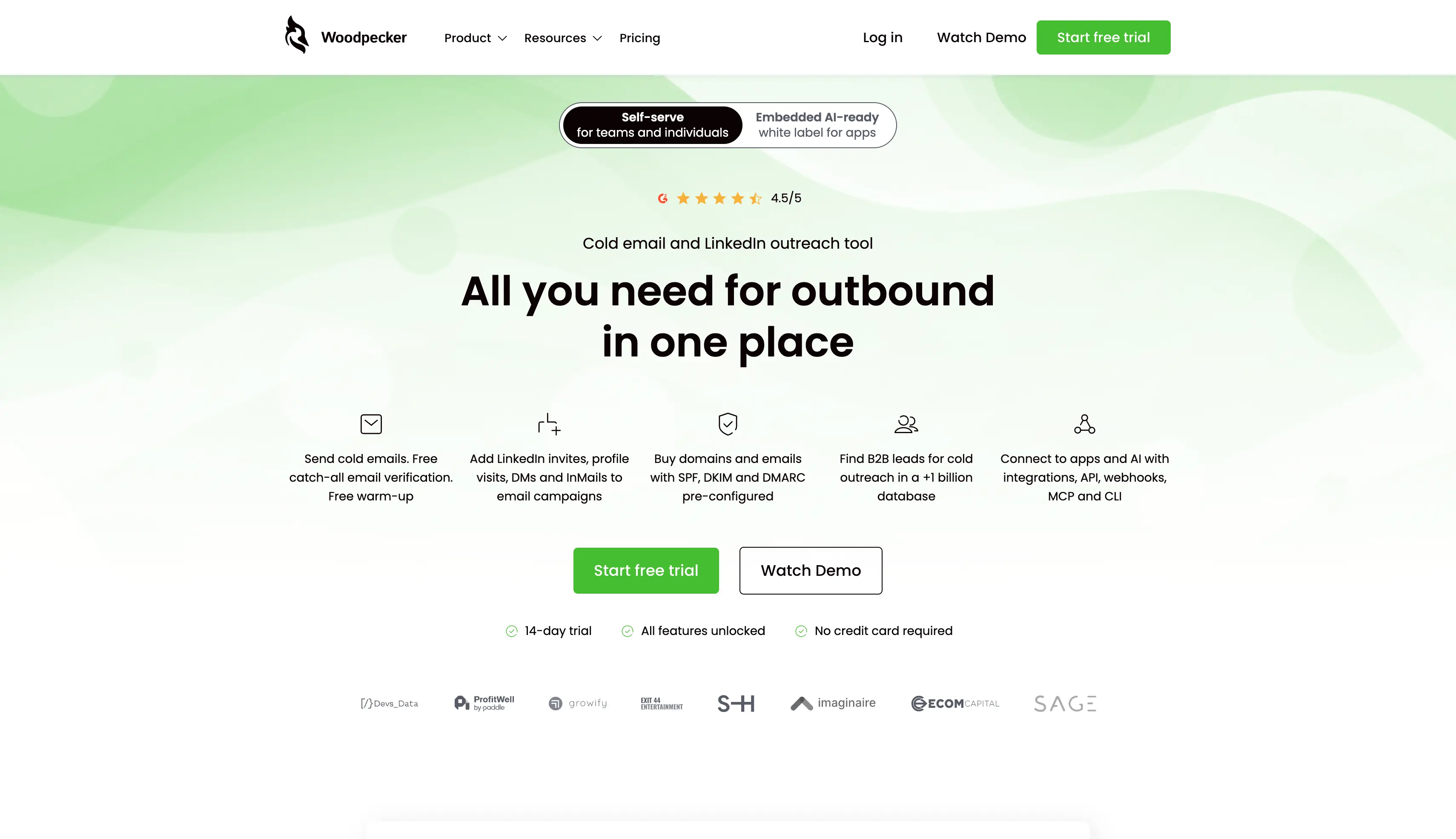
Woodpecker has spent years building its reputation on one thing: keeping your emails out of spam folders and in the primary inbox. The product includes adaptive sending limits, automatic warmup, human-like send randomization, and bounce protection that pauses risky sends.
Woodpecker stands out for two strengths. The deliverability protection works without configuration, and the agency panel is more mature than most competitors at this price.
The pricing model is unlike anything else on this list. Woodpecker charges on contacted prospects per month rather than mailboxes, seats, or emails sent.
That model rewards a tight, well-researched list. Emailing everyone you can find gets expensive quickly.
Why Have I Kept Woodpecker at #8 on My List of Cold Email Service Providers?
Here is what protects your domains and runs your campaigns.
Deliverability Monitoring: You can watch inbox placement and domain reputation, then get an alert when either drops.
Adaptive Sending: You can send at human-like intervals without configuring anything yourself.
Bounce Protection: You can have risky sends paused automatically before they hurt your domain.
Automatic Warmup: You can warm your sending mailboxes inside the platform at no extra charge.
Unlimited Mailboxes: You can connect every mailbox you own and add your whole team.
Inbox Rotation: You can spread volume across connected mailboxes automatically.
A/B Testing: You can test subject lines and body copy from the Growth plan.
Agency Panel: You can manage separate client accounts from one dashboard with client data kept apart.
Conditional Campaigns: You can branch follow-ups on what the prospect does.
Pros
Deliverability protection works without any configuration.
The agency panel separates client accounts cleanly.
Warmup and inbox rotation are included.
Unlimited mailboxes and team members keep costs predictable.
The Starter plan is cheap to test.
Cons
Pricing counts contacted prospects, so your list drives the bill.
The Starter plan's prospect ceiling is low.
API access is a paid add-on.
There is no built-in lead database.
LinkedIn and phone work need another tool.
Pricing Plans
Item
Details
Starting price
$24/month billed annually, or $35/month on monthly billing
Pricing model
$4.67 per 100 contacted prospects (shown at 500)
Emails monthly
8,000, included free
Stored prospects
2,000, included free
Warm-ups
2, included free (normally $10)
Lead Finder credits
100, included free
Catch-all email verification
Included free (normally $4)
Unlimited team members
Included free (normally $20)
Unlimited email accounts
Included free
How to Choose a Cold Email Service Provider
What makes a good cold email service comes down to nine questions. Work through them before you buy.
Pricing model: Does your bill grow when you add a mailbox, a teammate, or a client?
Warmup: Is warmup included with the subscription, or is it a separate product you have to buy?
Mailboxes: Does the provider sell you the mailboxes and domains, or do you need an infrastructure vendor too?
Volume: How many contacts and how many emails a month does your plan actually allow?
Reply management: Where do replies arrive, and can you answer them all from one place?
Channels: Do you need LinkedIn or calling steps inside the same sequence as your email?
Data: Is there a lead database included, and does it run on credits that expire?
Client separation: If you handle multiple clients, can you keep each one in its own workspace?
Integrations: Does the provider connect natively to your CRM, or will you be building that yourself?
Which Cold Email Outreach Service Provider Should You Pick?
Alright, that covers all eight cold email service providers I tested.
The question that matters now is which one you should actually go with.
Honestly, it depends on your setup. Check how each provider charges you, whether warm up is included, and where your replies arrive.
Those three answers narrow the list quickly.
If you want to find verified buyers and reach them from one platform, Salesforge is the strongest option here. Mailboxes, users, and workspaces are all unlimited, so your bill follows your volume and not your headcount. Email warm up is included, and every reply arrives in one inbox.
You can start with a 14-day free trial, build a sample campaign, and test deliverability against your own ICP before scaling cold outreach.
1. What is the best cold email service provider in 2026?
Salesforge is the best pick for most teams, because it includes premium warmup, unlimited mailboxes, and unified reply management on one bill. Instantly is better if you only want a sending console, and a full sales engagement platform is better if you need forecasting.
2. What is the difference between a cold email service provider and an email marketing platform?
A cold email service provider handles cold email automation from your own mailboxes, sending one-to-one sequences to people who have not opted in. An email marketing platform sends bulk newsletters to a subscriber list, closer to a mail merge than a sequence.
3. Do cold email service providers give you mailboxes?
Most of them do not, so you buy from cold email infrastructure providers separately. Mailforge, Infraforge, and Primeforge cover cold email infrastructure inside the Forge stack, including Google Workspace mailboxes.
4. Is there a free cold email service provider?
Apollo.io and Snov.io offer free plans with small monthly allowances. Every other provider here gives you a free trial instead of a free plan.
5. What is the cheapest cold email service provider?
Woodpecker and Snov.io have the lowest entry prices on this list. Check the limits before you buy, because both plans cap the number of prospects you can contact each month.
6. Do I need a separate warmup tool?
Apollo.io is the only provider here without warmup, so it needs a separate tool. Lemlist restricts Lemwarm to qualifying plans and Smartlead restricts unlimited warm up to its Unlimited tiers.
7. What is the best cold email service provider for bulk sending?
Instantly and Smartlead handle high volume best among the email-only providers, because both allow unlimited mailboxes and rotate sending. Salesforge does the same and adds premium warmup on top.
8. Which cold email service provider is best for agencies?
Smartlead is the strongest agency option among the competitors here, thanks to its white-label client portals. Salesforge is the better choice if you want unlimited workspaces, unlimited users, and warmup included on the same bill.
9. Is cold emailing legal?
Cold emailing is legal in most countries when you follow the rules that apply, including CAN-SPAM in the United States and GDPR in Europe. You need accurate sender details, a working unsubscribe option, and a defensible reason for each contact.