GMass is a pretty amazing tool if you only want to work inside Gmail. (Although even inside Gmail, you'll hit limits.)
The trouble starts when professionals consider it for cold emailing, and that's when people go looking for GMass alternatives.
Here are the limitations faced by users on G2, Reddit, and other communities:
Gmail's daily sending limits still apply, so you're limited to about 500 emails a day from your own Gmail account, or 2,000 from Google Workspace
GMass allows unlimited sending, but it comes with a condition. To go beyond Gmail's limits, you need to route emails through an SMTP service like SendGrid instead of Google's servers
No warmup, so a new mailbox starts with no sender reputation at all
Limited deliverability tools, so you get Spam Solver but no mailbox-level monitoring to see how your sending accounts are performing
GMass doesn't provide mailboxes or domains, so you're responsible for setting up SPF, DKIM, and DMARC yourself
No multichannel outreach, so you're limited to email and can't add LinkedIn or other channels
GMass only offers basic personalization for your cold emails
Limited features on the $20 Standard plan (annual billing), with no sequences or follow-ups, API or Zapier access, A/B testing, triggered emails, or inbox rotation
Costs go up if you need more advanced features, since automated follow-ups require the $29 Premium plan and inbox rotation requires the $49 Professional plan on annual billing
So, I've reviewed and listed the top GMass alternatives that address these limitations. Let's look at each one in detail.
Salesforge is the best GMass alternative for GTM teams and agencies doing cold outreach. It offers unlimited mailboxes, free unlimited warmup, and email and LinkedIn in one sequence.
Instantly is the fastest way to avoid Gmail limits if you only send email. Every plan includes unlimited sending accounts and unlimited warmup.
Lemlist is the best pick if you want a multichannel platform with advanced personalization. It also includes a lead database, so you can prospect without paying for a separate tool.
Mailmeteor is the best pick if you want cheaper mail merge inside Gmail. It works the most like GMass, and its Premium plan costs about $13.50 a month on yearly billing.
How I Evaluated These GMass Alternatives
I took the GMass complaints I listed at the top and turned each one into a question. Then I asked those questions about every tool on this list.
Six of these tools are cold outreach platforms, and two are simple mail merge tools. It wouldn't be fair to judge them the same way, so each group got its own questions.
What I Checked in the Cold Outreach Platforms
I asked these questions about Salesforge, Instantly, Lemlist, Smartlead, Woodpecker, and Saleshandy:
Does it help me get past Gmail's daily sending limits? I checked whether the platform supports multiple mailboxes and inbox rotation, and which plans include these features.
How much does warmup cost? Some platforms include unlimited warmup, while others charge extra for each mailbox beyond the first two.
Which deliverability tools are included? I looked for inbox placement tests, ESP matching, bounce protection, and DNS checks.
Can I buy mailboxes and domains within the platform? GMass requires you to handle SPF, DKIM, and DMARC setup yourself, so I gave more credit to platforms that handle this setup.
Can I run LinkedIn and email steps in the same sequence? I separated native LinkedIn features from paid LinkedIn add-ons.
How good is the personalization? I looked for AI writing, support for other languages, and personalized images or landing pages.
Where do replies land? I preferred platforms that collect replies from multiple mailboxes in one inbox.
What will I actually pay? I considered the base plan, add-ons, and seat fees because the advertised starting price rarely reflects the final cost.
What I Checked in the Mail Merge Tools
Mailmeteor and YAMM have simpler use cases, so I asked these questions:
Does it work with the Gmail inbox and spreadsheet I already use?
How many emails can I send each day on each plan?
Does it automate follow-ups, or do I need to send them manually?
How much does it cost compared with the GMass plan that offers similar features?
Can I run real campaigns on the free plan, or is it mainly a way to test the product?
A Quick Comparison of 6 GMass Alternatives for Cold Outreach
Sales teams and cold email senders with smaller lists
Budget-conscious teams that want a built-in lead database
Entry plan
Pro, $40/mo annual
Growth, $37.60/mo annual
Email, $55/mo annual
Base, $32/mo annual
500 prospects, about $23/mo annual
Starter, $34/mo annual
Emails on the entry plan
5,000 a month
5,000 a month
50,000 a month, adjustable
6,000 a month
8,000 a month
6,000 a month
Email accounts
Unlimited on every plan
Unlimited on every plan
Unlimited senders on the Email plan
Unlimited on every plan
Unlimited on every plan
Unlimited on every plan
Unlimited workspaces
Yes, on both plans
No
No
No, $29 per client workspace on Pro and Unlimited Smart
No, agency panel charged per client
Yes, unlimited clients
Unlimited users
Yes, on Growth
Hypergrowth plan and up
Yes, on the Email plan
Yes
Yes, on every plan
Scale plan only
Warmup
Free premium unlimited warmup via Warmforge
Free and unlimited
Included on every plan
Included, pool tier rises with plan
Two slots free, then paid per mailbox
Unlimited on every plan
LinkedIn in sequence
Yes, six native actions
No
Yes, on the Multichannel plan
No
Yes, priced per connected account
Yes, as steps in multichannel sequences
Unified inbox
Primebox™ on every plan
Unibox from Hypergrowth
Multichannel plan and up
Every plan
Every plan
Every plan
AI personalization
Yes, with multi-language sequences on Growth
Yes
Yes, AI writer and agents
Yes
Yes, AI email writer
Yes, AI-powered sequences
Chrome extension
Yes, LinkedIn email and phone finder
Yes
Yes, works from LinkedIn and Gmail
Yes
Yes
Yes
Sells mailboxes
Three models under one login
Yes, as an add-on
Yes, in-app purchase
Yes, through SmartSenders
Yes, as an add-on
Yes, as an add-on
Integrations, MCP, and CLI
HubSpot, Pipedrive, API, and MCP CLI on Growth
API, webhooks, and integrations from Hypergrowth
CRMs, API, MCP, and CLI on every plan
CRM, API, and webhooks from Pro
$20/month pack for integrations, API, MCP, and CLI
API, MCP, and CLI on every plan, CRMs from Pro
Every plan name and price above comes from each vendor's own pricing page in August 2026. Instantly lists monthly rates, and the rest are annual. You'll find the full plan breakdown for each tool below.
6 Best Cold Email Alternatives to GMass
Here's the detail on each tool, starting with my top pick.
1. Salesforge
G2 Rating: 4.6 out of 5 (130+ reviews)
Best For: GTM teams and agencies that want to run cold email and LinkedIn together, with unlimited mailboxes on a flat rate.
Salesforge is a multichannel cold outreach platform that helps sales teams scale.
I've kept Salesforge at the number one spot for three reasons:
Multichannel sequences with native LinkedIn outreach and email in one flow
LinkedIn account safety as standard, with shared proxies and session-token login
MCP, CLI, and API access, plus unlimited mailboxes and unlimited workspaces
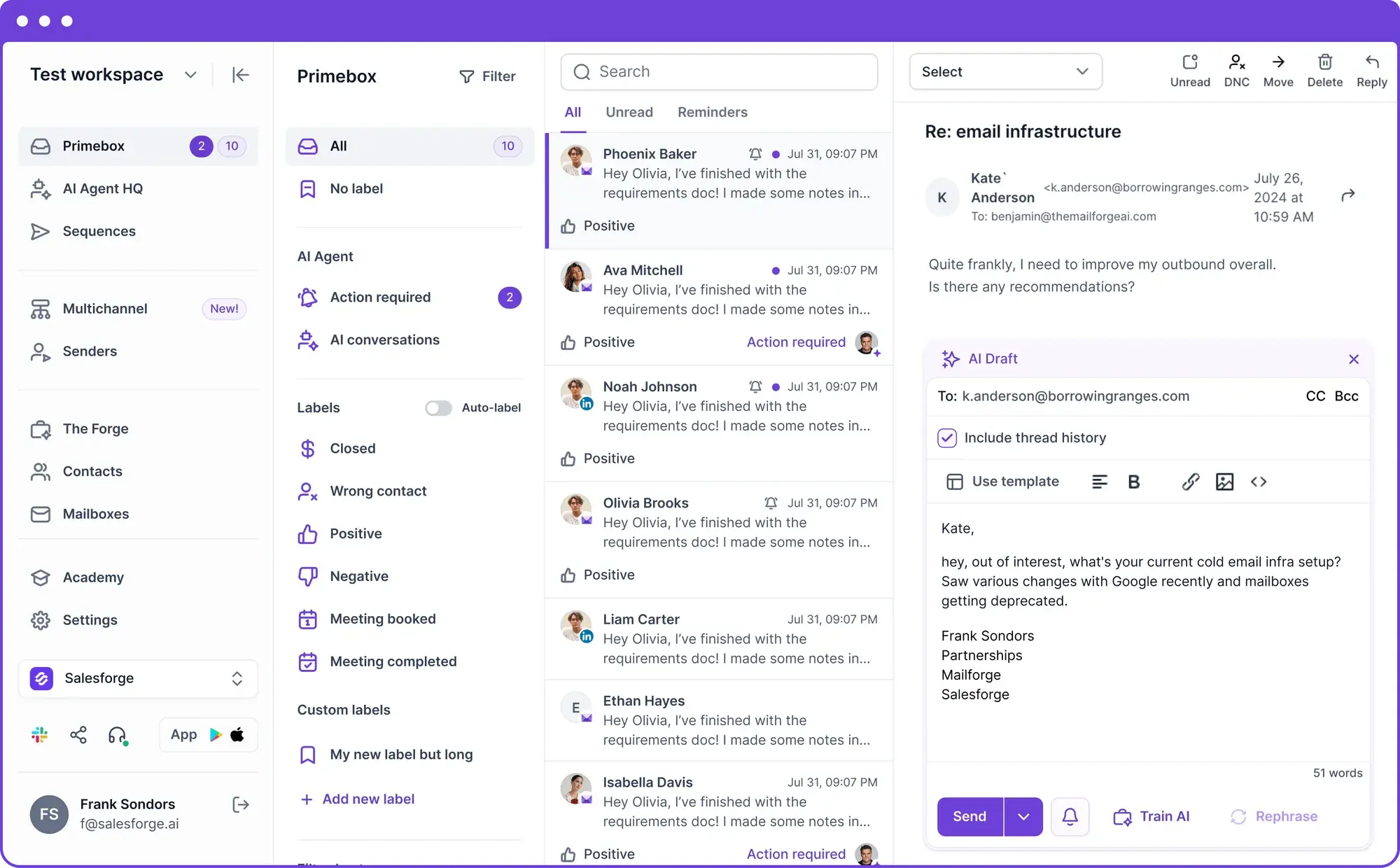
What you get is one ecosystem rather than a single sending tool. Leadsforge finds and enriches the prospects. Mailforge, Infraforge, and Primeforge supply the mailboxes and domains. Warmforge warms every mailbox before you send.
This image shows the Primebox dashboard of Salesforge.
All of it runs under one login, with each product on its own subscription. That takes most of the complexity out of outreach. Your leads, mailboxes, warm-up, sequences, replies, and reporting live in one place, so there are no CSV exports between steps and no switching between four dashboards to answer one question.
In my testing, moving a list from Leadsforge into a live sequence needed no export step, and you can hire Agent Frank to work the whole thing if you would rather not touch it yourself.
Why Salesforge Is My Top GMass Alternative
Salesforge closes more of the gaps above than any other tool on this list.
Multichannel: One sequence runs email steps and six native LinkedIn actions with conditional logic. If a prospect accepts your invite, the sequence sends a LinkedIn message. If not, it falls back to email.
Sending limits: Connect unlimited mailboxes on both plans. Smart Mailbox Rotation spreads volume across multiple accounts and paces each one, which protects sender reputation.
Warm-up: Every mailbox gets unlimited premium warm-up at no extra cost. I wait for a Heat Score™ of 85 before I launch a campaign.
Infrastructure: Three models run under one login. Mailforge covers shared from about $3 per mailbox, Infraforge covers dedicated IPs with pre-warmed mailboxes, and Primeforge covers Google Workspace and Microsoft 365 mailboxes from about $4.50.
Personalization: AI handles the email writing in 21+ languages on the Growth plan, so personalized mass emails stop reading like mass emails. The Localized Greeting variable opens each one in the recipient's own language.
GMass charges $49 a month on annual billing before it rotates inboxes, and that covers one Gmail account. Salesforge Pro costs $40 a month on annual billing with unlimited mailboxes, rotation, and warmup.
Most competitors resell one shape of mailbox, so you switch platforms once you outgrow it. No other tool here offers shared, dedicated, and Google or Microsoft mailboxes under one login.
Key Features
Multichannel Sequences: Run six native LinkedIn actions and email steps in one sequence, with conditional sequences.
Unlimited Mailboxes: Connect every mailbox you own and separate each client into its own workspace. Unlimited users need the Growth plan.
Free Warm-Up: Every mailbox warms continuously at no extra cost, and Heat Score™ tracking shows when one is ready to scale.
Primebox™: Every email and LinkedIn reply arrives in one inbox. Auto-Pilot handles routine replies on its own, and Co-Pilot drafts replies for you to approve.
Own Infrastructure: Move between Mailforge, Infraforge, and Primeforge as you scale without migrating platforms.
Agent Frank: Hire an autonomous AI SDR who prospects, writes, sends, replies, and books meetings 24 hours a day.
MCP, API, and Integrations: Connect HubSpot and Pipedrive, and let Claude, Cursor, or your own agents build sequences through the MCP CLI. These need the Growth plan.
Unlimited Workspaces: Keep every client or project in its own workspace on either plan, with no per-workspace fee.
Unlimited Users: Add your whole team on the Growth plan without paying for seats. Pro covers one user.
One more thing worth knowing. You can run Salesforge with your own team, hire Agent Frank to run it, or have a Forge Expert agency run it for you.
Limitations of Salesforge
A/B testing, ESP matching, multi-language sequences, Primebox AI, API access, MCP and CLI, and integrations all need the Growth plan at $80 a month on annual billing.
Pro covers one user, so a team of two should price Growth from the start.
GMass vs Salesforge
Here's how the two tools compare on the points that made me switch.
Per Gmail account, from $20/month on Standard (annual billing)
Flat rate, from $40/month on Pro (annual billing)
Email accounts
One Gmail account per subscription
Unlimited mailboxes on both plans
Sending limits
500/day personal, 2,000/day Workspace. Sending more needs an SMTP service like SendGrid
5,000 emails a month on Pro and 50,000 on Growth, paced across your mailboxes
Warmup
None
Unlimited premium warmup through Warmforge on both plans
Inbox rotation
MultiSend, on the Professional plan only
Smart Mailbox Rotation on both plans
Sequences and follow-ups
Not on the Standard plan
Included on both plans
Channels
Email only
Email and LinkedIn in one sequence. Pro includes 1 LinkedIn sender, and Growth includes unlimited senders
Reply management
Each Gmail inbox separately
Primebox™ with Sentiment Analysis on both plans, plus Primebox AI on Growth
Personalization
Google Sheets merge tags
AI personalization, plus 21+ multi-language support for sequences on Growth plan
A/B testing
Premium plan and up
Growth plan only
Email verification
Free on all plans
300 validation credits a month on Pro, 1,000 on Growth
Deliverability tools
Spam Solver and inbox tester
Bounce Shield and Dynamic IPs on both plans, plus ESP matching on Growth
Infrastructure
You bring your own
Shared, dedicated, or Google and Microsoft 365 mailboxes through Mailforge, Infraforge, and Primeforge (separate subscriptions)
API and integrations
API and Zapier on Premium and up, no native CRM
API, MCP and CLI, and integrations on Growth
Users
Team plans charge per seat
1 user on Pro, unlimited users on Growth
Workspaces
Not listed
Unlimited on both plans
Support
High-priority support on Professional
Live chat on both plans, plus priority support and personal onboarding on Growth
Free trial
7-day free trial, no credit card needed
14-day free trial, no credit card required
Salesforge Pricing (Annual Billing)
Pro: $40/month ($48 on monthly billing). 1,000 active contacts, 5,000 emails a month, one user, one LinkedIn sender, and 300 credits each for validation, personalization, and social actions.
Growth: $80/month ($96 on monthly billing). 10,000 active contacts, 50,000 emails a month, unlimited users, unlimited LinkedIn senders, and 1,000 credits of each type.
Both plans include unlimited mailboxes, unlimited premium warm-up, unlimited workspaces, unlimited contact storage, Primebox™, Sentiment Analysis, Smart Mailbox Rotation, and Dynamic IPs.
Annual billing gives you two months free. The trial runs 14 days and needs no credit card.
Best For: Founders and small teams who want email-only volume without a long setup.
The next tool on my list is Instantly. It is a cold email tool built for volume, and it sends across multiple inboxes at once.
Every plan gives you unlimited email accounts and unlimited warm-up. That makes it the direct answer to Gmail's sending limits, because the 500 and 2,000 daily numbers stop applying the day you switch.
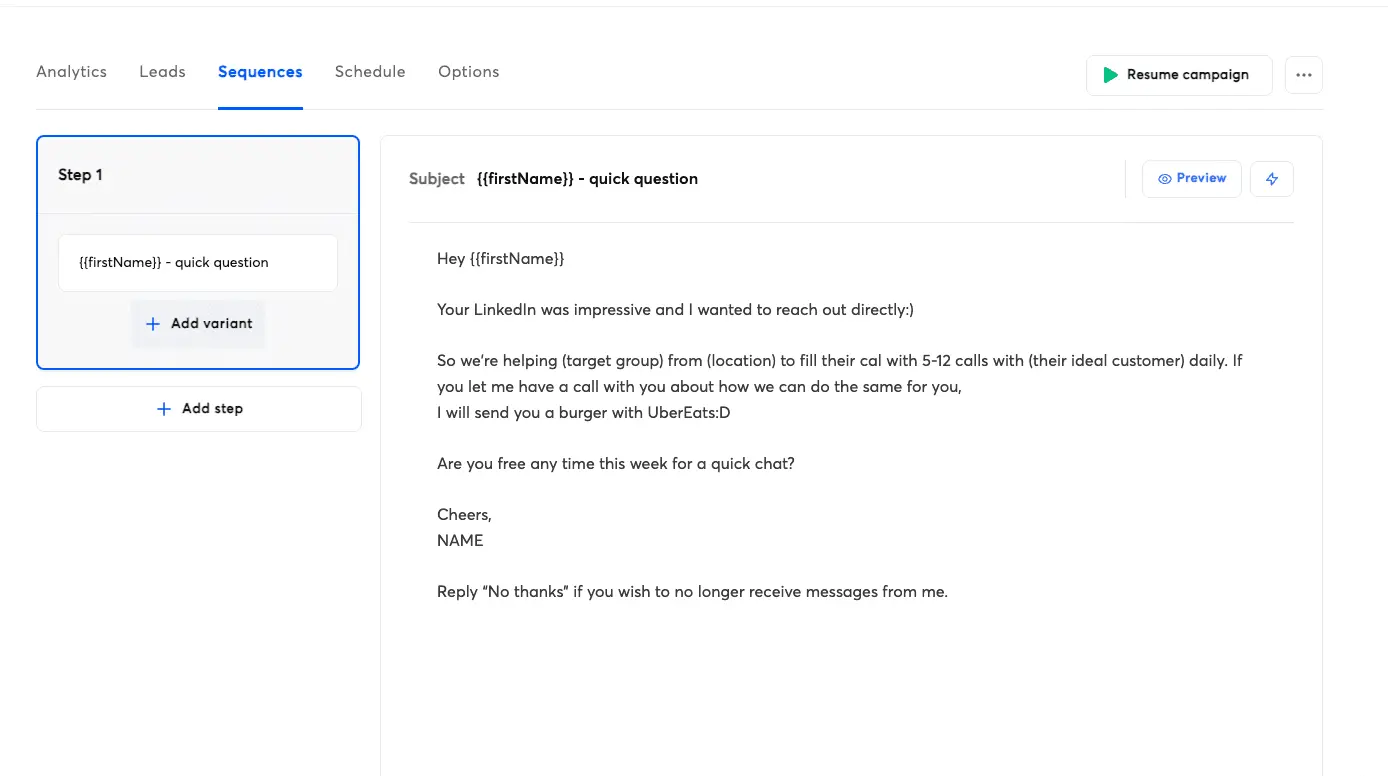
Instantly also sells a lead database, email verification, a CRM, and pre-warmed accounts, each as its own subscription.
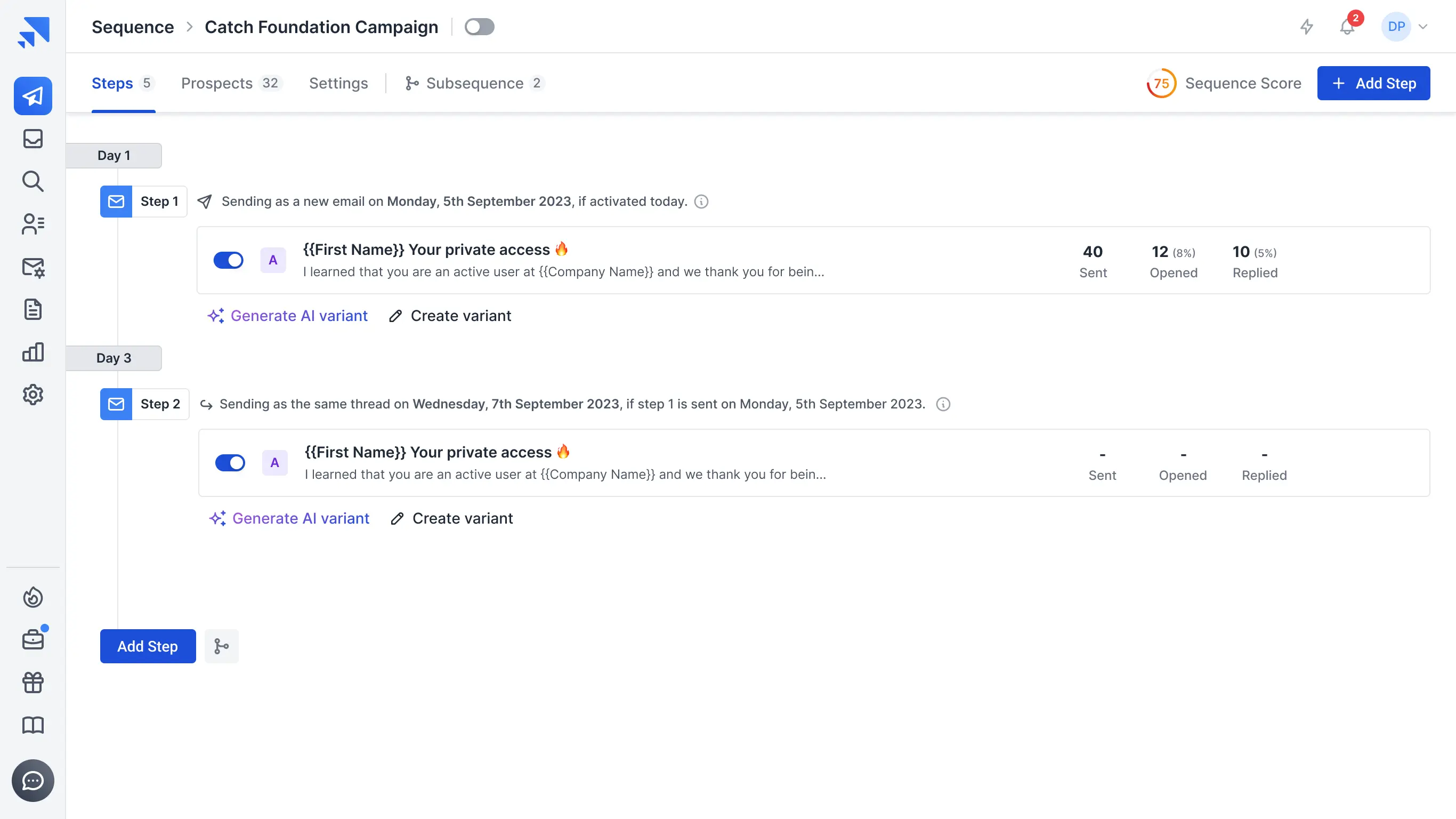
This image shows the sequence editor of Instantly.
In my testing, setup was quick and the user-friendly interface made connecting extra accounts easy. Instantly covers sending well, but it prices most other pieces separately.
Why Instantly Is a Top GMass Alternative
Instantly includes inbox rotation on every plan, and that is the first reason it replaces GMass well.
Your volume spreads across every account you connect, and you don't have to set any of it up. GMass keeps the same feature on its $49 Professional plan on annual billing.
Instantly also warms every mailbox for free, which is the piece GMass no longer offers at all. Both features arrive on the Growth plan at $37.60 a month on annual billing, with no add-on to buy.
Key Features
Unlimited Mailboxes: Connect unlimited email accounts on any plan, with no per-mailbox charge.
Unlimited Warm-Up: Every connected account warms automatically at no extra cost.
Inbox Rotation: Campaign volume spreads across your connected accounts on its own.
Bounce Detection: Every plan watches sender health and stops sends that would damage it.
Unibox: One shared inbox for replies across every account, from the Hypergrowth plan.
A/Z Testing: Test copy variants against each other, from the Hypergrowth plan.
Pre-Warmed Mailboxes: Buy domains and inboxes that are ready to send. Instantly sells these as an add-on.
Lead Database: Search and enrich contacts through the separate Instantly Credits subscription.
Limitations of Instantly
The Growth plan holds you to 1,000 contacts and 5,000 emails a month, which is easy to outgrow.
Unibox, API access, webhooks, A/Z testing, the global block list, and team member invites all need the Hypergrowth plan at $77.60 a month on annual billing.
The lead database and the CRM need separate subscriptions, so your monthly bill often lands well above the sticker price.
There's no LinkedIn channel, so multichannel outreach means buying another tool.
Cold email communities argue about the quality of Instantly's shared warm-up pool. I can't verify pool quality from the outside, so weigh that point yourself.
GMass vs Instantly
Here's how the two tools line up when sending volume is your main problem.
Feature
GMass
Instantly
Pricing model
Per Gmail account, starting on Standard
Flat rate by volume, starting on Growth
Email accounts
One Gmail account per subscription
Unlimited on every plan
Sending limits
500/day personal, 2,000/day Workspace. More needs an SMTP service like SendGrid
5,000 to 500,000+ emails a month by plan
Warmup
None
Free and unlimited on every plan
Inbox rotation
Professional plan only
Included on every plan
Channels
Email only
Email only
Unified inbox
No
Unibox, from Hypergrowth
API and webhooks
API on Premium and up
Hypergrowth and up
Lead database
No
Yes, through separate Instantly Credits
Free trial
Free trial, no credit card needed
14 days
Instantly Pricing (Annual Billing)
Growth: $37.60/month. Unlimited email accounts, unlimited warmup, 1,000 uploaded contacts, 5,000 emails a month, and chat support.
Hypergrowth: $77.60/month. 25,000 uploaded contacts, 125,000 emails a month, Unibox, API access, and premium live support.
Light Speed: $286.30/month. 100,000+ uploaded contacts, 500,000+ emails a month, and the SISR system.
Enterprise: Custom pricing. Adds a dedicated account manager, a shared Slack channel, and a private deliverability network.
Instantly Credits, which power the lead database, bill separately.
3. Lemlist
G2 Rating: 4.6 out of 5 (1,800+ reviews)
Best For: Small teams who send fewer emails and put more effort into each one.
The next tool on my list is Lemlist. It is a multichannel outreach platform built around personalization, and it answers the two GMass gaps that have nothing to do with volume.
Where GMass stops at basic merge tags, Lemlist builds a personalized image or a landing page around each prospect. Liquid syntax, dynamic custom fields, and an AI writer handle the email writing on every plan.
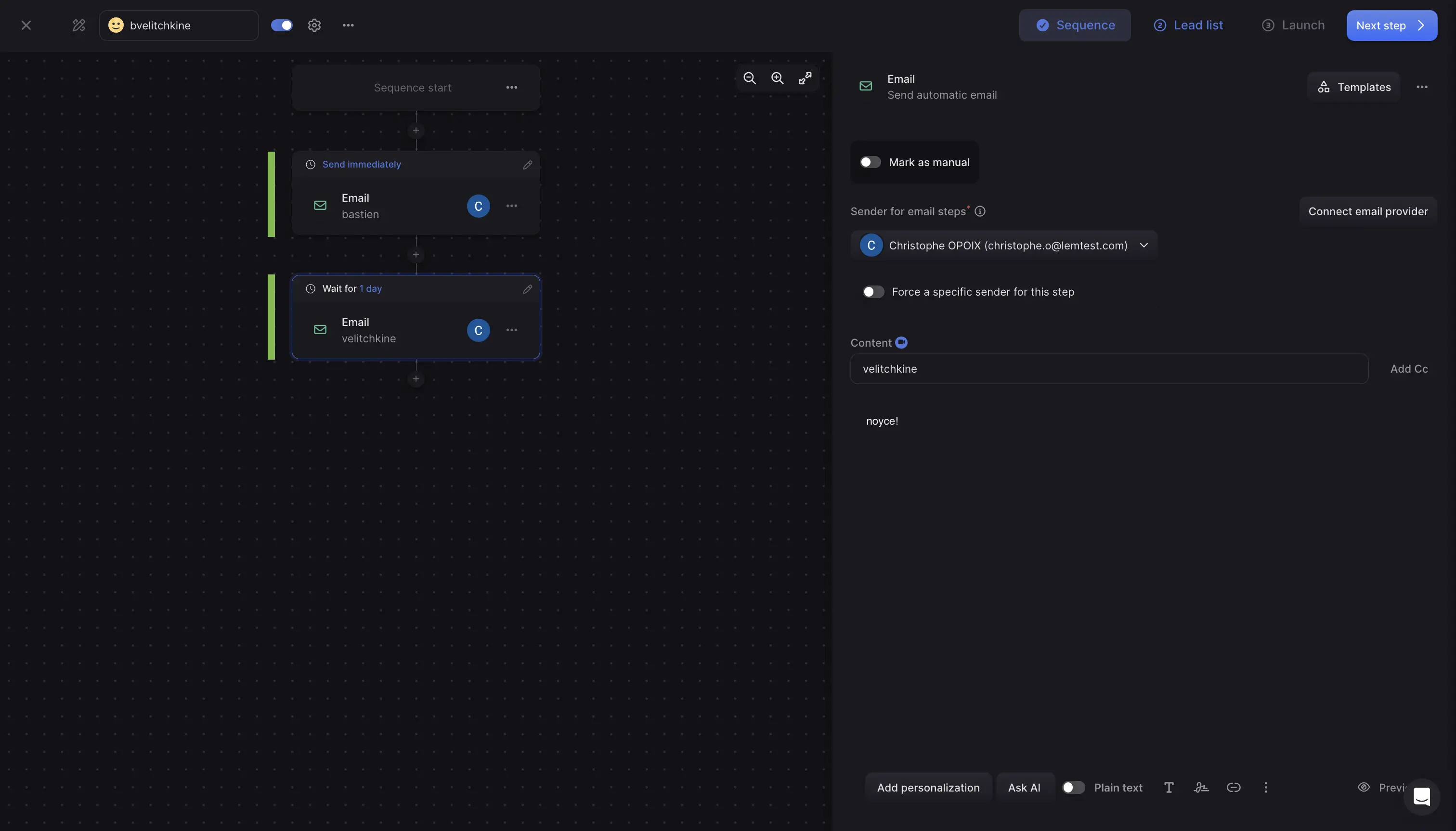
The Multichannel plan runs LinkedIn, SMS, and calling steps in the same sequence as your email. Lemlist also includes a 650M+ lead database and its own Deliverability Hub.
This image shows the sequence builder of Lemlist.
In my testing, personalization was the part that made a difference, and reply quality held up well on shorter, more targeted lists. The Multichannel plan charges per user, so the bill grows with every rep you add.
Why Lemlist Is a Top GMass Alternative
Lemlist beats GMass most clearly on personalized outreach. You can drop a prospect's logo, name, or website screenshot into an image inside the email, or send them to a landing page built for their company. GMass can only fill in a spreadsheet field.
Every paid plan also includes the Deliverability Hub and warm-up, which covers the gap GMass left behind when it retired its own warm-up product. Inbox rotation, rotating IPs, and in-app domain purchase come with every plan too.
Key Features
Unlimited Senders: Add your team and your mailboxes without a per-sender charge on the entry tier.
AI Personalization: Put a prospect's logo, name, or website screenshot inside an image, or send them to a page built for their company.
Lead Database: Search a 650M+ lead database and find emails and phone numbers on every plan.
Multichannel Steps: Run profile visits, invites, messages, voice notes, SMS, and calls on the Multichannel plan.
Deliverability Hub: Warm-up, inbox rotation, rotating IPs, DNS setup tests, and deliverability alerts on every plan.
Mailbox Purchase: Buy domains and sending addresses without leaving the platform.
AI Agents and MCP: Run lead research, intent detection, and reply drafting through Lemlist's own agents.
CRM Integrations: Native Salesforce integration, plus HubSpot and Pipedrive.
Limitations of Lemlist
The Multichannel plan charges per user. Five reps cost $435 a month on annual billing, which flat-rate tools beat easily at that team size.
LinkedIn, SMS, calling, and the unified inbox all need the $87 Multichannel plan.
The Multichannel plan limits you to five senders per user, so heavy senders have to buy more.
Lead data enrichment is a paid add-on, from $16 a month on annual billing for 2,000 credits. That covers about 400 emails or 100 phone numbers.
WhatsApp automation is an extra add-on, even on the Multichannel plan.
Custom user roles, activity logs, and SSO need the Enterprise plan.
GMass vs Lemlist
Here's how the two tools compare once personalization and channels matter more than volume.
Feature
GMass
Lemlist
Pricing model
Per Gmail account, starting on Standard
By email volume on Email, per user on Multichannel
Email senders
One Gmail account per subscription
Unlimited on the Email plan, 5 per user on Multichannel
Sending limits
500/day personal, 2,000/day Workspace. More needs an SMTP service like SendGrid
50,000 emails a month on the $55 Email plan, unlimited on Multichannel
Warmup
None
Included on every plan
Inbox rotation
Professional plan only
Included on every plan
Channels
Email only
Email, LinkedIn, SMS, and calls on Multichannel
Personalization
Google Sheets merge tags
Personalized images, landing pages, and AI copy
Unified inbox
No
Multichannel plan and up
Lead database
No
650M+ contacts included
Free trial
Free trial, no credit card needed
14 days, no credit card
Lemlist Pricing (Annual Billing)
Email: $55/month ($69 on monthly billing) for 50,000 emails a month. Unlimited users and email senders, the email and phone finder, a 650M+ lead database, lemAgent, MCP and CLI, warmup and the Deliverability Hub, and CRM integrations and API.
Multichannel: $87 per user per month ($109 on monthly billing). Adds five senders per user, unlimited emails and messages, LinkedIn and SMS automation, a built-in dialer, and the unified inbox. WhatsApp automation is an add-on.
Enterprise: Custom pricing. Adds custom user roles, SSO, a dedicated account manager, and priority support.
Add-ons: Lead data enrichment from $16 a month for 2,000 credits, and buying intent signals from $21 a month for 100 signals.
Quarterly billing costs $62 a month for Email and $99 per user for Multichannel.
4. Smartlead
G2 Rating: 4.5 out of 5 (400+ reviews)
Best For: Agencies that manage client campaigns and need a white-label portal.
The next tool on my list is Smartlead. It is a cold email platform aimed at agencies and high-volume senders.
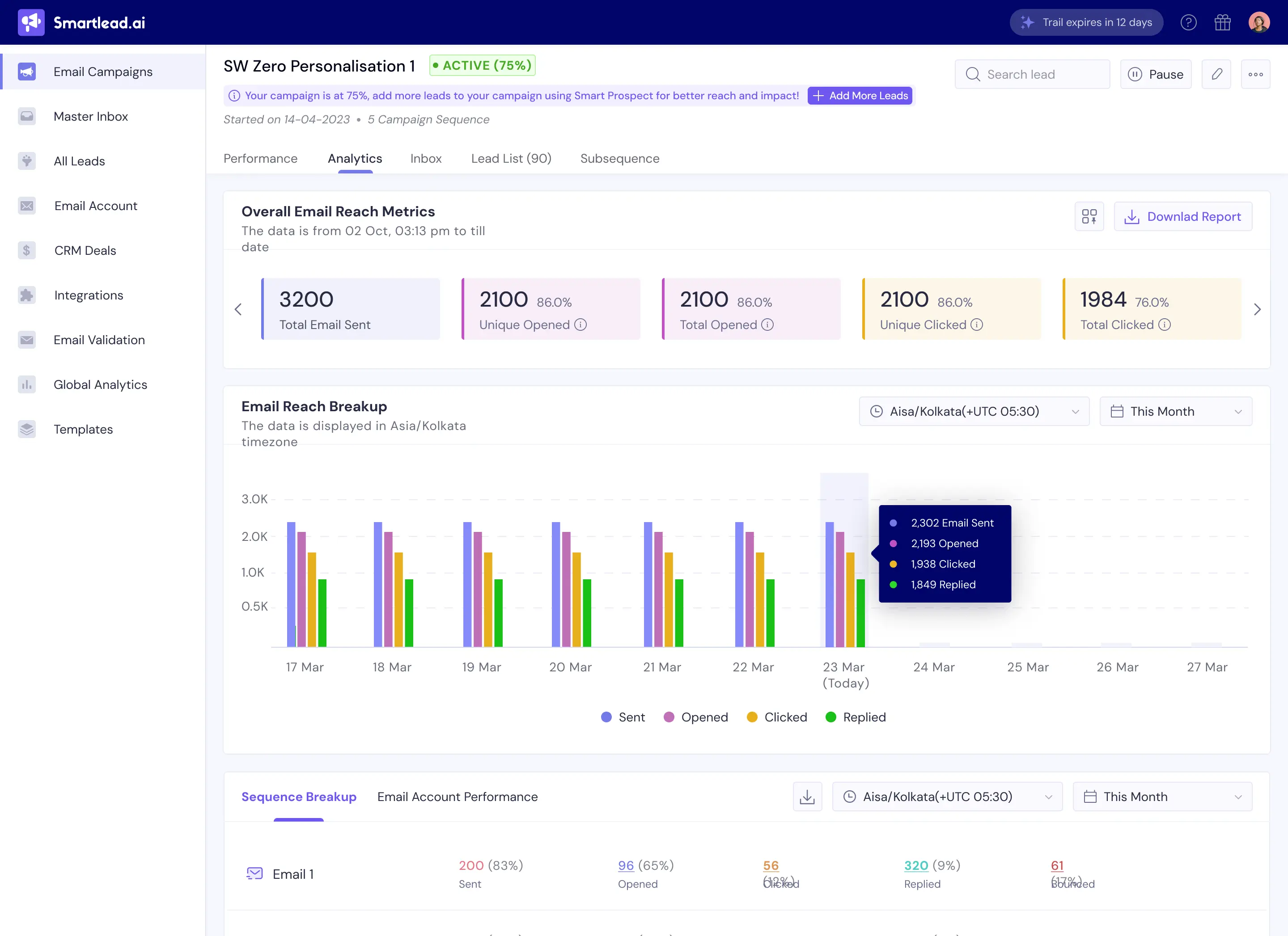
Every plan gives you unlimited sending accounts, warm-up, and a unified inbox for replies. Its advanced analytics report open, reply, and bounce rates for each individual mailbox, which GMass doesn't do.
Smartlead builds most of its features for agencies. The white-label portal lets you give a client a dashboard with your own branding, and client workspaces keep each account separate.
This image shows the campaign analytics dashboard of Smartlead.
In my testing, Smartlead held up at higher sending volumes, and the per-mailbox view made a weak inbox easy to spot.
Why Smartlead Is a Top GMass Alternative
Smartlead clears Gmail's ceiling for less money than GMass costs. The Base plan runs $32 a month on annual billing and connects unlimited email accounts, while GMass charges $49 a month on annual billing before it rotates inboxes for you.
The reporting matters more than the price, though. GMass reports results for each campaign. Smartlead breaks those results down for each mailbox, so you can spot a weak inbox in days rather than weeks.
Key Features
Unlimited Mailboxes: Connect and warm every mailbox you own on any plan.
Advanced Analytics: See open, reply, and bounce rates for every individual sending account.
White-Label Portal: Give clients a branded dashboard for their own campaigns.
Client Workspaces: Keep each client's mailboxes, campaigns, and data separate. These cost $29 each on Pro and Unlimited Smart, and Unlimited Prime includes three or more.
Sender Rotation: Spread volume across every connected mailbox automatically.
Master Inbox: Manage replies from all accounts in one place.
SmartSenders: Buy Google, Outlook, or SMTP mailboxes in the app from $3.99 per mailbox per month, or pre-warmed ones at $9.
Email Verification: Base includes 2,000 a month, and the Unlimited plans include 50,000 or 170,000 free.
API and Webhooks: Build custom workflows from the Pro plan.
Limitations of Smartlead
The interface takes time to learn, and I wouldn't hand it to a first-time sender.
There's no native LinkedIn channel, so multichannel outreach needs another tool.
The Base plan leaves out CRM access, API access, webhooks, client workspaces, and private infrastructure.
Warm-up pool quality rises with your plan. Base sits on the Foundation tier, Pro moves to Growth, and only the Unlimited plans reach Premium.
Several essentials cost extra. Client workspaces run $29 each, private infrastructure costs $39 per server, and extra verified emails cost $59 a month.
The Pro plan holds you to 90,000 email sends a month. Unlimited Smart at $144 raises that to 150,000, and only contacts are unlimited.
Calls start on the Unlimited Smart plan, and a dedicated manager only comes with Unlimited Prime at $315 a month.
GMass vs Smartlead
Here's how the two tools compare if you run campaigns for clients.
Feature
GMass
Smartlead
Pricing model
Per Gmail account, starting on Standard
Flat rate, starting on Base
Email accounts
One Gmail account per subscription
Unlimited on every plan
Sending limits
500/day personal, 2,000/day Workspace. More needs an SMTP service like SendGrid
6,000 to 500,000 sends a month by plan
Warmup
None
Included, and the pool tier rises with your plan
Inbox rotation
Professional plan only
Included on every plan
Channels
Email only
Email, plus calls from the Unlimited Smart plan
Reporting
Reports for each campaign
Open, reply, and bounce rates for each mailbox
Agency features
None
White-label portal and client workspaces
Unified inbox
No
Master inbox on every plan
Free trial
Free trial, no credit card needed
14 days
Smartlead Pricing (Annual Billing)
Base: $32/month. 2,000 contacts, 6,000 email sends, 2,000 verified emails, and the Foundation warmup tier.
Pro: $78/month. 30,000 contacts, 90,000 email sends, 30,000 verified emails, CRM access, API, webhooks, and the Growth warmup tier.
Unlimited Smart: $144/month. Unlimited contacts, 150,000 email sends, 50,000 free verified emails, Premium warmup, call access, and your own email network through private OAuth.
Unlimited Prime: $315/month. Unlimited contacts, 500,000 email sends, 170,000 free verified emails, three SmartServers, 3+ client workspaces, a dedicated manager, and a private Slack channel.
Add-ons: Client workspaces at $29 each, private infrastructure at $39 per server, extra verified emails at $59 a month on Base and Pro, and SmartSenders mailboxes from $3.99 a month.
Annual billing saves 17% compared with monthly billing.
5. Woodpecker
G2 Rating: 4.5 out of 5 (100+ reviews)
Best For: Consultants and small teams who send lower volume and want the tool to protect their domain.
The next tool on my list is Woodpecker. It is a cold email platform that watches your email deliverability for you, which is the opposite of how GMass works.
Pricing works differently here. You pay for the number of new prospects you contact each month, not for emails sent or seats used.
The entry plan includes more than you might expect at about $23 a month on annual billing. You get 8,000 emails, unlimited email verification including catch-all, two warmup slots, 100 Lead Finder credits, unlimited team members, and unlimited email accounts.
This image shows the campaign builder of Woodpecker.
In my testing, Woodpecker paced sending conservatively, and its monitoring flagged a mailbox problem early.
Why Woodpecker Is a Top GMass Alternative
GMass leaves deliverability entirely in your hands. Woodpecker manages it for you instead.
Adaptive sending adjusts your volume for each mailbox based on how that mailbox is performing. A deliverability monitor tracks inbox placement and warns you the moment it drops, so you get an early signal instead of learning weeks later that a domain went cold.
ESP matching, inbox rotation, and a domain audit for SPF and DKIM all come with the plan. GMass gives you none of those.
Key Features
Adaptive Sending: Woodpecker adjusts your sending speed based on how each mailbox performs.
Free Warm-Up: Two warm-up slots come free, and extra slots cost $5 per email account.
ESP Matching: Match your sending provider to your prospect's provider, and rotate volume across accounts.
Deliverability Monitor: Woodpecker tracks inbox placement and alerts you when it drops.
Domain Audit: Check your SPF and DKIM records inside the tool, which GMass leaves to you.
Conditional Campaigns: Branch your cold email sequences on what the prospect does, and run A/B tests with up to five versions.
LinkedIn and Calls: Combine email, LinkedIn, and call steps in one sequence. Connected LinkedIn accounts cost $29 a month each.
Unlimited Mailboxes: Connect as many sending accounts as you want, and add unlimited team members, on every plan.
Agency Panel: Manage client campaigns from one branded dashboard for $27 per active client.
Limitations of Woodpecker
Woodpecker charges by contacted prospects, so every new person you email counts against your monthly limit. Costs climb as you scale your list.
Only two warm-up slots come free. Every extra mailbox you want warmed costs $5 a month.
LinkedIn outreach is an add-on at $29 per connected account, so a three-person team pays $87 a month on top of the plan.
API access, webhooks, MCP, and the CLI sit behind a $20 monthly integrations pack.
The agency panel costs $27 per active client, and white-label branding adds $5 per client.
Woodpecker resells mailboxes and dedicated servers rather than running its own infrastructure, so a dedicated server costs $59 a month.
GMass vs Woodpecker
Here's how the two tools compare when deliverability is your main worry.
Feature
GMass
Woodpecker
Pricing model
Per Gmail account, starting on Standard
By contacted prospects, from 500 a month
Email accounts
One Gmail account per subscription
Unlimited and free on every plan
Sending limits
500/day personal, 2,000/day Workspace. More needs an SMTP service like SendGrid
8,000 emails a month on the entry plan
Warmup
None
Two slots free, then $5 per mailbox
Inbox rotation
Professional plan only
Included on every plan
Deliverability tools
Spam Solver, inbox tester, and free email verification
Adaptive sending, deliverability monitor, domain audit, and ESP matching
Channels
Email only
Email, LinkedIn, and calls
Agency features
None
Agency panel, priced per active client
Free trial
Free trial, no credit card needed
14 days, no credit card
Woodpecker Pricing (Annual Billing)
From about $23/month ($280 a year) for 500 contacted prospects, or $35 on monthly billing. The price scales with the number of prospects you contact.
Every plan includes 8,000 emails a month, unlimited email verification including catch-all, 2 warmups, 100 Lead Finder credits, unlimited team members, and unlimited email accounts.
Add-ons: LinkedIn accounts at $29 each, extra warmups at $5 per mailbox, Google or Microsoft mailboxes at $6 each, dedicated servers at $59 each, extra Lead Finder credits from $10 for 500, the integrations pack at $20, and the agency panel at $27 per active client.
The trial runs 14 days with all features included and needs no credit card.
6. Saleshandy
G2 Rating: 4.6 out of 5 (750+ reviews)
Best For: Budget-conscious teams who want unlimited mailboxes and a built-in lead database on one flat-rate plan.
The next tool on my list is Saleshandy. It's a cold email platform with unlimited email accounts on every plan, so you're not tied to a single Gmail inbox.
The Starter plan includes unlimited email accounts, unlimited warmup, sender rotation across up to 10 accounts, a unified inbox, and AI-powered sequences.
Saleshandy also sells its own mailboxes as an add-on and includes a lead finder with 852M+ contacts. API, webhooks, MCP, and CLI access come with every plan, while Salesforce, HubSpot, Pipedrive, and Zoho integrations start on Pro.
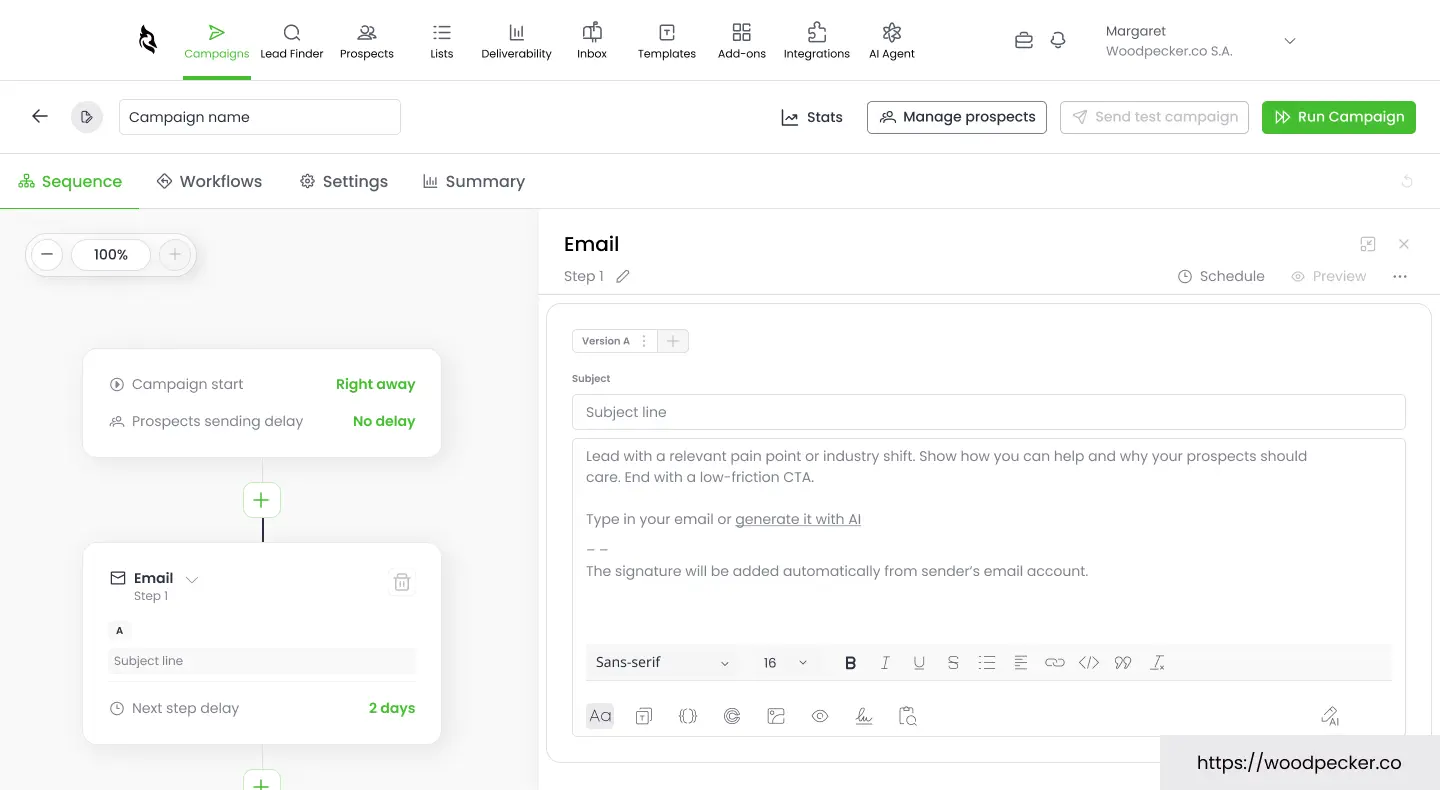
This image shows the sequence dashboard of Saleshandy.
In my testing, the sending and rotation worked as described. Saleshandy doesn't lead in every category, but the overall feature set is strong for the price.
Why Saleshandy Is a Top GMass Alternative
GMass doesn't offer unlimited mailboxes on any plan. Saleshandy gives you unlimited email accounts on its Starter plan, with sender rotation across up to 10 accounts.
It also offers Google Workspace, Microsoft 365, and Azure mailboxes as an add-on. The best part is SPF, DKIM, and DMARC are configured for you, so there's less technical setup to handle yourself.
If you need more mailboxes, warmup, and sending flexibility without relying on a single Gmail account, Saleshandy is a good alternative to GMass.
Key Features
Unlimited Mailboxes: Connect as many email accounts as you need, even on the $34 Starter plan.
Unlimited Warmup: Every plan includes unlimited email warmup, and Pro adds advanced warmup settings.
Sender Rotation: Rotate sending across up to 10 accounts on Starter, 100 on Pro, and 1,000 on Scale.
Unified Inbox: Manage replies from every account in one place on every plan.
AI-Powered Sequences: Build sequences with AI, and add AI variants and A-Z testing from the Pro plan.
Multichannel Steps: Add call, WhatsApp, LinkedIn, and custom task steps to your email sequences.
Lead Finder: Search 852M+ contacts and 42M+ companies with waterfall enrichment, using 1,500 lead finder credits a month on Starter.
Email Infrastructure: Buy Google Workspace, Microsoft 365, or Azure mailboxes from $2.99 per mailbox per month, with DNS set up for you.
Integrations: Use the API, webhooks, MCP, and CLI on every plan, and connect Salesforce, HubSpot, Pipedrive, and Zoho from Pro.
Limitations of Saleshandy
Starter covers one user, and Pro caps you at 10. Unlimited users and teams need the Scale plan at $149 a month on annual billing.
Starter rotates sending across only 10 email accounts, so bigger setups need Pro.
A-Z testing, AI variants, subsequences, and CRM integrations all need the Pro plan at $76 a month on annual billing.
Email verification and AI credits come as one-time allowances (500 and 100 on Starter), so ongoing use means buying more.
Mailboxes, the dialer, extra credits, and inbox placement testing are all separate add-ons, so your monthly cost climbs with usage.
The free trial runs only 7 days.
GMass vs Saleshandy
Here's how the two tools compare on price and sending capacity.
Feature
GMass
Saleshandy
Pricing model
Per Gmail account, starting on Standard
Flat rate, starting on Starter
Email accounts
One Gmail account per subscription
Unlimited on every plan
Sending limits
500/day personal, 2,000/day Workspace. More needs an SMTP service like SendGrid
6,000 to 200,000 emails a month by plan
Warmup
None
Unlimited on every plan
Inbox rotation
Professional plan only
Up to 10 accounts on Starter, 100 on Pro, 1,000 on Scale
Sequences
Not on the Standard plan
AI-powered sequences on every plan
Channels
Email only
Email, plus call, WhatsApp, LinkedIn, and task steps
Unified inbox
No
Every plan
Lead database
No
852M+ contacts, 1,500 credits a month on Starter
Mailbox purchase
No
Yes, as a separate add-on from $2.99 per mailbox
Free trial
7-day free trial, no credit card needed
7 days
Saleshandy Pricing (Annual Billing)
Starter: $34/month ($41 on monthly billing). 2,000 active prospects, 6,000 emails a month, 1,500 lead finder credits, and 1 user.
Pro: $76/month ($99 on monthly billing). 30,000 active prospects, 100,000 emails a month, 4,000 lead finder credits, 10 users, A-Z testing, and CRM integrations.
Scale: $149/month ($189 on monthly billing). Unlimited active prospects, 200,000 emails a month, 8,000 lead finder credits, unlimited users and teams, personalized onboarding, and a dedicated account manager.
Add-ons: Mailboxes from $2.99 per mailbox per month plus $14 a year per domain. The dialer, extra credits, and inbox placement testing are sold separately.
Every plan comes with a 7-day free trial.
2 Best Gmail-Native Mail Merge Alternatives to GMass
Not everyone who leaves GMass needs a cold email platform. Many people pick GMass because it works inside Gmail and Google Sheets. They want the same simple setup at a lower price.
I added the next two tools for those readers. Neither tool fixes the cold outreach problems I listed at the start of this post. You get no LinkedIn channel and very little warmup, and Gmail's daily limits still apply.
For newsletters, event invites, recruiting emails, and small warm campaigns, both tools work well. They also cost much less than GMass.
500 personal, 2,000 Workspace. More needs an SMTP service
250 to 2,000 by plan
400 gmail.com, 1,500 Workspace
Follow-ups
Automatic, Premium plan and up
Automatic, Premium plan and up
Follow-up campaigns you launch yourself
Warmup
None
1 mailbox on Premium and Professional
None
Inbox rotation
Professional plan only
Professional plan only
No
Billing
Per Gmail account
Per user
Per user
7. Mailmeteor
Capterra Rating: 4.7 out of 5 (51 reviews)
Best for: Solo senders who want to manage light-volume outreach from Gmail and don't need advanced cold email features like warmup or automated sequences.
The next tool on my list is Mailmeteor. Out of every tool in this post, it works the most like GMass.
You write your email, add your contacts from a Google Sheet, and send the campaign from your own inbox. Mailmeteor works with Gmail, Outlook, and Zoho. GMass works only with Gmail.
Mailmeteor stands out for two strengths. It does the same mail merge job as GMass for a much lower price. Its Premium plan also includes email warmup, and GMass no longer offers warmup at all.
The catch is the per-user pricing. Most of the features you need for outreach start on the Premium plan. The Starter plan costs less, but it does not send follow-ups.
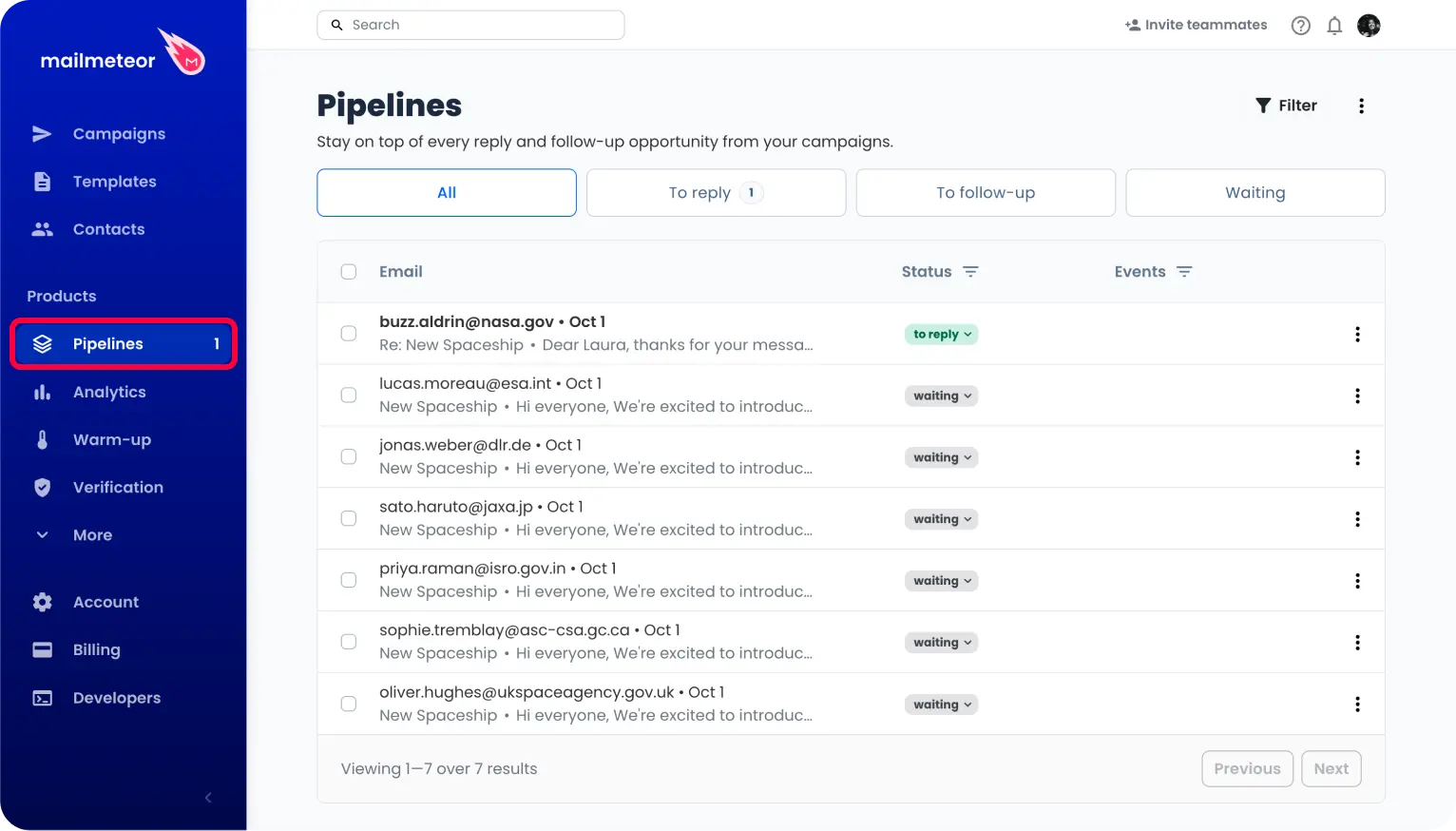
This image shows the Pipelines dashboard of Mailmeteor.
Why Mailmeteor Is a Top GMass Alternative
Price is one of the biggest reasons I'd consider switching from GMass. Follow-ups start on GMass's Premium plan at $29 a month on annual billing. Mailmeteor includes follow-ups in its Premium plan at about $13.50 a month on yearly billing, and it also gives you one warmup mailbox.
The difference gets bigger if you need inbox rotation. GMass puts rotation on its Professional plan at $49 a month, while Mailmeteor includes it in its Professional plan at about $27 a month, both on yearly billing.
Warmup is another area where Mailmeteor has an edge. GMass says it uses the Gmail API and doesn't offer automated warmup because of its relationship with Google. Plus, Mailmeteor runs its warmup through IMAP instead.
The setup should also feel familiar. If you already work with Gmail and Google Sheets every day, you won't have much of a learning curve.
Key Features
Tools Connection: Mailmeteor supports Gmail, Outlook, Zoho, Google Sheets, Google Docs, and Excel.
Email Verification: Starter and higher plans check each address before your campaign goes out.
Reply Detection: Starter and higher plans spot replies, so you can see who answered.
Follow-Ups: Premium allows 5 follow-ups, and Professional allows 10.
Email Warmup: Premium and Professional each warm one mailbox.
Multiple Senders: Premium sends from up to 5 senders, and Professional sends from up to 10.
Bounce and Bot Detection: Premium adds bounce detection and bot detection to your campaign tracking.
Inbox Rotation: Professional spreads your sending across your connected inboxes.
AI Email Assistant: Premium labels your emails with AI and drafts replies in your own voice inside Gmail.
Integrations: Zapier comes with Starter, and CRM integration comes with Professional.
Limitations of Mailmeteor
Mailmeteor charges per user. Three people on the Premium plan cost about $40.50 a month on yearly billing.
The Starter plan does not send follow-ups.
Warmup covers only one mailbox, even on Professional. That won't help much if you send from several mailboxes.
Inbox rotation sits on the Professional plan only. Premium users have to spread their sending by hand.
Your emails still go out through your own inbox. The daily limits of Gmail, Outlook, or Zoho still apply on every plan.
Mailmeteor has no LinkedIn channel.
The free plan adds Mailmeteor branding to your emails.
GMass vs Mailmeteor
Here's how the two tools compare if you want to stay inside your inbox.
Feature
GMass
Mailmeteor
Pricing model
Per Gmail account, starting on Standard
Per user, starting on Starter
Free plan
Discontinued in December 2023
Hobby, 50 emails a day
Works with
Gmail only
Gmail, Outlook, and Zoho
Sending limits
500/day personal, 2,000/day Workspace. More needs an SMTP service like SendGrid
250 to 2,000 a day by plan
Follow-ups
Premium plan and up
Premium plan and up
Warmup
None
1 mailbox on Premium and Professional
Inbox rotation
MultiSend, Professional plan only
Professional plan only
Email verification
Free on all plans
Starter plan and up
Integrations
API and Zapier on Premium and up
Zapier from Starter, CRM on Professional
Free trial
Free trial, no credit card needed
Free Hobby plan, no credit card needed
Mailmeteor Pricing (Monthly Billing)
Mailmeteor charges per user. Yearly billing gives you 3 months free, which brings Premium down to about $13.50 a month.
Hobby (free): The free plan covers 500 emails a month and 50 a day, with 3 campaigns and Mailmeteor branding.
Starter ($5.99 per user a month): This plan covers 5,000 emails a month and 250 a day. It adds email verification, reply detection, Zapier, and branding removal.
Premium ($17.99 per user a month): This plan covers 30,000 emails a month and 1,000 a day. It adds 5 senders, follow-ups, one warmup mailbox, the AI email assistant, and a custom tracking domain.
Professional ($35.99 per user a month): This plan covers 60,000 emails a month and 2,000 a day. It adds 10 senders, inbox rotation, CRM integration, and priority support.
Schools and universities can apply for free access through the Mailmeteor Education Program.
8. YAMM (Yet Another Mail Merge)
G2 Rating: 4.3 out of 5 [90+ review]
Best For: People who send mail merges from Google Sheets now and then and want an affordable paid option.
The last tool on my list is YAMM, which is short for Yet Another Mail Merge. YAMM is a Google Sheets add-on, and the company says it has been installed more than 16 million times.
You open your sheet and pick a Gmail draft as your template. YAMM then sends one personal email to each row in the sheet. For many people, that simple flow covers everything they need.
YAMM stands out for two strengths. Its paid plans cost a few dollars a month and bill once a year. It also shows opens, clicks, replies, bounces, and unsubscribes in your sheet as they happen.
The catch is that YAMM only does mail merge. It has no warmup, no inbox rotation, and no automatic follow-up sequences. I would not use it for cold outreach at high volume.
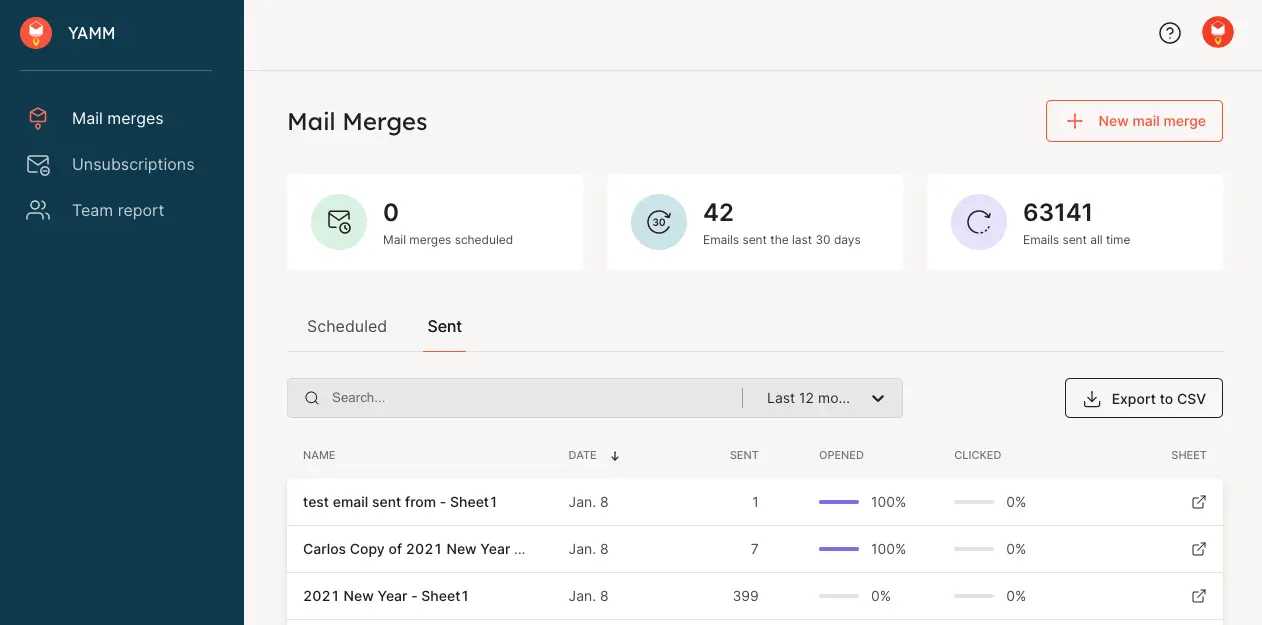
This image shows the mail merge dashboard of YAMM.
Why YAMM Is a Top GMass Alternative
Price is one of the main reasons I'd consider YAMM over GMass.
If you only need basic mail merge from Google Sheets, YAMM gives you what you need without paying for features you may never use. GMass Standard costs $249 a year on annual billing, while YAMM's Google Workspace plan costs $72 a year.
Switching from GMass is also simple. Your list stays in Google Sheets, and your email template stays in Gmail, so there's no need to move your contacts or learn a completely new platform.
For a school newsletter, event invite, or a recruiter's weekly batch, YAMM can be all you need. If that's your use case, I wouldn't pay for a full cold email platform.
Key Features
Google Sheets Add-On: YAMM runs inside Google Sheets and sends one personal email per row through Gmail.
Gmail Templates: Any Gmail draft or saved Gmail template becomes your mail merge template.
Personalization: Subject lines, body text, links, images, and attachments can all change for each recipient.
Live Tracking: Opens, clicks, replies, bounces, and unsubscribes show up in your sheet as they happen.
Follow-Up Campaigns: A follow-up goes to a filtered part of your list and stays in the same email thread.
Scheduling: Paid plans send each mail merge at the date and time you set.
Alias, CC, and BCC: Each merge can go out from an email alias, with personal or shared CC and BCC addresses.
Over-Quota Splitting: It spreads a large list over several days once you pass your daily limit.
Bounce Warnings: It warns you about addresses that bounced in your past campaigns.
Extras: It also sends one-click surveys and email notifications for Google Form responses.
Limitations of YAMM
The free plan sends to only 20 recipients a day and has no scheduling. I'd treat it as a test drive, not a working plan.
The gmail.com plan stops at 400 recipients a day. Only Google Workspace accounts that meet YAMM's conditions reach 1,500 a day.
YAMM has no warmup and no inbox rotation.
Follow-ups are campaigns you launch yourself. Nothing goes out on its own when a person doesn't reply.
It works only with Gmail and Google Workspace accounts, and it doesn't support Outlook.
Prices change by billing country and don't include taxes. Your final bill may differ from the listed price.
GMass vs YAMM
Here's how the two tools compare for simple Google Sheets mail merge.
Feature
GMass
YAMM
Pricing model
Per Gmail account, monthly or annual
Per user, billed yearly
Entry price
Standard, $20/month annual ($249/year)
Pro gmail.com, $36 a year
Free plan
Discontinued in December 2023
20 recipients a day, no scheduling
Sending limits
500/day personal, 2,000/day Workspace. More needs an SMTP service like SendGrid
400/day gmail.com, 1,500/day Workspace
Follow-ups
Automatic, Premium plan and up
Follow-up campaigns you launch yourself
Warmup
None
None
Inbox rotation
Professional plan only
No
Tracking
Opens, clicks, and replies
Opens, clicks, replies, bounces, and unsubscribes
Works with
Gmail only
Gmail and Google Workspace only
Free trial
Free trial, no credit card needed
Free plan, no trial
YAMM Pricing (Annual Billing)
Free ($0): One user can send to up to 20 recipients a day, with full tracking but no scheduling.
Pro gmail.com ($3 a month, billed $36 a year): One gmail.com user can send to up to 400 recipients a day, with scheduling and priority support.
Pro Google Workspace ($6 a month, billed $72 a year): One Workspace user can send to up to 1,500 recipients a day.
Team ($6 per user a month): Every user on a Google Workspace domain can send to up to 1,500 recipients a day. A team of 5 costs $30 a month, billed $360 a year.
Unlimited (custom quote): Teams with more than 100 users can ask YAMM for a custom price with unlimited users.
Prices change by billing country and don't include taxes.
When GMass Is Still the Better Choice
GMass is still the right tool for some people.
You should stay on GMass if your list lives in Google Sheets and you mainly send mail merge campaigns. Mailmeteor and YAMM cost less, but every GMass plan includes Spam Solver, free email verification, custom tracking links with SSL, and unlimited contacts and campaigns.
You should also stay if you send only a few emails a day from one inbox and want zero setup. For a slightly bigger send, GMass can spread the campaign over two days, but this option doesn't work well for time-sensitive emails.
There are two things you should keep in mind before you stay.
First, the $20 Standard plan has no sequences, follow-ups, API access, or A/B testing, and inbox rotation needs the $49 Professional plan.
Second, GMass's "unlimited emails" promise works by sending through an SMTP service like SendGrid, which usually needs your own setup for cold email and may lower deliverability slightly.
You should switch when your volume outgrows Gmail's limits, you start having deliverability issues, your team grows past one sender, or you need LinkedIn in the same sequence as email.
How Do I Migrate From GMass to Another Cold Email Platform?
Step 1: Export your contacts
Start by exporting your contacts from GMass or the Google Sheets connected to your campaigns. Keep important details such as email addresses, names, company names, job titles, websites, and other personalization fields. If you're using Google Sheets, make sure you have the latest version before starting the migration.
Step 2: Export your unsubscribe and bounce lists
Export your unsubscribed and bounced contacts from GMass. These lists are important because you don't want to contact people who have already opted out or whose addresses have repeatedly bounced. Add these contacts to your new platform's suppression or do-not-contact list.
Step 3: Save your campaigns and email templates
Copy your existing email templates, subject lines, personalization fields, and follow-up sequences. Also note the timing between each follow-up so you can recreate the same campaign in your new platform. Remove any outdated campaigns or contacts that you no longer want to use.
Step 4: Set up your new email platform
Create your account on the new cold email platform and connect your Gmail, Google Workspace, or other sending accounts. Before sending, check your SPF, DKIM, and DMARC settings, along with sending limits, tracking, unsubscribe settings, and other email authentication options.
Step 5: Import your contacts and suppression list
Upload your active contacts to the new platform and map the fields correctly so names, company information, and other personalization data work as expected. Then import your unsubscribed and bounced contacts as a suppression or do-not-contact list so they are excluded from future campaigns.
Step 6: Recreate and test your campaigns
Rebuild your campaigns with the same emails, personalization, and follow-up timing. Send a small test campaign first to check personalization, links, deliverability, replies, tracking, and unsubscribe handling. Make sure the same prospects don't receive duplicate emails from GMass and the new platform.
Step 7: Move your sending and close GMass
Once everything works correctly, gradually move your sending volume to the new platform. Keep GMass active during the transition so you can access your old campaigns and data if needed. Once you've confirmed that everything is working properly, stop your GMass campaigns and cancel the account.
Choose the Best GMass Alternative and Start Scaling Your Outreach
If you're moving away from GMass, Salesforge is worth considering if you want more than basic Gmail-based outreach. It brings several parts of cold email outreach into one platform, so you don't have to manage separate tools for every part of your workflow.
Run email and LinkedIn outreach together: Create sequences that combine cold emails with LinkedIn actions, and use conditional logic to decide what happens next.
Manage multiple mailboxes: Connect and manage multiple sending accounts from one place instead of relying on a single Gmail inbox.
Warm up your mailboxes: Salesforge includes premium mailbox warmup through Warmforge. It prepares new sending accounts before you scale your campaigns.
Choose your infrastructure: Use Google Workspace, Microsoft 365, or SMTP mailboxes based on your setup and sending needs. You can also buy them through Mailforge, Infraforge, or Primeforge under the same login.
Keep replies in one place: Primebox™ brings your email and LinkedIn replies together. You can manage every conversation without jumping between different inboxes.
Scale without rebuilding your workflow: As your outreach grows, you can add more mailboxes and adjust your infrastructure without moving to another platform.
If these are the areas where GMass feels limiting, Salesforge gives you a broader setup for running and scaling cold outreach.
You can start a 14-day free trial and test it alongside your existing GMass setup before you make the switch.
FAQs About GMass Alternatives
1. What is the best GMass alternative?
Salesforge is the best GMass alternative for most teams doing cold outreach in 2026. It adds LinkedIn to the same sequence, offers free unlimited warmup, its own infrastructure, and unlimited mailboxes at $40 a month on annual billing. Second is Instantly, which is suitable for sales teams that want an email-only cold email tool with a fast setup. Last but not least, Mailmeteor is a good fit for simple mail merge.
2. How much does GMass cost?
GMass costs $20 per month for Standard, $29 for Premium, and $49 for Professional on annual billing, or $249, $349, and $599 per year. The Standard plan doesn't include sequences, follow-ups, API access, or A/B testing, so most cold email users will need at least the Premium plan. Inbox rotation through MultiSend is only available on the Professional plan.
3. Is there a free alternative to GMass?
Yes, Mailmeteor and YAMM both have free plans, but they suit small mail merges, not cold outreach. Mailmeteor's free plan sends 50 emails a day with its branding on each email, and YAMM's free plan sends to 20 recipients a day. GMass itself has no free plan, only a free trial with no credit card needed.
4. Can I use GMass alternatives with my existing Gmail account?
Yes. Salesforge, Smartlead, Saleshandy, and Woodpecker can connect to your Gmail or Google Workspace mailbox. If you connect multiple mailboxes, they can automatically rotate sending across them while respecting each mailbox's daily limit. Mailmeteor and YAMM also send from your existing Gmail or Google Workspace account, much like GMass, but they are mail-merge tools rather than multi-inbox outreach platforms.
5. Why did GMass remove email warmup?
GMass says Google instructed it to shut down its automated warmup system or lose Gmail API access. Because GMass sends through the Gmail API, it ended its native warmup service in January 2023 rather than offer an IMAP-based workaround. If you stay on GMass, you need a separate warmup tool such as Warmforge, Warmup Inbox, MailReach, and others.
6. Does GMass support LinkedIn outreach?
No, it doesn't. GMass is an email-only tool with no LinkedIn channel and no way to combine channels in a sequence. Salesforge, Lemlist, and Woodpecker all run LinkedIn with email, and only Salesforge includes unlimited LinkedIn senders on its Growth plan.
7. What is the best setup for scaling cold email?
Spread your volume across several mailboxes on two or three domains, and warm up every mailbox before you send. Keep each mailbox at 30 to 50 emails a day, verify every address first, and let rotation handle the total. Run a spam test before each launch so you know where your emails land.
8. How do I stop my emails landing in the spam folder?
Warm up every mailbox, set up SPF, DKIM, and DMARC, and send text-only emails without heavy HTML or tracking pixels. Run a spam test before you launch, and judge campaigns by replies rather than opens. ESP matching has helped my inbox placement more than any copy change.