If you’ve spent any time comparing cold email tools, you’ve probably noticed the same thing I did: Instantly is everywhere.
It shows up in comparison posts, Reddit threads, and almost every “best cold email tools” list. Some users swear by it. Others have very different stories. And after reading enough of those reviews, you can end up with more questions than answers.
So I decided to login and signup on Instantly.
I built sequences, dug through the sending settings, tested the inbox, ran a lead search, and took the mailbox purchase flow all the way to the payment screen.
I wanted to answer the questions that actually matter when you’re spending your own money:
I’ll also get into the complaints that keep coming up from users, because a tool can look great on a pricing page and still become frustrating once you’re running real campaigns through it.
By the end of this Instantly review, you should have a much clearer picture of what you’re actually paying for, where Instantly fits, and where you might want to look elsewhere.
Let’s get into it.
Four things are worth knowing before you read any further.
Still building your shortlist? This roundup of cold email tools covers the rest of the field.
Instantly began life as a cold email sender, and that is still how most people describe it. It has grown well past that.
Today it sells itself as a full sales platform. You get sequences and sending, a B2B contact database, AI agents that write and reply for you, a light CRM, and mailboxes you can buy directly from them.
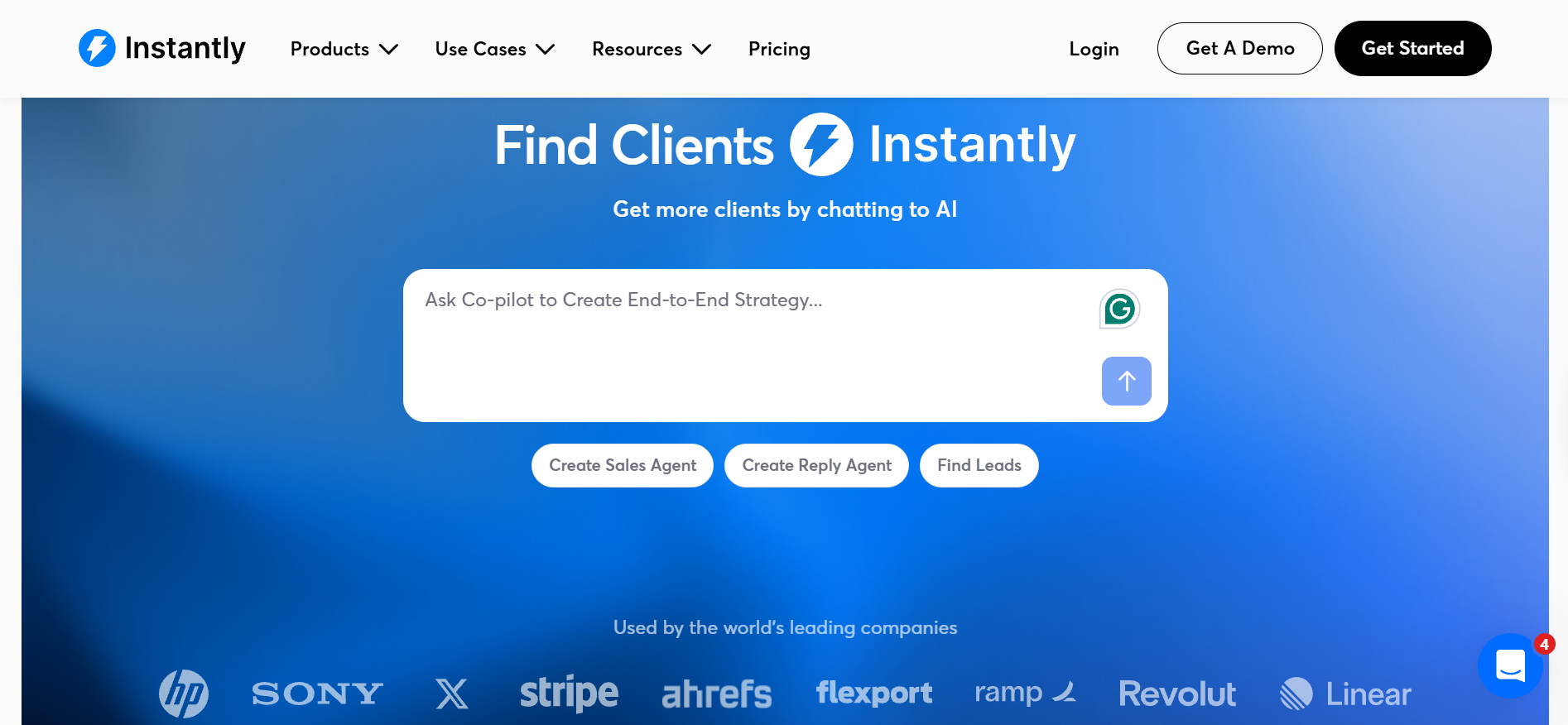
You can see the shift the moment you sign up. New accounts no longer land on a dashboard, they land in an AI chat that asks about your business and offers to read your website.
That matters for your decision, because you are no longer comparing Instantly against a sequencer. You are comparing a bundle, and bundles are priced like bundles.
One small thing I want to flag honestly. Instantly quotes its database size as 450 million contacts on some pages and 185 million on others. Check coverage for your own target market during the trial rather than trusting either number.
I tested this the way you would, starting with the thing you care about first and working outward.
The first thing I wanted to know was how sequences are built, because that is where you will spend most of your week.
Setup was quick. You can write the sequence yourself or ask the built-in AI to draft it, and the AI panel also offers to review your copy, check it for spam words and add spintax before you launch.
Follow-ups sit under a simple wait control where you set the number of days between each step. Nothing clever, which is the right call.
Variant testing is stronger than I expected. I clicked the plus icon beside a step and watched it add a second variant, then a third, then a fourth, and Instantly supports up to 26 on its higher plans.
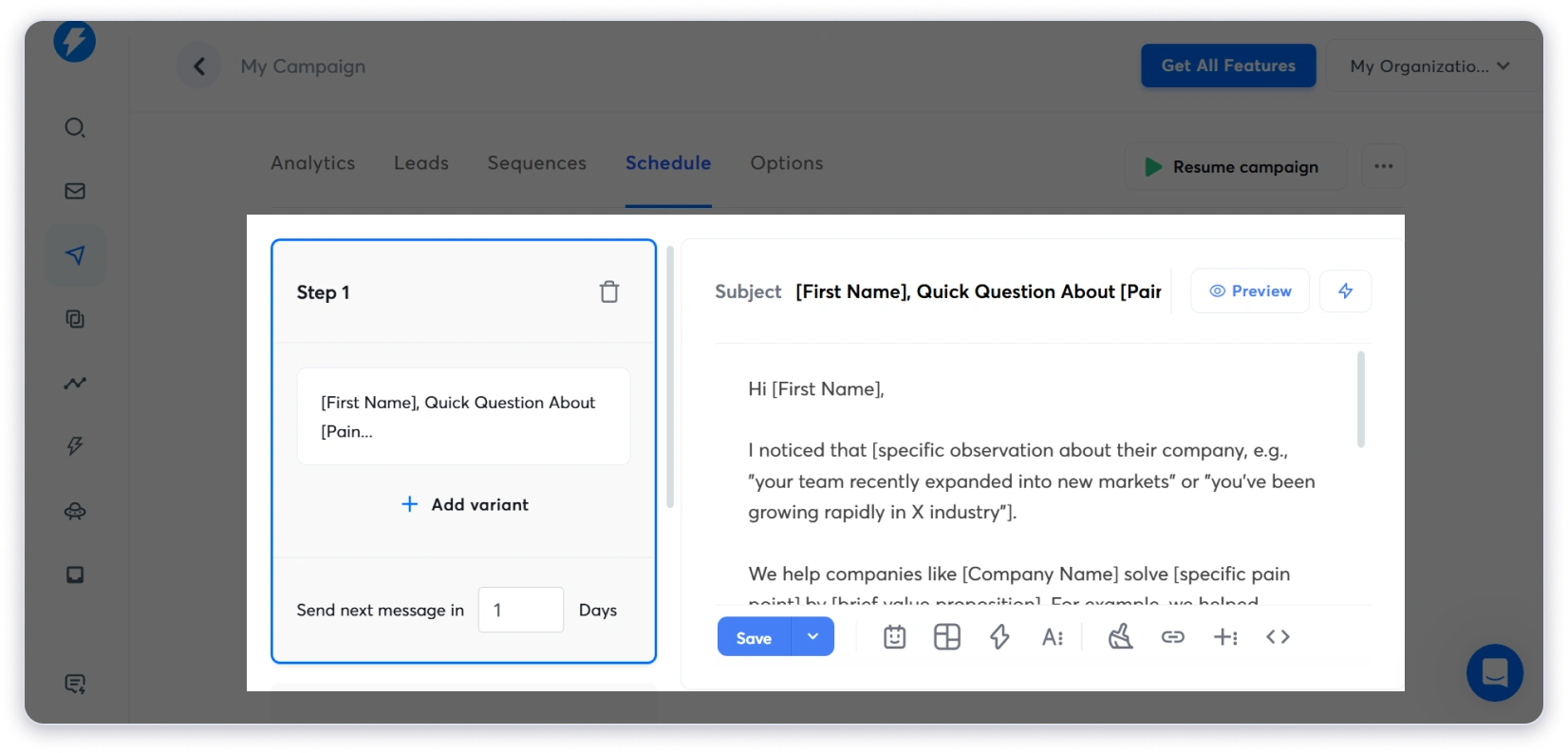
What I liked most is that your sending rules live in the same campaign, under a settings tab, instead of in some separate area of the app.
Inside that tab you set your daily limit, which defaults to a cautious 30 emails per campaign. You also pick your sending window, your timezone, and a stop date if the campaign should run for a fixed period.
The throttle sits a little lower down and it is the setting most people miss. Instantly waits a minimum of 9 minutes between emails and adds a random 5 minutes on top, so your sending never looks machine-timed.
If that 30 a day default feels arbitrary to you, it is worth reading up on daily sending limits before you raise it.
Two settings in that same tab do more for your inbox rate than anything else in the product.
There is also a Delivery Optimization option that turns off open tracking, plus a setting to send plain text instead of HTML. Turning off open tracking usually helps more than people expect.
On the top plan you get a system Instantly calls SISR, which quietly rotates high-reputation IPs in and drops weak ones. You cannot switch it on manually, it applies automatically if your plan qualifies.
Here is my honest caveat. Instantly publishes no inbox placement percentage and no deliverability guarantee anywhere on its site, so any "90% inbox rate" figure you find online came from a blog, not from them. Your own numbers will come down to your infrastructure and your copy, and these deliverability rates tips matter more than any platform setting.
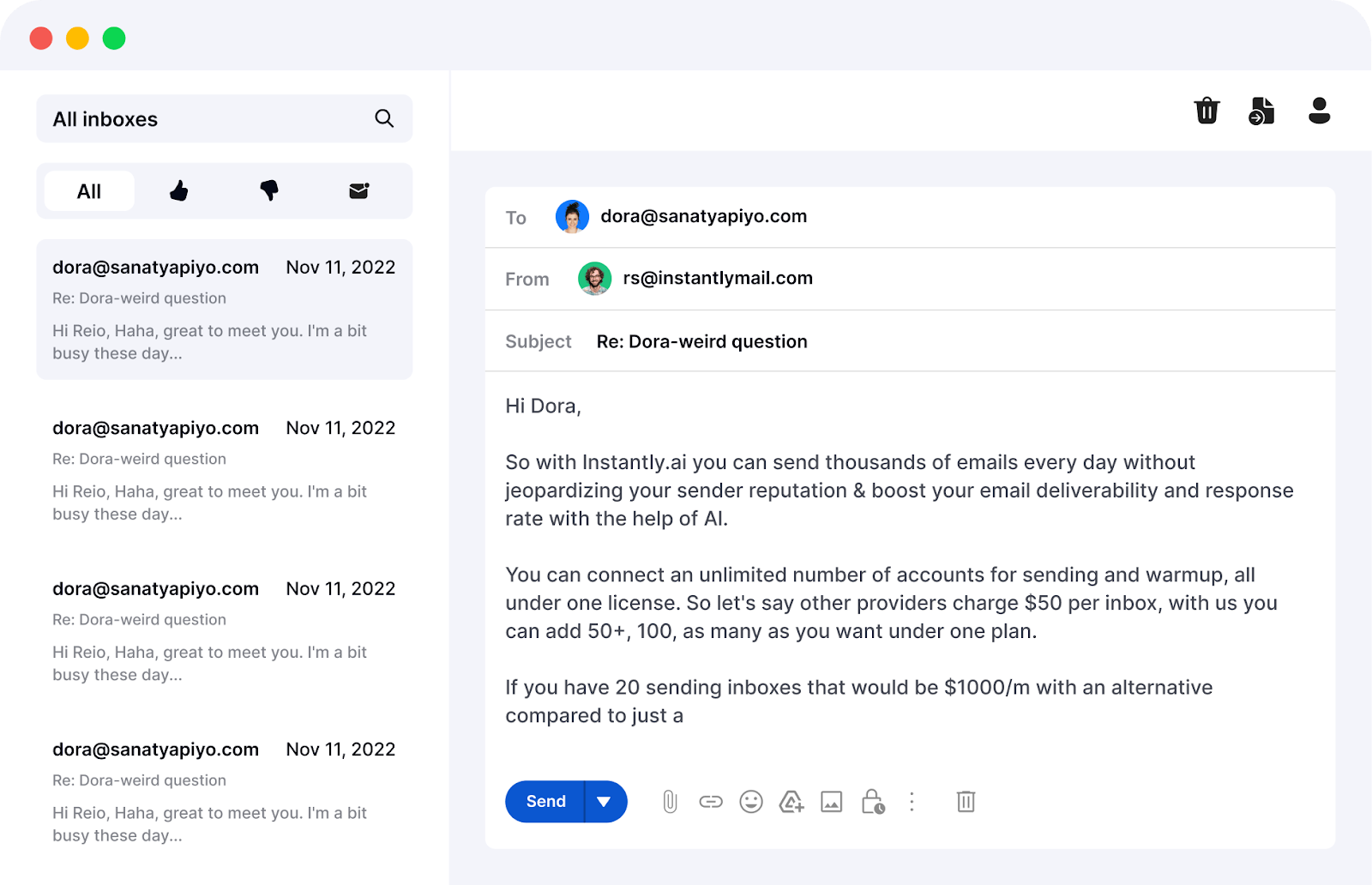
Replies land in one place that Instantly calls Unibox, and it was better than I expected.
You get reply labels built in, covering interested, meeting booked, meeting completed, won, out of office, wrong person and not interested. Your team can work a shared queue without inventing their own tagging system.
The inbox is split between campaign replies and conversations your AI agent is running, so you can see both without switching screens.
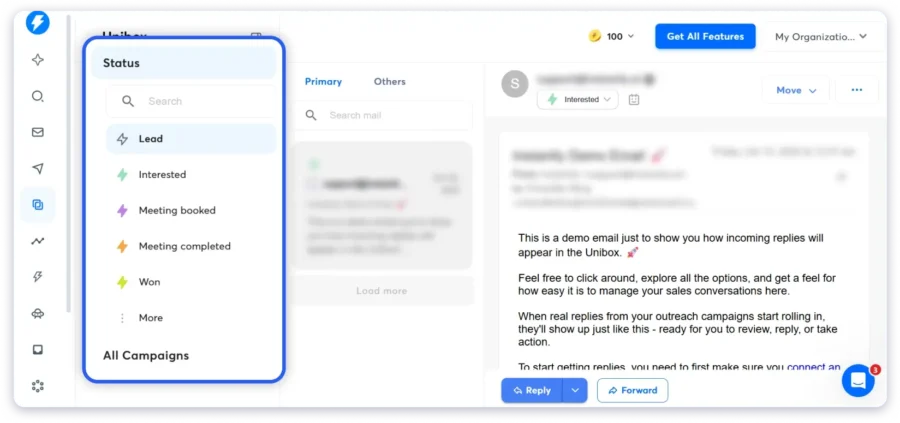
There is one catch that will affect your plan choice. On the $47 plan you can only preview replies, and actually replying inside the app needs the $97 plan.
That single limitation pushes most serious buyers onto the middle tier, so budget for it from day one.
Warmup is included on every plan and it is not charged separately, which is genuinely good value.
Instantly says warmup runs through a pool of more than a million real accounts, ramping up slowly from a couple of emails a day. It also simulates opens and replies so your mailbox behaves like a real person's.
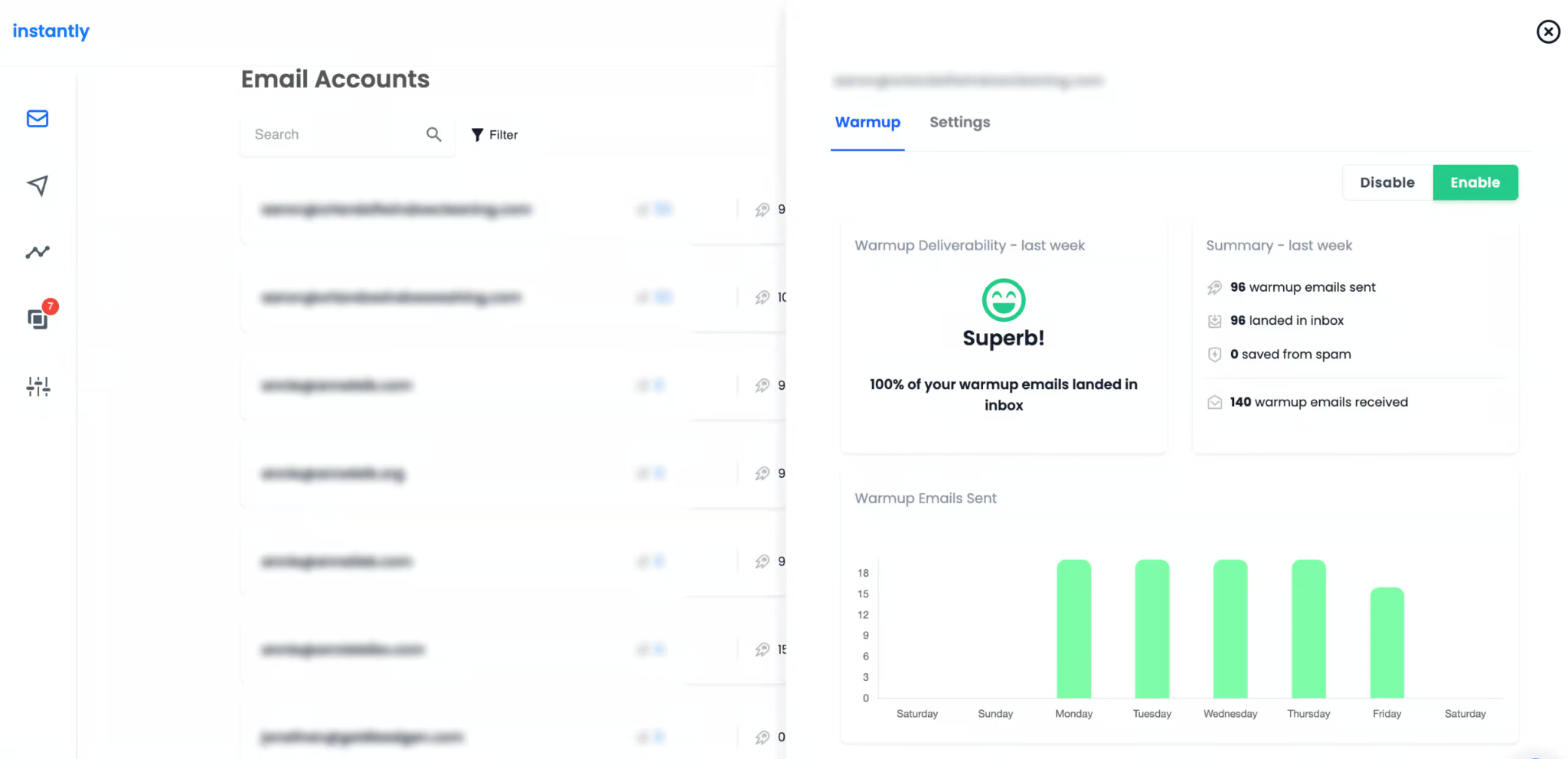
I could not verify those ramp numbers inside the app, so I am reporting them as company claims rather than tested facts.
For a team running 40 mailboxes, warmup being bundled instead of billed per inbox saves a meaningful amount every month.
The lead search is called SuperSearch, and you reach it from the same left-hand menu.
You get 13 filters covering job title, location, industry, keywords, headcount, revenue, technologies, job listings, website visitors and buying signals. Everything the pricing page promised was actually there.
Two small toggles saved me from wasted credits. One skips leads you already own, and the other limits results to a single contact per company.
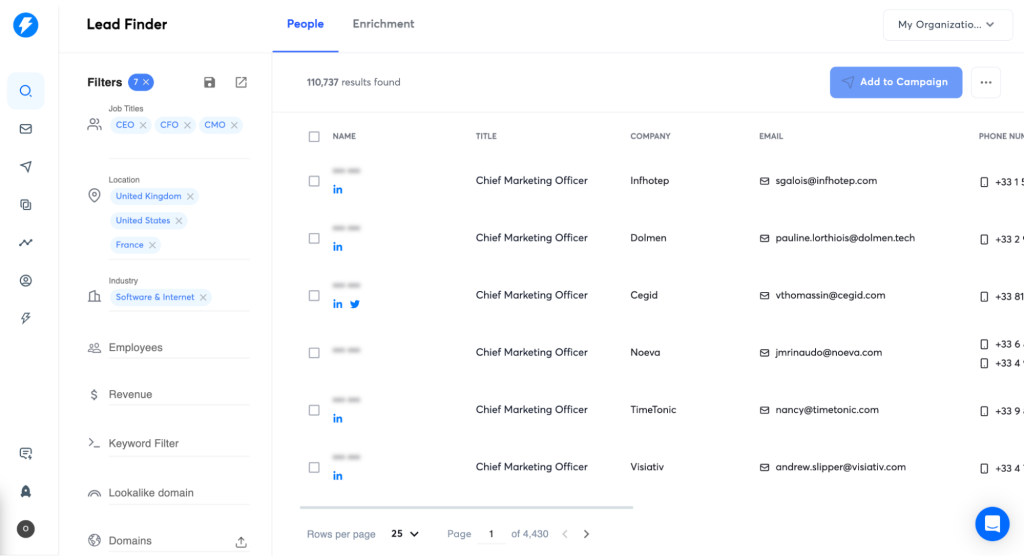
You can also search in plain English by describing your ideal customer, or paste a domain and ask for similar companies.
Here is where it gets expensive. Lead data runs on credits, those credits are a completely separate subscription from your sending plan, and unused credits expire after two months on monthly billing.
I could not confirm whether LinkedIn profile URLs come with every record, so test that during your trial if LinkedIn matters to your process.
AI is no longer a side feature at Instantly, it is the front door.
The lineup covers a sales agent that runs outreach, a reply agent that answers prospects, a sequence writer, a spintax writer, a spam word checker and a deliverability agent.
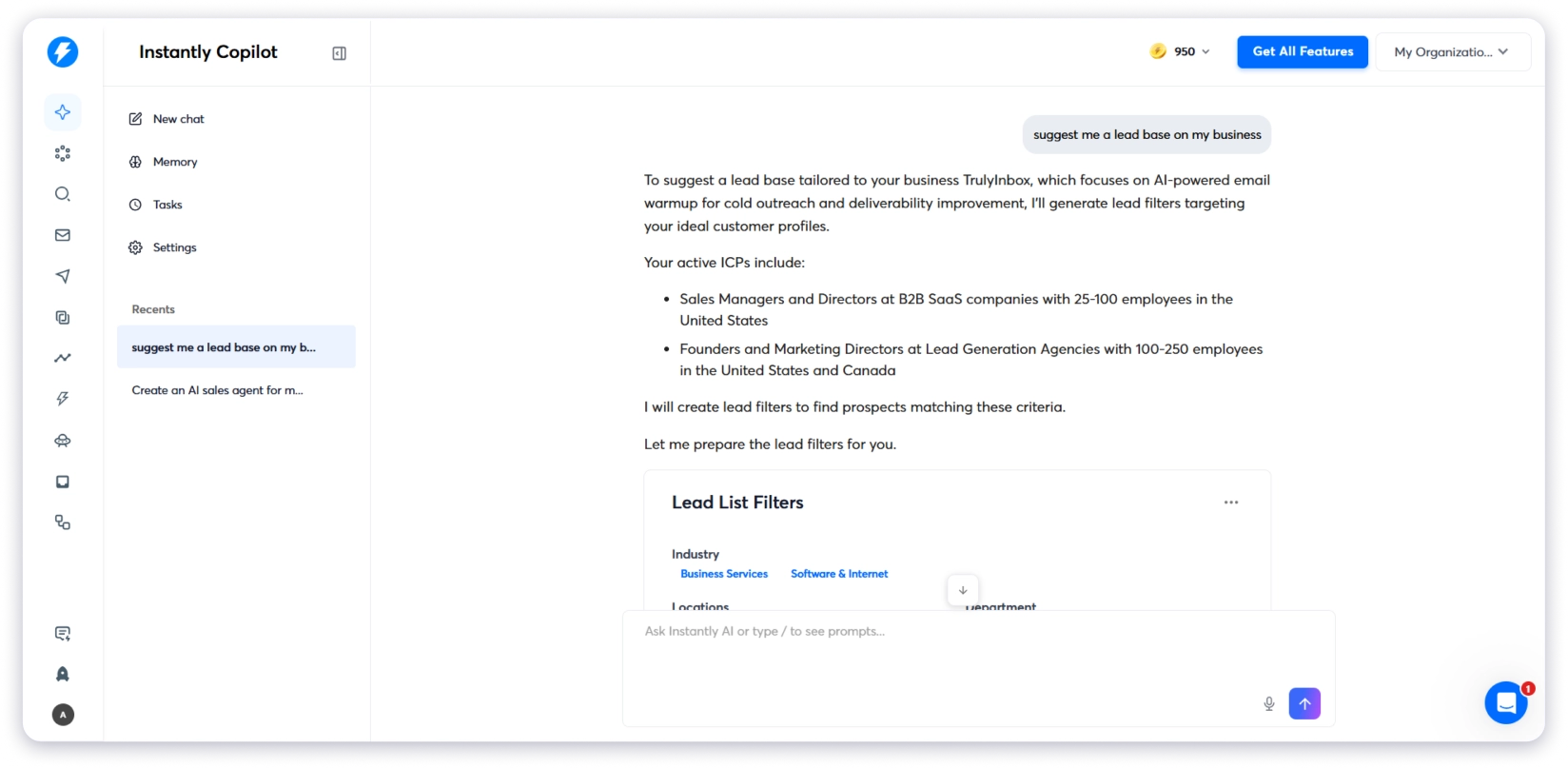
The most practical one is the lead finder agent. You set a minimum number of active leads, and it refills the campaign using the same search that built it whenever you drop below that line.
Every AI action spends credits, at roughly five credits per lead generated and five per reply written. That adds up quickly once an agent is running daily, so watch the balance in your first month.
The CRM covers a pipeline view, a lead list, website visitors and reports, and it connects properly to the sending side.
You can route positive replies straight into the pipeline automatically, and build follow-up tasks for new leads without exporting anything.
But the CRM comes with a contradiction I have to point out. The marketing page offers unlimited seats at no extra charge, while my live account showed a badge counting down a 14 day CRM trial.
No public price exists for what happens after that countdown. Ask about it directly before you treat the CRM as free.
This is the biggest change at Instantly in the past year, and it should shape how you buy.
Instantly now sells its own mailbox infrastructure called AirMail at $4 per inbox per month. These are not Google Workspace or Microsoft 365 accounts, they run on infrastructure Instantly built and controls end to end.
Their pitch is blunt about why that matters. Google suspends accounts, Outlook flags automation, and AirMail sits outside both.
You can still buy Google mailboxes from them at $5 a month, or pre-warmed ones at $10, with domains at $15 a year.
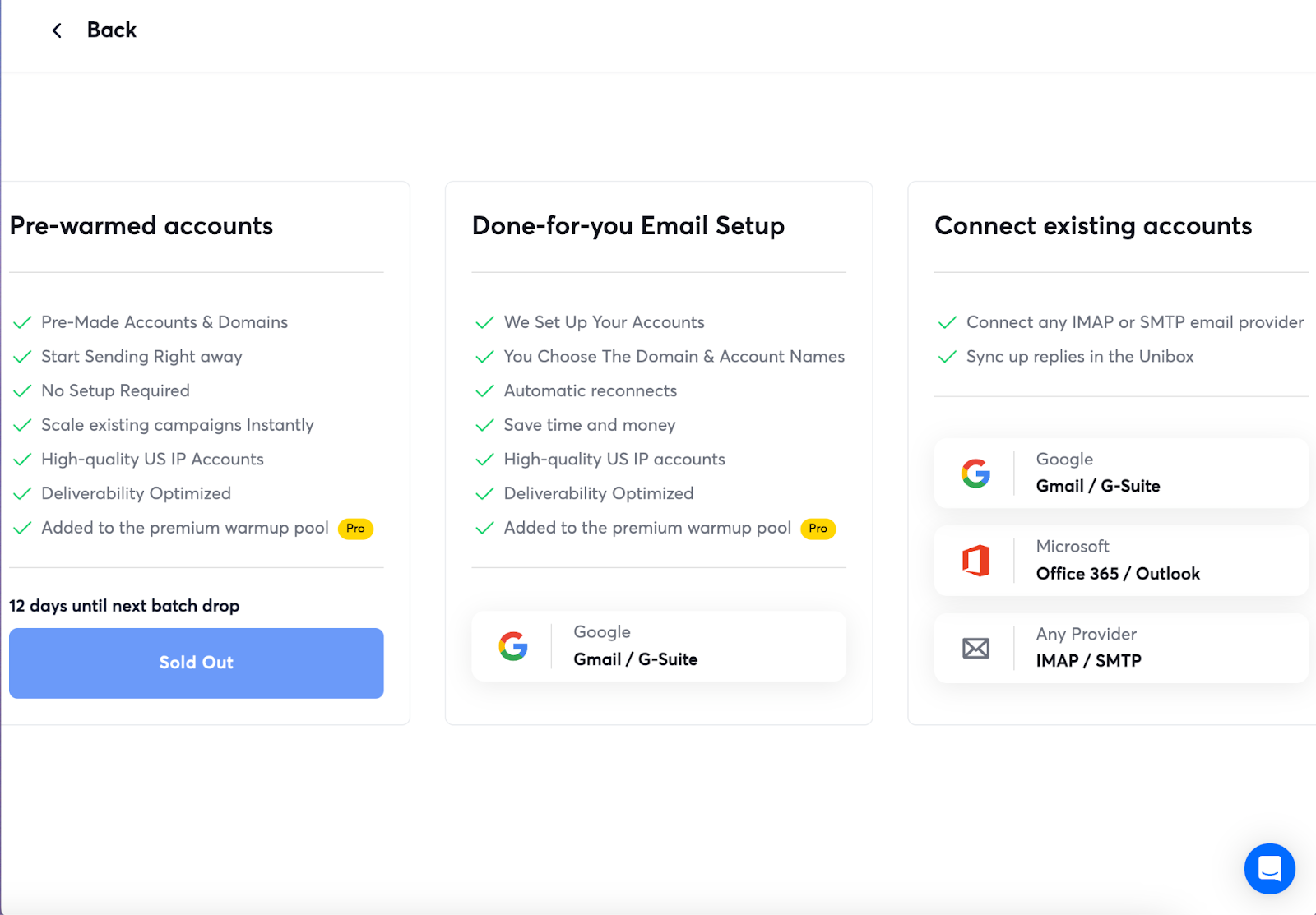
I walked that checkout to see how it behaves. Searching for a domain returned suggestions at $15 each, selecting one created five mailboxes at $5 apiece, and the first charge came to $40. Setup takes 24 to 72 hours and billing renews on the 15th of each month.
The good news for anyone with existing infrastructure is that connecting your own Google, Microsoft or SMTP mailboxes sits right beside the paid options, with no penalty I could find.
I would think carefully before buying software and mailboxes from the same company. If a policy change or a reputation problem hits, you lose both layers on the same day, which is why most experienced senders keep their infrastructure providers separate from their sending platform.
Reporting is split into an overview, campaign performance, AI agent performance and workspace level views.
The agent reporting is a nice touch, because most platforms bury that inside campaign stats.
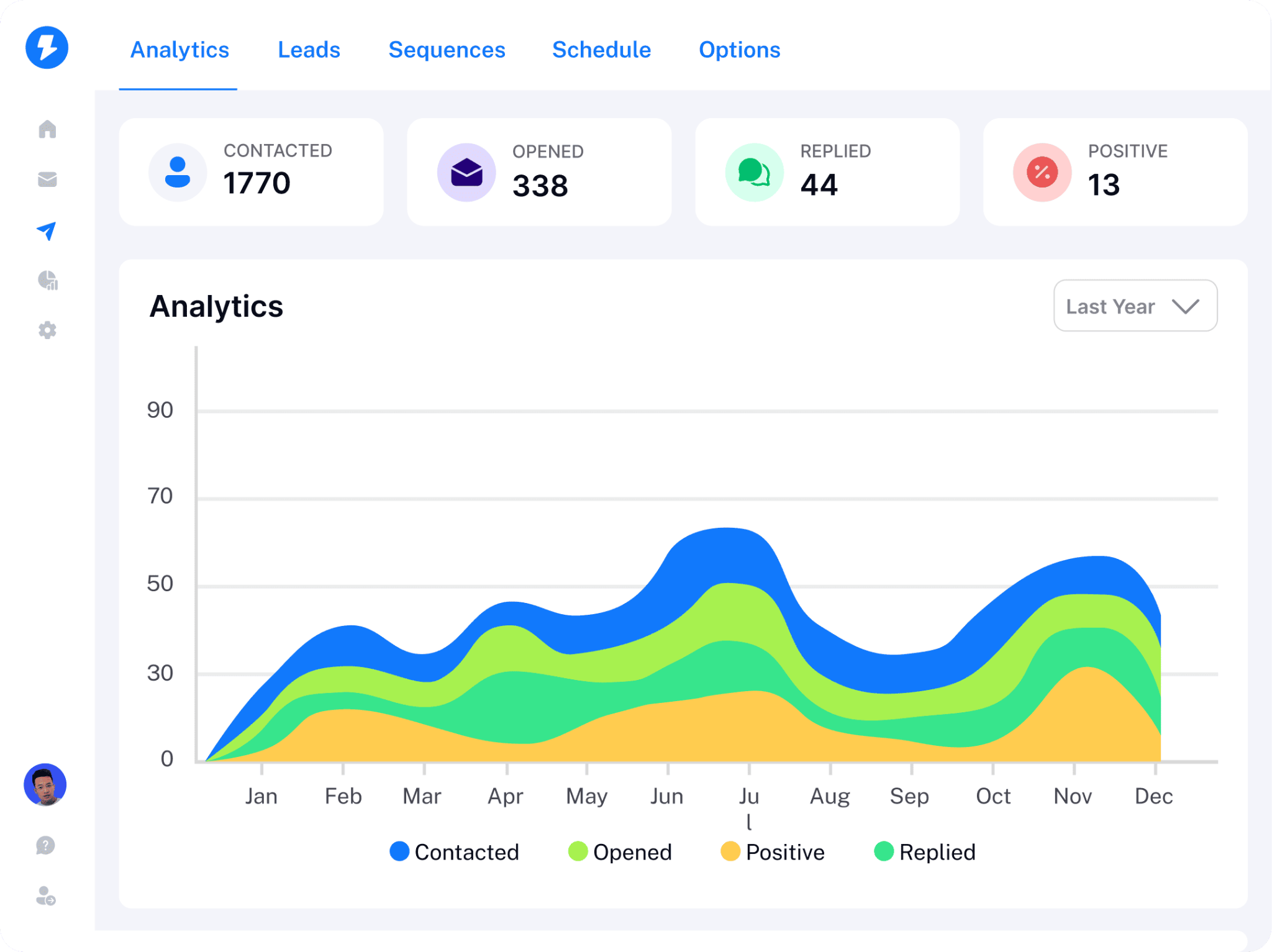
The depth is where it thins out. You can see what happened, but digging into why takes more clicking than it should, and this is the complaint users raise most often.
You will want an outside benchmark to judge your numbers against, and these response rates give you one the dashboard does not.
Pricing is where most buyers misjudge Instantly, so let me lay it out properly.
The one thing to understand is that sending and lead data are two different subscriptions. They even share plan names, which makes comparison harder than it needs to be.
Two details matter more than the numbers themselves.
There is no pay as you go overage. If you exceed your volume, you move up a plan rather than paying for the extra emails.
And I tested the yearly billing toggle on their pricing page carefully. The prices did not change and I found no annual discount stated anywhere, so do not budget for one.
Credits pay for lead searches, enrichment and every AI action. They expire two months after purchase on monthly plans.
Headline prices are useless on their own, so here is the real math for a small sales team.
Say five people are sending, and you run 20 mailboxes across four domains to spread the volume safely. On AirMail that is $80 a month for mailboxes and $60 a year for domains.
You will need the $97 plan rather than the $47 one, because your team has to reply to prospects inside the app.
Add the entry lead credits plan at $47 a month if you want contacts from Instantly rather than your own list.
Your real number is roughly $229 a month, not the $47 on the pricing page. That is not a scandal, it is just how the bundle works, and you should plan for it before you sign up.
Prices move, so confirm everything on instantly.ai before you buy.
My session is one person's experience, so I went through the public reviews to find the patterns.
Instantly sits at 4.8 out of 5 on G2, and the distribution leans heavily positive. Most real criticism lives inside the dislike section of four star reviews rather than in angry one star posts.
Having everything under one login is the compliment that repeats most often.
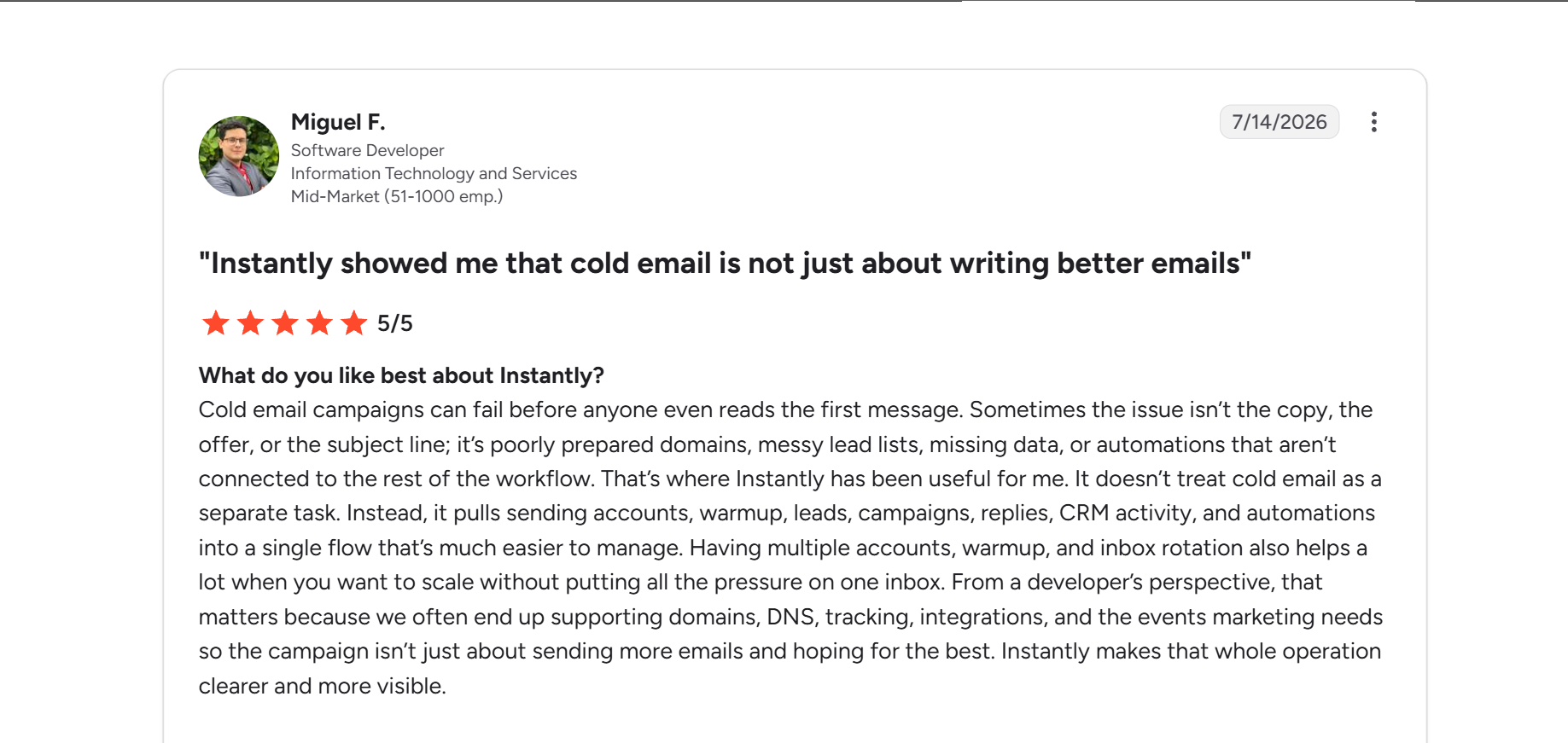
That matched my testing, particularly the way sending controls sit inside the campaign instead of somewhere else. You can read the full G2 review for context.
The second pattern is how it compares on ease of use against rivals.
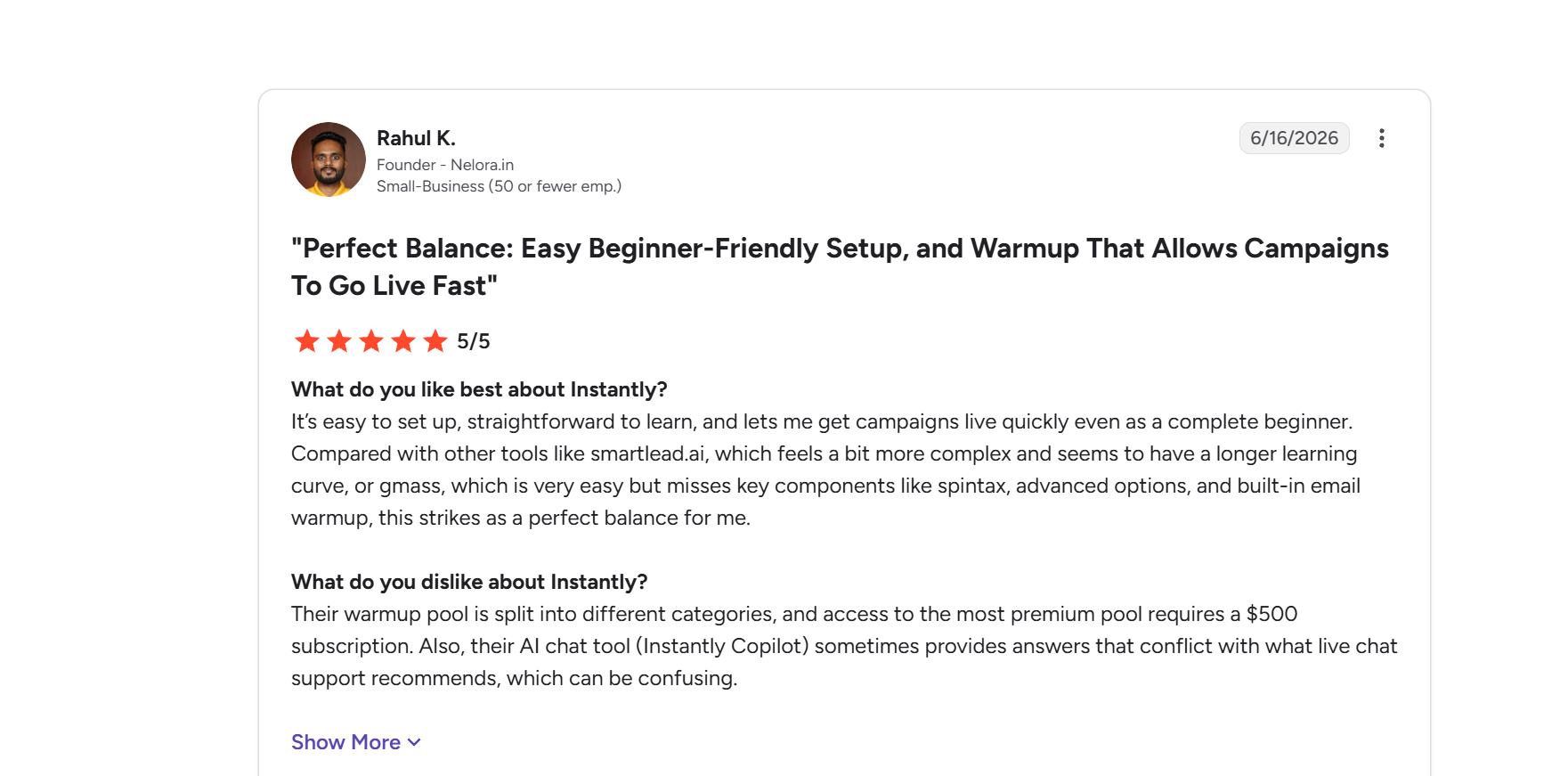
That balance is fair. Instantly is easier to learn than Smartlead and more capable than a Gmail extension, and the G2 comparison says it better than I could. If Smartlead is also on your list, this breakdown of Smartlead alternatives is worth a look.
Cost is the single most mentioned drawback, followed by missing features, day to day email management and the learning curve.
Reporting depth comes up most often in the actual written reviews.
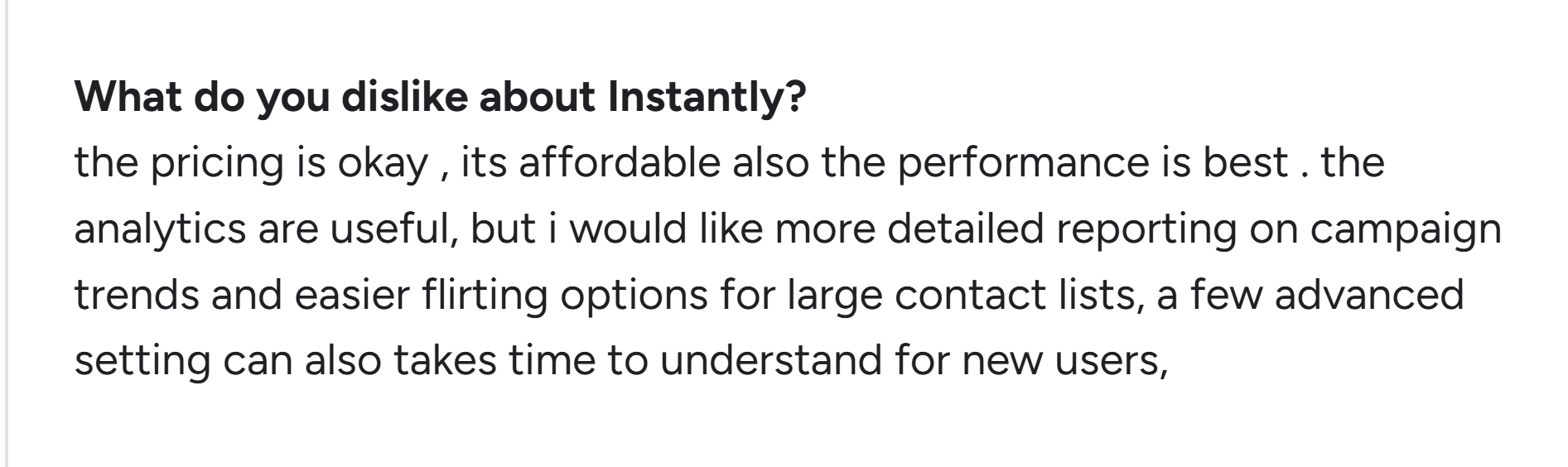
I found the same thing. The dashboards answer what happened but not why, and this G2 feedback reflects a pattern rather than a one-off.
The other recurring theme is that the pricing itself confuses people.
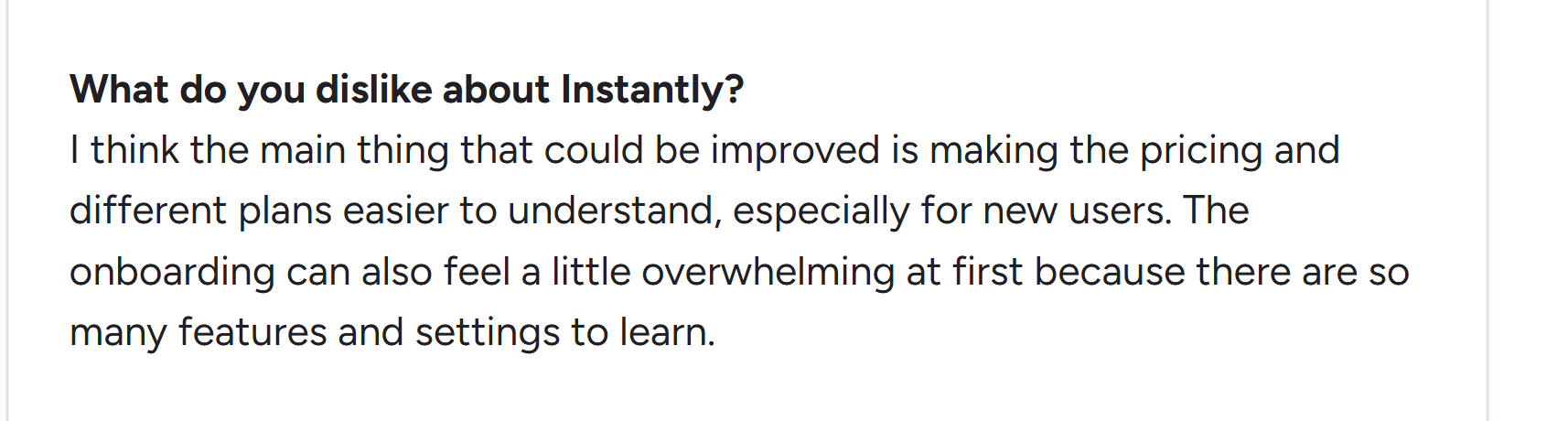
Two separate subscriptions with overlapping plan names will do that, and this review is one of several saying it.
Here is where I land after testing the product properly.
Instantly is a good buy if you send email-first outbound at volume across many domains, and you want one company handling sending, warmup, leads and replies. Agencies managing several clients get the most out of it, and the reviews back that up.
It also suits you if your team is not technical, because the AI-led interface lowers the learning curve.
Look elsewhere if you send a few hundred emails a month. You will pay for a lot of product you never open.
Think twice too if you want to keep your infrastructure independent. Instantly now sells the platform and the mailboxes, and that convenience costs you your fallback if anything goes wrong on their side. Keeping your infrastructure tools separate from your sending software is the cheapest protection you can buy.
You came here to evaluate Instantly, so I will keep this to the one comparison worth running.
Salesforge is the alternative I would put beside it, because it fixes the two things that generate most of the complaints above.
Your sending and your data sit in one subscription instead of two, so there is no credit balance to babysit. You also get LinkedIn running inside the same sequence as email, which Instantly does not offer at all.
Replies from both channels land in one inbox called Primebox™, and mailboxes and senders are not priced per seat.
If you would rather not run the outreach yourself, you can hire Agent Frank, the AI SDR built into Salesforge. He prospects, writes, sends and follows up, and you choose whether he sends on his own or waits for your approval.
Is it the only option? No. The wider Instantly alternatives comparison covers the rest of the market fairly.
Start a free Salesforge trial, no credit card required.
Instantly is a strong product wrapped in a confusing price list.
The sequences, the sending controls and the variant testing are better than $97 a month suggests, and the 4.8 rating is earned on those basics.
What you are really deciding is whether you want one company running every part of your outbound motion.
If that appeals, Instantly does it better than most, and the middle plan is fair value for what you get.
If it does not, budget for the real total rather than the headline price, expect the credits bill on top, and keep your mailboxes independent so one vendor cannot take your outreach offline.
Either way, use the 14 day trial with your own domains before you move anything across.
Instantly is used to run cold email outreach at scale. It handles email sequences, unlimited mailbox connections, warmup, a shared reply inbox, a B2B contact database and a light CRM, with AI agents that can write, send and reply for you.
Sending plans start at $47 a month, rising to $97 and $358, with enterprise pricing on request. Lead credits are billed separately from $9 a month. Mailboxes cost $4 each on AirMail or $5 for Google mailboxes, plus $15 a year per domain. A small team usually lands around $229 a month.
Instantly gives you strong controls, including provider matching, sending rules, randomised gaps between emails and IP rotation on the top plan. It publishes no inbox placement percentage or guarantee, so your results depend on your infrastructure, your warmup and your copy.
Yes. Warmup is included on every sending plan, including the $47 tier, and it is not charged against your lead credits. Instantly says it runs through a pool of over a million real accounts with a gradual daily ramp.
AirMail is Instantly's own mailbox infrastructure, priced at $4 per inbox a month. It is not Google Workspace or Microsoft 365, so it sits outside those account limits, and Instantly configures the DNS records for you.
Yes. You can connect your own Google, Microsoft or SMTP mailboxes, and that option sits alongside the paid ones with no restrictions I could find. Every plan allows unlimited connected mailboxes.
Instantly is worth it if you send high volume and want one platform covering sending, warmup, leads and replies. It is poor value if you send lightly, or if you prefer choosing the best tool for each job, because the bundle costs far more than the entry price suggests.

