Most people search for Maildoso pricing because it looks cheap.
$100 a month for 32 mailboxes?
On paper, it feels like a steal, especially considering the quick setup.
Competitors often highlight setup speed as a key advantage, making it easy for users to get started right away.
But cheap infrastructure often comes at a bigger cost.
Domains get burned.
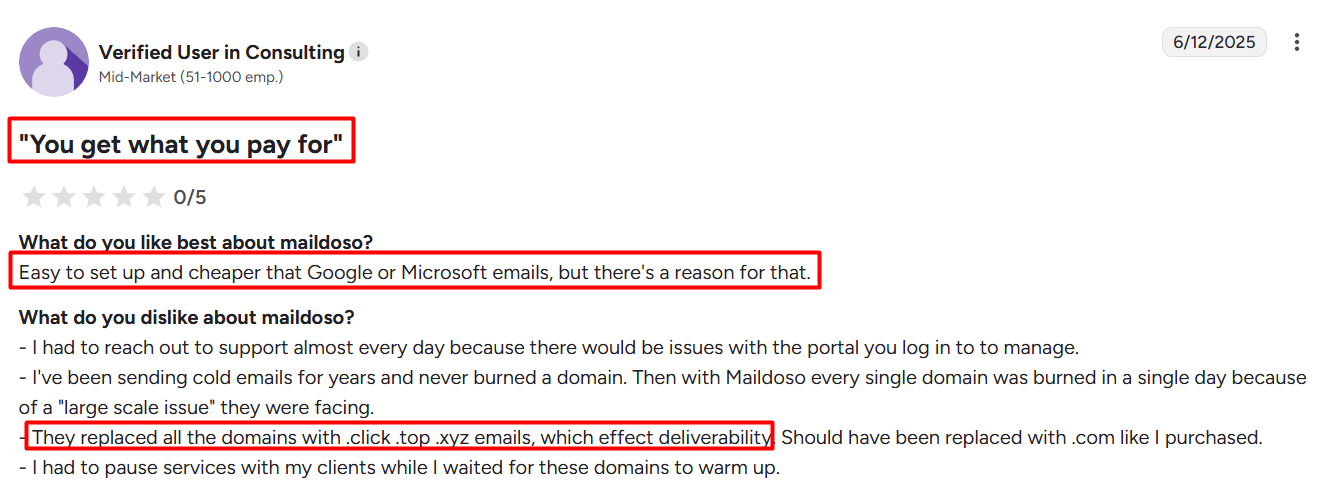
Emails land in spam. Reviews say users had to pause campaigns for days because deliverability collapsed.
This image shows the Maildoso Review on G2
If you’re serious about cold outreach, that’s not just frustrating, it’s lost deals and wasted time.
Support is another important factor. Some competitors are praised for their incredibly responsive support teams, which can make a big difference when issues arise.
That’s why I decided to break it all down for you. In this blog, you’ll see:
The real cost of Maildoso pricing (plans, mailbox breakdown, and warmup fees).
What 100+ Maildoso reviews say - the good, the bad, and the ugly.
Who should actually use Maildoso, and who should stay away.
And finally, why Mailforge is a better alternative if you want scale, reliability, and inbox placement that actually works.
Let’s dive in.
TL;DR – Maildoso Pricing & Reviews at a Glance
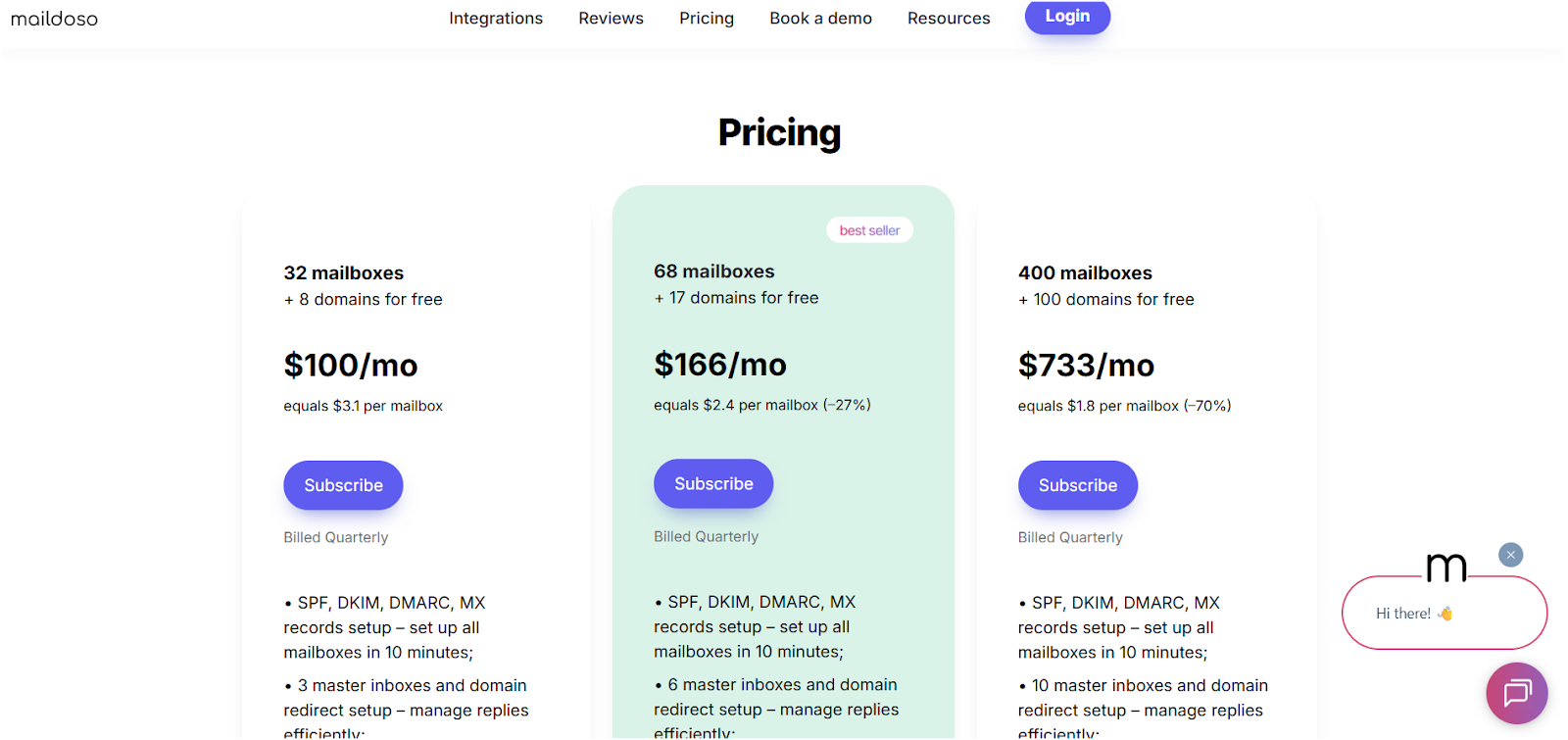
Maildoso pricing starts at $100/mo for 32 mailboxes ($3.1 per mailbox) and scales down to $733/mo for 400 mailboxes ($1.8 per mailbox). When evaluating total costs, consider domain pricing as an additional factor, especially if you need to purchase or manage multiple domains for your campaigns. Extra AI warmup costs $160–$2,000/month, and it only works with Gmail/Outlook.
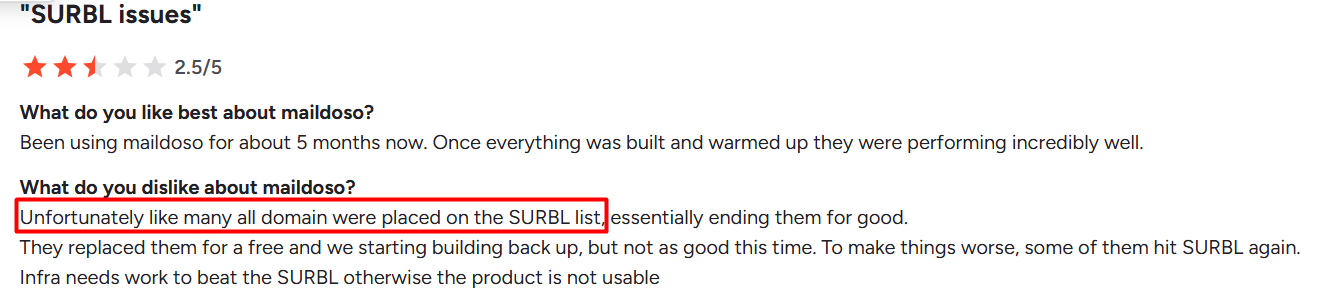
Maildoso reviews are mixed: people like the low price and easy setup, but complain about burned domains (.xyz, .click), poor deliverability, and blocklisting (SURBL).
Best for freelancers or solopreneurs testing outreach. Note: Maildoso does not offer an enterprise plan for larger organizations, so it may be risky for agencies and teams that need reliable inboxing and scalable solutions.
Mailforge alternative: Mailforge, Similar pricing ($2–$3/mailbox) but with premium deliverability, .com domains, SSL & domain masking, and scaling from 1 to 10,000+ mailboxes. Mailforge also includes additional features such as automation and multichannel outreach that enhance value beyond basic mailbox provisioning.
👉 If you care about cold email that actually lands in the inbox, skip the cheap risk. [Go with Mailforge].
What Is Maildoso?
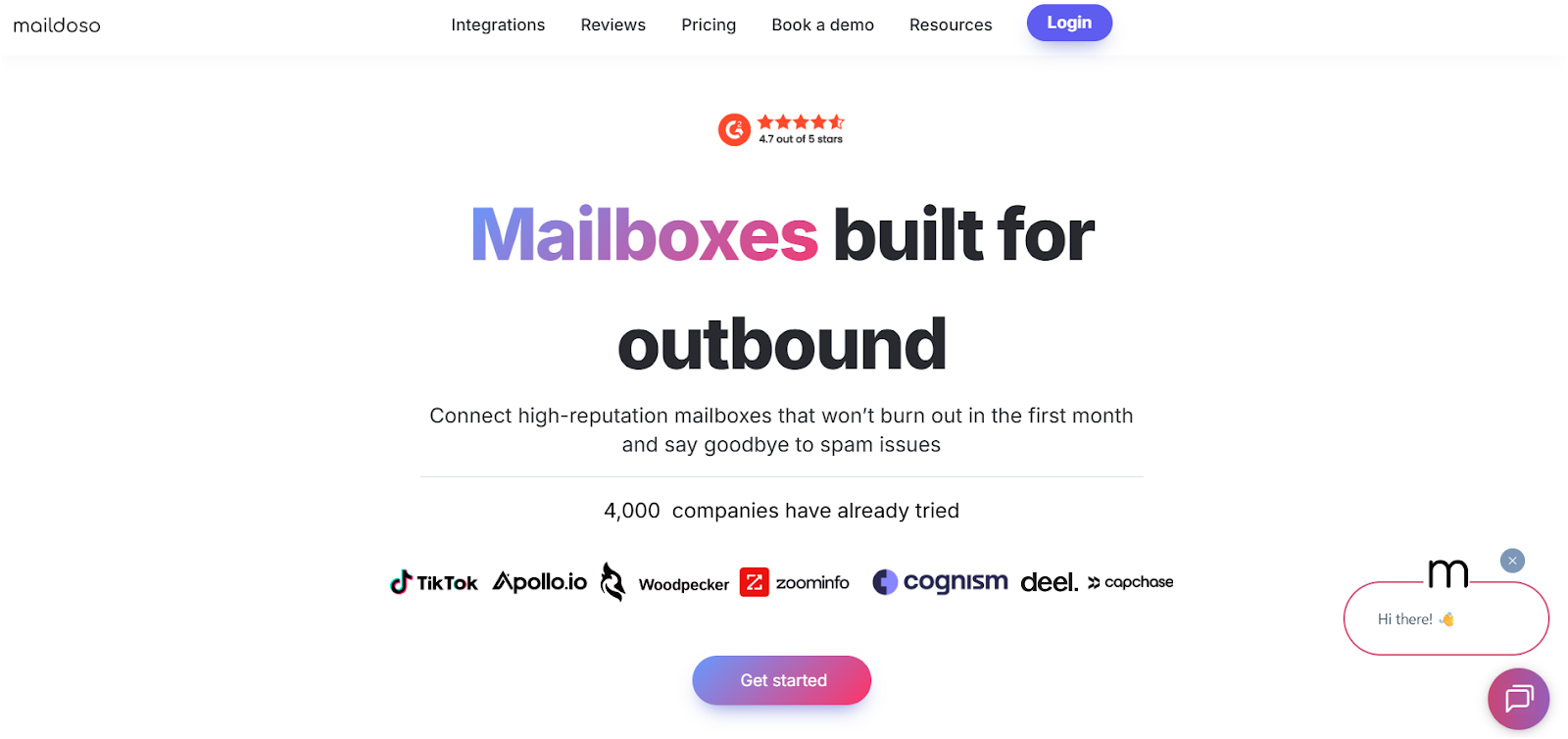
This image shows the Maildoso Homepage
Maildoso is a cold email infrastructure tool that helps you create multiple mailboxes and domains quickly for outreach. Some competitors allow users to create unlimited email inboxes for greater scalability.
It is known for being cheaper than Gmail or Microsoft accounts, which is why many solopreneurs and freelancers look at it as an entry-level solution.
Maildoso sets up your email infrastructure in about 10 minutes. Automated setup and inbox creation are important for streamlining cold email infrastructure.
It automatically configures important records like SPF, DKIM, DMARC, and MX for your domains, with automated DNS setup as a key feature.
Along with that, it gives you “master inboxes” and domain redirects to manage replies. The ability to create mailboxes across different providers is a feature some users look for.
It also includes inbox placement checks and reputation monitoring so you can see if your emails are landing in spam.
If you’re searching for Maildoso pricing, here’s the simple breakdown.
Maildoso offers three main plans based on the number of mailboxes and domains:
Plan 1 – 32 Mailboxes + 8 Free Domains
Price: $100/month (billed quarterly)
Cost per mailbox: $3.10
Plan 2 – 68 Mailboxes + 17 Free Domains
Price: $166/month (billed quarterly)
Cost per mailbox: $2.40
Plan 3 – 400 Mailboxes + 100 Free Domains
Price: $733/month (billed quarterly)
Cost per mailbox: $1.80
At first glance, the Maildoso cost per mailbox looks cheap compared to Google Workspace or Microsoft 365, especially when considering the ability to manage multiple email accounts for cold outreach.
That’s why many freelancers and small businesses try it for cold outreach.
Maildoso Warmup Pricing
On top of mailbox costs, Maildoso charges extra for AI warmup. When considering a warm up tool for your cold email setup, it's important to evaluate its effectiveness and user feedback to ensure it meets your campaign needs.
This feature is only available for Gmail and Outlook accounts.
32 Mailboxes: $160/month
68 Mailboxes: $340/month
400 Mailboxes: $2,000/month
As with most cold email tools, email warmup is a critical feature that helps improve deliverability and sender reputation.
Each mailbox sends up to 100 warmup emails per day, but the limitation is clear — it doesn’t support other mailbox types, and costs rise quickly when you scale.
The Hidden Cost of Maildoso
While Maildoso pricing looks attractive, the real cost often comes later. User reviews show issues like:
Burned domains (often replaced with .xyz or .click instead of .com).
Deliverability drops (emails landing in spam). Regular mailbox reputation checks and daily inbox placement checks are essential for avoiding spam folders and maintaining high deliverability, but these are often overlooked.
Blocklisting problems (SURBL).
Deliverability optimization is crucial for preventing your emails from ending up in spam folders. Without proper strategies for avoiding spam folders, your campaigns may suffer from low inbox placement rates and reduced effectiveness.
This image shows the Maildoso Review on G2
That means even though the per-mailbox cost is low, your outreach ROI can take a hit if you rely on Maildoso long-term.
Maildoso: Who It’s Best For (and Who Should Avoid It)
After looking at Maildoso pricing and reading through user reviews, it’s clear this tool isn’t for everyone.
Maildoso may be suitable for small outbound campaigns or basic cold email outreach, but it may not be the best fit for large scale campaigns or advanced cold email campaigns that require robust infrastructure and deliverability management.
✅ Best For
Solopreneurs and freelancers who only need a few cheap mailboxes (using secondary domains can help protect your main business domain during outreach).
Beginners testing cold email and looking for a quick, low-cost setup (consider secondary domains to safeguard your primary domain).
Small projects where deliverability isn’t the top priority.
❌ Not For
Agencies and sales teams sending thousands of emails per day.
Businesses that need reliable inbox placement for client campaigns, especially those relying on their primary domain—using your primary domain for large-scale cold outreach can increase deliverability risks.
Anyone scaling cold outreach, where burned domains or blocklists can cause serious revenue loss.
Why Maildoso Falls Short at Scale?
Infrastructure is not built for large teams or high-volume outreach, making it difficult to manage multiple email accounts and add more inboxes for scalable campaigns.
Domains often get flagged and replaced with .xyz or .click extensions, which hurts reputation and complicates efforts to manage multiple domains for advanced cold outreach.
Warmup support is limited to Gmail and Outlook, leaving little flexibility for advanced setups.
What Users Like and Dislike About Maildoso?
When you read through 100+ Maildoso reviews, one thing is clear: people like how easy and cheap it is, but most of those same benefits come with big trade-offs.
Some competitors are also praised for their incredibly responsive support team and advanced features like warm-up, email verification, A/B testing, inbox rotation, and multi-domain sending, which go beyond basic mailbox management.
Here’s the breakdown:
✅ What Users Like About Maildoso?
Easy setup: Most reviewers say Maildoso is quick to get started. SPF, DKIM, and DMARC records are handled for you, which saves time.
Low pricing: At $1.8–$3.1 per mailbox, it feels cheaper than Google Workspace or Microsoft 365.
Simple interface: Many find it “basic” and easy to upload domains or connect with tools like Smartlead or Instantly.
Free domains included: Maildoso provides free alternative domains when one burns.
Responsive onboarding: Some users praise the initial support and setup videos that guide them through the process.
High deliverability: Some users value high deliverability as a key benefit in competing platforms, often citing dedicated IPs, warm-up processes, and domain management as important for ensuring emails reliably reach inboxes.
❌ What Users Dislike About Maildoso
Domains burn fast: While setup is simple, users say domains often get blocklisted (SURBL issues) and replaced with .xyz or .click extensions, which destroy deliverability. Using a shared ip system with other users increases the risk of deliverability issues, as your email reputation can be affected by others’ sending practices. The lack of ip rotation also makes it harder to avoid spam filters and maintain consistent inbox placement.
This image shows the Maildoso Review on G2
Cheap = risky: Low mailbox cost comes with downtime, blocked domains, and hidden costs from lost campaigns.
This image shows the Maildoso Review on G2
Confusing dashboards: Despite being “basic,” others complain that the UI isn’t intuitive, making it hard to manage mailboxes at scale.
This image shows the Maildoso Review on G2
Free domains aren’t reliable: Replaced domains also get burned again, leaving users to start over.
Support inconsistency: While onboarding is responsive, many reviews say ongoing support requires constant follow-ups.
Maildoso gets credit for being cheap and easy to start.
But the same features users like are the ones others complain about, easy setup turns into burned domains, cheap pricing leads to hidden costs, and simple tools feel too basic for real scale.
👉 That’s why many teams move to , it costs about the same per mailbox, but gives you reliable .com domains, premium deliverability, SSL & domain masking, and the ability to scale without worrying about blocklists.
Mailforge: The Better Maildoso Alternative
If you’ve read through Maildoso pricing and reviews, you already know the trade-off: it’s cheap, but risky.
Domains get flagged, deliverability isn’t consistent, and support can be hit or miss.
But, Mailforge is built specifically for cold outreach at scale as a comprehensive cold email solution, offering private email infrastructure and private IP infrastructure for enhanced deliverability.
Users can bring their own domains or purchase domains built specifically for cold email outreach, with integrated management and setup. Mailforge also provides dedicated IP, dedicated IP address, and the option to use your own dedicated IP address to maximize inbox placement and control sender reputation.
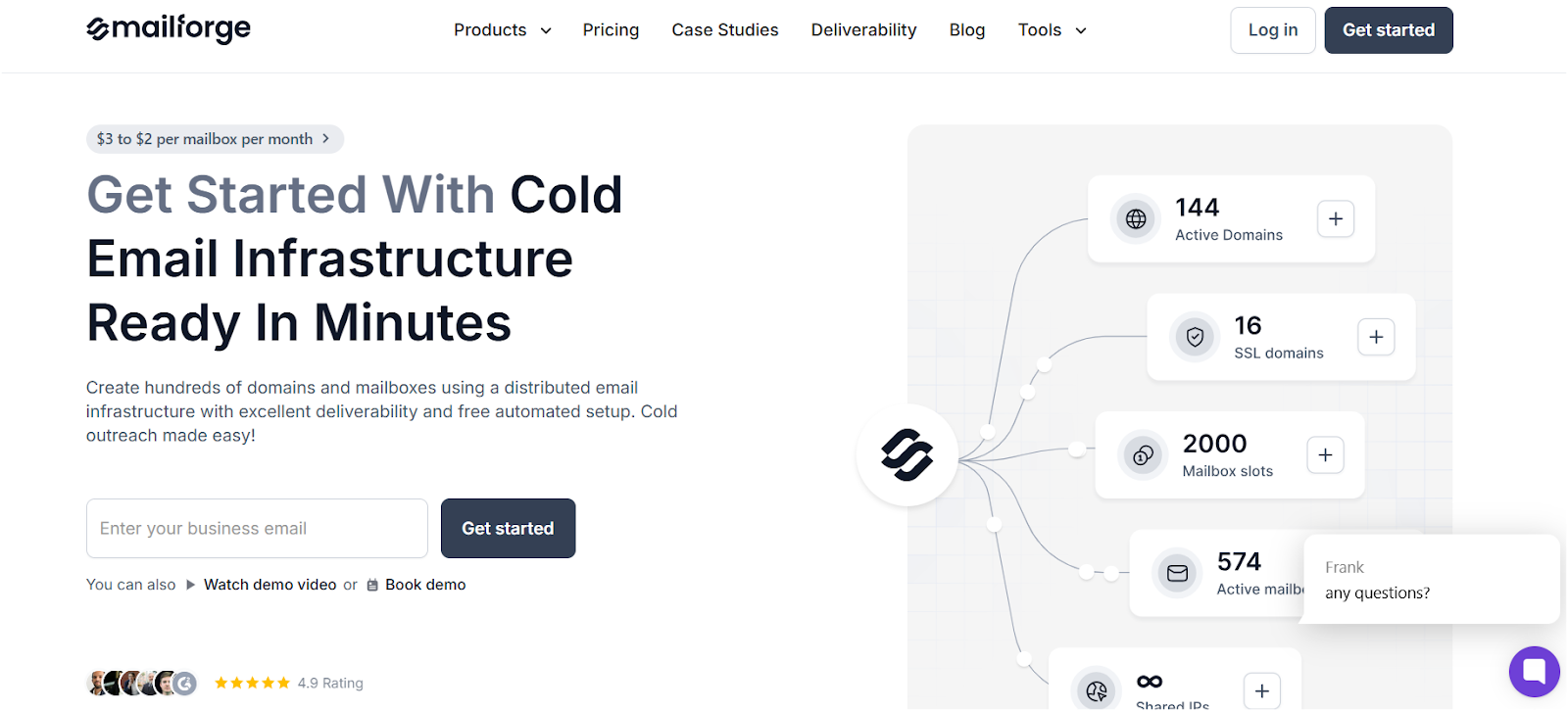
This image shows the Mailforge Homepage
Instead of just giving you cheap mailboxes, it gives you the infrastructure you actually need to land in the inbox and keep sending without interruptions.
Why Mailforge Beats Maildoso
Pricing: $2–$3 per mailbox (similar to Maildoso, but with premium deliverability baked in).
Setup:SPF, DKIM, and DMARC are automatically configured in minutes.
Flexibility: Works with any sending tool (Salesforge, Smartlead, Instantly, and more).
Security: Comes with SSL and domain masking for added protection.
Scale: From 1 to 10,000+ mailboxes across multiple workspaces.
Support: Real customer support, not endless back-and-forth.
Trust: Already used by over 10,000 businesses worldwide.
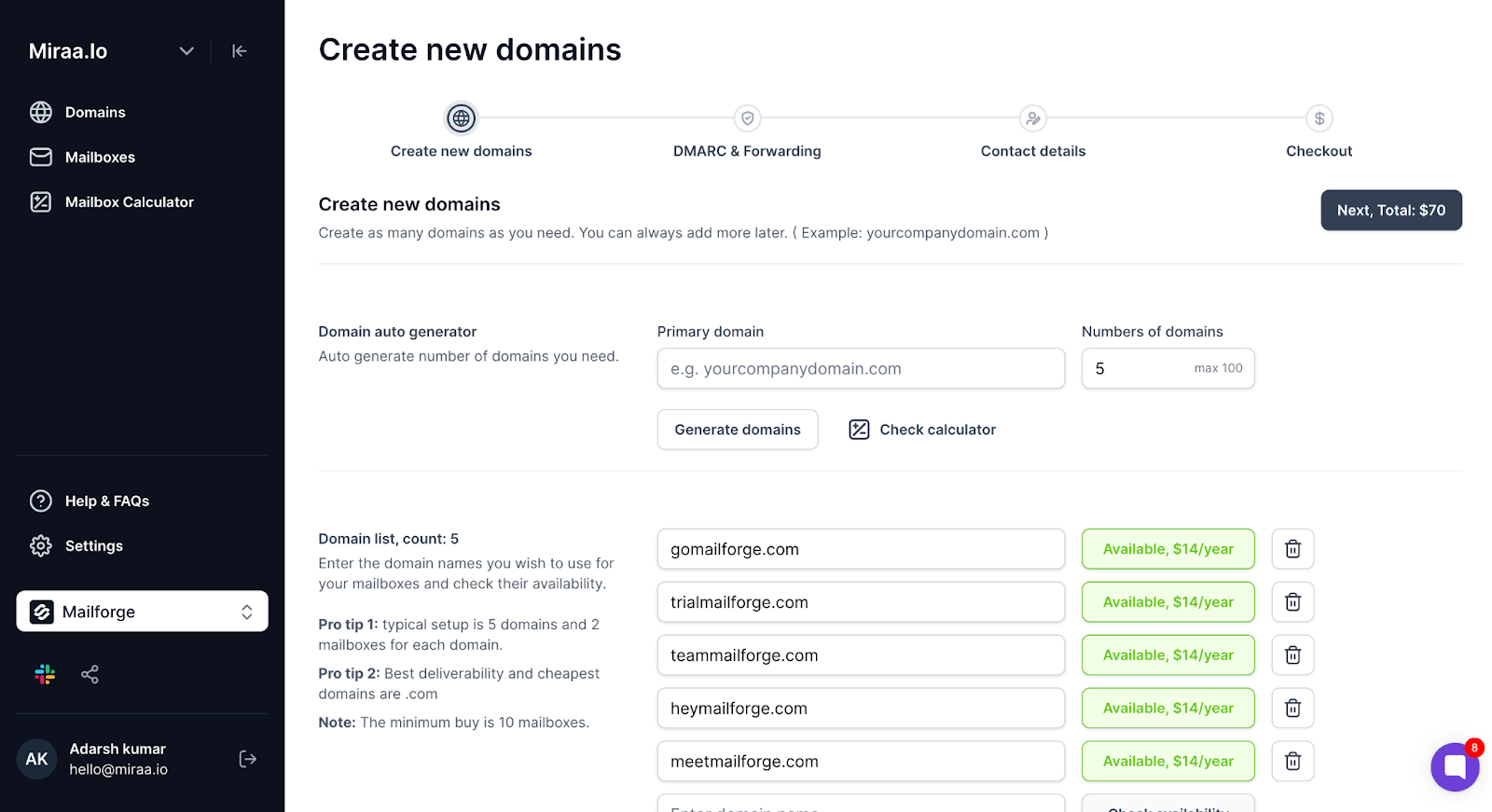
This image shows the Buying domains in Mailforge
Maildoso vs Mailforge
Feature
Maildoso
Mailforge
Cost per mailbox
$1.8–$3.1
$2–$3
Domain quality
.xyz, .click, .top
.com, battle-tested
Deliverability
Frequent blocklisting
Premium, optimized infrastructure
Warmup
Only Gmail/Outlook
Forge ecosystem (Warmforge + Primeforge)
Setup
10 mins (basic)
5 mins (advanced DNS, SSL, masking)
Scalability
Limited
1–10k+ mailboxes
If you just want the cheapest option, Maildoso might work for a while.
But if you actually care about deliverability, inbox placement, and scale, Mailforge is the smarter long-term choice.
Final Verdict: Should You Use Maildoso?
After analyzing Maildoso pricing and reviews, the answer depends on your goals.
✅ Maildoso is okay if you're solo, budget-tight, or just testing campaigns and don't mind the risks.
❌ Maildoso is not a good fit if you're scaling outreach, running client campaigns, or need consistent deliverability. Burned domains and blocklisting can wipe out results overnight.
If you want something cheap and temporary, Maildoso might do the job.
But if you actually care about cold email performance at scale, the better option is clear: .
With Mailforge, you get the same per-mailbox cost but with stronger deliverability, .com domains, SSL & domain masking, and infrastructure designed for long-term cold outreach.
That's why 10k+ businesses trust it to send campaigns reliably without worrying about burned domains.