If you are looking for pre-warmed email accounts, you are in the right place.
About a year ago, I was talking to two agency partners about a campaign we wanted to launch quickly.
We discussed setting up fresh mailboxes, but waiting weeks for them to warm up was not ideal. I asked, “What if we use pre-warmed email accounts instead?”
We tested the idea and got our campaigns running much sooner. We also learned what mattered when choosing the right accounts.
I used those same criteria to compare the providers today: pricing, mailbox quality, warmup history, setup, features, and customer reviews.
Here are the 7 pre-warmed email account providers that stood out in 2026.
If you only want to know where to buy, here are the picks I stand behind.
Best for dedicated email infrastructure: Infraforge, private infrastructure with dedicated IPs, pre-warmed domains and mailboxes, automated DNS setup, and a white-label option for agencies.
Best affordable option: Mailforge, shared infrastructure with pre-warmed domains and mailboxes, bulk setup in minutes, and free unlimited premium warmup through Warmforge.
Best for Google and Microsoft mailboxes: Primeforge, pre-warmed Google Workspace and Microsoft 365 mailboxes with ESP matching, ready in about 30 minutes.
Best for domains included in the price: Zapmail, Google and Microsoft packs with sending domains bundled in and a stated 12-week warmup history.
Best for running the whole campaign: Mailscale, pre-warmed outreach domains inside an agentic platform that also handles prospecting, copy, and replies.
Best for Google, Microsoft, and Azure mailboxes:InboxKit, pre-warmed Google Workspace and Microsoft 365 mailboxes, plus Azure tenants with up to 100 mailboxes each.
Best for small pre-warmed batches:LiteMail, pre-warmed Google and Microsoft plans from 5 mailboxes and 1 domain at $39 a month, with free domain replacement.
How I Tested These Pre-Warmed Email Providers
I looked at each provider from a buyer's perspective. I checked customer reviews, Reddit discussions, pricing, features, mailbox setup, and total cost.
Here’s what I compared:
Reviews and Reddit discussions: What users say about mailbox quality, warmup, setup, and their overall experience.
Pricing: How each provider charges for mailboxes, domains, and additional services.
Features: Which features each provider offers, including warmup, DNS setup, email infrastructure, and sending tool integrations.
Mailbox setup: How quickly you can get started and how much setup the provider handles for you.
Total cost: How much you pay overall, including domains and any additional services you need.
I used the providers' own pricing and product information wherever possible. I also checked customer feedback to understand what you can expect beyond the sales page.
Disclaimer: Pre-warmed inboxes do not guarantee inbox placement or deliverability. Results depend on sender reputation, domain history, DNS setup, list quality, message relevance, opt-out handling, and local email laws. Before buying, check the provider’s terms, ownership rights, refund policy, and sending limits.
7 Best Pre-Warmed Email Account Providers in 2026 (A Detailed Breakdown)
Here’s a closer look at each tool, including its features, pricing, key benefits, and drawbacks.
1. Infraforge: Best for Pre-Warmed Mailboxes with Private Infrastructure
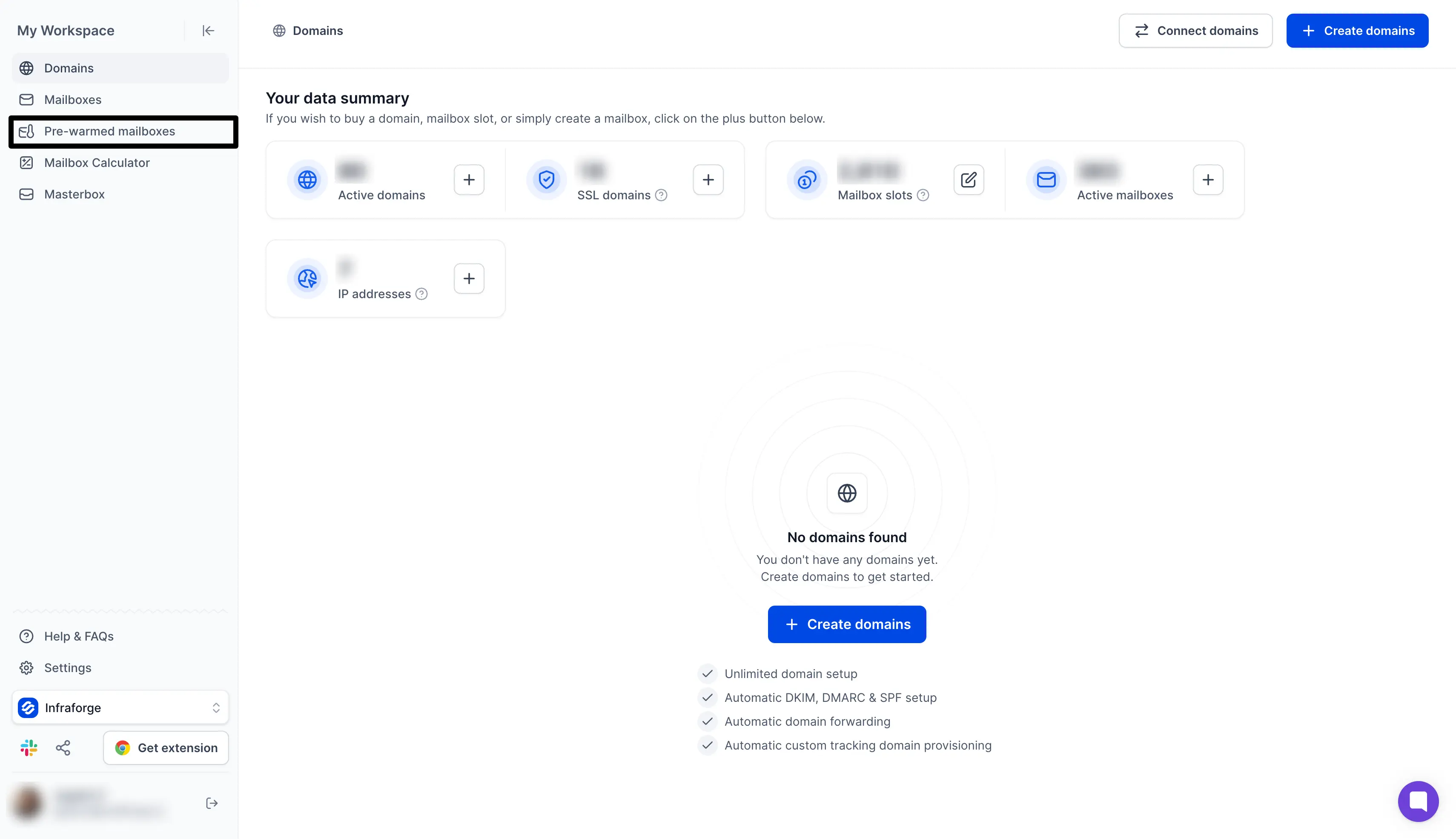
This image shows Infraforge dashboard highlighting pre-warmed mailboxes
Infraforge provides pre-warmed domains and mailboxes for cold email. You can start sending without waiting weeks for new accounts to build a sending history.
It also offers private email infrastructure and dedicated IP infrastructure, which gives you more control over your sender reputation as volume grows. Agencies running multiple clients can white-label the platform and run it under their own branding.
You can also create fresh inboxes and domains if you want to handle the warm up process yourself. Automated DNS setup writes the SPF, DKIM, and DMARC records for you.
Why Infraforge Stands Out
Infraforge stands out for six main reasons: pre-warmed mailboxes, the same price as fresh ones, multi IP provisioning, Masterbox, free automated setup, and its API.
Pre-warmed infrastructure: Start campaigns on warm inboxes instead of waiting weeks for a new mailbox to warm up.
Same price as fresh mailboxes: You pay $4 to $3.32 per mailbox whether it arrives pre-warmed or fresh.
Multi IP provisioning: Run several dedicated IPs inside one account and keep each client or campaign on its own reputation.
Masterbox: Read and reply to every mailbox in a workspace from one inbox instead of opening them one by one.
Free automated setup: Infraforge configures DMARC, SPF, DKIM, and custom domain tracking on every domain you add.
API, MCP, and CLI access: Create and manage domains, mailboxes, and IPs from your own scripts, Claude, Cursor, or another AI agent.
Key Features
Beyond the pre-warmed mailboxes, an Infraforge account covers:
Every mailbox runs on its own dedicated IP address, with an isolated admin account per domain.
You can provision several IPs and split clients or campaigns across them.
There is no cap on how many domains or mailboxes you create.
Bulk generators build domains and mailboxes in batches when you need volume fast.
Monitoring runs in real time and alerts you per mailbox, so you catch spam placement early.
Workspaces keep clients and projects apart, with administrator access on every one.
SSL and domain masking keep your brand domain out of cold campaigns.
Domain management covers forwarding, so your existing domains point at your main site.
The mailboxes work with any sending software.
MCP, CLI, and API access covers Claude, AI agents, and your own scripts.
Masterbox collects replies from multiple inboxes into one place.
Pricing
Infraforge uses mailbox-based pricing. Domains and dedicated IPs cost extra:
$4 per mailbox per month on quarterly billing
About $3.32 per mailbox per month on annual billing
Pricing depends on mailbox volume
Minimum 10 mailbox slots
You pay for domains separately
Dedicated IPs cost extra
No free trial
My Verdict
Infraforge is a good choice if you want pre-warmed mailboxes on your own private infrastructure. It works best for agencies and teams running a large number of mailboxes.
There are two things to keep in mind. You have to buy at least 10 mailbox slots, and domains and dedicated IPs cost extra on top of that.
2. Mailforge: Best for Pre-Warmed Mailboxes at the Lowest Cost Per Inbox
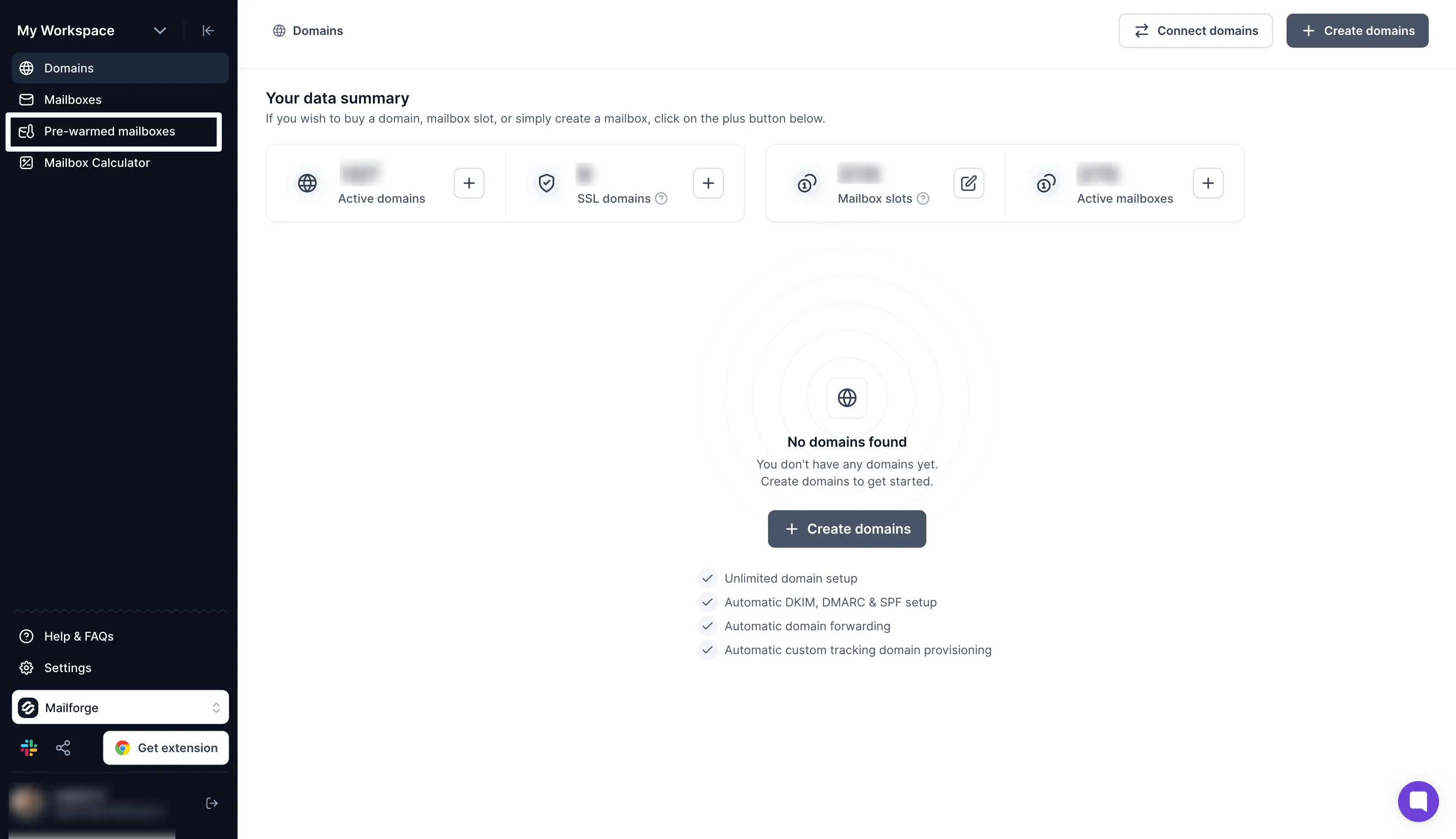
This image shows Mailforge dashboard to purchase pre-warmed mailboxes
Mailforge provides pre-warmed domains and mailboxes for cold email. You can buy them in the app or through the public API and start sending without a warmup wait.
Mailforge runs on shared mailbox infrastructure, which is why it costs less per mailbox. Your accounts sit in a pool used by more than 10,000 businesses, and Mailforge designed that pool for cold email outreach rather than everyday office email.
You can also start with fresh inboxes and run the warm up process yourself. Automated DNS setup handles SPF, DKIM, and DMARC, so there is no manual setup on your side.
Pair Mailforge with Salesforge, and Warmforge warms every connected mailbox for free, with no limit on slots.
The price does not change when you choose pre-warmed. Mailforge charges $3 to $2 per mailbox either way. Zapmail sells pre-warmed mailboxes on separate plans that work out at $6 to $8 each, so 30 of them cost $180 a month against $72 on Mailforge.
Why Mailforge Stands Out
Mailforge stands out for seven main reasons: pre-warmed mailboxes, the same price as fresh ones, the lowest cost per mailbox here, free premium warmup, a setup you finish in one sitting, domain transferring, and agent-native access.
Pre-warmed domains and mailboxes: Buy them in the app and start sequences without the usual two to four week wait.
Lowest cost per mailbox: Mailboxes run $3 to $2 per month depending on volume, the cheapest option on this list.
Same price as fresh mailboxes: You pay $3 to $2 per mailbox whether it arrives pre-warmed or fresh. Zapmail charges $6 to $8 per mailbox on its pre-warmed plans.
Free unlimited premium warmup: Warmforge warms every connected mailbox at no extra cost on any Salesforge plan.
Setup in under 10 minutes: Domains and mailboxes go live with DMARC, SPF, DKIM, and custom domain tracking already configured.
Domain transferring: Move domains into Mailforge or back out again, so you are never locked in.
API, MCP, and CLI access: Provision and manage mailboxes from Claude, Cursor, your own scripts, or another AI agent.
Key Features
Here is what else comes with a Mailforge account:
The shared IP pool serves cold outreach rather than everyday business email.
You can create hundreds of domains and mailboxes in minutes.
Bulk DNS updates change your DNS records across every domain in a few clicks.
Custom tracking domains keep open and click tracking on your own domains.
You can move existing domains in and out whenever you want, so there is no platform lock in.
Workspaces keep clients and projects apart.
SSL and domain masking keep your brand domain out of cold campaigns.
The mailboxes work with any sending software.
Salesforge shares the same login, so domains reach your sequences without an export step.
MCP, CLI, and API access covers Claude, AI agents, and your own scripts.
Pricing
Mailforge charges per mailbox, and domains cost extra:
$3 per mailbox per month billed monthly, dropping to around $2.40 on annual billing
Lower pricing at higher mailbox volumes
Minimum 10 mailbox slots, with ongoing support included
You pay for domains separately, priced by TLD
SSL and domain masking at $2 per domain per month, or $6 per domain per year
No free trial, but the app is free to explore
My Verdict
Mailforge is the cheapest way on this list to run a large mailbox setup. Free warmup through Warmforge keeps the running cost down once your campaigns are live, and full setup takes under five minutes.
The catch is the shared IP pool. Your placement depends partly on how other senders in that pool behave. You also do not get ESP matching, which is why some teams add Primeforge alongside it.
3. Primeforge: Best for Pre-Warmed Google Workspace and Microsoft 365 Mailboxes
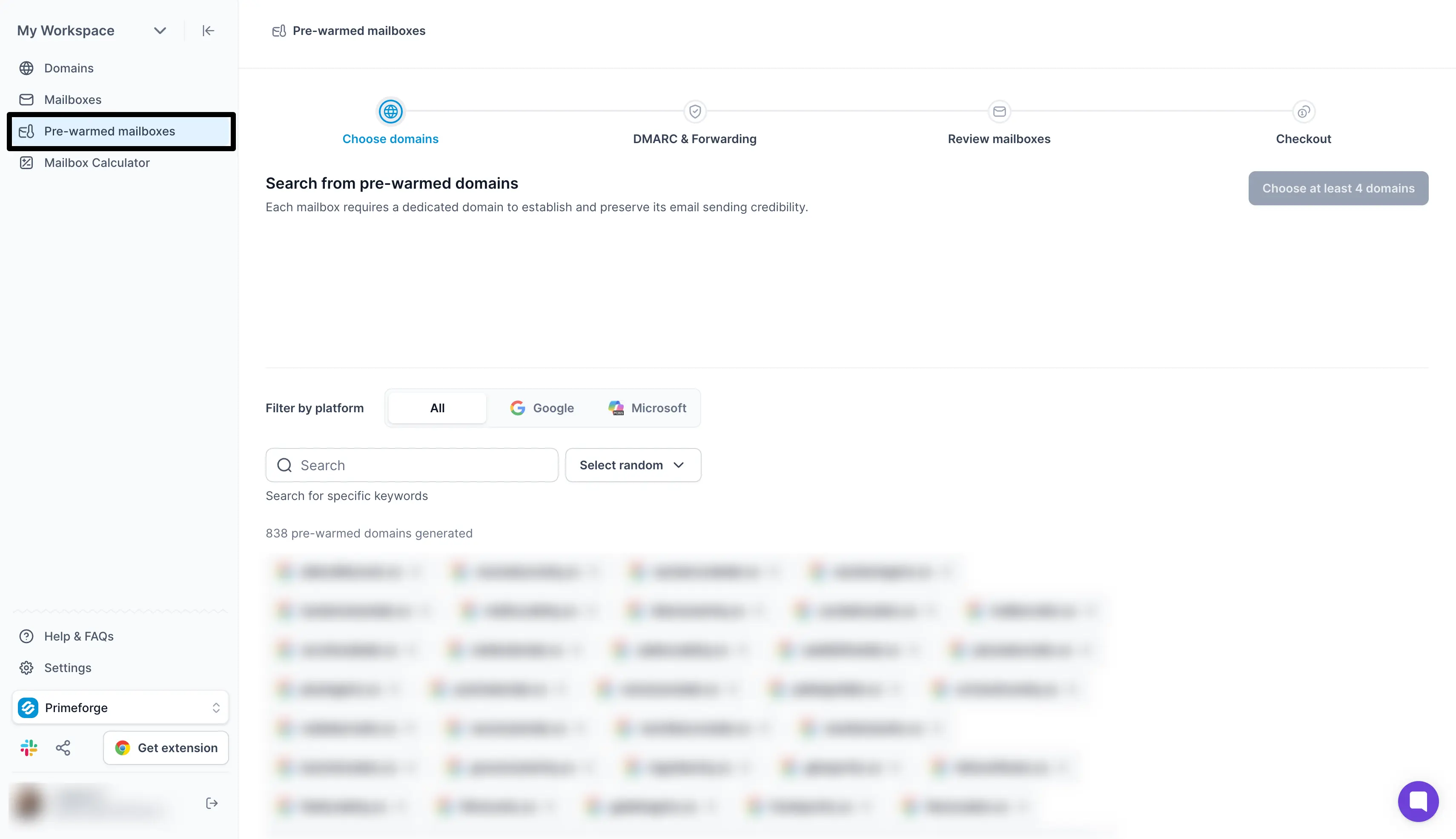
This image shows Primeforge for purchasing pre-warmed mailboxes
Primeforge provides pre-warmed Google Workspace and Microsoft 365 mailboxes for cold email. These run on Google Workspace and Microsoft 365 licences, not SMTP mailboxes or repurposed workarounds that stop working when a provider updates its policy.
You own the domains and the mailboxes, with full admin access on every one. Domain ownership stays with you, so you can connect the mailboxes to any sending tool and take them with you if you switch later.
Primeforge also handles the technical setup for you. Automated DNS covers SPF, DKIM, and DMARC, so every record arrives properly configured, and each mailbox profile comes with pictures and sender details in place.
Why Primeforge Stands Out
Primeforge stands out for seven main reasons: Google and Microsoft mailboxes, pre-warmed inventory, volume-based pricing, a 30-minute setup, mailbox profile branding, SOC 2 compliance, and agent-native access.
Google Workspace and Microsoft 365 mailboxes: Licensed accounts with no loopholes, EDU tricks, or fragile workarounds behind them.
Pre-warmed mailboxes: Start sending without building a sending history from scratch.
Volume-based mailboxes pricing: The price per mailbox drops as you add more mailboxes.
Ready in 30 minutes: Primeforge sets up DMARC, SPF, DKIM, and custom domain tracking on every mailbox you buy.
Mailbox profile pics and GIFs: Primeforge fills in your sender profiles, so each mailbox looks like a person rather than an empty account.
SOC 2 compliant: Useful when a security team has to sign off on the tools you send from.
API, MCP, and CLI access: Provision mailboxes from Claude, Cursor, your own scripts, or another AI agent.
Key Features
The rest of what a Primeforge account covers:
Pre-warmed mailboxes start campaigns without the usual warmup wait.
You pick Google Workspace mailboxes or Outlook inboxes to match your prospects.
Bulk DNS updates change records across every domain at once.
Workspaces keep clients and projects apart.
The mailboxes work with any sending software.
Salesforge shares the same login, so mailboxes reach your sequences without an export step.
MCP, CLI, and API access covers Claude, AI agents, and your own scripts.
Pricing
Primeforge also charges per mailbox, with domains on top:
Pre-warmed plan: $108 per month for 12 mailboxes, or $1,080 per year
Lower pricing at higher mailbox volumes
.com domains cost $18 per year
First mailbox live in about 30 minutes
No free trial, but the app is free to explore
My Verdict
Primeforge is the strongest pick when your list is full of Gmail and Outlook addresses. ESP matching improves inbox placement and keeps you out of the spam folder, and the 30-minute setup removes work that usually takes a full day.
Price is the trade-off. Primeforge is the dearest of the three Forge options per mailbox, and there is no free trial on the mailboxes themselves.
4. Zapmail: Best for Pre-Warmed Mailboxes with Domains Included
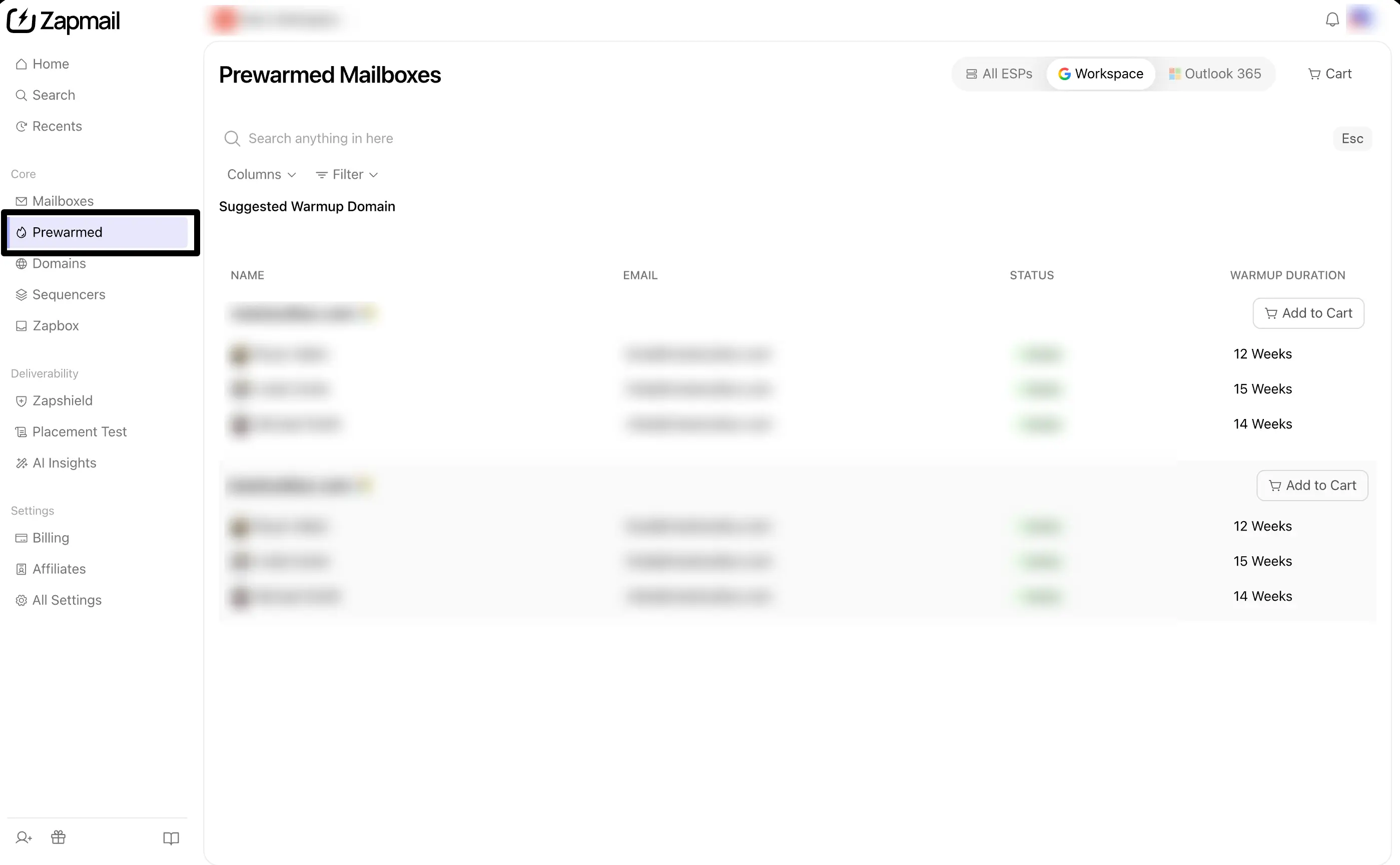
This images shows Zapmail dashboard for buying pre-warmed mailboxes. Credit: Zapmail.ai official website
Zapmail provides Google Workspace and Microsoft 365 mailboxes with domains, DNS, and setup handled together. Its site reports 1 million mailboxes issued, 330,000 domains managed, an average setup time of five minutes, and a 4.5 rating on Trustpilot.
Its pre-warmed plans start at $39 for the first month and $24 per month after that. Zapmail states that these mailboxes have more than 12 weeks of warmup history, but does not explain how the warmup is done.
Every workspace holds one domain. That keeps outreach campaigns separate for multiple clients, and it is why agencies run several workspaces on the same platform.
One limitation is the domain choice. You can bring your own domain on the standard plans, but the pre-warmed plans use generic domains selected by Zapmail.
Why Zapmail Stands Out
Zapmail is worth considering if you want the mailbox, domain, and setup handled together across multiple providers.
Domains included: Pre-warmed plans include sending domains, with up to 10 domains on the Pro plan.
Quick setup: Zapmail reports an average setup time of five minutes.
Long stated warmup: The pre-warmed plans claim more than 12 weeks of sending history.
Workspace-level isolation: One domain per workspace keeps client campaigns apart.
OAuth instead of SMTP: Mailboxes connect through OAuth, which holds up better than SMTP credentials.
Key Features
Google Workspace and Microsoft 365 mailboxes
Automated SPF, DKIM, DMARC, and custom tracking domain setup, with bulk DNS updates
US or EU mailbox hosting
Domain forwarding and DNS management in the same panel
Bring your own domain or buy one inside Zapmail on standard plans
One domain per workspace, with multi-workspace management
50+ outreach tool integrations, including Instantly, Smartlead, Lemlist, and Reply.io
Instant Domain Genie for bulk domain suggestions
Smart Mailbox Namer for on-brand sender handles
Persona Snapshots for profile photos, titles, and signatures
Zapmail API for provisioning mailboxes programmatically
Pricing
Zapmail uses plan-based pricing:
Starter: $39 for the first month, then $24 per month for 3 pre-warmed mailboxes and 1 domain
Growth: $149 for the first month, then $84 per month for 12 mailboxes and 4 domains
Pro: $339 for the first month, then $180 per month for 30 mailboxes and 10 domains
Extra mailboxes cost $8, $7, or $6 per month depending on the plan
Extra domains cost $15 per year
US and EU IP accounts only on every plan
Deliverability test credits included each month: 3 on Starter, 10 on Growth, 30 on Pro
AI Insights credits included each month: 3 on Starter, 10 on Growth, 30 on Pro
My Verdict
Zapmail makes sense if you want pre-warmed mailboxes with domains included and do not need to use your own domain. Setup is quick, and the mailboxes work with major sending tools.
The main things to check are the generic domain requirement and the 12-week warmup claim, since Zapmail does not publish details about how that warmup is performed. Pre-warmed mailboxes also sit on their own plans here, so you pay $6 to $8 each rather than the standard mailbox rate.
5. Mailscale: Best for High-Volume Outbound Campaigns
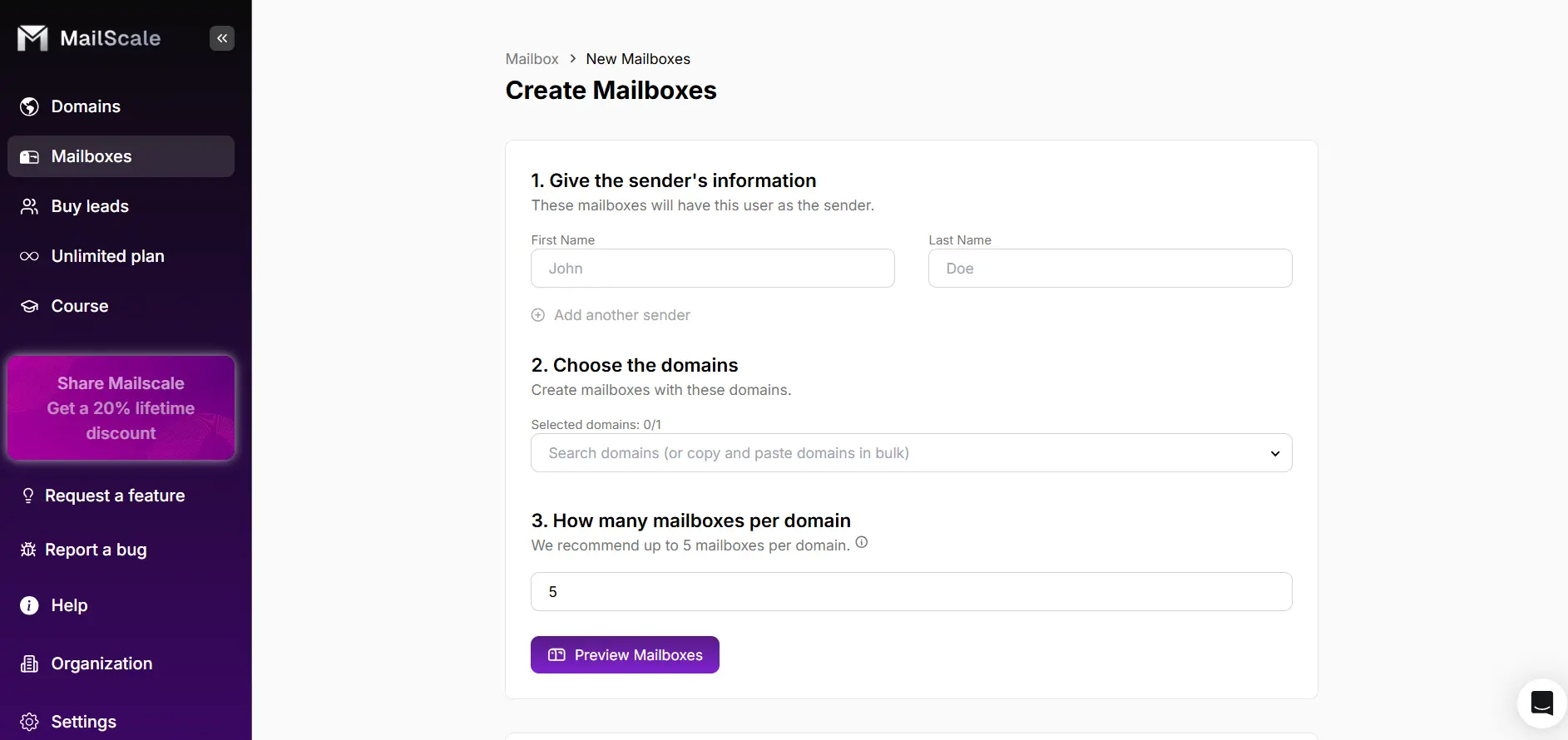
This images shows the Mailscale dashboard to buy pre-warmed mailboxes
Mailscale sells the whole outbound strategy rather than mailboxes on their own. Pre-warmed outreach domains come as one part of an agentic platform that also handles prospecting, copy, sending, and replies.
Its site says outbound campaigns launch in under 60 seconds, and lists a 400 million contact database you search in plain English. An AI copywriter trained on 200 million sends generates 125 email variants per offer and reworks them each week.
Two features go further than the rest of this list. Self-healing deliverability watches placement and reroutes sends when an inbox starts to degrade. A reply agent reads incoming replies, works out intent, and drafts responses.
Mailscale does not publish pricing. You book a demo to get a quote, and it reports more than 3,000 customers.
Why Mailscale Stands Out
Mailscale is more focused on running outbound campaigns than on selling you mailboxes.
Pre-warmed outreach domains: You skip the two-week ramp and start sending on day one.
Self-healing deliverability: The platform reroutes sends when an inbox degrades, so more of your emails land past the spam filters.
Reply agent: An AI agent classifies incoming replies and drafts responses.
400M+ contacts: You build lists in plain English rather than stacking filters.
No published pricing: You get numbers through a demo, not a pricing page.
Key Features
Pre-warmed outreach domains for day-one sending
400+ million B2B contacts, searchable in plain English
An AI copywriter that generates 125 email variants per offer
Self-healing deliverability that reroutes sends away from degrading inboxes
Phone enrichment that appends direct-dial and mobile numbers
A reply agent that classifies intent and drafts responses
Campaign management and launch in under 60 seconds
Custom pricing through a demo, with no public rate card
No published mailbox ownership or admin terms
Pricing
Mailscale does not publish pricing on its website. Ask for a quote that covers the mailbox, domain, and renewal costs before buying.
My Verdict
Mailscale can make sense for outbound operators whose priority is running high-volume campaigns rather than buying pre-warmed mailboxes on their own. The reply agent and self-healing deliverability are things no other provider on this list offers.
It is also the hardest one here to compare, because there is no public pricing and no published ownership terms. The pre-warmed domains belong to the platform rather than to you, so confirm the setup, warmup history, and what happens to your sending assets when you leave.
6. InboxKit: Best for Pre-Warmed Google and Microsoft Mailboxes with Azure Support
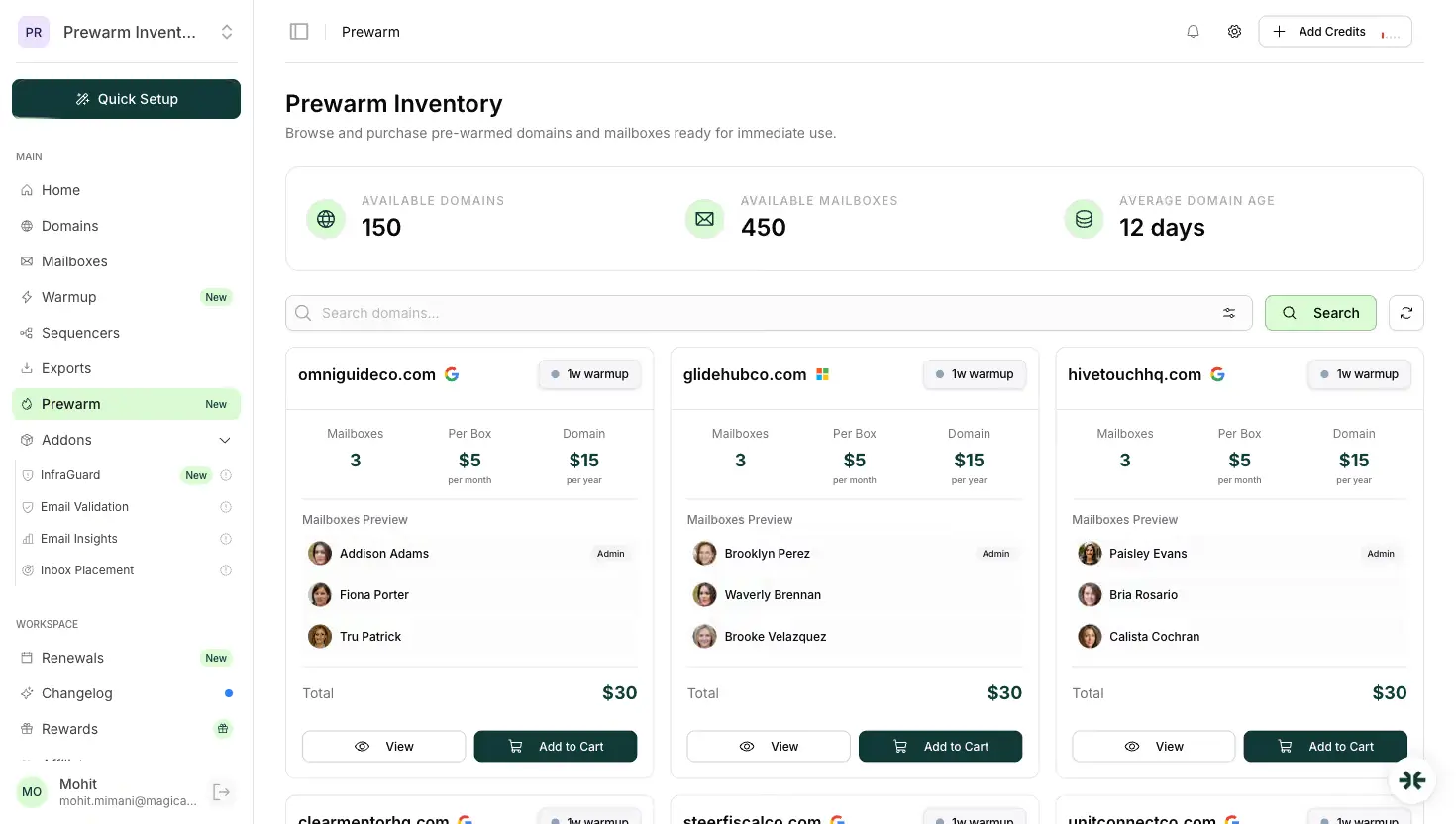
This image shows InboxKit dashboard for buying prewarmed mailboxes
InboxKit is email infrastructure built for cold email that offers Google Workspace, Microsoft 365, and Azure mailboxes. You use it when you want official accounts, monitoring, and API access in one dashboard.
InboxKit sells pre-warmed mailboxes through a separate Prewarm Inventory in the dashboard. You filter the inventory by provider and warmup age, so you know how long a domain has been warming before you buy it.
InboxKit warms its mailboxes on an isolated network instead of a pool shared across sending tools. The warmup continues after you receive the mailboxes, so they keep their reputation while you increase your sending volume.
One limitation is the domain choice. You can only choose from domains that InboxKit has already warmed, so you can’t use your own brand domain for pre-warmed mailboxes.
Why InboxKit Stands Out
InboxKit is worth considering if you want pre-warmed Google or Microsoft mailboxes and want to know the warmup age before you pay.
Warmup age tiers: You pay $6, $7, or $9 per mailbox, depending on how long InboxKit has warmed the domain.
Pre-warmed Microsoft 365: You can buy pre-warmed Microsoft 365 mailboxes as well as Google Workspace mailboxes.
Isolated warmup network: InboxKit warms mailboxes on its own closed network, not on a shared pool.
InfraGuard monitoring: InboxKit monitors every domain for blacklist and DNS issues, and the first month is free.
Same-day hand-off: InboxKit hands off available pre-warmed mailboxes within 24 hours of your order.
Key Features
InboxKit sets up Google Workspace and Microsoft 365 mailboxes on US-based IPs.
You can create up to 100 mailboxes in each Azure tenant.
InboxKit configures SPF, DKIM, DMARC, and MX records automatically.
Each domain gets its own official admin panel with two-factor login.
You can filter the Prewarm Inventory by provider and warmup age.
You can add isolated email warmup to fresh mailboxes as a paid add-on.
Real-time monitoring alerts you to problems, and InfraGuard protects each domain.
You can add unlimited team members and workspaces.
InboxKit integrates with 24+ sending tools, including Instantly, Smartlead, Salesforge, and Lemlist.
The API gives you full access, with webhooks for custom workflows.
You can reach support through email and chat.
Pricing
InboxKit prices pre-warmed mailboxes by warmup age:
2 to 4 weeks of warmup: $6 per mailbox
4 to 8 weeks of warmup: $7 per mailbox
8 weeks or more: $9 per mailbox
Domain transfer: a one-time fee, such as $15 for a .com
InfraGuard monitoring: first month free
My Verdict
InboxKit makes sense if you want pre-warmed Microsoft 365 or Google Workspace mailboxes and care about the warmup age. The tier pricing is easy to compare, and every mailbox includes an admin panel, monitoring, and API access.
Check the warmup history before you buy. InboxKit gives each pre-warmed mailbox 14 to 21 days of traffic, while the tiers describe how long the domain has been warming. Ask which history comes with your mailbox. InboxKit also gives wallet credits to customers who review it on G2, LinkedIn, or Google, so weigh its 4.9 G2 rating with that in mind.
7. LiteMail: Best for Small Pre-Warmed Batches with Free Domain Replacement
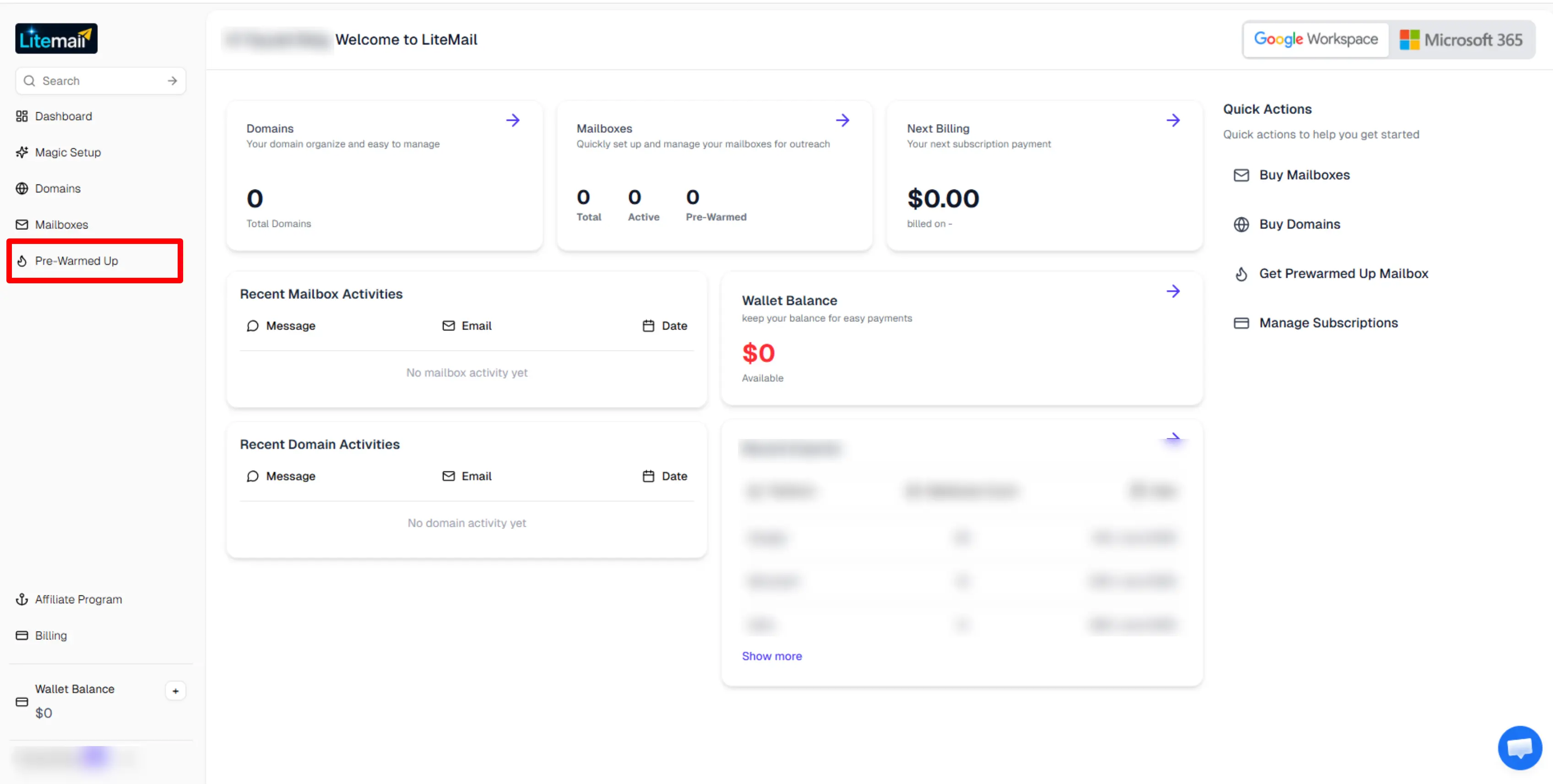
This image shows dashboard of Litemail to purchase pre-warmed mailboxes
LiteMail is a mailbox provider built for cold email, with fresh and pre-warmed Google Workspace and Microsoft 365 accounts. You use it when you want a small batch of pre-warmed mailboxes with domains included in the plan.
Each pre-warmed plan includes the mailboxes, the sending domains, and the DNS setup. Every plan limits sending to 25 emails per mailbox per day, so you know your daily capacity before you buy.
If a pre-warmed domain gets blacklisted, LiteMail replaces it at no extra cost. Every pre-warmed plan includes this protection.
Check the warmup history before you buy. The comparison table on LiteMail’s pre-warmed page shows a 12-week history, but the headline on the same page says 4 to 6 weeks.
One limitation is the domain choice. You choose pre-warmed domains from LiteMail’s inventory, so you can’t use your own brand domain.
Why LiteMail Stands Out
LiteMail is worth considering if you want a small batch of pre-warmed Google or Microsoft mailboxes with domains included.
Domains included: Each pre-warmed plan includes 1 to 12 sending domains, depending on the plan.
Small starting batch: The Starter plan gives you 5 pre-warmed mailboxes and 1 domain for $39 a month.
Both providers: You can buy pre-warmed Google Workspace or Microsoft 365 mailboxes from one dashboard.
Free domain replacement: LiteMail replaces a blacklisted pre-warmed domain at no charge.
OAuth export: You can connect mailboxes to Instantly, Smartlead, and other sending tools with one-click OAuth.
Key Features
You can buy fresh or pre-warmed Google Workspace and Microsoft 365 mailboxes.
Your mailboxes send from US or EU IP addresses.
LiteMail sets up SPF, DKIM, and DMARC records automatically.
You can search available pre-warmed domains before you buy.
LiteMail replaces blacklisted domains for free on pre-warmed plans.
You can export mailboxes to Instantly, Smartlead, Lemlist, Woodpecker, and other tools with one click.
A cost calculator compares pre-warmed plans with fresh mailboxes plus a separate warmup tool.
The Pro and Scale plans include API access.
Pricing
LiteMail charges by plan and bills monthly:
Starter: $54 for the first month, then $39 per month for 5 pre-warmed mailboxes and 1 domain
Growth: $149 for the first month, then $99 per month for 15 mailboxes and 3 domains
Pro: $269 for the first month, then $179 per month for 30 mailboxes and 6 domains
Scale: $479 for the first month, then $299 per month for 60 mailboxes and 12 domains
Extra mailboxes: $8, $7, $6, or $4.99 per month, depending on the plan
Extra domains: $15 per year
API access: Pro and Scale plans only
My Verdict
LiteMail makes sense if you want pre-warmed mailboxes with domains included and a small first order. Its Pro plan costs $179 a month for 30 pre-warmed mailboxes and 6 domains. Zapmail’s Pro plan costs $180 a month for 30 mailboxes and 10 domains. The monthly cost is almost the same, but LiteMail charges less for the first month: $269 against $339.
Before you buy, confirm the warmup history and the API terms. LiteMail’s own pages list both 4 to 6 weeks and 12 weeks of warmup. Only the Pro and Scale plans include API access, so the two smaller plans won’t suit you if you automate mailbox setup.
How Providers Warm Mailboxes Before They Sell Them
A proper warmup starts with a small number of emails and gradually increases volume over two to four weeks. The mailbox builds a sending history through normal email activity.
A weak warmup sends emails between accounts in a closed network. The activity may look high, but it does not show how the mailbox performs with real recipients.
You cannot judge the difference from the mailbox itself. Ask the provider how it warms accounts and whether it can show the mailbox's sending history.
Two to four weeks is a reasonable warmup period. If a provider claims a longer period, ask how the process works and what history you receive.
The domain matters too. A good warmup will not fix a domain with a poor reputation. Check the domain before you buy the mailbox.
Check a Pre-Warmed Mailbox Before Your First Campaign
Before sending your first campaign, check these basics:
SPF, DKIM, and DMARC are configured and passing
The domain registration date matches the information provided by the seller
The domain is not listed on major blacklists
You have the required admin access
The provider can show actual warmup activity
The provider clearly explains its terms for the mailbox
Do not start at your full sending volume. Begin with a smaller number of emails and increase it gradually. Monitor your sending performance from the start.
Buying Pre-Warmed vs. Warming Your Own Mailboxes
The main difference is time versus control. Pre-warmed mailboxes let you start sooner. Warming your own gives you more control over the process.
What Each Path Costs
For comparison, here is what 30 mailboxes could look like:
Buy pre-warmed
Build and warm your own
Time to first send
Same day to 48 hours
Around 14–21 days
30 mailboxes
$72–$180/month, depending on provider
About $72/month on Mailforge annual billing
10 .com domains
$140/year
$140/year
Warmup
Included with some plans, paid with others
Free and unlimited through Warmforge with Salesforge
Control
Depends on the provider
Full
The price difference can be smaller than you might expect. Building your own setup can cost a similar amount per mailbox.
The main thing you are paying for with pre-warmed accounts is time. You are paying to skip the two to three weeks it takes to build a new mailbox's sending history.
Which Pre-Warmed Email Account Provider Should You Choose?
If you are here, you are probably looking for a better way to build and manage your cold email infrastructure.
Cold email tools like Infraforge, Primeforge, Zapmail, Mailscale, InboxKit, and LiteMail each cover a different part of cold email outreach. But your results also depend on the mailbox infrastructure behind your domains and sending setup.
For outbound teams and operators that want a high mailbox count without a high monthly bill, Mailforge is a strong option. Here is why:
Pre-warmed domains and mailboxes, so mailbox delivery does not hold up your launch
The lowest cost per mailbox on this list, at $3 to $2 per mailbox per month
Free unlimited premium warmup through Warmforge with any Salesforge plan
Automated DNS setup that writes your SPF, DKIM, and DMARC records
Bulk domain and mailbox creation, with setup finished in under 10 minutes
Domain transferring in and out, with no platform lock in and ongoing support included
If you need shared cold email infrastructure that keeps your cost per mailbox low as you scale, Mailforge is worth considering.
It depends on your sending volume. A simple starting point is around 30 emails per mailbox per day. For 1,000 emails a week, you would need about 4–6 mailboxes. For 3,000 emails a week, 10–15 mailboxes would give you more room to spread the volume.
2. Who Should Not Buy Pre-Warmed Email Accounts?
Pre-warmed accounts may not be worth it if you send very little email or do not have a clean, verified list. A pre-warmed mailbox can give you a better starting point, but it cannot fix poor targeting, bad data, or weak email copy.
3. Can I Transfer a Pre-Warmed Mailbox to Another Platform?
It depends on the provider. Providers such as Mailforge, Infraforge, Primeforge, Zapmail, InboxKit, and LiteMail offer admin access that gives you more control over the mailbox. Check the provider's transfer and ownership terms before buying.
4. How Long Should Pre-Warming Take?
A gradual warmup usually takes around two to four weeks. Some providers advertise longer warmup periods, but the number of weeks alone does not tell you how good the warmup was. Ask what sending history comes with the mailbox.
5. How Many Emails Can I Send Per Day From a Pre-Warmed Mailbox?
There is no single number that works for every mailbox. Infraforge suggests starting around 30 emails per mailbox per day, with 100 as a ceiling. Start lower with a new batch and increase the volume based on how the mailboxes perform.
6. Is It Cheaper to Buy Pre-Warmed Accounts or Warm My Own?
The mailbox cost can be similar either way. The main difference is time. Buying pre-warmed accounts lets you skip the two to three weeks needed to build a new mailbox's sending history. If you have enough time before launching, warming your own can make more sense.
7. What Is the Difference Between Mailforge, Primeforge, and Infraforge?
Mailforge is built around shared infrastructure and focuses on keeping mailbox costs low. Primeforge provides Google Workspace and Microsoft 365 mailboxes, including pre-warmed options. Infraforge focuses on private infrastructure, dedicated IPs, and more control over the sending setup.