
You have 10,000 prospects to reach. The question is how to email them without getting your accounts suspended.
Google Workspace allows up to 2,000 messages a day for eligible accounts, but cold outreach is a different game. Send too many emails from a new account, and you risk throttling, spam placement, or suspension.
The solution is to spread your sending volume across multiple email accounts, each with a controlled daily limit.
In this guide, I’ll break down how many accounts you need, how to set them up without the DNS headache, what the setup costs, and how much each account should send daily.
Let’s get into it!
If you have 10,000 prospects on your list, you need to figure out how many email accounts it will take to reach them. Sending everything from one inbox isn't a realistic option for cold outreach.
Your sending limit depends on the provider, the account's history, and how much email it can handle without hurting deliverability. A new mailbox needs time to build a sending history, so you can't expect to start sending hundreds of cold emails from day one.
For planning purposes, I'd use 30 cold emails per mailbox per day as a starting point once the mailbox is properly warmed up. Mailforge's pricing calculator uses 30 emails per day as its recommendation, with a maximum of 100. That maximum isn't a target I'd aim for, especially when you're setting up accounts for a new campaign.
At 30 emails per mailbox daily, you'll need around 334 mailboxes to send 10,000 emails in a single day. If you're happy to spread the campaign over several days, you can work with fewer accounts.
Let's look at the numbers.
Here is the math at 30 emails per account per day.
You can use the Mailforge calculator, which asks you for emails per sequence and contacts per month for exactly this reason, and it returns the domain and account count for you.
That is the theory. Here is how you actually build it.
This is the step that stops most people, because doing it manually is genuinely tedious. You buy a domain from a registrar, point the nameservers, create the mailbox, then add SPF, DKIM and DMARC records by hand. Then you repeat that nine more times.
At 34 domains, that is a full week of work and plenty of room for a typo that quietly sends everything to spam.
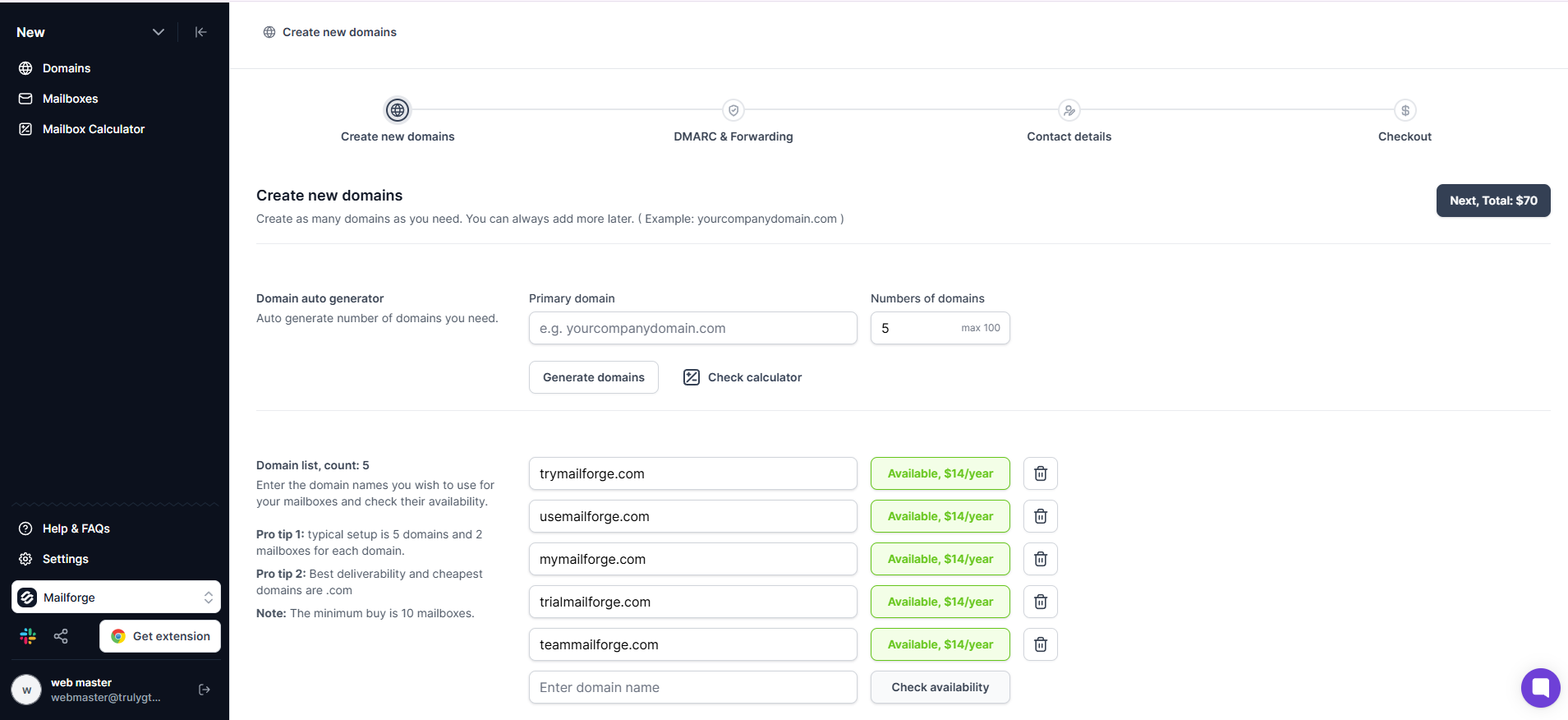
Mailforge collapses that into one flow. You buy the domains and the accounts in the same place, and the DNS side happens on its own.
The order looks like this.
The reason this matters at 10,000 emails is proportional. One misconfigured DNS record on one domain is an afternoon of debugging. The same error repeated across 34 domains is a dead campaign you will not diagnose for a week.
If you want the longer walkthrough, I have covered multiple email domains.
One alternative worth knowing about. If your buyers expect to see a Google Workspace or Microsoft 365 sender, Primeforge sells real Google and Microsoft accounts on US IPs, built for cold outreach rather than daily use. Plenty of teams run a mix of both.
Get your domains and accounts set up in minutes instead of a week. Get started with Mailforge
A brand new email account with zero sending history has no reputation at all. Send 30 cold emails from it on day one, and the provider has nothing to judge you on except volume.
Warmup fixes that by having your accounts send and receive normal-looking email among a network of other mailboxes. Replies get sent, messages get marked as important, and the provider builds a picture of an account in genuine use.
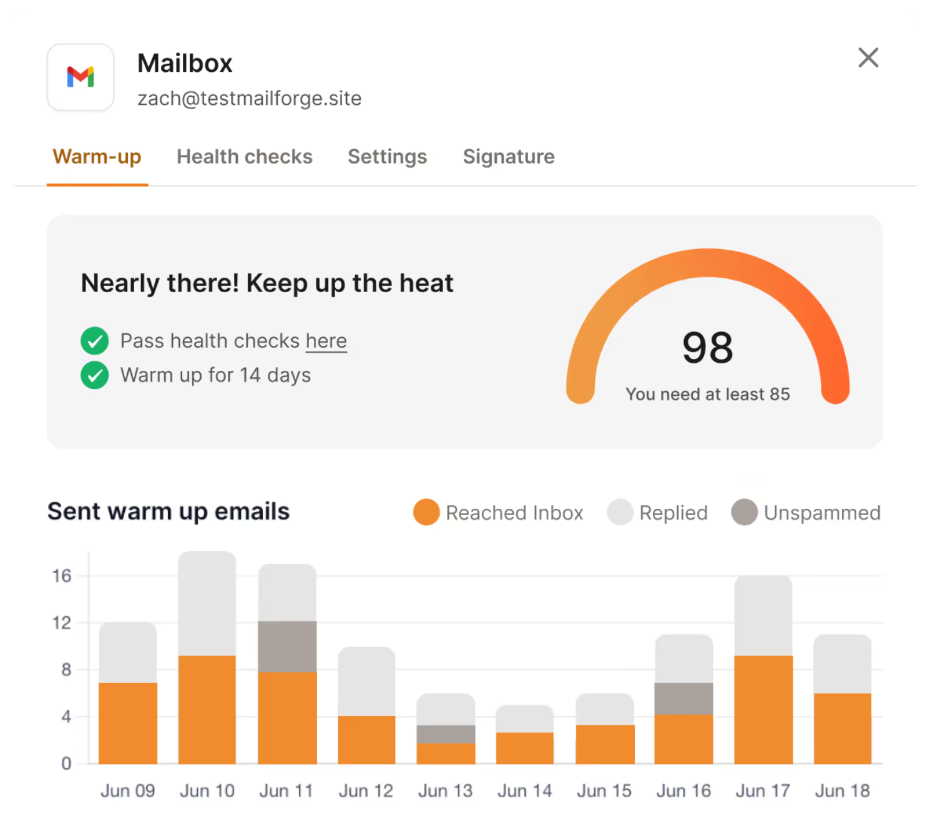
Run it for 14 days before your first campaign. Warmforge is the warm-up tool in the Forge stack, and it scores each mailbox with a heat score. Once an account reaches 85 or above, it is ready to send.
The mistake to avoid is switching warmup off once campaigns start. Keep it running underneath your outreach permanently, because it offsets the reputation cost of emailing people who have never heard from you.
At 34 domains, this is the step people rush, and it is the single most expensive corner to cut. Two weeks of waiting is cheaper than rebuilding burnt infrastructure.
Your accounts are only as safe as the list you point them at. A dead address becomes a hard bounce, and hard bounces damage sender reputation faster than almost anything else.
Keep your bounce rate under 3 percent. Above that, providers start treating your sends as low quality, and no amount of infrastructure saves you.
So verify every address before it enters a sequence. Leadsforge handles both sides of this, with a database of over 500 million contacts and waterfall enrichment that checks each contact against multiple data sources rather than one.
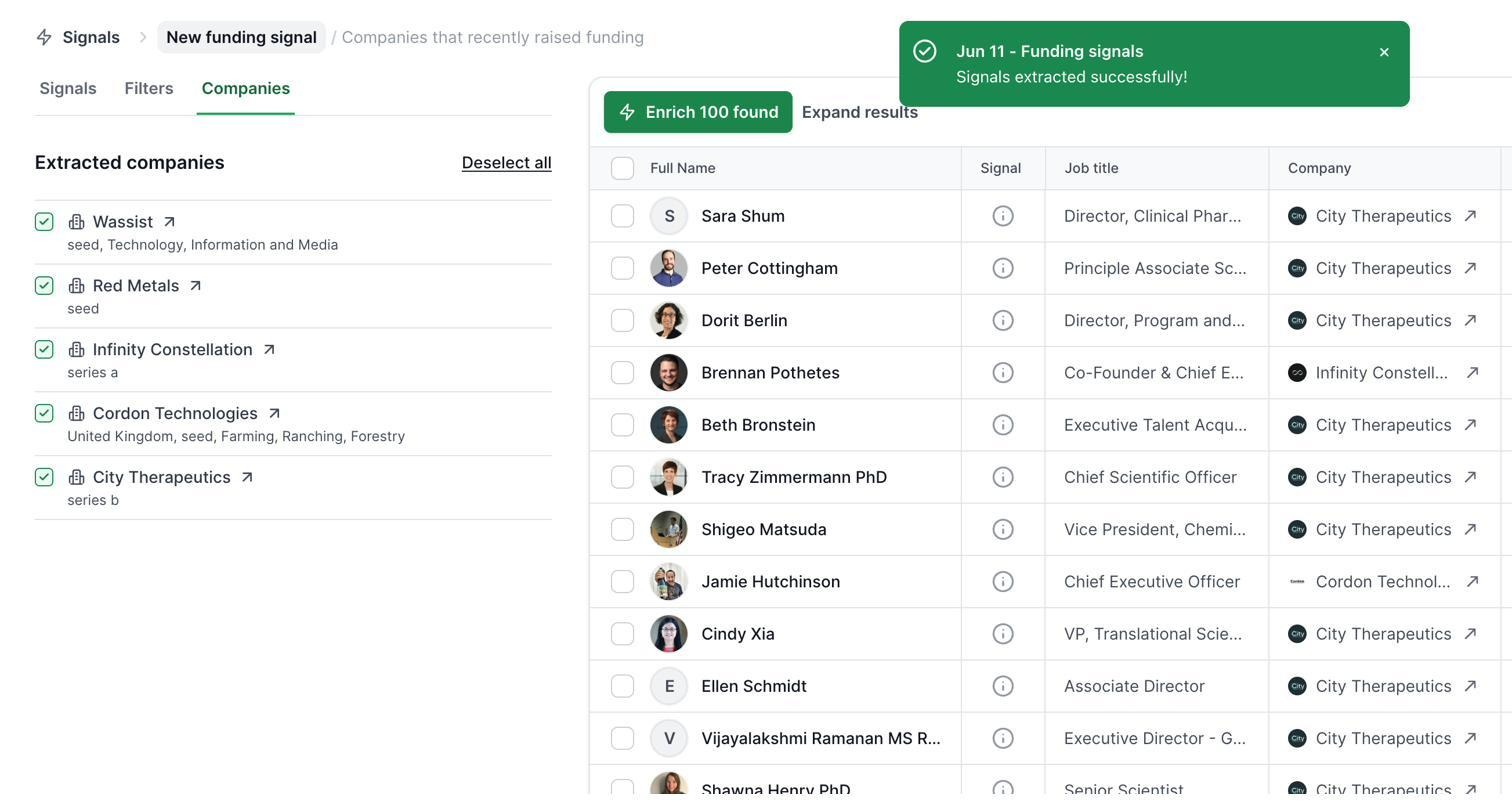
That multi-source approach matters at volume. A single provider might verify 60 percent of your list confidently. Running the same list through several sources in sequence lifts that hit rate, which means fewer bounces across 10,000 sends.
And filter harder than feels comfortable. Ten thousand emails to a loosely matched list performs worse than 3,000 to a tight one, and it costs you reputation on the way.
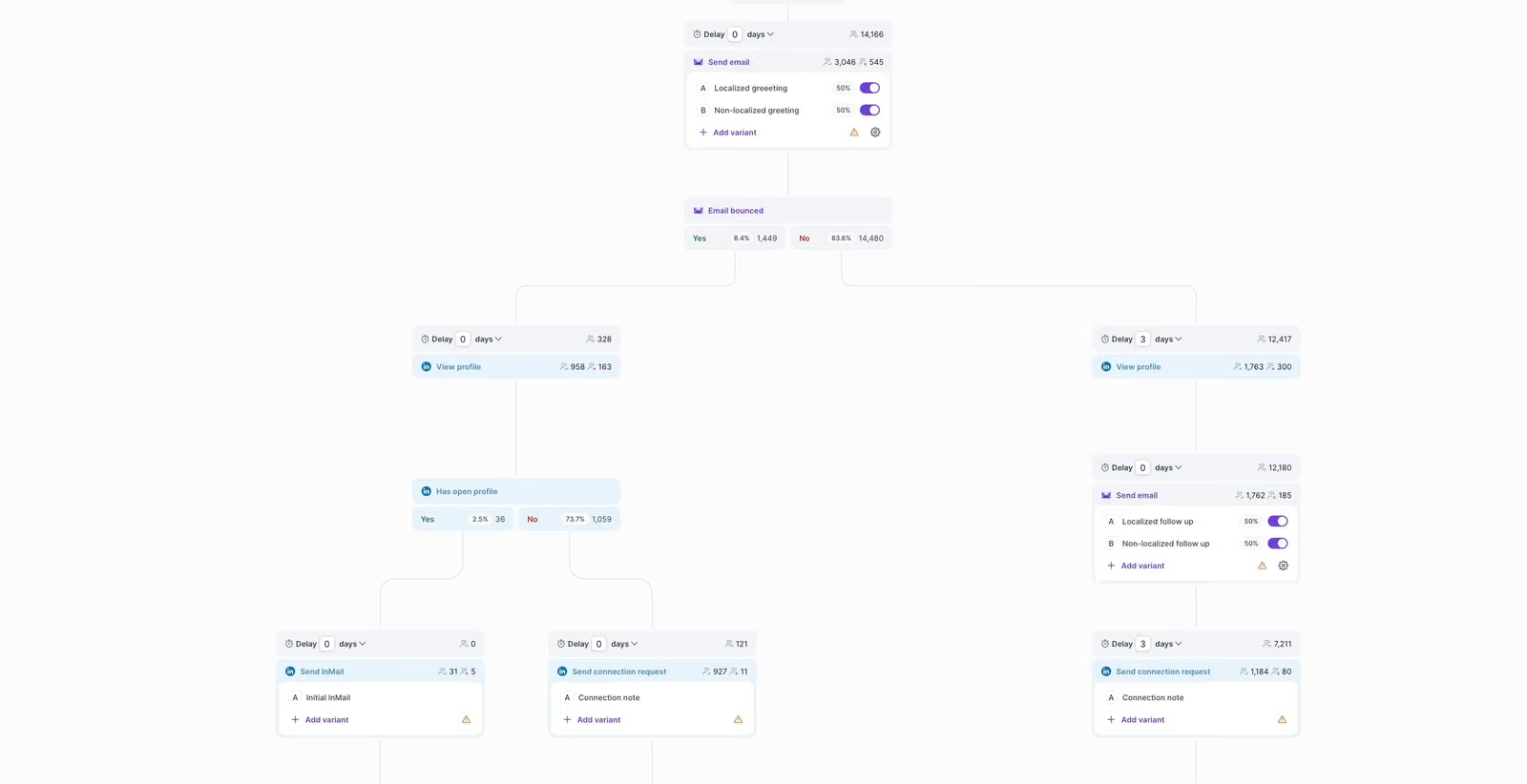
You now have dozens of warmed accounts. Managing them individually is not realistic, so they all connect to one sending platform.
Salesforge connects unlimited mailboxes on every plan, including the entry tier, which matters here because seat-based or mailbox-based pricing gets expensive fast at this volume.
Smart Mailbox Rotation handles the distribution for you. You load one sequence, connect all your accounts, and the platform spreads the sends across them automatically while respecting your per-account limit.
You do not choose which account sends which email. The system balances the load, which is the whole point, because manual distribution across 34 accounts is not something anyone does accurately.
Set your per-account daily limit to 30 and leave it there. Stagger your sending window across a few hours rather than firing everything at 9am, since identical timing across dozens of accounts is itself a pattern providers notice.
Dynamic IPs rotate the sending IP alongside the accounts, which adds another layer of distribution to the same campaign.
Volume without relevance just gets you reported faster, so personalization is not optional at 10,000 sends.
Salesforge uses personalization credits to generate a unique opening for each contact, drawing on their LinkedIn profile or website. One credit covers a single data source. Overdrive mode uses two credits and pulls from every available source on that contact.
The Growth plan includes 1,000 personalization credits a month, with more available in the app. For a 3,333-contact campaign you would need roughly 3,300 credits, so budget for the top-up.
Replies land in Primebox™, which pulls every response from every connected account into one view. At 34 accounts, this is the difference between catching a positive reply in an hour and finding it three days later.
Sending 10,000 emails is not a launch-and-walk-away job. Problems show up in the numbers days before they show up in your results.
Watch these four every day.
When something slips, slow down rather than stopping. Cut your per-account limit from 30 to 15, let the accounts recover, then climb back. Most infrastructure problems are recoverable if you catch them within a week.
Run inbox placement tests regularly too, since open rates tell you nothing about whether you landed in the primary tab or in promotions. More on that in my guide to email deliverability.
Here is the real monthly cost of each setup, using current Mailforge pricing of $3 per mailbox on monthly billing and $14 per .com domain per year.
Annual billing on mailboxes gives you two months free, which brings the 25-account setup down to $60 a month.
Add your sending platform on top. The Salesforge Growth plan covers 50,000 emails a month at $96 monthly or $80 on annual billing, so a single 10,000 email campaign sits well inside it.
That puts a complete 25-account setup at roughly $171 a month, plus $126 a year for domains. Leadsforge for the list starts at $49 a month if you need the data too.
Compare that against buying 25 Google Workspace seats directly and the gap is substantial, which is the reason most outbound teams moved to dedicated infrastructure in the first place.
See exactly what your setup costs before you commit. Run the Mailforge calculator
You can send 10,000 cold emails. The only real constraint is how many accounts you are willing to set up and how patient you are during warm-up.
At 30 emails per account per day, 25 accounts across 9 domains get you there in two weeks for about $171 a month. If you want it done in four days, the number is 100 accounts and roughly $396 a month. Both are legitimate. Neither is possible from a single inbox.
What I would not do is try to shortcut the setup. The teams that burn their infrastructure are almost always the ones who bought accounts on Monday and launched on Tuesday.
Buy the domains and accounts together so DNS is handled for you, warm them properly, then connect everything to Salesforge and let rotation do the distribution.
At 30 emails per account per day, you need 25 accounts to send 10,000 emails in two weeks, or 100 accounts to do it in four days. Sending all 10,000 in a single day requires around 334 accounts.
No. Google Workspace caps standard accounts at 2,000 emails a day, and that limit applies to recipients who already know you. A new account sending cold emails at that volume will be throttled and suspended.
Mailforge recommends 30 emails per mailbox per day, with a hard maximum of 100. Thirty is the number to build your planning on, because it leaves headroom for follow-ups and keeps your sender reputation stable.
Plan for 3 mailboxes per domain. 25 mailboxes need 9 domains, 50 need 17, and 100 need 34. Spreading accounts across domains means one flagged domain cannot take your whole campaign down.
Yes. Every new account needs around 14 days of warm-up before it sends cold email, and warm-up should keep running underneath your campaigns afterwards. A heat score of 85 or above means an account is ready.
A 25-account setup costs $75 a month for mailboxes at $3 each, plus $126 a year for 9 domains. Adding Salesforge Growth at $96 a month brings the total to roughly $171 monthly.
Cold email is legal in most markets when you follow the rules that apply to you, including CAN-SPAM in the US and GDPR in the EU. That means accurate sender details, a working unsubscribe option, and a genuine business reason for contacting the recipient. Verify the requirements for your own region before you send.
