AeroSend promises to monitor your domains and sending IPs so you can catch deliverability problems before they start hurting your campaigns.
But that was also one of the concerns I found while researching AeroSend. One G2 user said they were not warned when an IP pool was flagged as spam and claimed it started affecting their domains.
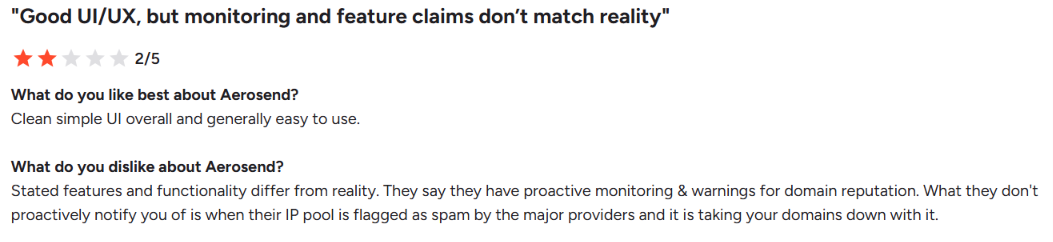
That caught my attention because IP and domain monitoring is an important part of what AeroSend offers. If you are running cold email every day, you need to know when your sending infrastructure starts causing problems, not after your reply rates have already dropped.
So, I wanted to see how AeroSend performed with consistent sending over a longer period.
I used AeroSend for 9 months and sent around 15,000 cold emails per month. During that time, I tested its inboxes, deliverability monitoring, domain and IP management, setup, and how well the infrastructure held up with regular sending.
In this AeroSend review, I'll cover its setup, inboxes, deliverability, Domain Burn Alerts, and pricing to help you decide if it is the right option for your cold email setup.
AeroSend gives you the infrastructure you need to run cold email without setting up the servers, IPs, mailboxes, and email authentication yourself.
It creates the mailboxes, sets up SPF, DKIM, and DMARC, manages warm-up, and gives every 10 domains separate infrastructure with new servers and IPs. It also monitors your setup through inbox placement tests, Domain Burn Alerts, and IP monitoring.
What it does not give you is a complete cold email platform. You still need a separate sequencer to build and run your campaigns.
If you are comparing AeroSend with other private cold email infrastructure, Infraforge is one of the closer alternatives. Both give you dedicated infrastructure for cold outreach, but Infraforge gives you some management options that are not listed for AeroSend, such as bulk DNS updates, multiple workspaces, editable DNS records, and API access.
Here is a simple comparison of what each platform offers.
The main difference is in how you manage and monitor the infrastructure. AeroSend puts more emphasis on Domain Burn Alerts, inbox placement tests, and automatic IP rotation. Infraforge provides additional infrastructure management features such as bulk DNS updates, multiple workspaces, editable DNS records, domain transfers, and API access.
AeroSend has a 4.4/5 rating from 9 reviews on G2. That is still a small number of reviews, but there are a few common points across them.
Easy setup is one of the main positives. Users mention that AeroSend handles mailbox setup, DNS records, and warm-up for them. One agency user said this saved them from setting up email accounts, DNS, DKIM, SPF, and warm-up themselves.
Support is another common positive. Several users describe the AeroSend team as responsive and quick to help. One user also said their inboxes had remained reliable for three to four months, even at higher sending volumes.
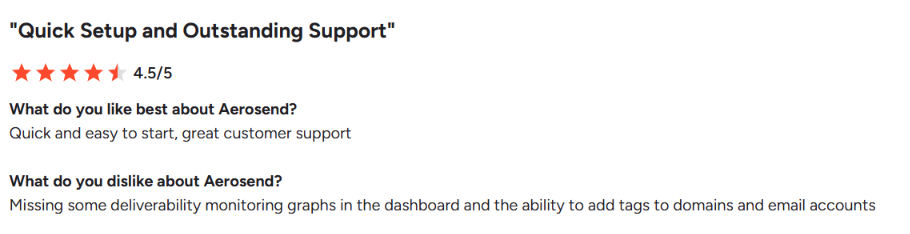
The dashboard gets more mixed feedback. Users mention UI bugs, missing deliverability graphs, no tagging for domains and email accounts, and dashboard features that were still waiting for updates.
There are also different experiences with AeroSend's monitoring and alerts. One user said the domain burn alerts warned them when a domain was burning. However, another user, who rated AeroSend 2/5, said they were not proactively warned when an AeroSend IP pool was flagged as spam and claimed it affected their domains.
Overall, the G2 reviews are mostly positive about setup, ease of use, and support, while the main complaints are around dashboard features, UI issues, and monitoring gaps reported by some users.
AeroSend handles the email infrastructure behind your cold email campaigns, while you use a separate sequencer to run the campaigns. Here is how the setup works.
You start by connecting your sending domains to AeroSend. AeroSend supports one-click domain integration and automatically configures SPF, DKIM, and DMARC for the domains.
Once the domains are connected, you create the inboxes you need. AeroSend has a minimum of 30 inboxes, and inboxes are sold in batches of 30.
Behind those inboxes, AeroSend uses private infrastructure. Every batch of 10 domains gets new servers and IPs, which separates the sending infrastructure as you scale.
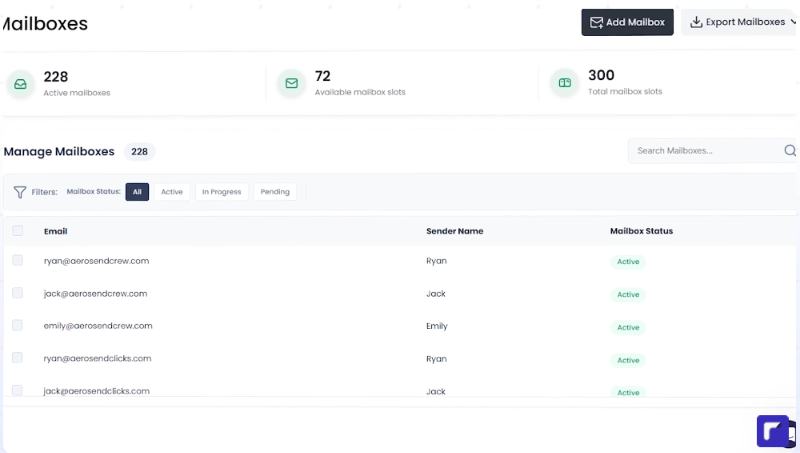
AeroSend includes managed warm-up, dedicated IPs, and biweekly inbox placement tests with each inbox.
It also monitors domain and IP performance. If AeroSend detects a drop in IP performance, its system can rotate the IP. Its warm-up pools are also monitored for factors such as ESP mix, domain age, and bounce rates.
AeroSend does not replace your cold email sequencer. Once your inboxes are ready, you connect them to a sending tool and run your campaigns from there.
AeroSend lists integrations with tools such as Smartlead, Instantly, EmailBison, Lemlist, Saleshandy, and Woodpecker.
Once you start sending, AeroSend monitors your domains using warm-up reputation, inbox placement tests, reply rate, bounce rate, and bounce type.
Its Domain Burn Alerts use this data to identify problems with a domain and can tell you whether you should slow down sending or replace the domain.
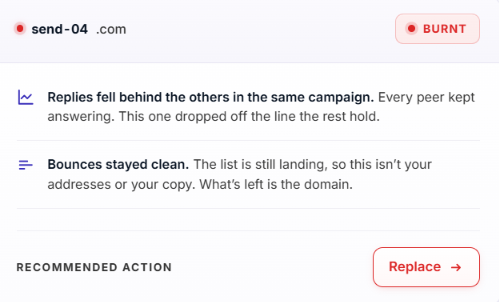
So, most of the work you do inside AeroSend is around setting up and maintaining the infrastructure. Your sequencer handles the campaigns, while AeroSend handles the inboxes, authentication, warm-up, servers, IPs, and monitoring behind them.
AeroSend has several features for setting up and managing cold email infrastructure. During my test, these were the ones that stood out because they helped with the setup, warm-up, and monitoring of my sending infrastructure.
What I liked about this setup is that I did not have to manage each part separately. AeroSend brings the mailboxes, authentication, warm-up, private infrastructure, and monitoring into the same service.
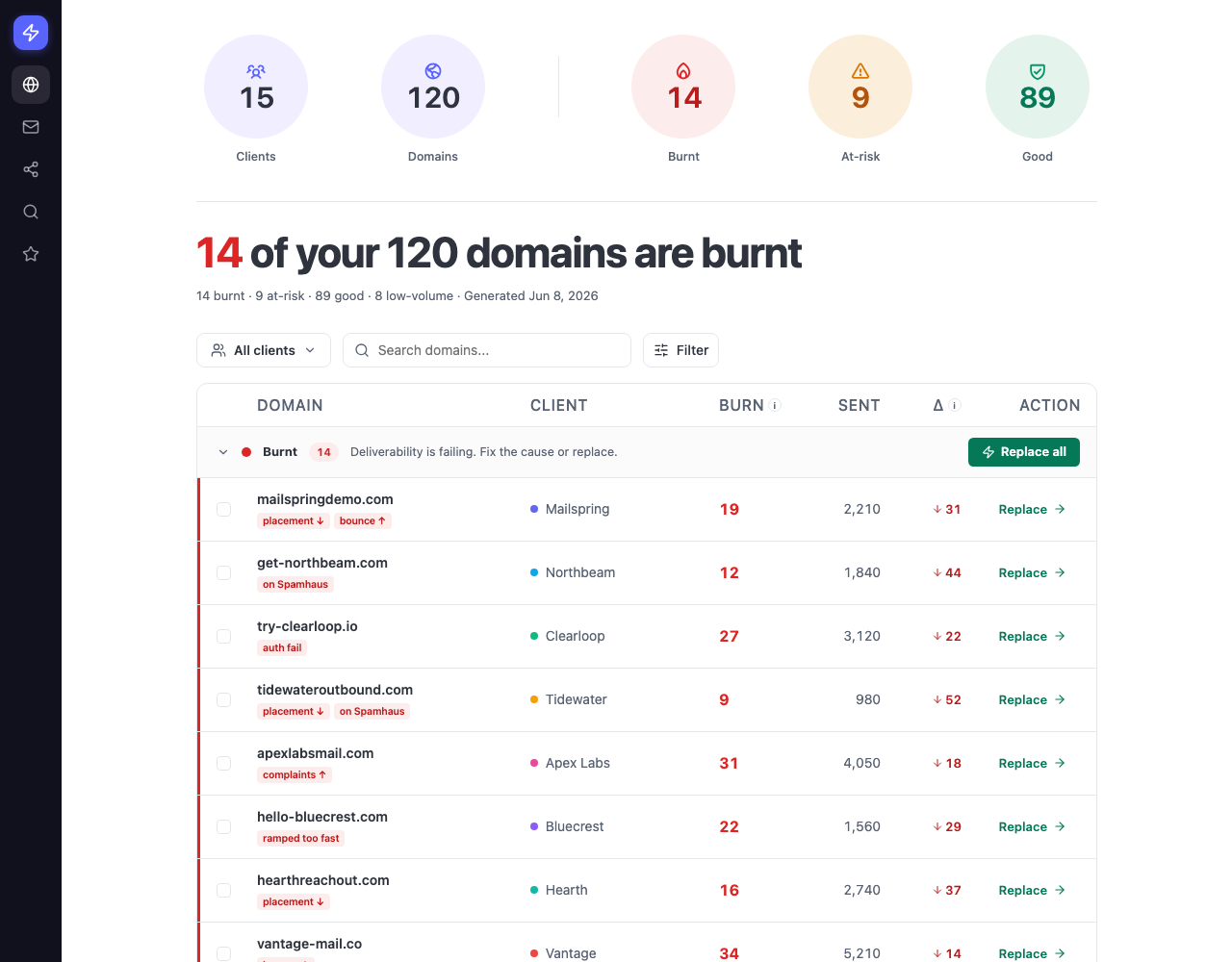
Deliverability is probably where AeroSend makes the strongest case for itself. When you are sending cold emails every day, the problem is not just getting inboxes. You also need to know when a domain is starting to go bad before you keep sending from it and make things worse.
AeroSend helps with this through its Domain Burn Alerts. It checks things like reply rates, bounces, inbox placement, and warm-up health. If a domain starts having problems, AeroSend can tell you to slow down or replace it.
I also like how AeroSend separates the setup. Every 10 domains get their own servers and IPs. So, you are not putting all your sending domains on the same infrastructure.
It also keeps an eye on the IPs. AeroSend says that if an IP starts performing poorly, it rotates the IP. You also get an inbox placement test every two weeks with each inbox.
For me, that is the real value here. You are not left guessing why a domain has suddenly stopped getting replies. You have the domain alerts, placement tests, and IP monitoring to help you find the problem and decide what to change.
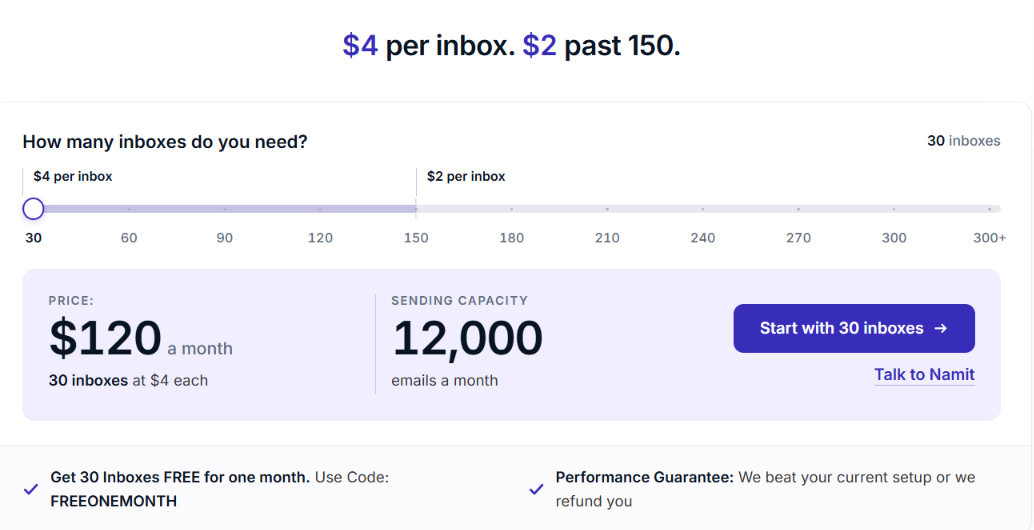
AeroSend pricing starts at $4 per inbox per month for the first 150 inboxes. Once you go above 150 inboxes, each additional inbox costs $2 per month.
You need to start with at least 30 inboxes, so the minimum cost is $120 per month. For example:
The price includes more than the inbox itself. Every AeroSend inbox comes with managed warm-up, biweekly inbox placement tests, 24/7 monitoring with burn detection, SPF, DKIM and DMARC setup, and dedicated aged IPs with rotation. AeroSend also says it replaces burnt domains for free.
You can bring your own domains. If you want AeroSend to buy them for you, it charges $12 per domain per year. There is also a 21-day warm-up period before you start sending. AeroSend says it provisions the setup within two days and you can start sending after the warm-up, on day 22.
AeroSend currently advertises 30 inboxes free for the first month with the code FREEONEMONTH. It also offers a performance guarantee. You run 30 AeroSend inboxes against your existing setup, followed by a three-week warm-up and five-week measurement period. If your existing setup gets a higher reply rate, AeroSend says it refunds the last two months of fees for those 30 inboxes.
AeroSend does not have separate feature tiers. The main price change happens after 150 inboxes, when each additional inbox drops from $4 to $2 per month.
AeroSend makes more sense when you are already sending cold emails at scale and want someone else to handle the infrastructure behind your campaigns.
If you only need a handful of inboxes, you will be paying for more capacity than you need.
The main question is how much cold email infrastructure you actually need. If you are running enough campaigns to use 30 or more inboxes and want the setup, warm-up, and deliverability management handled for you, AeroSend fits that use case well.
If your sending setup is smaller or you need a different type of infrastructure, another provider may fit better.
AeroSend handles a lot of the deliverability work for you, including warm-up, inbox placement tests, Domain Burn Alerts, and IP monitoring. But you need to start with at least 30 inboxes.
If you want private cold email infrastructure but want to manage more of the setup yourself, Infraforge is a relevant alternative.
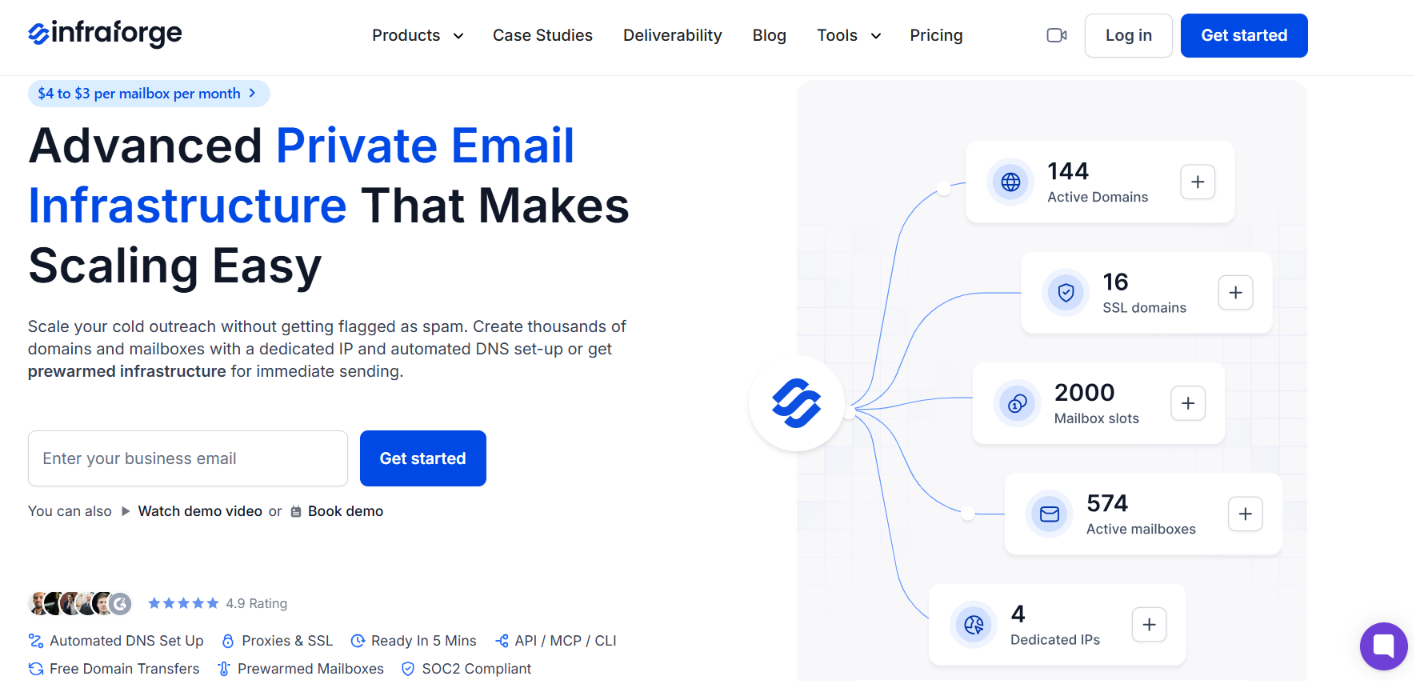
Like AeroSend, Infraforge is built for cold outreach and uses dedicated servers and IPs. It also handles SPF, DKIM, and DMARC setup and works with separate sending tools.
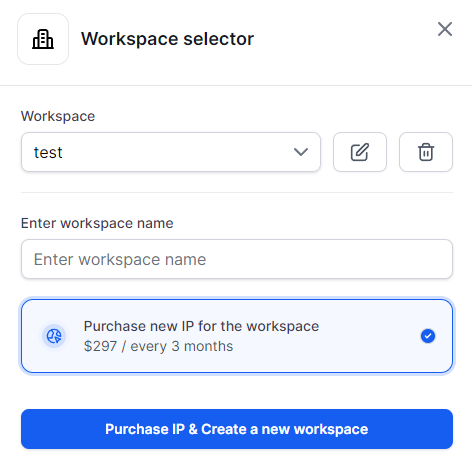
The difference is in what you can manage inside the infrastructure. With Infraforge, you can:
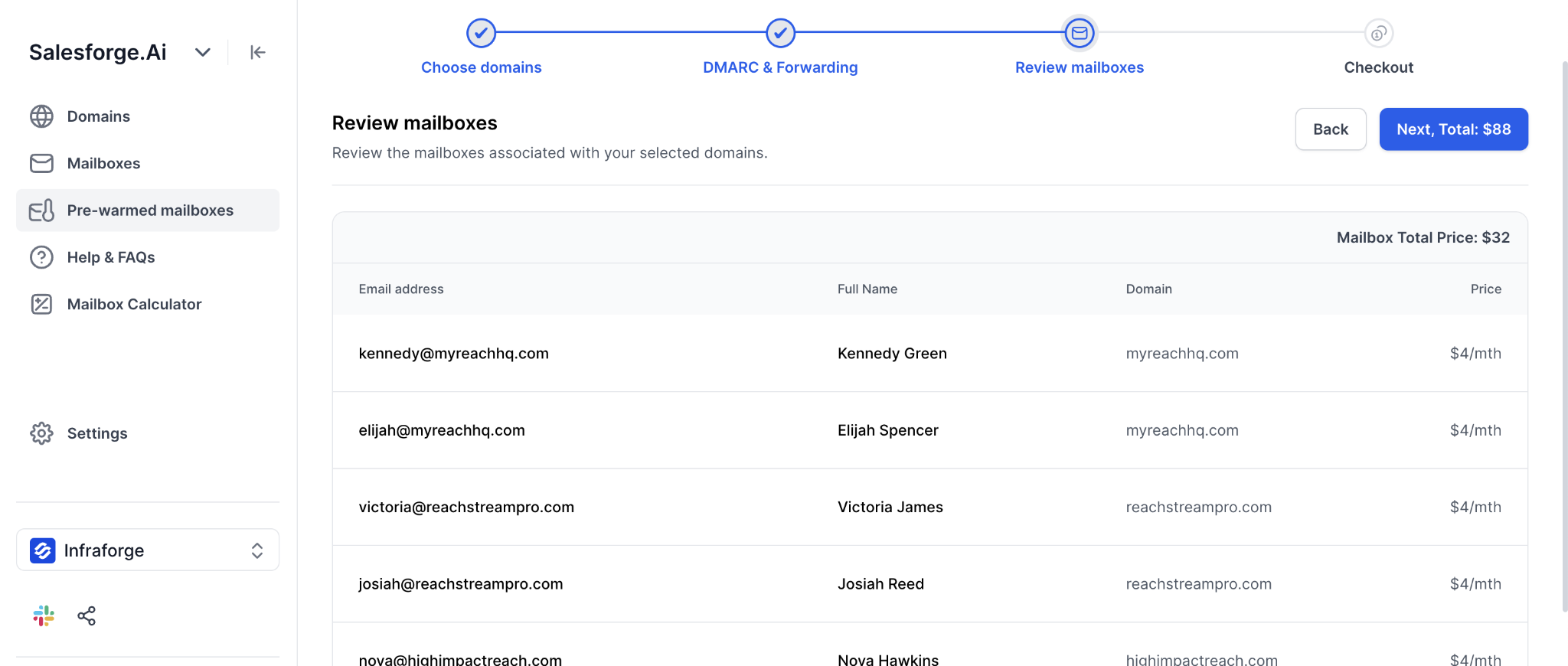
Infraforge lists mailbox pricing from $4 to $3 per mailbox per month. Annual mailbox billing also includes two months free.
So, Infraforge makes sense as an AeroSend alternative if you still want private infrastructure built for cold email, but need a lower starting minimum and want features such as bulk DNS updates, domain management, multiple workspaces, API access, and pre-warmed mailboxes.
If those are the parts missing from AeroSend for your setup, Infraforge is worth a look.
Yes, AeroSend is worth considering if you run 30 or more cold email inboxes and want the technical setup and deliverability managed for you.
It handles mailbox setup, SPF, DKIM, DMARC, warm-up, dedicated infrastructure, inbox placement tests, and domain and IP monitoring. You still need your own lead list, copy, and sequencer.
The main limitations are the 30-inbox minimum and 21-day warm-up period.
If you want private cold email infrastructure with a lower starting minimum, plus bulk DNS updates, multiple workspaces, API access, and pre-warmed mailboxes, Infraforge is worth a look.

