
Personalized Outbound Strategy
Get The Right Outbound Strategy In Minutes
Enter your email to get a custom plan & stack recommendation for your business
It's being carefully crafted by AI
Please check your mailbox in 5 minutes

HeyReach makes LinkedIn automation look pretty simple.
Connect your LinkedIn accounts. Add prospects. Build a sequence. Then let HeyReach rotate the outreach between your senders.
The difficult part starts once those campaigns are live. Some user reviews raise problems worth looking at.
One G2 user spent seven days waiting for a bug that prevented them from connecting LinkedIn to be fixed. Another said the daily outreach volume was too low for their needs. An agency user reported messages being sent between the wrong accounts.
I ran HeyReach across 20 LinkedIn accounts for six months to see what using it at that scale actually looks like.
This HeyReach review covers what worked, what didn’t and whether the $999 Agency plan was worth paying for.
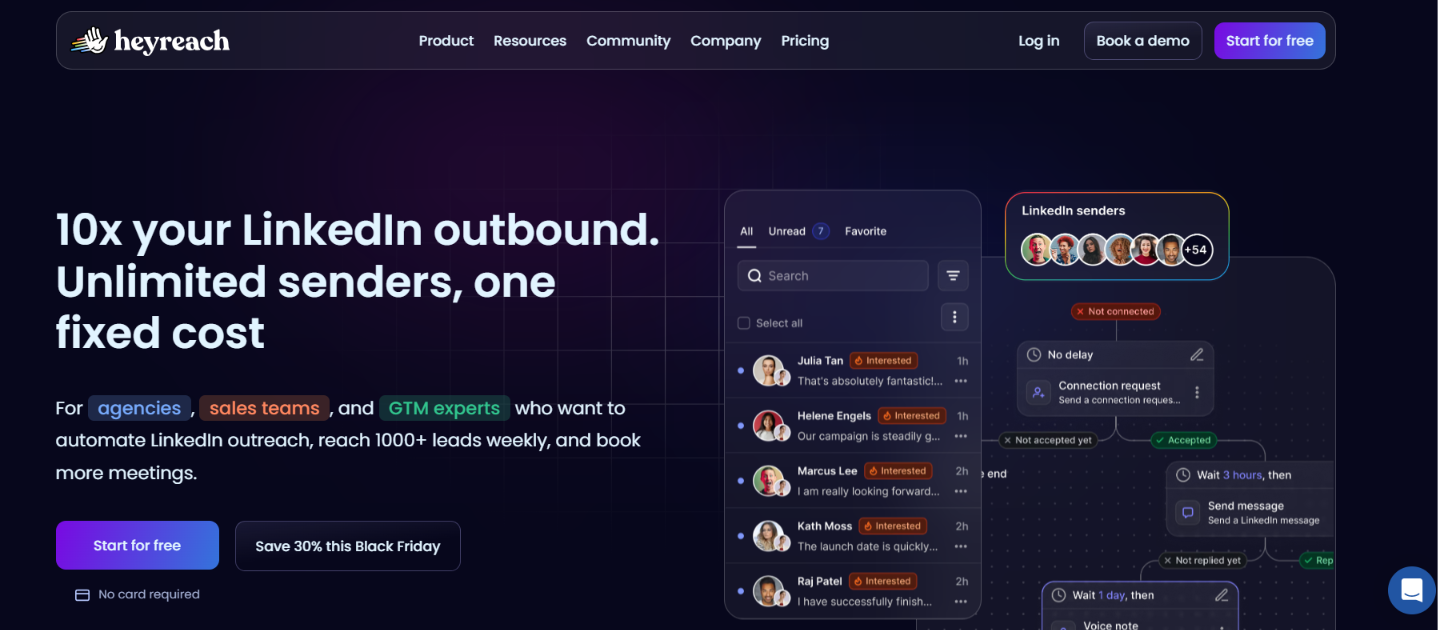
With HeyReach, you get a LinkedIn outreach platform built around multiple sender accounts. You can rotate leads across LinkedIn senders and automate connection requests, messages, InMails, profile views and post likes.
Replies from your campaign senders come into one Unified Inbox. Agencies can also create separate client workspaces and control who can access them. You also get lead imports, reporting, HubSpot sync, API access and connections with tools such as Clay, Make and n8n.
What you don't get is native cold email sending. HeyReach runs LinkedIn outreach itself, but email steps are sent through Instantly, Smartlead or EmailBison. You also don't get email infrastructure or mailboxes inside the subscription. And adding more LinkedIn senders does not remove the activity limits applied to each account.
Here is where HeyReach and Salesforge differ:
HeyReach goes deeper into LinkedIn-first outreach and multi-account management. Salesforge puts cold email and LinkedIn sending inside the same outreach platform, with unlimited LinkedIn senders on its $96 Growth plan.
HeyReach gets mostly positive feedback on G2, but its Trustpilot reviews are more mixed. On G2, HeyReach has a 4.6/5 rating.
Users like how easy it is to set up LinkedIn campaigns and manage multiple accounts.
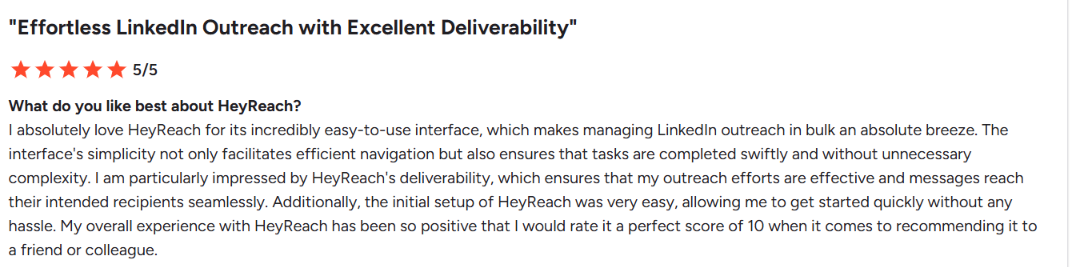
Some also praise the Sales Navigator workflow and reusable campaign templates. The Unified Inbox gets good feedback from users managing replies across different senders.
Users also point out some limitations. Some want more LinkedIn actions and easier lead blacklisting.

Others mention the lack of autosave. Users have also asked for inbound profile-visit triggers and shorter gaps between messages.
On Trustpilot, HeyReach has a lower 3.7/5 rating. Users praise sender rotation and the Unified Inbox. Agency users also mention running outreach across multiple client accounts. The Clay integration gets positive feedback too.
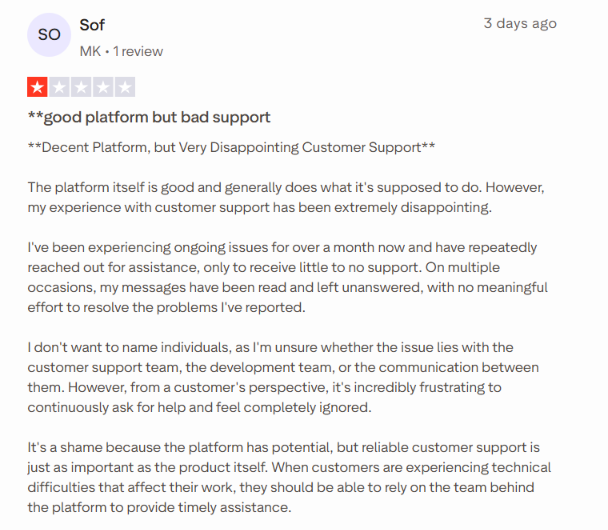
But support comes up repeatedly in the negative reviews. Users report slow responses and technical problems that took too long to resolve. There is also a complaint about MCP data not matching the main HeyReach dashboard.
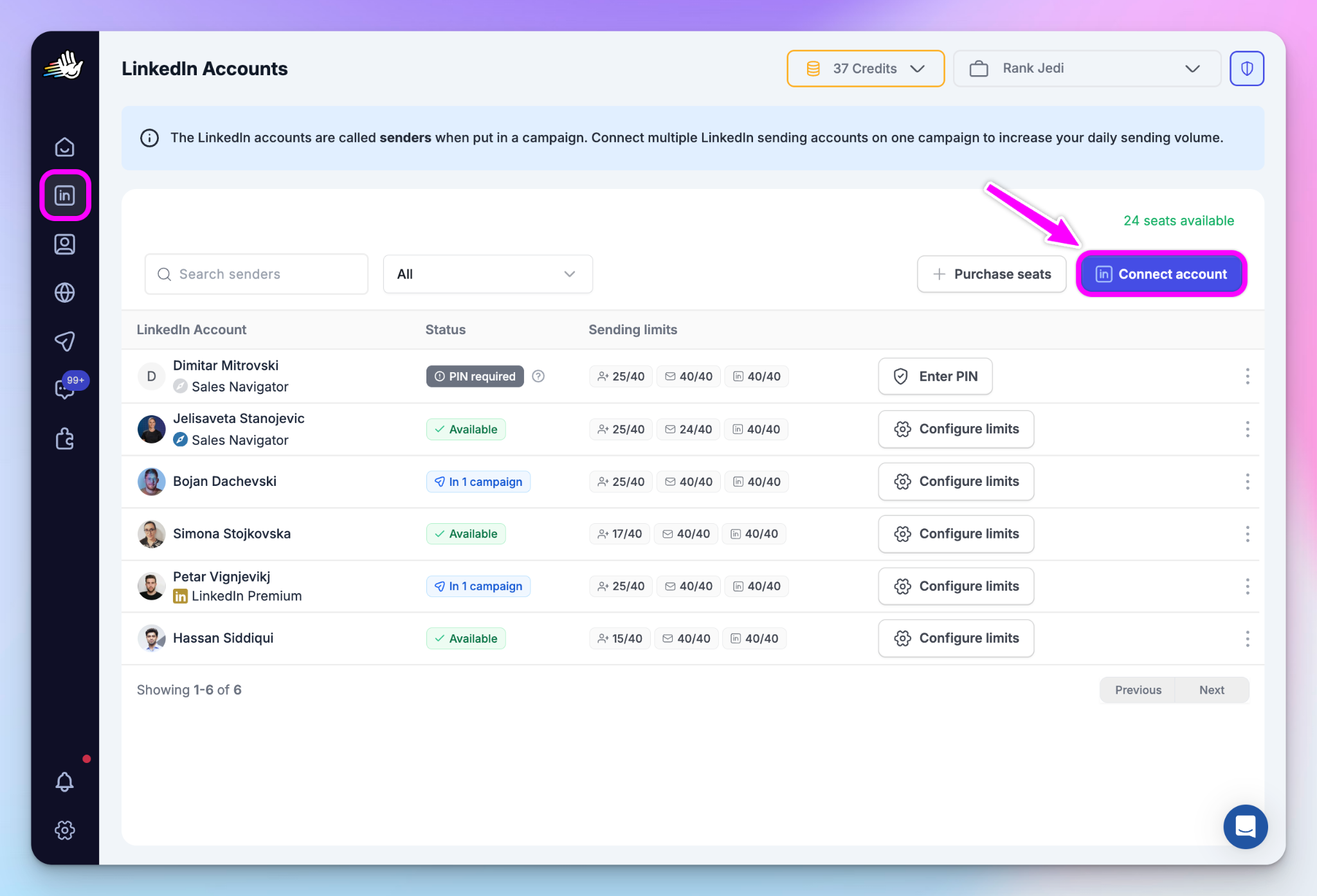
HeyReach takes a list of prospects and runs LinkedIn actions from the sender accounts you connect.
The process looks like this:
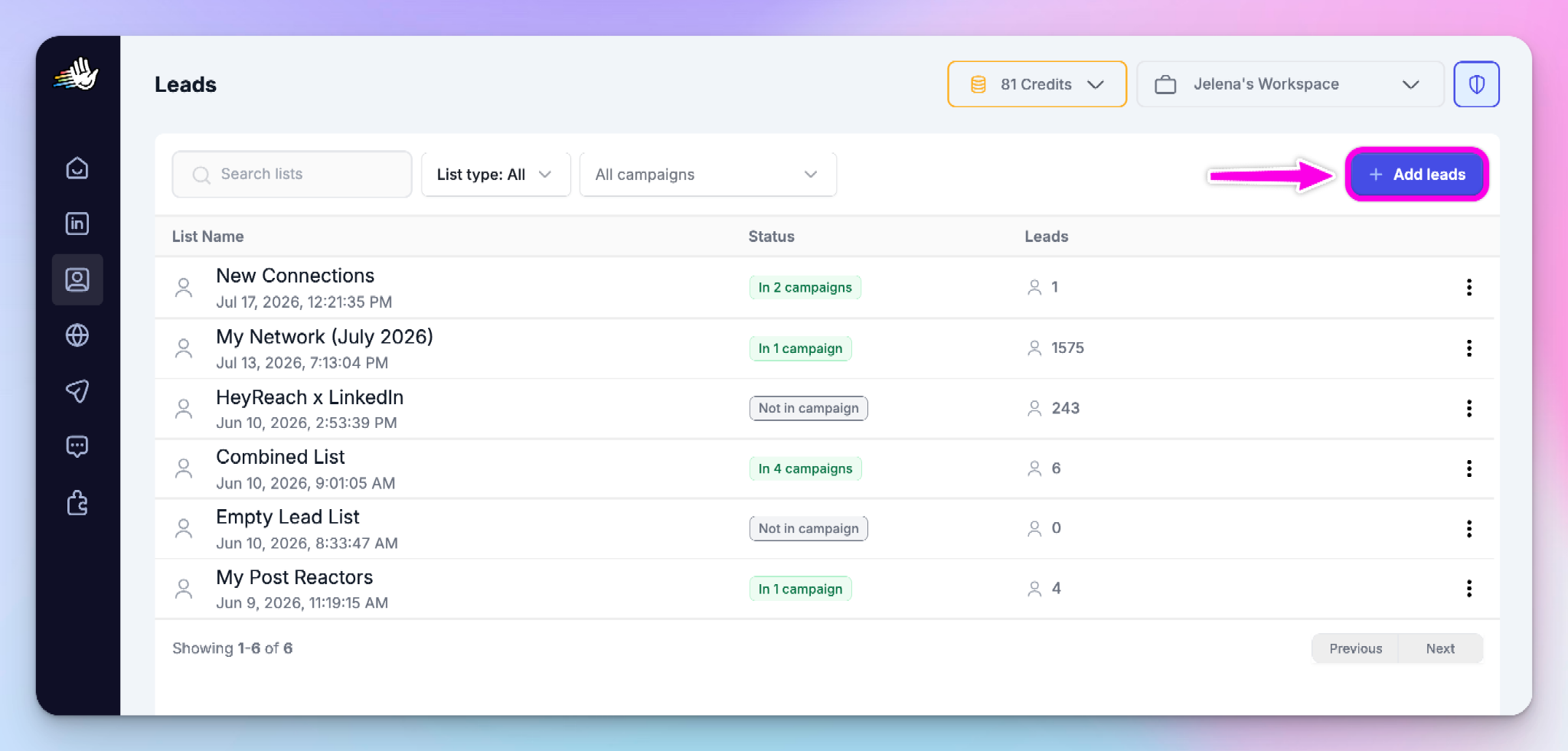
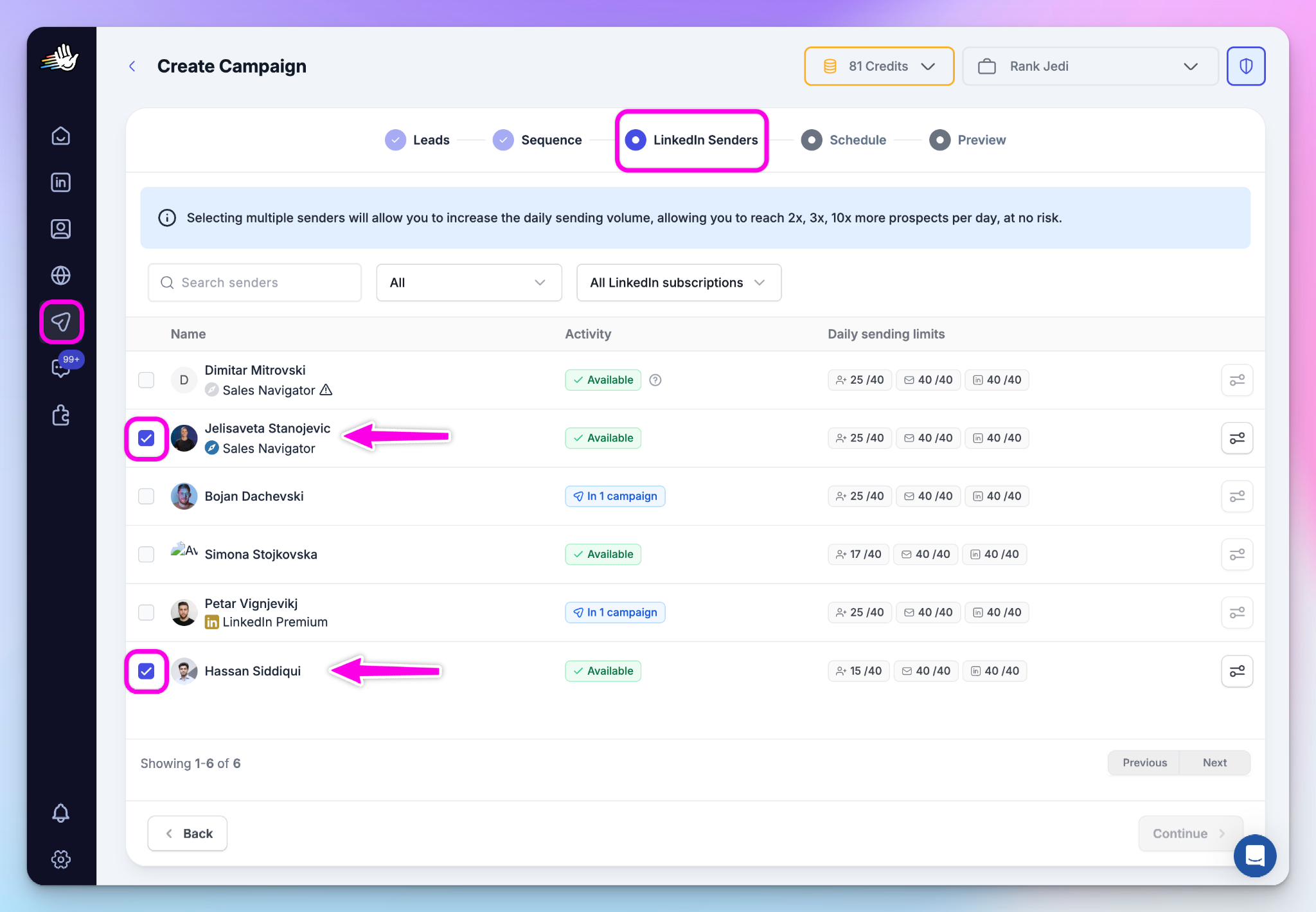
If you want to add cold email, HeyReach can find a prospect's work email and send the lead to Instantly, Smartlead or EmailBison. The email itself is sent by the connected email platform, not HeyReach.
Running one or two LinkedIn accounts is easy enough. At 20, the job changes. I needed to know which accounts were sending, how leads were divided between them, how much each account could safely send, and where all the replies were going.
That is where HeyReach's multi-sender setup became useful.
I did not have to manage 20 separate LinkedIn tabs. HeyReach lets you add multiple LinkedIn accounts as senders under one organization. For agency work, you can also create separate client workspaces so accounts, campaigns, and conversations do not get mixed together.
This mattered more to me at 20 accounts than most of the smaller automation features. I could check campaigns from HeyReach instead of moving between LinkedIn profiles just to see what each sender was doing.
Having 20 accounts would mean very little if I still had to divide every prospect list between them manually.
HeyReach handles that with sender rotation. I could add several LinkedIn senders to the same campaign.
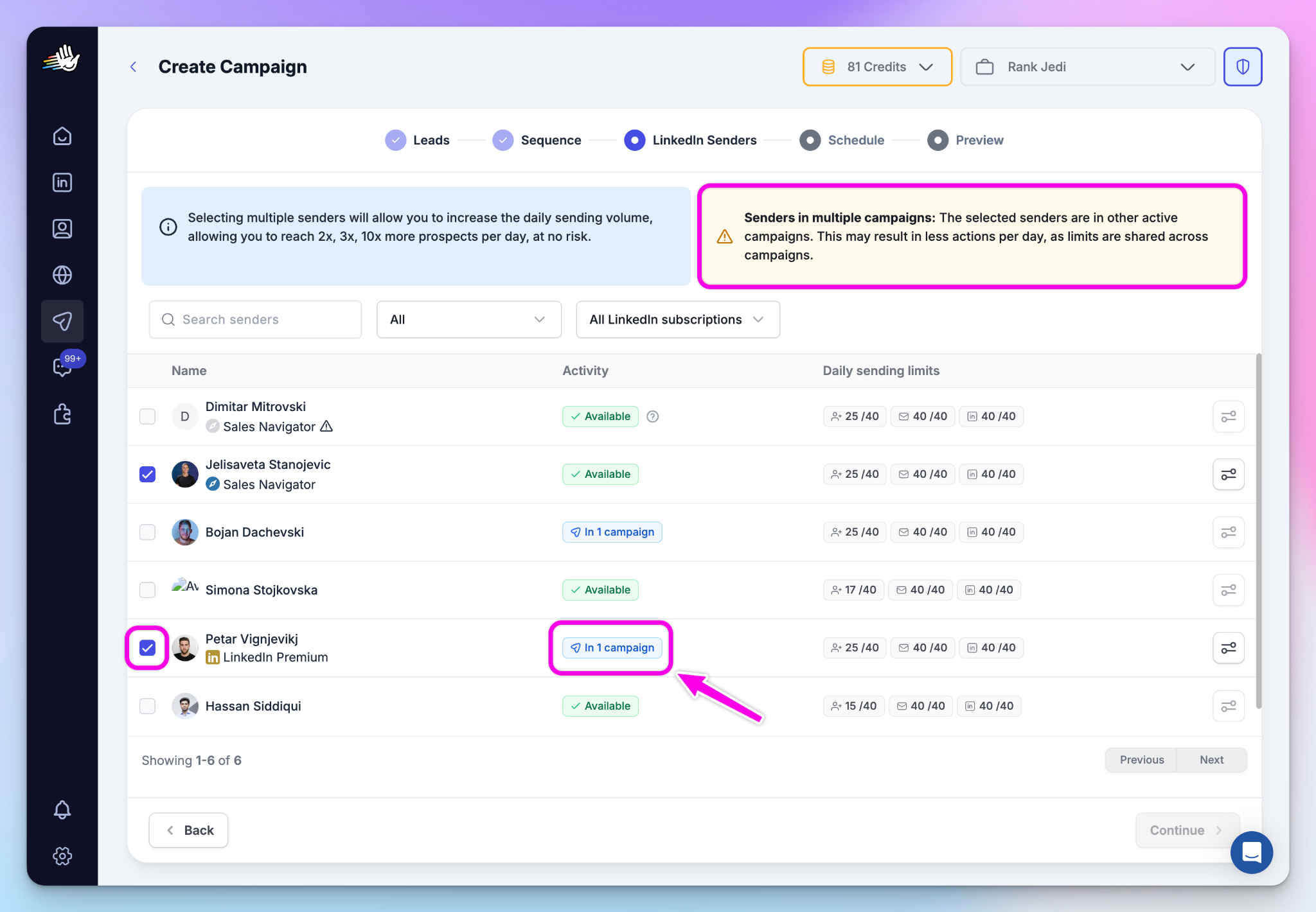
HeyReach then distributes leads across those senders. Sender rotation distributes the leads. It does not combine the sending limits of those accounts. Each LinkedIn account remains a separate sender with its own limits.
HeyReach recommends 25 connection requests per day for a warmed LinkedIn account. You can set the daily limit as high as 40.
With 20 accounts running at the recommended 25:
20 × 25 = up to 500 connection requests per day.
There is also a weekly limit. HeyReach sets a cap of 200 connection requests per sender per week.
If all 20 senders reached that cap, the theoretical upper limit would be:
20 × 200 = 4,000 connection requests per week.
I would not plan around hitting 4,000 every week. LinkedIn can stop individual accounts before they reach 200 requests. HeyReach handles this with Cooldown Mode. If LinkedIn stops a sender because of its weekly limit, connection requests are paused until the limit resets.
HeyReach also uses Locks when it detects pushback from LinkedIn. It delays connection requests for a few hours before trying again.
So 20 accounts give you more total sending room, but each account still has its own LinkedIn limits.
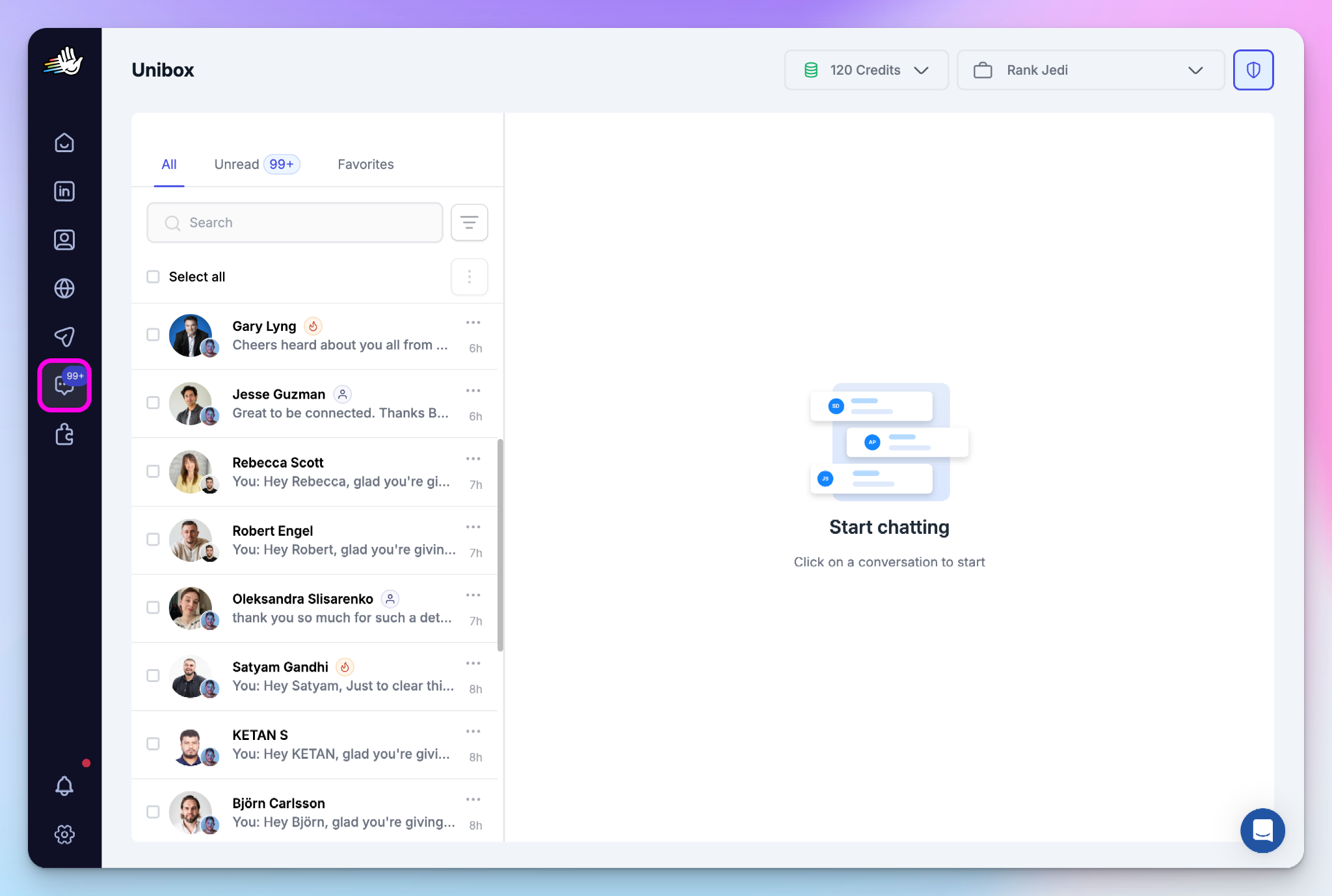
With 20 accounts running, I definitely wasn't going to check 20 LinkedIn inboxes every day. HeyReach pulled all campaign replies into the Unified Inbox. I could filter them by sender, campaign, workspace, response, or tag.
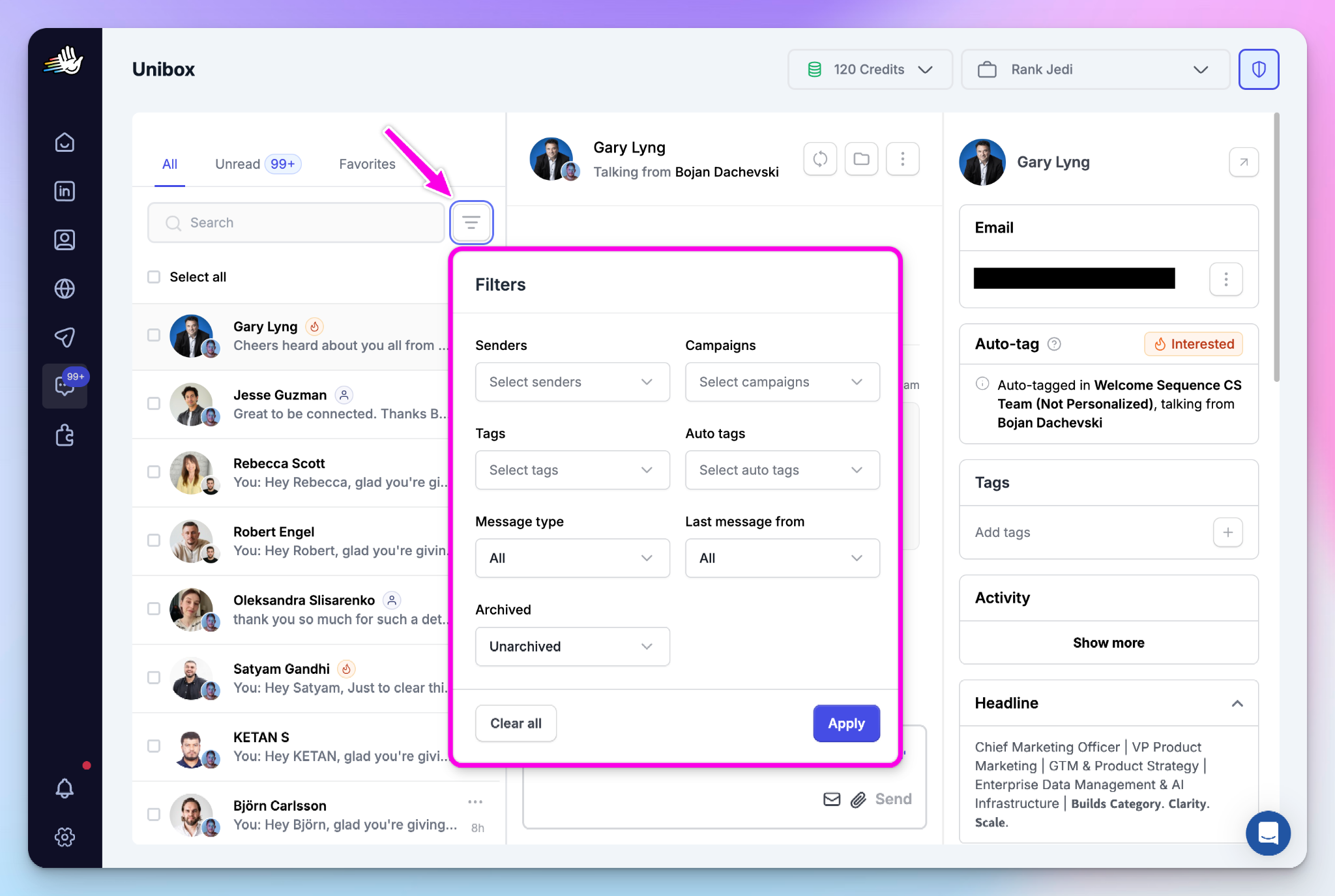
The Interested auto-tag was useful here. Instead of going through every reply, I could filter for leads HeyReach had marked as interested across all 20 senders.
I could also have someone else handle campaign replies without handing over the LinkedIn login. They could reply on the sender's behalf, but private LinkedIn messages stayed hidden.
Managing the campaigns was fairly easy. Keeping all 20 LinkedIn accounts connected was where I had more trouble. I had senders log out and need to be reconnected. With 20 accounts, even a few of these at the same time meant checking which senders were still active before letting campaigns continue.
I found similar complaints on G2:
I didn't run into every issue mentioned in those reviews. But the logout problem was enough to show me that 20 connected accounts still need regular checking.
Beyond sender rotation and the Unified Inbox, these are the other features I found most relevant when running LinkedIn campaigns.
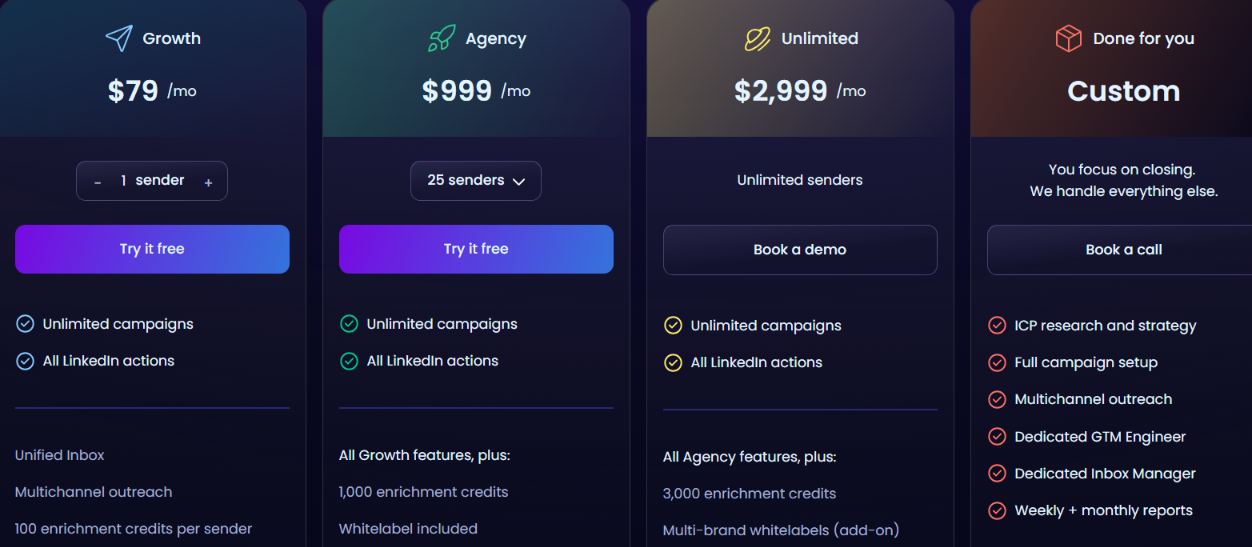
HeyReach charges based on LinkedIn senders. One sender means one LinkedIn account. Teammates, clients and VAs do not cost extra.
Quarterly billing gives you 10% off. Yearly billing gives you 20% off. Growth starts at $79 per sender per month, while Agency gives you 25 senders for $999/month.
At 25 senders, the Agency plan works out to about $40 per sender per month. HeyReach also has an Early Stage Program with discounted pricing. You need to be under $250,000 ARR, have fewer than five people and not already be a HeyReach customer.
HeyReach works best when LinkedIn is a major part of your outbound and several accounts are sending at the same time.
HeyReach is easier to justify when you can use its multi-sender setup properly. For a small LinkedIn setup, $999 for the 25-sender Agency plan is a much harder sell.
If LinkedIn is only one part of your outbound, Salesforge is the HeyReach alternative I would look at.
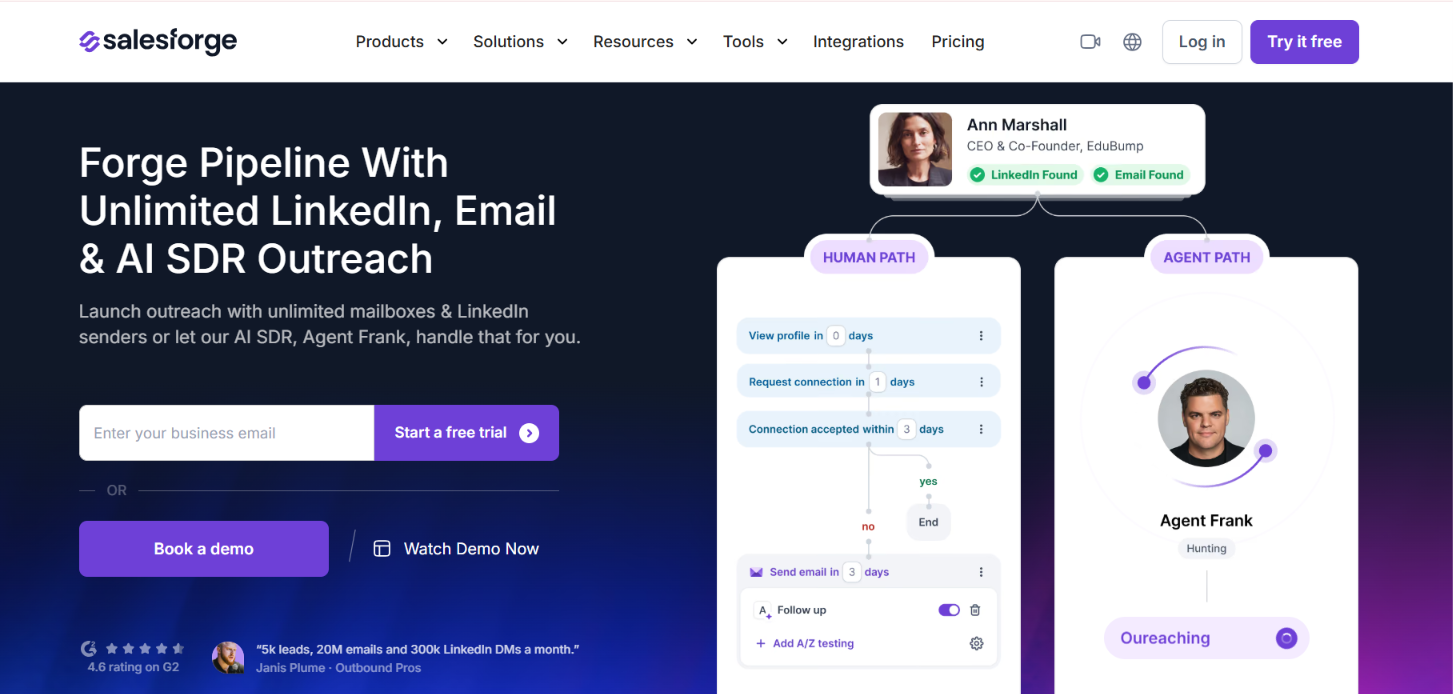
HeyReach runs the LinkedIn side itself, but cold email is sent through Instantly, Smartlead or EmailBison. Salesforge runs both email and LinkedIn steps inside the same campaign.
The price difference gets bigger once you add more senders.
HeyReach puts more of its product around LinkedIn account management, including sender rotation and client workspaces. But the cost rises as you add senders. HeyReach Growth charges per sender, while its Agency plan starts at $999/month for 25 senders.
Salesforge Growth costs $96/month and includes unlimited LinkedIn senders, unlimited connected mailboxes, and both outreach channels in the same platform. That makes it much easier to justify if you need LinkedIn at scale without giving up cold email.
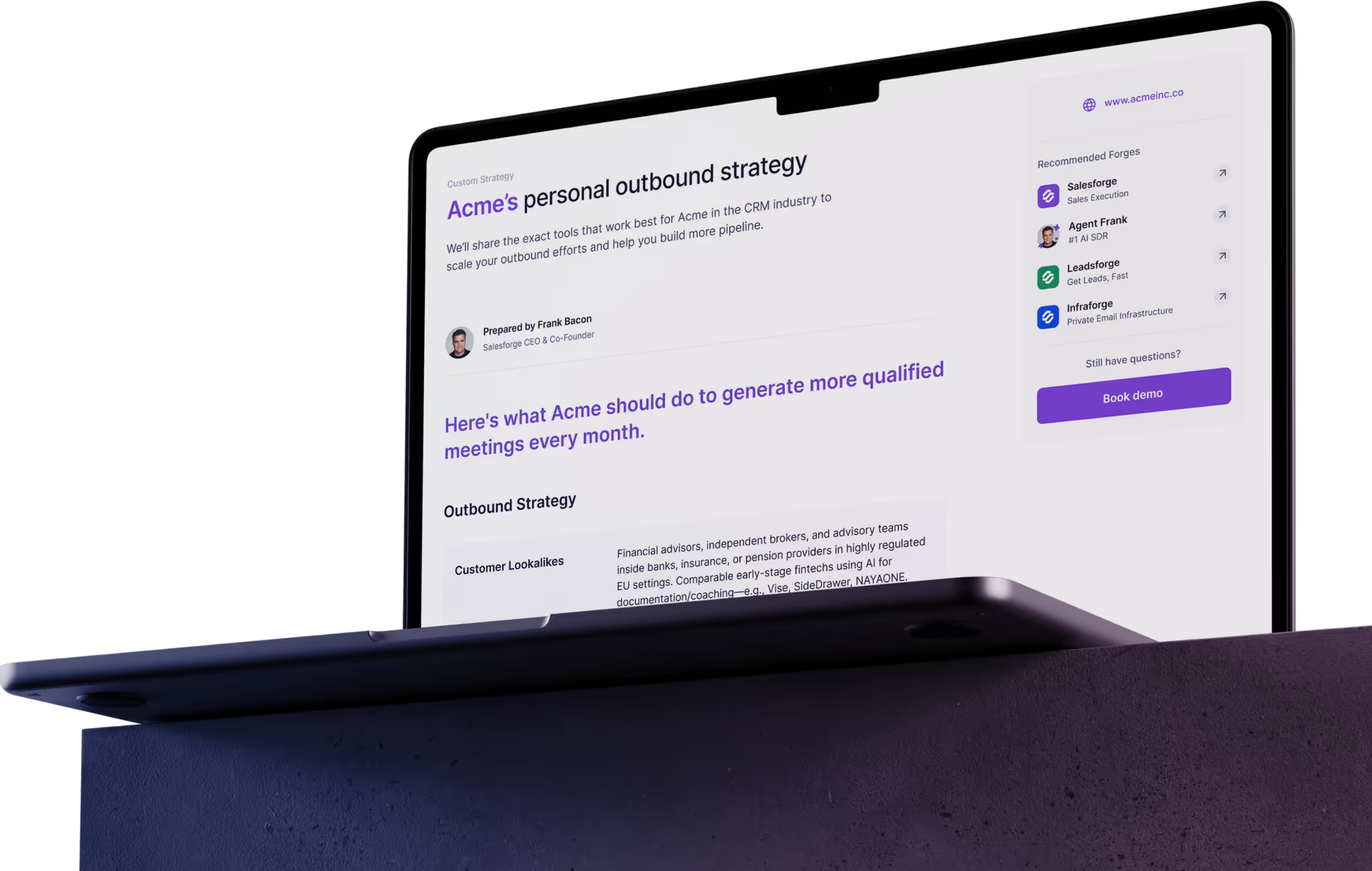
Enter your email to get a custom plan & stack recommendation for your business
Please check your mailbox in 5 minutes
Yes, but mainly for serious LinkedIn outbound.
After six months with 20 accounts, HeyReach proved useful for keeping that setup manageable. The downside is the price. Costs rise as you add senders, and the Agency plan starts at $999/month.
For agencies that depend heavily on LinkedIn, that can still be worth paying for. For smaller setups, the value drops quickly.
And if cold email matters just as much as LinkedIn, I would skip adding another sending tool and look at Salesforge. You can run both channels from one place, with unlimited LinkedIn senders on the $96 Growth plan.
Try Salesforge free for 14 days to see how it fits your email and LinkedIn outreach.