
If you’re here, you want a clear picture of what Inframail actually delivers in 2026. Not hype! real performance.
You want to know:
To simplify this for you, we analyzed over 100 real user reviews from various platforms like Slack communities, Reddit, LinkedIn, and Twitter. We identified the most significant aspects of user experiences, including both positive and negative feedback, as well as the key elements that are crucial for effective daily cold outreach.
Key Takeaways
Get Mailforge for just $2–$3 per mailbox and scale your outreach smoothly.
Inframail is a cold email infrastructure platform that helps you set up multiple email inboxes in seconds.
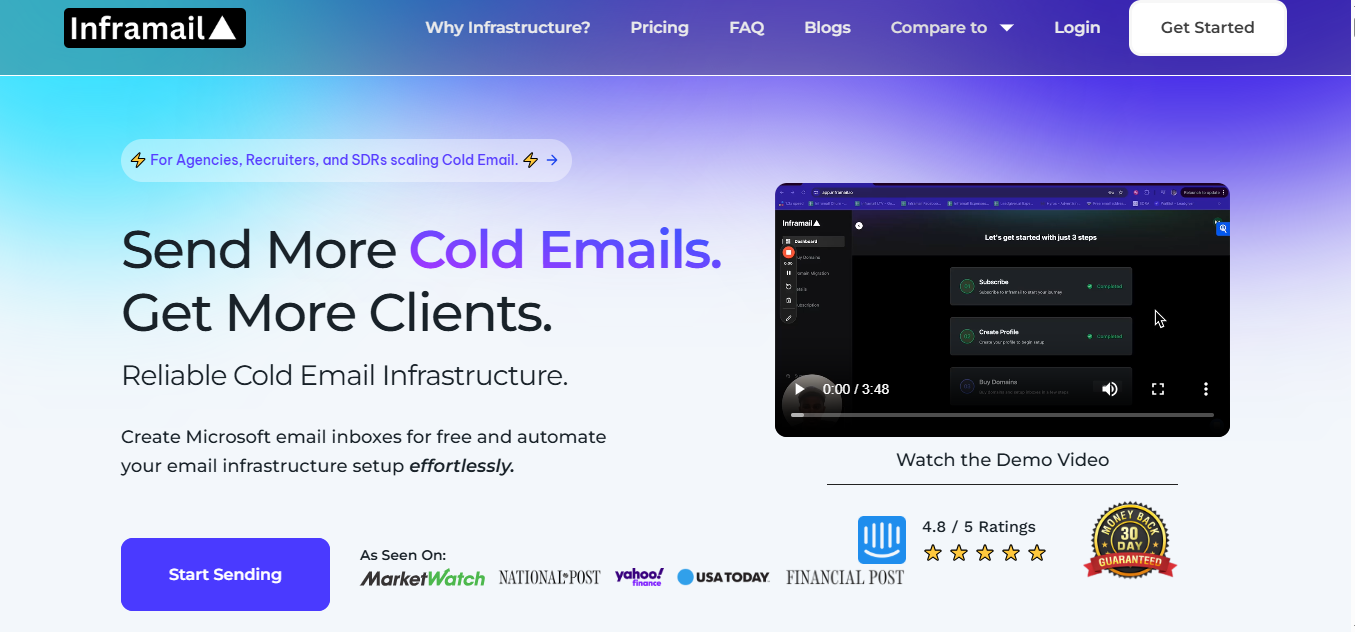
It gives you unlimited inboxes for one flat price, so you don’t have to pay for Google Workspace or Outlook again.
It also sets up SPF, DKIM, and DMARC for you automatically, so you don’t deal with any technical work.
It also runs on Microsoft’s cloud, which keeps your inbox hosting reliable.
And once your inboxes are ready, you can export them to Instantly, Smartlead, or Reachinbox to start sending your campaigns.
Inframail works in a simple three-step flow:
1. Buy or add your domain
You can buy new domains inside Inframail or bring your own from places like GoDaddy or Namecheap.
2. Inframail sets everything up for you
It automatically adds SPF, DKIM, DMARC, redirects, and forwarders.
You don’t touch any technical settings.
3. Export your inboxes and start sending
Once the inboxes are ready, you send them to tools like Instantly, Smartlead, or Reachinbox and begin your cold outreach.
All the slow, manual setup work is finished for you in a few seconds.
Get Mailforge for $2–$3 per mailbox and set up your entire cold email infrastructure in under 5 minutes.
Here are the main features Inframail actually gives you:
You can create unlimited inboxes under one plan, with no extra cost per inbox.
This makes it easier to scale cold outreach without paying for separate hosting.
Inframail sets up all the essential records for you. SPF, DKIM, and DMARC are created automatically, so you don’t have to deal with any technical setup.
Inframail is built on Microsoft’s cloud platform.
This means your inboxes sit on well-known, reputable infrastructure that is suitable for cold email.
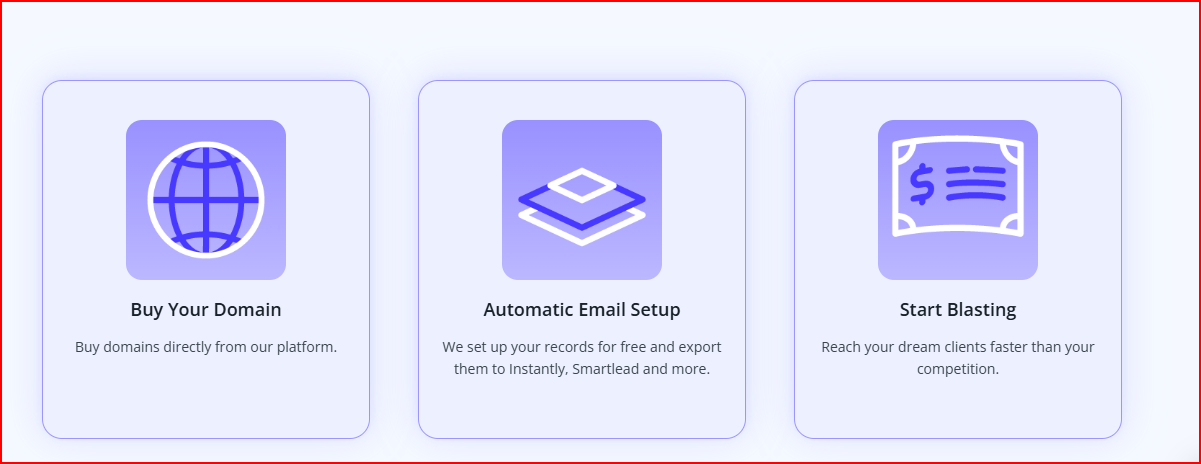
You can buy a domain inside Inframail and turn it into ready-to-use inboxes within seconds.
The setup includes automatic records and 3-click mailbox creation.
Inframail includes a Phantom redirect feature that hides your domain redirects from ESPs, helping you keep your sending cleaner during cold outreach.
Inframail gives you a dashboard with your domain and IP health.
It checks blacklist status and can auto-submit delisting requests with a 68.3% success rate.
You can add a custom tracking domain to your inboxes, and Inframail sets it up automatically based on the sending tool you use.
Your inboxes can be exported directly to Instantly, Smartlead, or Reachinbox so you can start sending right away.
Inframail does make inbox setup easy, but there are a few things you should keep in mind before using it:
You don’t get domains with your plan. You must buy your own domains separately.
Inframail only handles the inbox creation, not the domain cost.
Even though inboxes are created fast, each inbox still needs at least two weeks of warm-up before you send higher volumes.
Inframail only provides the inboxes.
You still need tools like Instantly, Smartlead, or Reachinbox to send and manage your campaigns.
Inframail says one domain can safely support 3 inboxes, and each inbox can send about 50 emails per day.
If you want to scale more, you’ll need more domains.
Bringing your own domains into Inframail costs $5 per domain, and the transfer takes about 24 hours.
Inframail has three main plans, each meant for a different type of cold email user.
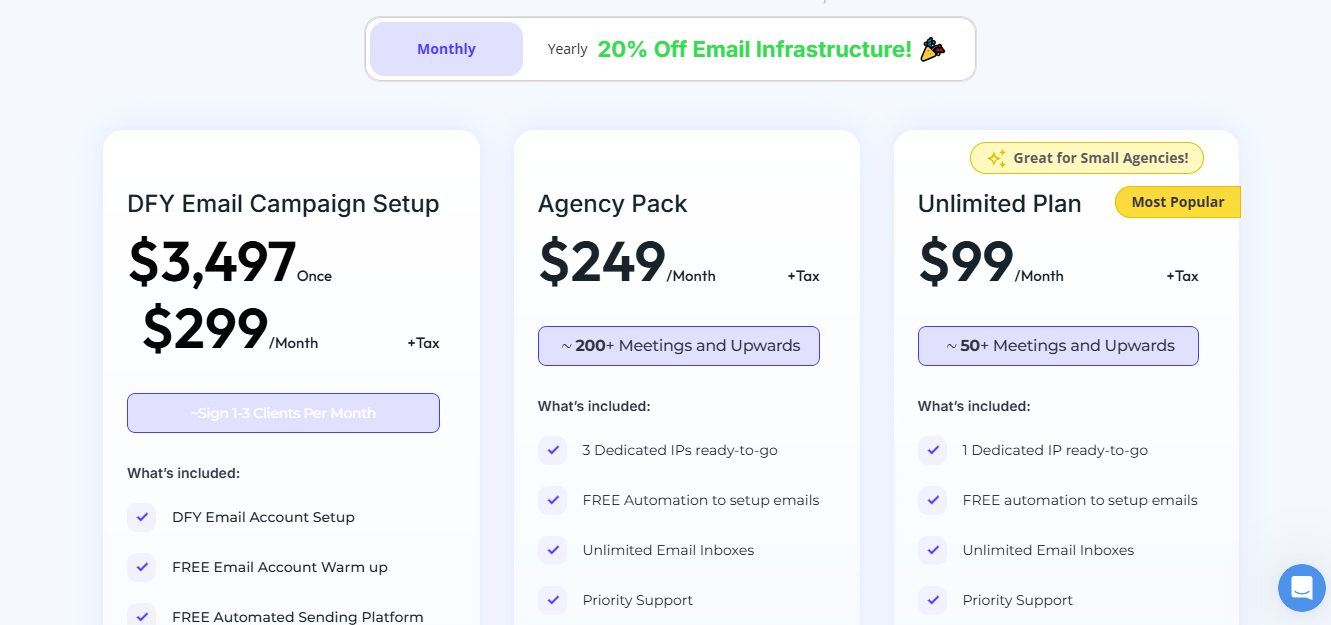
This plan is for people who want everything done for them.
It includes full inbox setup, warmup, a sending platform, a cold email coach, a clean list of 2,500 contacts, and extra resources like an AI deliverability consultant and training.
This plan is built for larger teams.
You get 20 free domains, 3 dedicated US IPs, unlimited inboxes, unlimited domain setups per day, priority support, and a 1-on-1 deliverability consultant.
This plan is for smaller teams or solo senders.
It gives you 20 free domains, 1 dedicated US IP, unlimited inboxes, unlimited domain setups, priority support, and a deliverability consultant.
Here’s a quick look at the most common things users liked and didn’t like after using Inframail at scale.
“I can set up inboxes in 5 minutes while saving money on Google Workspace subscriptions and benefit from great deliverability.” - Lorenzo Garufi,Trustpilot


This means scaling requires buying and managing more domains.
After analyzing 100+ real-world use cases, Inframail clearly attracts a specific type of outbound-focused user.
These are the ones that rely on it most:
Mailforge is a distributed email infrastructure tool that lets you create domains and mailboxes in minutes, with automated DNS setup and low per-mailbox pricing designed specifically for cold outreach.
If your goal is to run cold email at a bigger scale, more domains, more mailboxes, more daily sending, Mailforge has a few clear advantages over Inframail.
Mailforge costs $3 to $2 per mailbox per month, which makes it a cost-friendly option for teams that scale their outreach across many domains and mailboxes.
Mailforge charges $2–$3 per mailbox, which is extremely cost-effective when you need 20, 50, or 200 inboxes.
With Inframail, you’re tied to plan-based pricing, so scaling isn’t as cost-sensitive or flexible.
This one factor alone can reduce monthly costs massively at scale.
Instead of managing your own dedicated IPs like Inframail, Mailforge spreads your mailboxes across a cold-outreach-optimized shared IP pool.
This means:
It’s simply easier and safer when your mailbox count grows fast.
When you add a domain, Mailforge instantly configures:
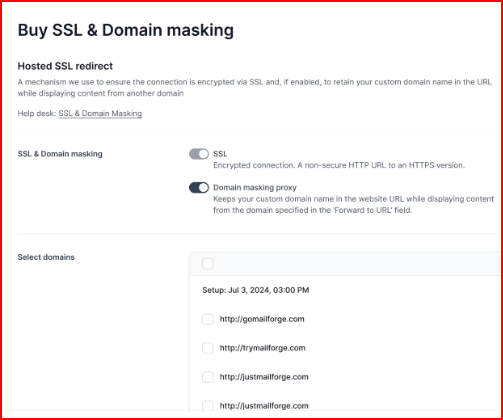
This is a full-stack setup workflow, not just DNS automation.
When you're adding dozens of domains, this saves hours of repeated work and keeps everything consistent.
Scaling means more domains, sometimes a lot more.
Mailforge handles this cleanly with:
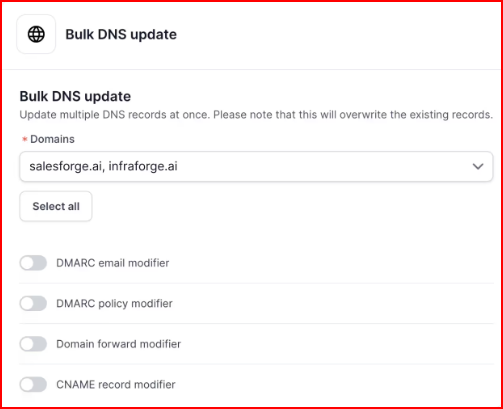
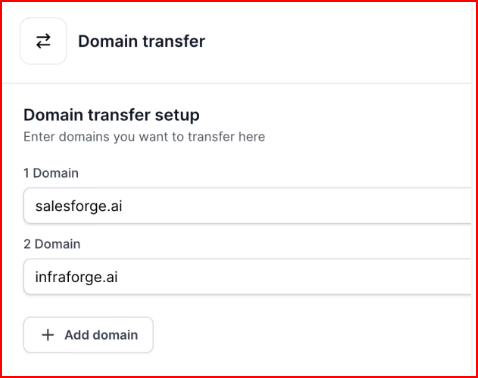
If you're running outreach for clients or across multiple brands, this setup is far smoother than Inframail’s one-by-one domain management approach.
SSL and domain masking add protection to keep your identity clean and reduce domain footprints when sending at higher volumes.
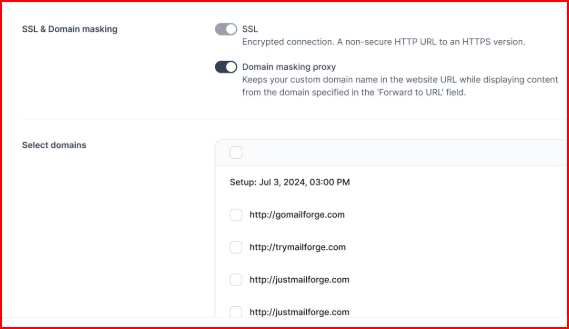
These features matter much more once you’re operating at scale.
Mailforge doesn’t force you into a new ecosystem.
It works smoothly with Salesforge or any other sending software, which means you can scale without switching tools or rebuilding setups.
Inframail is a good choice if you want a simple, fast way to set up cold email inboxes without touching DNS or any technical details.
It gets things running quickly, and most teams like it for the time it saves.
The limitations show up when you start scaling.
You still need separate sending and warmup tools, and your overall volume depends on how many domains you can buy and manage.
For some teams, that can feel a bit limiting over time.
This is why many teams also look at Mailforge.
With $2–$3 mailbox pricing, a shared IP system built for cold outreach, and more automation around setup, it’s easier to scale when you need more mailboxes without adding extra complexity.
Start with Mailforge and set up your scalable cold email infrastructure in minutes
