Mailforge helps you create domains and mailboxes in minutes and scale outreach at an affordable cost.
Infraforge offers private infrastructure with dedicated IPs for teams that want more control.
Primeforge provides Google Workspace and Microsoft 365 mailboxes prepared for cold outreach.
Mailscale focuses on generating a large number of inboxes quickly.
Hypertide automates inbox infrastructure across Google, Microsoft, and Entra.
What Is a Mailbox Automation Tool and Why Does It Matter for Scaling Outreach
A mailbox automation tool helps you create and manage multiple sending mailboxes from one place.
Instead of setting up each inbox manually and managing them separately, these tools make it easier to set up, organize, and manage many mailboxes together.
This becomes especially helpful when your sales outreach grows, and you need more sending inboxes to run your campaigns.
Quick Comparison of the 5 Best Mailbox Automation Tools
Tool
Infrastructure Type
Setup Time
Setup Automation
Scaling Capability
Starting Price
Mailforge
Shared IP infrastructure
Minutes
Automated DNS setup and bulk DNS updates
Unlimited scaling as you add domains and mailboxes
~$3 per mailbox/month
Infraforge
Private infrastructure with dedicated IPs
~5 minutes
Automated DNS setup with infrastructure control
Unlimited scaling with dedicated IP infrastructure
~$4 per mailbox/month
Primeforge
Google Workspace & Microsoft 365 infrastructure
~30 minutes
Automatically configured Google and Microsoft mailboxes
Scales by adding more Google or Microsoft mailboxes
~$4.5 per mailbox/month
Mailscale
Self-hosted inbox infrastructure
Seconds
Automated inbox generation
Can generate hundreds or thousands of inboxes quickly
From ~$1 per inbox/month
Hypertide
Infrastructure across Google, Microsoft & Entra
~4–6 hours
Fully automated infrastructure setup
Around 5,000 emails/month per order
$50/month per order
Now, let's know about each in detail.
1. Mailforge - Best for shared IP distributed email infrastructure
Mailforge is a shared IP distributed email infrastructure that helps you create unlimited domains and mailboxes for cold email outreach in minutes.
When you add a domain, the platform automatically configures important DNS records like SPF, DKIM, and DMARC, along with custom domain tracking.
This means you don’t have to handle the technical setup yourself.
It also supports bulk DNS updates, so you can update records across multiple domains instead of doing them one by one.
You can transfer domains into Mailforge, organize infrastructure using multiple workspaces, and connect it with any cold email sending software you want to use.
Because the setup is guided step by step, many teams can get their domains and mailboxes ready in minutes and start preparing their outreach infrastructure quickly.
Key Features
Automatically sets up SPF, DKIM, DMARC, and domain tracking when you add a domain
Helps you update DNS records for multiple domains at once
Guided setup to create domains and mailboxes quickly
Pricing
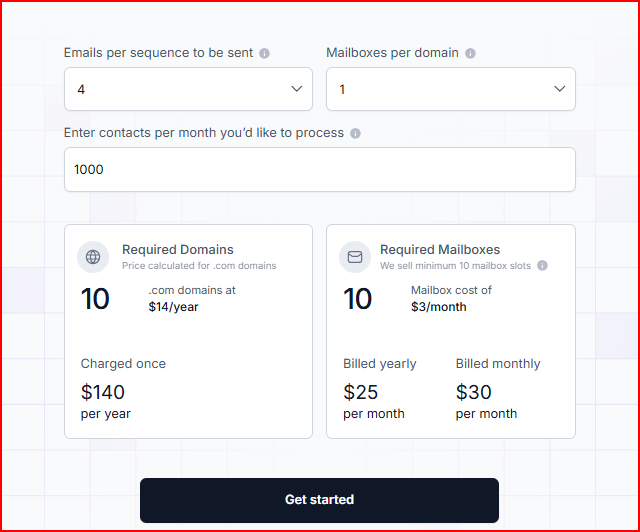
Mailforge pricing mainly depends on domains and mailbox slots.
This image shows the Mailforge pricing
Domain Cost
Domains are purchased separately.
Example:
.com domains cost around $14 per year
Mailbox Plan
Mailforge uses a mailbox slot system, and you need to purchase at least 10 mailbox slots.
$3 per mailbox per month
Around $25 per month when billed yearly for 10 mailboxes
Around $30 per month when billed monthly
Mailbox slots allow you to delete old mailboxes and create new ones within the same slots without extra cost, since pricing is based on slots.
Each mailbox includes automated DNS setup for SPF, DKIM, and DMARC. It also includes inbox hosting and ongoing mailbox maintenance.
Optional Add-On
SSL and Domain Masking
Around $2 per domain per month (billed monthly)
Around $6 per domain per year when billed yearly
Pros
Infrastructure setup that normally takes hours can be done in minutes
Bulk DNS updates make it easier tomanage many domains without updating records one by one.
Makes it possible to scale outreach without worrying about mailbox limits.
Handles most of the technical configuration automatically
Cons
Advanced features like SSL & Domain masking are only available throgh adds on, which cost extra.
You need to start with at least 10 mailbox slots to use the infrastructure
Personalized Outbound Strategy
Get The Right Outbound Strategy In Minutes
Enter your email to get a custom plan & stack recommendation for your
business
It's being carefully crafted by AI
Please check your mailbox in 5 minutes
2. Infraforge - Best for Private Email Infrastructure With Dedicated IPs
Infraforge is a private email infrastructure tool that runs on dedicated IPs and helps you create domains and mailboxes for cold outreach.
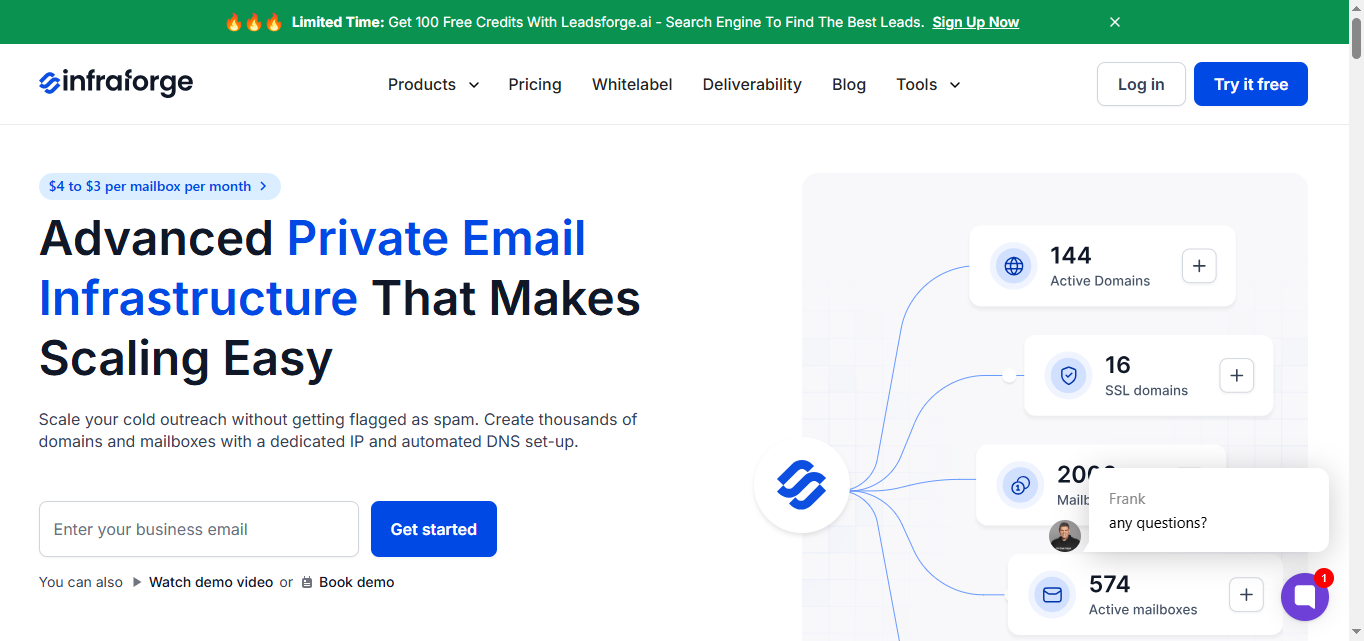
This image shows the Infraforge homepage
Instead of using shared infrastructure, Infraforge gives you dedicated servers and IPs for your mailboxes, which means you have more control over your email setup.
When you add a domain, it automatically configures SPF, DKIM, and DMARC records, so you don’t have to deal with the technical setup.
It lets you update DNS records in bulk, transfer domains into the platform, and organize everything using multiple workspaces.
It also includes features likeIP rotationand smart sending limits, to help manage sending activity as outreach grows.
If you want to start faster, you can also use pre-warmed domains and mailboxes.
Everything is managed from a simple dashboard, and the infrastructure works with Salesforge, other sending tools, and the Infraforge API.
Key Features
Uses dedicated IPs for your mailboxes, giving you your own sending infrastructure
Automatically sets up SPF, DKIM, and DMARC when you add a domain
Lets you update DNS records for many domains at once with bulk DNS updates
Allows you to transfer domains into Infraforge if you already own them
Masterbox lets you see emails across all accounts in one place
Works with Salesforge or any other sending software
Includes an API if you want to connect it with your other tools
Pricing
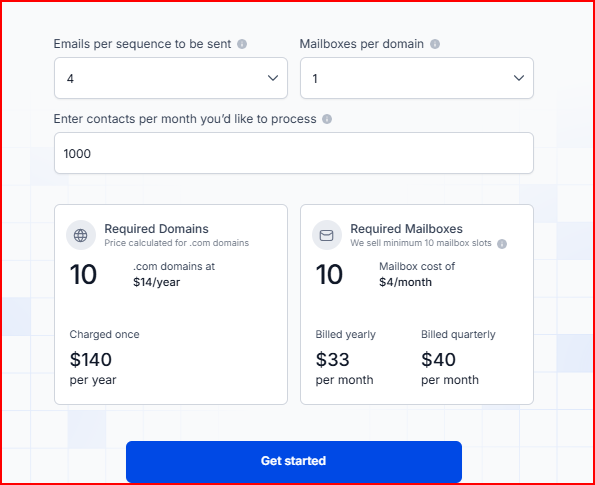
Infraforge pricing is based on domains and mailbox slots.
This image shows the Infraforge pricing
Domain Cost
Domains are purchased separately.
Example:
.com domains cost around $14 per year
Mailbox Plan
Infraforge uses a mailbox slot system, and you need to start with at least 10 mailbox slots.
$4 per mailbox per month
Around $33 per month when billed yearly for 10 mailboxes
Around $40 per month when billed quarterly
Mailbox slots allow you to delete old mailboxes and create new ones within the same slots, since pricing is based on slots.
Each mailbox includes automated DNS setup for SPF, DKIM, and DMARC.
It also includes inbox hosting and maintenance, along with access to the Infraforge API.
Optional Add-Ons
SSL & Domain Masking
Around $2 per domain per month (billed quarterly)
Around $6 per domain per year (billed annually)
Additional IP Addresses
Around $99 per IP address per month
Masterbox
Around $7 per workspace per month (billed annually)
Around $9 per workspace per month (billed quarterly)
Pros
Dedicated IP infrastructure gives you more control over your sending setup
Makes it easier to manage large numbers of domains and mailboxes from one dashboard
You can start sending right away after setup, choosing prewarmed domains without waiting for a long warmup period.
Cons
Domains need to be purchased separately.
You must start with at least 10 mailbox slots to begin using the infrastructure
3. Primeforge - Best for Google Workspace & Microsoft 365 Mailboxes for Cold Outreach
Primeforge is a cold email infrastructure tool that provides real Google Workspace and Microsoft 365 mailboxes configured for cold outreach.
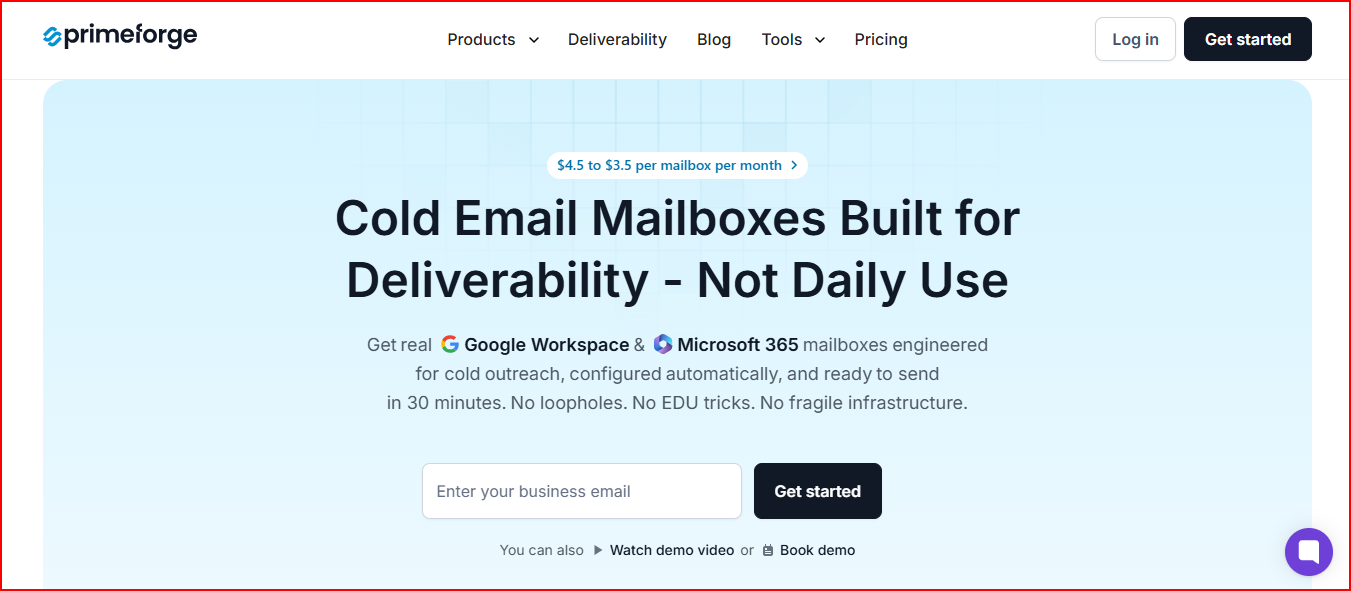
This image shows the Primeforge homepage
Instead of creating these accounts manually and configuring everything yourself, Primeforge prepares them for you.
The mailboxes are automatically configured with DNS records like SPF, DKIM, and DMARC, and they can be ready to use in about 30 minutes.
The mailboxes run on US-based IP addresses and are designed specifically for cold outreach workflows.
Because most prospects use Google Workspace or Microsoft 365 for email, sending from the same providers helps keep your outreach setup aligned with those systems.
You can also connect the mailboxes directly to Salesforge or any other outreach tool, so there is no need for complicated integrations or migrations.
Primeforge also supports pre-warmed mailboxes and bulk DNS setup.
It helps teams manage multiple domains and mailboxes more easily as outreach grows.
Key Features
Provides real Google Workspace and Microsoft 365 mailboxes for outreach
Mailboxes can be ready in about 30 minutes
Automatically sets up SPF, DKIM, DMARC, and DNS records
Offers pre-warmed mailboxes ready to connect to sending tools
Uses US-based IP addresses
Allows bulk DNS updates for domains
Let's you organize infrastructure using multiple workspaces
Works with Salesforge and any outreach software
Let's you add mailbox profile pictures or GIFs
Includes an API for connecting with other tools
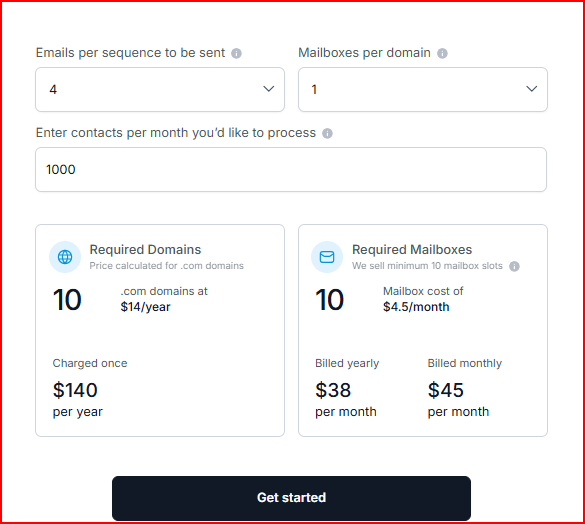
Pricing
Primeforge pricing is based on domains and mailbox slots.
This image shows the Primeforge pricing
Domain Cost
Domains are purchased separately.
Example:
.com domains cost around $14 per year
Mailbox Plan
Primeforge uses a mailbox slot system, and the minimum requirement is 10 mailbox slots.
$4.5 per mailbox per month
Around $38 per month when billed yearly for 10 mailboxes
Around $45 per month when billed monthly
Mailbox slots allow you to replace or create new mailboxes within the same slots, since pricing is based on the number of slots.
Each mailbox includes automated DNS setup for SPF, DKIM, and DMARC.
You also get inbox hosting and maintenance, customer support, and access to the Primeforge API.
Pros
Mailboxes can be prepared and ready to connect to outreach tools in about 30 minutes
Using Google Workspace or Microsoft mailboxes helps outreach look more like normal business communication.
Pre-configured mailboxes help teams avoid manual setup and start campaigns faster.
Sending from the same provider as your prospect will help your emails reach their inbox instead of spam.
Makes it easier to manage multiple mailboxes and domains from one place
Cons
Domains need to be purchased separately
You must start with at least 10 mailbox slots to use the infrastructure
4. Mailscale - Best for Quickly Creating Large Numbers of Cold Email Inboxes
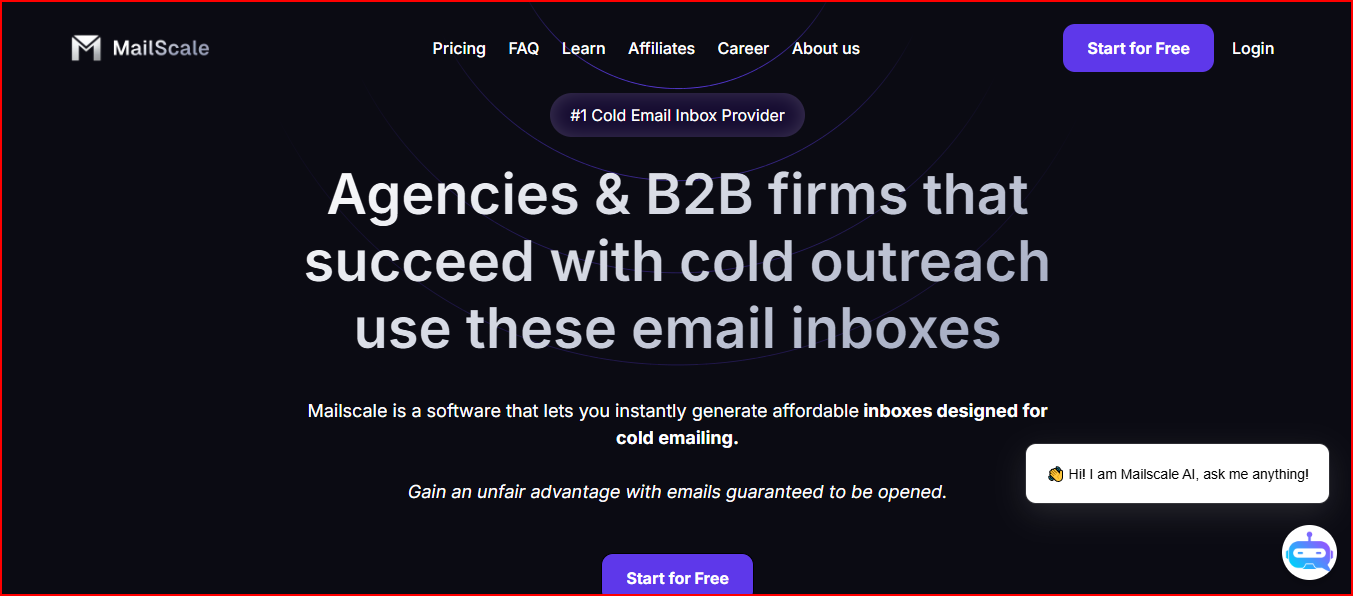
Mailscale is a tool that helps you generate many email inboxes for cold outreach very quickly.
This image shows the Mailscale homepage
You can create dozens or even hundreds of inboxes in seconds, and then connect them to your email sending tool.
The platform also lets you buy or add domains inside Mailscale, after which the system configures the technical setup automatically.
Once the inboxes are created, you receive a CSV file with all email account details, which you can import directly into your outreach tool.
These inboxes can be used with many sending platforms such as ZoomInfo, Instantly, Smartlead, Apollo, Reply, Lemlist, and Mailshake.
Key Features
Automatically configures SPF, DKIM, and DMARC for domains
You can buy domains inside Mailscale or bring your own
Provides a CSV file with inbox credentials to import into sending tools
Works with many outreach tools like Instantly, Smartlead, Apollo, Reply, Lemlist, and Mailshake
Mailboxes can start from around $1 per inbox per month, which is lower than the cost of creating similar accounts through providers like Google Workspace or Outlook.
Domain Cost
Domains are required to create email accounts.
Domains can be purchased inside Mailscale for about $10–$15 per year
You can also bring your own domains for about $2 per domain
Pros
Makes it possible to generate many inboxes very quickly
Costs less compared to setting up a similar number of accounts through traditional email providers
Easy to connect the created inboxes with many cold email sending tools
Cons
Domains are still required to create inboxes
The platform mainly focuses on creating inboxes, so you still need a separate tool to send campaigns
5. Hypertide - Best for Automated Email Infrastructure Across Google, Microsoft, and Entra
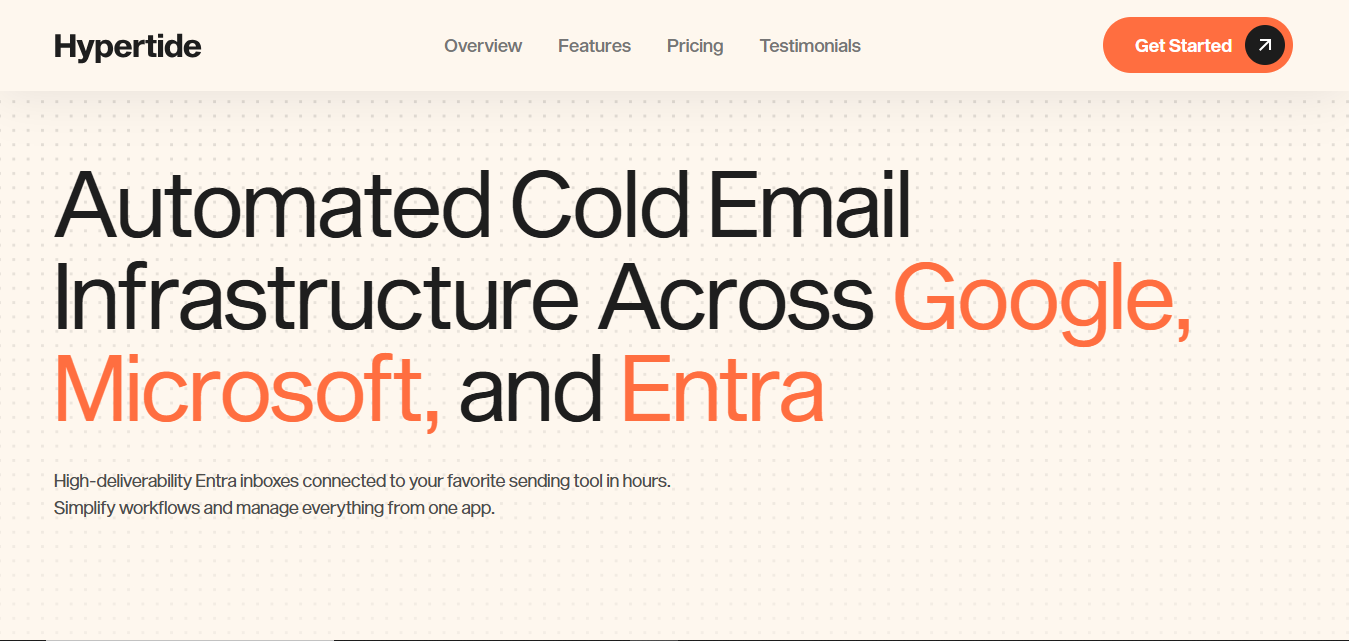
Hypertide is a platform that helps you automate cold email inbox infrastructure across Google, Microsoft, and Entra accounts.
This image shows the Hypertide homepage
It handles the infrastructure setup for you and prepares inboxes in about 4–6 hours, so you can connect them to your sending tool without doing the technical setup yourself.
Each order is placed in its own separate tenant, meaning the domains, IPs, and users are isolated from others.
This setup helps teams manage inboxes independently without sharing infrastructure.
Hypertide also connects with sending tools like Smartlead, Instantly, and Bison, allowing you to link the created inboxes directly to your outreach workflows.
Key Features
Automates email infrastructure setup across Google, Microsoft, and Entra
Inbox setup is usually completed in about 4–6 hours
Automatically configures SPF, DKIM, and DMARC
Uses tenant separation, so each setup has separate domains, IPs, and users
Supports integration with Smartlead, Instantly, and Bison
Includes tools that help update warmup settings in bulk
Let's you manage inbox infrastructure from one dashboard
Pricing
Hypertide pricing is based on orders, with each order including inbox infrastructure.
Monthly Plan
$50 per month per order
Each order includes:
Compatibility with Google, Microsoft, and Entra
Pre-configured SPF, DKIM, and DMARC
Optimized inbox warmups
50 inboxes automatically linked to Smartlead, Instantly, or Bison
Around 5,000 emails per month sending capacity
Setup Cost
There is also a one-time implementation fee used to configure the infrastructure before your orders are created.
Pros
Automates the setup process that usually takes hours or requires manual work
Let's teams manage inbox infrastructure for multiple providers in one place
Makes it easier to connect inboxes directly to sending tools
Cons
Requires a one-time implementation fee before using the platform
Sending capacity depends on the limits included in each order
If you also want to run and manage outreach, you can choose tools like Salesforge.
It lets you run email and LinkedIn sequences, manage multiple mailboxes, and handle replies from one platform.
Personalized Outbound Strategy
Get The Right Outbound Strategy In Minutes
Enter your email to get a custom plan & stack recommendation for your
business
It's being carefully crafted by AI
Please check your mailbox in 5 minutes
Conclusion
Scaling sales outreach usually means adding more sending mailboxes, and managing them manually can quickly become difficult.
Mailbox automation tools simplify this by helping you create and manage domains and inboxes more easily.
Mailforge is a simple and affordable way to set up cold email infrastructure quickly. You can create domains and mailboxes in minutes and keep scaling as your outreach grows.
Infraforge gives you more control with private infrastructure and dedicated IPs, which is useful for teams running larger outreach setups.
Primeforge provides Google Workspace and Microsoft 365 mailboxes prepared for cold outreach.
Mailscale focuses on generating many inboxes very quickly when you need to increase sending capacity.
Hypertide automates inbox infrastructure across Google, Microsoft, and Entra providers.
Among the tools listed here, Mailforge is one of the best options to go with.
It keeps the setup simple and makes it easier to add more sending mailboxes at an affordable cost.