
Personalized Outbound Strategy
Get The Right Outbound Strategy In Minutes
Enter your email to get a custom plan & stack recommendation for your business
It's being carefully crafted by AI
Please check your mailbox in 5 minutes

The Mailforge API lets you automate the cold email infrastructure work that usually slows GTM teams down: workspace setup, domain checks, domain purchases, mailbox creation, DNS updates, forwarding, domain masking, transfers and renewal controls.
The important boundary is this: Mailforge manages infrastructure. It does not run your outbound sequences. Once domains and mailboxes are active, you connect them to Salesforge for sending, reply management and multichannel sequencing, then keep warmup running through Warmforge before live volume starts.
If you only take one thing from this guide, take this:
Searches and status checks can be automated freely. Purchases, DNS replacement, renewal changes, domain masking and deletion need approval gates until your workflow has been tested.
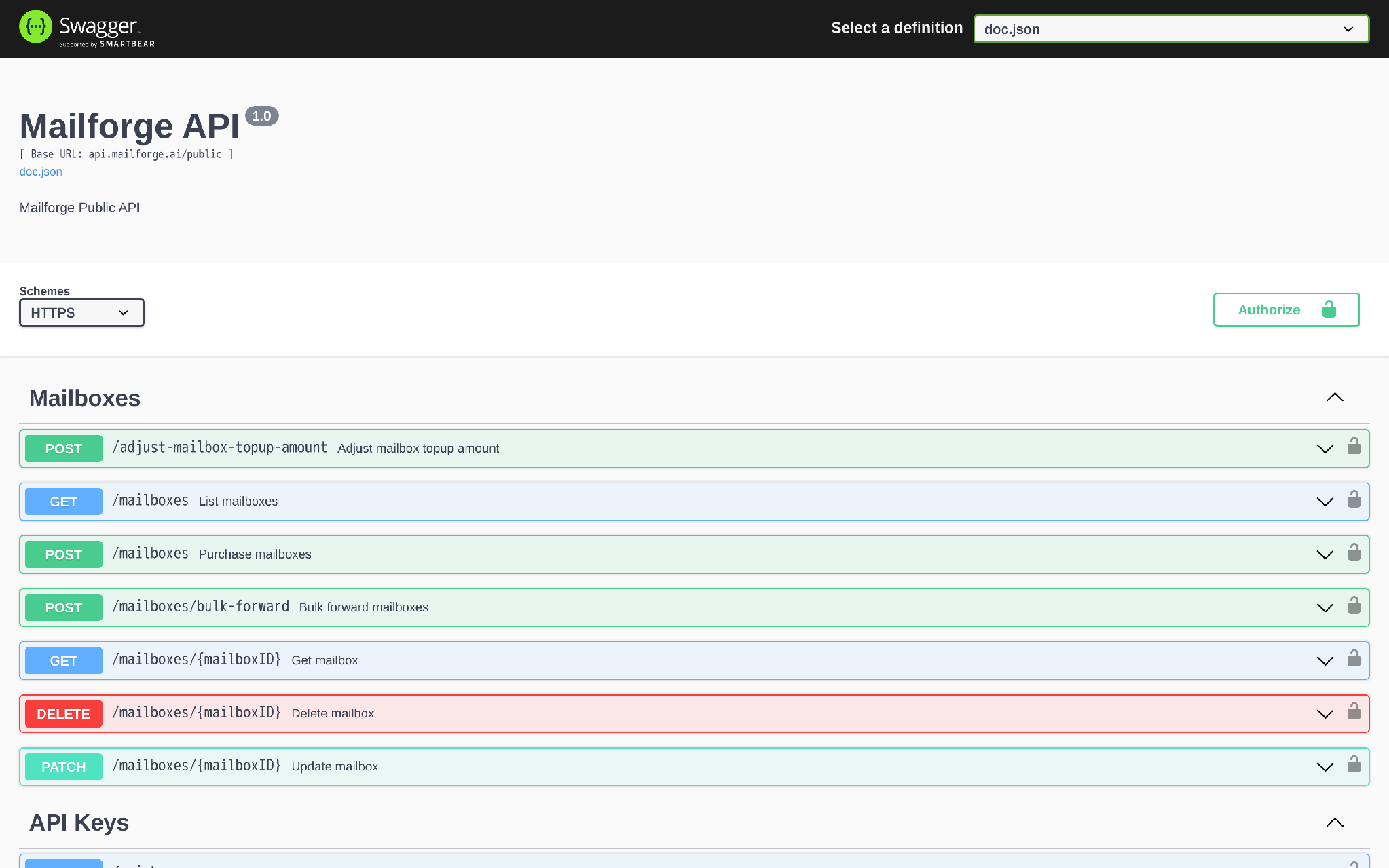
Use the Mailforge API when infrastructure setup has become a repeatable GTM operation, not a one-off admin task.
That usually means one of four situations:
Do not use the API just because it exists.
If your team buys two domains per quarter, the dashboard is fine. The API starts to matter when the handoff itself becomes a bottleneck: CRM says the client is ready, ops copies data into Mailforge, someone waits for DNS, someone exports mailboxes, someone starts warmup, and someone forgets to stop a sequence from sending too early.
That is the workflow worth automating.
I treated the Mailforge API as an operations system, not a feature list. The useful guide is the one that helps a GTM operator wire infrastructure into the next step without buying domains twice, breaking DNS or launching from cold inboxes.
Generate the key inside your Mailforge account from Settings > API.
Each Forge product uses its own key. A Salesforge key is for Salesforge. A Warmforge key is for Warmforge. A Mailforge key is for Mailforge. Do not mix them in one environment variable and hope the receiving API figures it out.
Use a clear variable name:
export MAILFORGE_API_KEY="YOUR_MAILFORGE_API_KEY"Store it server-side only. Use a secrets manager or environment variable, not browser code, app screenshots, shared spreadsheets or local files committed to Git.
For agencies, create separate keys per client or workspace where your internal security model allows it. That way one compromised integration does not force a full account-wide rotation.
For normal Mailforge resource calls, pass the API key in the Authorization header.
Use this as the smoke test:
curl --request GET \
  --url "https://api.mailforge.ai/public/workspaces" \
  --header "Authorization: ${MAILFORGE_API_KEY}" \
  --header "Accept: application/json"
A successful response returns your workspaces:
[
  {
    "id": "workspace_123",
    "accountId": "account_123",
    "name": "Acme outbound",
    "slug": "acme-outbound"
  }
]
If this fails, fix authentication before building the rest of the workflow.
Common failure points:
The API-key management endpoints are different. Listing, creating, updating and deleting API keys use the /api-keys path family and require account-session authorization, not the same public Mailforge key pattern you use for domains and mailboxes. Most GTM teams should create keys in the UI and automate resource operations only.
Here is the practical endpoint map.
This is why the API belongs in your ops layer, not inside a random lead-routing Zap.
The same credential can touch domains, mailboxes, DNS and billing-adjacent actions. Treat it like production infrastructure access.
Workspaces keep infrastructure separated by client, project, brand or GTM motion.
For a new client, create the workspace first:
curl --request POST \
  --url "https://api.mailforge.ai/public/workspaces" \
  --header "Authorization: ${MAILFORGE_API_KEY}" \
  --header "Content-Type: application/json" \
  --data '{
    "name": "Acme outbound"
  }'
The response gives you the id. Store that as mailforgeWorkspaceId on the client or campaign record in your CRM or internal ops database.
That ID becomes the parent for domain purchases and transfers.
The mistake is using workspace names as your system key. Names change. IDs should not.
Domain availability is safe to automate because it does not spend money or mutate infrastructure.
For one domain:
curl --request GET \
  --url "https://api.mailforge.ai/public/check-domain-availability?domain=tryacmeoutbound.com" \
  --header "Authorization: ${MAILFORGE_API_KEY}" \
  --header "Accept: application/json"
For bulk checks:
curl --request POST \
  --url "https://api.mailforge.ai/public/check-domain-availability-bulk" \
  --header "Authorization: ${MAILFORGE_API_KEY}" \
  --header "Content-Type: application/json" \
  --data '{
    "domains": [
      "tryacmeoutbound.com",
      "getacmeoutbound.com",
      "acmegrowthmail.com"
    ]
  }'
The bulk endpoint accepts up to 100 domains per request. Use the response to show availability and price before a human approves the purchase.
A clean buying workflow does this:
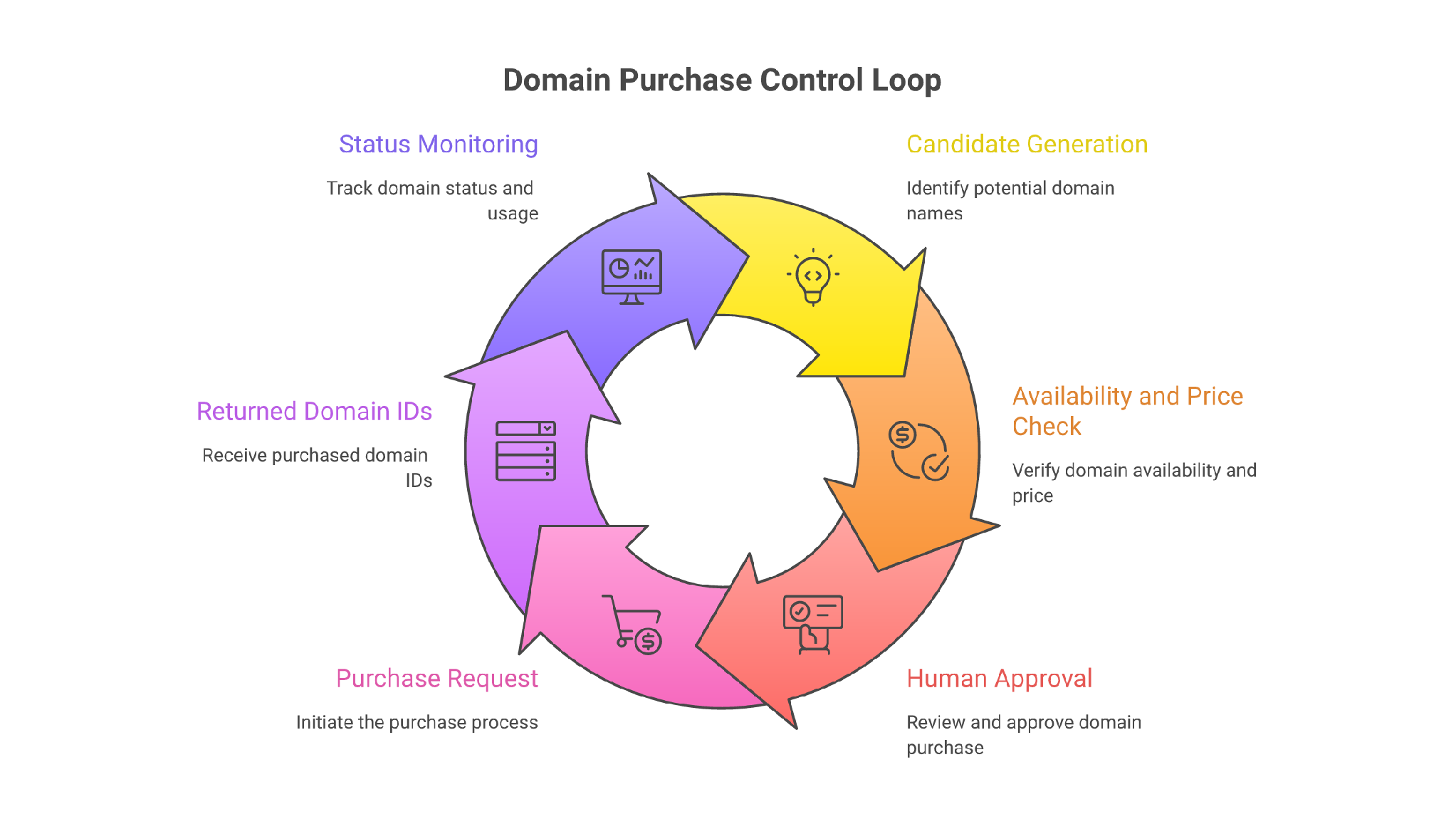
Domain purchase is where automation becomes financially consequential.
Use the purchase endpoint only after approval:
curl --request POST \
  --url "https://api.mailforge.ai/public/domains" \
  --header "Authorization: ${MAILFORGE_API_KEY}" \
  --header "Content-Type: application/json" \
  --data '{
    "workspaceId": "workspace_123",
    "domains": ["tryacmeoutbound.com"],
    "contactDetails": {
      "firstName": "Ops",
      "lastName": "Owner",
      "organization": "Acme Inc",
      "email": "[email protected]",
      "phone": "+15555550123",
      "address1": "123 Market St",
      "city": "San Francisco",
      "province": "CA",
      "postalCode": "94105",
      "country": "US",
      "dmarcEmail": "[email protected]",
      "forwardToDomain": "acme.com"
    }
  }'
The response returns domain objects with IDs, status, price data, workspace ID, forwarding fields and renewal status.
Store the returned domain IDs immediately.
Do not retry domain purchases blindly after a timeout. First list domains and check whether the domain was already created. A naive retry can create billing confusion or leave ops wondering which attempt actually succeeded.
A 402 Payment Required means the account does not have a payment method ready for the purchase. That is an operator action, not a retry loop.
Mailforge domain and mailbox objects expose statuses. Your workflow should use them.
Domain statuses include:
Mailbox statuses include:
Do not connect a mailbox to a campaign just because the creation request returned a response. Check that the domain and mailbox are active, then verify DNS and forwarding where your workflow depends on them.
A better status loop looks like this:
curl --request GET \
  --url "https://api.mailforge.ai/public/domains?status=active&search=tryacmeoutbound" \
  --header "Authorization: ${MAILFORGE_API_KEY}" \
  --header "Accept: application/json"
Then check mailboxes:
curl --request GET \
  --url "https://api.mailforge.ai/public/mailboxes" \
  --header "Authorization: ${MAILFORGE_API_KEY}" \
  --header "Accept: application/json"
Your internal system should move a client through states like infrastructure_requested, domains_purchased, mailboxes_processing, mailboxes_active, exported_to_salesforge, warmup_started and ready_for_sequence.
That state machine matters more than the API call itself.
Once domains are active, create the mailboxes your outbound plan needs.
curl --request POST \
  --url "https://api.mailforge.ai/public/mailboxes" \
  --header "Authorization: ${MAILFORGE_API_KEY}" \
  --header "Content-Type: application/json" \
  --data '{
    "mailboxes": [
      {
        "email": "[email protected]",
        "firstName": "Alex",
        "lastName": "Morgan",
        "forwardingEmail": "[email protected]",
        "signature": "Alex Morgan | Acme"
      },
      {
        "email": "[email protected]",
        "firstName": "Jamie",
        "lastName": "Reed",
        "forwardingEmail": "[email protected]",
        "signature": "Jamie Reed | Acme"
      }
    ]
  }'
Mailforge bills around mailbox slots, not just visible active mailboxes. That matters for automation. If your script creates fewer mailboxes than purchased slots, the unused capacity still exists. If your script creates more than the available slot count, expect the request to fail.
The practical rule: calculate mailbox needs before purchase, store the slot target on the campaign record and reconcile actual mailbox count after provisioning.
The mailbox list and mailbox detail endpoints support a with_credentials query parameter.
Use it carefully:
curl --request GET \
  --url "https://api.mailforge.ai/public/mailboxes?with_credentials=true" \
  --header "Authorization: ${MAILFORGE_API_KEY}" \
  --header "Accept: application/json"
Credentials include IMAP and SMTP hostnames, ports, usernames and passwords.
That is sensitive material. Do not log the full response in CI. Do not paste it into Slack. Do not expose it in an internal admin page unless the viewer is allowed to connect mailboxes.
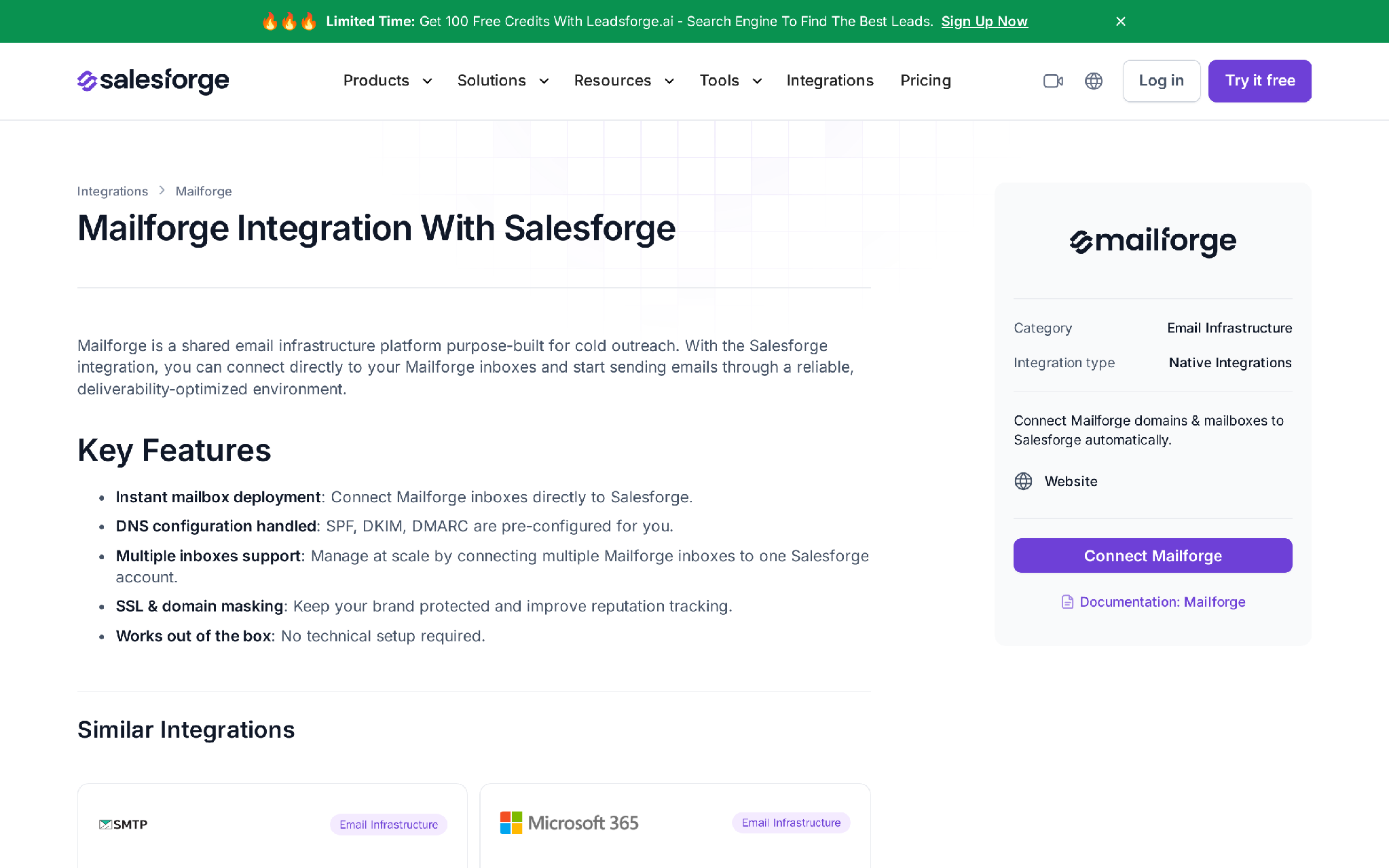
If you use Salesforge, the cleaner route is usually the native export from Mailforge to Salesforge. Use credentials for custom sending platforms or controlled fallback flows.
Mailforge automatically configures standard email authentication for Mailforge-created infrastructure, including SPF, DKIM and DMARC.
That means your default workflow should not immediately replace DNS records after buying a domain.
Use DNS endpoints when you need to inspect records, add custom records, adjust forwarding-related setup, replace specific records or run bulk maintenance across a controlled set of domains.
To inspect records:
curl --request GET \
  --url "https://api.mailforge.ai/public/domains/domain_123/dns" \
  --header "Authorization: ${MAILFORGE_API_KEY}" \
  --header "Accept: application/json"
Before updating DNS, snapshot the current records. Some records are marked editable; respect that field.
A single-domain update uses:
curl --request PUT \
  --url "https://api.mailforge.ai/public/domains/domain_123/dns" \
  --header "Authorization: ${MAILFORGE_API_KEY}" \
  --header "Content-Type: application/json" \
  --data '{
    "records": [
      {
        "name": "track",
        "type": "CNAME",
        "value": "tracking.example.com",
        "editable": true
      }
    ]
  }'
Bulk DNS changes use PUT /domains/bulk-dns and return 202 Accepted. Treat that as accepted for processing, not proof that every record is already live.
After a bulk DNS job, re-read affected domains and run a separate DNS health check before campaign activation.
Forwarding is not just an admin convenience. It determines who sees replies and how quickly hot prospects get handled.
For domain forwarding:
curl --request PATCH \
  --url "https://api.mailforge.ai/public/domains/forwards" \
  --header "Authorization: ${MAILFORGE_API_KEY}" \
  --header "Content-Type: application/json" \
  --data '[
    {
      "domainId": "domain_123",
      "forwardToDomain": "acme.com",
      "domainMasking": false
    }
  ]'
For mailbox forwarding in bulk:
curl --request POST \
  --url "https://api.mailforge.ai/public/mailboxes/bulk-forward" \
  --header "Authorization: ${MAILFORGE_API_KEY}" \
  --header "Content-Type: application/json" \
  --data '{
    "includedIds": ["mailbox_123", "mailbox_456"],
    "excludedIds": [],
    "forwardingEmail": "[email protected]"
  }'
The bulk mailbox forwarding endpoint returns 202 Accepted, so verify forwarding status later. Forwarding status can be pending, active or failed.
Use one owner mailbox per campaign or client. Random forwarding destinations create reply leakage and reporting problems.
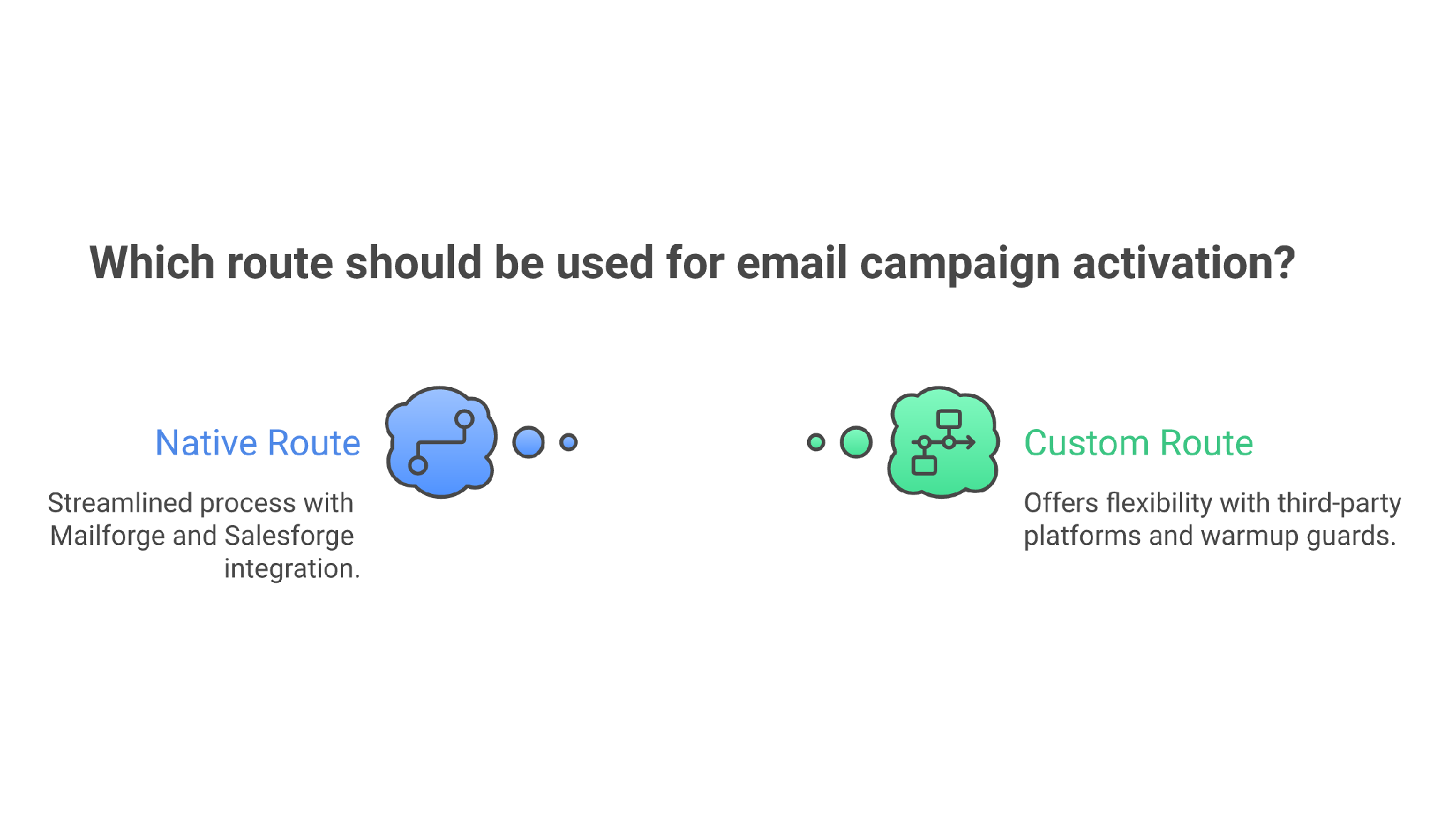
Once Mailforge mailboxes are created, the GTM stack has two clean connection routes.
Use this when the team is already running Salesforge.
The workflow is:
This is the lowest-friction route because the Forge stack shares the operating environment. Mailforge handles infrastructure. Salesforge handles sequences, mailbox rotation, text-only sending, AI personalization across 21+ languages, Bounce Shield, built-in email validation, Primebox™ reply management and campaign analytics.
Use this when your sending platform is not Salesforge or when you need an internal provisioning portal.
The workflow is:
The mistake is treating mailbox creation as the finish line.
The finish line is a warmed, connected, monitored mailbox assigned to the right campaign owner.
Mailforge gets infrastructure ready fast. Warmup still matters.
If you connect Mailforge mailboxes into Salesforge, Warmforge warmup is included at no additional cost with Salesforge and can run across connected mailboxes. Warmforge tracks Heat Score™, supports Inbox Placement Tests, runs Health Checks across DNS, MX and blacklist status, and keeps warmup activity continuous.
The operating rule is simple: do not let a newly created mailbox send cold outreach immediately just because it exists.
A sane activation gate checks:
For most teams, the API should provision. Salesforge and Warmforge should control the live sending ramp.
The REST API is best when your backend needs deterministic automation.
Use it for provisioning flows, internal tools, audit logs, approvals and system-to-system updates.
Forge MCP is best when an AI client needs controlled access to inspect or operate the Forge stack. The shared MCP endpoint is https://mcp.salesforge.ai/mcp, and Mailforge access uses the X-Mailforge-Key header.
For Claude Code, the setup shape is:
claude mcp add salesforge \
  --transport streamable-http \
  --url "https://mcp.salesforge.ai/mcp" \
  --header "X-Mailforge-Key: YOUR_MAILFORGE_API_KEY" \
  --header "X-Salesforge-Key: YOUR_SALESFORGE_API_KEY" \
  --header "X-Warmforge-Key: YOUR_WARMFORGE_API_KEY"
Only include product keys you actually use.
The CLI is best for repeatable operator commands from a terminal or CI job. Use it when a human wants scriptable control without writing a full integration service. The same safety rule applies: read-only commands are low risk; purchases, DNS writes, renewal changes and deletions need approval.
For AI and CLI workflows, separate read tools from write tools. An assistant that can list domains is different from an assistant that can buy domains or delete mailboxes.
The Mailforge public spec documents common responses by endpoint, including 200, 201, 202, 204, 400, 401, 402 and 404.
Use this operating interpretation:
The big rule: retry reads. Reconcile before retrying writes.
For a failed read, retry with exponential backoff. For a failed purchase, mailbox creation, DNS replacement, masking purchase, renewal change or deletion, first query current state. Only retry if you can prove the previous attempt did not apply.
Here is the implementation pattern I would use for an agency or GTM ops team.
Trigger: a deal moves to Closed Won in HubSpot, or a customer record moves to Ready for outbound setup in your internal system.
Inputs: client name, workspace naming convention, approved sending domain candidates, forwarding destination, mailbox naming pattern, contact details, target sending volume and campaign owner.
Process:
Failure path: if one mailbox fails, retry that mailbox only. Do not repeat the domain purchase. If DNS fails, isolate that domain from campaign assignment. If payment fails, stop and route to the billing owner. If forwarding fails, keep the mailbox out of production until replies have a controlled destination.
Output: active Mailforge infrastructure connected to the GTM stack, warmed before sending and traceable back to the CRM trigger that created it.
That is the difference between API automation and API chaos.
Mailforge API access can affect domains, DNS, mailbox credentials and billing-adjacent actions. Treat it accordingly.
Your baseline controls should be:
This is not bureaucracy. It is how you avoid buying the same domain twice or breaking authentication across 50 senders because a script wrote the wrong record.
Mailforge is the shared infrastructure layer of the Forge stack.
Use it when you want affordable, fast, distributed mailbox infrastructure built for cold outreach, with automated DNS, bulk domain and mailbox creation, domain forwarding, workspace separation, SSL and Domain Masking as an add-on, domain flexibility and API/MCP/CLI support.
If you need dedicated IP control, Infraforge is the private infrastructure option. If you need real Google Workspace or Microsoft 365 mailboxes with ESP matching, Primeforge is the provider-native option.
If you need lead discovery before provisioning campaigns, Leadsforge feeds lists into Salesforge. If you want autonomous prospecting, sequencing, replies and booking, Agent Frank can run the workflow end-to-end as a separate product.
For this specific use case, the clean order is:
Infrastructure first. Warmup second. List and copy third. Sending volume last.
Most outbound teams reverse that order. They build the campaign, then scramble to make the infrastructure behave.
The Mailforge API gives you a way to enforce the right order in software.
Enter your email to get a custom plan & stack recommendation for your business
Please check your mailbox in 5 minutes

The Mailforge API is worth using when your GTM team provisions domains and mailboxes often enough that manual setup creates delays, mistakes or inconsistent handoffs.
Start with read-only automation: list workspaces, check domains, inspect DNS and list mailboxes. Then add guarded write actions: workspace creation, approved domain purchase, mailbox creation and forwarding. Keep purchases, DNS replacements, renewal changes and deletions behind approval until the workflow has a real audit trail.
If you use Salesforge, the best handoff is Mailforge infrastructure into Salesforge execution with Warmforge warmup before live sending. That gives your team one connected outbound workflow instead of a pile of scripts around a sending tool.
If your team is still setting up outbound infrastructure by hand every time a campaign or client launches, use Mailforge to turn that setup into a repeatable provisioning system. Then use Salesforge to run the sequence, manage replies in Primebox™ and scale sending without turning infrastructure work into another full-time job.