
A good cold email starts with knowing who you're contacting.
Before writing, you need to understand what the prospect does, what their company is focused on, and where your offer fits.
AI can make this research and writing process easier. It can help you:
Let's break down how AI cold email personalization works and how to put it into practice.
AI cold email personalization is the process of using AI to research prospects and create emails based on their roles, companies, business needs, and recent activities.
Traditional cold email personalization often stops at adding a prospect's first name, company name, or job title. AI takes it further by helping you find details that give you a reason to contact someone.
For example, you could reach out to a marketing director who recently joined a SaaS company. Instead of opening with a generic introduction, you could mention the company's recent product launch and explain how your service could support its marketing efforts.
The goal is to make each email relevant to the person receiving it.
AI can help with several parts of this process:
AI can handle much of the research and drafting. You still need to review the information and decide whether your offer makes sense for the prospect.
AI cold email personalization uses prospect data and company insights to create relevant emails.
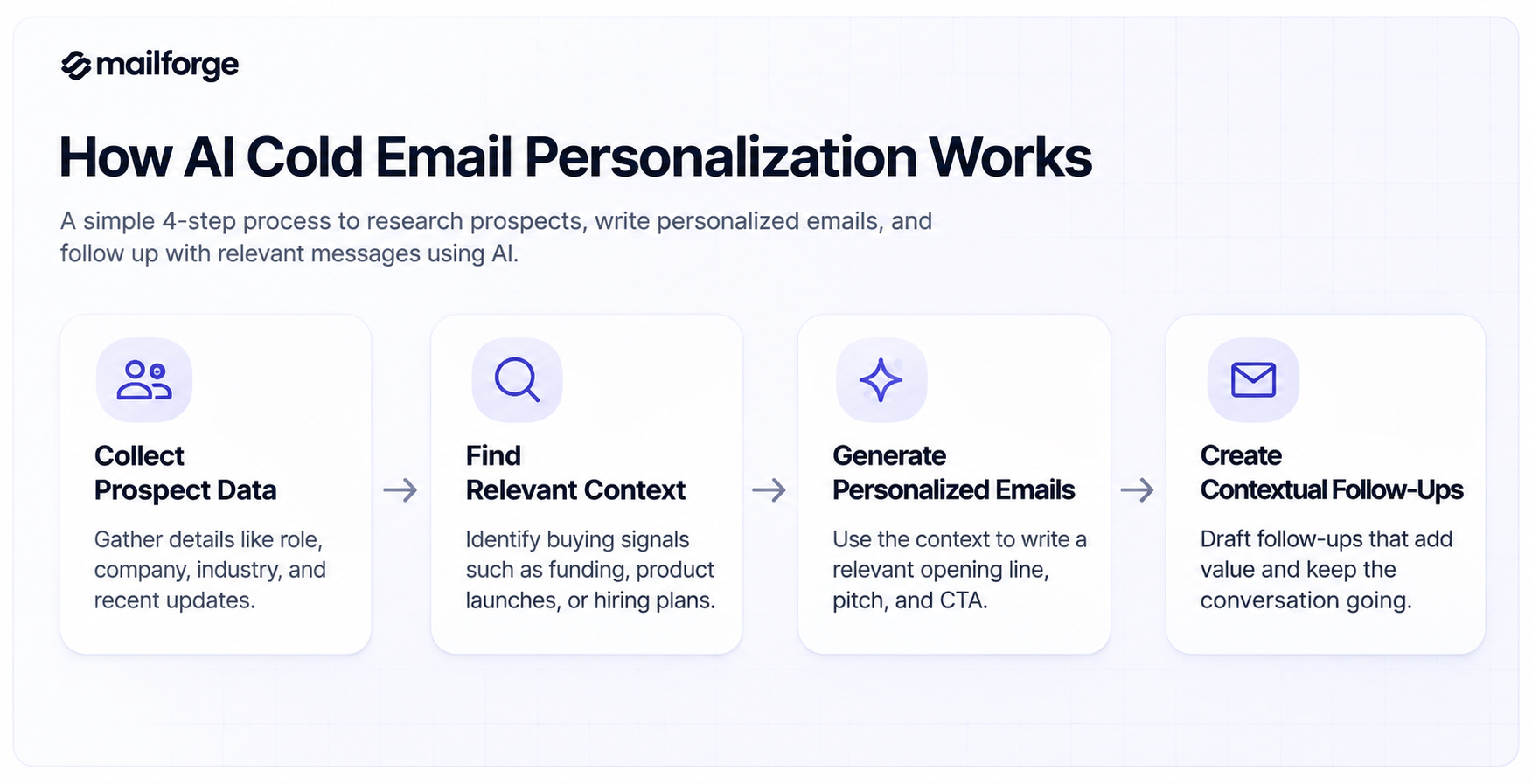
The process involves four steps:
Review the output before sending. Check that the details are accurate, the pitch is relevant, and the email sounds natural.
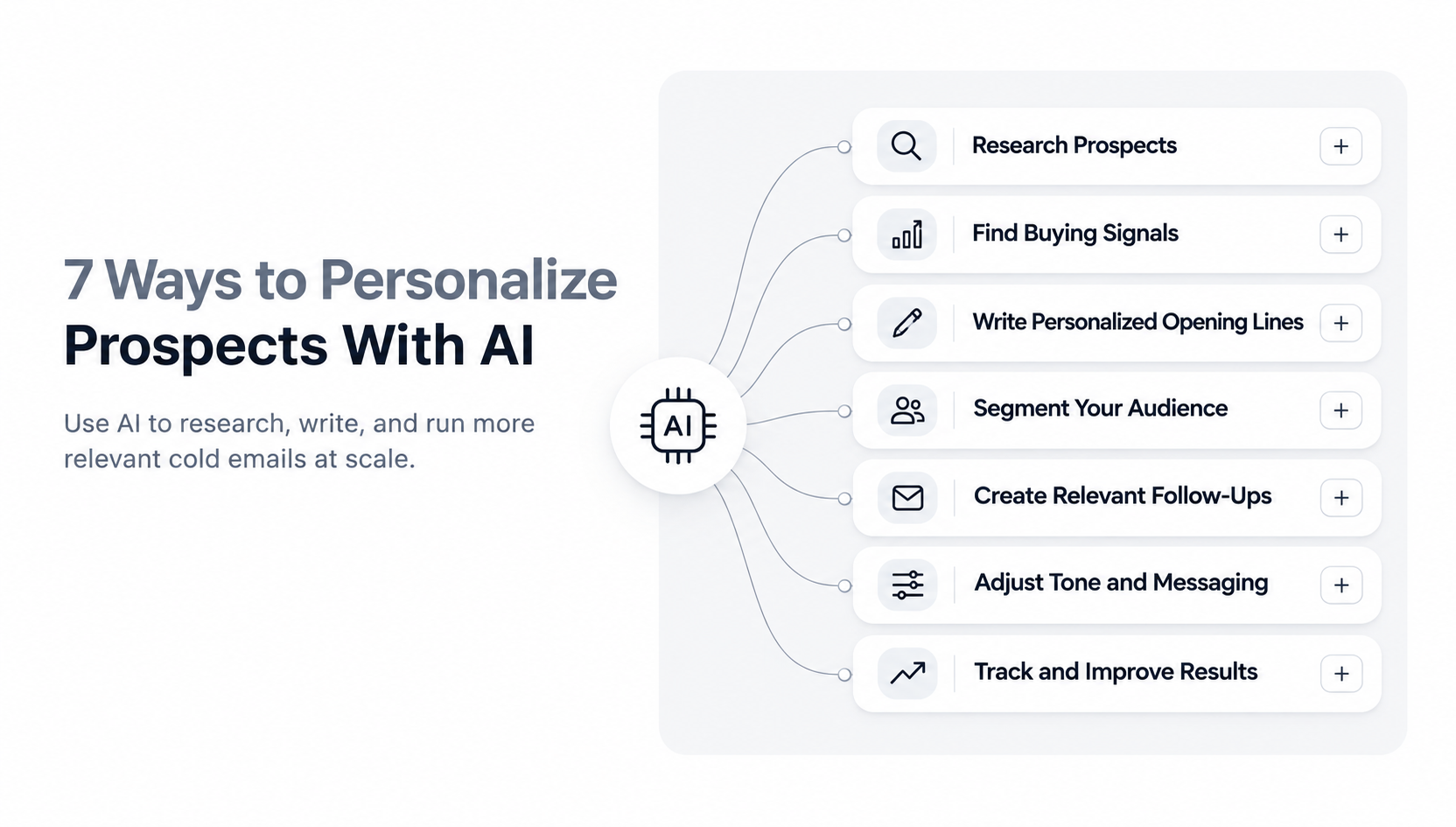
AI can support different parts of your outreach process. Here are seven useful ways to use it.
Research is the starting point of a personalized cold email.
You can use AI to review public information from company websites, LinkedIn profiles, press releases, and other relevant sources. Social channels can be especially useful here because audience interaction signals show which topics, questions, and pain points people are already reacting to before they receive an email.
For example, if you're targeting a Head of Sales, AI can help you understand the company's sales model, target audience, and recent business updates.
Use that information to identify a relevant reason to reach out.
A buying signal is an event or change that suggests a company may need your product or service.
Some examples include:
AI can help you review these signals and connect them to your offer.
For example, a company hiring several sales development representatives may need better prospecting data or sales engagement software.
The signal gives you a reason to start a conversation. It does not automatically mean the company is ready to buy.
The opening line sets the context for your email.
Instead of using generic compliments, mention something relevant to the prospect's work or company.
Generic opening:
Personalized opening:
The second opening gives you a relevant starting point.
AI can generate several versions based on the same research. Choose the one that sounds natural and gives the prospect a reason to read further.
Different people care about different business outcomes.
A CEO may focus on revenue and business growth. A sales director may care about pipeline generation. A marketing manager may focus on campaign performance and lead quality.
AI can help you adjust the same offer for different decision-makers.
For example, if you sell lead generation software:
Keep the product and its capabilities consistent. Change the angle based on what matters to the person receiving the email.
A single cold email rarely works for every industry.
A software company, recruitment agency, and eCommerce business may face different challenges, even if they are interested in the same service.
AI can help create industry-specific versions of your email.
For example, if you offer software development services:
Use industry context to explain how your service fits the prospect's business. Avoid assuming that every company in an industry has the same problem.
A follow-up should add something to the conversation.
You can use AI to create follow-ups based on the first email, the prospect's business context, and the value proposition you shared.
For example:
Keep each follow-up short. If the prospect has already replied or opted out, stop the sequence.
AI can help you create different versions of your emails for testing.
You could compare:
Test one major change at a time. That makes it easier to understand which approach affects your results.
Here are a few examples of how you can use AI to personalize cold emails for different situations.
Prospect context: A SaaS company recently raised funding and is expanding its sales team.
Cold email:
Prospect context: A new Head of Marketing has joined an established B2B company.
Cold email:
Prospect context: A company is hiring several sales development representatives.
Cold email:
Prospect context: A company has launched a new product in its existing market.
Cold email:
These examples use a specific business event to introduce a relevant problem. The pitch then connects that problem to the offer.
You can find more formats and examples in our guide to cold email templates.
AI tools can help you find leads, research prospects, write personalized emails, and manage outreach campaigns.
Here are five tools worth considering:
| Tool | What You Can Use It For |
|---|---|
| Leadsforge | Find qualified leads using AI lead search based on your target audience and ideal customer profile. |
| Salesforge | Personalize and manage multichannel outreach across email and LinkedIn. |
| Clay | Enrich prospect records, combine data sources, and research companies. |
| Apollo | Find prospects, access contact data, and build targeted lists. |
| SmartWriter | Generate personalized email copy using prospect and company information. |
Here is a workflow you can follow.
Start by deciding which companies you want to contact.
Define your ideal customer profile (ICP) based on:
For example, if you sell sales engagement software, your target audience could include B2B SaaS companies with growing sales teams.
A clear ICP helps you avoid spending time on prospects who are unlikely to need your offer.
Once you have defined your ICP, find companies and contacts that match it.
Use prospecting and enrichment tools to collect contact information and company details.
Your list should include:
Keep your data accurate and remove invalid or outdated contacts before launching a campaign.
Our guide on how to build a cold email list covers prospect sourcing, enrichment, verification, and list management.
Use AI to review the information you have collected.
Look for details that connect the prospect's role or company activity to your offer.
You can use a prompt like this:
Review the output before using it. Remove anything that is outdated, inaccurate, or unrelated to your offer.
Give your AI writing tool the research, your offer, and the email's purpose.
Use a prompt like this:
Generate a few versions and review them. Choose the one that makes the clearest connection between the prospect's situation and your offer.
Do not send the same message to every contact.
Group prospects based on factors such as:
Create a separate email angle for each meaningful segment.
For example, a message for a sales director should focus on pipeline and prospecting. A message for a marketing director may focus on campaign targeting and lead quality.
AI can produce incorrect details or make claims that the research does not support.
Before sending, check:
Keep a human review step in your workflow. Do not send AI-generated emails without checking them.
Once your copy and prospect list are ready, upload them to your sending platform.
Set up your email sequence, follow-up timing, sending rules, and reply handling.
Use the context from the first email when creating follow-ups. Avoid repeating the same pitch or sending messages that add no new information.
You can also use AI to review replies and help draft responses. A team member should handle important conversations and confirm the response before sending.
After launching the campaign, review how prospects respond.
Look at reply rates, positive replies, meetings booked, bounce rates, and conversions.
Compare the results across different audience segments and personalization approaches.
If one opening line gets more positive replies, investigate why it works. If a segment receives few relevant responses, review the targeting and offer.
Use the findings to improve your next campaign rather than relying on AI to make every decision.
Follow these practices to keep your emails relevant and natural.
AI can save time, but poor inputs and weak review processes can still produce bad emails.
Avoid these mistakes:
The purpose of personalization is to make your emails more relevant and encourage meaningful responses. Track metrics that show whether your targeting and messaging are working.
| Metric | What It Tells You |
|---|---|
| Reply rate | How many prospects respond to your emails. |
| Positive reply rate | How many replies show interest in your offer. |
| Meeting booking rate | How many prospects agree to a meeting? |
| Conversion rate | How many prospects move to the next stage of your sales process. |
| Bounce rate | How many emails fail to reach valid recipient addresses. |
| Unsubscribe or opt-out rate | How many recipients ask to stop receiving emails. |
Do not judge personalization by open rates alone. Email privacy features can make open tracking unreliable.
Instead, focus on positive replies, meetings, and conversions. Compare these results across different segments and personalization approaches.
For larger campaigns, also review how your sending setup performs as volume grows.
Our guide to scaling cold email campaigns covers the infrastructure and campaign considerations involved.
AI cold email personalization helps you research prospects, identify relevant company updates, write tailored opening lines, and create follow-ups based on context.
To put it into practice:
The main goal is to make each email relevant to the person receiving it. AI can speed up the research and writing process, but the message still needs a clear reason for reaching out.
Start by collecting accurate prospect and company information. Use AI to identify relevant details, write an opening line, and connect your offer to the prospect's business needs. Review the email before sending it.
AI can use a prospect's job title, company, industry, professional background, company announcements, hiring activity, and product updates. Use details that have a clear connection to your offer.
Yes. AI writing tools can generate opening lines, email copy, and follow-ups from prospect data and your instructions. However, you should review the output to check facts, relevance, and tone.
Clay and Apollo can help with prospect research and data enrichment. SmartWriter and Lavender can support email writing and review. Instantly, Smartlead, and Salesforge can help manage outreach campaigns, depending on your workflow.
It can help when the research is accurate and the message connects to a real business need. Results still depend on your audience, offer, email copy, timing, and sending setup. Measure positive replies and conversions to understand its impact.
Give AI specific prospect details, explain your offer, and tell it what problem you solve. Ask it to avoid generic compliments and unsupported claims. Review every email and remove details that do not help explain why you're reaching out.
Yes. AI can use the first email and prospect context to draft follow-ups. Each follow-up should add a useful point or explain another relevant benefit. Stop sending when someone replies or opts out.