
Personalized Outbound Strategy
Get The Right Outbound Strategy In Minutes
Enter your email to get a custom plan & stack recommendation for your business
It's being carefully crafted by AI
Please check your mailbox in 5 minutes

I came to Premium Inboxes with one main question: not whether the accounts work, but who actually does the work.
Most infrastructure providers in this space give you a dashboard and leave you to figure out the setup yourself. Premium Inboxes takes a very different approach. You fill out a form, their engineers manually configure every DNS record, and about twelve hours later, the accounts are ready in your sequencer.
That will sound like either exactly what you want or exactly what you do not want. And because the pricing is close enough to the self-serve options, the real decision comes down to how hands-on you want to be.
So I compared every tier, checked the math behind their discount badge, and read all recent reviews, including the long one in which a customer walks through several mistakes they made themselves.
Here is what I found, starting with what the service actually promises.
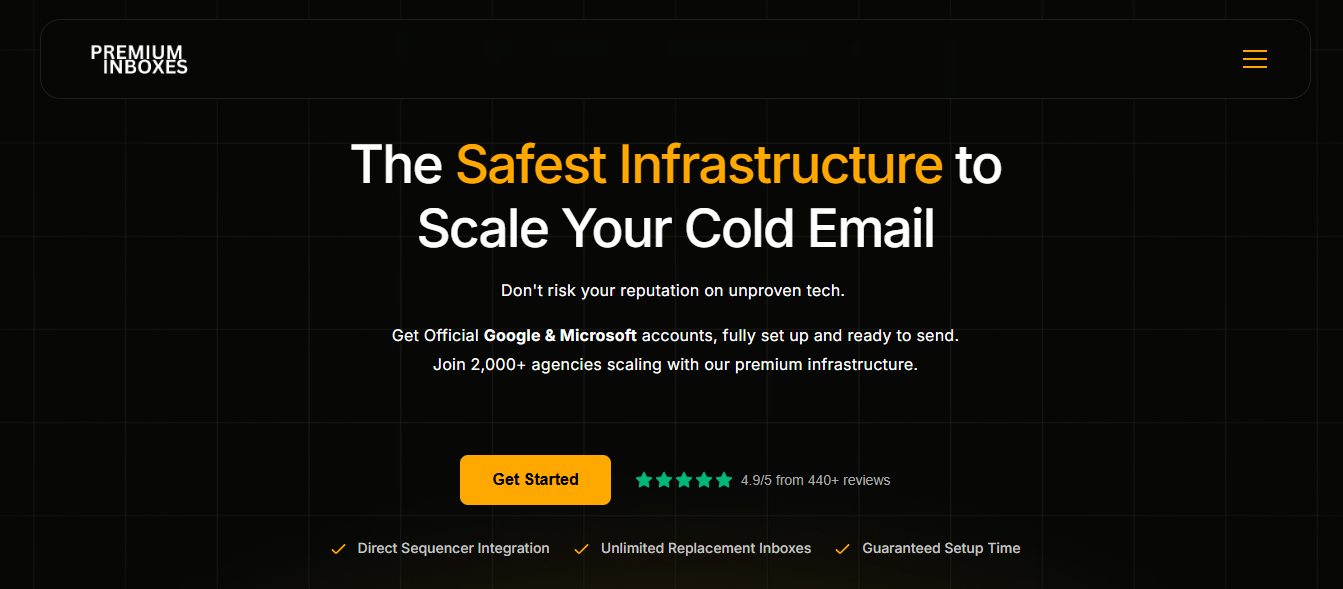
Premium Inboxes sells official Google Workspace and Microsoft 365 accounts as a managed service. You fill out an intake form, their team manually configures the DNS, and the accounts are delivered to your sequencer within twelve hours.
The supply is legitimate: no cracked or farmed accounts, US IPs, verified SPF, DKIM, and DMARC, unlimited replacement inboxes, and volume split across Google and Microsoft at no extra cost.
The tradeoff is speed and control. Every account is built by a person, so adding inboxes means submitting a form and waiting. There is no instant setup and no API, even on the $3,500-per-month Enterprise tier.
Some features are locked behind volume. Health checks start at 250 inboxes, monitoring starts at 1,250, and several Enterprise modules are named but not explained.
The FAQ explains how to migrate in, but not how to migrate out.
Mailforge takes the opposite approach. You can generate up to 100 domains from your primary, bulk-create mailboxes with your own names, and start sending in minutes. Salesforge runs the sequences, Warmforge warms the mailboxes for free, and Primebox keeps every reply in one place.
There are 11 Trustpilot reviews between March and August 2026, and every one is 5 stars.
That is the first thing to keep in mind. A page with no dissenting reviews should be read differently from one with mixed reviews, especially when nine of the eleven reviewers have posted only once.
So I looked for the details that are harder to fake: numbers, dates, names, and anything that went wrong.
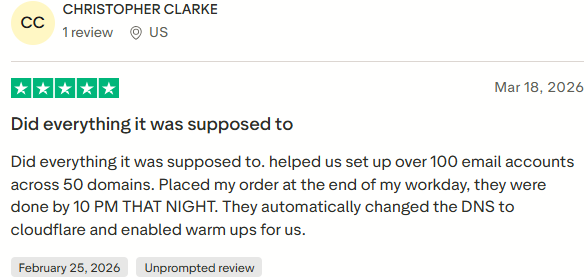
Christopher Clarke says he ordered 100 accounts across 50 domains at the end of his workday and had everything finished by 10 p.m. that same night.
He also says the team moved his DNS to Cloudflare and turned on warm-ups without him even asking.
Daniel Rufus in Mexico runs a done-for-you outbound agency and wrote several hundred words about what went wrong.
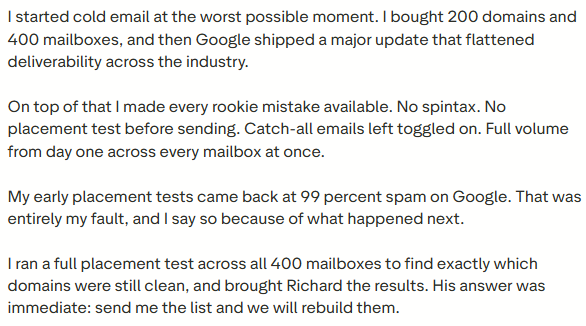
He says he bought 200 domains and 400 mailboxes, then made nearly every mistake possible: no spintax, no placement test, catch-alls left on, and full sending volume from day one. His tests came back as 99% spam on Google, and he says that was his fault.
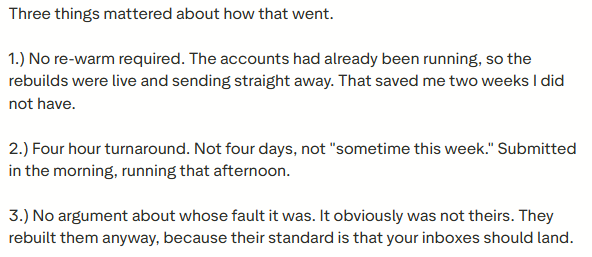
The useful part is what happened after that. He reports a four-hour rebuild, no need to re-warm because the accounts were already running, and no argument about who caused the problem.
He also says Richard talked him out of adding Microsoft inboxes, telling him the fundamentals mattered more at that stage.

It is a strong review. It is also the most polished and persuasive piece of writing on the page, so that I would treat it as one customer’s experience rather than a guaranteed service level.
5 Best Pre-Warmed Email Account Providers in 2026
Mamun Ahmed runs six mailboxes for his agency and checked SPF, DKIM, and DMARC himself.
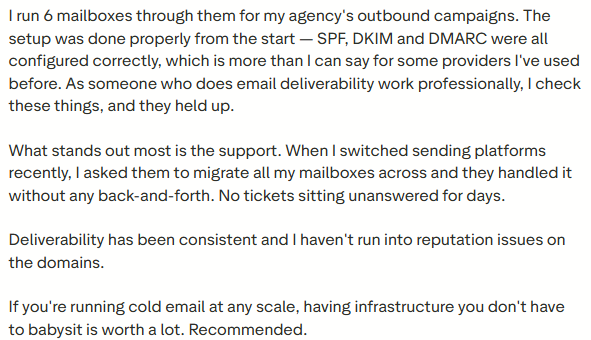
He says the records held up, and that other providers he has used did not. Six mailboxes are still a small sample, but they are the only independent verification in these reviews.
The owner is named in seven of the eleven reviews.
José Ambe says Richard personally walked him through a deliverability issue.
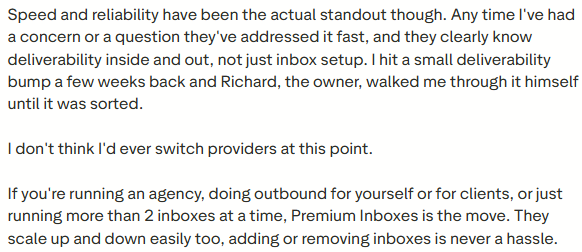
Ralf Gerhardt says he has been a customer for more than a year and that Richard replies the same day. Raul in Spain and Tom in the UK also mention him by name.
Tom says his cold emails were landing in junk almost every time before he switched. Joe Althan, in Italy, writing on May 31, 2026, says his deliverability problems have been fixed.
Neither gives a before-and-after number, so there is not much to verify.
None of the eleven reviews include complaints: no cancellations, billing disputes, or lost accounts.
Nobody writes about the Email Control Center, the Enterprise modules, or the 1,250-inbox tier. These reviewers seem to be buying inboxes, rather than the managed service.
Nobody describes leaving, either. Rufus mentions switching sequencers, but not switching providers.
For a company founded by agency owners who say their own suppliers burned them, I expected to see at least one story about a domain that couldn't be saved—none of them.
We Tested 10 Best Cold Email Tools For 30 Days: Here's Our Findings
Scope first. There is not much of a product to click through here. Premium Inboxes has no signup flow, no configurator, and no console where I could build anything myself. You place an order, fill in a form, and their team builds it for you.
So instead of testing a product interface, I followed the order path, compared the pricing tiers, and read the FAQ closely to understand what the service actually commits to.
I didn't buy inboxes, and I didn't send from them.
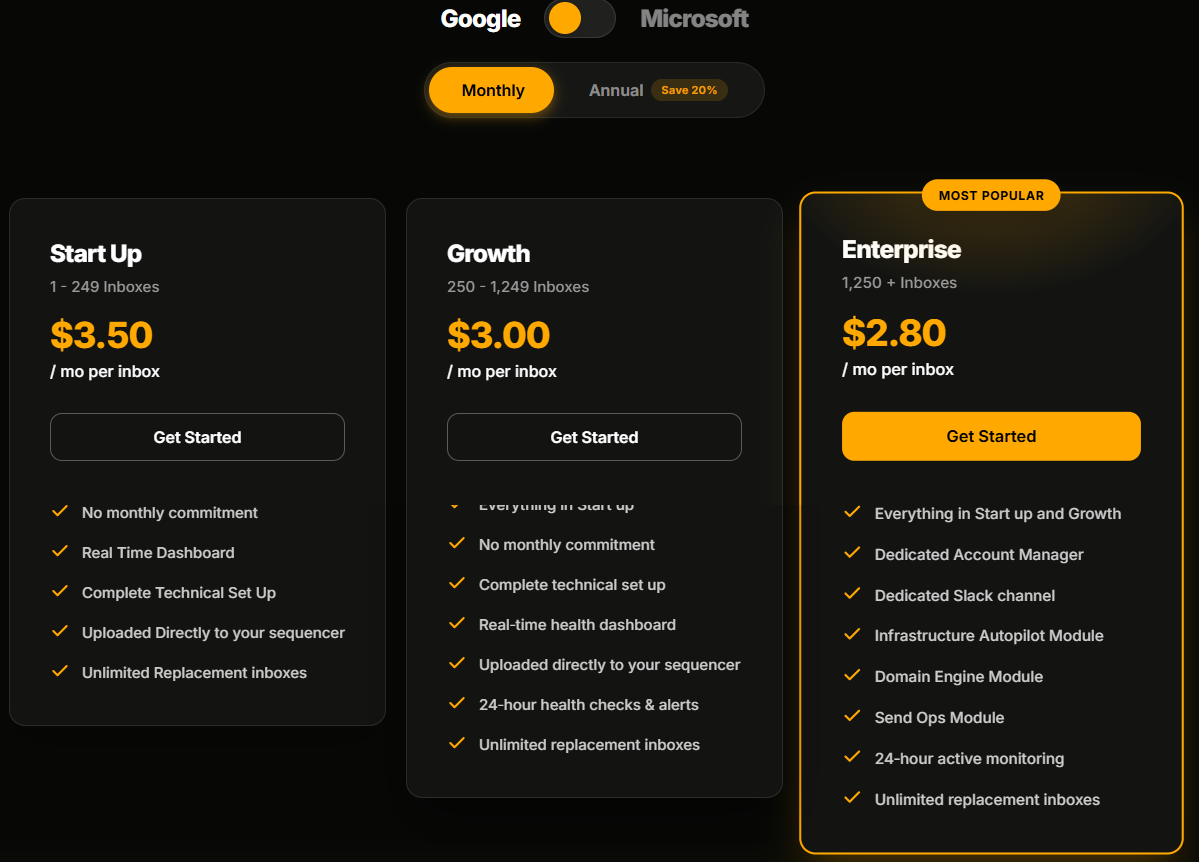
Google and Microsoft sit behind a toggle, but the prices underneath do not change. The tiers are $3.50, $3.00, and $2.80, regardless of which tier you choose.
Premium Inboxes’ own advice is to split volume between both providers rather than commit to one. Since neither option costs more, that split is effectively free.
Start Up covers 1 to 249 inboxes. Growth starts at 250. Enterprise starts at 1,250.
That means I cannot buy 24-hour health checks at 100 inboxes, and I cannot buy the Enterprise modules at 500. The volume band decides what I get.
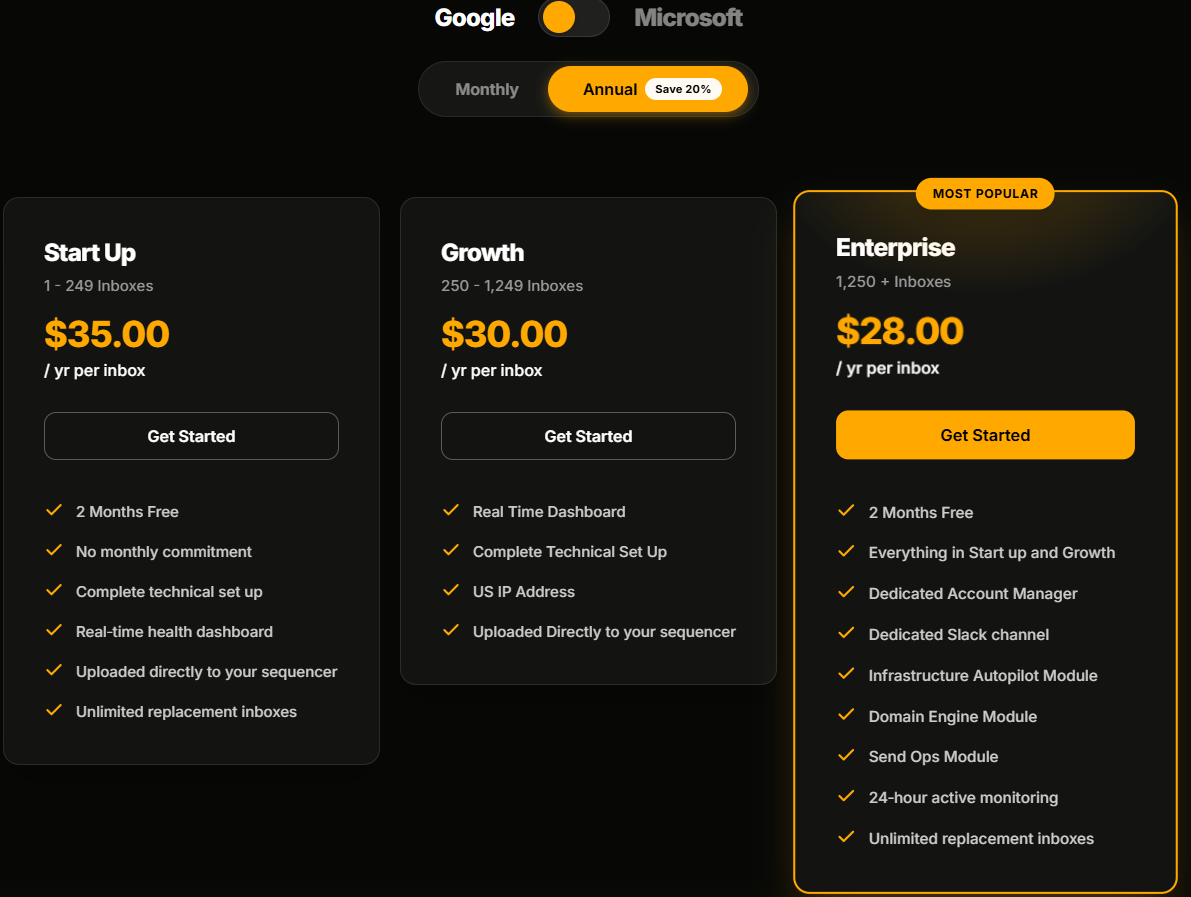
The toggle says “Save 20%.” The cards say “2 Months Free.” Those are not the same claim.
When I ran the numbers, Start Up at $3.50 a month came to $42 a year, while the annual price was $35. That is a 16.7% discount. Growth is $36 versus $30, and Enterprise is $33.60 versus $28. Both work out the same way.
Two months free is accurate. The 20% claim is not.
Sending Infrastructure Autopilot Module. Domain Engine Module. Send Ops Module.
I looked for descriptions of each and could not find them anywhere on the page. At the Enterprise tier, that means paying $3,500 a month with three listed benefits left undefined.
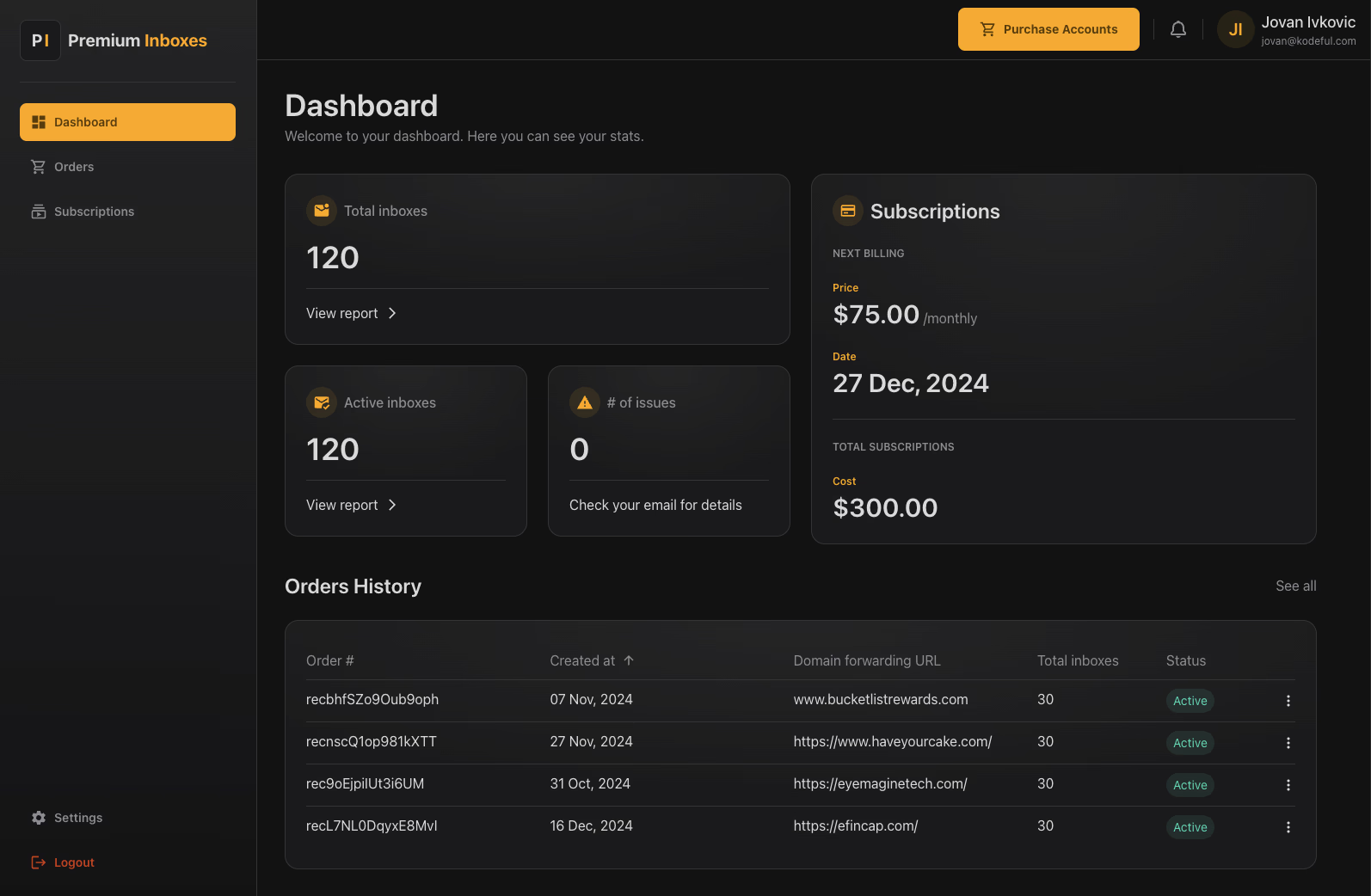
The dashboard shows total inboxes, active inboxes, issue count, subscription cost, next billing date, and order history with forwarding URLs and statuses.
I did not see a "create" button in any of the screenshots. That fits the done-for-you model, but it is still worth knowing before you buy.
The FAQ is specific about migration. First, you release the domains from your current Google admin panel, which can take up to 24 hours. After that, Premium Inboxes says it builds within 12 hours.
They also recommend trialing the service before moving a large estate, and suggest downloading your data if you want the same addresses rebuilt.
The Email Control Center costs $7,500 a month, requires an application, and does not include inboxes.
It includes continuous placement testing against real Google and Microsoft seed inboxes, incident response with automatic rebuilds and blacklist containment, domain procurement, and bi-weekly calls with a named analyst.
Soft disconnects are supposed to reconnect automatically within minutes. If the same issue keeps happening, it escalates to a manual reconnect within 20 to 30 minutes. Those are the only response times I found in the material.
I do not have placement data, real delivery times, or support response times.
I could not test the rebuild process Daniel Rufus described, nor could I test what happens if you want to leave, because only migration into Premium Inboxes is documented.
Every number in this review comes either from Premium Inboxes’ own pages or from a named reviewer.
There are no feature tiers here, just volume bands. Google and Microsoft cost the same at every level.
Every volume band includes technical setup, sequencer upload, and unlimited replacement inboxes. Growth adds health checks. Enterprise adds monitoring, an account manager, and three extra modules.
The price gap between the cheapest and most expensive bands is only 70 cents per inbox. But the bigger difference is what each band unlocks.
At 100 inboxes, I cannot buy health checks at any price. Those start at 250 inboxes. Monitoring starts at 1,250.
The toggle says “Save 20%.” The cards say “2 Months Free.”
Start Up costs $42 per inbox if paid monthly for a year, compared with $35 annually. That works out to a 16.7% discount. Growth and Enterprise come out the same way.
You bring your own domains. Domain procurement appears only in the Email Control Center.
Standard delivery is 12 hours to your sending platform. The upgraded option is 6 hours, but the upgrade price is not published.
The Email Control Center costs $7,500 a month, requires an application, and bills inboxes separately.
What a real bill looks like
A 300-inbox Growth setup would cost $900 a month, plus roughly $150 in domain registration across 100 to 150 domains.
That puts the real cost at about $3.50 per inbox, which is the same rate as the band below it.
The reviewer list makes the audience pretty clear. Daniel Rufus runs 400 mailboxes, Christopher Clarke ordered 100 accounts across 50 domains, and Mamun Ahmed runs six mailboxes for his agency. These are mostly people sending on behalf of clients.
Premium Inboxes makes the most sense for agencies that want someone else to handle the infrastructure.
If you want to provision inboxes yourself at 2 a.m., this is probably the wrong model.
If you would rather build the setup yourself than wait 12 hours for someone else to do it, Mailforge is worth a look.
Mailforge is cold email infrastructure you build yourself. Generate up to 100 domains off your primary, bulk-create mailboxes, and start sending in minutes rather than waiting in a queue.
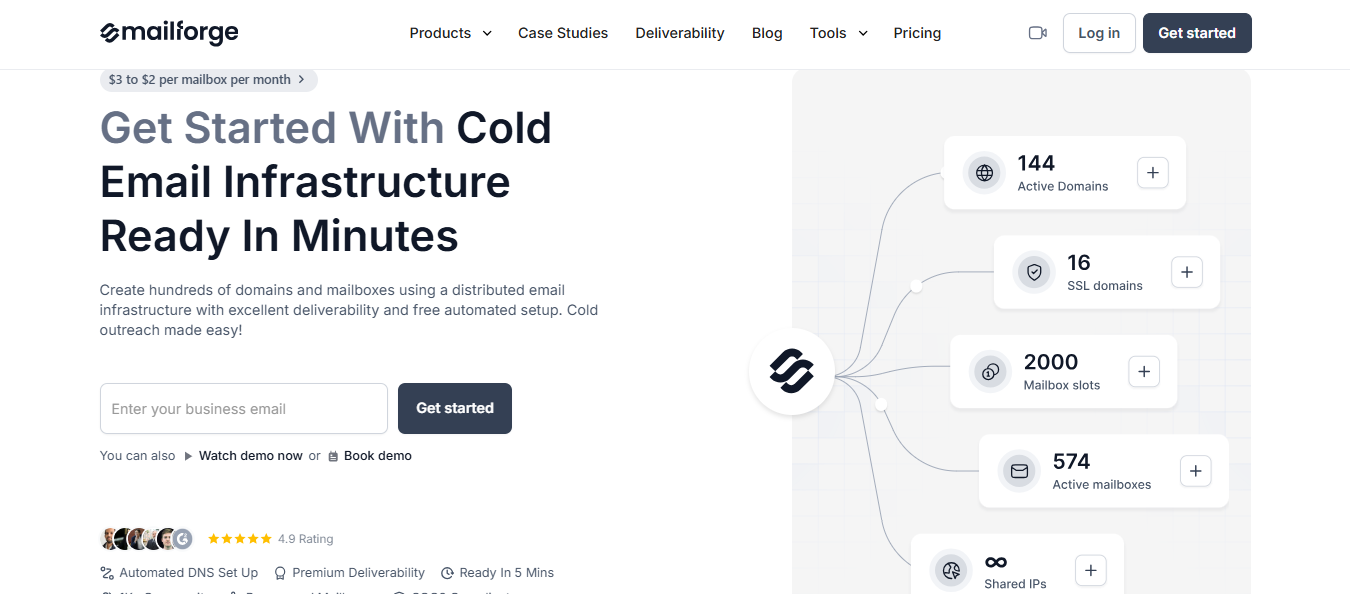
You buy the domains and mailboxes; Mailforge configures DMARC, SPF, DKIM, and a custom tracking domain for each one, then you export the credentials to whichever sending platform you use.
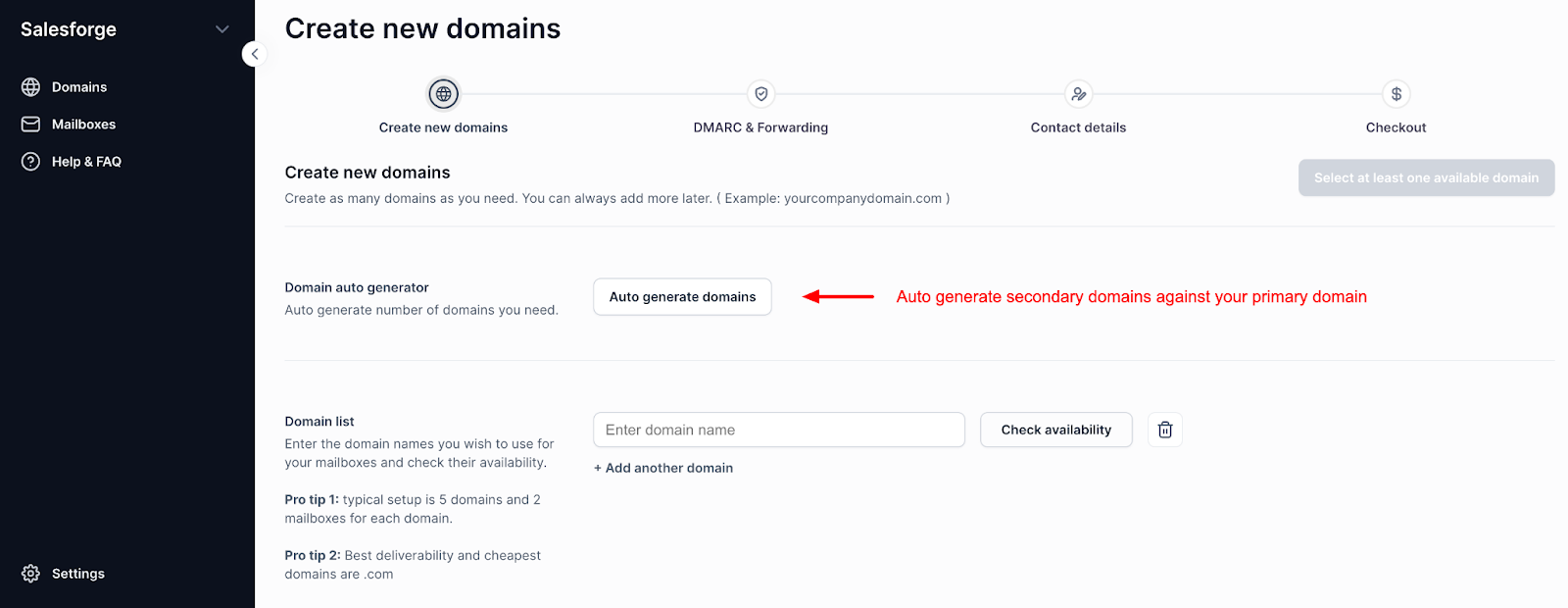
Premium Inboxes builds every account by hand, so scaling means filling in a form and waiting in a queue.
Mailforge lets you auto-generate up to 100 domains from your primary domain, then bulk-create mailboxes using your own naming format.
Premium Inboxes configures domains you already own. Domain procurement is available only in the $7,500-a-month managed tier.
Mailforge lets you buy domains in the same flow for $13 a year.
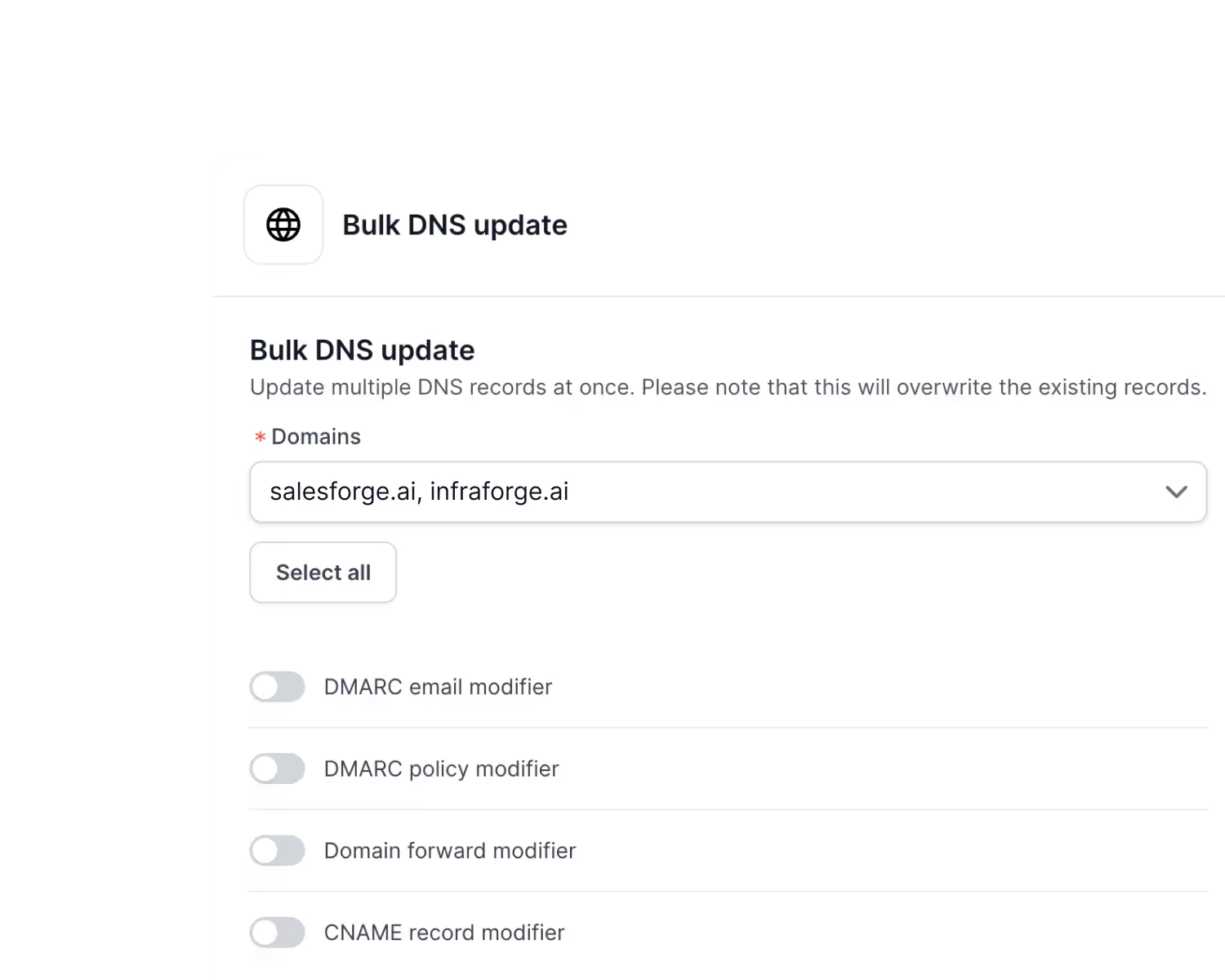
With Mailforge, you can update DMARC policy, forwarding, or CNAME records across selected domains in bulk.
Premium Inboxes: gate monitoring for 250 inboxes and account management for 1,250.
Mailforge gives you workspaces at any volume, and lets you move domains and mailboxes between them.
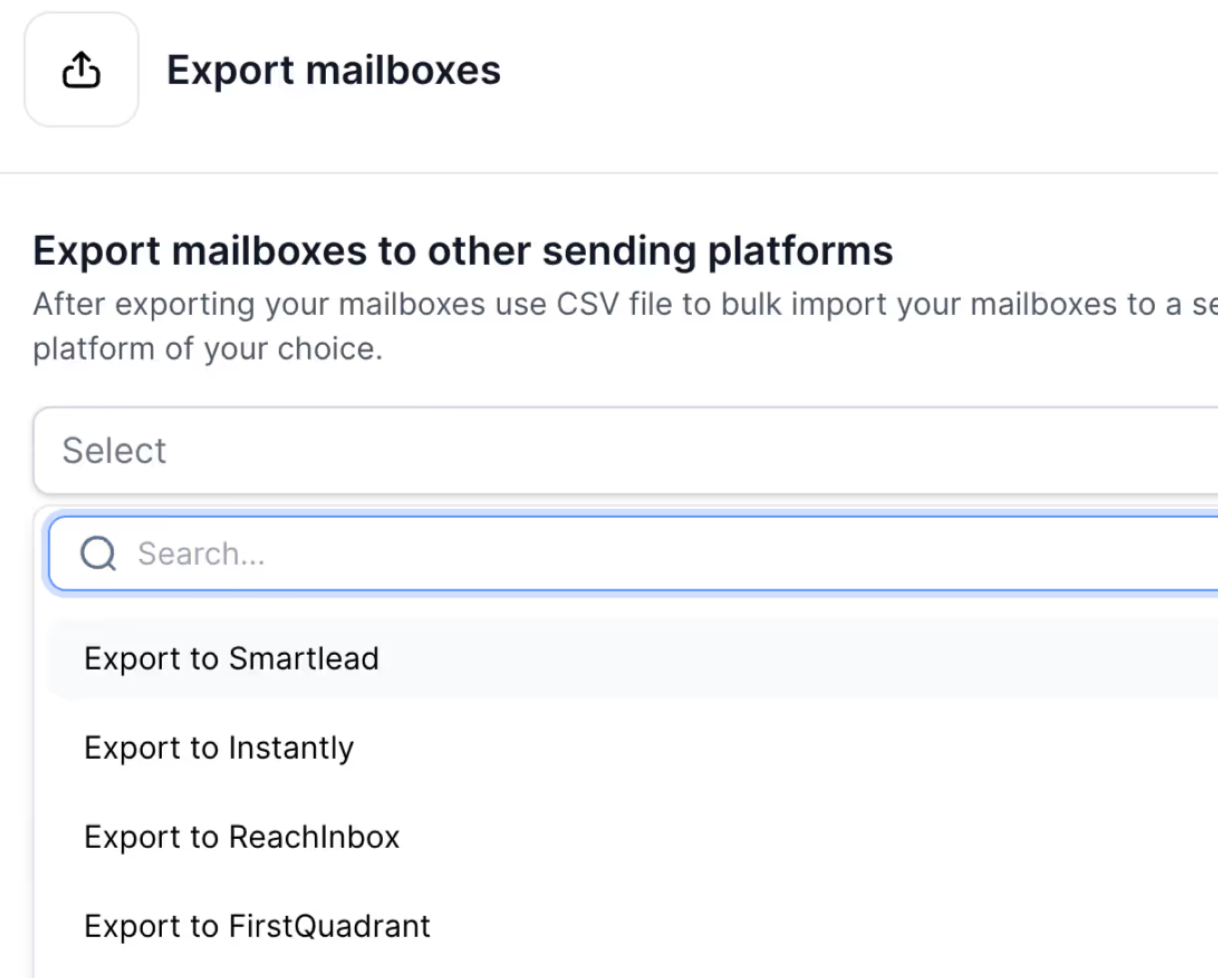
Premium Inboxes documents how to migrate in, but not how to migrate out.
Mailforge supports domain transfers in both directions and exports to Smartlead, Instantly, ReachInbox, FirstQuadrant, or Salesforge.
Enter your email to get a custom plan & stack recommendation for your business
Please check your mailbox in 5 minutes

Yes, Premium Inboxes is worth it if you want official Google or Microsoft accounts and prefer not to touch DNS yourself. At $3.50 per inbox with unlimited replacements, you can send within twelve hours.
The answer changes as you scale. Health checks start at 250 inboxes, monitoring at 1,250, and three Enterprise modules go unexplained.
Then there is the model. Every account is built by hand, so adding twenty inboxes means a form and a wait.
If you would rather keep the controls, Mailforge offers self-serve provisioning and domains in the same flow. Salesforge handles the sequencing.
Start with Mailforge and add inboxes as soon as you need them.