
Personalized Outbound Strategy
Get The Right Outbound Strategy In Minutes
Enter your email to get a custom plan & stack recommendation for your business
It's being carefully crafted by AI
Please check your mailbox in 5 minutes

Salesforge has become one of the most talked-about outbound platforms because it combines email outreach, LinkedIn outreach, AI personalization, unlimited mailboxes, and AI SDR automation in one place.
For sales teams, founders, and agencies, that's an attractive promise. Instead of managing separate tools for prospecting, outreach, deliverability, inbox management, and follow-ups, Salesforge aims to bring everything under one roof.
But does it actually deliver enough value to justify the cost? In this Salesforge review, I'll break down its features, pricing, pros and cons, user feedback, and overall user experience. I'll also look at where Salesforge stands out, where it has limitations, and whether it can realistically replace parts of your current outbound stack.
By the end, you'll know whether Salesforge is the right outreach platform for your team.
After reviewing Salesforge, I think its biggest strength is how much of the outbound process it brings into one platform. You can run email outreach, LinkedIn outreach, AI-powered personalization, mailbox management, reply management through Primebox™, and even AI SDR workflows with Agent Frank without constantly switching between tools.
I was particularly impressed by the unlimited mailbox support, unlimited LinkedIn senders on the Growth plan, built-in warm-up, and the way Salesforge connects with the rest of the Forge Stack. For teams running outbound at scale, this can remove a lot of operational work.
That said, Salesforge is not a beginner-focused tool. Because it combines outreach, deliverability, LinkedIn automation, inbox management, and AI features, there is a learning curve when you first get started. Several users mention that the platform can feel overwhelming until you understand how everything works together.
If you want a platform that combines email outreach, LinkedIn outreach, deliverability tools, AI personalization, and reply management in one place, Salesforge is worth considering. If you're only looking for a simple cold email sender, some of its advanced features may be more than you need.
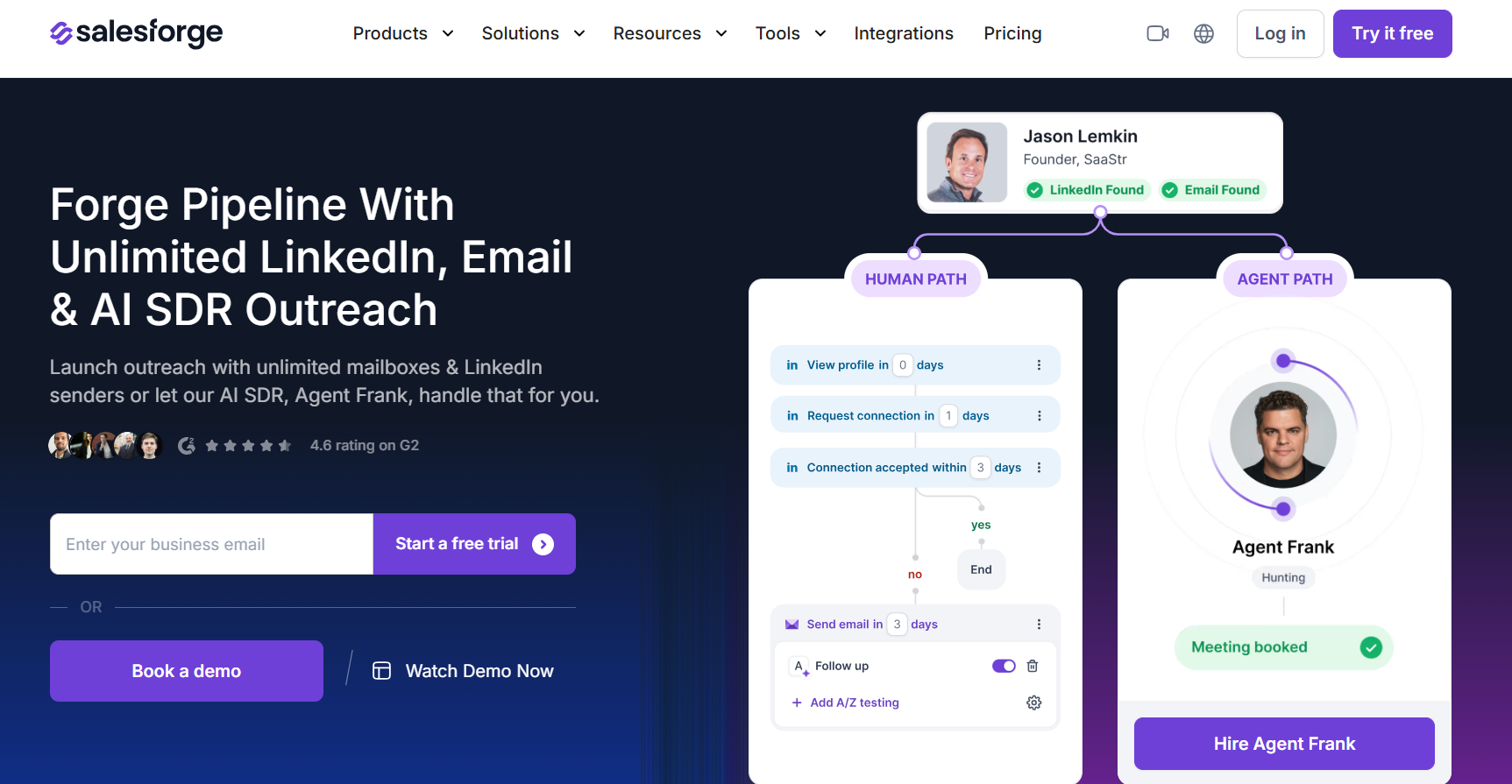
Salesforge is an all-in-one outbound sales platform that helps businesses run email and LinkedIn outreach from a single place. Instead of using separate tools for prospecting, outreach, deliverability, reply management, and AI automation, Salesforge brings these functions together in one platform.
With Salesforge, you can create multichannel sequences that combine email and LinkedIn touchpoints, manage unlimited mailboxes, connect unlimited LinkedIn senders on the Growth plan, personalize messages with AI, and manage replies through Primebox™.
The platform also includes unlimited email warm-up powered by Warmforge to help improve deliverability.
Salesforge also connects with the rest of the Forge Stack, including Leadsforge for lead generation, Warmforge for deliverability, Mailforge and Primeforge for email infrastructure, and Infraforge for private sending infrastructure.
In simple terms, Salesforge is built for teams that want to manage email outreach, LinkedIn outreach, deliverability, reply management, and AI-powered outbound workflows without juggling multiple tools.
After reviewing Salesforge's features, pricing, and user feedback, these are the features that stood out the most to me.
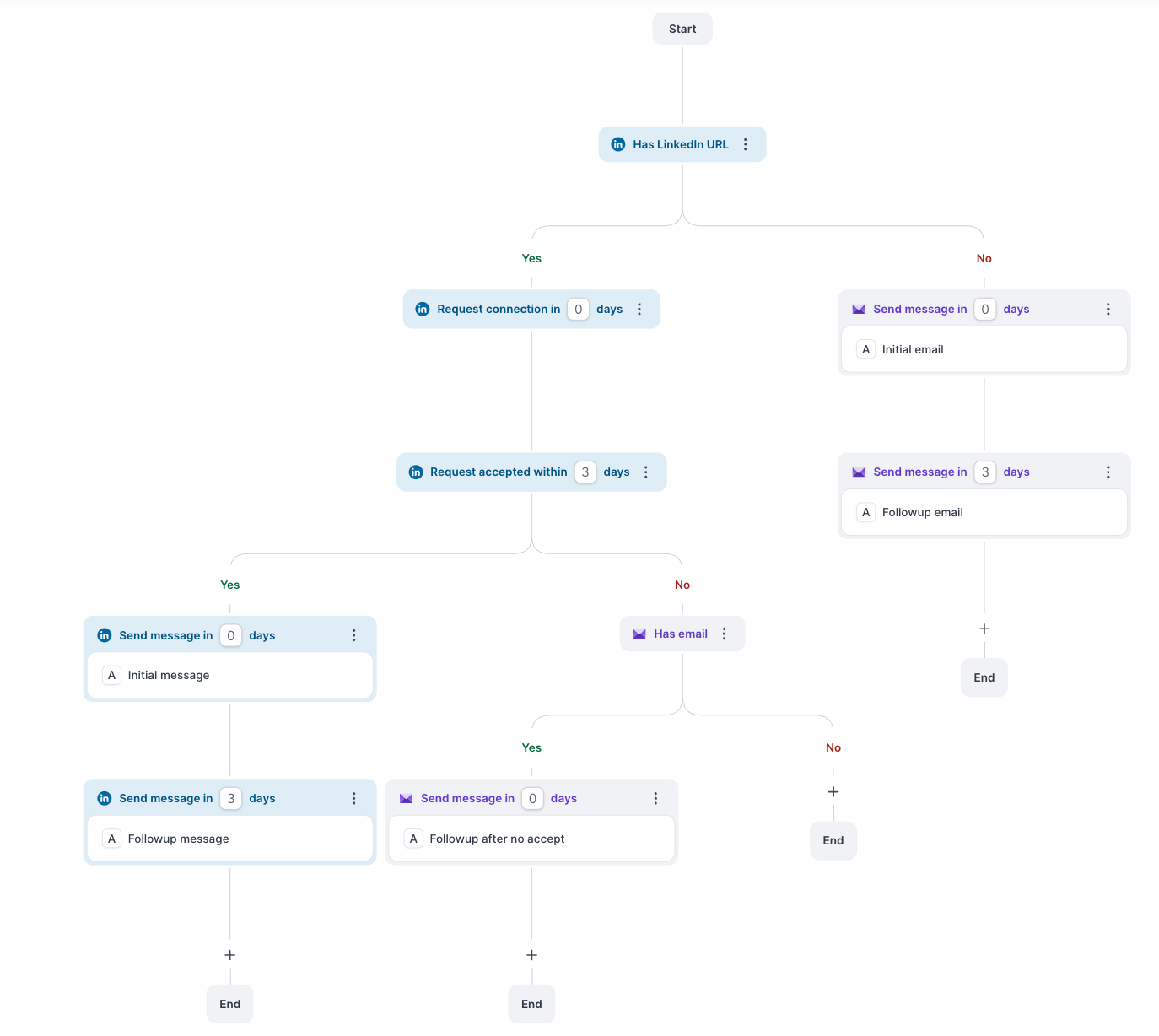
This is one of Salesforge's strongest features. Instead of running separate campaigns for email and LinkedIn, you can combine both channels inside a single sequence. You can add emails, LinkedIn connection requests, messages, profile views, and follow-ups into one workflow.
I think this makes outreach easier to manage because everything happens from one place instead of multiple tools.
Many outreach platforms limit the number of mailboxes or LinkedIn accounts you can connect. Salesforge takes a different approach. You can connect unlimited mailboxes on all plans, and the Growth plan includes unlimited LinkedIn senders. For teams that plan to scale outreach, this can remove a common bottleneck.
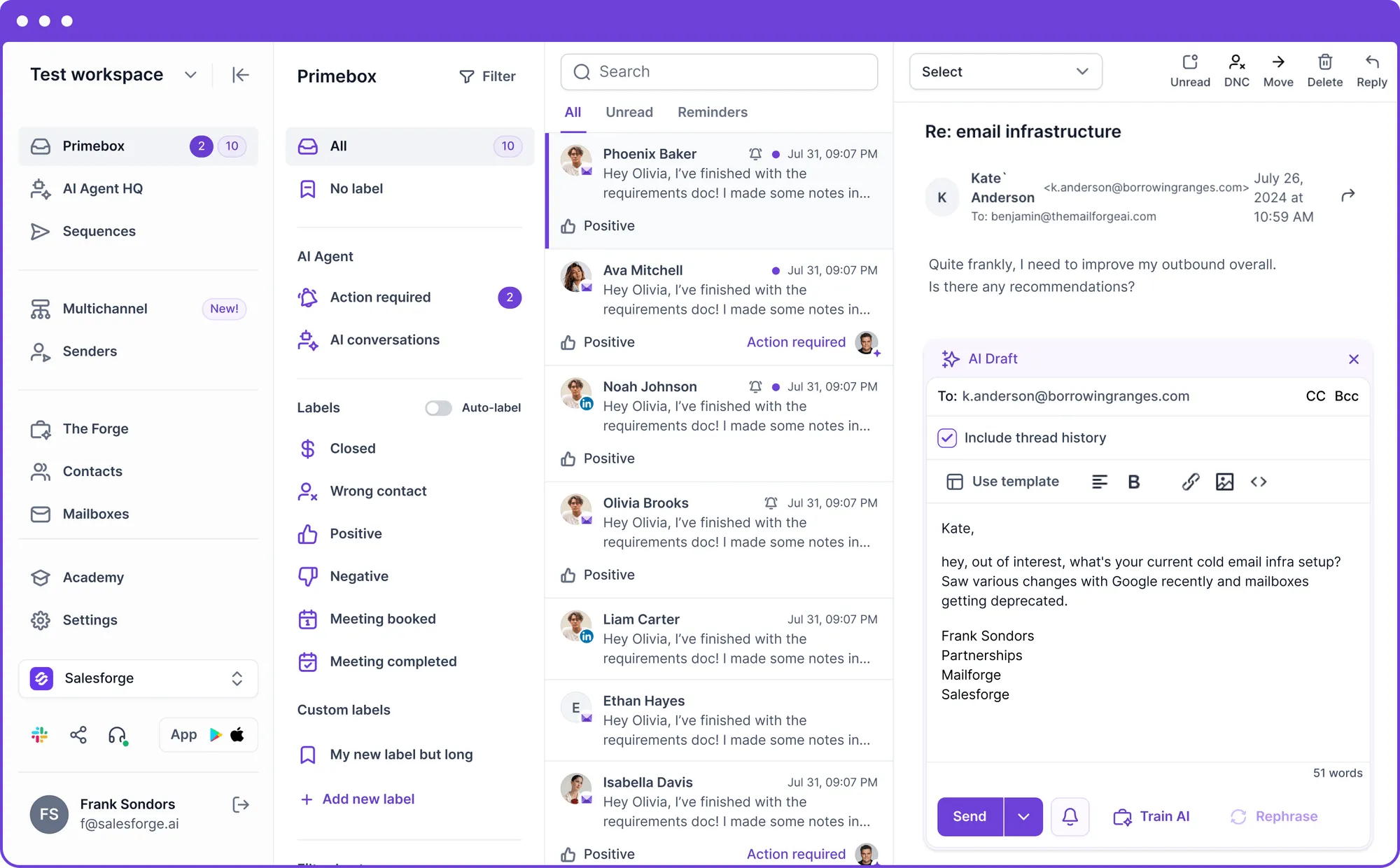
Primebox™ was one of the features that stood out most during my review. It brings email replies and LinkedIn conversations into a single inbox, so you don't have to jump between different platforms to manage conversations. For teams handling large volumes of replies, this can make day-to-day outreach much easier.
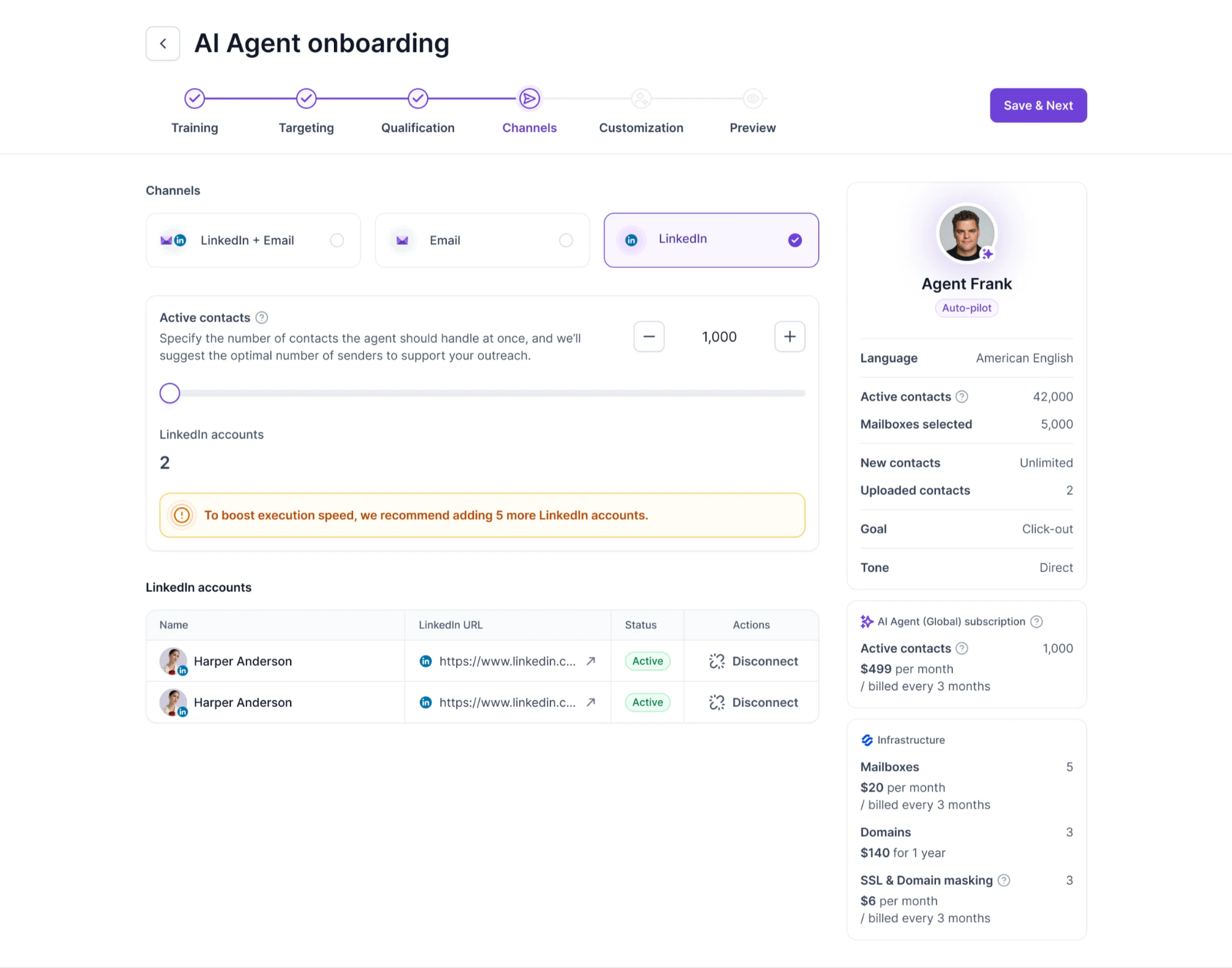
Agent Frank is Salesforge's AI SDR and one of the platform's most unique features. According to Salesforge, Agent Frank can find prospects, write outreach messages, send follow-ups, manage replies, and book meetings. If you're looking to automate more of the outbound process, this is one of the features worth paying attention to.
Writing personalized emails for every prospect takes time. Salesforge uses AI to generate personalized outreach messages using prospect data. I think this feature is especially useful for teams that need to scale outreach while still keeping messages relevant.
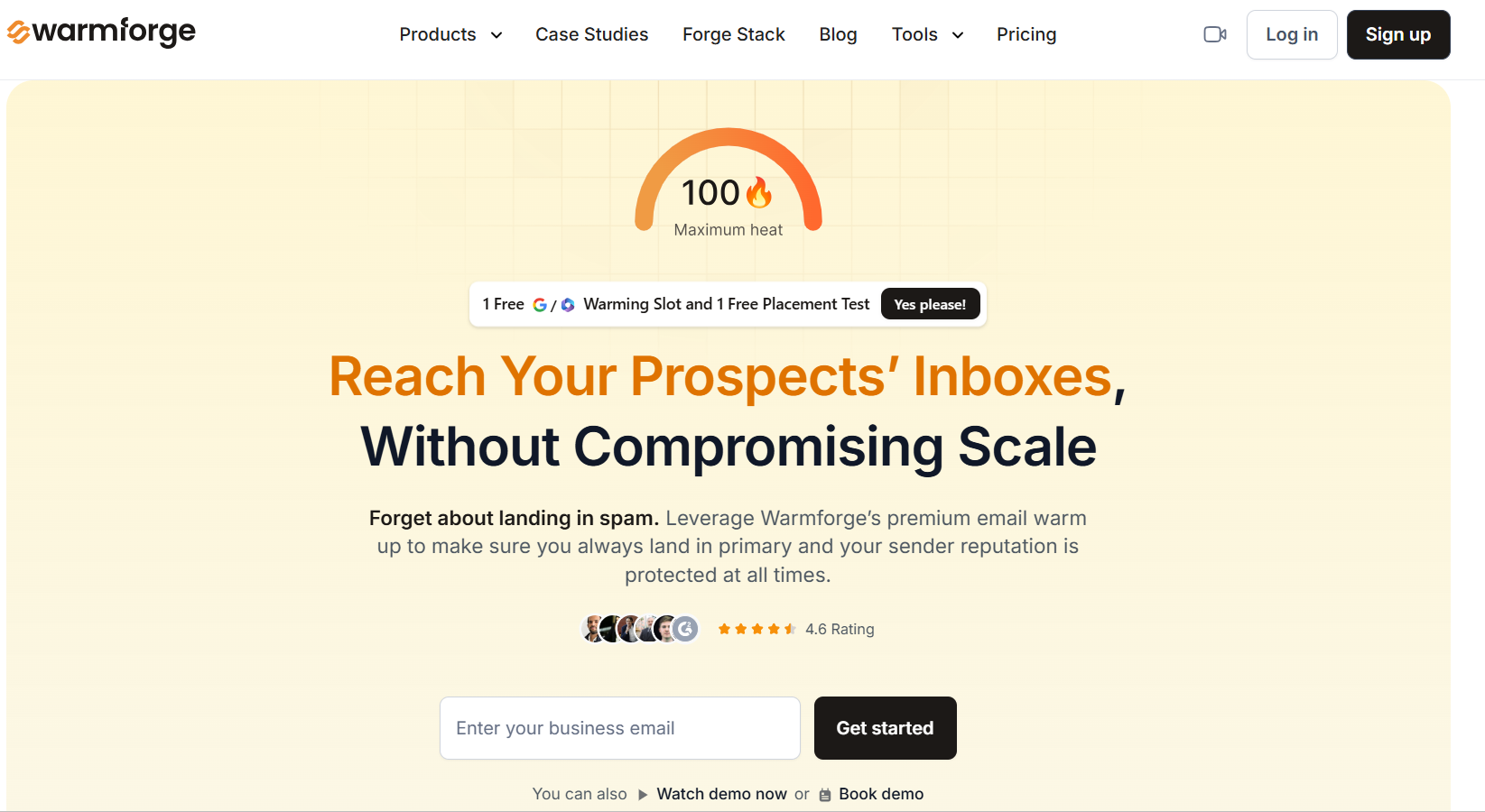
One thing that stood out to me is that every Salesforge plan includes unlimited warm-up through Warmforge. Many tools charge separately for warm-up, so having it included adds extra value. It also means teams can manage outreach and mailbox warm-up from the same ecosystem.
Salesforge includes smart mailbox rotation to distribute sending activity across connected mailboxes. For larger outbound teams, this can help manage sending volume more efficiently instead of relying on a single mailbox.
Salesforge provides reporting across both email and LinkedIn campaigns.
You can track metrics such as replies, opens, clicks, bounce rates, and sequence performance from a single dashboard. I like that everything is available in one place rather than split across multiple tools.
Salesforge integrates with a wide range of sales and workflow tools, including HubSpot, Salesforce, Clay, Pipedrive, Attio, Slack, Zapier, Make, and more. This makes it easier to fit Salesforge into an existing sales workflow without replacing the rest of your tech stack.
Overall, what impressed me most is that Salesforge focuses on bringing outreach, deliverability, reply management, AI personalization, and AI SDR automation together in one platform. For teams that are tired of managing multiple outbound tools, that can be a significant advantage.
Primebox™ is one of Salesforge's most useful features. Most outreach teams manage replies across Gmail, Outlook, LinkedIn, and multiple inboxes, which quickly becomes difficult as campaigns scale. Primebox solves this by bringing email replies and LinkedIn messages into a single inbox, making conversations much easier to track and manage.
I also like that Primebox does more than simply collect replies. It includes AI sentiment analysis, labels, filters, and AI-generated replies to help teams prioritize conversations and respond faster. The platform also supports Reply as Human, Co-Pilot, and Auto-Pilot modes, giving teams different levels of control over conversations.
Overall, I don't think Primebox is the main reason to buy Salesforge. However, it adds real value to the platform. Having all your email and LinkedIn conversations in one place can save time, reduce missed replies, and make outbound campaigns easier to manage.
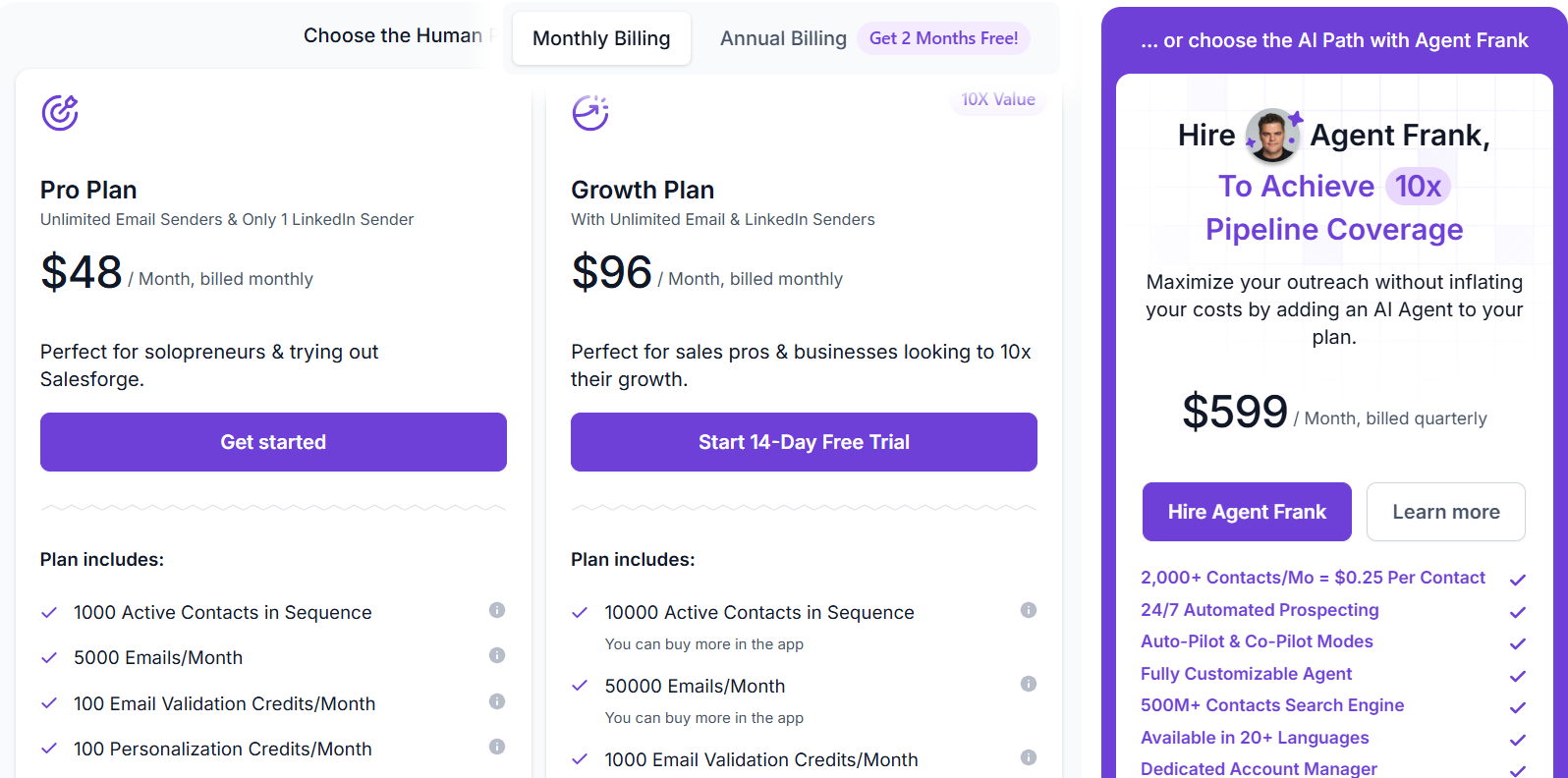
Salesforge offers two main plans and an optional AI SDR add-on.
I think Salesforge's pricing is fair for what you get. The Pro plan is affordable if you're a founder or small team that wants to start running outbound campaigns without spending a lot of money.
For example, if your team uses one tool for cold email, another for LinkedIn outreach, another for warm-up, and another for managing replies, you'll be paying for multiple subscriptions every month. With Salesforge, most of these features are already included in a single plan.
Salesforge does a good job of keeping everything in one place. Instead of switching between multiple tools for outreach, warm-up, inbox management, and reporting, you can manage most of your outbound workflow from a single dashboard. Here are a few things that make the platform easier to use:
That said, Salesforge offers a lot of features. New users may need a little time to learn everything, but once you're familiar with the platform, it becomes much easier to manage outreach at scale.
After reading through dozens of recent G2 reviews, I noticed a few patterns. Most users choose Salesforge because they want to manage email outreach, LinkedIn outreach, deliverability, and reply management from one platform instead of using multiple tools. Salesforge currently holds a 4.6/5 rating from 110 reviews on G2.
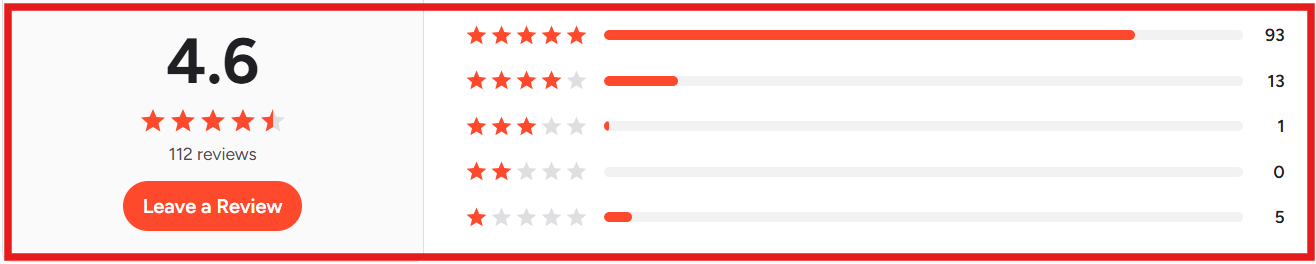
Here are the things users mention most often:


The most common complaints are fairly consistent as well:


Overall, user feedback is largely positive. Most reviewers seem happy with the platform's multichannel outreach capabilities, deliverability features, and all-in-one approach, while the biggest criticism is that new users may need some time to learn everything the platform offers.
Enter your email to get a custom plan & stack recommendation for your business
Please check your mailbox in 5 minutes

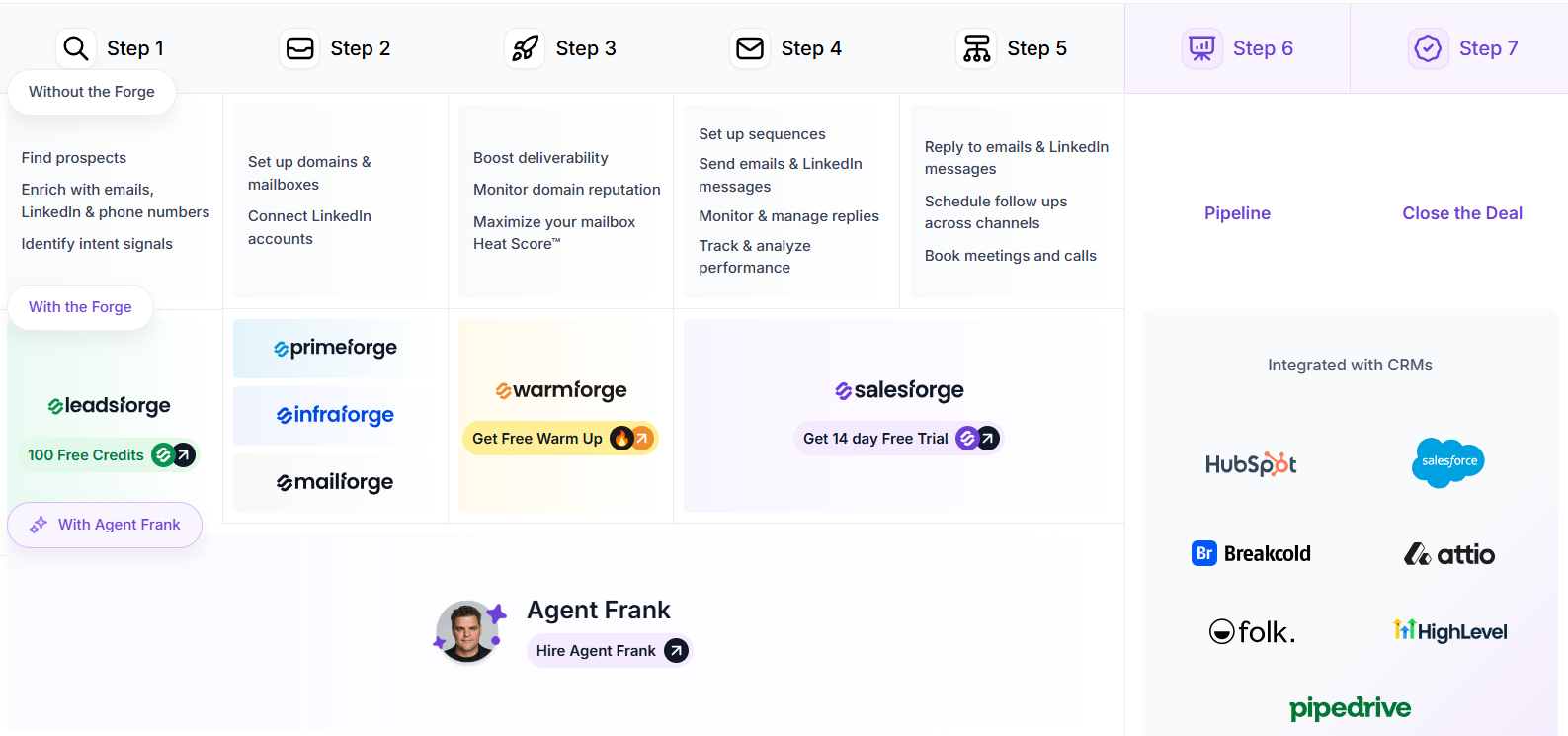
One thing that makes Salesforge different from many outreach platforms is the Forge Stack.
The Forge Stack is a collection of products designed to cover every major part of outbound sales. Instead of using separate tools for finding leads, setting up email infrastructure, improving deliverability, running campaigns, managing replies, and automating SDR work, the Forge Stack brings all of those functions into one ecosystem.
The goal is to help teams manage more of their outbound process from a connected set of tools that are built to work together.
Here's how each product fits into the stack:
Together, these products cover almost the entire outbound workflow. A team can use Leadsforge to find prospects, Primeforge, Mailforge, or Infraforge for infrastructure, Warmforge for deliverability, Salesforge for outreach, Primebox™ for reply management, and Agent Frank for SDR automation.
My Take On The Forge Stack:
After reviewing Salesforge, I think the Forge Stack is one of the platform's biggest differentiators. Most outbound teams end up using separate tools for lead generation, email infrastructure, deliverability, outreach, and reply management. The Forge Stack brings those functions together under one ecosystem, which can simplify day-to-day operations.
A few things stood out to me:
That said, I don't think the Forge Stack will be equally valuable for everyone. Teams that already have established infrastructure, lead generation, and deliverability systems may only use parts of the ecosystem.
However, if you're building an outbound operation from scratch, I think the Forge Stack is one of Salesforge's biggest advantages. Most outreach tools solve only one part of outbound. The Forge Stack is designed to cover much more of the process, which can reduce the need for multiple tools as your outbound program grows.