
Personalized Outbound Strategy
Get The Right Outbound Strategy In Minutes
Enter your email to get a custom plan & stack recommendation for your business
It's being carefully crafted by AI
Please check your mailbox in 5 minutes

I started looking into Zapmail the way most people probably do: I had a lead list, a sequencer, and no good place to send from.
Zapmail promises to fill that gap. It gives you domains, Google or Microsoft mailboxes, DNS setup, and a way to push everything into the tool you already use.
But I wasn’t just trying to figure out if it works on day one. Most infrastructure does. I wanted to know what happens six months later, when you need to move a domain, cancel a plan, or understand why your emails suddenly stop landing.
So I went through the pricing line by line, traced the setup flow from start to finish, and read every recent user review I could find, including the ones buried at the bottom of the page.
Here’s what stood out, starting with the numbers that don’t quite match the homepage.
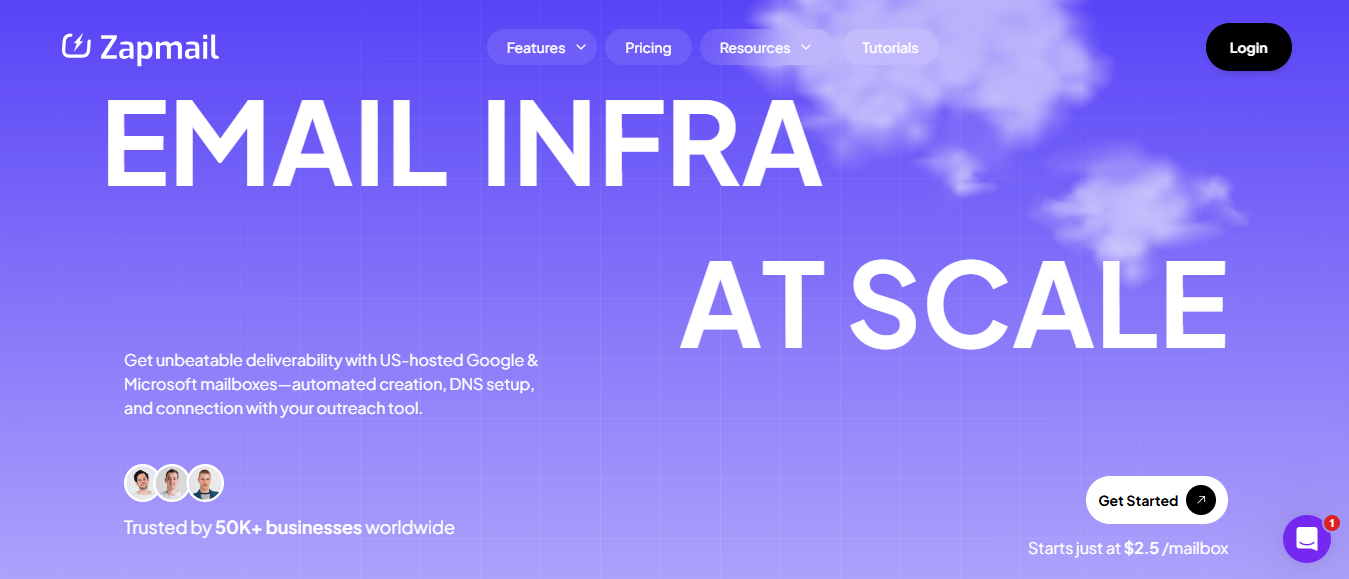
Zapmail gives outbound teams the infrastructure to send cold email. You can buy or connect domains, provision Google Workspace or Microsoft 365 mailboxes, and export them to your sequencer while Zapmail handles DNS setup in the background.
The offer is legitimate: official Business Starter mailboxes, automatic SPF, DKIM, DMARC, and MX records, one domain per workspace, plus features like ZapSites, Mailbox Swap, and the Zapbox unified inbox.
The tradeoff is control. Connecting a domain means pointing your nameservers to Zapmail, giving it control of the entire DNS zone — not just mail records. If a website runs on that domain, Zapmail controls that too.
Zapmail also stops at mailbox handoff. Sequencing, leads, copy, and reply handling still require separate tools and invoices.
The exit path is unclear. The FAQ says you own your mailboxes, but also says they are fully managed end-to-end, with no clear release process documented.
Mailforge takes a more flexible approach: domains can move in or out, DNS edits can be applied in bulk, and workspaces can move assets between clients.
Salesforge handles sequencing, Warmforge warms mailboxes for free, and Primebox brings every reply into one inbox.
Zapmail has reviews in two places. Ten on Trustpilot, posted between February and August 2026, and two Reddit threads where people are weighing it against other providers.
The Trustpilot batch is seven five-star reviews, one two-star and two one-star. Seven of those ten reviewers have posted once and never again.
Reddit gave me what Trustpilot did not: someone running Zapmail across client accounts for 90 days, with numbers attached.
So I focused on the details in both rather than the ratings.
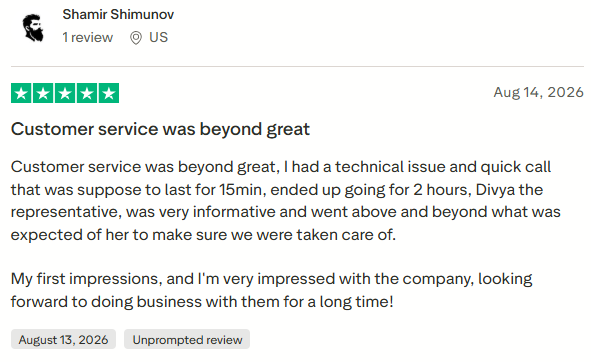
Six of the seven positive reviews start with support.
Shamir Shimunov (US, Aug 14, 2026) writes only about a support call. It was supposed to be 15 minutes but ran for two hours. He also names Divya as the rep.
A rep named Joby is thanked twice, by Tom Altinier (FR, Aug 5, 2026) and Shem Prokop (PL, May 22, 2026).
Ethan Chamish (CA, Jul 27, 2026) says he has used plenty of infrastructure resellers and rates Zapmail’s support above the rest. The product comes second in his review.
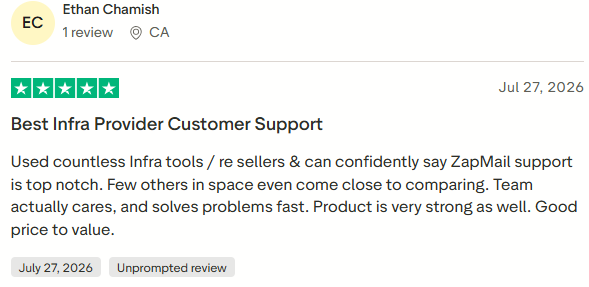
If you want a vendor that responds, that is a good sign. If you would rather not need support often, you may read it differently.
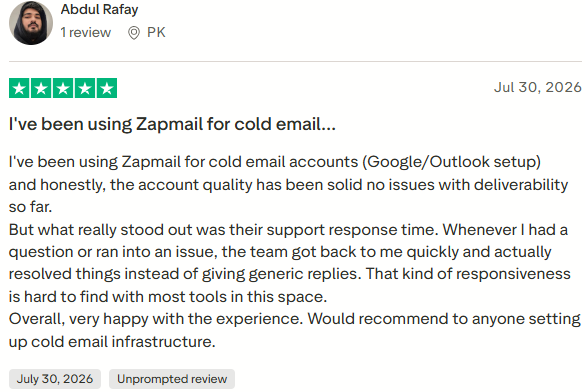
Abdul Rafay (PK, Jul 30, 2026) says account quality has been solid across Google and Outlook mailboxes.
Viktoriia Nastenko (UA, May 19, 2026) and Noë Camatte (FR, Mar 20, 2026) make similar points in different words.
There are no placement percentages, sending volumes, or campaign counts. I would treat these as impressions, not proof.
Henry André Fendt (DE, Jul 14, 2026) says the mailboxes work okay. His issue is that Zapmail keeps disconnecting his domains from his web host, which takes his website down while emails continue going out with broken links.
He says this happens every few months and takes hours to fix.
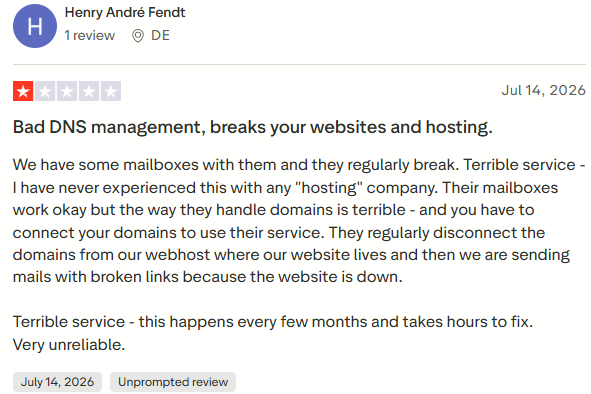
That lines up with the setup. Connecting a domain means pointing your nameservers at Zapmail, which gives Zapmail control of the whole DNS zone, not just the mail records.
Dmitry Krotov (US, Feb 24, 2026) says he was billed for 12 months for services he wasn't using. When he tried to move his Google Workspace back to Google directly, he says there was no easy release process, and his company email stopped working.
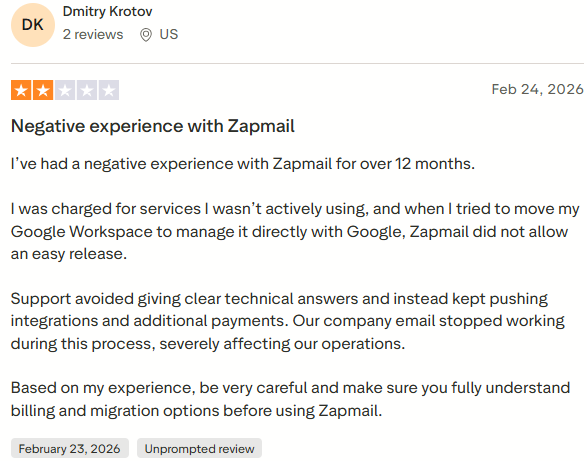
Zapmail’s FAQ says you own your mailboxes, but also says they are fully managed end-to-end. I could not find a documented release path.
Juan Alou (US, Mar 23, 2026) says his US mailboxes ran on Indian IPs and also mentions the no-refund policy. Zapmail’s pricing page lists only US/EU IPs.
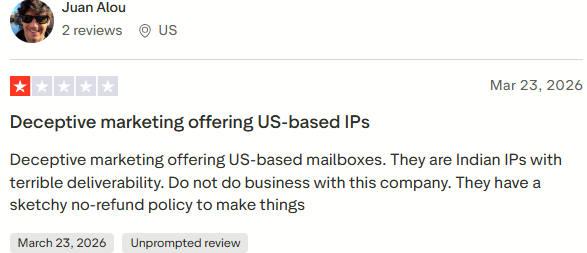
I cannot verify either side.
MarkKallen posted a 90-day review in r/GrowthHacking, running Zapmail across 8 client accounts.
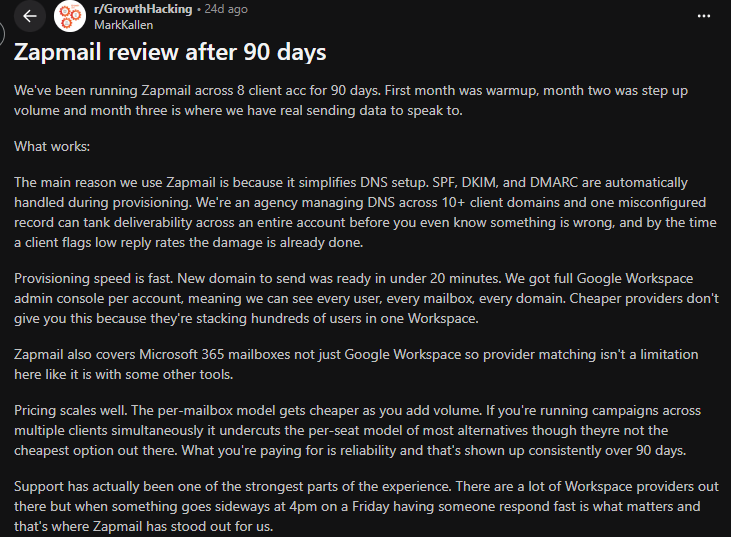
New domain to sending in under 20 minutes. Propagation resolved in a couple of hours on most domains, six on a few, none hitting 24. He verified with MXToolbox before warmup.
He also flags what Zapmail's pages do not. Deliverability softened on two accounts where clients pushed volume in week one, and he caps warmup at 20 to 30 emails per inbox per day.
His verdict: not the cheapest, the most reliable for DNS automation at agency scale.
One user, YURRIICC, says the per-account admin console matters most when you leave, since you can export what you built rather than chase the provider for your records.

That sits against Dmitry Krotov's account, and I cannot reconcile the two from outside.
Nobody mentions Zap Shield, pre-warmed mailboxes, AI Insights, or the API. Those are four products Zapmail is leading with in 2026.
Nobody says how many mailboxes they run, so I cannot tell how well this scales at the agency level.
And nobody describes a suspended mailbox or flagged domain, which is what I most wanted to hear from customers.
Let me be clear about the scope here. I went through the full buying path: pricing toggles, domain connection, mailbox assignment, sequencer export, and the two paid add-ons.
I did not send campaigns from Zapmail mailboxes.
So this is a review of what Zapmail asks of you when you buy and set it up. It is not a deliverability test, and I am not presenting it as one.
First, I picked a provider. Then I picked a billing cycle. Then I picked a plan.
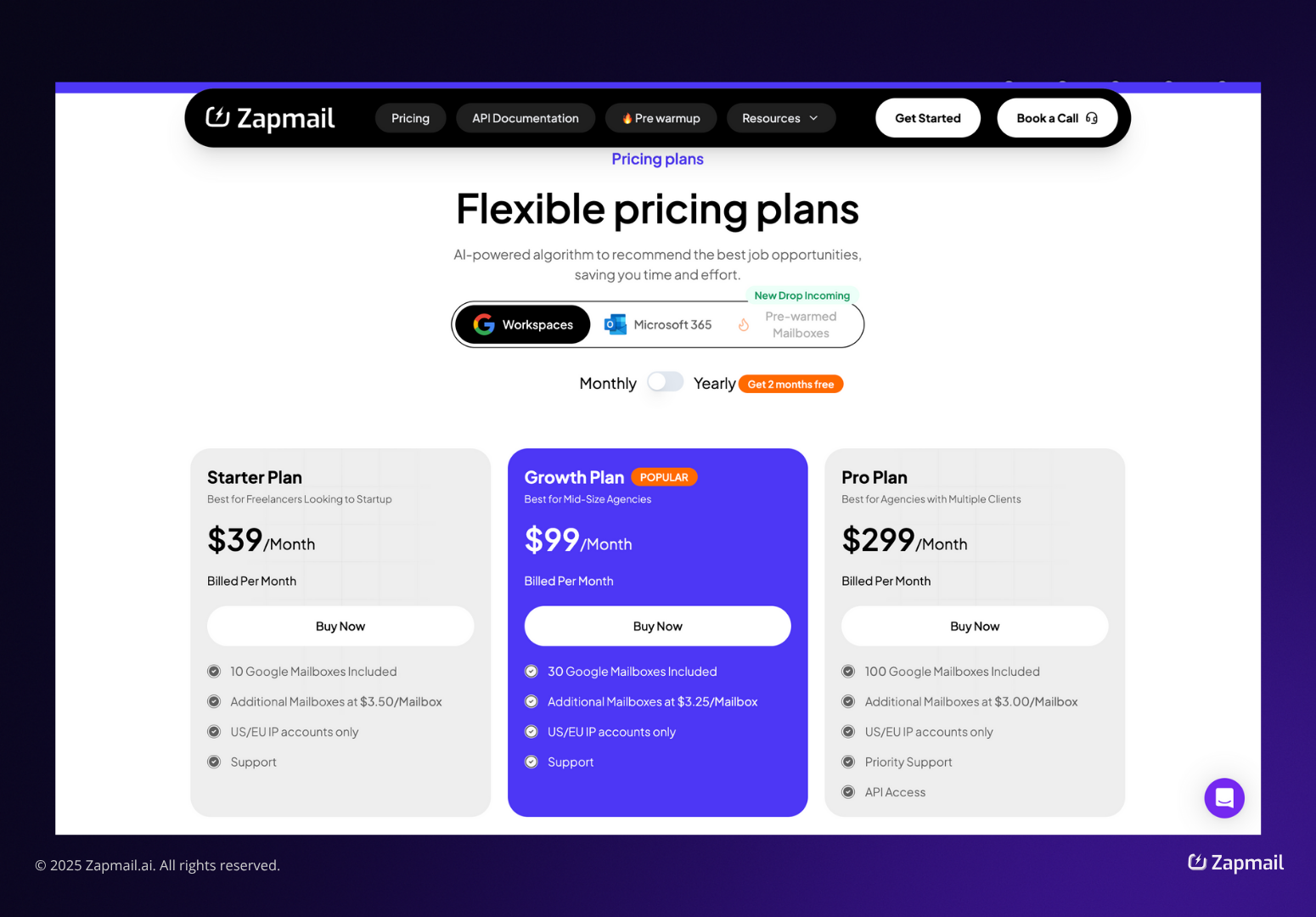
Google and Microsoft cost the same across all tiers: $39, $99, and $299 per month.
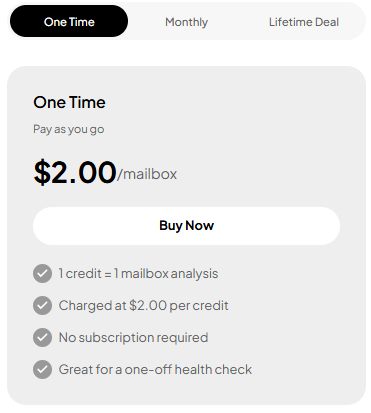
The site said pricing starts at $2.00 per mailbox, and the FAQ repeated the same number.
But on monthly billing, Starter gave me 10 mailboxes for $39, which comes out to $3.90 each. Growth gave me 30 for $99, or $3.30 each. Pro gave me 100 for $299, or $2.99 each.
The only way I got close to $2.50 was by choosing yearly billing on Pro. With two months free, it comes to $2,990 for 100 mailboxes, or $2.49 each.
Extra mailboxes on the standard plans cost $3.50, $3.25, and $3.00. The pre-warmed plans cost $8, $7, and $6.
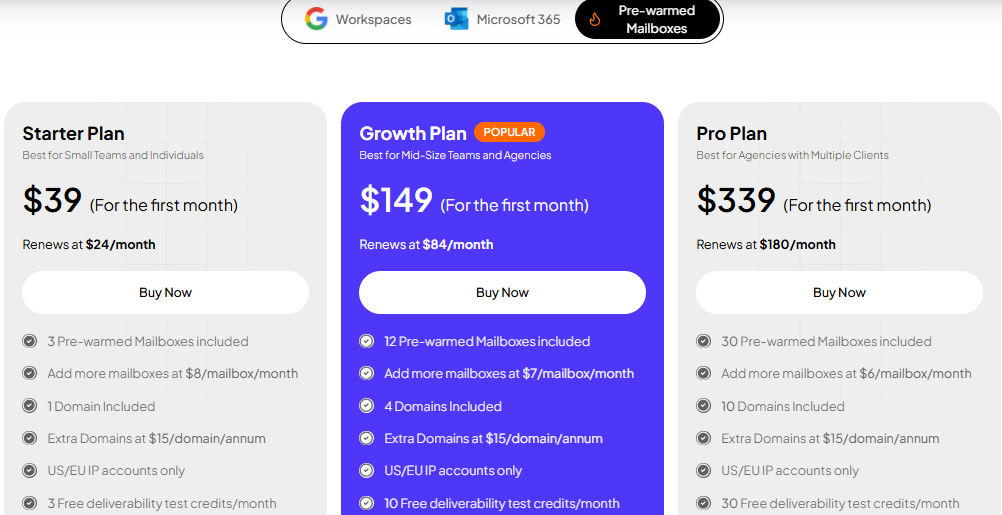
The first month is discounted, so I looked at the renewal price instead. $39 renews at $24, $149 renews at $84, and $339 renews at $180. Extra domains are $15 per year.
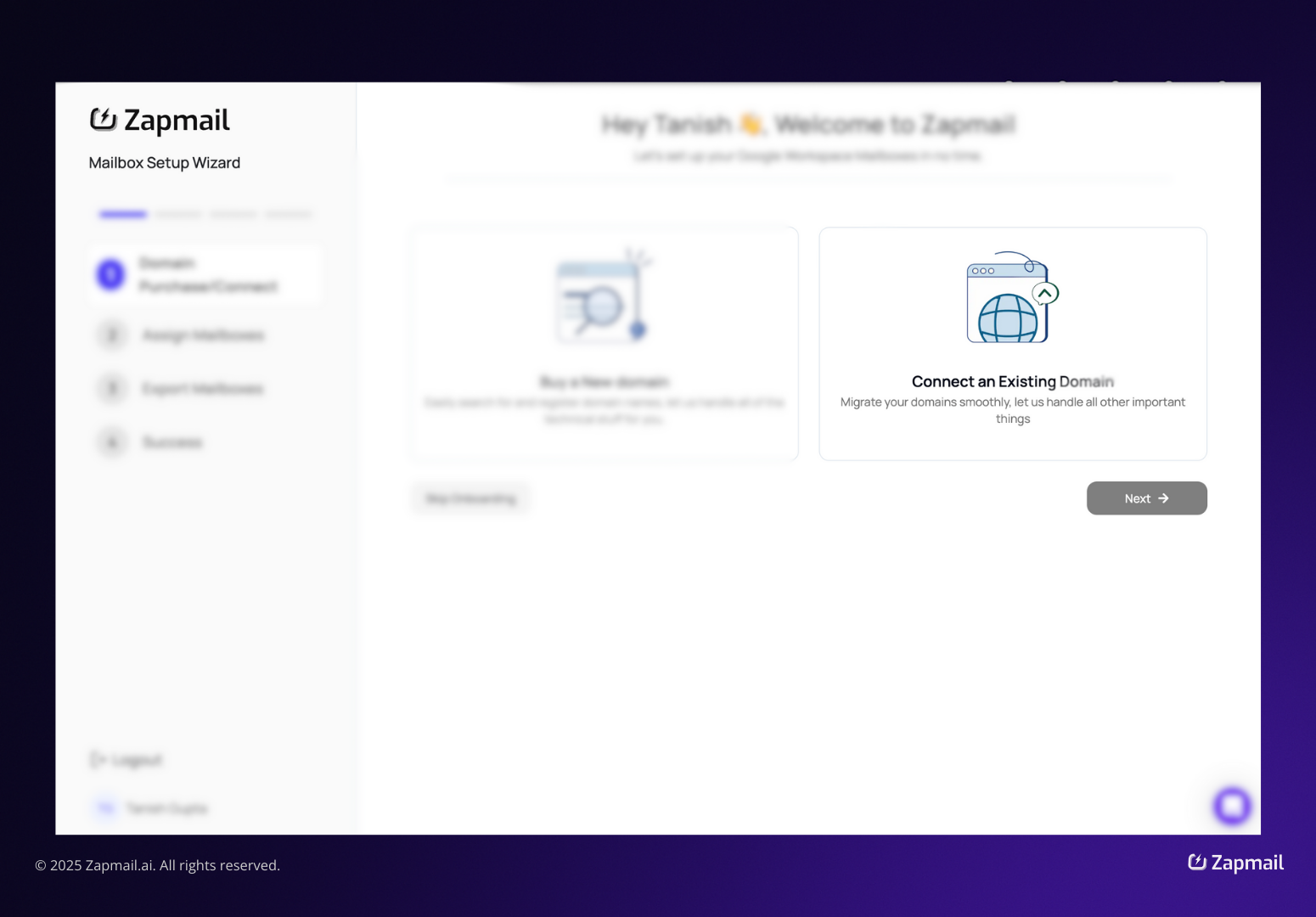
Zapmail asked me to replace my nameservers with ns1 to ns4.zapmaildns.com at my registrar.
Not the MX records. The nameservers.
The setup note said propagation usually takes up to 24 hours. The troubleshooting section below it said to wait 24 to 48 hours.
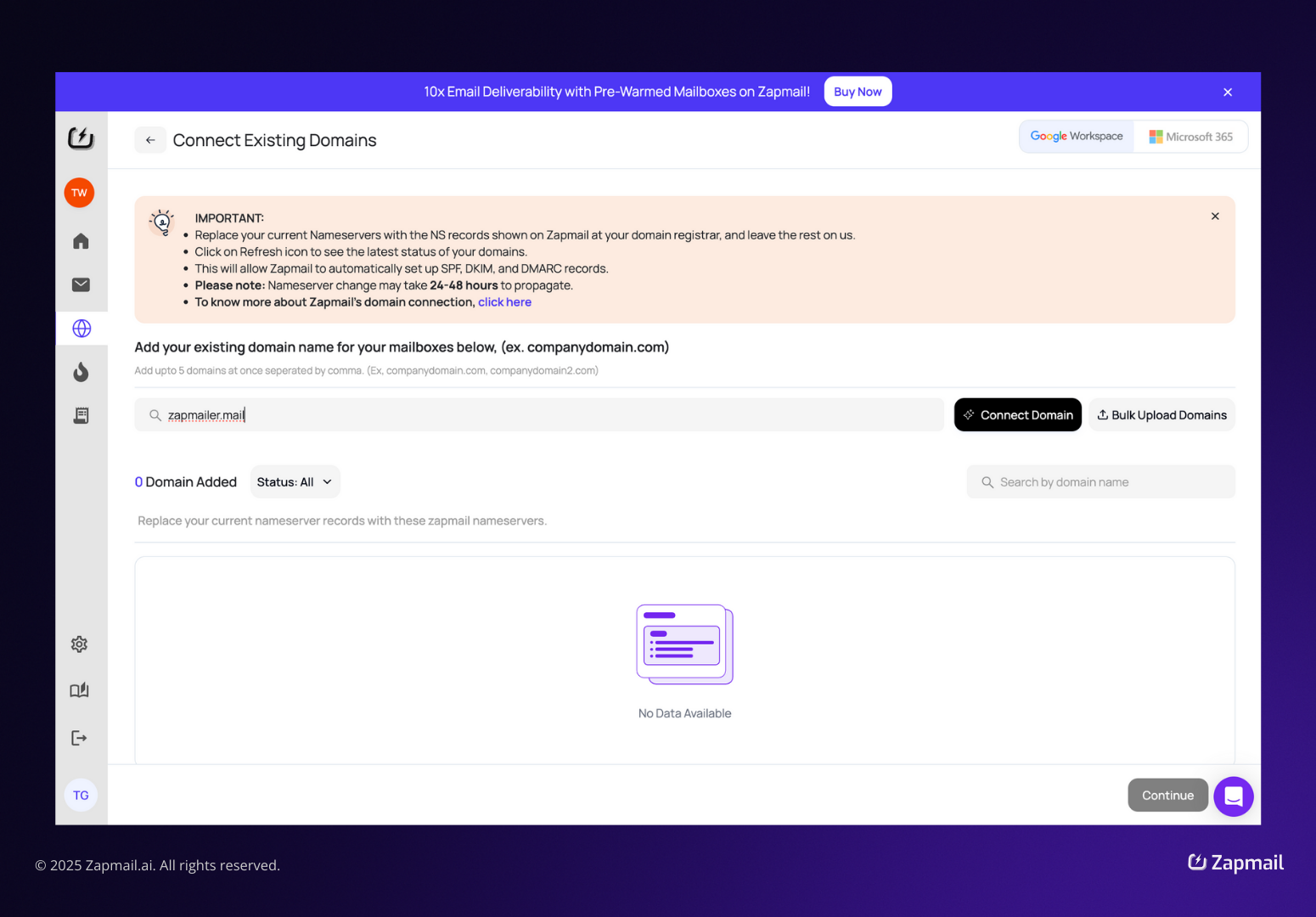
If you run a website on the same domain, this is the part Henry André Fendt was talking about in his review.
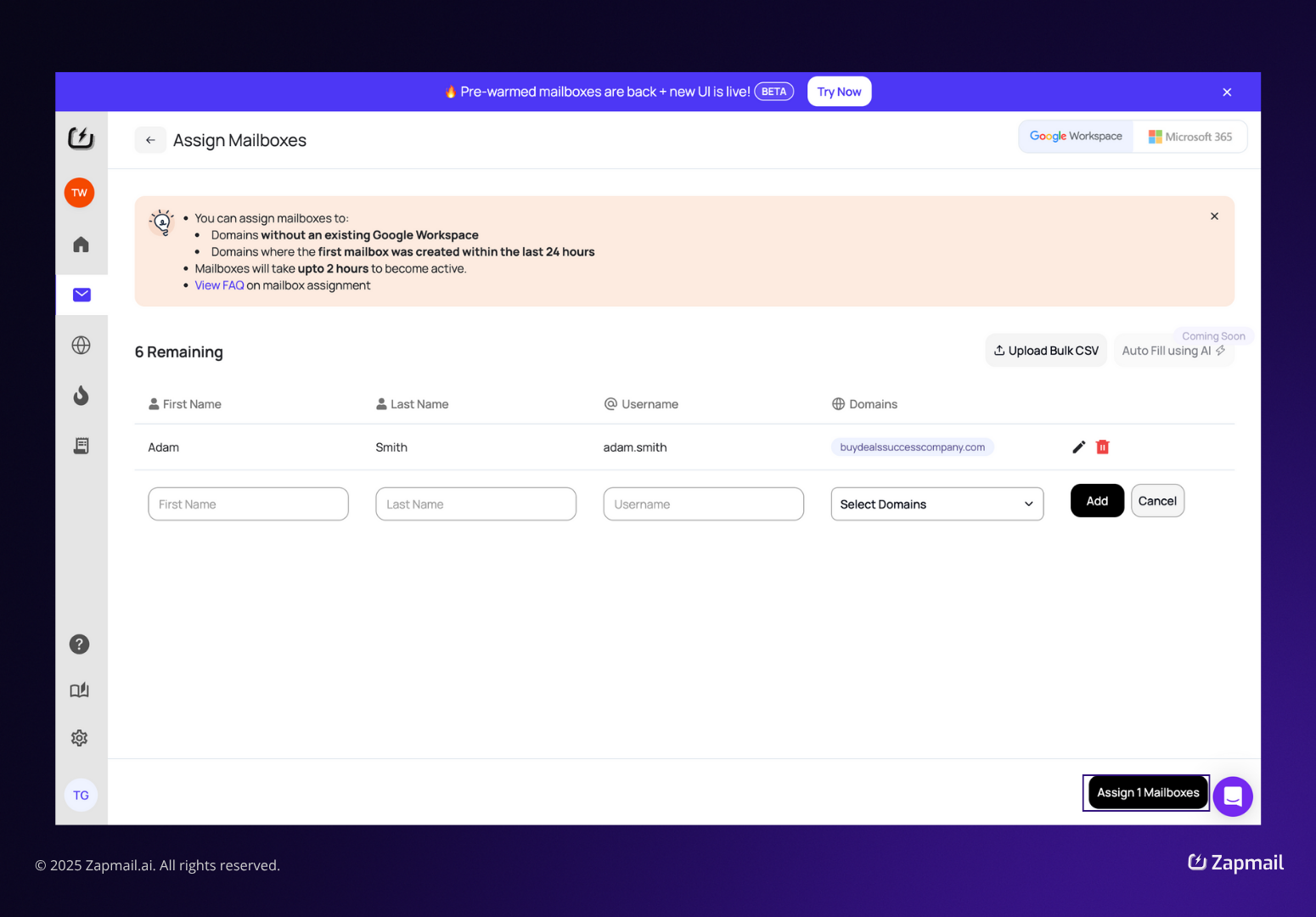
I could only assign mailboxes to domains with no existing Google Workspace, or to domains where the first mailbox had been created in the last 24 hours.
Mailboxes can take up to two hours to activate. Bulk CSV upload works. Auto Fill using AI is marked Coming Soon.
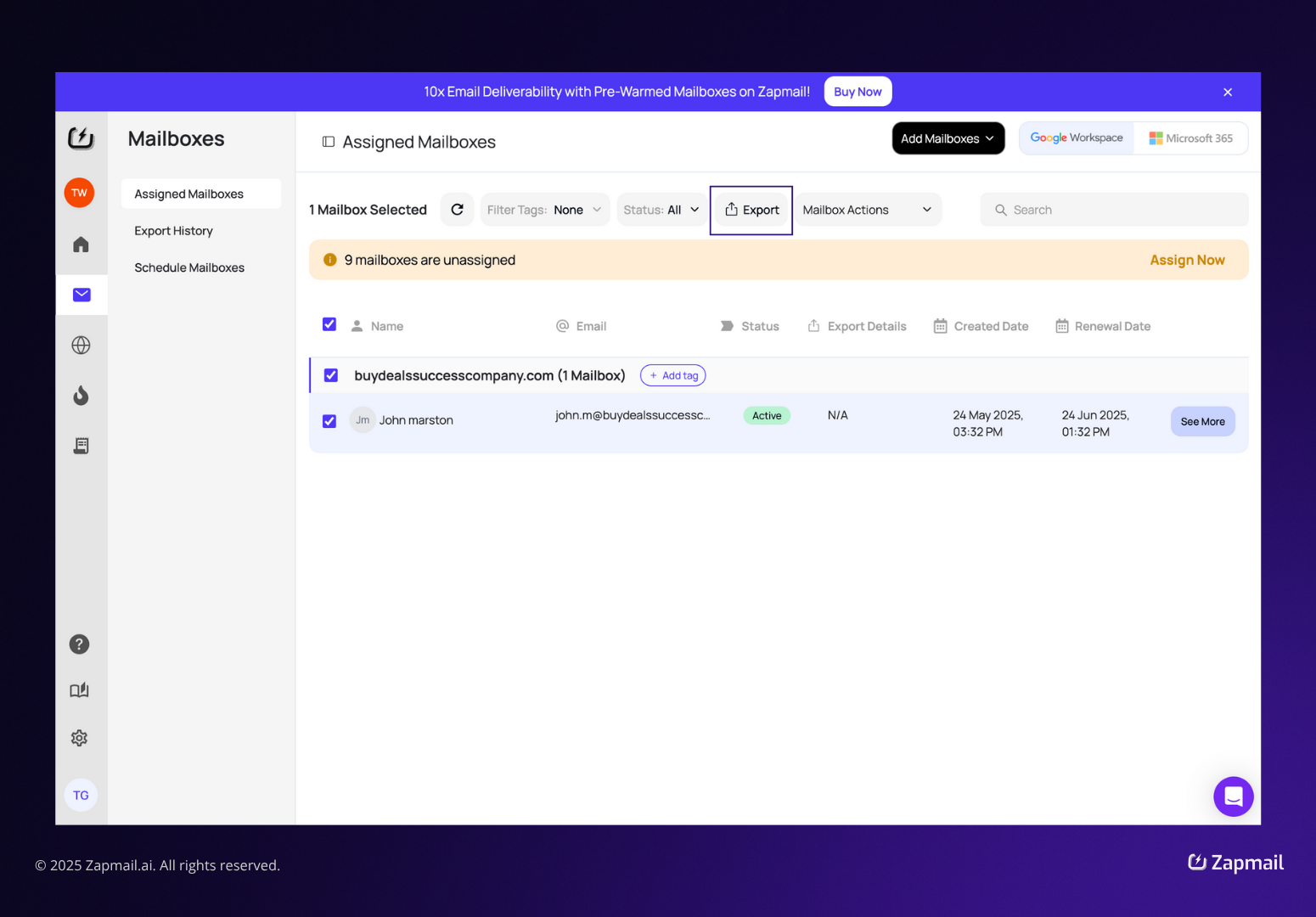
I opened ReachInbox, which is marked Recommended and says setup can take up to 30 minutes. Smartlead and Instantly show the same timing. Reply can take up to 4 hours.
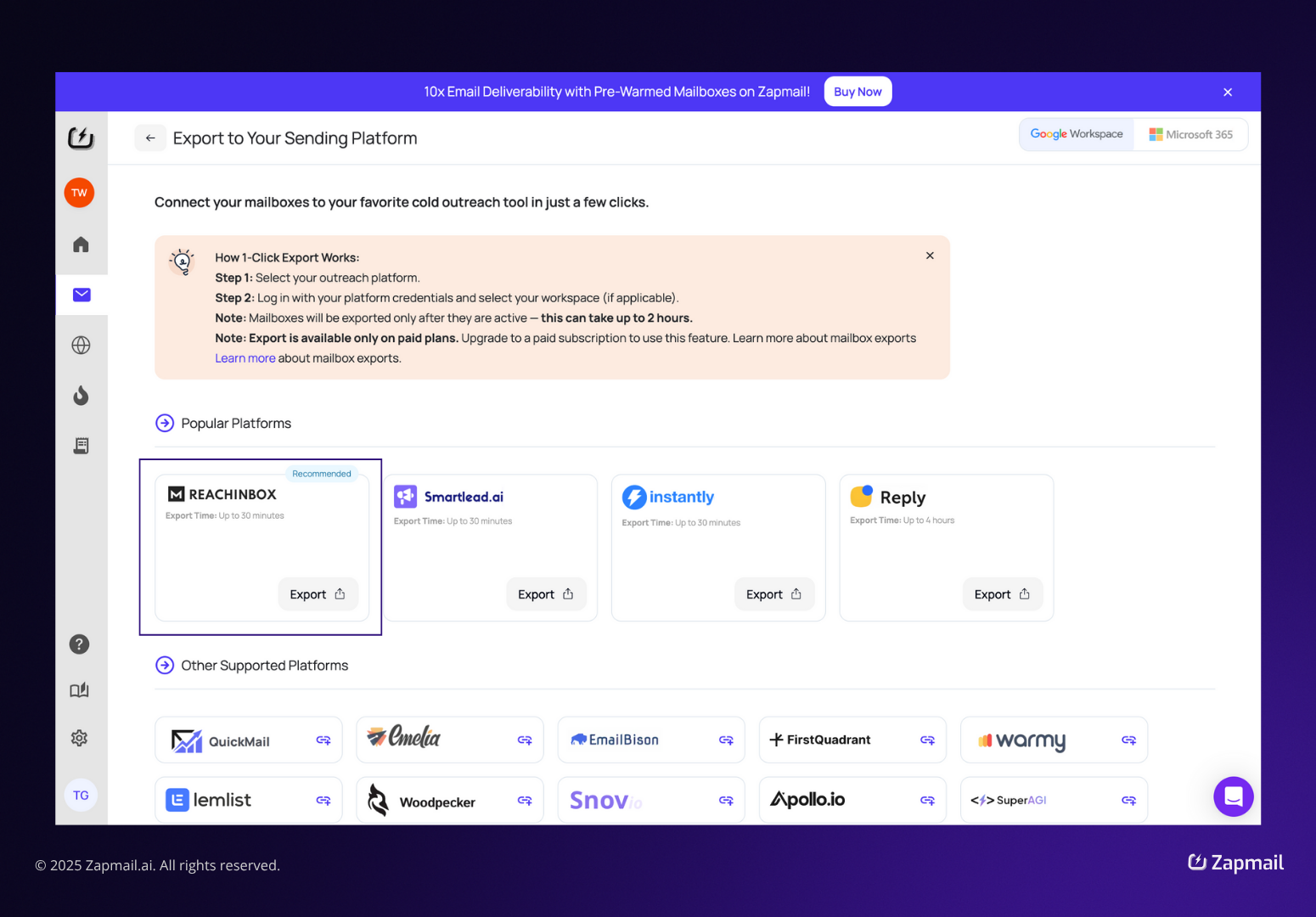
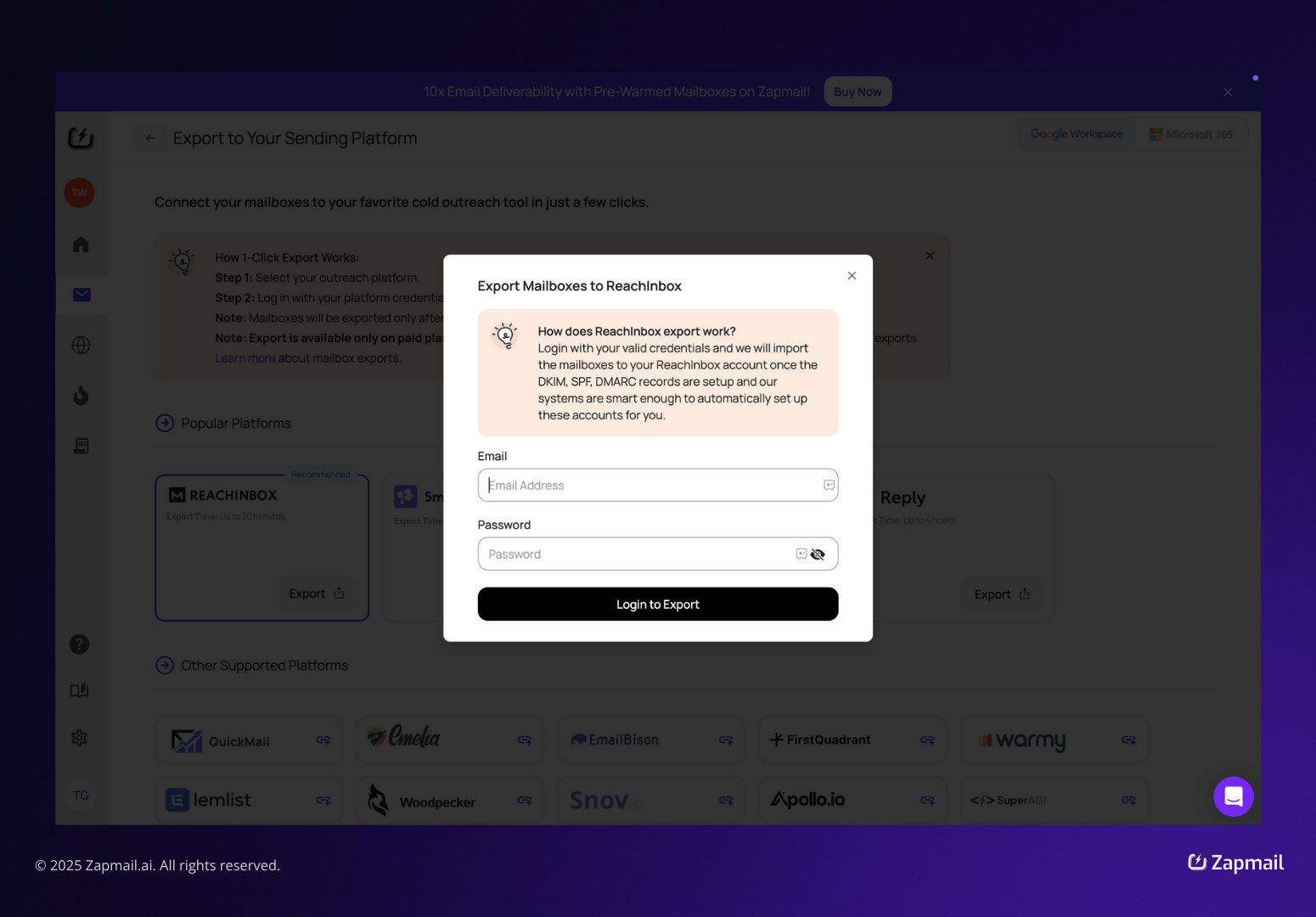
Instead of asking for an API key, the dialog asked for my platform email and password. Zapmail then logs in as me to import the mailboxes and set up DKIM, SPF, and DMARC on that side.
Some product-screen numbers did not add up
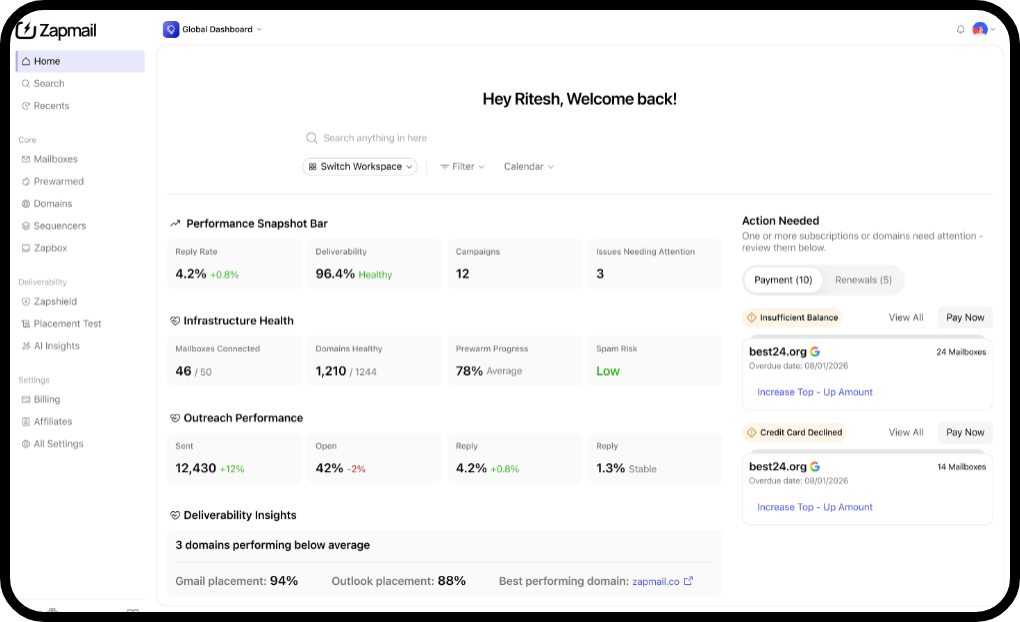
The Placement Test screen showed a 100% average inbox rate, then listed three tests below it, each at 80% inbox and 20% spam. The same panel also showed 16 issues flagged and a 0% auth pass rate.
The AI Insights report gave one mailbox 55% for sending health and 55% for ramp compliance, and then showed a 93% overall score.
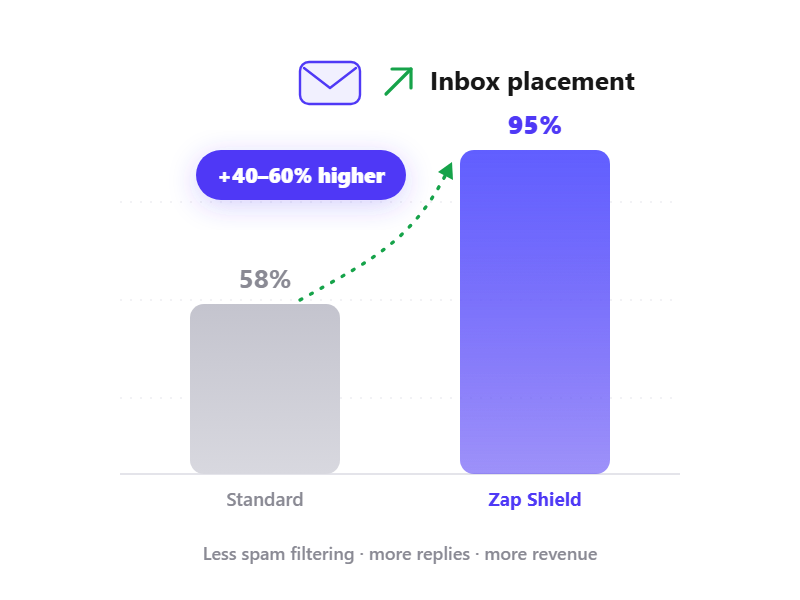
Zap Shield said every domain runs on Google Cloud DNS. But the Zap Shield screen showed Cloudflare nameservers on the domain it displayed.
These are demo screens, not live accounts. I would not treat them as performance data. I would treat them as a sign of how carefully the product reports its own scores.
I do not have my own inbox placement data, real activation times, or support response times.
I could not test a suspended mailbox or a flagged domain. I also could not test the exit process, which Dmitry Krotov said was missing.
Every performance number in this review comes from Zapmail’s own material or from a named reviewer, not from my own sending.
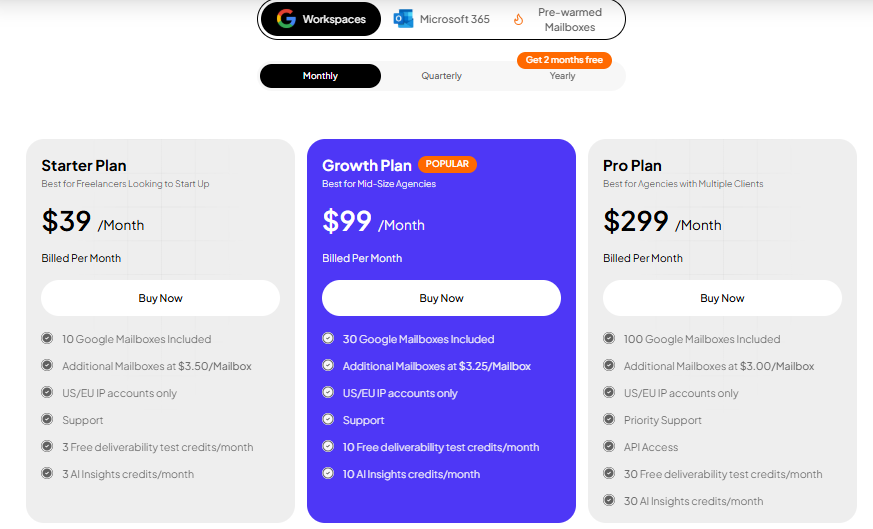
Zapmail has three plan tiers, but prices vary by product tab. Google and Microsoft cost the same. Pre-warmed mailboxes do not.
Zap Shield costs $3.00 per domain per month. Placement Tests and AI Insights cost $2.00 per mailbox. API access is only available on Pro.
Zapmail says pricing starts at $2.50 per mailbox. On monthly billing, Starter comes out to $3.90, Growth to $3.30, and Pro to $2.99.
The only way I got to $2.50 was by choosing yearly billing on Pro. With two months free, that becomes $2,990 for 100 mailboxes, or $2.49 each.
The first month is discounted, so I looked at the renewal price. Growth renews at $84 for 12 mailboxes, or $7 each, compared with $3.30 on a standard plan.
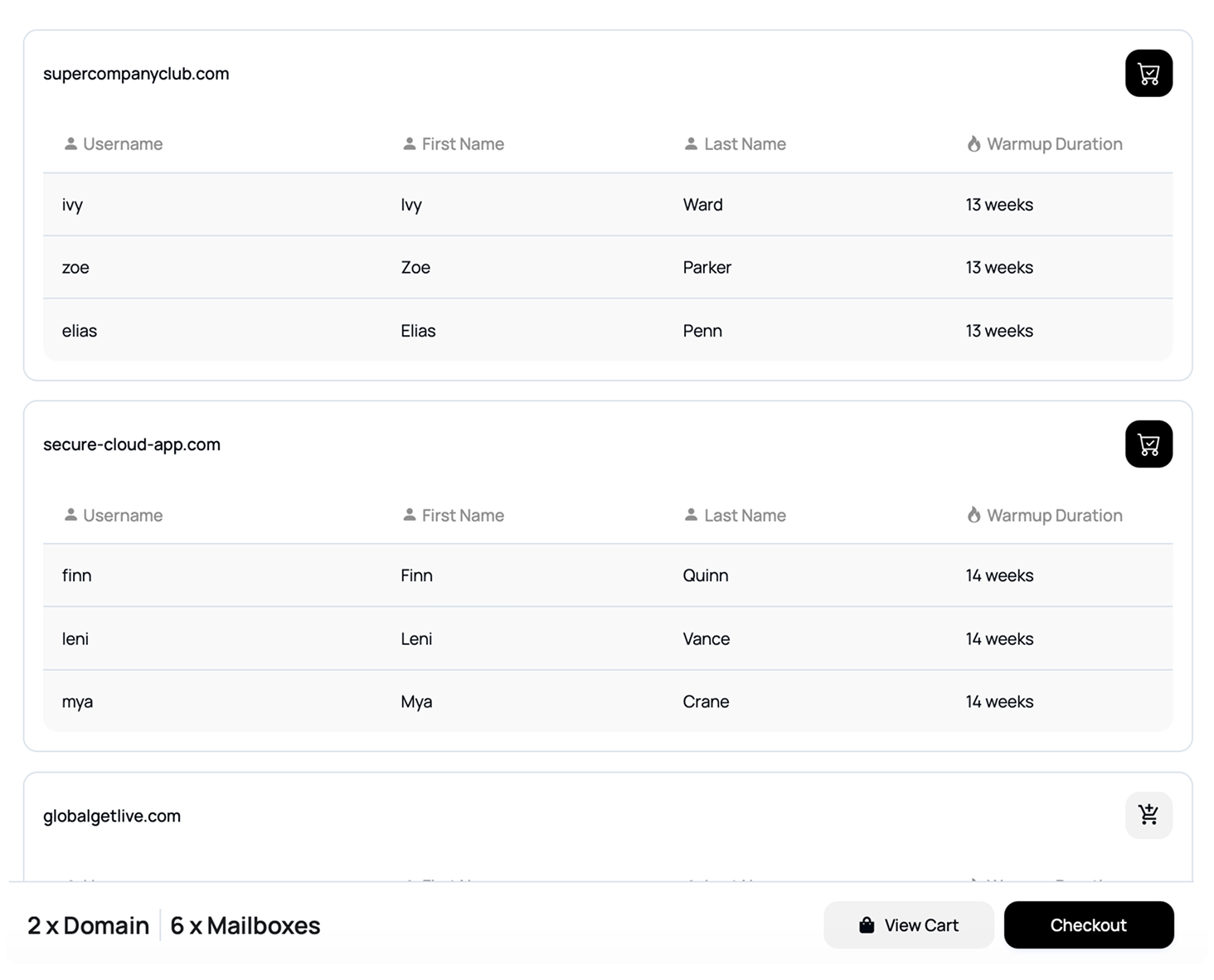
That premium buys you 12 weeks of warm-up history that you didn't have to wait for.
Zapmail recommends 5 domains, each with 2 to 3 mailboxes. A .com is listed at $13.00 in the FAQ, while checkout showed prices from $12.99 to $15.89.
Only the pre-warmed tabs include domains in the plan price.
A Growth plan with 30 mailboxes across 15 domains is $99, plus $45 for Zap Shield. The more closely you follow Zapmail’s domain advice, the more this add-on costs.
Both cost $2.00 per mailbox and offer $29, $99, and $199 monthly plans. But Placement Tests give you 30, 200, and 500 credits, while AI Insights give you 20, 100, and 250.
The balances do not transfer, and Insight credits reset each cycle.
Zapmail’s FAQ says this directly, and Juan Alou mentioned the same policy in March 2026. Lifetime deals go up to $999, which is a serious commitment under that policy.
Using Zapmail’s own recommended setup on Growth, 30 mailboxes across 15 domains would mean a $99 plan, $45 for Zap Shield, and roughly $16 in amortized .com registrations.
That comes to about $160 per month, or $5.33 per mailbox. The headline price for that plan is $3.30.
How to Scale Domains for Global Campaigns
The plan names make the fit pretty clear. Starter is for freelancers getting started, Growth is for mid-sized agencies, and Pro is for agencies managing multiple clients. The Zap Shield screen also shows 200 domains under one account.
Zapmail makes the most sense for agencies running client campaigns because clients separate each workspace.
If you want infrastructure you can move in and out of more easily, instead of one that holds your nameservers, Mailforge is worth a look.
Mailforge is cold email infrastructure you provision yourself. Domains, mailboxes, and DNS in one app, and you can move any of it out whenever you want.
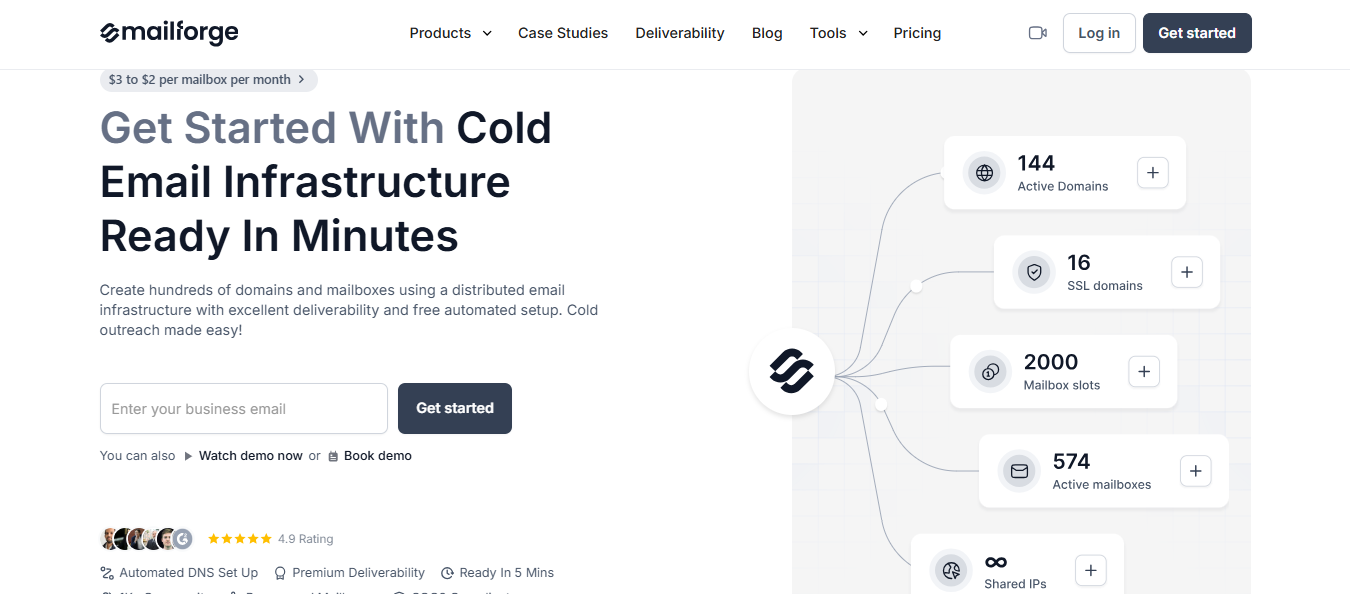
You buy domains and mailboxes, and Mailforge sets up DMARC, SPF, DKIM, and a custom tracking domain for each one. Then it exports the credentials to whatever tool you use for sending.
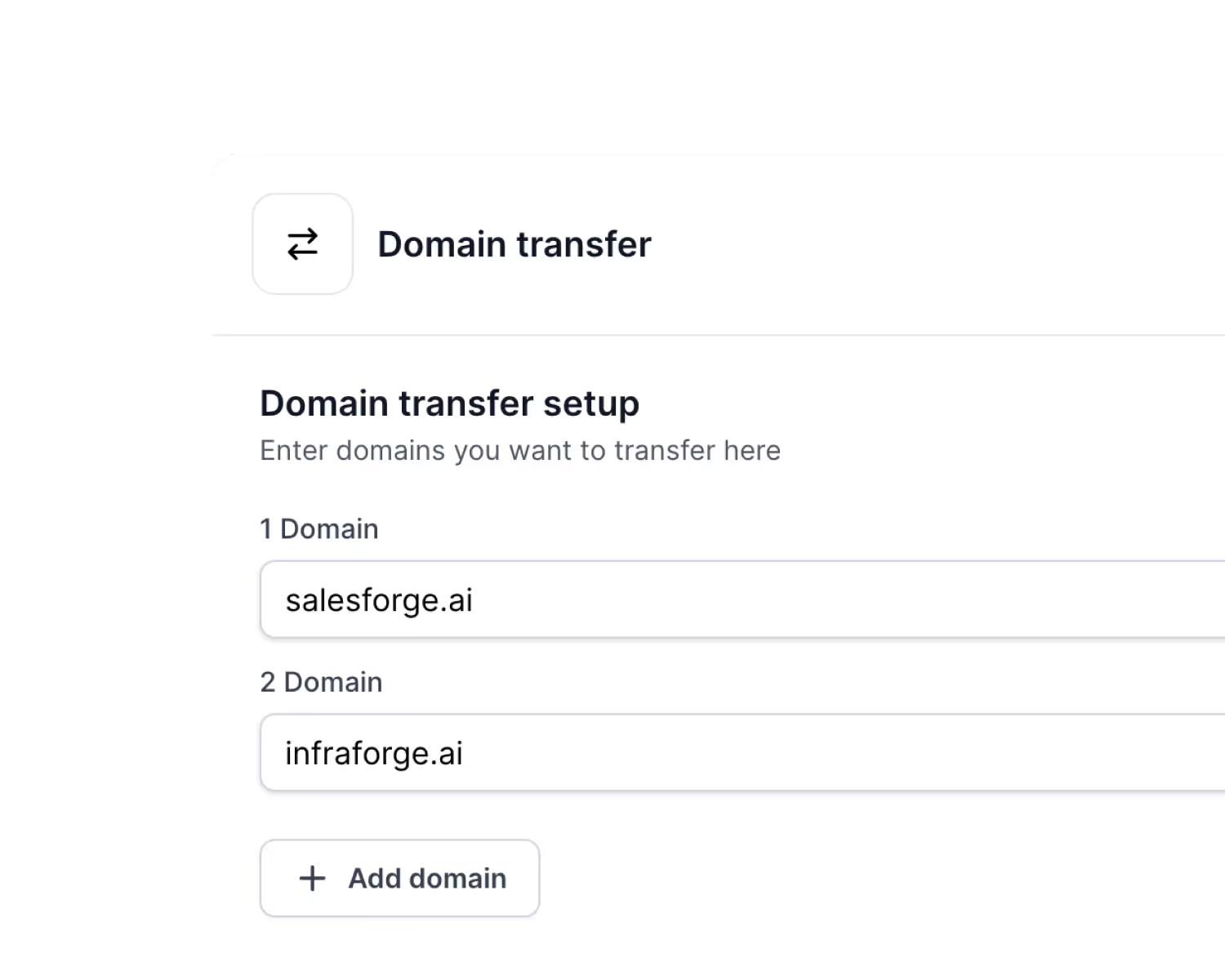
Zapmail asks you to point your nameservers to ns1 through ns4.zapmaildns.com, which gives it control of the whole DNS zone. That is what took Henry André Fendt’s website down, and what Dmitry Krotov said he could not easily reverse.
Mailforge has a domain transfer feature, so you can move domains in or out as needed.
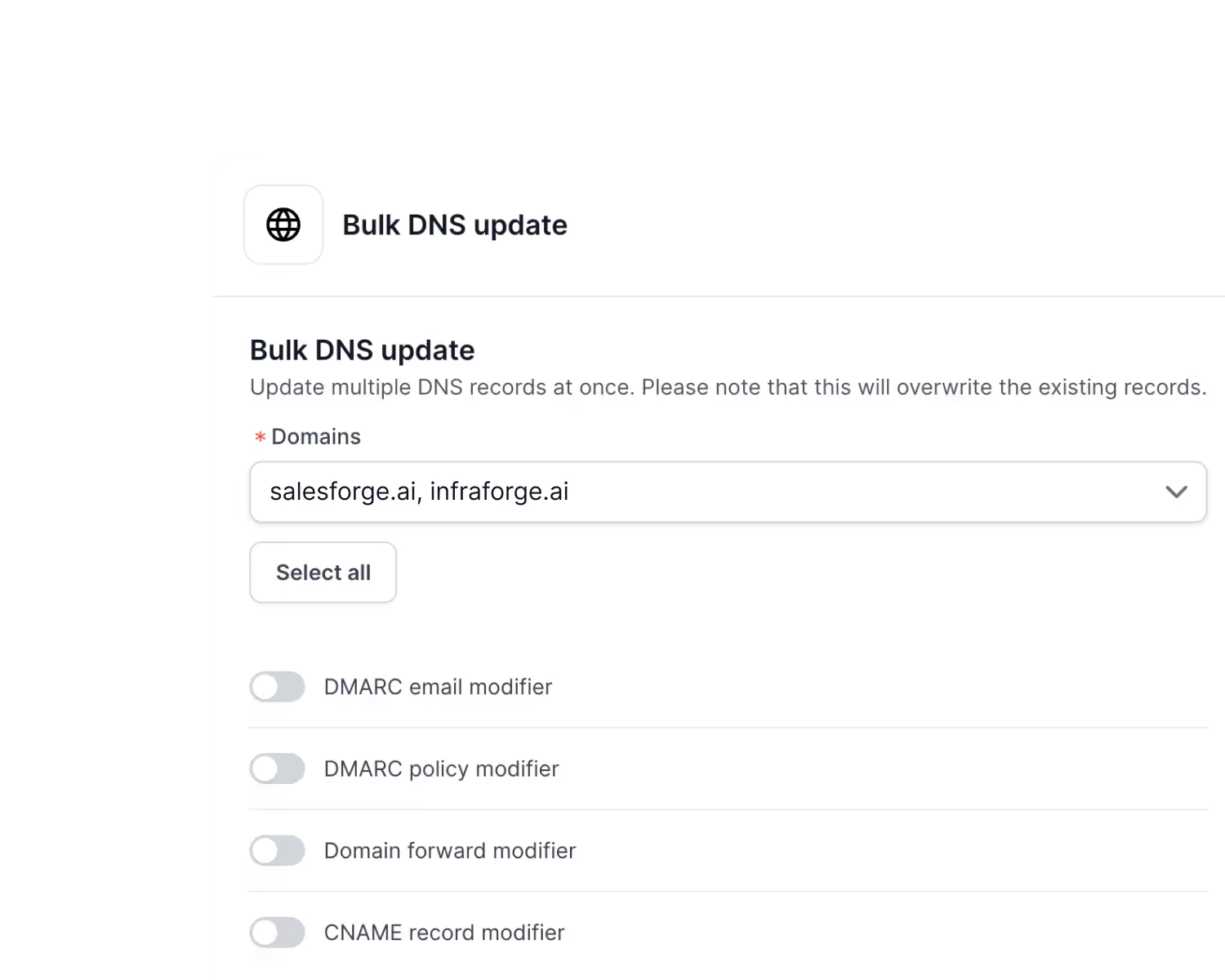
Mailforge lets you update DMARC policies, forwarding, or CNAME records across every domain you select at once.
On Zapmail, the three documented domain failures all route back to support.
Zapmail charges $6 to $8 per pre-warmed mailbox, compared with $3.00 to $3.50 for standard ones. Mailforge runs warm-up through Warmforge, which it says is free, and also sells pre-warmed domains.
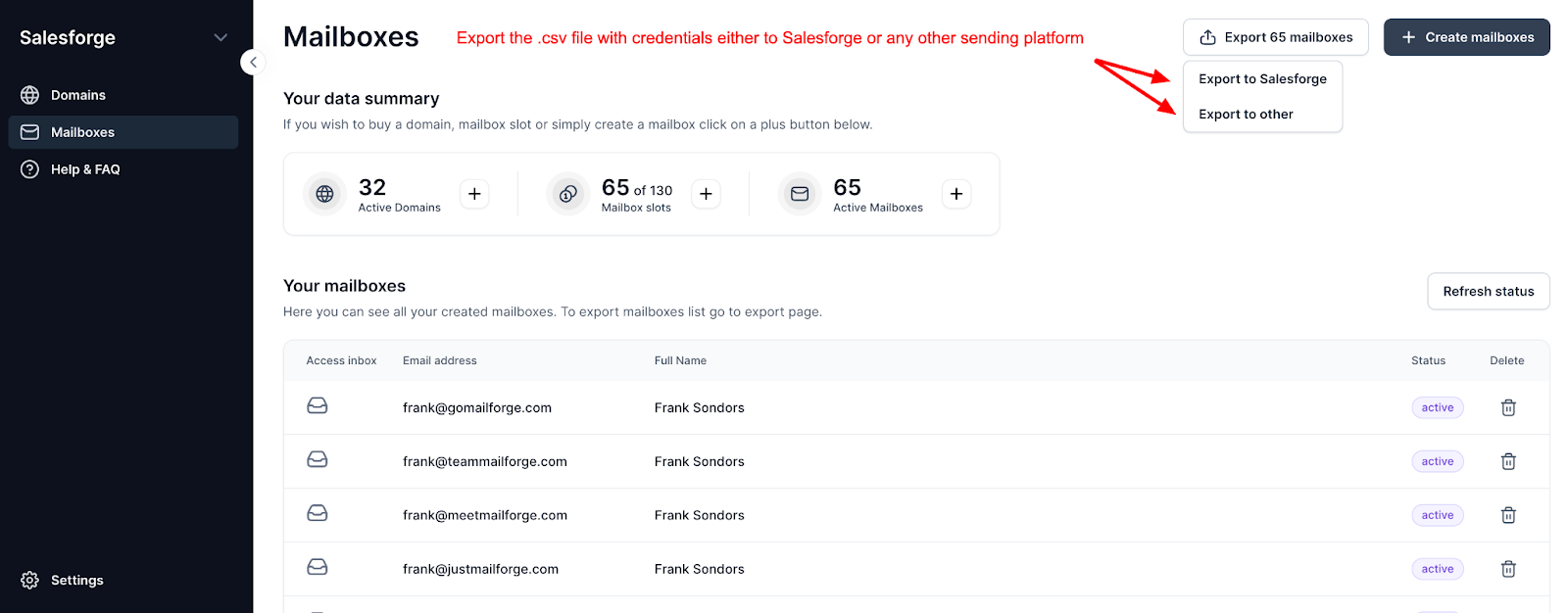
Zapmail’s export asks for your sequencer email and password, then logs in as you. Mailforge exports a CSV for Smartlead, Instantly, ReachInbox, FirstQuadrant, or Salesforge.
You can create a workspace for each client, then move domains and mailboxes between them when accounts change hands.
Kostas Zhukov, founder and CEO of ChatPoint, says DKIM and SPF setup that used to take hours now takes minutes, that mailbox costs are about three times lower than Gmail, and that support replies within minutes.
Enter your email to get a custom plan & stack recommendation for your business
Please check your mailbox in 5 minutes

Yes, Zapmail is worth it if you want real Google or Microsoft mailboxes and would rather never touch a DNS record. At $39 for 10 mailboxes, you are sending this week.
The answer changes as you scale. Zap Shield is billed per domain, so following Zapmail's own advice on domain spread pushes a $99 plan closer to $160.
Then there is leaving. Connecting a domain hands over your nameservers, and the FAQ says there are no refunds.
If that gives you pause, Mailforge runs similar infrastructure with domains you can transfer in and out and a workspace per client. Salesforge handles the sequencing on top.
Start with Mailforge and keep your domains yours from day one.