

Personalized Outbound Strategy
Get The Right Outbound Strategy In Minutes
Enter your email to get a custom plan & stack recommendation for your business
It's being carefully crafted by AI
Please check your mailbox in 5 minutes
If you are searching for an AgentMail review, you are probably not looking for a simple email sending API for your AI agents.
You are likely trying to find an inbox API that can actually handle real agent workflows like inbox creation, replies, conversation threads, attachments, real-time events, and multi-inbox management.
That is what AgentMail is built around.
AgentMail gives developers inbox APIs for AI agents, with support for programmatic inbox management, thread handling, drafts, permissions, webhooks, and multi-agent workflows.
But the important part is not just whether emails can be sent.
The real questions are:
In this review, I’ll break down AgentMail’s inbox APIs, workflow features, scaling setup, and overall developer experience to see whether it is actually worth using in 2026.
Table of Contents
The platform works well for building AI inbox and conversation workflows without managing inbox systems manually.
So if your workflow mainly depends on inbox APIs for AI agents, AgentMail can work well.
But if deliverability and mailbox infrastructure are equally important, you will likely still need additional infrastructure-focused tools like Mailforge.
AgentMail is an inbox API platform built for AI agents that need their own email inboxes and conversations.
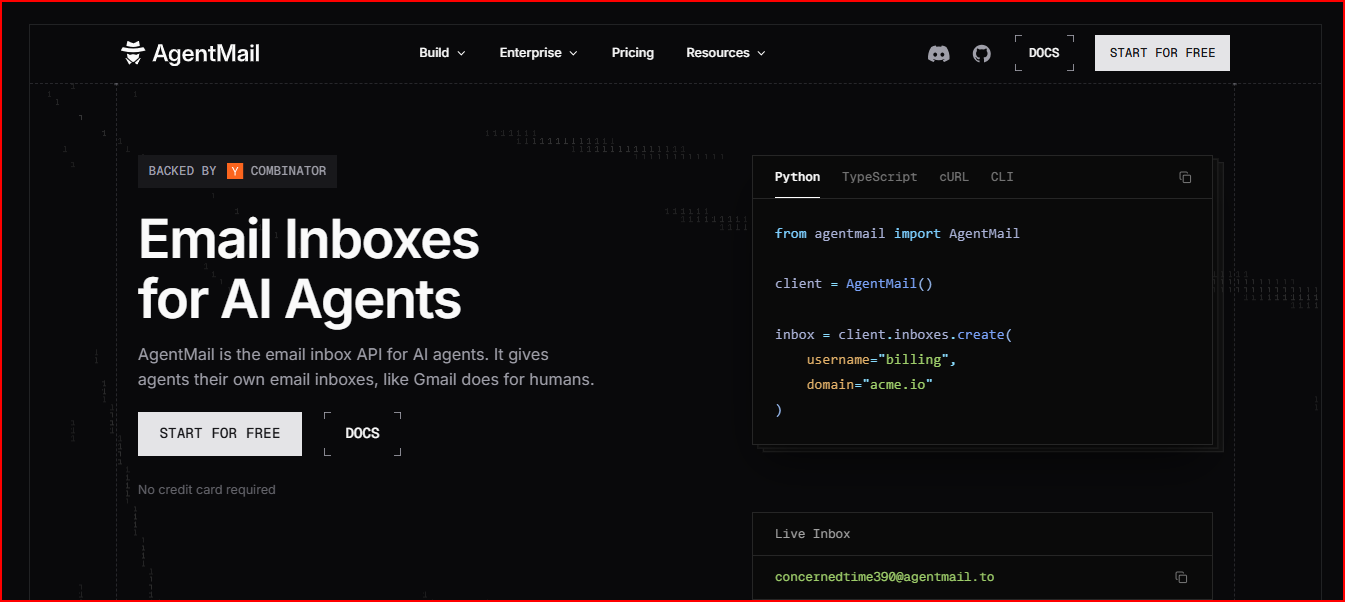
It gives AI agents their own email inboxes through APIs. Instead of working like a simple email sending API, AgentMail is built for managing full email conversations and workflows.
With AgentMail, AI agents can create inboxes, send emails, and receive replies through APIs. The platform also supports conversation threads, attachments, drafts, and realtime workflows.
Each agent gets its own inbox and email address. When replies come in, AgentMail automatically keeps them inside the same conversation thread.
The platform also includes support for drafts, labels, permissions, inbox-scoped API keys, webhooks, WebSockets, and multi-agent management through pods.
Once AgentMail is set up, you do not need to build inbox infrastructure yourself. Most email operations are already handled through the platform.
AgentMail creates inboxes through APIs. Each AI agent gets its own inbox and email address.
The platform handles outgoing emails and incoming replies. Emails are sent through the Messages API. Replies return to the same inbox automatically.
AgentMail automatically groups emails into threads. Replies stay connected to the original conversation.
Agents can create drafts before sending emails. Drafts can also be updated or sent later through APIs.
Attachments can be sent and retrieved through APIs. Agents do not need to process raw email files manually.
This is useful if your agent needs to react immediately when a reply comes in.
But it also means your team still needs to build the actual automation logic around those events. AgentMail gives the event layer, not the full workflow engine.
The platform supports labels and filtering rules for organizing workflows and conversations. Allow and block controls are also supported.
AgentMail supports inbox-scoped and pod-scoped API keys. Permissions can be controlled for inboxes, messages, drafts, labels, and webhooks.
The platform also supports multi-inbox and multi-tenant workflows through pods and organization-level resources.
Setting up AgentMail is fairly straightforward. The platform supports both dashboard-based setup and API-based onboarding for AI agents.
First, open the AgentMail Console in your browser.
Create an account if you are a new user. If you already have an account, simply log in.
After logging in, you will reach the main dashboard where you can manage inboxes, API keys, and workflows.
From the dashboard, open the API Keys section.
Click on Create New API Key.

Now enter a name for the API key. This helps you identify the key later if you create multiple projects.
Once the key is created, copy it immediately and save it safely. AgentMail uses this key to authenticate API requests.
Inside your project folder, create a new file named .env.
Paste your API key inside the file like this:
AGENTMAIL_API_KEY=your_api_key
This keeps the API key separate from your code and makes setup easier to manage.
Next, open your terminal inside the project folder.
Now install the AgentMail SDK.
AgentMail currently supports:
If you're using Python,
Run the following command:
Create a new file for your setup code.
For example, if you are using Python, you can create a file named quickstart.py.
Inside the file:


Once initialized, the client can be used to create inboxes and manage emails.
Now call the inbox creation API.
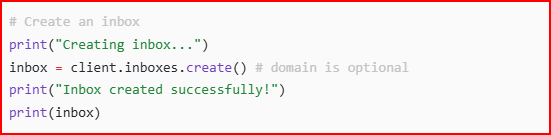
This creates a new inbox for your AI agent.
If you do not provide a custom domain, AgentMail automatically uses the default @agentmail.to domain.
After the inbox is created, your agent gets its own email address.
Next, use the messages API to send an email.

You need to provide:
The email is then sent directly from the inbox you created.
Finally, run the script from your terminal.
If everything is configured correctly:
At this point, your AgentMail API setup is complete and your AI agent can start handling email workflows.
AgentMail uses a tier-based pricing model based on inbox count, email volume, and storage.

Here’s the current pricing structure:
| Plan | Pricing | Inboxes | Emails / Month |
|---|---|---|---|
| Free | $0/month | 3 | 3,000 |
| Developer | $20/month | 10 | 10,000 |
| Startup | $200/month | 150 | 150,000 |
| Enterprise | Custom | Custom | Custom |
The free plan is enough for testing small AI workflows. The Developer plan adds custom domains and removes daily sending limits.
The Startup plan adds:
One thing I liked is that the pricing is built around scalable inbox workflows instead of traditional per-user inbox pricing.
Overall, the pricing looks reasonable for smaller AI agent setups, but costs can grow quickly once inbox volume and email usage start scaling.
AgentMail is built for multi-inbox AI workflows.
The platform supports creating and managing inboxes through APIs. It also supports organization-wide thread and draft management across inboxes.
For larger setups, AgentMail includes pods, scoped API keys, webhooks, and WebSockets for realtime workflows and access control.
At the same time, the platform feels more API and infrastructure focused.
You still need to handle:
Overall, AgentMail works well for scalable AI inbox workflows, but some automation and workflow logic still need to be handled separately.
AgentMail handles core email authentication through SPF, DKIM, and DMARC. It also manages email delivery infrastructure internally.
This includes:
At the same time, AgentMail mainly focuses on inbox APIs and AI workflows.
It does not provide deeper deliverability features like dedicated sending infrastructure, mailbox warmup systems, or advanced deliverability controls inside the platform.
For most AI agent workflows, the setup will likely feel enough.
But if your workflow depends heavily on deliverability control and sending infrastructure, you may still need separate tools for that part.
After using AgentMail APIs, a few things worked really well for AI inbox workflows.
At the same time, there are still a few areas where AgentMail feels incomplete depending on the workflow.
That is also where tools focused more on email infrastructure, like Mailforge, start becoming relevant, depending on the workflow.
Mailforge is a cold email infrastructure platform that gives you ready-to-use mailbox infrastructure and deliverability setup without manually configuring the email system.
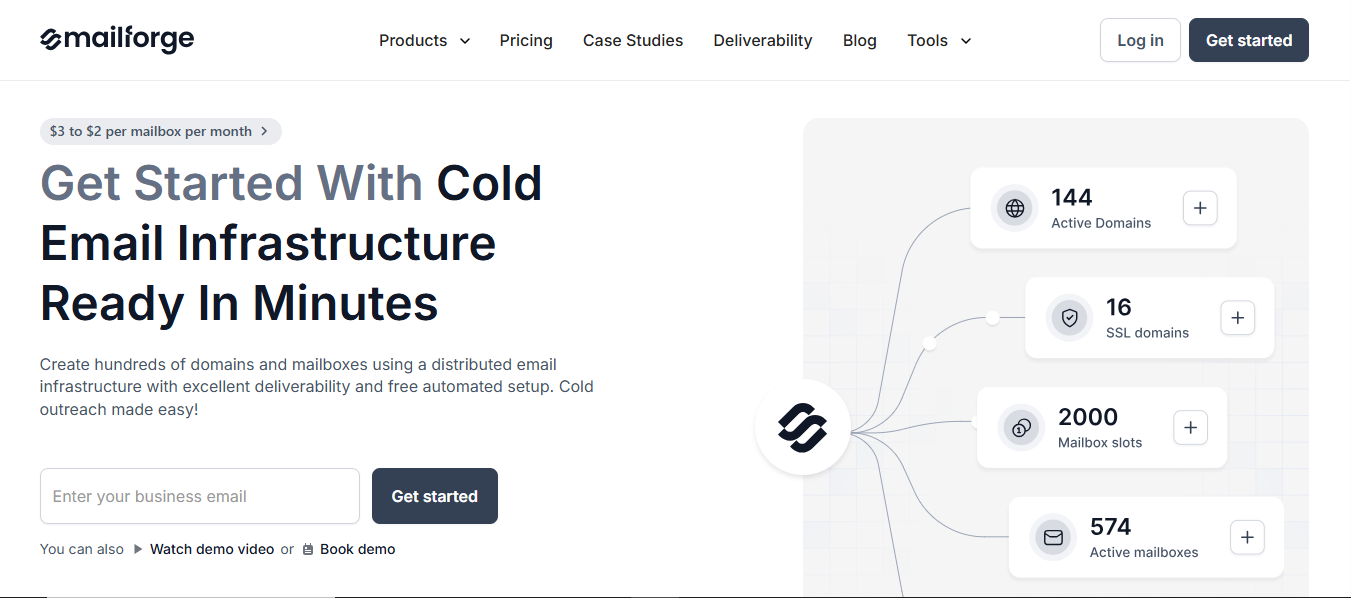
After using AgentMail, one thing became pretty clear. The platform handles inbox APIs and conversation workflows well, but most of the deliverability and infrastructure work still needs separate handling.
Mailforge solves more of that operational layer directly.
Instead of manually setting up domains, DNS records, mailbox hosting, and deliverability configuration, Mailforge automates most of it from one platform.
It automatically handles SPF, DKIM, DMARC, custom tracking domains, and mailbox maintenance.
This makes inbox scaling much easier, especially when managing larger mailbox volumes.
Another area where Mailforge feels stronger is deliverability.
The infrastructure is optimized specifically for cold outreach and inbox placement instead of mainly focusing on inbox APIs.
The platform also includes:
Operational setup is also much simpler. Domains and mailboxes can be configured in minutes with automated setup already included.
Pricing starts around:
So if your workflow mainly needs inbox APIs for AI agents, AgentMail can still work well.
But if email deliverability, inbox placement, and mailbox infrastructure are equally important, Mailforge handles much more of that workflow directly inside the platform.
Enter your email to get a custom plan & stack recommendation for your business
Please check your mailbox in 5 minutes

If your workflow mainly depends on inbox APIs, conversation handling, and AI email workflows, AgentMail covers that part quite well.
The platform makes inbox creation, thread management, replies, attachments, drafts, and realtime workflows much easier compared to building everything manually.
It also feels well suited for:
At the same time, AgentMail is not really a full deliverability or email infrastructure platform.
Things like:
Still need additional handling outside the platform depending on the workflow.
So overall, AgentMail feels strong for AI inbox workflows, but teams focused heavily on deliverability and large-scale email infrastructure will likely need additional tools around it.
Try Mailforge to get ready-to-use mailbox infrastructure and deliverability setup in minutes.