
Personalized Outbound Strategy
Get The Right Outbound Strategy In Minutes
Enter your email to get a custom plan & stack recommendation for your business
It's being carefully crafted by AI
Please check your mailbox in 5 minutes

When your cold emails start landing in spam on a shared IP, it's hard to know who's causing it. Your list might be clean, but someone else on the same IP could still be hurting your reply rates.
A dedicated IP removes that uncertainty, and it's what sets Infraforge apart from other cold email infrastructure tools.
On Infraforge, every reply, bounce, and spam complaint on your IP comes from your own campaigns. So when your numbers change, you know why.
Before you pay for that control, three questions can help you decide whether it's worth it.
Can your volume fill an IP? Each IP holds up to 40 mailboxes, and an extra one costs $99 a month. With only 10 mailboxes, the IP costs more than the $40 you pay for the mailboxes.
Is your first IP included? The buy flow only offers "additional" IPs, and I couldn't confirm what a new account starts with. If it isn't included, your first year costs $1,188 more.
Are your lists clean enough? On a shared pool, a few complaints get absorbed across everyone's sending. On your own IP, every spam report falls on you alone.
If any answer is no, Mailforge does the same job on a shared pool. I compare the two at the end of this Infraforge review.
Infraforge and Mailforge both provide cold email mailboxes with DNS set up for you. The main difference is whose IP your emails are sent from, the classic dedicated IP vs shared IP decision.
With Infraforge, I'm paying for mail servers that only my campaigns use. Every domain's DNS points to my IP, and its SPF record allows only that IP to send for the domain.
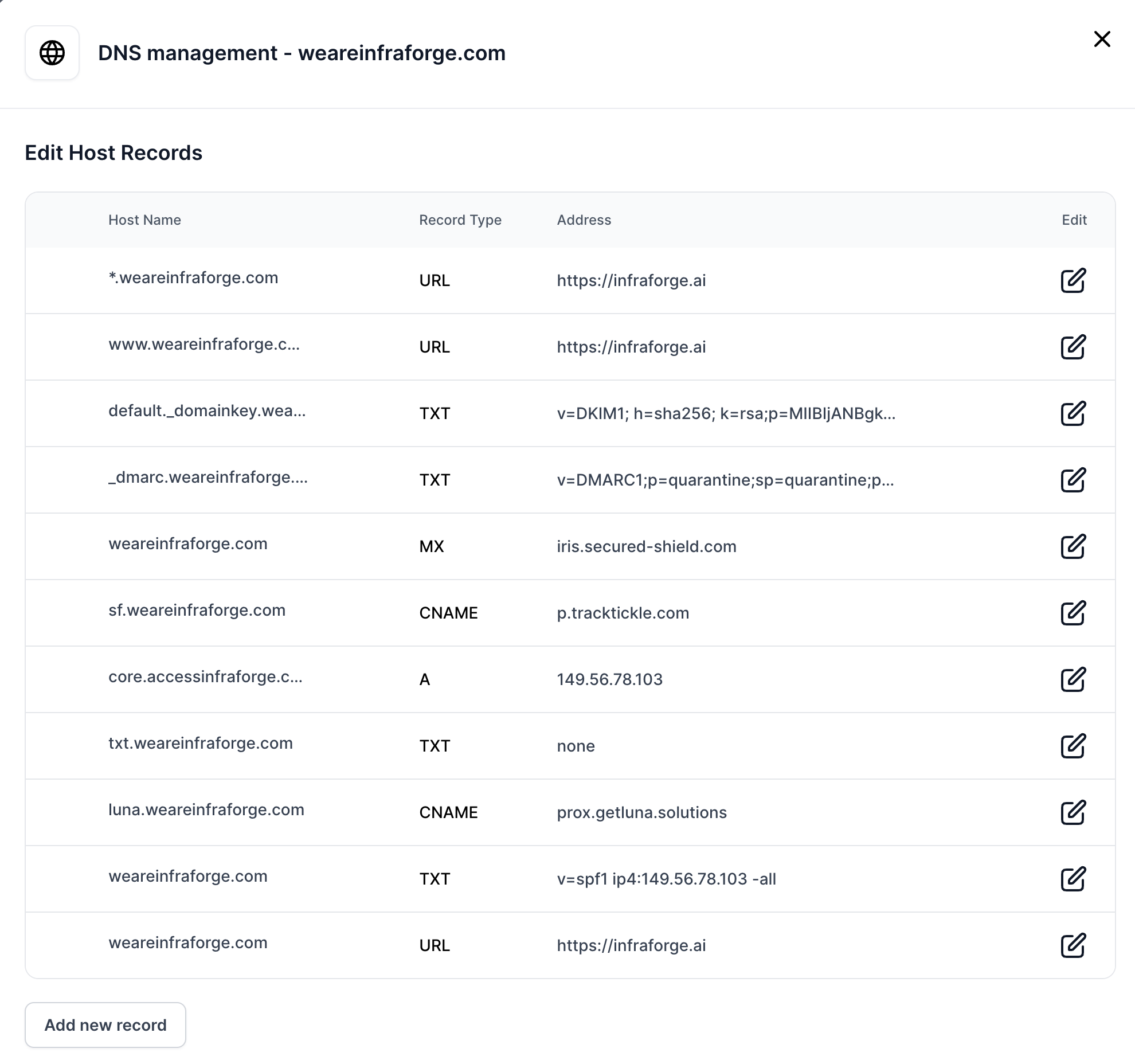
One IP can hold up to 40 mailboxes. Once I go over that, I add another IP and split the mailboxes between them.
I don't have to manage DNS myself. DMARC, SPF, DKIM, and custom tracking are set up for each new domain, and the first domain and mailbox can be ready in about 5 minutes.
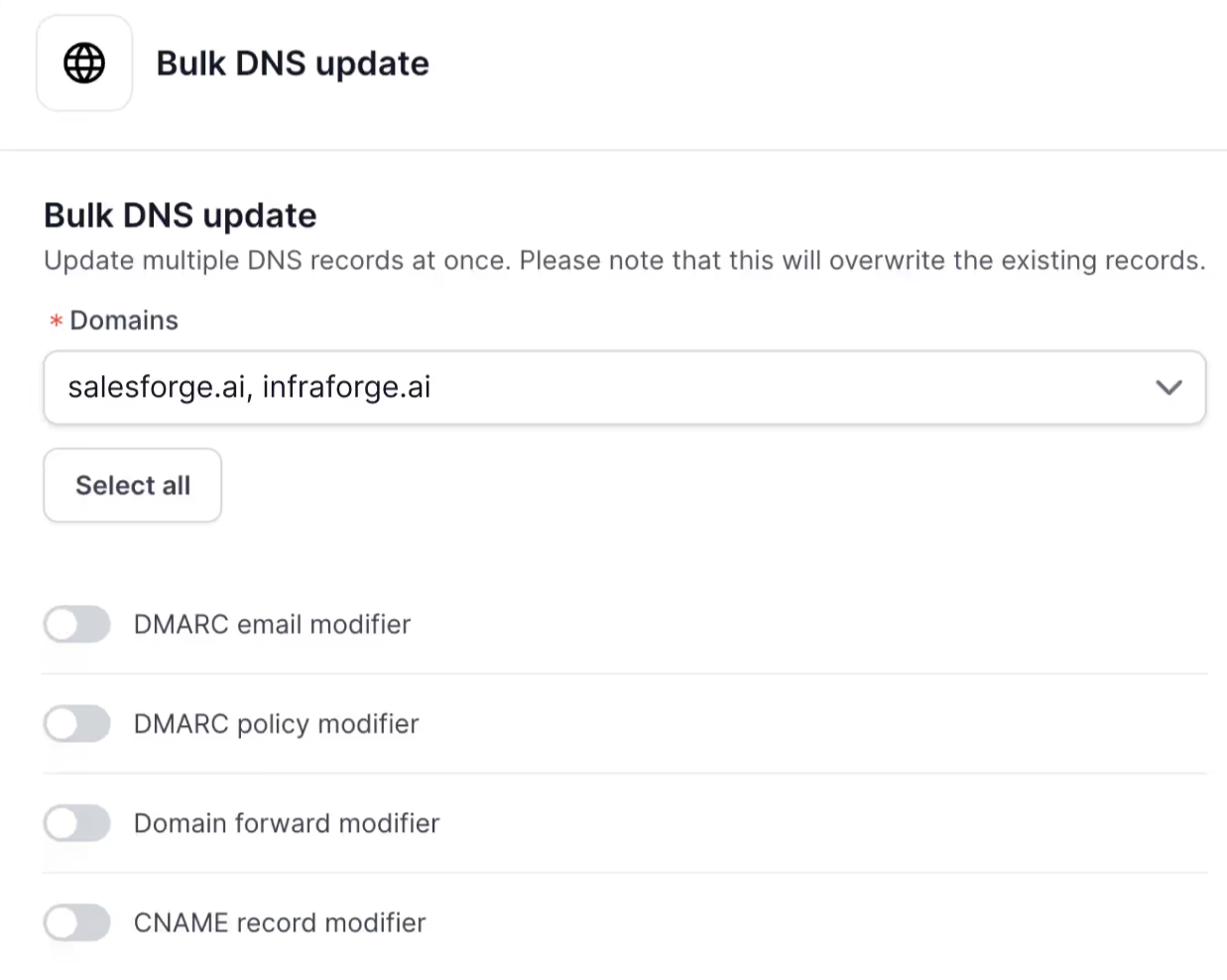
When I need to update a DMARC policy or forwarding address across multiple domains, one bulk update handles them all. It overwrites the old records, so I check the changes before saving.
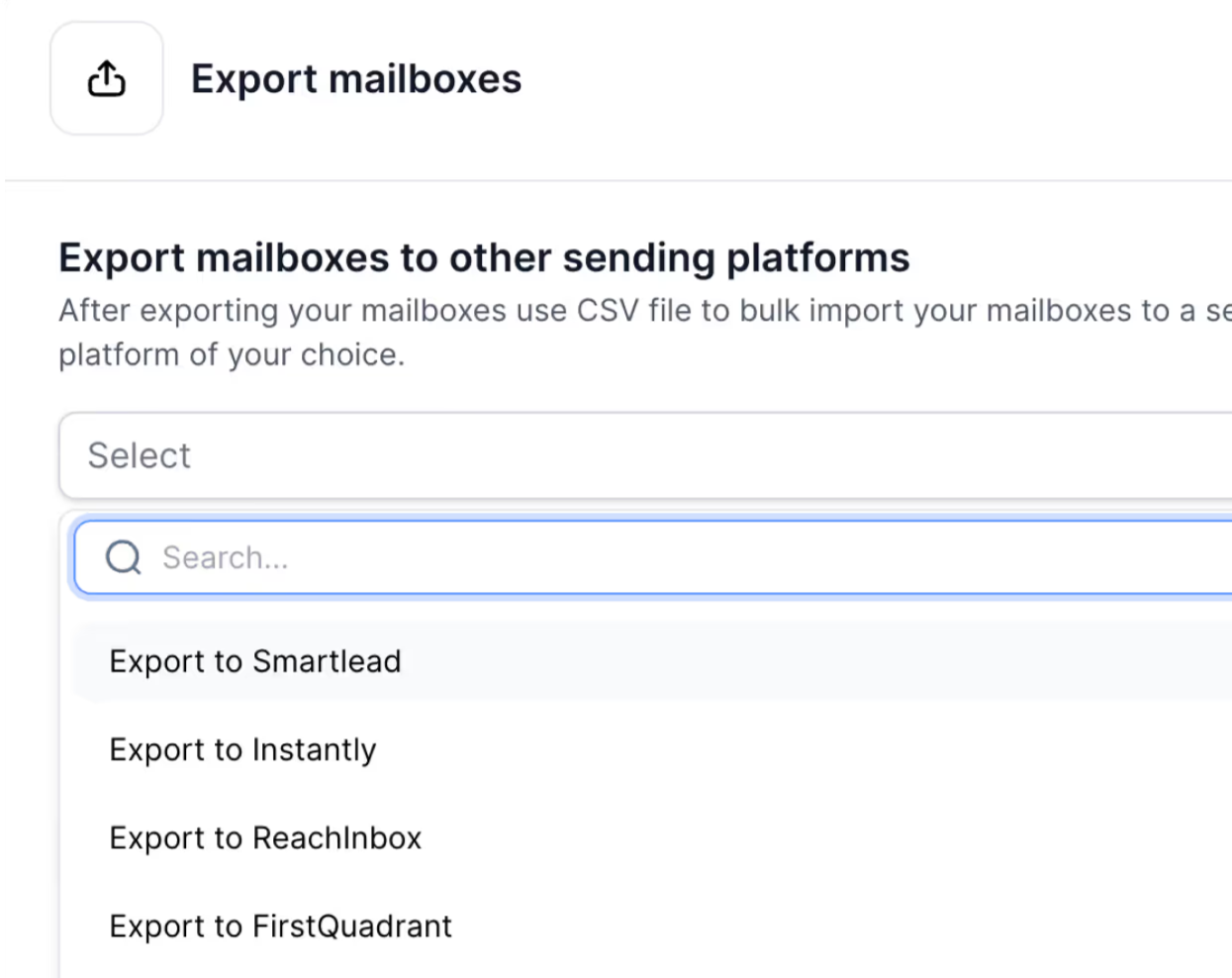
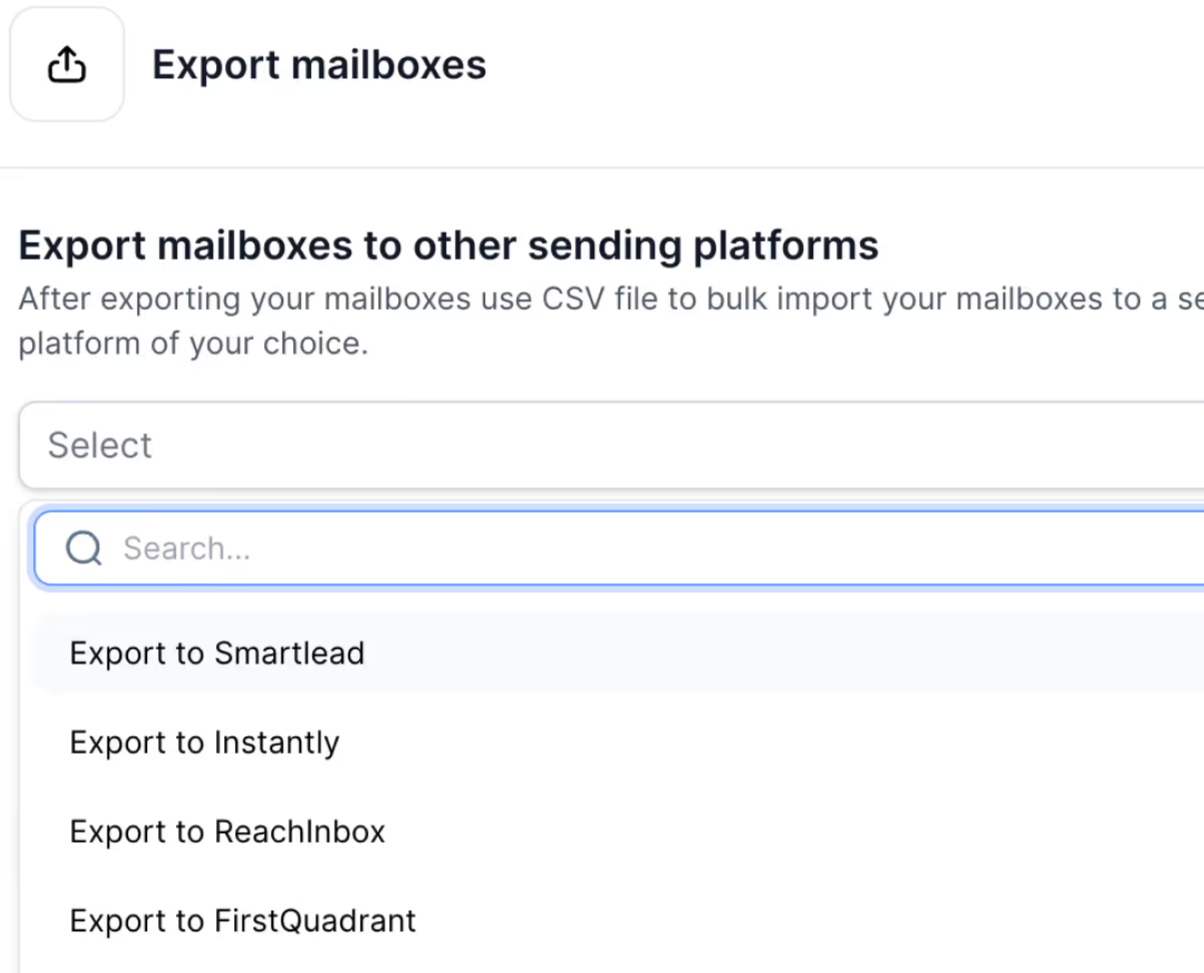
I can keep using the same sending tool. Infraforge connects directly to Salesforge and exports mailboxes to Smartlead, Instantly, ReachInbox, and FirstQuadrant, or as a CSV for other platforms.
For client work, each workspace keeps its own domains and mailboxes, and can run on its own IP. I can also move domains between workspaces later.
Leaving is straightforward too. Domains can be transferred in or out; I can manage their DNS as I would at any registrar, and there's no contract.
Warmup is where Infraforge falls short. New mailboxes need to be warmed up before sending cold email, with a maximum of 20 warmup emails a day. Warmup should continue once campaigns begin, but Infraforge doesn't provide it. So I'd pay separately for Warmforge or buy pre-warmed mailboxes.
Pre-warmed mailboxes come with names, usernames, and domains generated by Infraforge. I can't choose them, so prospects may see a sender name that has nothing to do with my brand.
A dedicated IP also removes the cushion that shared infrastructure offers. If I send more than 30 cold emails a day from a mailbox or email an unvalidated list, bounces and spam reports can affect my IP faster than they would on a shared pool.
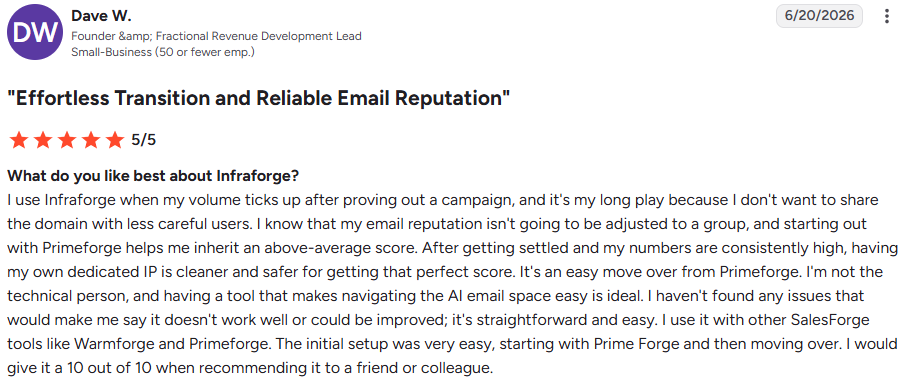
I read the 10 most recent G2 reviews of Infraforge, posted between June and November 2026. All ten gave it 4 stars or higher, and every reviewer works at a company with 50 people or fewer: founders, consultants, outreach specialists, and a few agency owners.
That gives you a sense of whose feedback you're reading. These are small teams, and several run outbound campaigns for clients, so their praise and complaints reflect that kind of setup.
This is why most of them bought it. On a shared pool, inbox placement partly depends on how other senders behave. A dedicated IP takes them out of the equation.
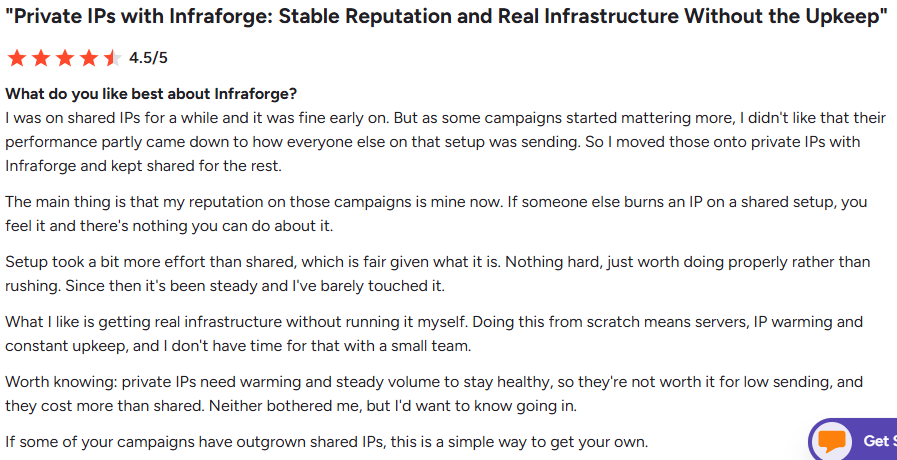
One reviewer moved his important campaigns to private IPs because he didn't want their results to depend on how everyone else was sending.
Another says he chose Infraforge because he didn't want to share with "less careful users".
Running private email infrastructure from scratch means managing servers, warming up IPs, and handling ongoing maintenance.
Infraforge hosts the mailboxes and sets up DMARC, SPF, and DKIM for each domain, handling technical work many small teams can't staff for.
That's why several reviewers mention that they aren't technical.
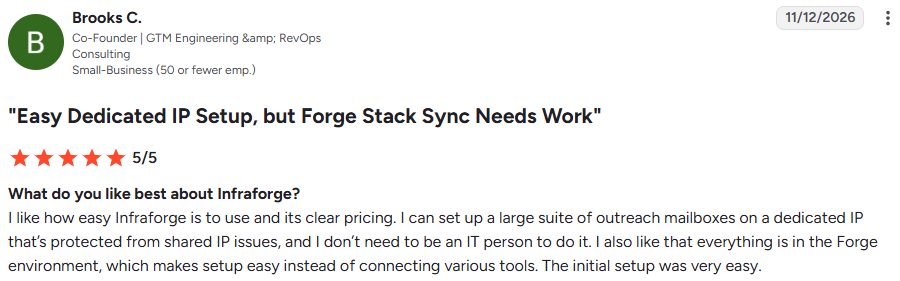
One says he doesn't need to be an IT person to set up a large batch of mailboxes on a dedicated IP. Another likes getting "real infrastructure without running it myself".
This surprised me, and it's useful if you're unsure about moving everything over.
Two reviewers keep their most important client campaigns on Infraforge and run lower-priority ones on shared infrastructure to manage costs.
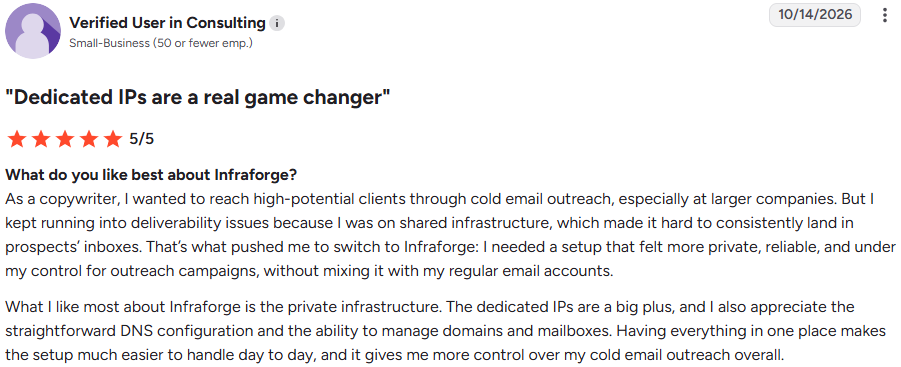
Another starts new campaigns on Primeforge and moves them to Infraforge once the numbers hold steady.
That makes sense for a dedicated IP: it needs consistent volume to stay healthy, so it suits campaigns that have already proven themselves.
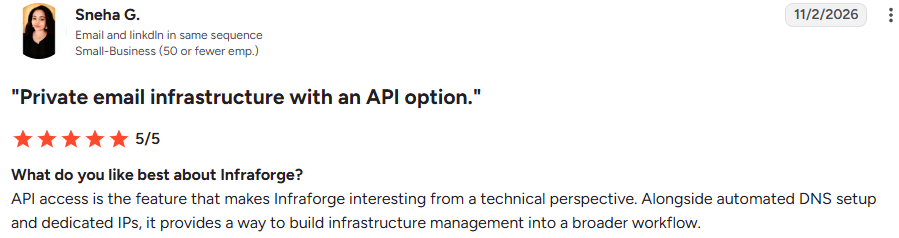
The API comes with every subscription, and technical users appreciate it.
One reviewer calls it the feature that makes Infraforge interesting because it lets her build infrastructure management into a larger workflow.
The reviews are mixed here, and I think I know why. DNS setup is automated, so people who already knew how many domains and mailboxes they needed found setup easy.
The tricky part is sizing: choosing domains, mailboxes per domain, and the number of IPs.
One reviewer says the calculator helps, but it still took trial and error to find the right setup.
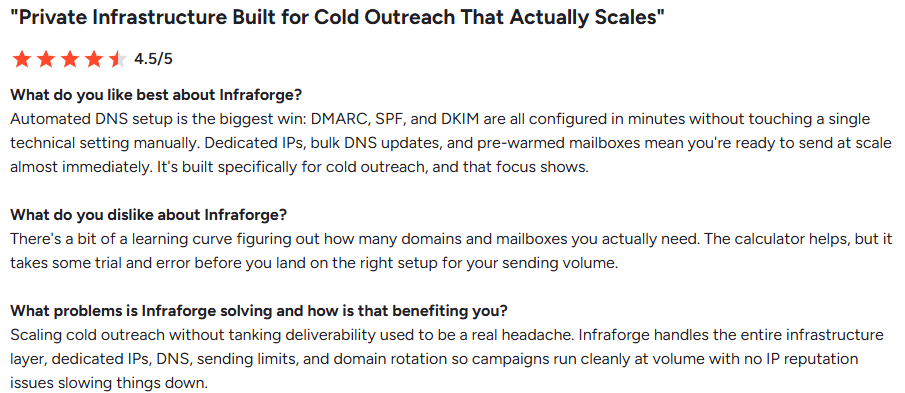
Two others describe the initial setup as hard or "a little difficult", and one wants better documentation for troubleshooting custom setups.
If you plan your volume before buying, much of that friction goes away. I cover the sizing math in the pricing section.
Several reviewers mention cost, and they all make the same point: a dedicated IP makes sense at steady volume, but for a few mailboxes, it costs more than shared infrastructure.
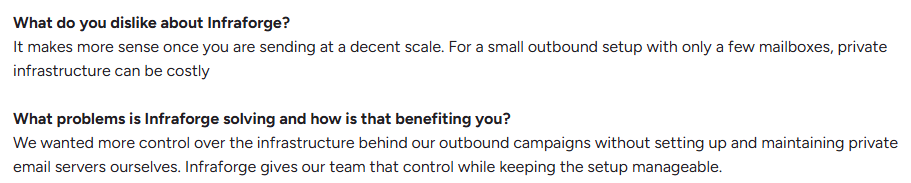
One reviewer closely monitors billing because she pays for every mailbox slot she buys, even unused ones.

Another finds the pricing more complicated than simple per-mailbox pricing.
This matters if you use Infraforge with Warmforge and Salesforge. If you rename a mailbox or change a sender, the update stays in Infraforge.
One reviewer has to update the other two tools by hand and re-export every time.

Two reviewers want features that aren't available yet.
One asks for advanced analytics.
Another wants smoother connections with AI agents like Claude Code and Hermes.

I had more decisions to make before my first send on Infraforge than I do with a shared-IP provider. Most were about IPs and workspaces.
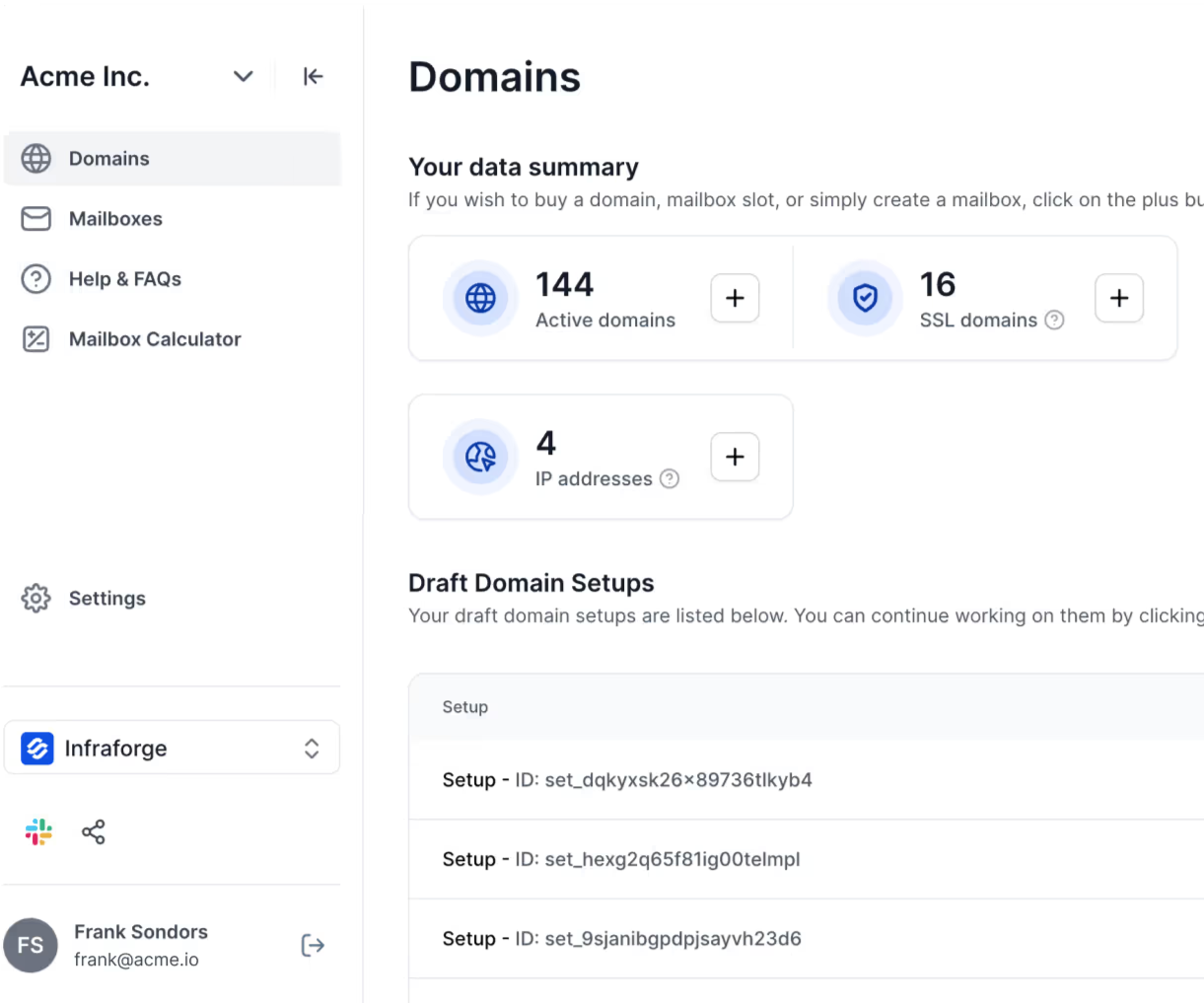
When I log in, I land on Domains. At the top, I see three counts: active domains, SSL domains, and IP addresses. I like seeing the IP count next to the domain count. On Infraforge, those two numbers have to grow together.
If I stop partway through buying a domain, Infraforge saves it as a draft. I can return to it later from the same list.
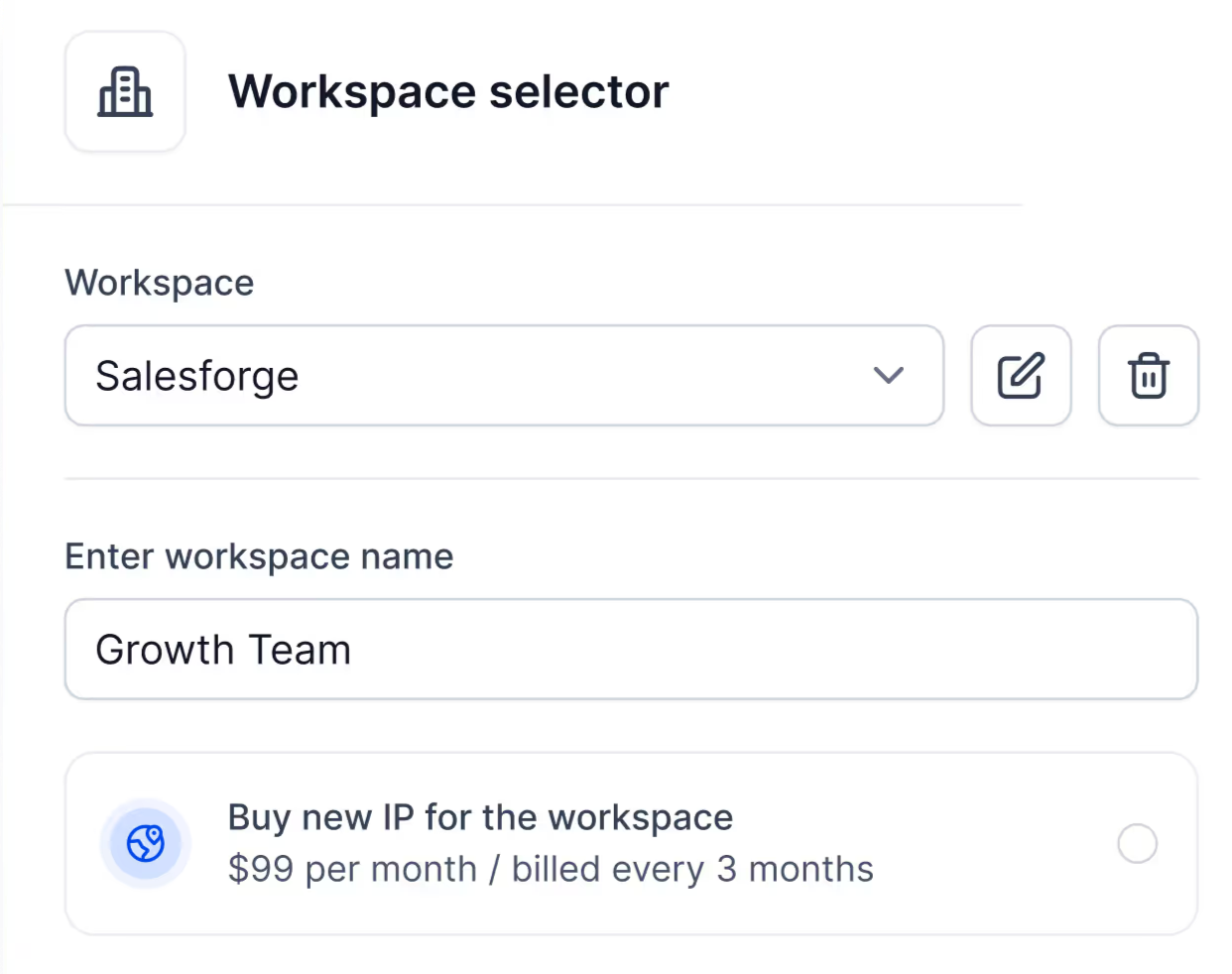
I can buy an IP from the workspace menu or from Settings under Workspaces & IPs. Either way, I assign it to a workspace and a core domain.
The core domain is the main domain that holds the IP address for that workspace, and I can change it later.
This changed how I planned. If I had three clients who each needed their own IP, I'd create three workspaces and buy one IP for each.
To see which IP a domain sends from, I open the Domains tab, click the domain, and check the A record in its DNS. Every mailbox on that IP shares the same reputation, so I run a regular IP reputation check on the address.
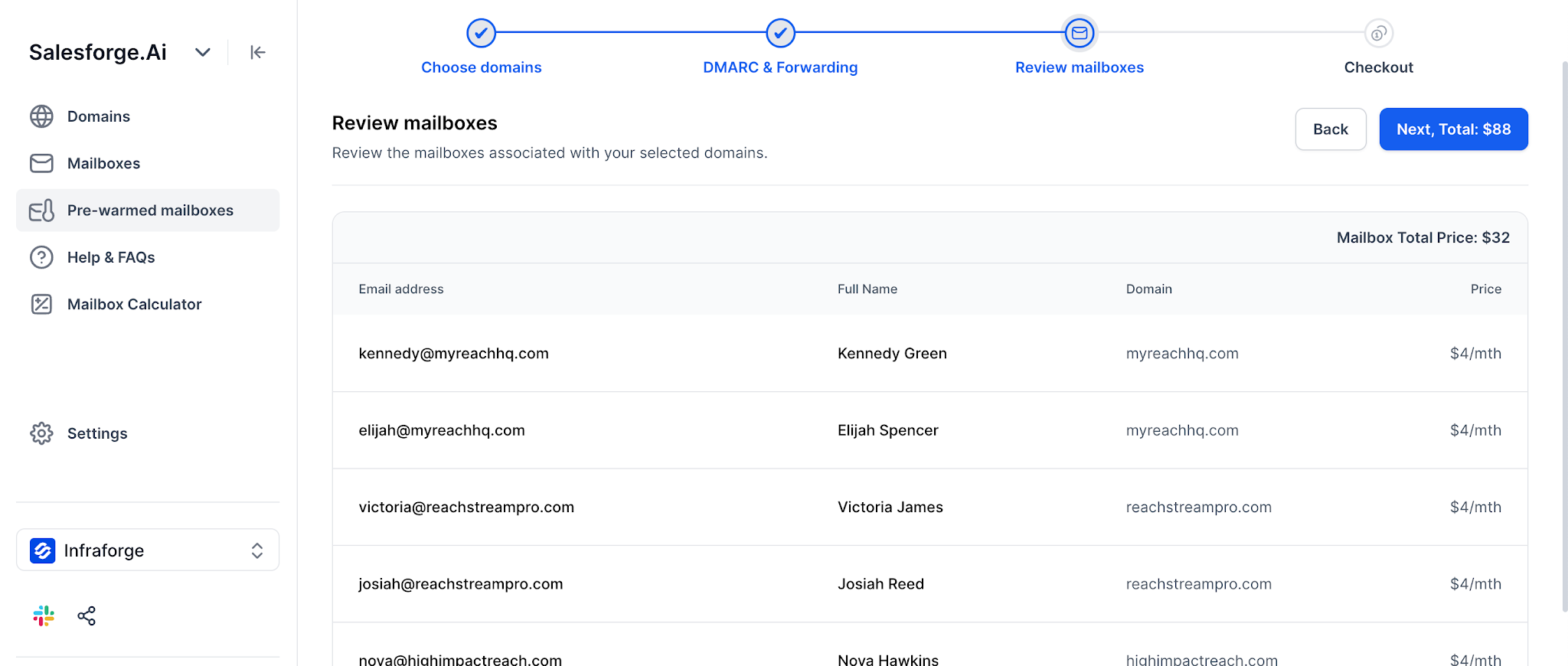
I buy pre-warmed mailboxes in four steps:
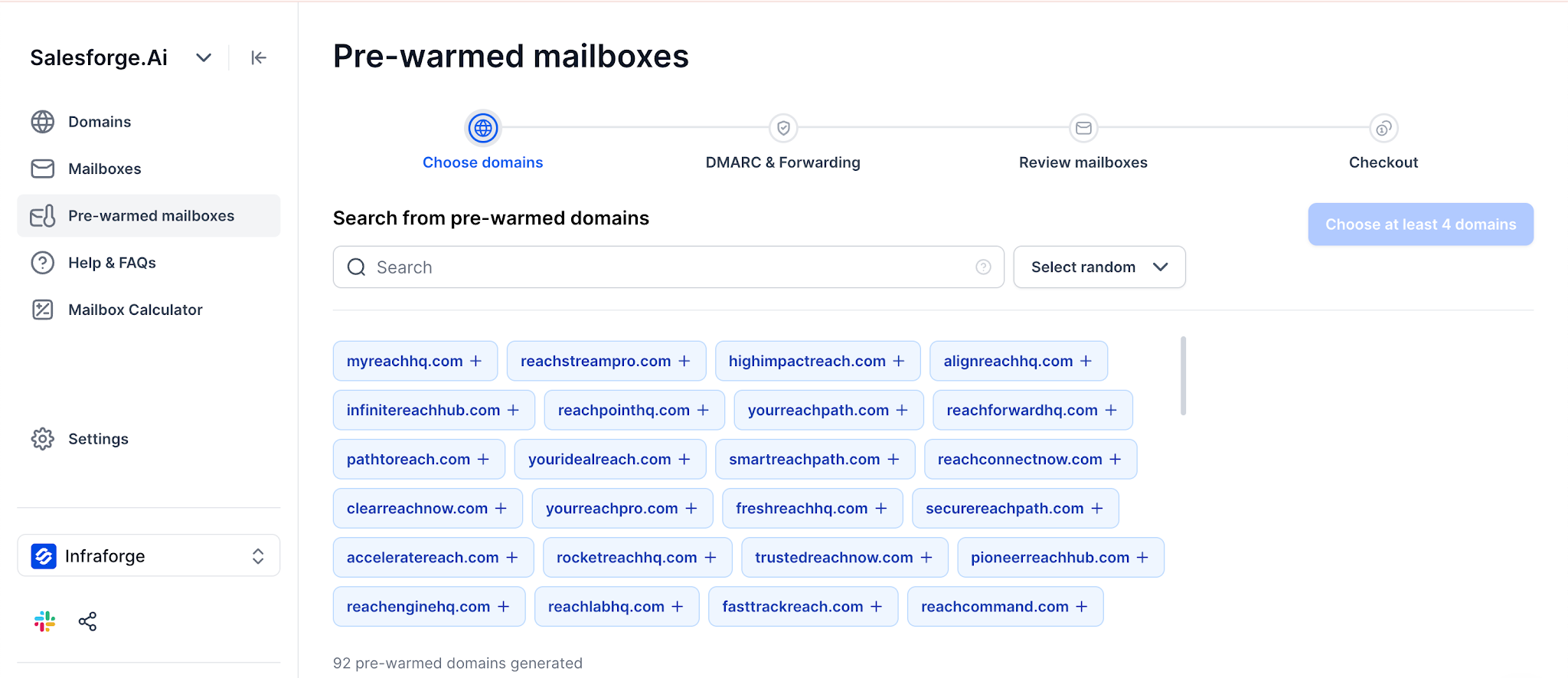
The review step was most helpful. Before checkout, I can see every mailbox with its generated full name and domain, so I know exactly what prospects will see.
Forwarding eased my branding concerns. These domains don't carry my brand, but anyone who visits one lands on my actual website.
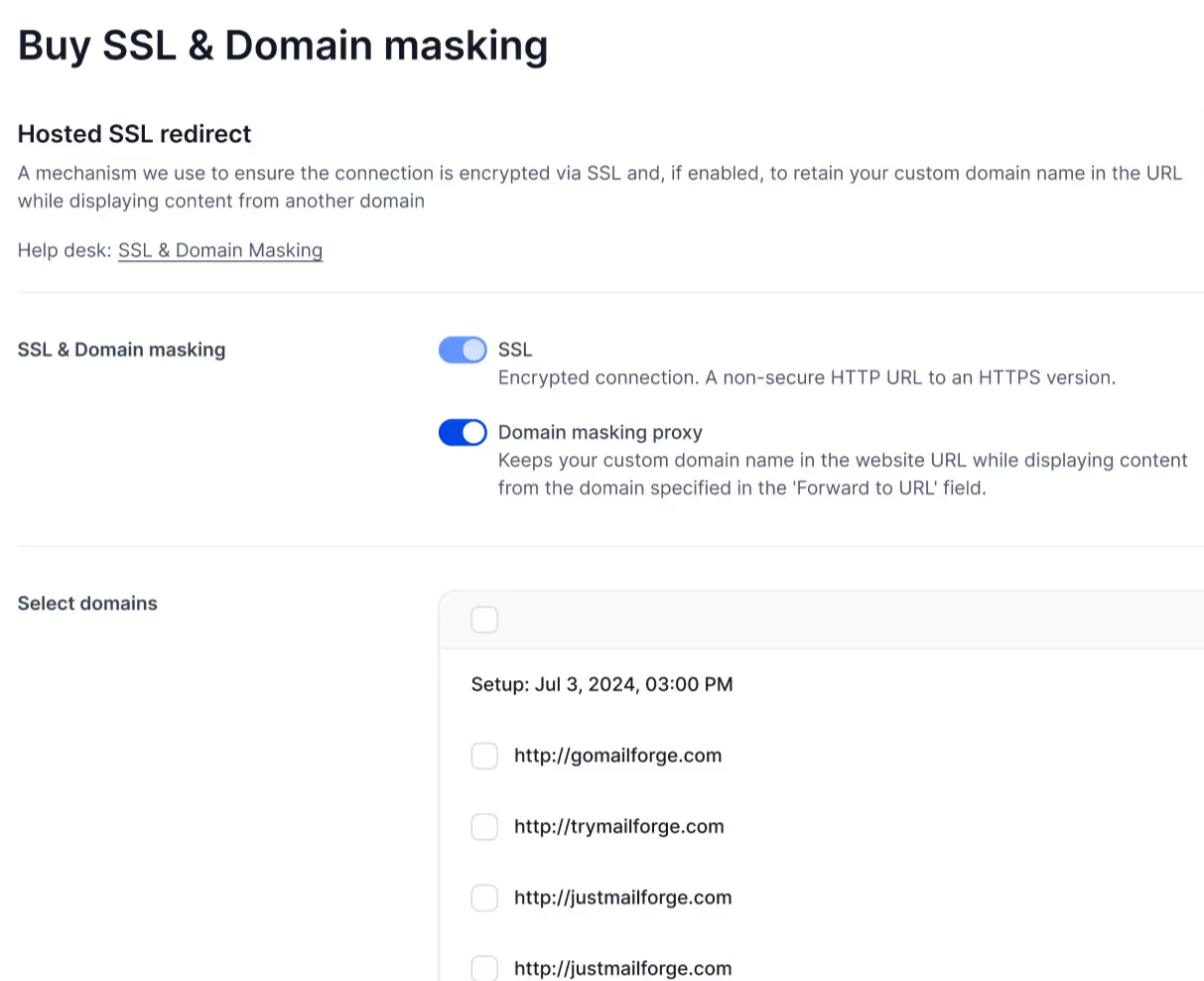
I have two toggles:
I can select all the domains I want to cover at once. When a prospect clicks through to check me out, they see a secure site under the same domain that emailed them.
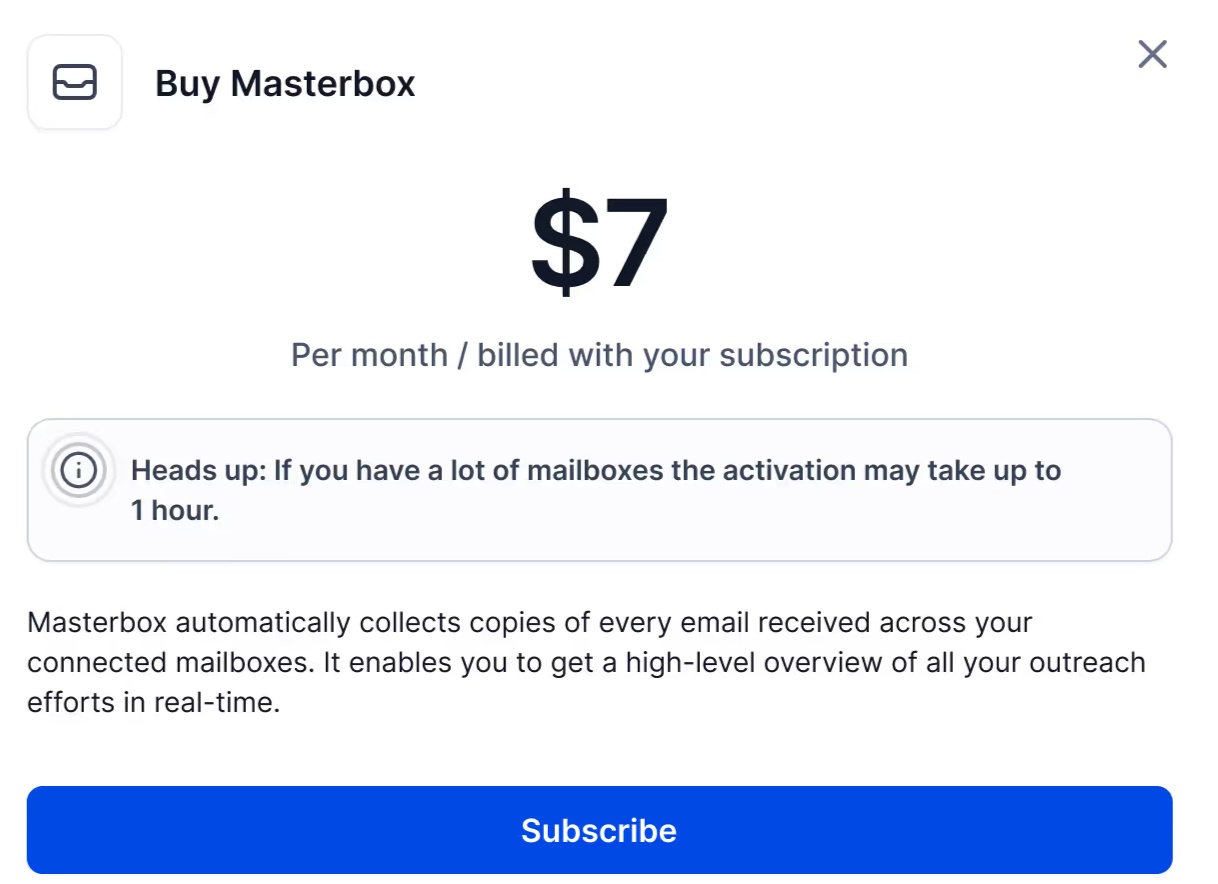
Masterbox copies every email received by my workspace's mailboxes into a single inbox. With replies spread across dozens of mailboxes, I don't have to sign in to each one to find them.
On a large account, activation takes a while. With many mailboxes, it can take up to an hour.
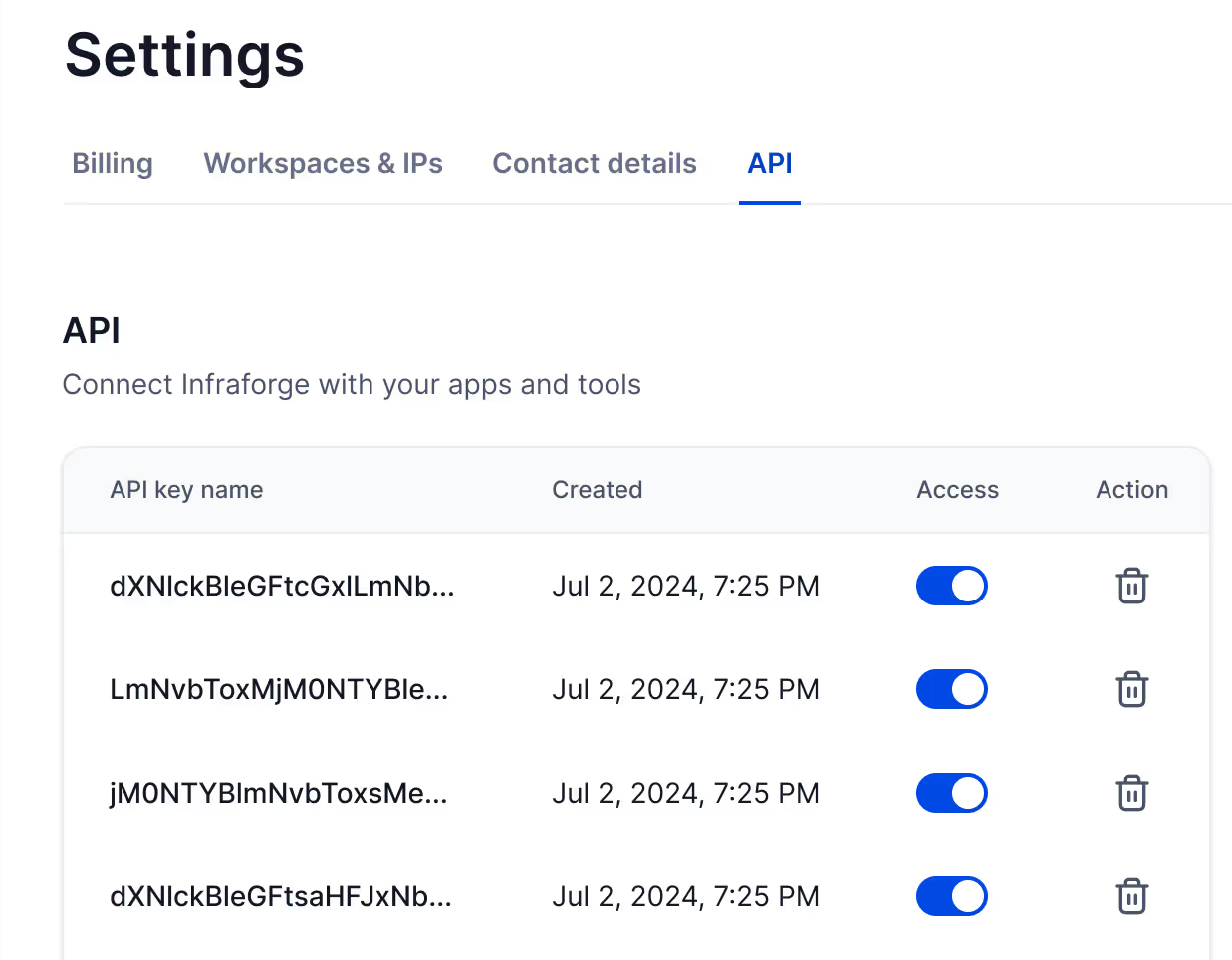
In Settings, the API tab lists every key I've created, along with its creation date and an on/off switch. I create a separate key for each tool or script. If one gets exposed, I can turn off that key without interrupting anything else.
I track reply rates and bounce rates. I leave open and click tracking off because it isn't reliable, and it can hurt deliverability on a dedicated IP.
When my numbers drop, I work through these steps:
I also leave the DNS records Infraforge sets up alone. Editing them or adding conflicting records is the quickest way I know to break a working domain.
Infraforge charges separately for mailboxes, domains, and IPs, plus paid extras. There's no free trial or contract. I can sign up and explore the app before paying anything.
I couldn't find the volume at which the price drops to $3, so I budget at $4.
Mailboxes are sold as slots, with a 10-slot minimum. I pay for empty slots too.
For 8,000 contacts with 2 emails each, it recommended 8 domains and 25 mailboxes.
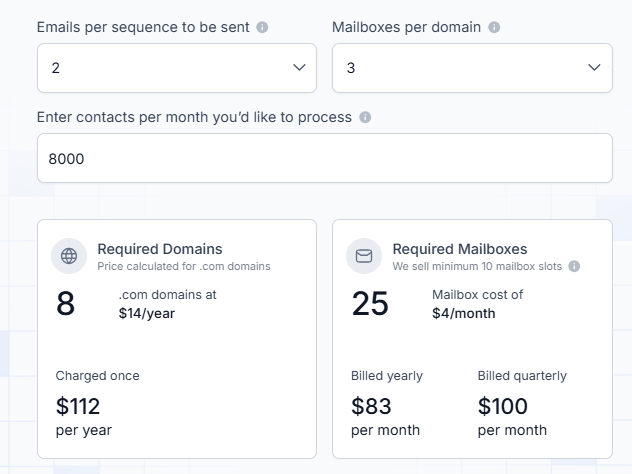
That works out to about 30 emails a day per mailbox, and all 25 fit on one IP. I'd add a ninth domain, since 8 domains with 3 mailboxes each only hold 24.
My first year comes to about $1,126 before IPs and add-ons.
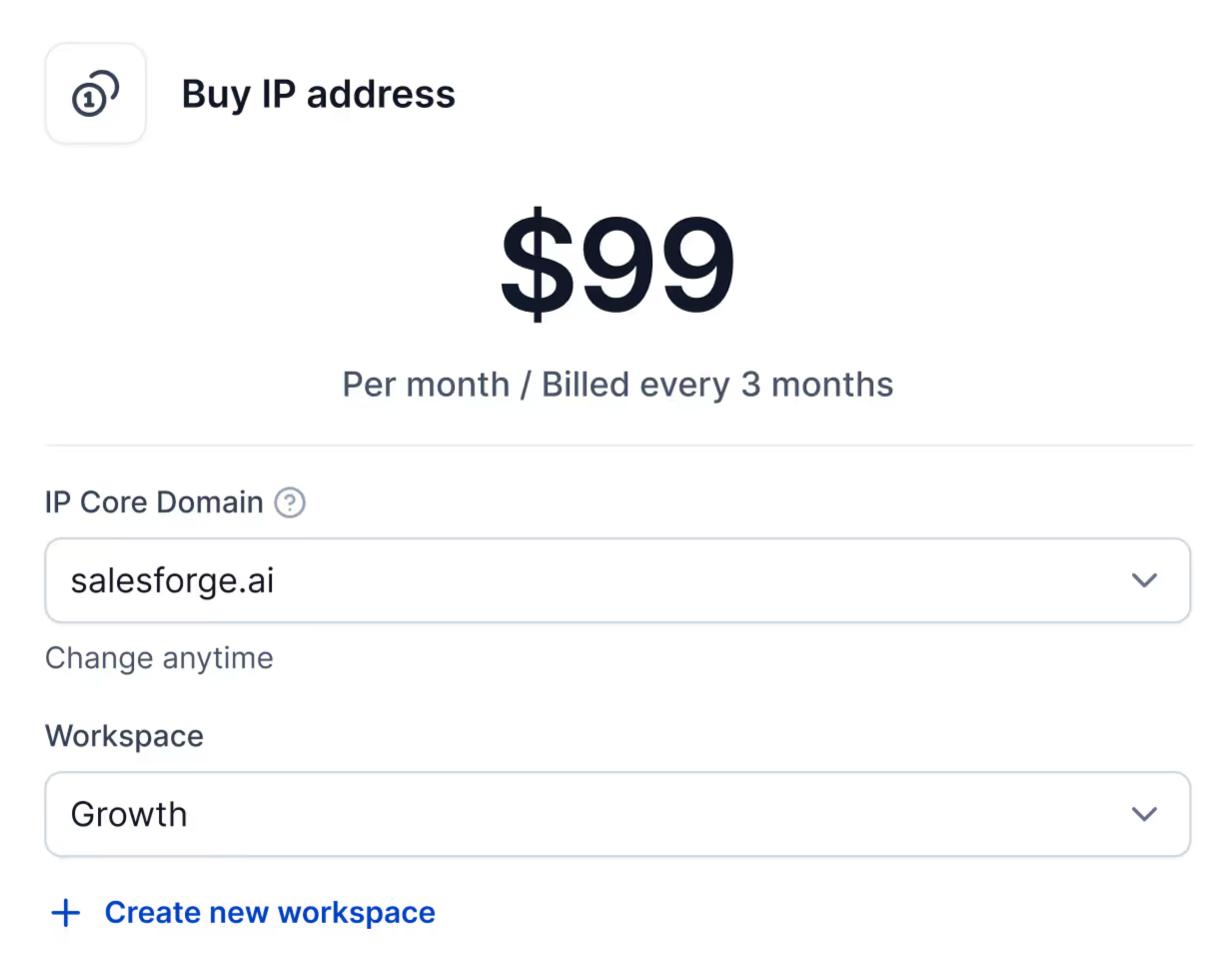
Each additional IP costs $99 a month. Split across 40 mailboxes, that's about $2.50 each. With 20 mailboxes, it's about $5.
Infraforge only lets me buy additional IPs, and the calculator doesn't show an IP cost. That makes it look like the first IP is included.
If it isn't, my 25-mailbox setup costs about $1,188 more a year.
For 9 domains, I'd pay $216 a year with quarterly billing and $54 with yearly billing.
Masterbox is billed per workspace, so I pay for it once per client.
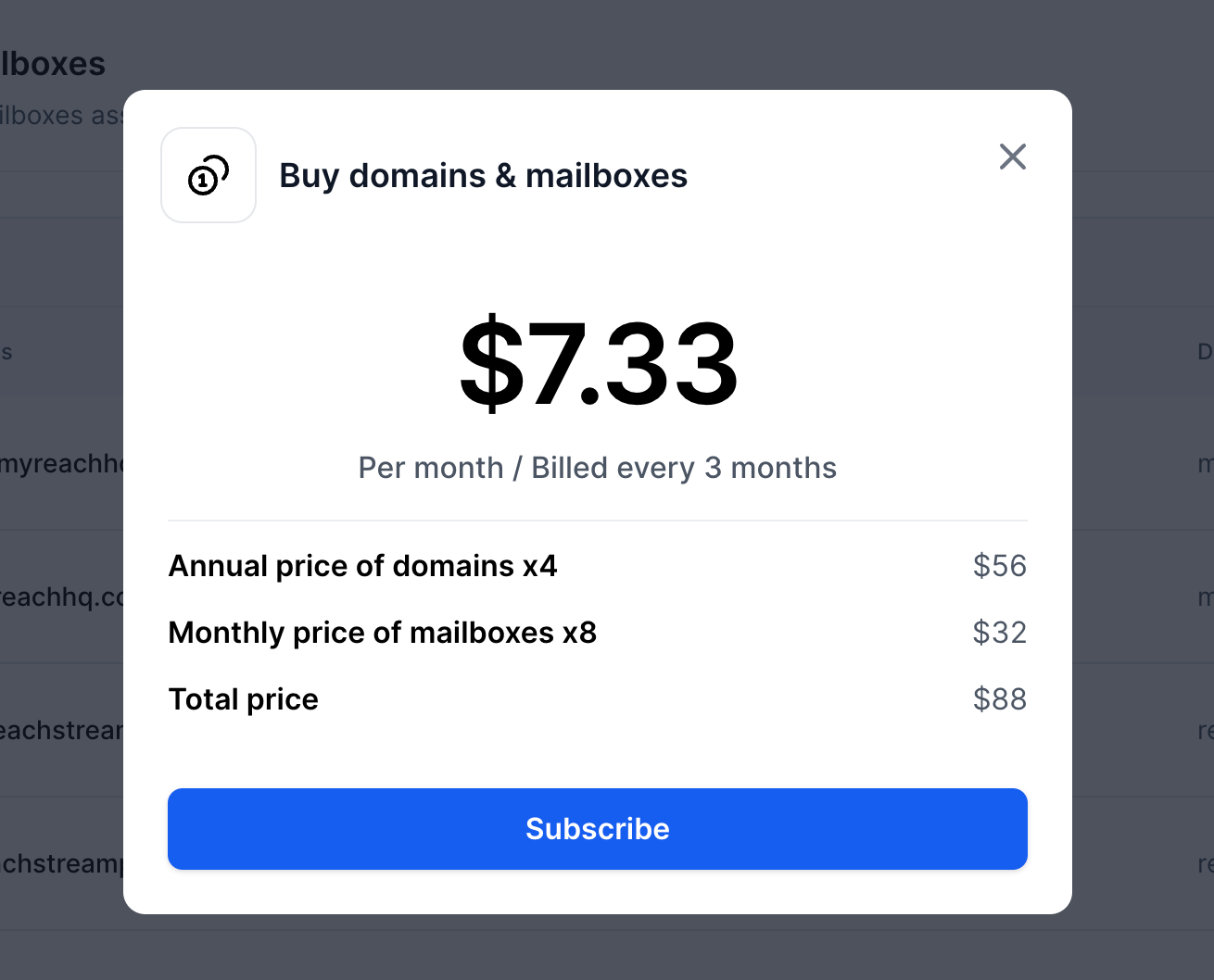
The minimum order is 4 domains with 2 mailboxes each, for $88. My account needs 10 slots, so I'd need to add 2 mailboxes or pay for 2 empty ones.
Infraforge lists 200 mailboxes at $651 a month. Those 200 mailboxes need 5 IPs.
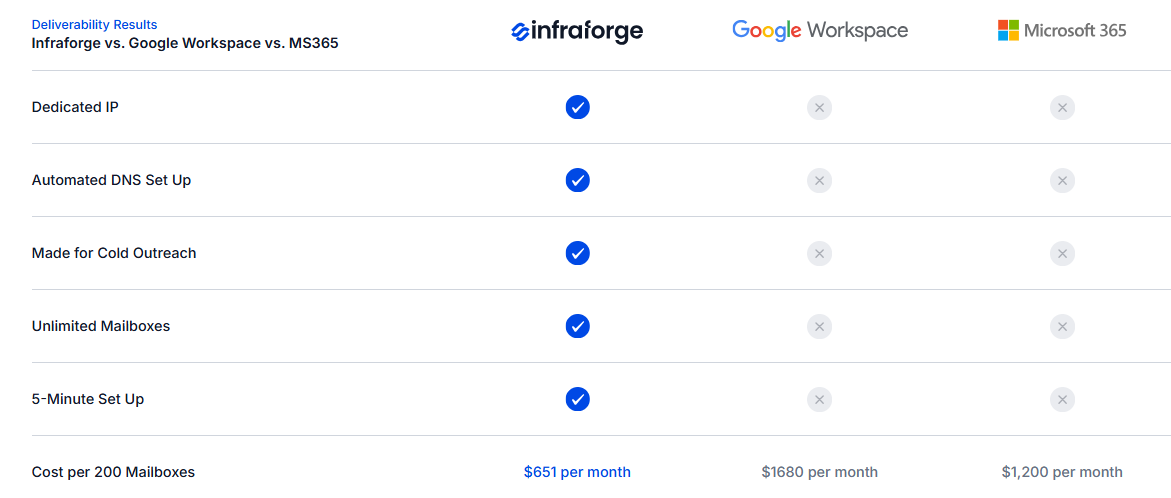
With 4 additional IPs, my total comes to about $1,047 a month. That's still less than Google Workspace at $1,680 and Microsoft 365 at $1,200. Compared with Microsoft, though, I save about $150 a month.
I'd pay for Infraforge when I send enough cold email to fill my own IP and want full control over my sender reputation.
With a dedicated IP, every good or bad send affects my reputation alone. If my lists or volume aren't steady yet, I'd start with a cheaper option.
If you want the same Forge setup tools without paying for and filling your own IP, I'd consider Mailforge. It sends from a shared IP pool, so my mailboxes cost less, and a rough campaign won't be isolated on an address used only by me.
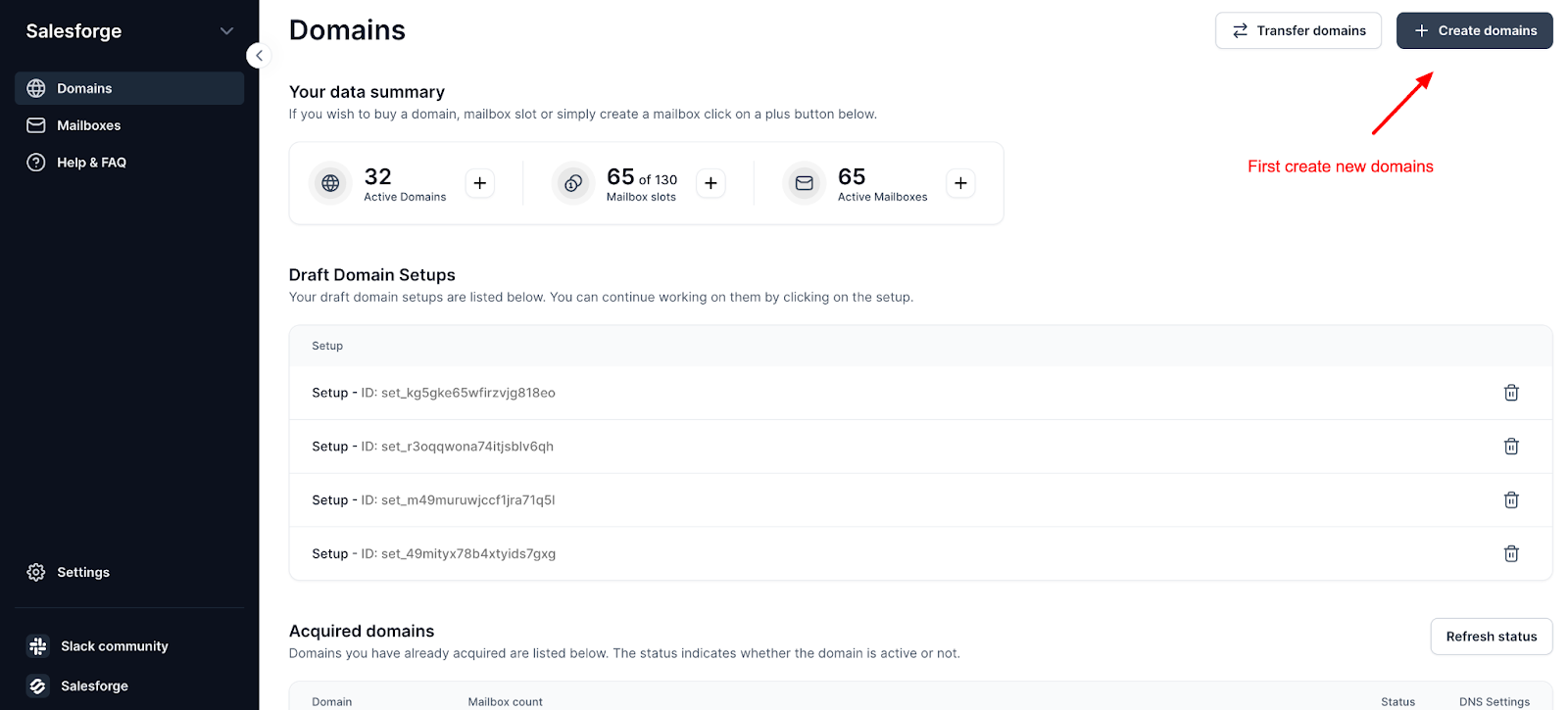
I buy domains and mailbox slots, set up my mailboxes, and export them to my sending tool. I don't have to make any of the IP decisions Infraforge requires.
I entered the numbers from my Infraforge test into Mailforge's calculator: 8,000 contacts, 2 emails each, and 3 mailboxes per domain. It recommended 9 domains and 25 mailboxes for $60 a month on yearly billing.
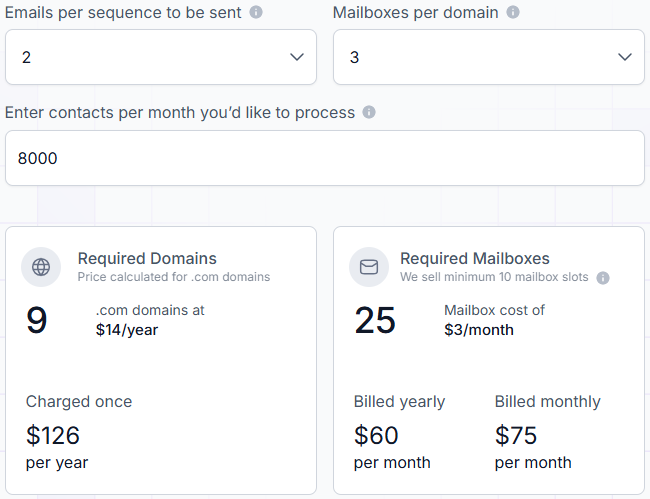
The same 25 mailboxes cost $83 a month on Infraforge. I save $276 a year with Mailforge, before even finding out whether Infraforge charges extra for the first IP.
On Infraforge, each workspace needs an IP and a core domain, and a half-empty IP increases my cost per mailbox. With Mailforge, I create a workspace by naming it.
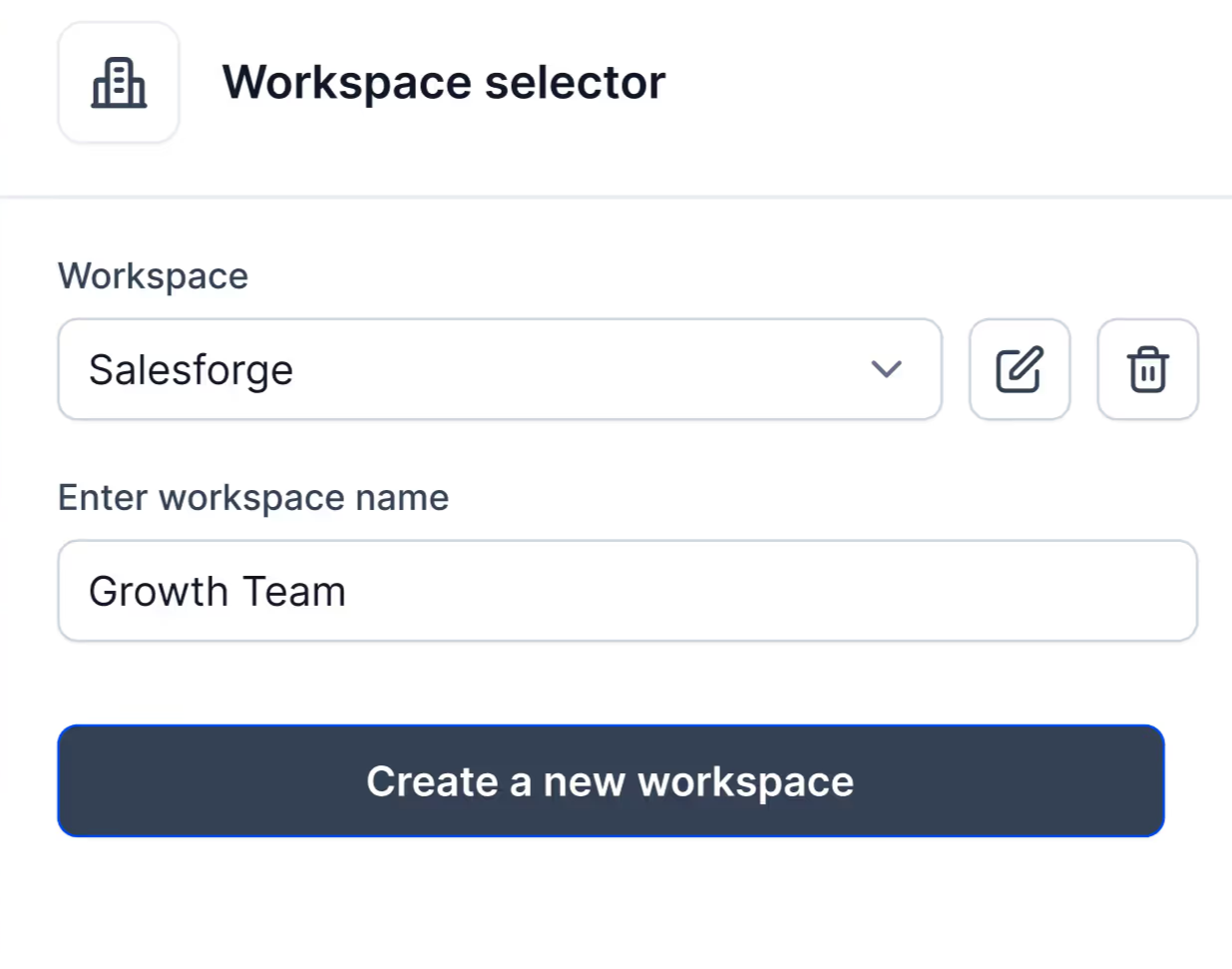
If I need 10 or 15 mailboxes, or a small workspace for each client, I pay only for the mailboxes and domains I use.
With a dedicated IP, every complaint lands on an address only I send from. Mailforge spreads my mailboxes across a shared IP pool used by millions of businesses, much like Gmail and Outlook.
So if I expect a lot of spam reports, Mailforge is the Forge option I'd choose. That could be a new offer, a cold market, or a list I'm still cleaning.
Infraforge bills IPs and most add-ons quarterly. With Mailforge, I can pay $75 a month for those 25 mailboxes, plus $2 per domain a month for SSL and masking.
There's no contract, so if a campaign doesn't work, I can stop paying after one month.
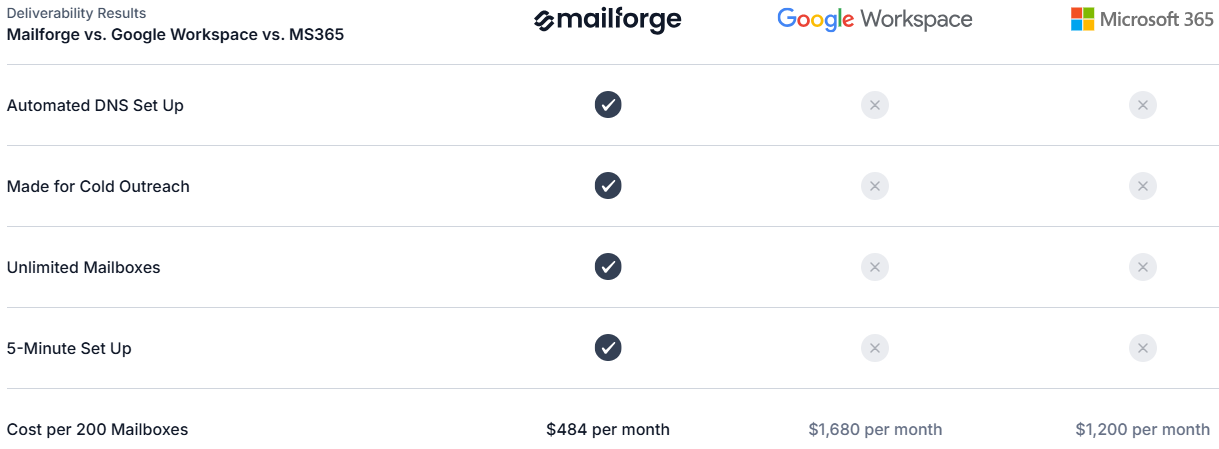
Mailforge charges $484 a month for 200 mailboxes. On Infraforge, the same number comes to about $1,047 once I add the 4 extra IPs it needs.
Mailforge sets up DMARC, SPF, DKIM, and custom tracking on every domain for free. I also get bulk DNS updates, pre-warmed domains and mailboxes, domain transfers, SSL, and domain masking.
Once my mailboxes are ready, I export them to Salesforge, Smartlead, Instantly, ReachInbox or FirstQuadrant.
If I automate the setup, the Mailforge API lets me check domain availability in bulk, buy domains, create mailboxes, and update DNS from my own tools.
Enter your email to get a custom plan & stack recommendation for your business
Please check your mailbox in 5 minutes
Yes, if you can fill an IP and keep it clean. Until then, you may be paying for control you can't use.
I'd decide based on two numbers from my last month of outreach.
The first is mailbox count. At 20 or more, the $99 IP adds only a few dollars per mailbox. Below 20, it costs more than the mailboxes it sends to.
The second is the trend in bounces and complaints. If both have stayed low on validated lists, your own IP can reward that. If they still jump with every new list, all the damage lands on you.
If both numbers look good, start Infraforge with one workspace on yearly billing, and check with support about your first IP before checkout.
If either doesn't, start with Mailforge. Enter your contact count in its calculator to see how many domains and mailboxes you need and what they'll cost each month before buying.