If you’re looking for the best Mailscale alternatives, you’re probably running into issues with its limitations. Users searching for Mailscale alternatives are often seeking better email marketing tools that support scalable email marketing and campaign management.
Mailscale helps with domain warm-up, inbox placement tracking, and sender reputation management, but many users face challenges such as:
Limited automation for large-scale warm-up and monitoring
High pricing that’s tough for startups or agencies managing multiple inboxes
A setup process that isn’t beginner-friendly
Scaling problems when working across multiple domains or client accounts
Mailscale's features may not be suitable for larger businesses due to its limitations.
Many users also need features for managing multiple campaigns and the ability to create unlimited email inboxes, which are important for scaling outreach and improving email deliverability—areas that are often missing in Mailscale.
To help you find better options, we reviewed its alternatives and shortlisted five tools that stand out as more reliable and cost-effective options.
Before diving into the detailed reviews, here are the key takeaways to help you see how they compare at a glance.
Mailscale Alternatives Key Takeaways
Mailscale helps with inbox warm-up and deliverability but struggles with automation, scalability, and beginner-friendly setup.
Mailforge and Infraforge stand out for agencies and enterprises, offering multi-domain support, advanced reporting, and transparent pricing.
Maildoso and Mailreach are budget-friendly, simple options for freelancers or small teams starting out.
Instantly adds AI-driven automation and flexible campaign support but can become costly as inbox volume scales.
Overall, Mailforge provides the best balance of automation, deliverability, and scalability, making it the strongest all-around Mailscale alternative.
With these key points in mind, let’s dive deeper into how each Mailscale alternative compares and which one best fits your email infrastructure needs.
How the Mailscale Alternatives Compare?
Some mailscale alternatives offer unlimited inboxes and unlimited email inboxes, which are essential for managing multiple campaigns and scaling outreach efficiently.
These features allow users to handle high email volumes, manage multiple email accounts, and streamline campaign management without additional costs.
Tool
Deliverability
Automation
Domain Validation
Scalability (Domains & Teams)
Monitoring & Reporting
Integrations & Ease of Use
Pricing
Mailforge
AI-driven warm-up with inbox testing
Full automation, DNS/SPF/DKIM checks
Built-in SPF/DKIM/DMARC
100+ domains; supports multiple email accounts and multiple campaigns for small to large teams & agencies
Smooth setup; Gmail/Outlook integration; user friendly interface
$70/domain yearly + $13–$15 per mailbox/month
Infraforge
Warm-up with SPF/DKIM & blacklist alerts
Automated warm-up & reporting
Full SPF/DKIM/DMARC setup
Unlimited domains and unlimited inboxes; ideal for managing multiple email accounts and unlimited email inboxes for mid to large teams & agencies
Detailed monitoring of inboxes, domains, and blacklist
Clean UI; integrates with outreach tools
$70/domain yearly + $17–$20 per mailbox/month
Maildoso
Warm-up routines with domain health monitoring
Basic automation
Supports SPF/DKIM
Up to 100 domains; can manage multiple email accounts for small to mid-size teams
Monitors domain health and inbox activity
Simple interface for non-technical users
From $100/month (32 mailboxes + 8 domains)
Instantly
Real-time warm-up & lead verification
AI handles replies & follow-ups
Supports SPF/DKIM
2–10 domains; supports multiple campaigns and multiple email accounts for small to large teams
Engagement & deliverability reporting
Intuitive UI; integrates with major platforms
$42.30–$177.30/month; Enterprise custom
Mailreach
Stable warm-up routines
Basic automation
Limited validation
1–10 domains; suitable for managing multiple campaigns for small teams
Basic reporting on warm-up progress
Beginner-friendly dashboard
$16–$25 per mailbox/month
Many automated email account management tools now allow users to efficiently create and manage multiple email accounts, which is crucial for scaling cold outreach efforts.
Why It Makes Sense to Consider Mailscale Alternatives
No Domain Reputation Insights Users said they can’t see domain health scores or reputation status, which makes it hard to track deliverability risks.
This image shows the MailScale user review on G2.com
Unclear Pricing Although domains are listed at $9–13, some reported being charged $15 instead, leaving them feeling misled.
This image shows the MailScale user review on G2.com
No Flexibility to use Own Domain MailScale requires domains to be purchased directly through the platform. Users wanted the flexibility to connect their own domains for cost savings.
This image shows the MailScale user review on G2.com
No Inbox Display Photos A few noted you can’t add profile pictures to inboxes. They felt this small detail could lower reply rates.
Lack of Inbox Health Alerts Users said there’s no way to know if an inbox is flagged for spam, bouncing, or facing deliverability issues until problems show up in campaigns. Without automated setup of DKIM, SPF, and DMARC records, emails are more likely to be caught by spam filters and end up in spam folders, which can severely impact deliverability.
This image shows the MailScale user review on G2.com
MailScale is easy to set up, but users felt it lacks transparency in pricing and doesn’t provide enough visibility into domain or inbox health.
How We Evaluated These Mailscale Alternatives
To find the best alternatives for automated warm-up and robust email infrastructure, we focused on a checklist that directly impacts inbox placement, domain health, and long-term deliverability:
Whether the tool runs a natural automated warm-up process with real sends and replies.
How well it provides deliverability monitoring and infrastructure reporting to track inbox placement, domain health, and blacklist alerts.
If it supports scalability with multiple domains and inboxes for freelancers, teams, and agencies.
Whether the setup is simple and integrations work smoothly with Gmail, Outlook, and outreach platforms.
How clear and transparent the pricing is when adding more domains or mailboxes.
Whether the software tool automates the entire email setup process, including the technical setup of DNS records and authentication protocols (DKIM, SPF, DMARC), so users don’t have to handle the technical stuff or technical details manually.
By using this flow, we were able to narrow down the list to the most reliable Mailscale alternatives for 2025.
Traditional methods of manual setup can be time-consuming and error-prone, but modern software tools now offer automated setup that handles all the technical stuff and technical details for the user, streamlining the email setup process and making the entire setup process much easier.
Here’s How Propeller Scaled From 500 to 10,000+ Customers
Propeller leveraged Mailforge’s cold email infrastructure to scale outreach, maintain inbox placement, and convert campaigns into high-value customers.
See the exact automation strategies and results that powered their growth.
5 Best Mailscale Alternatives We tested
These top five Mailscale alternatives offer automation, multi-domain support, and advanced tracking to help your emails land safely in inboxes.
The best email infrastructure tools and cold email software focus on high deliverability and maintaining high deliverability rates, often by providing dedicated IP addresses to ensure your emails avoid spam folders and reach recipients effectively.
In addition to robust automation, these cold email tools and email infrastructure tools are designed to support large-scale outreach efforts and campaign management.
Dedicated IP addresses help maintain a good sending reputation and improve email deliverability. Using dedicated IP addresses in automated email management tools can significantly enhance deliverability by isolating the sender's reputation from other users, ensuring your outreach campaigns are more effective.
1. Mailforge
Mailforge provides a dedicated email environment with the option for your own dedicated IP, which helps maintain email reputation and improves email deliverability.
This setup is especially valuable for cold emailers and cold email marketers who need control over their outreach campaigns and want to ensure their emails reach the primary inbox, not just avoid spam folders.
Setup takes less than five minutes, and it supports managing hundreds of domains and mailboxes for teams of any size.
Mailforge offers a choice between a shared IP system—where multiple users share the same IP addresses, which can negatively impact email deliverability and reputation—and a dedicated IP setup. By using dedicated IP addresses, Mailforge isolates your sending reputation from other users, significantly enhancing email deliverability and reducing the risk of spam classification.
Mailforge is ideal for cold emailers and cold email marketers who need a robust cold email system with strong email reputation management.
Setup takes less than five minutes, and it supports managing hundreds of domains and mailboxes for teams of any size.
Key Features That Differentiate Mailforge
Feature
Mailforge Advantage
AI-Powered Warm-up + Live Testing
Combines automated warm-up with continuous inbox placement tests to verify real-world deliverability.
End-to-End DNS Automation
Automatically sets up and verifies SPF, DKIM, and DMARC records, removing manual DNS configuration.
Domain + Mailbox Generator
Bulk creation of domains and inboxes for fast scaling without third-party setup.
Unlimited Inboxes & Multiple Campaigns
Create unlimited email inboxes to manage multiple campaigns simultaneously, enabling scalable cold email outreach without extra costs.
Cold Email Infrastructure Hosting
Provides inbox hosting and maintenance, keeping infrastructure independent of outreach tools.
Scalable Slot System
Flexible pricing and slot management allow 100+ inboxes across multiple domains, ideal for agencies.
Deliverability Analytics
Transparent reports with reputation scoring, bounce tracking, and placement insights.
What Users Like About Mailforge
All-in-one deliverability tool handles warmup, sending, throttling, and reply management.
This image shows the Mailforge user review
Reliable automation saves hours of manual work
Strong focus on inbox placement, not just warm-up
Transparent reporting makes it easy to track progress
Scales well for agencies handling multiple clients
User friendly interface makes it easy for both technical and non-technical users to manage their email infrastructure
What Are the Limitations?
Advanced features may feel overwhelming for solo users
Pricing is higher compared to very basic warm-up tools
Some integrations need manual tweaks during the first setup
What You’ll Pay for Mailforge
Domains: 5 × $70/year per .com domain - includes setup and DNS checks.
Mailbox Slots: 5 slots
Yearly: $13/month per slot
Monthly: $15/month per slot
Minimum 10 slots required
Includes: Automated warm-up, inbox hosting, maintenance, and expert support
Is there a free trial? Mailforge requires domains and mailboxes to function, so no free trial is offered. You can still explore the app after signing up without adding them.
Why Mailforge is better than Mailscale
Factor
Mailscale
Mailforge
Inbox Placement Visibility
❌ Not available
✅ Live inbox placement testing
DNS Setup
❌ Manual setup required
✅ Automated SPF, DKIM, DMARC
Domain & Mailbox Scaling
❌ Limited
✅ Bulk domain + inbox generator
Infrastructure Support
❌ Warm-up only
✅ Includes inbox hosting & maintenance, own dedicated IP addresses for each user (dedicated IP), which help maintain a good sending reputation and improve email deliverability compared to shared IP systems
Pricing Model
❌ Inconsistent domain pricing
✅ Transparent slot-based pricing
Who It’s Best For
Mailforge is the best fit for:
Agencies managing several domains and clients
Sales and marketing teams running high-volume outreach
Startups that want automation without technical hassle
Businesses are serious about building long-term email infrastructure
Cold emailers and cold email marketers who need to manage multiple campaigns efficiently
Here’s what Isabella has to say about Mailforge:
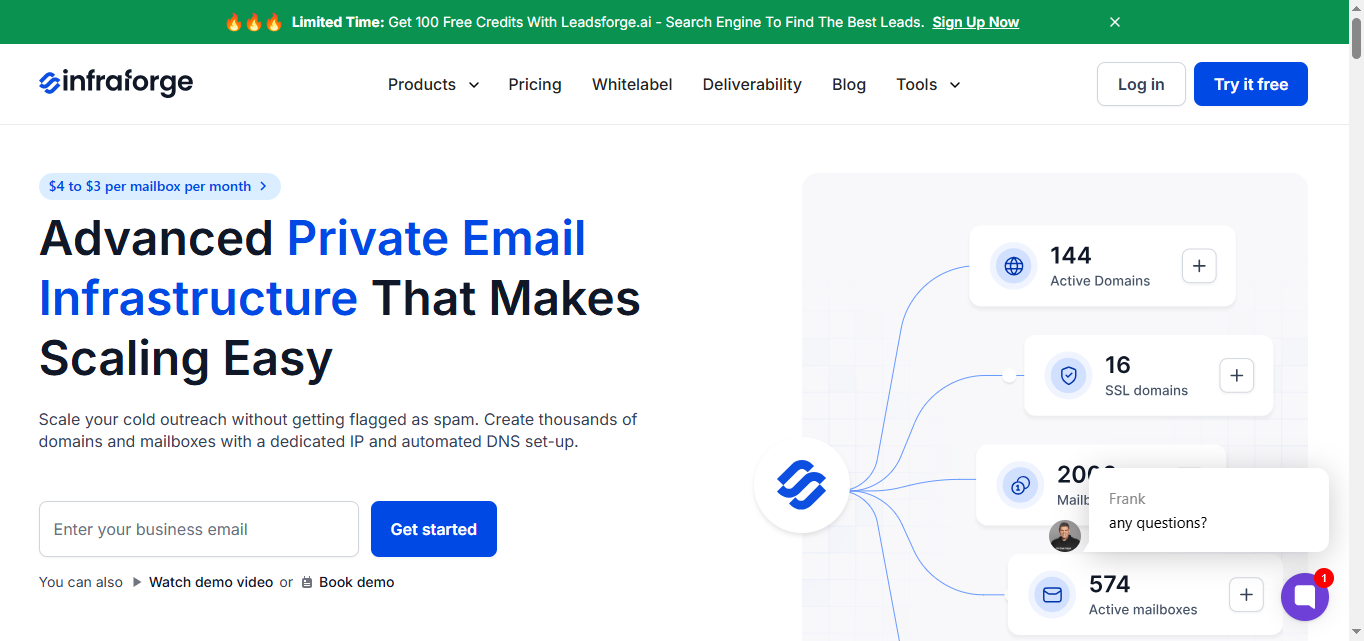
2. Infraforge
Infraforge is an email infrastructure tool and software tool that automates the technical setup of DNS records (SPF, DKIM, DMARC), handling all the technical details for the user.
It combines warm-up with complete domain authentication and blacklist monitoring, making it suitable for teams managing large volumes of inboxes.
It supports 100+ domains, provides detailed reporting on domain health, and ensures sending compliance across multiple client accounts. Infraforge features automated setup of DNS records, simplifying the technical setup process and making it easier for users without technical expertise to achieve reliable email deliverability.
This image shows the Infraforge homepage
Compared to Mailscale, it’s better suited for mid-to-large teams managing 100+ domains.
Key Features That Differentiate Infraforge
Feature
Infraforge Advantage
Blacklist Monitoring
Built-in monitoring to detect when domains or IPs are flagged, helping prevent deliverability drops.
Placement Testing
Real-time testing across providers to show whether emails land in inbox, promotions, or spam.
Reusable Mailbox Slots
Flexible billing model where slots can be reused after deleting inboxes, reducing costs at scale.
Infraforge automates the entire setup process for email inboxes, including essential DNS records and authentication, eliminating the need for traditional methods of manual configuration.
High-Scale Domain Management
Supports 100+ domains, making it suitable for agencies and enterprise-level operations.
Health Scoring
Provides domain and inbox health scores for ongoing infrastructure visibility.
What Users Like About Infraforge?
Combines inbox warm-up, SPF/DKIM checks, inbox monitoring, and blacklist alerts in one platform.
Easy to manage multiple domains and inboxes efficiently.
Simple, intuitive setup with helpful onboarding.
User friendly interface that simplifies onboarding and daily use.
This image shows the Infraforge user review on g2.com about its intuitiveness
Free plan available to test core features.
What Are the Limitations?
Documentation could be more detailed for advanced use cases.
What You’ll Pay for Infraforge
Per Domain: $70/year per domain (~$5.83/month) - includes domain setup and DNS checks.
Per Mailbox Slot:
Yearly: $17/mailbox/month
Quarterly: $20/mailbox/month
Includes warm-up, inbox monitoring, and deliverability tracking. Mailbox slots can be reused even after deleting an inbox.
Example: 5 domains + 5 mailbox slots for 1,000 emails/month
Domains: 5 × $70 = $350/year (~$29.16/month)
Mailboxes (Yearly): 5 × $17 = $85/month
Total Monthly Estimate: ~$114.16/month
Why Infraforge is better than Mailscale
Factor
Mailscale
Infraforge
Blacklist Monitoring
❌ Not available
✅ Built-in alerts
Domain Health Scoring
❌ Not available
✅ Real-time health scores
Placement Testing
❌ Not available
✅ Inbox placement tests across providers
Domain Flexibility
❌ Buy only via platform
✅ Unlimited domains with reusable slots
Agency Support
❌ Limited for agencies
✅ Supports 100+ domains
Technical Setup
❌ Manual setup required
✅ Automated setup for DNS and authentication (DKIM, SPF, DMARC) simplifies technical setup, improving deliverability and reducing manual effort
Who It’s Best For
Infraforge is best suited for:
Consultants managing multiple client inboxes
Agencies that want a full deliverability infrastructure, not just a warm-up
Teams needing automated monitoring and blacklist protection
Businesses want to avoid domain reputation risks before they grow
Teams managing multiple campaigns and multiple tasks across many domains
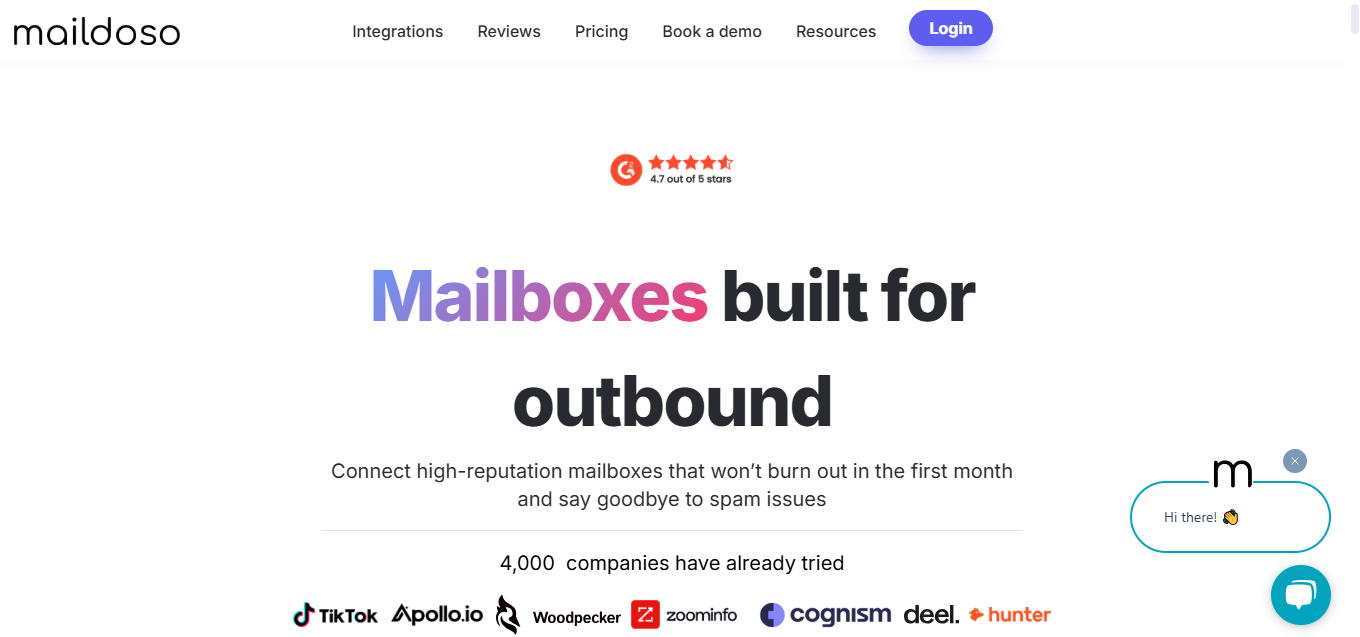
3. Maildoso
Maildoso is a cold email tool designed to support cold outreach and cold email strategy, helping users achieve cold email success. It offers simple warm-up and domain validation for smaller teams.
It supports up to 100 domains with straightforward health tracking and reporting. Warmup is essential for new email accounts to avoid being flagged as spam by email service providers, and Maildoso automates this process.
Maildoso is a lighter option for teams that want basic protection at a lower entry point.
This image shows the Maildoso homepage
While it doesn’t have as advanced reporting as Mailforge, Maildoso keeps inboxes active and reduces spam risk, making it suitable for teams that value simple infrastructure management for their cold outreach efforts.
Key Features That Differentiate Maildoso
Feature
Maildoso Advantage
Fast Bulk Setup
Allows quick creation of multiple domains and inboxes in minutes, making it simple to scale outreach.
Unlimited Inboxes
Enables users to create unlimited email inboxes, essential for managing multiple campaigns and sending high volumes of emails without extra costs.
Master Inbox
Centralized inbox to monitor and manage all replies in one place.
Granular Reporting
Provides deliverability reports that highlight domain activity and inbox performance without being overly complex.
Built-In IP Rotation
Basic IP rotation is included to help distribute sending and reduce spam risks.
Lightweight UI
Straightforward, minimal interface suited for non-technical users.
Affordable Scaling
Lower entry pricing with bulk mailbox bundles makes it cost-effective for small to mid-size teams.
What Users Like About Maildoso?
Fast setup in 10–15 minutes.
Ability to create multiple domains and inboxes in bulk.
Granular deliverability reporting for better tracking.
Master the inbox feature to manage replies efficiently.
Simple, easy-to-use interface for basic tasks.
User friendly interface that makes it easy for non-technical users to manage their email campaigns.
This image shows the maildoso user review on g2.com about its fast setup
This image shows the maildoso user review on g2.com about DNS limitation
Uses a shared warm-up pool, which can affect placement.
No monthly billing option; may be restrictive for some.
Non-standard domains like .xyz may not be fully supported.
Lacks inbox grouping or folder organization.
Support can be slow during outages.
CRM or Smartlead integrations may occasionally glitch.
What You’ll Pay for Maildoso?
Starter Plan: 32 mailboxes + 8 domains for $100/month (billed quarterly) - about $3.10 per mailbox/month.
Growth Plan: 68 mailboxes + 17 domains for $166/month (billed quarterly) - about $2.44 per mailbox/month.
Scale Plan: 400 mailboxes + 100 domains for $733/month (billed quarterly) - about $1.83 per mailbox/month.
Annual Discounts: Paying yearly reduces mailbox costs to as low as $1.40/month, making it ideal for agencies or teams planning long-term use.
Tip: The more mailboxes you add, the lower the per-mailbox cost.
Why Maildoso is better than Mailscale
Factor
Mailscale
Maildoso
Domain Flexibility
❌ Locked to platform
✅ Bring-your-own domain allowed
Bulk Setup
❌ Not available
✅ Bulk domain + inbox creation
Inbox Management
❌ No centralized view
✅ Master inbox for all replies; unlimited inboxes and unlimited email inboxes for scalable management
IP Rotation
❌ Not supported
✅ Built-in IP rotation
Pricing
❌ Inconsistent domain fees
✅ Transparent mailbox/domain bundles; ideal for managing multiple campaigns efficiently with no extra cost for additional inboxes
Who It’s Best For
Maildoso is the best fit for:
Freelancers and consultants handling small campaigns
Small businesses looking for budget-friendly inbox protection
Teams that want warm-up and monitoring without extra complexity
Cold emailers and cold email marketers who need a simple, scalable solution
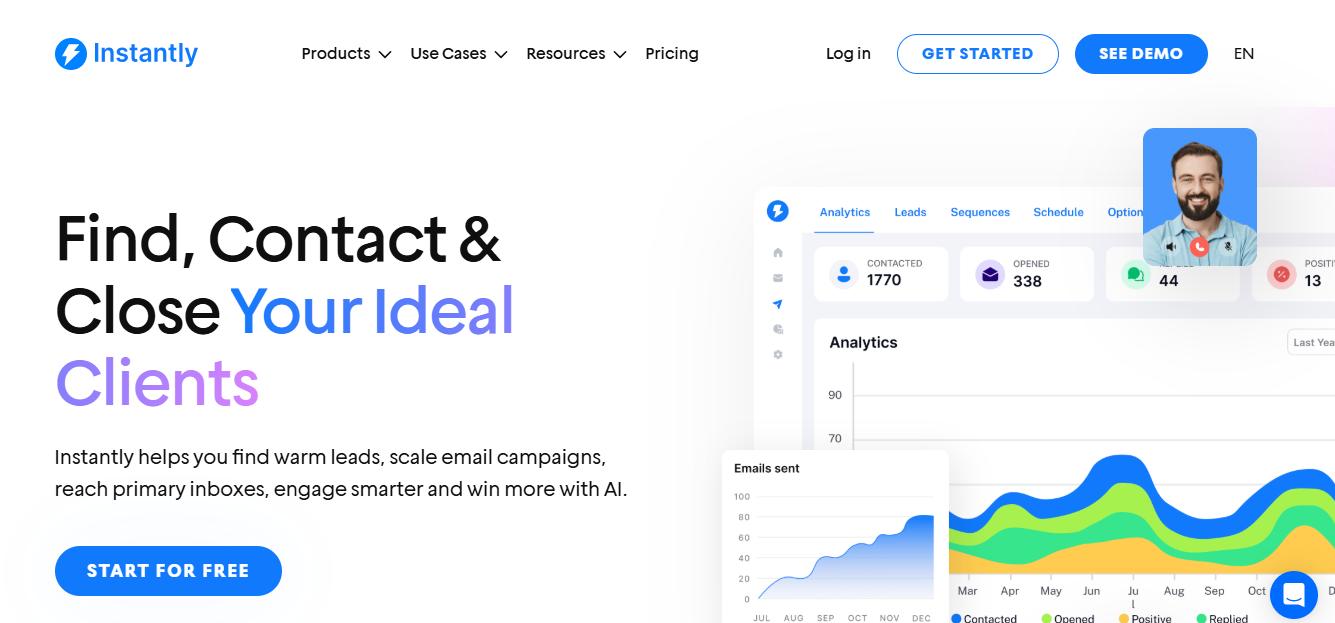
4. Instantly
Instantly is a cold email platform that offers built-in warmup and outreach features, making it a leading cold email software and cold email tool for campaign management and outreach efforts.
Instantly combines warm-up with AI-managed engagement, such as handling replies and pauses.
It also supports deliverability reporting, cold email sequences for high-volume campaigns, and integrates with major sending platforms.
Where Mailscale emphasizes infrastructure, Instantly is often chosen by users who want automation tied directly to their outreach workflows and need efficient tools for scaling their outreach efforts.
This image shows the Instantly home page
Key Features That Differentiate Instantly
Feature
Instantly Advantage
AI Co-Pilot
Built-in AI assistant helps write, optimize, and personalize cold emails while keeping deliverability in mind.
Real-Time Lead Verification
Automatically verifies leads during campaigns, reducing bounce rates and protecting domain reputation.
AI-Driven Engagement Handling
Automates replies, pauses, and follow-ups to simulate natural human-like engagement for warm-up.
Done-for-You Inboxes
Offers pre-warmed inboxes to speed up scaling for new users, reducing ramp-up time.
Fast Campaign Launch
Warm-up, domain setup, and sending campaigns can be configured within minutes, ideal for lean teams.
Seamless Scaling
Supports multiple domains and inboxes with smooth team collaboration, from solo founders to large teams.
Multiple Campaign & Task Management
Easily manage multiple campaigns and multiple tasks simultaneously with a user friendly interface, allowing for efficient, scalable outreach and streamlined workflow.
What Users Like About Instantly?
User friendly interface that streamlines campaign setup and management.
This image shows the Instantly user review on g2.com about its intuitive interface
Fast setup for warm-up, domains, and campaigns.
Clean reporting on engagement and performance.
Scales smoothly from solo users to large teams.
What Are the Limitations?
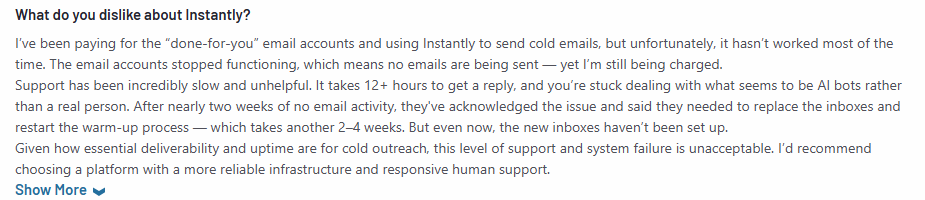
Support can be slow during urgent issues.
Inbox disconnections may occur without alerts.
“Done-for-you” inboxes can deactivate unexpectedly.
Some users report occasional billing bugs and glitches.
This image shows the Instantly user review on g2.com about billing glitches
Platform updates may occasionally break existing workflows.
Analytics can feel incomplete or laggy.
Pricing increases quickly as more inboxes are added.
What You’ll Pay for Instantly
Solo Plan: $42.30/month for basic warm-up credits, suitable for individuals or small campaigns.
Supersonic Plan: $87.30/month for higher volume and additional features.
Hyper Credits Plan: $177.30/month for very high-volume senders.
Enterprise Plan: Custom pricing for large-scale teams and agencies.
Why Instantly is better than Mailscale
Factor
Mailscale
Instantly
AI Support
❌ Not available
✅ AI co-pilot for email writing
Bounce Prevention
❌ No verification
✅ Real-time lead verification
Engagement Simulation
❌ Basic warm-up only
✅ AI-driven replies, pauses, follow-ups
Pre-Warmed Inboxes
❌ Not available
✅ Done-for-you inboxes
Campaign Speed
❌ Warm-up only
✅ Campaign-ready in minutes
Campaign Management & Cold Email Sequences
❌ Limited features
✅ Excels in campaign management, supports advanced cold email sequences, and is designed for high-volume outreach efforts
Who It’s Best For
Freelancers running small outreach campaigns
Startups testing cold email campaigns
Small teams wanting a warm-up with simple outreach
Cold emailers and cold email marketers who need to manage multiple campaigns efficiently
5. Mailreach
Mailreach is a cold email system designed to support warmup as part of a successful cold email strategy, helping users achieve cold email success. It provides stable warm-up and basic infrastructure support, including limited SPF/DKIM validation and inbox activity tracking.
Warmup is essential for new email accounts to avoid being flagged as spam by email service providers. Mailreach's gradual warm-up routines help avoid triggering spam filters, improving deliverability and ensuring outreach emails reach inboxes.
It’s quick to set up and works best for freelancers or small teams managing only a few domains.
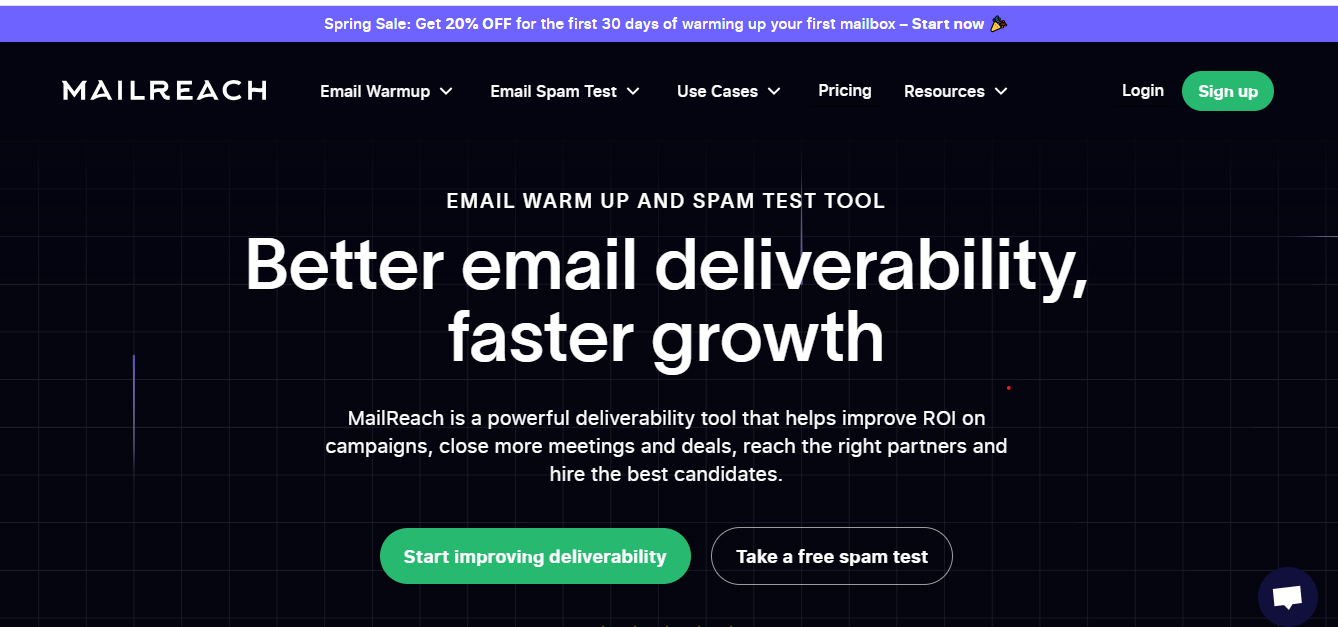
This image shows the Mailreach home page
Unlike Mailscale, which targets broader infrastructure, Mailreach keeps the focus on simple email warm-up without added complexity.
Key Features That Differentiate Mailreach
Feature
Mailreach Advantage
Beginner-Friendly Setup
Designed for non-technical users, setup takes only a few minutes without complex configuration.
Handles opens, clicks, and basic replies to simulate real user behavior for domain trust.
Spam Monitoring
Provides alerts when domains show risky patterns, helping users intervene early.
Per-Mailbox Flexibility
Straightforward per-mailbox pricing makes it easy for small teams or freelancers to start small.
Clean Dashboard
Simple interface focused on core deliverability tasks without overwhelming features.
Multiple Campaign & Task Management
Allows users to manage multiple campaigns and multiple tasks efficiently, making it easy to handle various outreach activities simultaneously.
What Users Like About Mailreach
Very beginner-friendly setup; can get started in under 5 minutes.
This image shows the Mailreach user review on g2.com about its easy setup
Delivers solid warm-up results without requiring technical expertise.
Stable and safe performance for warming domains gradually.
What Are the Limitations?
No support if your domain is already in trouble, e.g., blacklisted.
Lacks advanced troubleshooting tools for domain or IP issues.
Doesn’t scale well for managing 10+ inboxes or multiple clients.
Support response can be slow on lower-tier plans.
It can become expensive for high-volume sending.
This image shows the Mailscale user review on G2.com about its high pricing
What You’ll Pay for Mailreach
1–5 inboxes: $25/inbox per month - includes basic warm-up, monitoring, and reporting.
6–20 inboxes: $19.50/inbox per month - includes advanced warm-up, inbox health checks, and engagement tracking.
21–50 inboxes: $18/inbox per month - includes bulk warm-up, domain monitoring, and deliverability insights.
50+ inboxes: $16/inbox per month - includes full automation, spam protection, and priority support.
Why Mailreach is better than Mailscale
Factor
Mailscale
Mailreach
Spam Alerts
❌ Not available
✅ Early spam risk warnings
Setup Speed
❌ Slightly slower
✅ Quick, beginner-friendly setup
Pricing
❌ Inconsistent domain charges
✅ Clear per-mailbox pricing
Inbox Health Visibility
❌ Not provided
✅ Basic inbox health monitoring
Warm-Up Routines
❌ Limited
✅ Safer, gradual warm-up supporting a cold email strategy for cold email success
Who It’s Best For
Freelancers managing small campaigns
Startups testing cold email outreach
Teams that want a simple warm-up plus basic automation
How to Choose the Best Mailscale Alternative
Finding the right Mailscale alternative depends on your team size, outreach goals, and infrastructure needs.
The best alternatives support managing multiple email accounts and campaigns, which is essential for agencies and teams looking to scale cold outreach and improve deliverability.
Here’s a quick guide:
Use Case
Best Alternative
Why It’s Better Than Mailscale
Agencies managing multiple clients
Mailforge / Infraforge
Multi-domain support, automated DNS, advanced monitoring at scale, and efficient management of multiple email accounts and campaigns.
Startups & small teams
Maildoso / Mailreach
Affordable, simple setup, easier adoption with reliable deliverability, and tools for handling multiple email accounts.
Enterprise-level operations
Infraforge / Mailforge
Infrastructure-level controls, compliance, analytics for scaling, and robust campaign management features for high-volume email accounts.
Freelancers & consultants
Instantly / Maildoso
Lightweight, flexible plans with minimal setup for smaller outreach, plus support for multiple email accounts.
When choosing a Mailscale alternative, prioritize email marketing tools and solutions that offer strong campaign management and the ability to efficiently set up, manage, and scale multiple email accounts. This ensures your outreach remains effective, scalable, and compliant as your needs grow.
Final Thoughts
There isn’t one “best” Mailscale alternative for everyone, the right choice depends on your scale, goals, and how much control you need over deliverability and email deliverability.
Maildoso and Mailreach are practical for freelancers or small teams that only need straightforward warm-up and inbox monitoring.
Instantly sits in the middle for teams running flexible campaigns where engagement tracking matters.
Infraforge is better suited for agencies and enterprises that manage 100+ domains and require compliance oversight.
provides the fastest way to get a full infrastructure ready, with automated DNS setup, real-time monitoring, and scalability across domains.
For those serious about the cold email game and cold outreach, achieving high deliverability and strong email deliverability often requires a dedicated email environment with dedicated IP addresses. Using dedicated IP addresses can significantly enhance email deliverability by isolating your sender reputation from other users, which is crucial for successful cold outreach campaigns.
It gives you a clear view of how modern email infrastructure works and helps you decide whether to scale up or pair it with lighter tools for specific use cases.