We Tried 3 Best Mission Inbox Alternatives To Set Up Cold Email Infrastructure

Mission Inbox is made for cold email. It helps create inboxes fast, sets up DNS automatically, and supports large sending volumes.
But many teams still look for other tools because warmup has to be handled separately, the sending rules are strict, the price starts high at $199/month, domains const deos not included in plans, which makes scaling expensive.
Because of this, teams often want something easier, cheaper, and faster to scale
This guide breaks down 3 strong alternatives: Mailforge, Infrafoge, and Inframail, and how they handle real cold email infrastructure in a simple, practical way.
TL: DR: 3 Best Mission Inbox Alternatives
- Mailforge is the most affordable alternative to Mission Inbox. It sets all DNS records automatically and helps you scale quickly on shared IPs.
- Infrafoge is the right fit when you want full control with dedicated IPs, custom infrastructure, and pre-warmed infrastructure.
- Inframail works best for agencies that need unlimited inboxes, Microsoft-backed hosting, and quick setup.
Why Look for Mission Inbox Alternatives?
Mission Inbox gives you a powerful setup for cold email. It lets you create inboxes fast, push DNS automatically, add protection layers, and scale sending from 10,000 to millions.
But that same “full-control” approach is also the reason many teams start looking for alternatives.
Here are the main points that make people explore other tools:
- The starting price is $199/month, which makes it expensive for small teams that don’t need 30 inboxes.
- The setup requires deeper infrastructure management, which is not ideal for beginners who want a simple, guided workflow.
- No pre-warmed domains or mailboxes, warmup must be done manually or through another tool.
- Domain buying is not included; setup depends on external platforms like Cloudflare or GoDaddy.
- Scaling requires ongoing oversight since the user is fully responsible for inbox health, compliance, and sending behavior.
Get Mailforge and set up fully ready mailboxes for just $3
How We Evaluated the 3 Mission Inbox Alternatives
To understand how Mailforge, Infrafoge, and Inframail compare to Mission Inbox, we focused on the areas that matter the most in cold email infrastructure:
- Stable and reliable infrastructure
- Strong deliverability support
- Easy setup without a long learning curve
- Simple domain and inbox management
- API or automation options
- A workflow that fits agencies, sales teams, and SaaS
- Smooth scaling as sending volume grows
These checks helped us get a clear picture of where each alternative stands and how well it fits into the same type of setup that Mission Inbox is known for.
3 Best Mission Inbox Alternatives Quick Comparison Table
1. Mailforge
Mailforge is a distributed email infrastructure tool built specifically for cold outreach.
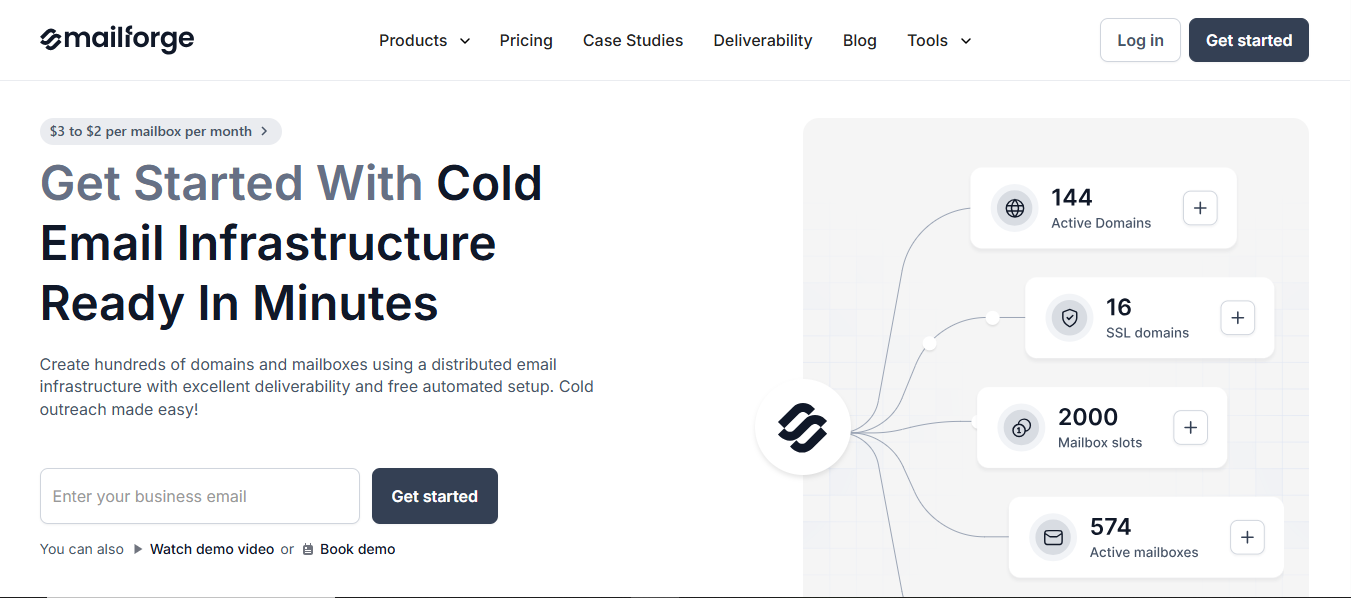
It lets you create hundreds of domains and mailboxes in minutes, using a shared IP system and fully automated DNS setup.
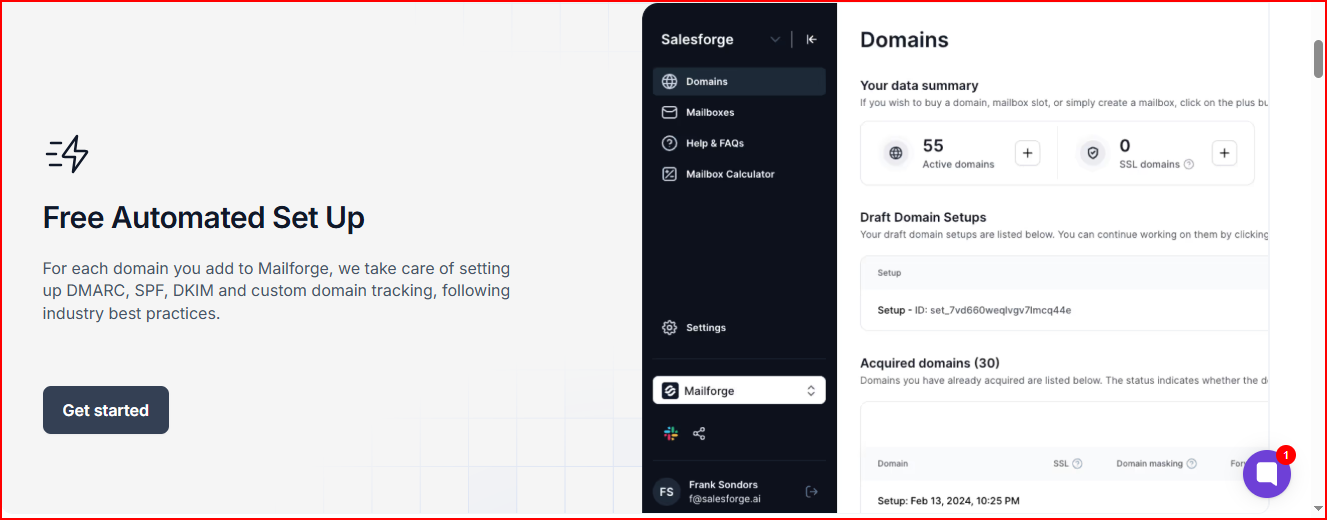
Everything, including SPF, DKIM, DMARC, custom tracking domain, inbox hosting, and maintenance, is handled for you, so you can start sending cold emails quickly without doing manual technical work.
Key Features
- Fully automated setup of SPF, DKIM, DMARC, and custom tracking
- Domains and mailboxes are ready in under 10 minutes
- Bulk DNS updates and quick domain transferring
- Multiple workspaces for team organization
- Unlimited mailboxes on shared IP infrastructure
- SSL & domain masking for secure redirection
- Optimized deliverability designed for cold outreach
- Works with any sending tool
Limitations
- It uses a shared IP pool, meaning your emails are sent through the same large network of shared IPs that many other businesses use.
- Requires buying a minimum of 10 mailbox slots.
- SSL & domain masking cost extra.
Pricing
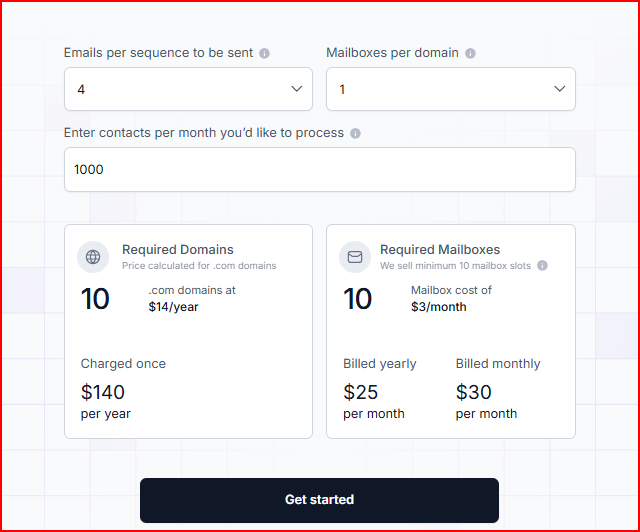
Mailforge keeps its pricing simple. You only pay for mailbox slots, domains, and any extras you choose.
Mailbox Slots
You need to start with at least 10 mailbox slots.
- If you pay yearly → $2.5 per slot per month
- If you pay monthly → $30 per month total for 10 slots
Domains
A .com domain usually costs around $14 per year.
Add-ons
If you want extra protection or masking, you can add:
- SSL & domain masking for $2 per domain per month, or
- $6 per domain per year
Optional Expert Help
If you want deeper guidance, there’s an option for two 1-to-1 expert sessions for $500.
Why Mailforge Makes More Sense Than Mission Inbox
If you’re choosing between the two, here’s where Mailforge clearly fits better:
- You don’t start at a high $199/month price; it’s much cheaper to get going
- All the DNS and technical setup is done for you, so you don’t have to manage anything yourself
- Domains and mailboxes are ready in a few minutes
- Scaling is more affordable when you need a large number of mailboxes
- The workflow stays simple for beginners while still offering advanced options like SSL and domain masking
2. Infrafoge
Infrafoge is a private email infrastructure tool built specifically for cold outreach.
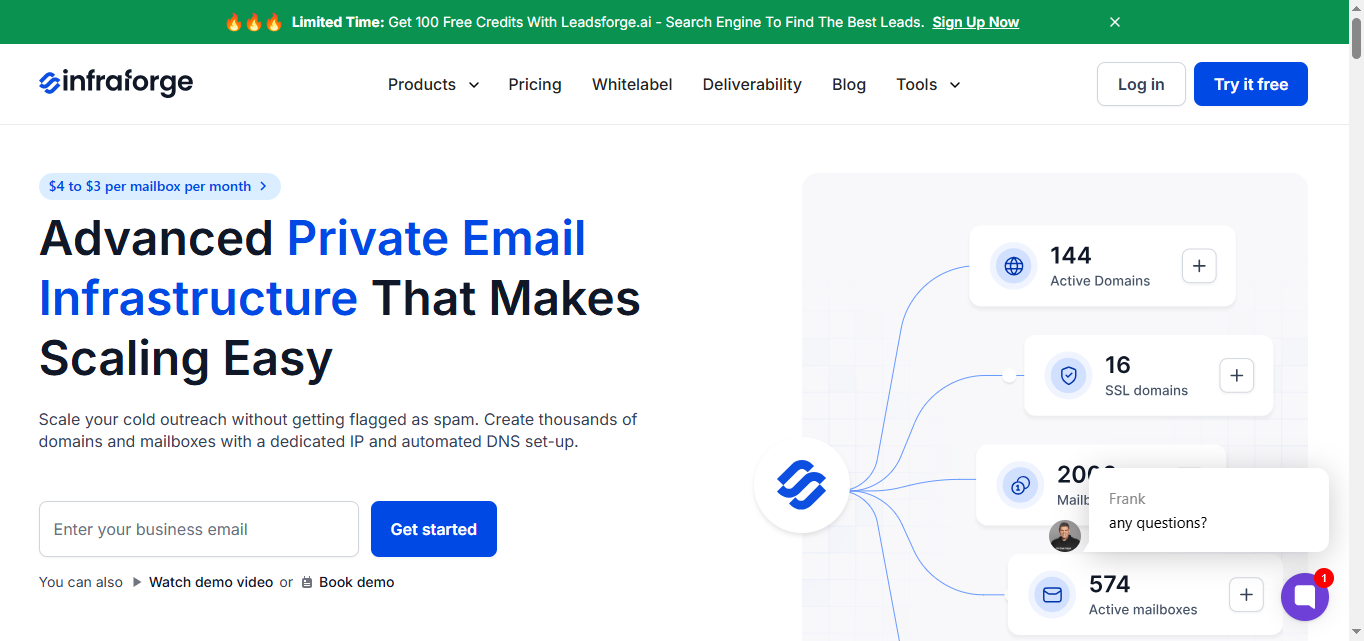
It lets you create thousands of domains and mailboxes using dedicated IPs, automated DNS setup, and pre-warmed sending infrastructure.
All technical work: SPF, DKIM, DMARC, custom domain tracking, hosting, maintenance, warmup, and mailbox monitoring is handled for you, so you can run cold email at scale without worrying about spam issues.
It gives growing teams a fast, secure, and fully controlled setup for high-volume outreach.
Key Features
- Dedicated IP infrastructure designed for cold outreach
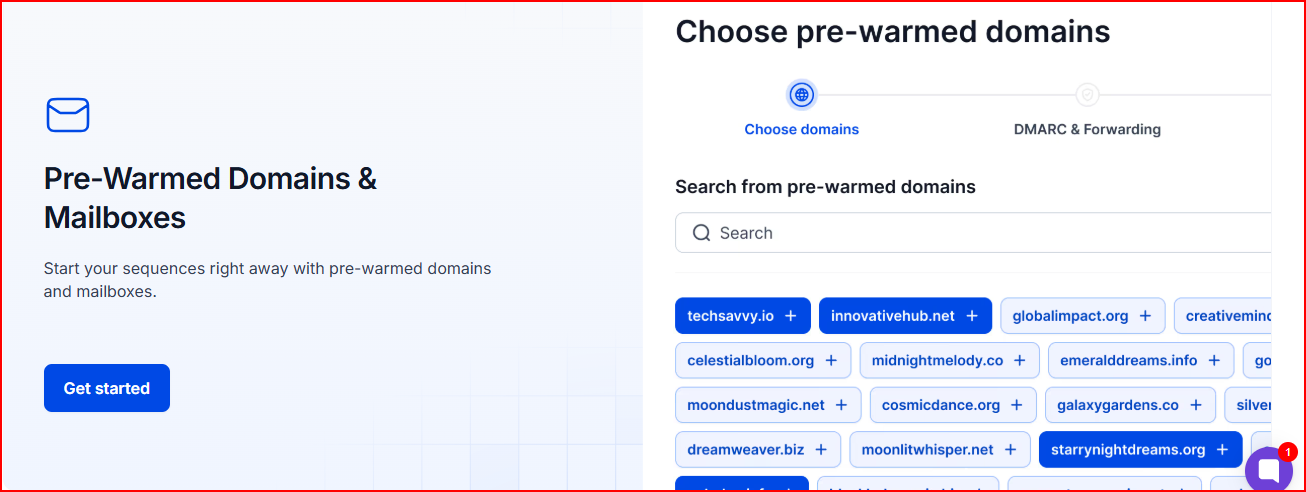
- Pre-warmed domains and mailboxes for instant sending
- Automated setup of SPF, DKIM, DMARC, and custom tracking
- Bulk DNS updates and fast domain transferring
- Multiple workspaces for organizing teams or clients
- SSL & domain masking
- Unlimited mailboxes with private routing
- Multi-IP provisioning
- Infraforge API for automation
- Masterbox for viewing all emails across a workspace
- Works with any sending tool
Limitations
- Costs more than shared IP tools since it uses dedicated IP infrastructure
- Requires buying a minimum of 10 mailbox slots
- SSL & domain masking cost extra
- Dedicated IP addresses have an additional monthly fee
- Masterbox is a paid add-on for each workspace
Pricing
Infrafoge’s pricing is based on mailbox slots, domains, and any extras you choose.
Mailbox slots
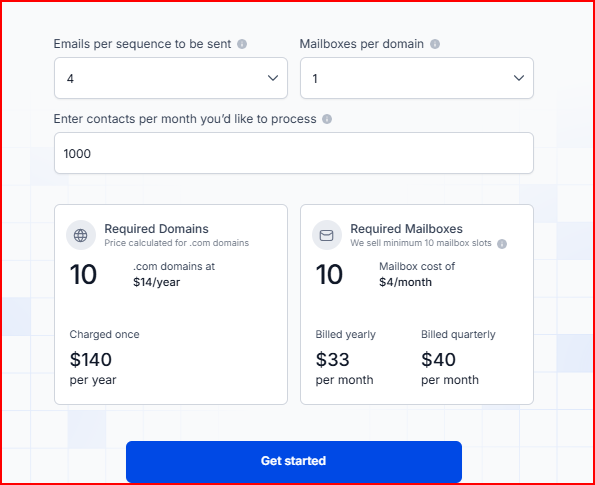
- It requires buying minimum of 10 mailbox slots
- yearly billing: $3.30 per slot per month → $33/month for 10 slots
- quarterly billing: $40/month for 10 slots
Domains
- A .com domains cost around $14 per year
Add-ons
- SSL & domain masking:
- $2 per domain per month, or
- $6 per domain per year
- $2 per domain per month, or
- Dedicated IPs: $99 per IP per month
- Masterbox:
- $7 per workspace per month (yearly), or
- $9 per workspace per month (quarterly)
- $7 per workspace per month (yearly), or
Optional expert help
- You can book Two 1-to-1 expert sessions for $500
Why Infraforge Makes More Sense Than Mission Inbox
If you want private infrastructure with more control and stronger protection, Infrafoge fits better than Mission Inbox.
- You get dedicated IPs instead of shared infrastructure
- Domains and mailboxes can come pre-warmed for immediate sending and maximum deliverability
- Real-time monitoring helps you track deliverability without manual checks
- You can manage thousands of domains and mailboxes inside a single dashboard
- API access gives you the flexibility to automate or integrate with your stack
- Built-in smart sending limits and sender rotation help avoid spam issues
3. Inframail
Inframail is a dedicated email hosting and cold email infrastructure platform made for B2B agencies and B2B companies.
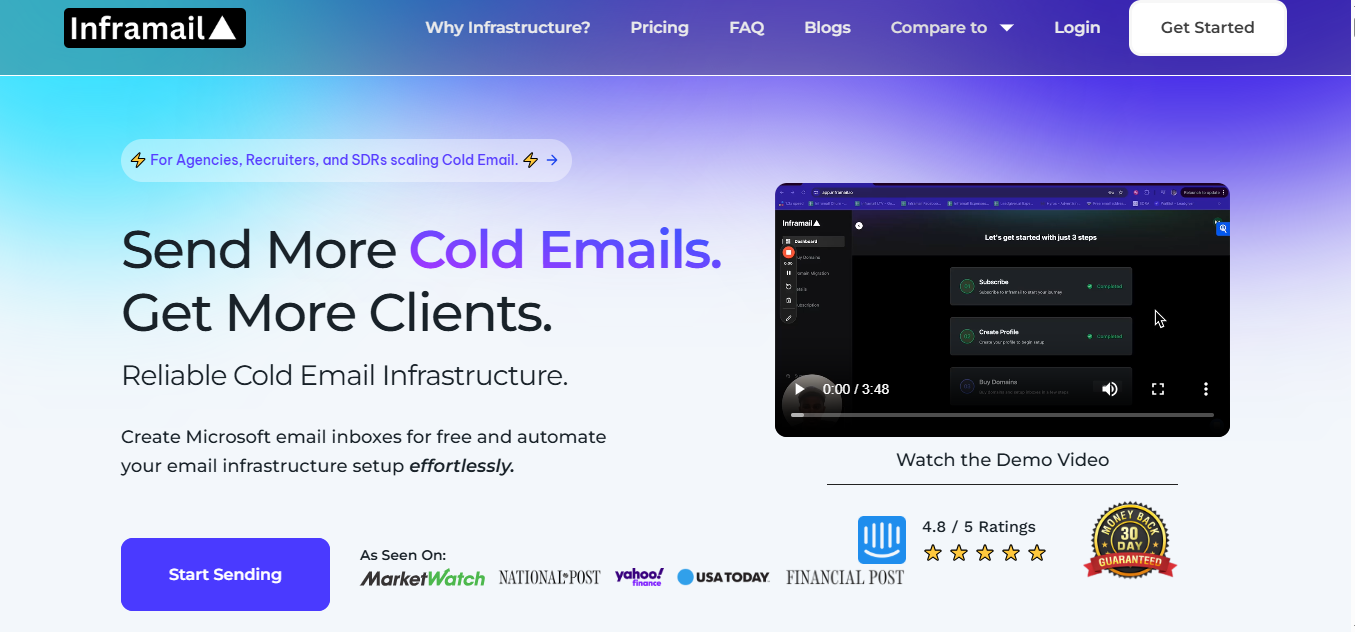
It lets you create Microsoft-backed email inboxes quickly, automate all technical setup, and host unlimited inboxes under one flat monthly price.
The platform is built to help you run cold outreach fast, avoid expensive Workspace and Outlook costs, and remove all manual DNS and record setup work.
Key Features
- Create email inboxes in seconds
- Unlimited inboxes for one flat price
- Microsoft-backed infrastructure with reputable IPs
- Automatic setup of SPF, DKIM, DMARC, redirects, and forwarders
- Phantom redirect feature for hiding redirects from ESPs
- Real-time deliverability monitoring and blacklist alerts
Limitations
- Warm-up is still required for at least 2 weeks
- You cannot send emails directly from Inframail; you still need sending tools like Instantly, Salesforge, or Reachinbox
- Inbox creation is dedicated to Microsoft-based hosting only
- Domains are not included in the plan price, which adds extra cost when scaling.
Pricing
Inframail’s pricing is straightforward. You pick a monthly plan, and all inboxes are included at no extra cost.
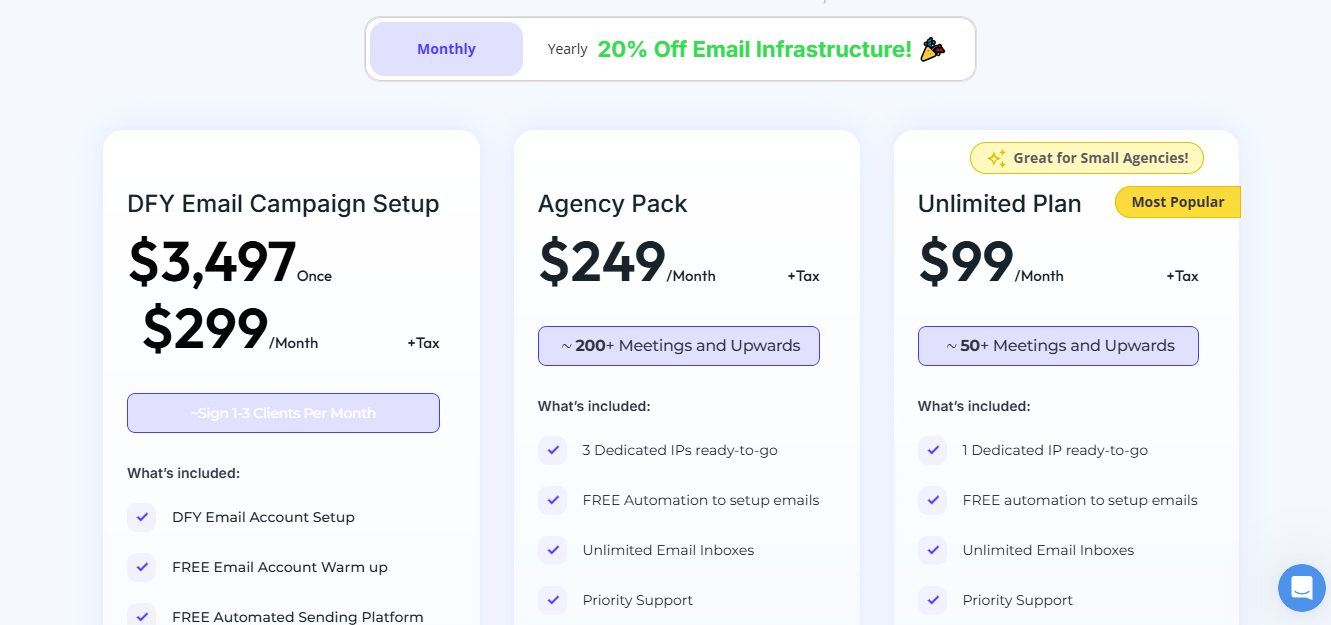
- Unlimited Plan – $99/month (+ tax)
Comes with unlimited inboxes, 1 dedicated US IP, free automated setup, and priority support. - Agency Pack – $249/month (+ tax)
Includes unlimited inboxes, 3 dedicated US IPs, free automation, 1-on-1 deliverability help, and unlimited domain setups per day. - DFY Email Campaign Setup – $299/month (+ tax)
Done-for-you account setup, free warmup, automated sending platform, 1:1 coaching, 2,500 contacts included, and AI tools.
Why Inframail Makes More Sense Than Mission Inbox
If you want unlimited inboxes for one flat price and a fast Microsoft-backed setup, Inframail becomes an easier choice than Mission Inbox.
- You don’t pay per inbox; you get unlimited inboxes under a single subscription
- All DNS and records are created automatically, removing manual setup
- Infrastructure is backed by Microsoft’s cloud, giving a strong IP reputation
- Inboxes can be ready in about 2 minutes
- Built-in delisting automation reduces manual deliverability work
- Easier for agencies that need to set up many inboxes quickly
- No extra fee for sending emails; you can send large volumes without additional cost
Conclusion
If you just need a simple sending setup, any tool will work.
But if you care about inboxing and scaling safely, here’s the quick breakdown:
Mailforge keeps everything affordable and easy. DNS is automated, setup takes minutes, and the shared IP system is tuned for cold outreach.
Infrafoge gives you full control with dedicated IPs, pre-warmed domains, and real-time deliverability monitoring.
Inframail fits agencies and B2B teams that want unlimited inboxes, fast setup, and Microsoft-backed infrastructure.
If your goal is to send high-volume cold emails without the extra complexity, Mailforge is the most practical pick.
Get your cold email infrastructure in 5 minutes with Mailforge.
Frequently Asked Questions
1. What is Mission Inbox used for?
Mission Inbox is an email infrastructure tool built for cold outreach. It lets teams create inboxes, manage DNS, protect sends, and handle large sending volumes with its own deliverability stack.
2. Why would someone look for a Mission Inbox alternative?
Some teams look for alternatives because of the higher starting cost, the deeper technical control required, or because they want a simpler or cheaper setup for scaling many inboxes.
3. How is Mailforge different from Mission Inbox?
Mailforge is cheaper to start, sets up everything automatically, and uses a shared IP system. It’s easier for beginners and small teams that want quick setup without managing private infrastructure.
4. How is Infrafoge different from Mission Inbox?
Infrafoge gives full control with dedicated IPs, pre-warmed domains, and real-time monitoring. It suits teams that want private infrastructure and strong, predictable deliverability.
5. How is Inframail different from Mission Inbox?
Inframail focuses on speed and unlimited inboxes. It uses Microsoft-backed hosting and creates inboxes in minutes, making it a good fit for agencies that set up many inboxes regularly.
6. Which alternative is the most affordable?
Mailforge is the most affordable option because you only pay for mailbox slots and domains, and the starting cost is lower than Mission Inbox’s base pricing.
7. Which tool offers dedicated IPs?
Infrafoge offers dedicated IPs and private infrastructure.
Inframail also offers dedicated US IPs depending on the plan.
8. Which tool supports unlimited inboxes?
Inframail provides unlimited inboxes on all its plans.
Mailforge also supports unlimited mailboxes but charges based on mailbox slots.
Infrafoge supports unlimited mailboxes under private infra.
9. Does Mission Inbox offer pre-warmed inboxes or domains?
No. Mission Inbox does not provide pre-warmed inboxes or domains. Warm-up needs to be handled separately.
10. Does Mission Inbox use shared IPs?
No. Mission Inbox focuses on controlled, private setups. It does not offer a shared IP pool option like some other tools.
11. Can small teams use Mission Inbox?
Small teams can use it, but the $199/month starting price and 30-inbox base plan often make it less practical for teams with lower volume needs.
12. Does Mission Inbox include domain purchasing?
No. Mission Inbox does not include domain buying inside the platform. Domains need to be managed through external providers.
13. Which tool gives the best deliverability control?
Infrafoge offers the strongest deliverability control because it uses dedicated IPs, pre-warmed domains, and real-time monitoring.