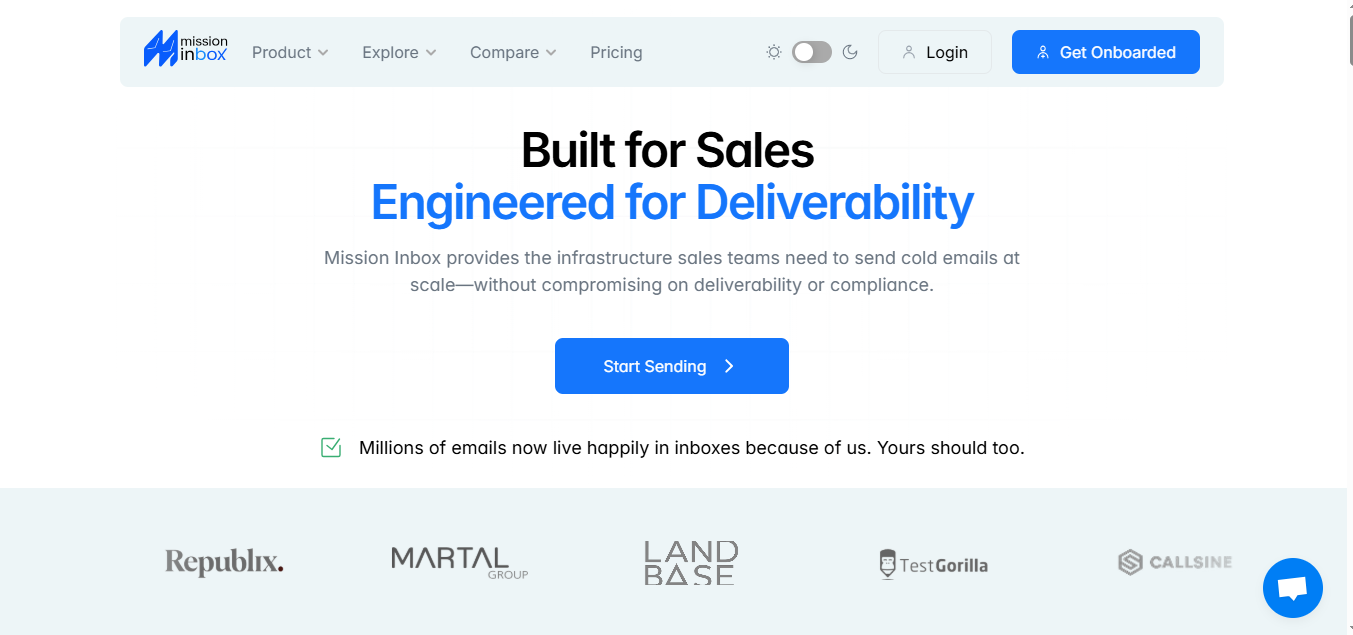
Mission Inbox is built for cold email teams who want real infrastructure, quick inbox creation and streamlined mailbox creation, automatic DNS setup through Cloudflare or GoDaddy, automated DNS setup as a key feature, pre-send protection, and full control over their domains and records.
But before spending $199 a month, it’s important to know how it works behind the scenes, what results you can expect, and where it may feel heavier, especially if you don’t want to manage domains, DNS, or inbox setup yourself.
In this review, we’ll walk through how Mission Inbox works, the parts it handles well, the areas it struggles with, and whether it’s worth choosing when simpler, ready-to-send options like Mailforge exist.
Mission Inbox Review Takeaways
Mission Inbox is made for cold email at scale, not marketing or newsletters.
It gives you full control; you own your domains, DNS, and inboxes.
Deliverability is strong once everything’s set up and running properly.
Setup takes some work since you’ll need to handle domains, DNS, and inbox setup yourself.
There’s no built-in warmup, analytics, or domain buying, so a few things have to be done outside the platform.
It fits best for agencies or SaaS teams that want to manage their own infrastructure.
If you want an easier alternative, Mailforge gives you the same infrastructure ready to send, with domains, warmup, and setup all handled for you.
It runs on three main layers that handle everything, from setting up inboxes to checking deliverability before you send. These layers work together to ensure outgoing emails are properly managed and delivered.
1. Inbox Layer
This is where it all starts. Mission Inbox lets you create inboxes or plug in your own SMTP accounts, making it easy to manage multiple email accounts efficiently.
It automatically sets up DNS records like SPF, DKIM, and DMARC through Cloudflare or GoDaddy.
And if you’re running outreach at scale, you can set up as many email accounts as needed for your campaigns, and manage all your email accounts from one central dashboard, because Mission Inbox lets you create and manage all inboxes inside one central dashboard.
2. Pre-Send Shield™
Before an email leaves your system, it goes through the Pre-Send Shield.
This layer scans outgoing emails for potential deliverability issues before they are sent, checking everything that could affect deliverability, configuration issues, bad patterns, or anything that might trigger spam filters.
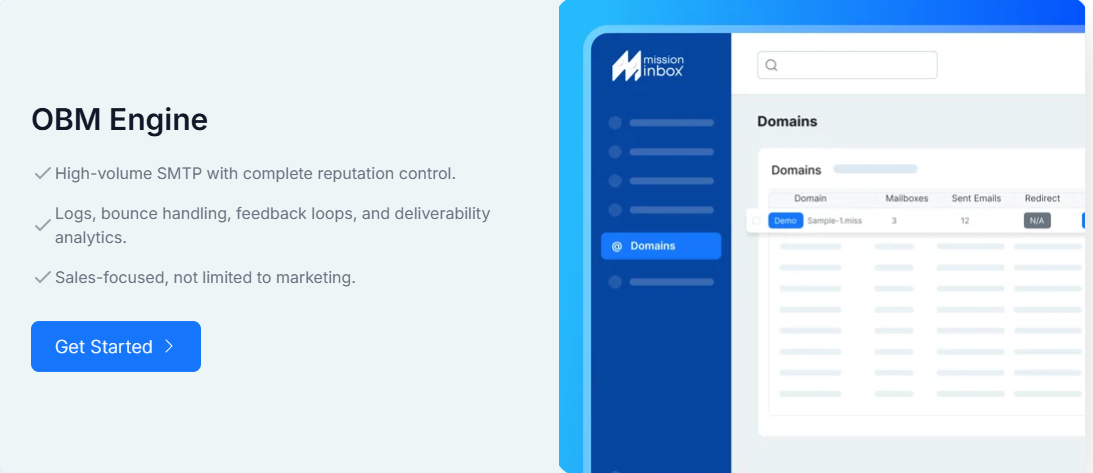
The OBM Engine is the heart of Mission Inbox; it’s the system that actually sends your emails.
It works through an API, kind of like SendGrid, but designed specifically for cold outreach.
That means you can connect your CRM or even your own tool directly and send at scale through infrastructure already optimized for sales emails. The OBM Engine is optimized for high volume sending, making it ideal for large-scale cold outreach campaigns.
All three layers work together to make sure your cold emails are handled properly from start to finish.
It also offers advanced features and deliverability tools to support effective campaign management, helping you optimize inbox placement and streamline your outreach efforts.
Here’s a simple look at what it actually does for you:
1. It Actually Lets You Send Cold Emails
Most email services block sales emails, but Mission Inbox is made to handle them safely, making it an ideal solution for cold emailers.
As long as you send responsibly, you can run cold outreach without getting limited or suspended.
2. It Focuses on Keeping Your Emails Out of Spam
Deliverability is a big part of how it works. Mission Inbox helps prevent your emails from landing in the spam folder or promotions tab, aiming to get them into the recipient's primary inbox.
It has built-in checks and analysis that look at your sends before they go out, helping you send cleaner and safer messages. These features are designed to optimize inbox placement for better engagement and ensure your emails reach the right audience.
3. It Handles Big Sending Volumes Without Breaking
Mission Inbox is built to handle high email volume for large campaigns, whether you’re sending 10,000 emails or millions every month.
You can keep adding inboxes and sending volume whenever you need. Consistent sending is crucial to maintain deliverability and protect your sender reputation, especially when managing dedicated IPs.
4. You Stay in Full Control of Your Setup
You own your inboxes, domains, and DNS records completely.
Mission Inbox provides robust domain management tools to help you monitor domain health and maintain a strong domain reputation, ensuring optimal email deliverability.
Nothing is hidden or locked behind the platform, so you always know exactly how your setup works.
5. It Sets Up Your DNS For You
SPF, DKIM, and DMARC can be confusing, but you don’t need to touch them.
Mission Inbox reduces the technical complexity of DNS setup by automating the process for users. Mission Inbox updates everything automatically through Cloudflare or GoDaddy.
6. It Helps You Stay Compliant
The platform is built for responsible outreach, so it supports clean sending habits and helps protect your sender reputation. Its compliance features are designed to improve deliverability by supporting best practices such as adhering to GDPR and CAN-SPAM regulations and implementing strong email authentication protocols.
Mission Inbox Pricing
Mission Inbox keeps things pretty straightforward.
There are no free plans or free trials available, and custom pricing options are not offered—Mission Inbox provides a single main plan that you can expand as your needs grow.
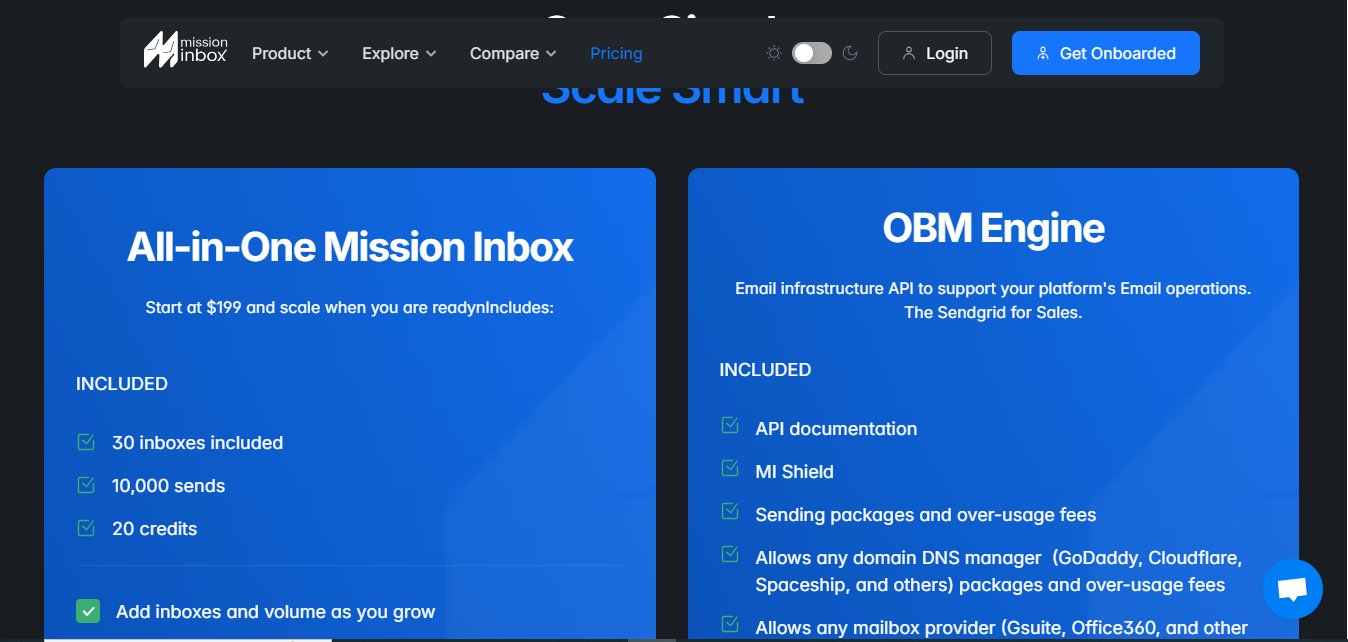
This image shows the Mission Inbox pricing
Starting Plan – $199/month
The main plan costs $199 a month, and it gives you everything you need to get started.
You get 30 inboxes, 10,000 emails, and 20 credits included right away. If you need more capacity, you can purchase additional inboxes as your needs grow, allowing for greater outreach and scalability.
Add-Ons – Pay Only When You Scale
Once you start sending more, you can easily add on.
Extra sends cost $1 for every 1,000 emails, and extra mailboxes are about $2 to $3 each, depending on how many you add.
Mission Inbox also supports managing multiple domains, making it ideal for larger outreach operations that require centralized oversight and reputation management across various domains.
It’s flexible, clear, and made for teams that want control over both their email deliverability and their budget.
Pros and Cons of Mission Inbox
Here’s a quick and easy breakdown of what Mission Inbox does well and where it can feel limited.
Pros
Gives you a stable infrastructure that doesn’t break when you scale
Mission Inbox can handle from 10,000 to 30 million emails a month without throttling or random pauses. Agencies running multiple clients get consistent delivery even as they grow.
Ideal for growing teams: Scales seamlessly to support organizations expanding their outreach, with advanced features like domain-level control and deliverability insights.
Supports team collaboration: Enables seamless campaign management and coordination, making it easy for teams to work together on outreach efforts.
Great for sales teams: Designed to help sales teams efficiently manage multiple email accounts, campaigns, and outreach sequences as operations grow.
Pre-Send Shield catches risky sends early, helping you avoid damage from bad templates, misconfigurations, or sudden volume spikes.
Mission Inbox doesn’t use shared servers or shared DNS layers. One bad inbox or client won’t affect your other domains, which is a big benefit for agencies.
Managing hundreds or thousands of inboxes becomes simpler since everything sits under one dashboard. No switching tools or tracking inboxes manually.
Gives full ownership and transparency. You control your domains and setup fully, so troubleshooting becomes clearer and faster.
Cons
It doesn’t warm up new domains for you, so you’ll need another warmup tool before you can start sending safely.
It doesn’t show inbox or spam placement inside the platform, so diagnosing deliverability issues requires an external tool.
Domains must be bought, renewed, and managed manually, which becomes heavier as your domain count grows.
You still need some DNS and sender-auth knowledge, which can be tricky if you’re not comfortable with SPF, DKIM, or DMARC.
The starting price is fixed at $199/month, which may feel high for smaller teams that don’t need that many inboxes.
Scaling domains requires multiple outside steps, buying them elsewhere, warming them, and organizing them manually.
Mission Inbox does not support transactional emails, so if you need to send automated, personalized messages triggered by user actions, you’ll need another tool.
Mailforge: Best Mission Inbox Alternative for Effortless Cold Email Infrastructure
Mailforge is a dedicated cold email solution that gives you ready domains and mailboxes with all the technical setup, DNS, SPF, DKIM, DMARC, tracking, and warmup handled for you.
You can create and manage hundreds of domains and inboxes in minutes, and everything is already optimized for cold outreach. Mailforge also integrates with tools like Google Sheets for streamlined campaign management.
Unlike general-purpose tools like Google Workspace, which lack specialized features for high-volume, automated cold email campaigns, Mailforge is built specifically to support effective cold email outreach and deliverability at scale.
Here’s how it compares to Mission Inbox
Mission Inbox vs Mailforge – Comparison Table
Mission Inbox vs Mailforge — Feature Comparison
Feature
Mission Inbox
Mailforge
Infrastructure Setup
Dedicated infrastructure with MI’s own servers and IPs. You must manage domains and setup.
Distributed/shared infrastructure using existing shared IP pool with strong reputation.
Warmup System
No built-in warmup; requires another tool to warm new domains.
No warmup needed — inboxes inherit shared pool’s reputation. Includes inbox warmup to enhance sender reputation and improve inbox placement.
Domain Provisioning
Requires purchasing and managing your own domains.
Create or add domains instantly inside Mailforge. DNS, authentication & tracking are auto-configured.
Scalability
Can scale to 30M+ emails, but domain scaling is manual.
Add hundreds of domains/inboxes with automated scaling.
API & Integration
API available.
API access + plug-and-play integrations with major cold email tools.
Cold Email Deliverability
No specific tools for deliverability improvement; relies on your setup and external warmup.
Built-in tools to improve cold email deliverability, including inbox warmup and sender reputation management.
Email Verification
Not included.
Includes email verification to ensure list quality and boost deliverability rates.
Pricing
Starts at $199/month for 30 inboxes.
$2–$3 per inbox/month.
Is Mission Inbox Worth It?
Mission Inbox makes sense if you want full control over your cold email setup and don’t mind handling domains and DNS yourself.
The Mission Inbox team provides dedicated support for technical assistance, troubleshooting, and customer service, which can be valuable for improving your email deliverability and campaign success.
It’s built for teams that like owning their infrastructure and want a dedicated system they can scale on their own terms. Features like smart routing help optimize deliverability by ensuring your emails take the best possible path to reach the inbox, making it a strong choice for users who need advanced infrastructure.
But if you want something simpler, Mailforge is the easier option.
It gives you ready domains, mailboxes, and all the technical setup already done, so you can start sending without dealing with warmup or DNS.