If you’re looking for an alternative to Peeker AI, you may have noticed that the setup starts to feel less flexible as you scale.
As your volume grows, you might find yourself adjusting your setup more often or adding more inboxes just to keep things running. Over time, this can make things harder to manage and increase your overall cost.
This usually doesn’t come from a big problem. It starts when your needs grow or your workflow changes, and you begin to think:
Is there a setup that fits how I operate
Can I manage my infrastructure more easily
Do I have enough control over everything
Is there a more flexible way to handle scaling
That’s where exploring alternatives becomes useful. Different tools are built in different ways. Some focus on simplicity, some on control, and some on how quickly you can get started.
So it helps to look at what else is available and see what fits your setup better.
In this guide, I will show you a list of Peeker AI alternatives you can compare and choose from based on your needs.
7 Best Peeker AI Alternatives
This image shows the Best Peeker AI Alternatives
Mailforge → Ready-to-use setup with simple management, built-in security, and easier reputation handling
Infraforge → More control with dedicated IPs and private infrastructure for scaling
Primeforge → Google/Microsoft mailboxes that feel natural and improve inbox placement
Zapmail → All-in-one setup with mailboxes, integrations, and quick deployment
Maildoso → Lower cost at scale with self-healing mailboxes and flexible setup
Inframail → Fixed pricing with unlimited inboxes for predictable scaling
Mailscale → Fastest way to generate large numbers of inboxes at very low cost
Why Look for Peeker AI Alternatives
As you start scaling with Peeker AI, a few limitations become more noticeable.
You can only send around 3–6 emails per inbox per day
You can’t increase sending from a single inbox
To scale, you need to keep adding more inboxes
This directly increases your overall cost as you grow
Because of this, the setup can start to feel less flexible over time, especially when your volume increases.
That’s when many people begin exploring other options that handle scaling and infrastructure differently.
How I Evaluated These Alternatives
Each tool was evaluated based on practical factors that matter in real cold email setups:
This keeps the comparison simple and focused on real usage.
7 Best Peeker AI Alternatives Quick Comparison Table
Tool
Infrastructure
Deliverability Support
Security
Scalability
Pricing
Mailforge
Shared (optimized for cold email)
Shared reputation + automated setup helps stabilize deliverability early
SSL + domain masking
Supports multiple domains & mailboxes
~$2–$3/mailbox/month
Infraforge
Private (dedicated IPs)
Full control via dedicated IPs (manual management needed)
Dedicated infra security
Multi-domain + multi-IP setup
~$4/mailbox + IP cost
Primeforge
Google/MS mailboxes
ESP matching (send from same providers as prospects)
Provider-level security
Multiple mailboxes across domains
~$4.5 → $3.5/mailbox
Zapmail
Managed (bundled)
Pre-warmed mailboxes + workspace isolation
Workspace isolation
Multi-workspace setup
Starts ~$39/month
Maildoso
SMTP + Google mix
Self-healing mailboxes + IP rotation
Domain isolation
Multiple domains + scaling
~$1.9–$3/mailbox
Inframail
Dedicated (flat infra)
Depends on setup + monitoring tools
Dedicated servers
Unlimited inboxes + domains
~$129/month
Mailscale
Self-hosted system
Volume-based (spread across many inboxes)
Basic
High-volume inbox generation
~$1–$3/mailbox
1. Mailforge
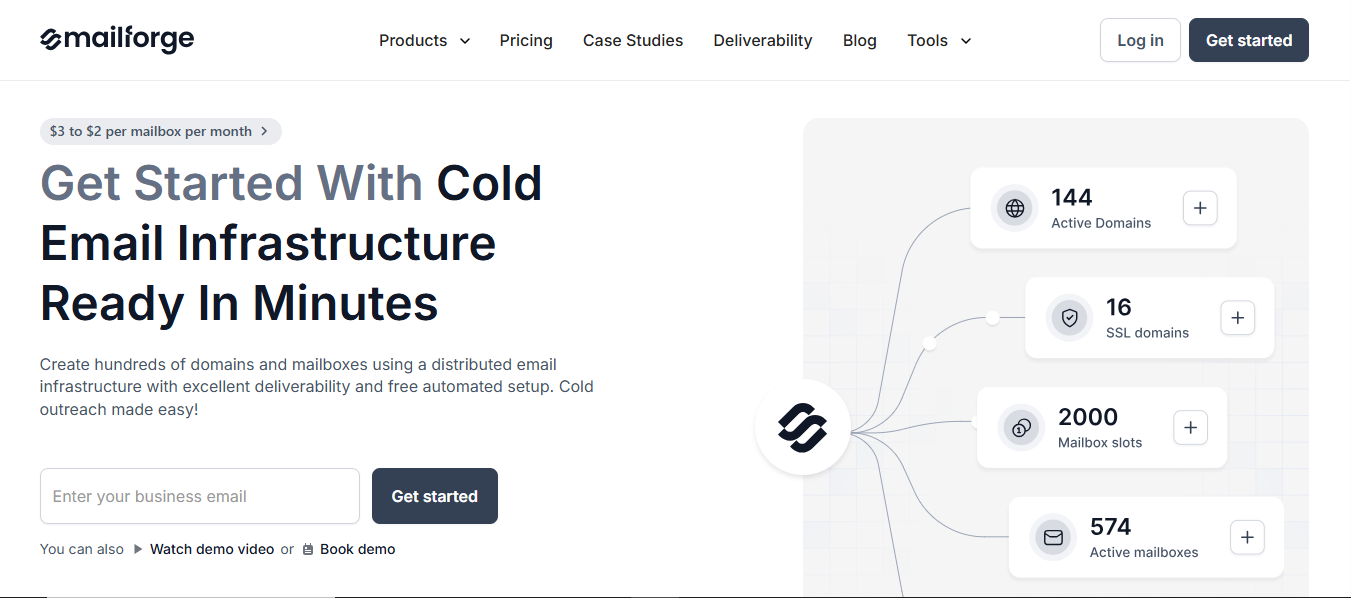
Mailforge is a distributed email infrastructure tool that helps you create domains and mailboxes with automated setup.
This image shows the Mailforge - Ready to use email Infrastructure with affordable cost
It handles DNS setup, authentication, and hosting so your infrastructure is ready quickly.
With Peeker AI, scaling depends on adding more inboxes. With Mailforge, you set up and manage domains and mailboxes directly, so scaling is handled through your infrastructure instead of just increasing inbox count.
It automatically sets up SPF, DKIM, DMARC, and tracking for each domain. It also supports bulk DNS updates, domain transfers, and multiple workspaces.
The setup process is guided inside the app and can be done in minutes.
Mailforge works with any sending software and includes inbox hosting and maintenance as part of the setup. Features like SSL and domain masking are also available.
I felt this is a strong option if you want ready-to-use infrastructure, easier reputation handling, a more secure setup, and affordable to start with.
Key Features
Domains and mailboxes are set up automatically, so no need to handle DNS manually
SPF, DKIM, DMARC, and tracking are configured for you
Bulk DNS updates help manage multiple domains together
Domain transferring keeps everything in one place
Multiple workspaces to organize different setups
Works with any sending software, so no need to change your workflow
SSL and domain masking for added security
Inbox hosting and maintenance are included
Pricing
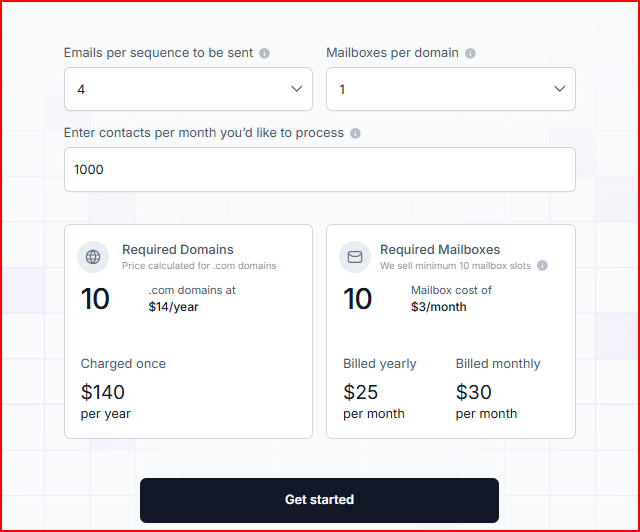
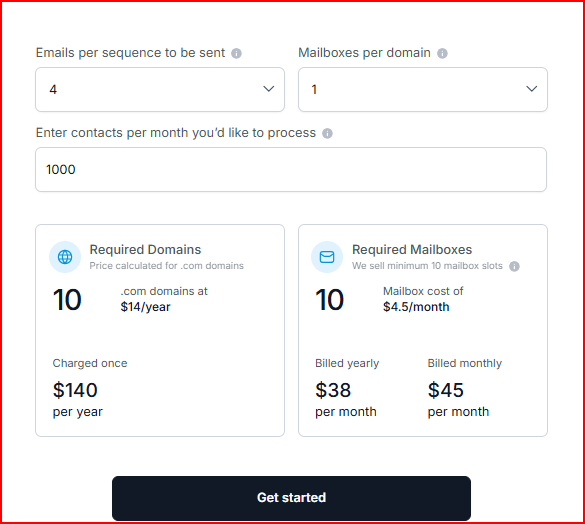
Mailforge pricing is mainly based on how many domains and mailboxes you set up, so your total cost depends on your scale.
This image shows the Mailforge pricing
Mailboxes cost around $3 per mailbox per month (can go closer to $2 with volume)
You are charged based on mailbox slots, not just active mailboxes
The subscription includes automated DNS setup, inbox hosting, and ongoing maintenance.
Optional add-ons:
SSL and domain masking (around $2/month per domain or $6/year)
No free trial (you need to purchase domains and mailboxes to use it)
Overall, the pricing is affordable at the start and easy to understand. As you scale, the cost increases with the number of mailboxes and domains you add.
Pros
Quick setup, so you can start campaigns without spending time on technical steps
Domain transferring makes it easier to manage domains inside one system
“Setting up new domains and mailboxes is quick, and they stay portable - if we ever change tools, we can take everything with us without drama.” - Colin Graham, Trustpilot
Shared IP setup helps distribute reputation across mailboxes
This image shows the Mailforge user talking about how they like easy and bulk setup
Flexible to use with any sending tool you already have
Cons
Minimum requirement to purchase at least 10 mailbox slots, even if you need fewer
Domains are charged separately, which adds to total cost as you scale
Best For
Fast setup of domains and mailboxes without manual DNS work
Managing multiple domains and inboxes in one place
Using any sending tool without changing your workflow
Avoiding technical setup like SPF, DKIM, and DNS
Preparing infrastructure quickly for outbound campaigns
Keeping setup costs relatively affordable at the start
It works best if the goal is to get infrastructure ready quickly, keep things simple, and stay cost-efficient in the early stages.
Personalized Outbound Strategy
Get The Right Outbound Strategy In Minutes
Enter your email to get a custom plan & stack recommendation for your
business
It's being carefully crafted by AI
Please check your mailbox in 5 minutes
2. Infraforge
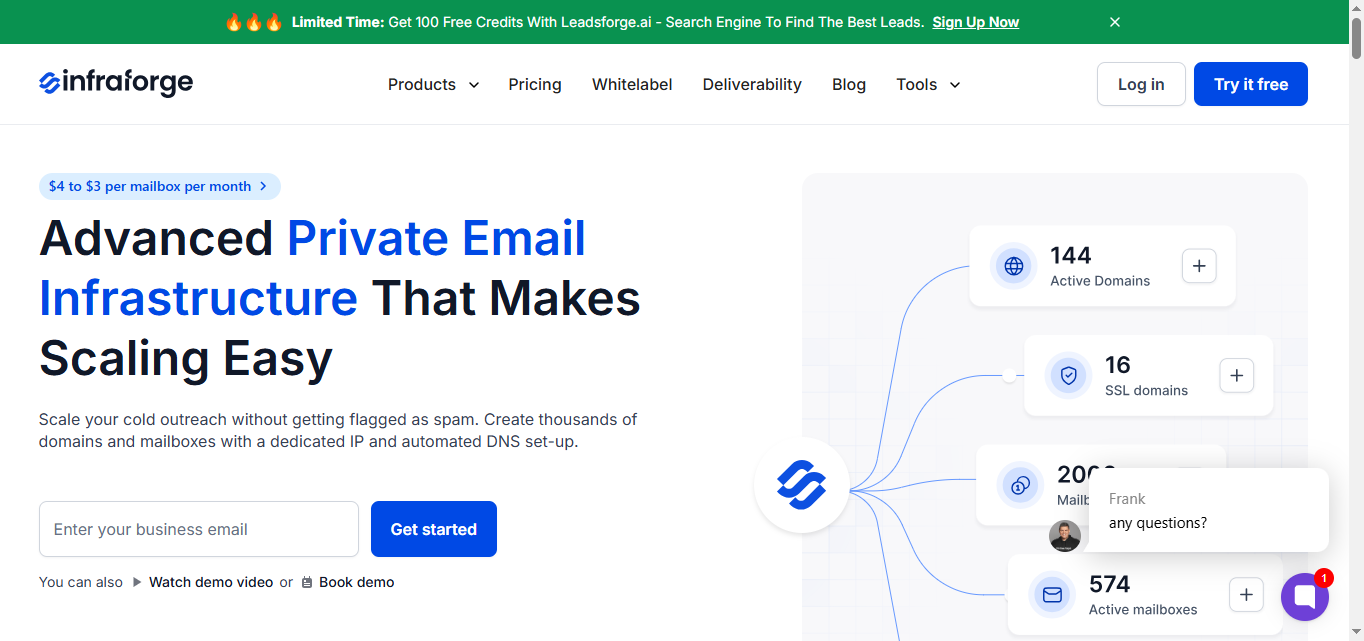
Infraforge is a private email infrastructure tool that lets you create domains and mailboxes using dedicated servers and IPs.
This image shows the Infraforge - Dedicated email infrastructure
It handles DNS setup, authentication, and hosting so your infrastructure is ready quickly.
Unlike Peeker AI, which provides managed inboxes, Infraforge gives you a dedicated IP setup, so you have more control over how your sending environment is configured and managed.
It automatically sets up SPF, DKIM, DMARC, and tracking for each domain.
It supports bulk DNS updates, domain transfers, multiple workspaces, and also includes pre-warmed domains and mailboxes.
Dedicated IPs, multi-IP provisioning, and built-in sender rotation help manage sending at scale.
Infraforge works with any sending software and includes inbox hosting and maintenance.
It also offers features like SSL, domain masking, API access, and real-time monitoring with alerts.
I felt this is a strong option if you want more control with dedicated IPs, better setup flexibility, and a system built for handling larger scale infrastructure.
Key Features
Automated setup for domains and mailboxes, so you don’t have to handle DNS manually
Bulk DNS updates make it easier to manage multiple domains together
Domain transferring helps keep everything in one place
Pre-warmed domains and mailboxes are available if you want to start faster
Multiple workspaces to organize different setups
Works with any sending software, so no need to change your workflow
SSL and domain masking options for added security
Dedicated IPs and multi-IP setup for more control over sending
API access if you want deeper integration with your setup
Built-in sender rotation and limits to manage sending at scale
Pricing
Infraforge pricing is based on how many domains, mailboxes, and infrastructure components you use.
This image shows the Infraforge pricing
Mailboxes cost around $4 per mailbox per month (can go closer to $3 with volume)
Example: 25 mailboxes ≈ $83/month (yearly) or $100/month (quarterly)
Domains are charged separately (example: .com ≈ $14/year each)
Charged based on mailbox slots, not actual usage
The subscription includes automated DNS setup, inbox hosting, ongoing maintenance, and API access.
Optional add-ons:
SSL and domain masking (~$2/month per domain or $6/year)
Dedicated IPs (~$99 per IP/month)
Masterbox (workspace-level inbox view)
No free trial (you need to purchase domains and mailboxes to use it)
It means you’re paying not just for mailboxes, but also for dedicated IP setup and more control.
Overall, the pricing is higher than shared infrastructure tools, but it gives more control and dedicated setup as you scale.
Pros
More control over your sending setup since everything runs on dedicated IPs
Handles larger setups better with multi-IP distribution and sender rotation
Helps to catch issues early with realtime monitoring and saves from the deliverability drop
“Their monitoring and alerting tools are straightforward yet powerful, which gives me peace of mind that I’ll know if something goes wrong before it becomes a real issue.”- Infraforge user, Trustpilot
Bulk setup and automation make managing many domains and inboxes easier
Cons
Dedicated IPs come as an extra cost, which adds up as you scale
Minimum mailbox slot requirement can increase your initial spend
Best For
Setting up dedicated infrastructure with full control
Managing large-scale outreach with multiple domains and IPs
Using pre-warmed infrastructure for faster setup
Teams that want API access and deeper integrations
Handling advanced setups with more control over sending
It works best if the goal is to have full control over infrastructure, use dedicated IPs, and manage scaling more precisely.
3. Primeforge
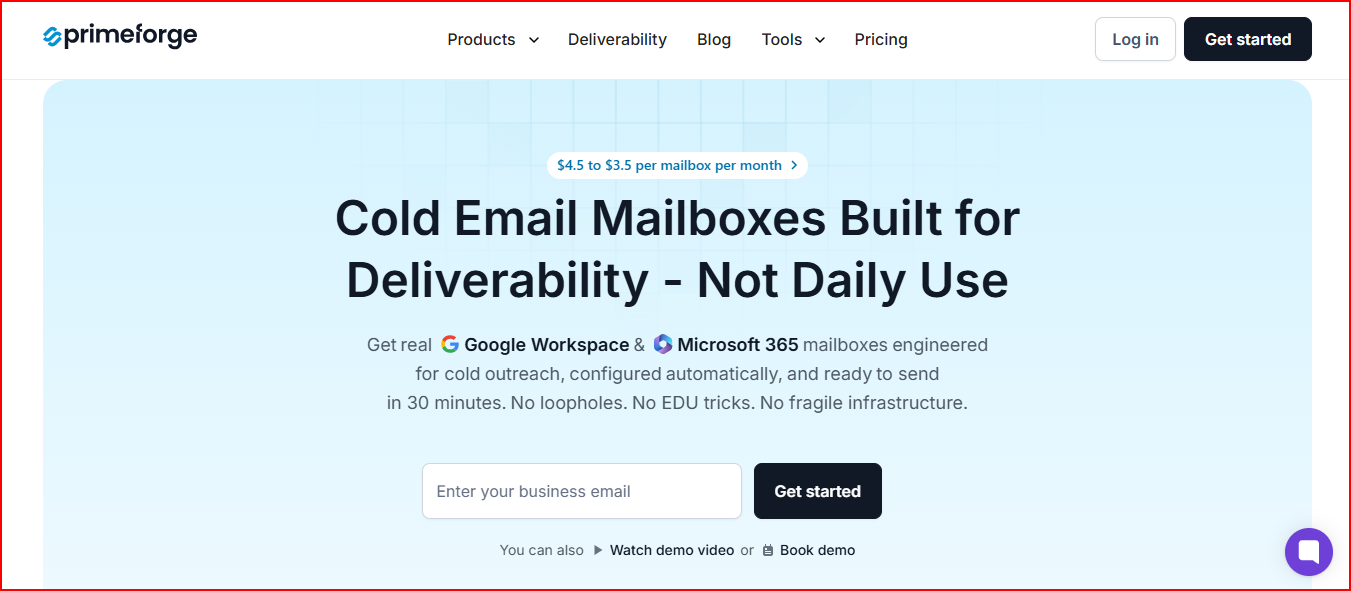
Primeforge is a cold email infrastructure tool that provides real Google Workspace and Microsoft 365 mailboxes configured for outreach.
This image shows the Primeforge - Email Infrastructure for Google and Microsoft mailboxes
These mailboxes are set up automatically and are ready to use in a short time.
In Peeker AI, the focus is on managing inboxes. Primeforge focuses on giving you fully set up Google and Microsoft mailboxes, so you are sending from the same providers your prospects use.
It provides pre-warmed mailboxes, automated DNS setup, and US-based IP addresses.
Mailboxes are configured with authentication (SPF, DKIM, DMARC) and can be connected directly to any sending tool.
It also supports bulk management, multiple workspaces, and profile customization like mailbox pictures.
Primeforge works with any outreach tool and includes inbox hosting and maintenance as part of the setup.
The setup process is quick and designed to get mailboxes ready without manual work.
I felt this is a strong option if you want ready-to-use Google or Microsoft mailboxes, stable setup, and a more predictable starting point for deliverability.
Key Features
Google Workspace and Microsoft 365 mailboxes ready for cold email
Automated setup for DNS, SPF, DKIM, and DMARC
Pre-warmed mailboxes to start sending faster
US-based IP addresses
Bulk DNS updates and mailbox management
Multiple workspaces to organize setups
Works with any sending software
Mailbox profile pictures and customization
API access
Pricing
Primeforge pricing is based on the number of mailboxes you use.
This image shows the Primeforge pricing
Mailboxes cost around $4.5 per mailbox per month (can go closer to $3.5 with volume)
Example: 25 mailboxes ≈ $94/month (yearly) or $113/month (monthly)
Domains are charged separately (example: .com ≈ $14/year each)
Charged based on mailbox slots, not actual usage
The subscription includes automated DNS setup, inbox hosting, maintenance, and API access.
No free trial (you need to purchase mailboxes to use it)
Overall, the pricing is higher than basic infrastructure tools, but it gives ready-to-use mailboxes without manual setup.
Pros
Ready-to-use Google and Microsoft mailboxes reduce setup time
US IPs improves deliverability
This image shows the Primeforge user complimenting about its deliverability
Sending from common providers helps align with recipient environments
Pre-warmed mailboxes allow faster start
Setup and configuration are handled automatically
Works easily with any outreach tool
Cons
Higher cost compared to shared infrastructure tools
Still requires adding more mailboxes as you scale
Charged based on mailbox slots, not actual usage
No free trial available
Best For
Using Google Workspace or Microsoft 365 mailboxes for outreach
Starting quickly without manual setup
Managing multiple mailboxes across different domains
Keeping setup simple while using standard email providers
Teams that prefer ready-to-use infrastructure
It works best if the goal is to use fully set up Google or Microsoft mailboxes without handling technical setup.
4. Zapmail
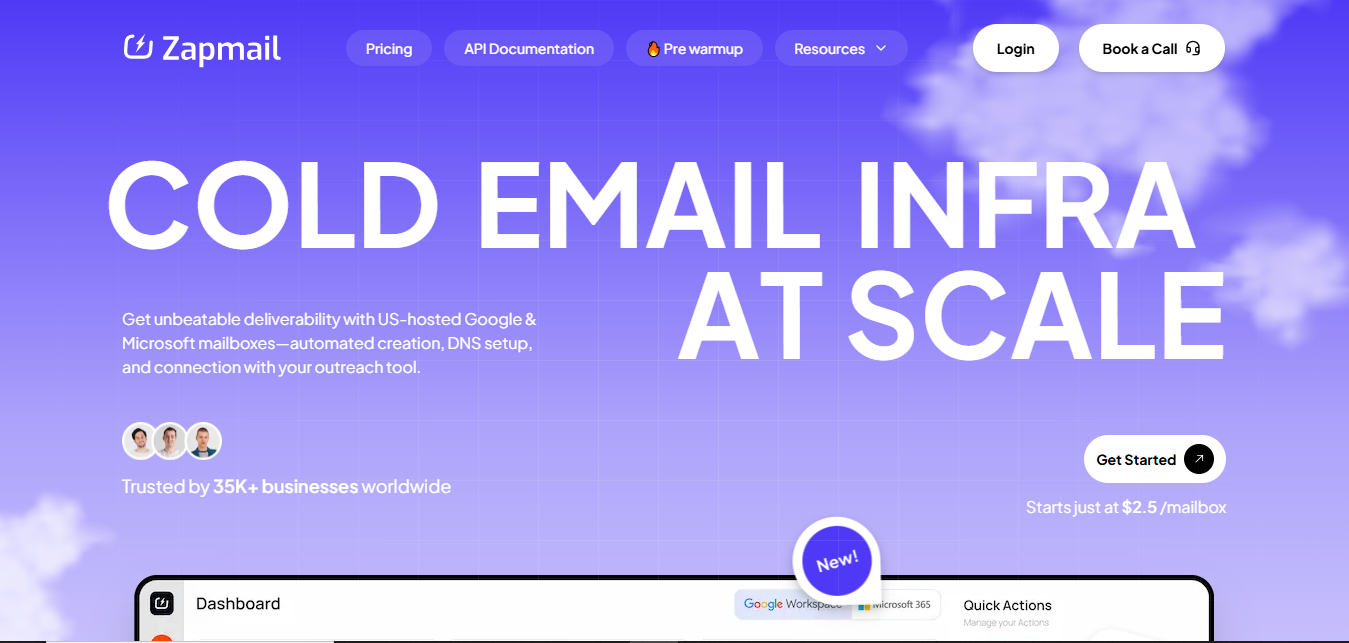
Zapmail is an email infrastructure platform that helps you create and manage Google Workspace and Microsoft 365 mailboxes with automated setup.
This image shows the Zapmail email infrastructure with ready-to-use Google and Microsoft mailboxes
It handles domain setup, DNS configuration, and connects directly with your outreach tools.
In Peeker AI, the focus is on managing inboxes. Zapmail focuses on giving you ready-to-use Google and Microsoft mailboxes with automated setup and integrations, so everything is connected from the start.
It provides pre-warmed mailboxes, automated DNS setup, and workspace-level isolation where each domain is managed separately.
It supports domain management, mailbox creation, and connects with 50+ outreach tools. Features like domain forwarding, tracking setup, and profile customization are also included.
Zapmail works with Google Workspace and Microsoft 365 and includes mailbox setup, DNS handling, and integrations as part of the system.
I felt this is a good option if you want everything connected in one place, quick setup, and ready-to-use mailboxes with built-in integrations.
Key Features
Automated setup for domains and mailboxes, so no manual DNS work
Pre-warmed Google Workspace and Microsoft 365 mailboxes
Workspace-level isolation for better organization
Bulk domain and mailbox management
Automated SPF, DKIM, DMARC, and tracking setup
Works with 50+ outreach tools through direct integrations
Domain forwarding and tracking setup included
Profile customization for mailboxes
API access for automation
Pricing
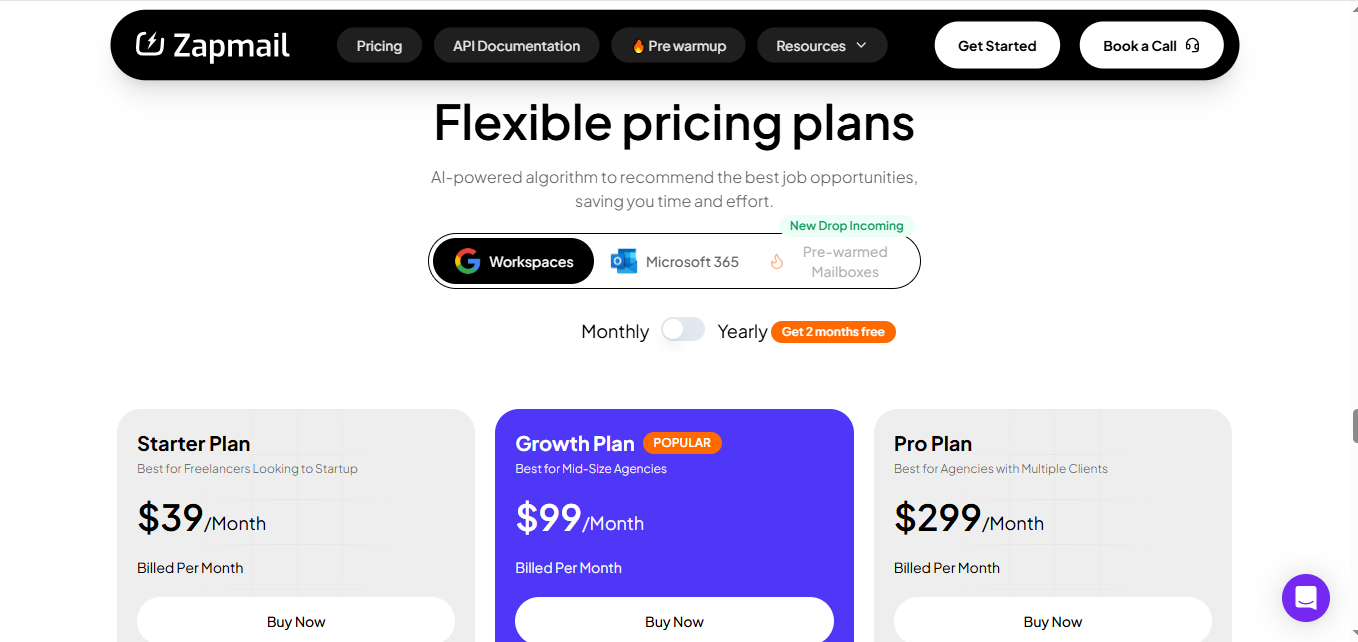
Zapmail pricing is based on subscription plans and mailbox usage.
This image shows the Zapmail pricing
Starter plan: $39/month (includes 10 mailboxes)
Growth plan: $99/month (includes 30 mailboxes)
Pro plan: $299/month (includes 100 mailboxes)
Additional mailboxes cost around $3.50 → $3.00 per mailbox depending on plan
Domains are charged separately (example: .com ≈ $13/year)
The subscription includes mailbox setup, DNS configuration, integrations, and access to platform features.
No refund policy mentioned (payments are subscription-based)
It means you get bundled plans with mailboxes included, instead of setting everything up separately.
Overall, the pricing is structured in bundles, which makes it easier to start without calculating each component separately.
Pros
You can start sending immediately since mailboxes come pre-warmed
Keeps each domain separate with workspace isolation, which helps avoid mixing setups
Reduces manual work by handling mailbox creation, naming, and setup automatically
This image shows the Zapmail user talking about its automated setup
Cons
You may end up paying for mailboxes included in the plan even if you don’t use all of them
You are limited to Google and Microsoft mailboxes only
No refund policy, so you can’t reverse costs after purchase
Best For
Setting up Google or Microsoft mailboxes with integrations ready
Managing multiple domains and workspaces in one place
Using outreach tools with direct integrations
Starting quickly with pre-configured infrastructure
It works best if the goal is to get a connected setup with mailboxes and integrations ready from the start.
5. Maildoso
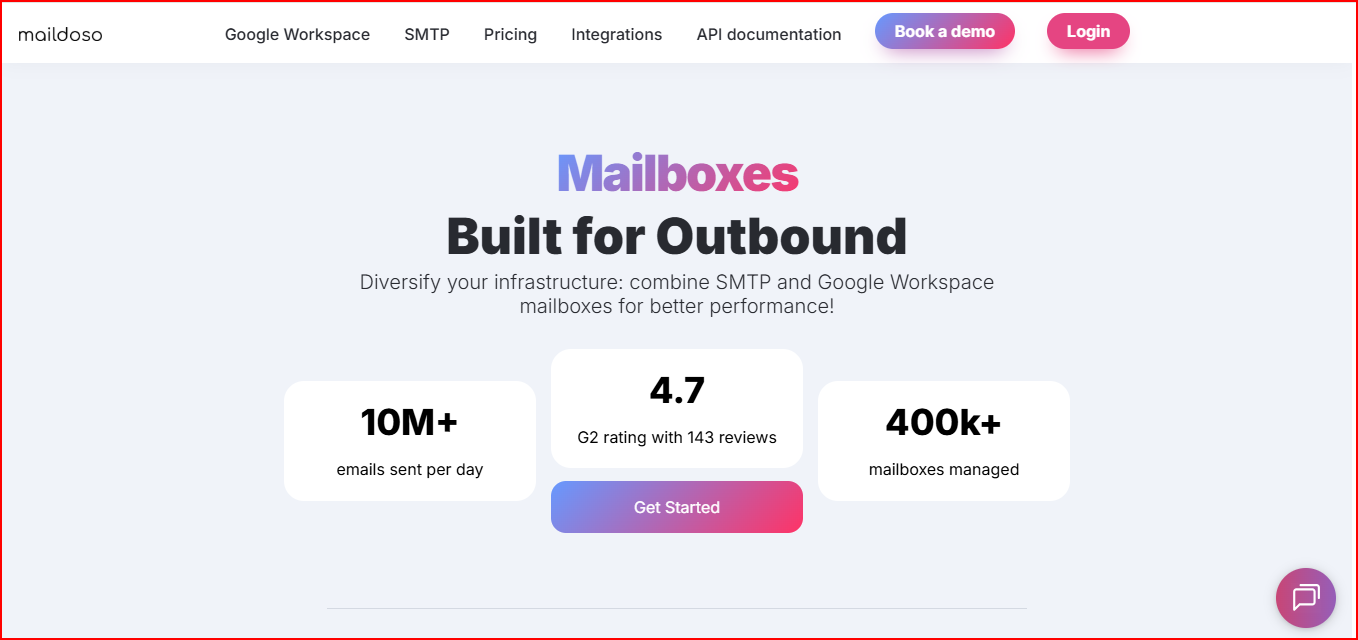
Maildoso is a cold email infrastructure tool that provides SMTP and Google Workspace mailboxes built specifically for outbound.
This image shows the Maildoso - SMTP and Google Workspace mailboxes provider
It handles domain setup, DNS configuration, and mailbox creation automatically so everything is ready quickly.
In Peeker AI, the focus is on managing inboxes. Maildoso focuses more on self-healing mailboxes and recovery, where burned mailboxes are paused and brought back automatically.
It automatically sets up SPF, DKIM, and DMARC, and allows you to create domains and mailboxes in minutes.
It supports both SMTP and Google Workspace setups, includes IP rotation, and offers features like global custom domain tracking to safely include links in emails.
Mailboxes are isolated per domain and can be connected to outreach tools in one click.
Maildoso also provides automated warm-up recommendations, inbox placement testing, and health tracking to monitor performance.
It works with popular outreach tools and includes API support for automation.
I felt this is a good choice if you want self-recovering mailboxes, flexible setup between SMTP and Google Workspace, and a lower-cost way to scale outbound.
Key Features
Automated setup for domains and mailboxes, so no manual DNS work
Supports both SMTP and Google Workspace mailboxes
Self-healing mailboxes that pause and recover automatically
IP rotation to distribute sending across multiple IPs
Global custom domain tracking for safer link usage
One domain per workspace for isolation
Inbox placement testing and health monitoring
One-click integration with outreach tools
API support for automation
Pricing
Maildoso pricing is based on bundled plans with SMTP and Google Workspace mailboxes.
Starts around $75/month for 30 mailboxes (~$2.5/mailbox)
Quarterly plans available with lower per-mailbox pricing
Domains cost around $12 per domain/year
The subscription includes automated DNS setup, mailbox setup, hosting, and integration support.
30-day money-back guarantee available
Overall, pricing becomes cheaper per mailbox as you scale, especially with bundled plans.
Pros
Burned mailboxes are automatically paused and recovered, reducing manual effort
Ability to use both SMTP and Google Workspace gives more flexibility in setup
Lower per-mailbox cost compared to many alternatives at higher volumes
Allows sending links in initial emails without affecting deliverability
IP rotation helps reduce risk of hitting spam filters
Cons
Requires multiple domains upfront depending on the plan
Setup depends on domain scaling, which adds to overall cost
Best For
Running outbound with both SMTP and Google Workspace in one setup
Reducing manual work with self-healing mailboxes instead of replacing them
Scaling with lower per-mailbox cost at higher volumes
Teams that want mailbox recovery and rotation handled automatically
It works best if the goal is to keep campaigns running without constantly replacing burned mailboxes and managing recovery manually.
6. Inframail
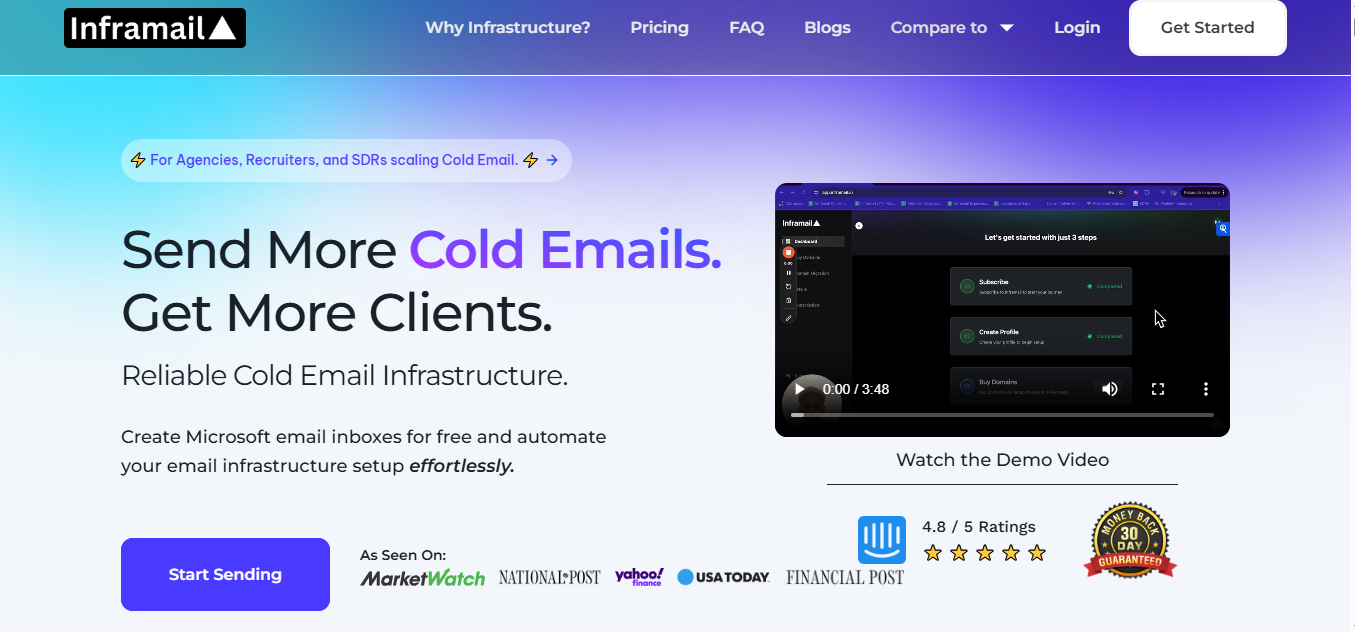
Inframail is a cold email infrastructure platform that lets you create and host unlimited email inboxes with automated setup.
This image shows the Inframail - Microsoft-backed infrastructure
It runs on Microsoft-backed infrastructure and handles DNS, authentication, and inbox creation in minutes.
In Peeker AI, you work with managed inboxes. Inframail focuses on giving you unlimited inbox hosting on a fixed plan, so you are not paying per inbox as you scale.
It automatically sets up SPF, DKIM, and DMARC, and allows you to create domains and inboxes in seconds.
It includes dedicated IPs, domain setup automation, and real-time deliverability monitoring with blacklist checks and delisting support. You can export inboxes to sending tools and manage everything from one place.
Inframail also provides features like domain purchasing, tracking setup, and health monitoring.
It works as an inbox provider, so you still connect it with tools like Instantly or Smartlead for sending campaigns.
This is a strong option if you want unlimited inboxes on a fixed cost, fast setup, and a setup built to handle high-volume outreach.
Key Features
Unlimited inbox creation under a single plan
Automated setup for SPF, DKIM, and DMARC
Dedicated IP infrastructure
Fast setup (domains and inboxes ready in minutes)
Real-time deliverability monitoring and blacklist checks
Domain purchasing and setup inside the platform
Export inboxes to outreach tools easily
API access and automation support
Pricing
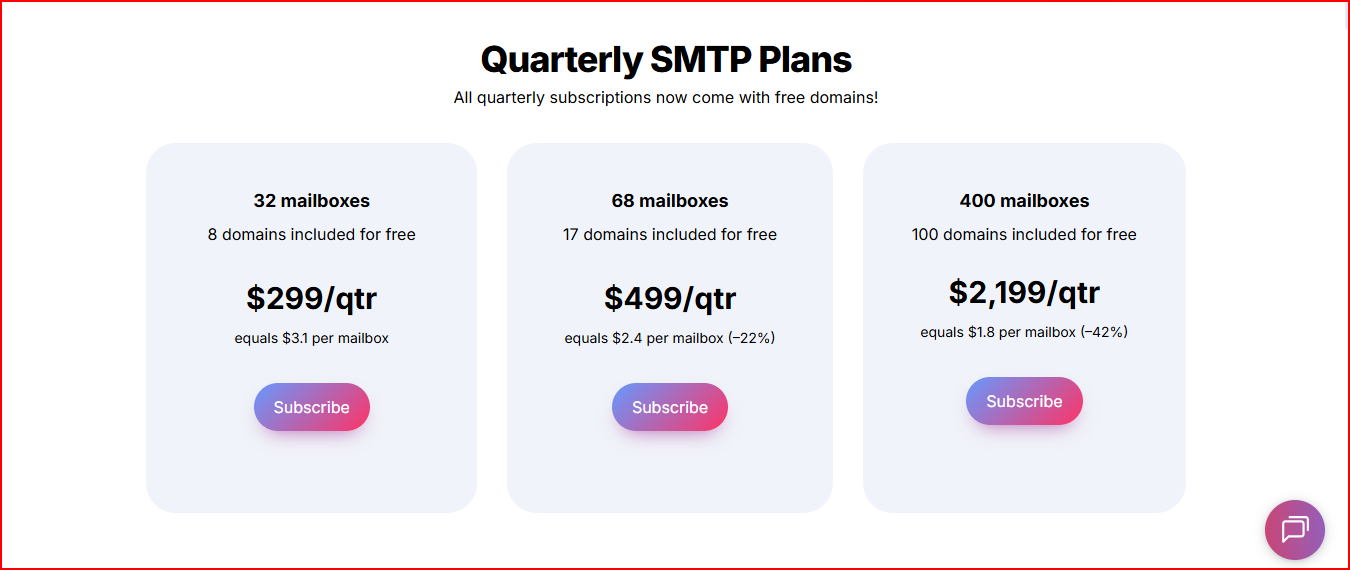
Inframail pricing is based on fixed plans instead of per-mailbox pricing.
This image shows the Zapmail pricing
It means you pay a flat monthly cost and can create unlimited inboxes within that plan.
$129/month → Unlimited plan (up to ~80,000 emails/day setup)
$327/month → Agency plan (higher volume setup)
Higher-tier DFY plan available with additional services
The subscription includes inbox hosting, automated setup, and infrastructure management.
Domains are not included (you need to purchase separately)
Overall, pricing is predictable since it does not increase with the number of inboxes.
Pros
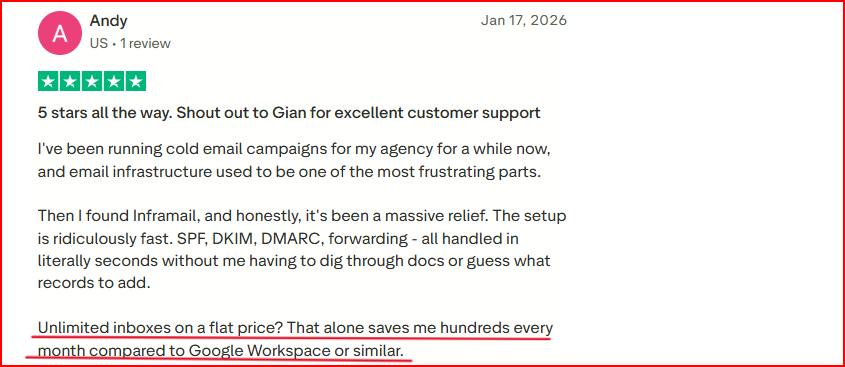
Fixed and flat pricing allows you to scale inboxes without increasing cost
This image shows the Inframail user talking about its flat pricing
Unlimited inbox creation removes the need to calculate per-inbox expenses
Very fast setup, so you can launch campaigns quickly
Built-in monitoring helps track domain and IP health
Cons
You still need to buy domains separately, which adds to total cost
Requires external tools for sending campaigns
Warm-up is still required before full sending
Higher upfront cost compared to pay-per-mailbox tools
Best For
Scaling outreach without worrying about per-inbox costs
Creating large numbers of inboxes quickly
Managing infrastructure on a fixed monthly budget
Running high-volume outbound campaigns
Teams that already use sending tools and need only infrastructure
It works best if the goal is to scale inbox volume without increasing cost for every new mailbox.
7. Mailscale
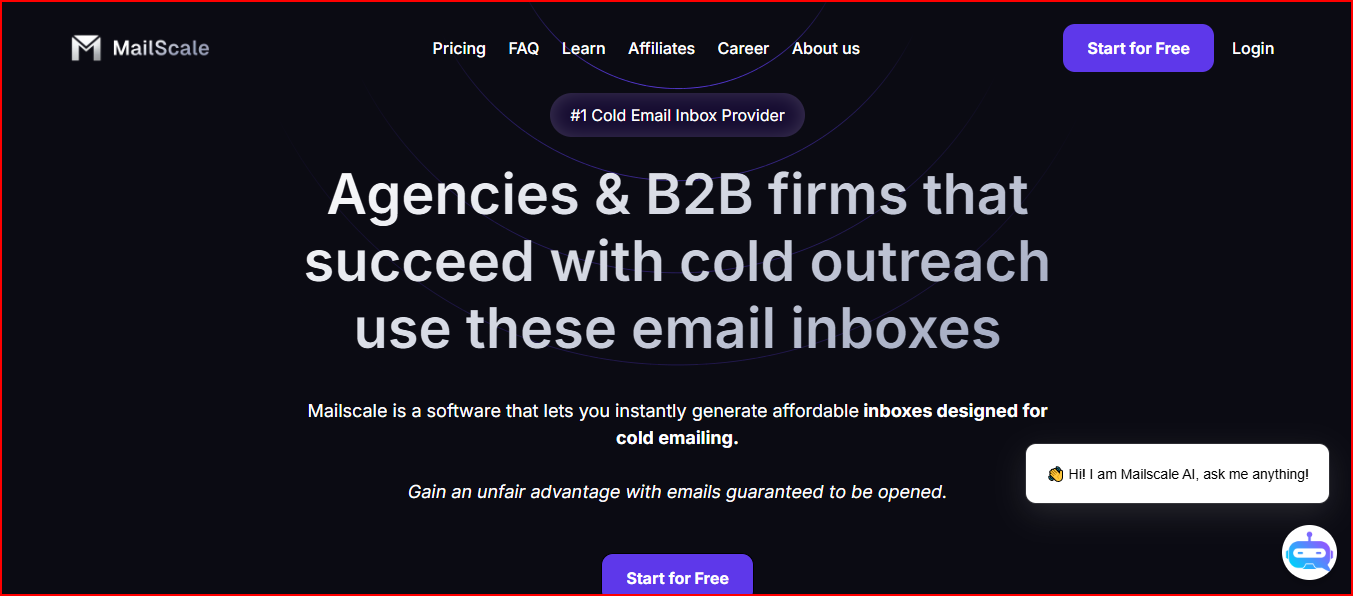
Mailscale is a cold email inbox provider that helps you generate large numbers of email accounts instantly for outreach.
This image shows the Mailscale - email inbox provider with large volume
It automates domain setup, mailbox creation, and gives you ready-to-use inboxes in minutes.
In Peeker AI, the focus is on managing inbox performance. Mailscale focuses on creating a high number of inboxes quickly and at low cost, so you can scale outreach volume faster.
It allows you to generate dozens or even hundreds of inboxes in under a minute.
It handles SPF, DKIM, and DMARC setup automatically and provides credentials to plug into any sending tool. It also includes monitoring for deliverability, domain health, and spam issues.
Mailscale runs on its own infrastructure with SMTP servers and IP pools, and it is designed to avoid reliance on standard providers.
It also provides guidance and training for outreach and deliverability.
It is good to choose this if you want to create a large number of inboxes quickly and keep costs very low while scaling outreach.
Key Features
Generate large numbers of inboxes in seconds
Automated setup for SPF, DKIM, and DMARC
Works with any sending tool via SMTP/IMAP
Domain purchase or bring-your-own-domain support
Built-in monitoring for deliverability and domain health
Self-hosted infrastructure with dedicated IP pools
Provides deliverability guidance and training
Pricing
Mailscale pricing is based on low-cost inbox creation.
Inboxes can cost as low as $1 per mailbox
Domains cost around $10–$15 per year (or $2 to connect your own domain)
The subscription includes inbox generation, infrastructure setup, and monitoring.
No detailed plan tiers mentioned (cost depends on usage and setup)
It means you can generate a large number of inboxes at a much lower cost compared to traditional providers.
Overall, pricing is focused on keeping inbox costs as low as possible for high-volume outreach.
Pros
Lets you create hundreds of inboxes very quickly, which helps scale outreach volume fast
Very low cost per inbox compared to most providers
This image shows the Mailscale user talking about its fast setup and cheap pricing
Reduces setup time significantly since everything is automated
Works with any sending tool without complex integrations
Built-in monitoring helps track deliverability without extra tools
Cons
Focus is mainly on inbox generation, not full infrastructure control
Requires managing multiple domains as you scale
Still depends on external tools for sending campaigns
Warm-up and proper sending practices are still required
Best For
Creating large numbers of inboxes quickly
Scaling outreach volume at low cost
Reducing setup time for mailbox creation
Using existing sending tools with new inboxes
High-volume outbound setups
It works best if the goal is to scale outreach by increasing the number of inboxes without increasing cost too much.
Personalized Outbound Strategy
Get The Right Outbound Strategy In Minutes
Enter your email to get a custom plan & stack recommendation for your
business
It's being carefully crafted by AI
Please check your mailbox in 5 minutes
Conclusion: Which Peeker AI Alternative Should You Choose?
Mailforge → Best if you want ready-to-use, affordable infrastructure with built-in security and easier reputation handling.
Infraforge → Best if your priority is full control (dedicated IPs, private setup, scaling flexibility). This is more for serious scale where reputation control matters.
Primeforge → Best if you want Google Workspace / Microsoft inboxes that feel natural to recipients, improving trust and inbox placement without managing infra manually.
Zapmail → Best if you want everything pre-connected (mailboxes + integrations + setup) so you don’t spend time linking tools or configuring workflows.
Maildoso → Best if your focus is lower cost at scale + recovery (self-healing mailboxes) so you don’t keep replacing burned accounts manually.
Inframail → Best if you want fixed pricing with unlimited inboxes, especially useful when inbox cost becomes your bottleneck.
Mailscale → Best if your strategy is pure volume (create hundreds of inboxes fast at very low cost) and scale outreach through quantity.
But if you want the most balanced option overall, something that is ready to use, secure, affordable, and easier to manage without complexity.
Mailforge is the better option to choose for most setups.