
Personalized Outbound Strategy
Get The Right Outbound Strategy In Minutes
Enter your email to get a custom plan & stack recommendation for your business
It's being carefully crafted by AI
Please check your mailbox in 5 minutes

Primeforge helps you buy, set up, and manage Google Workspace and Microsoft 365 mailboxes for cold email from a single platform.
The idea is simple. Instead of manually handling domains, mailbox creation, DNS records, and inbox management, Primeforge automates much of the setup and makes it easier to scale outbound campaigns.
In this Primeforge review, I'll look at how the platform works, its key features, pricing, deliverability benefits, and whether it's worth using over setting up Google Workspace or Microsoft 365 yourself.
G2 Rating: 4.5/5 (12 Reviews)
After reviewing Primeforge, I found it to be one of the easier ways to set up and manage Google Workspace mailboxes for cold email. The biggest advantage is simplicity. Primeforge handles much of the technical work, including mailbox creation and DNS setup, making it easier to get outbound campaigns running quickly.
Many G2 reviewers also praised the fast setup process, easy-to-use interface, and responsive support team.
The biggest drawback mentioned by users is Microsoft 365 availability. Several reviews noted that they wanted Microsoft mailboxes or a mix of Google and Microsoft accounts but could not access them at the time of their review.
Overall, I think Primeforge is a good choice for agencies, founders, and outbound teams that want to launch and manage multiple Google Workspace mailboxes without dealing with the technical setup themselves.
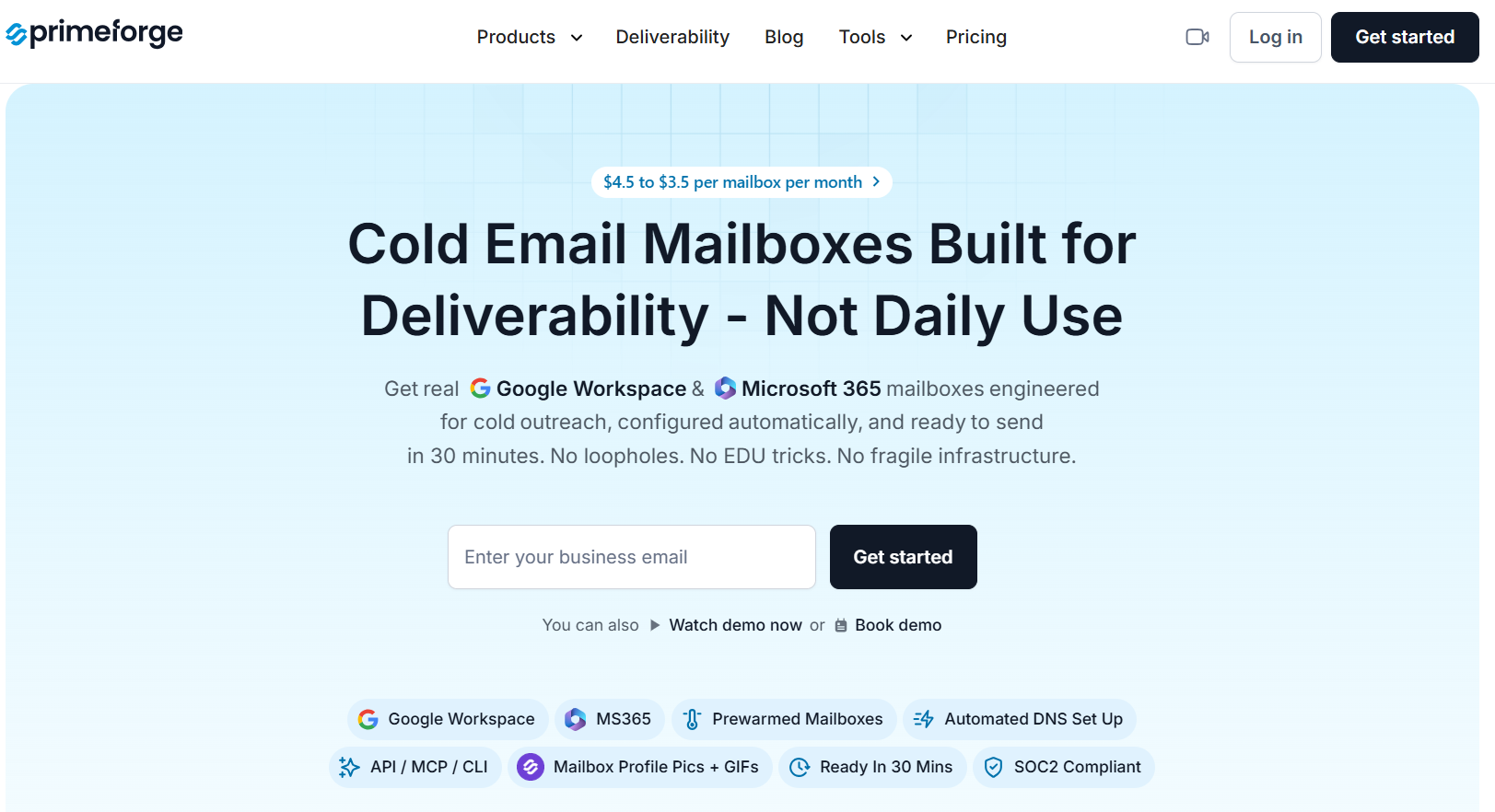
Primeforge is a cold email infrastructure platform that helps you buy, set up, and manage Google Workspace and Microsoft 365 mailboxes from one place. Instead of manually buying domains, creating mailboxes, configuring SPF, DKIM, and DMARC records, and managing everything across multiple providers, Primeforge handles much of the setup for you. The platform is designed for agencies, founders, SDR teams, and businesses that need multiple mailboxes for cold outreach.
One thing I liked during my review is how simple the setup process is. You can search for domains, buy them, add mailbox details, and complete everything through a step-by-step workflow.
Primeforge also includes automated DNS setup, bulk domain management, mailbox profile pictures, and a mailbox calculator to help estimate how many domains and inboxes you need.
Primeforge offers Google Workspace and Microsoft 365 mailboxes with US IP addresses, support for any sending software, multiple workspaces, and an API for managing infrastructure at scale.
After testing Primeforge, I found that most of its value comes from saving time. You can buy domains, create mailboxes, configure DNS records, and manage everything from one dashboard. Instead of spending hours setting up infrastructure manually, Primeforge handles much of the technical work for you. Here are the features that stood out during my review.
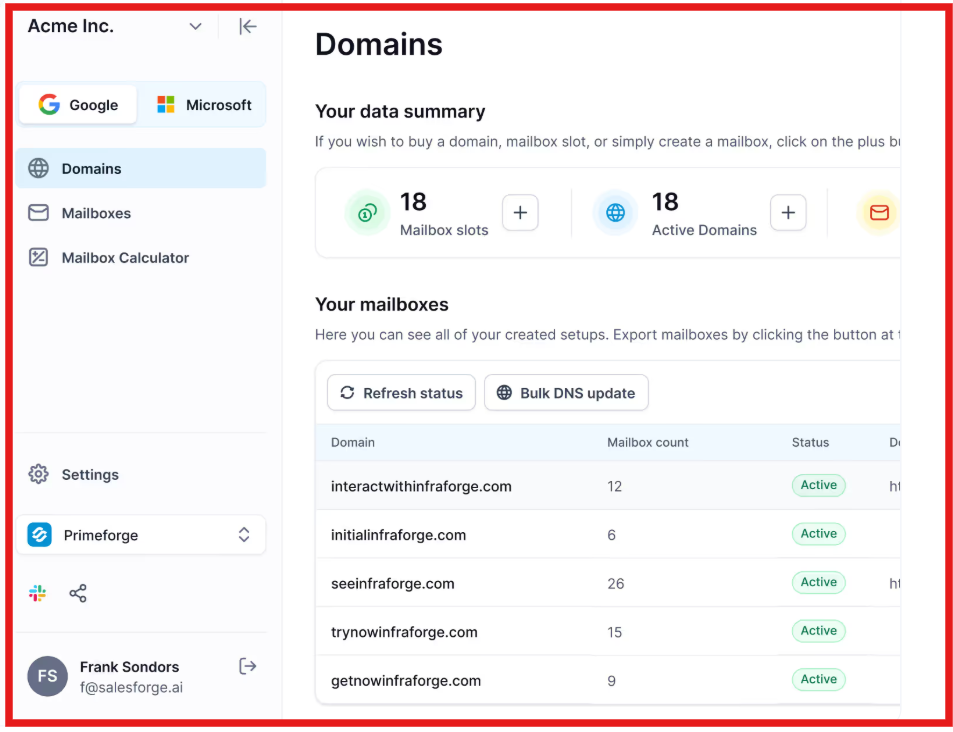
This is probably the feature I liked most.
Whenever you create domains and mailboxes in Primeforge, it automatically configures important email authentication records like SPF, DKIM, and DMARC. These records are important for cold email deliverability, but setting them up manually can be confusing for beginners.
Primeforge handles this automatically, which removes a lot of the setup work. It also follows industry best practices when configuring these records.
Primeforge provides real Google Workspace and Microsoft 365 mailboxes with US IP addresses. The main advantage is that many businesses already use Google or Microsoft for their email. Primeforge focuses on helping users use these mailbox providers for cold outreach while managing everything from one platform.
If you manage multiple domains, updating DNS records one by one becomes frustrating very quickly. Primeforge lets you update DNS records across multiple domains from inside the platform. For agencies and larger outbound teams, this can save a lot of time compared to logging into multiple domain registrars.

This is a unique feature that I don't see very often. Primeforge allows you to add profile pictures and even GIFs to Google Workspace and Microsoft 365 mailboxes. The idea is to make your inbox look more professional and recognizable when prospects receive your emails.
I also like that Primeforge is not tied to a specific outreach platform. You can connect your domains and mailboxes to Salesforge or other cold email tools without needing complicated migrations or integrations. This gives you more flexibility if you already have a sending platform you like.
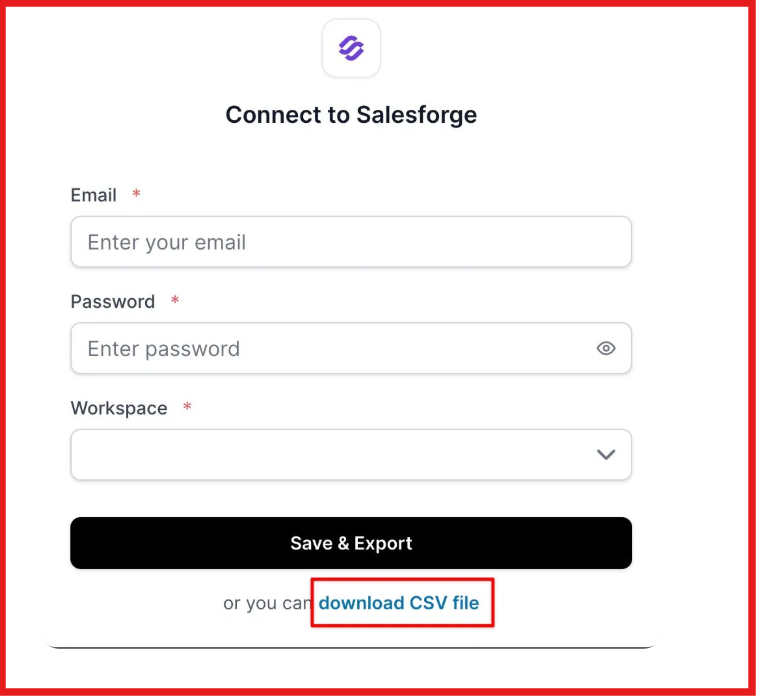
For agencies or teams managing multiple clients, the workspace feature is useful. You can separate domains, mailboxes, and infrastructure across different workspaces instead of keeping everything mixed together in one account.
One of Primeforge's biggest selling points is ESP matching. The platform is built around Google Workspace and Microsoft 365 mailboxes because many prospects already use those providers. Primeforge's view is that sending from the same email provider as your recipient can help improve inbox placement and deliverability.
For larger teams that want to automate infrastructure management, Primeforge also provides an API. This can be useful if you want to manage domains and mailboxes programmatically rather than doing everything manually through the dashboard.
Overall, I think Primeforge's biggest strength is not any single feature. It's the fact that all the infrastructure tasks are brought together in one place. For teams managing many domains and mailboxes, that convenience can save a lot of time.
Read - 7 Best Pre-Warmed Email Account Providers for Cold Email Infrastructure
Primeforge is not just selling Google Workspace and Microsoft 365 mailboxes. The platform is built around helping outbound teams use those mailboxes for cold email with less setup work and better deliverability practices. One of Primeforge's biggest deliverability advantages is ESP matching.
The idea is simple. If your prospect uses Google Workspace, you send from a Google Workspace mailbox. If they use Microsoft 365, you send from a Microsoft 365 mailbox. According to Primeforge, this can help improve inbox placement and reduce the chances of landing in spam folders.
Another thing I liked is that Primeforge automatically configures important email authentication records like SPF, DKIM, and DMARC. These records are critical for deliverability, but many teams either set them up incorrectly or forget them altogether.
Primeforge handles this automatically and follows industry best practices from day one. The platform also makes it easier to manage domains and mailboxes at scale. Features like bulk DNS updates, automated setup, and centralized mailbox management help reduce mistakes that can hurt sender reputation over time.
That said, Primeforge is not a magic fix for deliverability. Your email copy, sending volume, targeting, list quality, and domain reputation still play a major role in whether your emails land in the inbox.
Read- Deliverability at Scale: How Mailforge Keeps AI SDRs Out of Spam
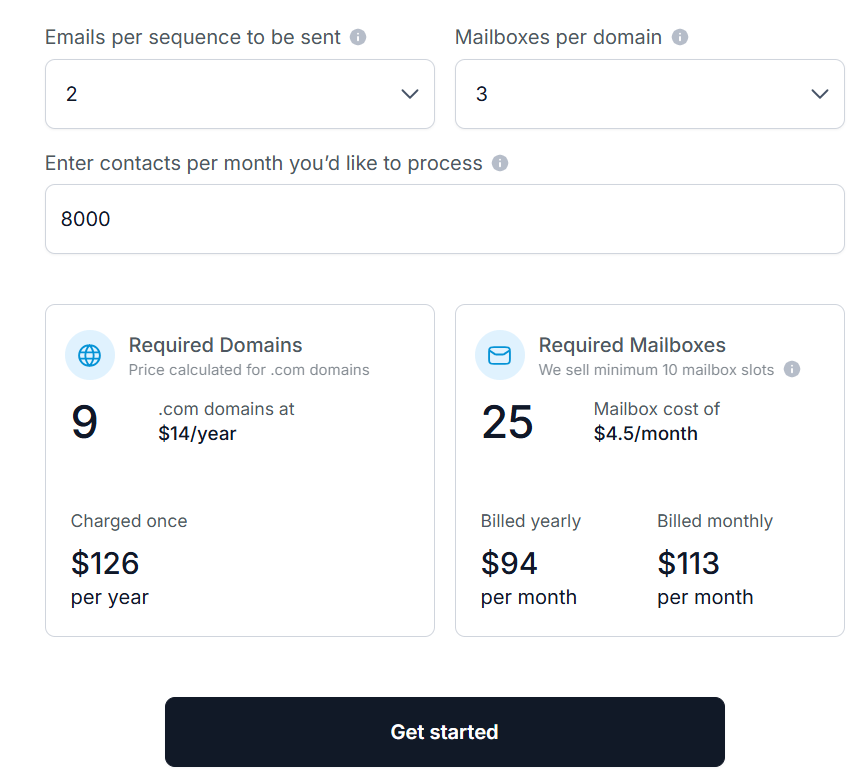
Pricing is one of the biggest reasons people compare Primeforge with buying Google Workspace or Microsoft 365 directly. At first glance, Primeforge may look like another mailbox provider. But when I looked closer, I realized you're also paying for the infrastructure management layer that sits on top of the mailboxes.
Primeforge also includes:
Let's say you want to process 1,000 contacts per month using a 4-step cold email sequence. According to Primeforge's calculator, you would need:
For a small outbound setup, that is a reasonable starting point, especially when the technical setup is already handled for you.
At first glance, Primeforge looks like a simple reseller of Google Workspace and Microsoft 365 mailboxes.
But after reviewing the platform, I found that you're not just paying for the mailbox. You're paying for the setup, management, and cold email infrastructure features that sit on top of it.
Primeforge states that mailbox pricing starts around $3.5-$4.5 per mailbox per month, compared to approximately $8.40 for Google Workspace and $6 for Microsoft 365. The platform also includes automated DNS setup, mailbox hosting, maintenance, and management tools.
So you're not only getting the mailbox itself. You're also getting the infrastructure layer that helps manage cold outreach at scale.
When you buy Google Workspace or Microsoft 365 directly, you are responsible for setting everything up yourself. That means:
Primeforge automates much of that work and brings everything into one dashboard.
Which One Would I Choose?
If I only needed a few mailboxes for everyday business communication, I would go directly to Google Workspace or Microsoft 365.
But if I were running cold email campaigns across multiple domains and dozens of mailboxes, I would choose Primeforge. The real value isn't the mailbox. It's the time saved on setup, DNS management, mailbox administration, and outbound infrastructure management.
Google Workspace Email Deliverability: Good or Bad? Our Detailed Insight
After reviewing Primeforge, I think its biggest strength is making Google Workspace and Microsoft 365 mailboxes easier to manage for cold outreach. However, there are a few limitations you should know before buying.
Overall, I think the pros outweigh the cons for most outbound teams. If you're managing multiple domains and mailboxes for cold email, Primeforge can save a lot of setup and management work.
If you're running cold email with multiple domains and mailboxes, Primeforge can make life much easier. Instead of manually setting up Google Workspace or Microsoft 365 accounts, configuring DNS records, and managing everything across different platforms, you get a single place to handle it all.
I think Primeforge is a strong fit for:
On the other hand, if you only need a few mailboxes for normal business communication, buying directly from Google Workspace or Microsoft 365 will probably be enough.
My final take: Primeforge is not trying to replace Google Workspace or Microsoft 365. It makes them easier to use for cold outreach. If your goal is to build and manage cold email infrastructure without spending hours on setup and maintenance, Primeforge is definitely worth considering.
Enter your email to get a custom plan & stack recommendation for your business
Please check your mailbox in 5 minutes

Primeforge is not the only way to get Google Workspace and Microsoft 365 mailboxes. But after reviewing the platform, I think it offers a much easier way to manage them for cold outreach.
The biggest value comes from automation. Instead of spending time setting up domains, configuring SPF, DKIM, and DMARC records, and managing dozens of mailboxes manually, Primeforge brings everything into one place. For agencies, SDR teams, and founders running outbound campaigns, that can save a lot of time.
If you're only managing a few inboxes, buying directly from Google Workspace or Microsoft 365 may be enough. But if you're scaling cold email and need infrastructure that is built around outbound workflows, Primeforge is worth trying.
Want to see if Primeforge fits your outreach setup?
Try Primeforge and use its calculator to estimate exactly how many domains and mailboxes you'll need before getting started.