Reply.io can automate your email and LinkedIn outreach. But some users have reported problems with how those campaigns run.
One G2 reviewer couldn't predict how many prospects would be contacted each day across multiple campaigns. Another reported that contacts were stuck in sequences for two months without receiving a message.
There are also complaints about duplicate LinkedIn messages and Jason AI drafts that sound too formal. Missing follow-ups can leave interested prospects waiting. Duplicate LinkedIn messages can also hurt an active campaign.
These are individual user reports. Still, they're worth looking into if you rely on Reply.io to run several outreach campaigns.
I compared 9 Reply.io alternatives to see how their multichannel features, campaign controls and pricing differ.
1. Salesforge – Best for Email and LinkedIn Outreach
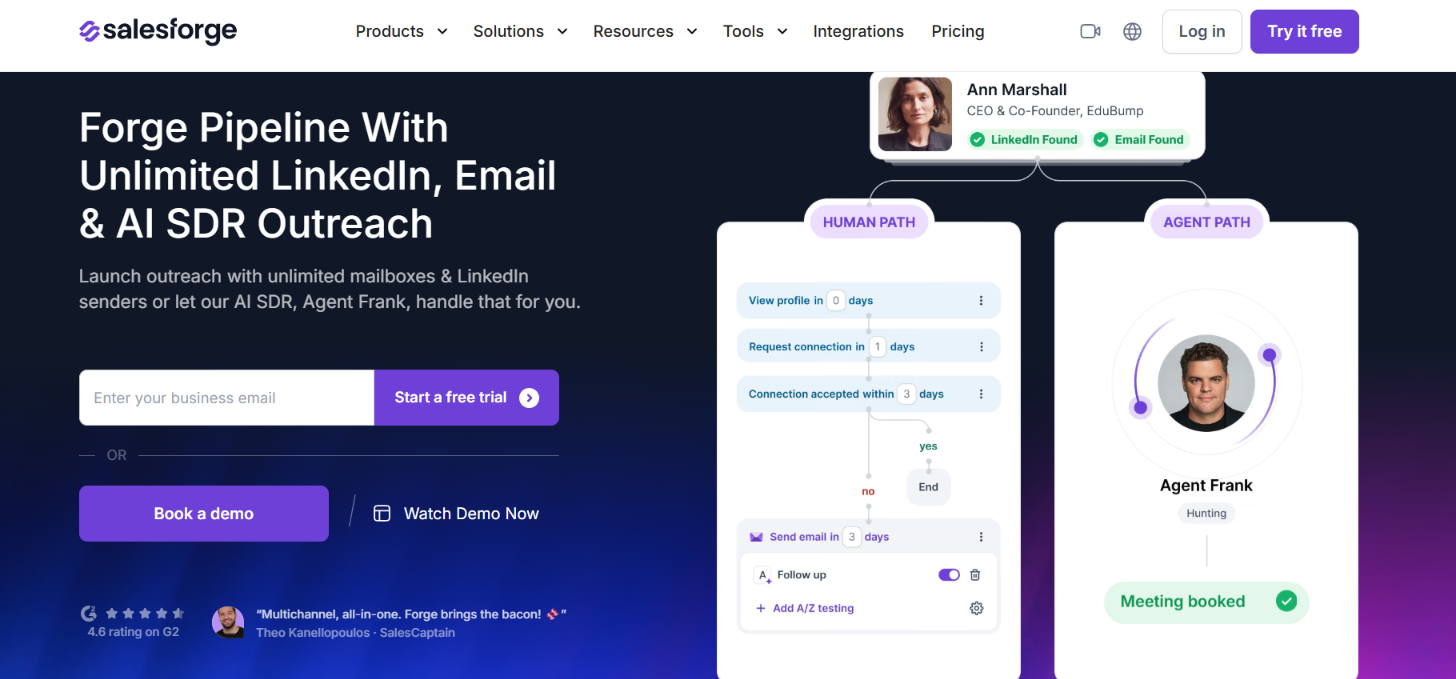
This image shows the Salesforge homepage
Salesforge is a multichannel outreach platform for running cold email and LinkedIn campaigns from one dashboard.
You can connect unlimited email mailboxes and build sequences with automated follow-ups. Smart Mailbox Rotation spreads emails across your connected accounts.
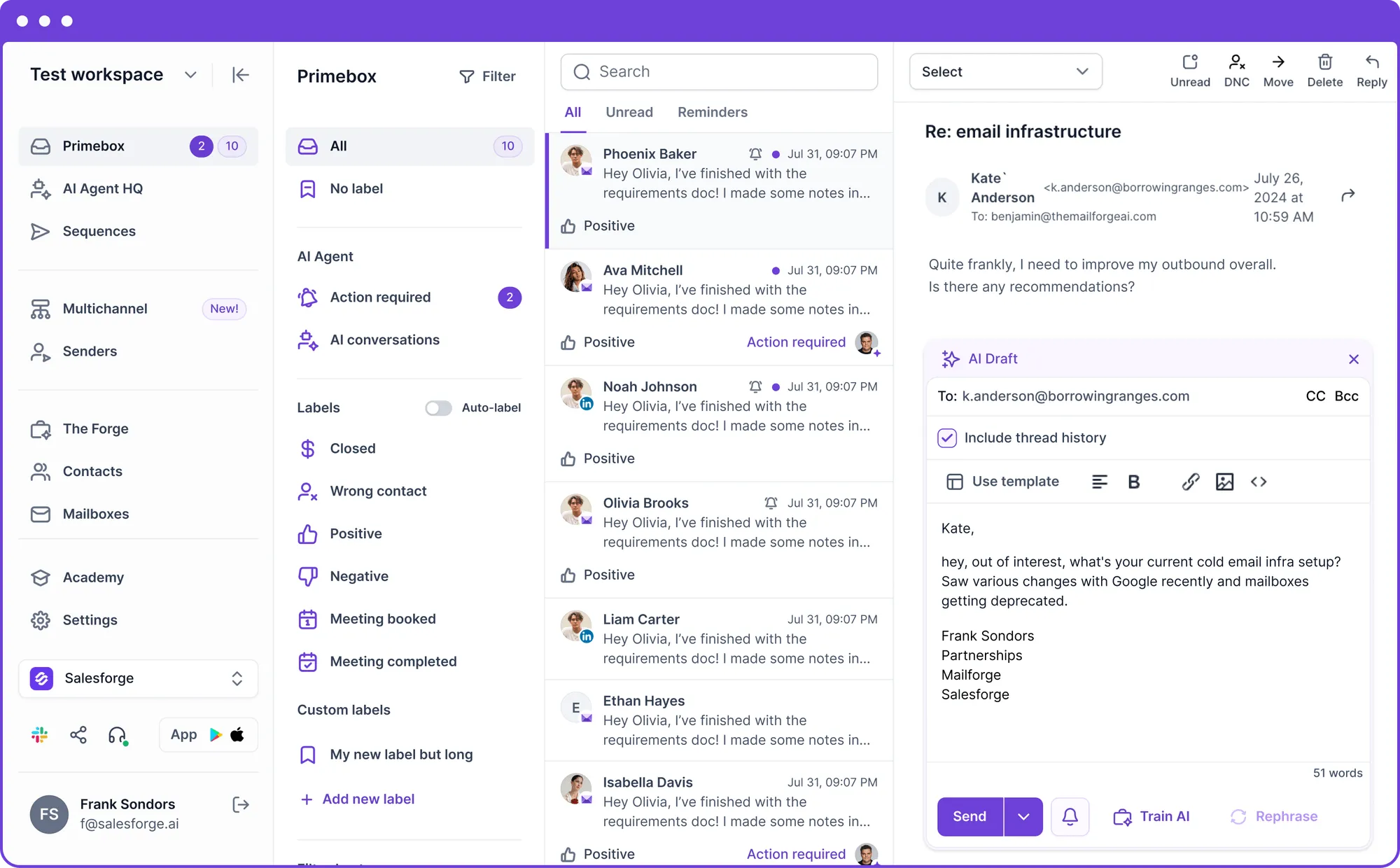
Salesforge also offers AI personalization and Primebox for managing email and LinkedIn replies in one inbox.
Why Choose Salesforge for Email and LinkedIn Outreach?
The biggest difference is how Salesforge handles multiple senders. Reply.io's Multichannel plan includes 10 mailboxes per user. Salesforge lets you connect unlimited mailboxes on both paid plans. Its Growth plan also supports unlimited LinkedIn senders.
That makes Salesforge worth considering if you manage several sending accounts or run outreach for multiple clients.
Salesforge also gives you more control over your outreach:
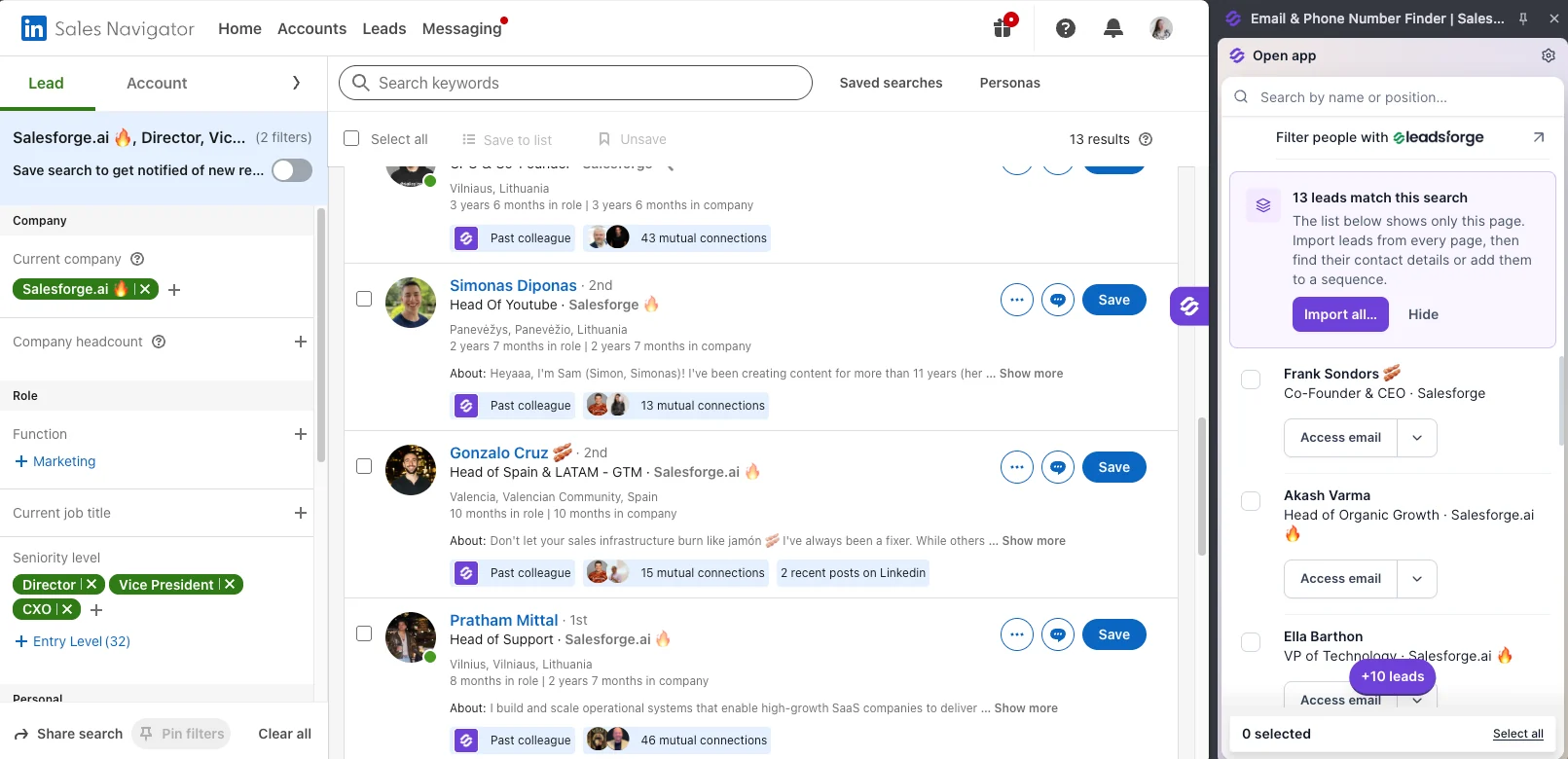
Rotate emails across connected mailboxes with Smart Mailbox Rotation.
This image shows the Import prospects from LinkedIn Sales Navigator
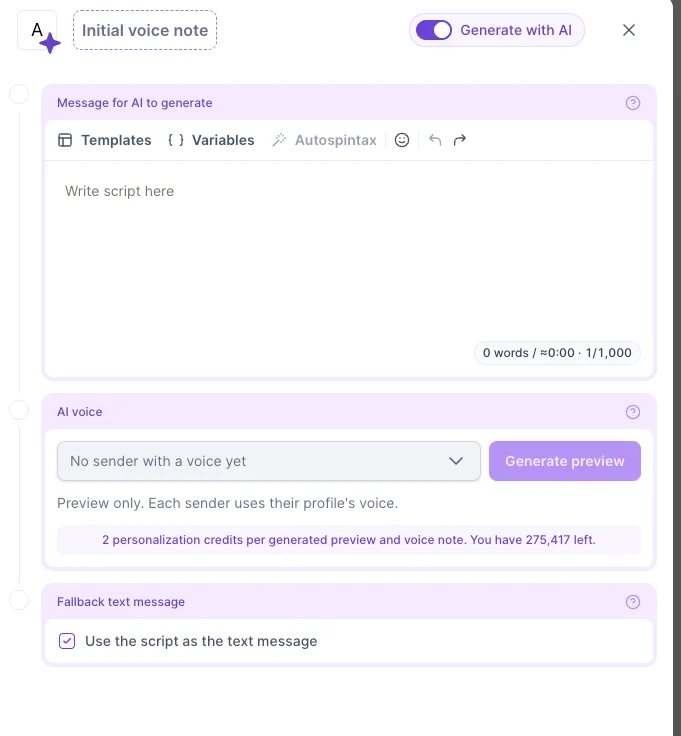
Send recorded or AI-generated LinkedIn voice notes.
This image shows the Send recorded or AI-generated LinkedIn voice notes
Schedule email and LinkedIn steps in each prospect's timezone on Growth.
Manage email and LinkedIn replies through Primebox.
This image shows the Primebox by Salesforge
Warm up connected mailboxes through Warmforge.
There are limits. Growth includes 50,000 emails and 300 social action credits per month. Extra usage may cost more.
Reply.io also supports calls, SMS and WhatsApp. Salesforge doesn't replace those channels.
If your outreach runs mainly through email and LinkedIn, Salesforge offers more sender connections at a fixed plan price.
Pros of Salesforge
Conditional sequences automate email and LinkedIn follow-ups based on prospect actions.
Smart Mailbox Rotation distributes emails across connected mailboxes.
Warmforge provides unlimited email warm-up.
Sales Navigator extraction imports prospects directly into outreach sequences.
AI-generated LinkedIn voice notes support personalized messages using the sender's voice.
Cons of Salesforge
No native calling, SMS or WhatsApp sequence steps.
No built-in B2B prospect database for finding leads.
LinkedIn voice notes can only be sent to first-degree connections.
LinkedIn messages and connection requests consume social action credits.
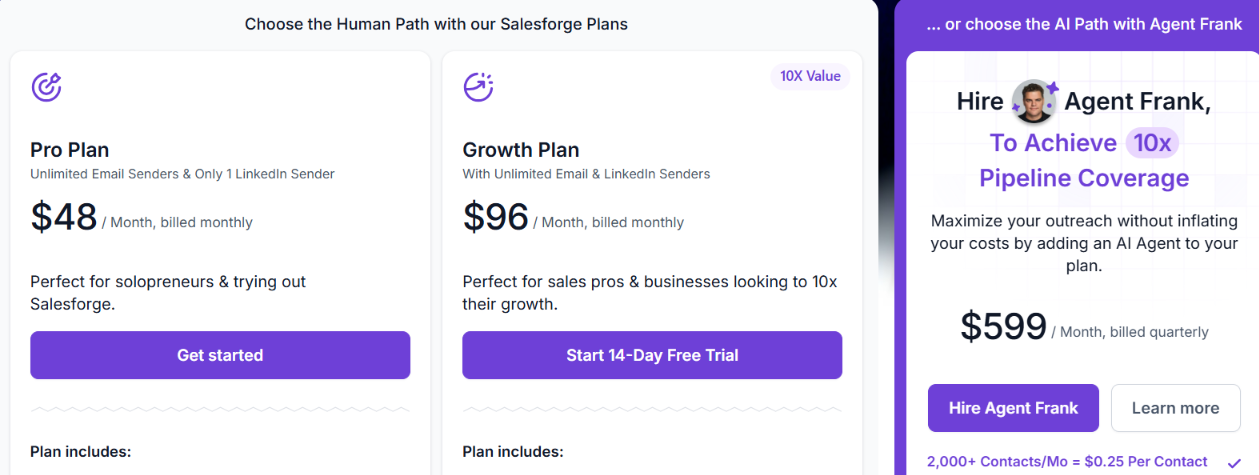
Salesforge Pricing
This image shows the Salesforge pricing
Pro – $48/month: 1 LinkedIn sender and unlimited mailboxes. Includes 1,000 active contacts and 5,000 emails per month.
Growth – $96/month: Unlimited LinkedIn senders and mailboxes. Includes 10,000 active contacts and 50,000 emails per month.
Free trial: 14 days.
Both paid plans include email warm-up and Primebox. Domains and mailboxes cost extra.
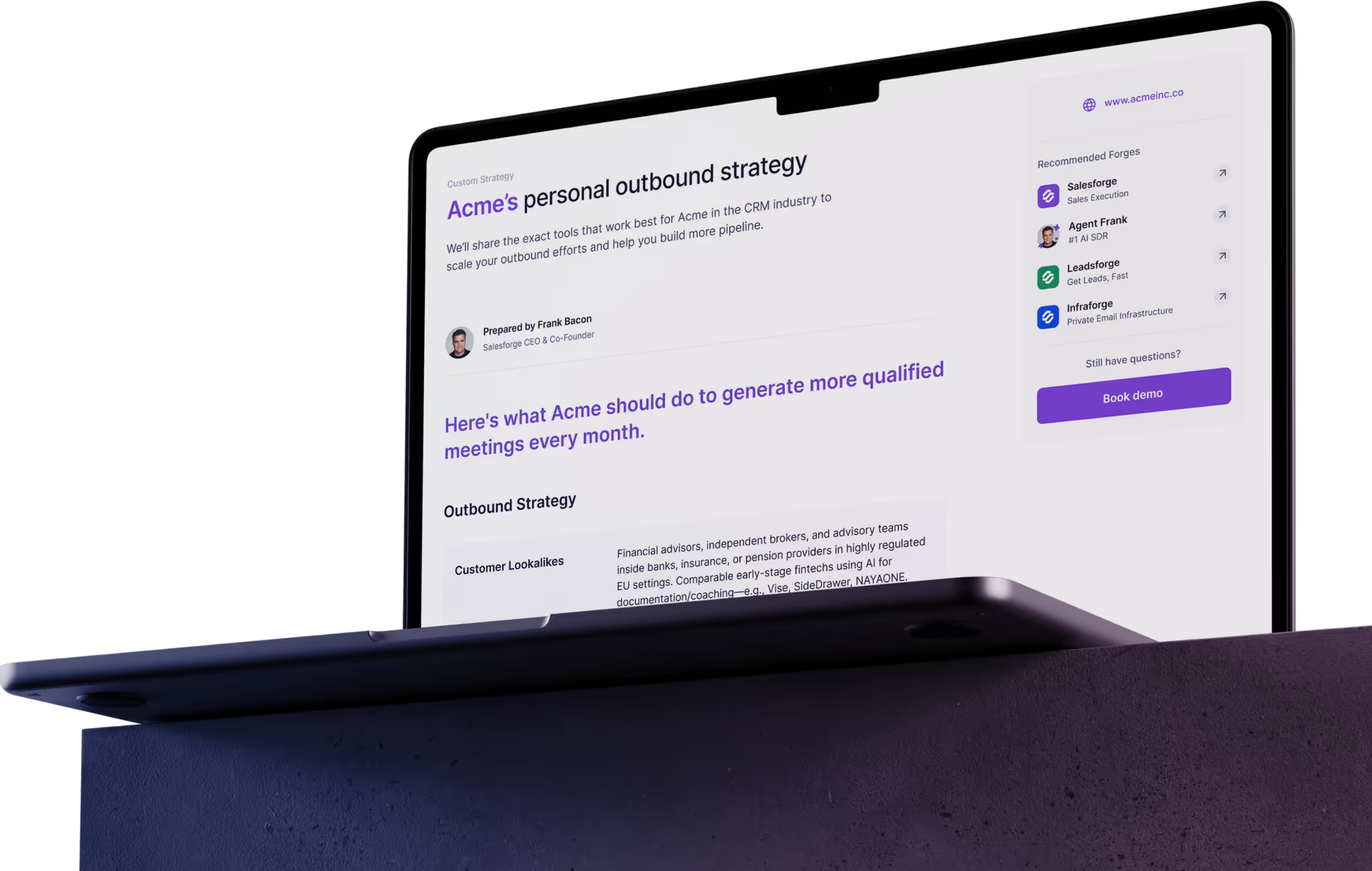
Personalized Outbound Strategy
Get The Right Outbound Strategy In Minutes
Enter your email to get a custom plan & stack recommendation for your
business
It's being carefully crafted by AI
Please check your mailbox in 5 minutes
2. Apollo.io – Best for Prospecting-Led Multichannel Outreach
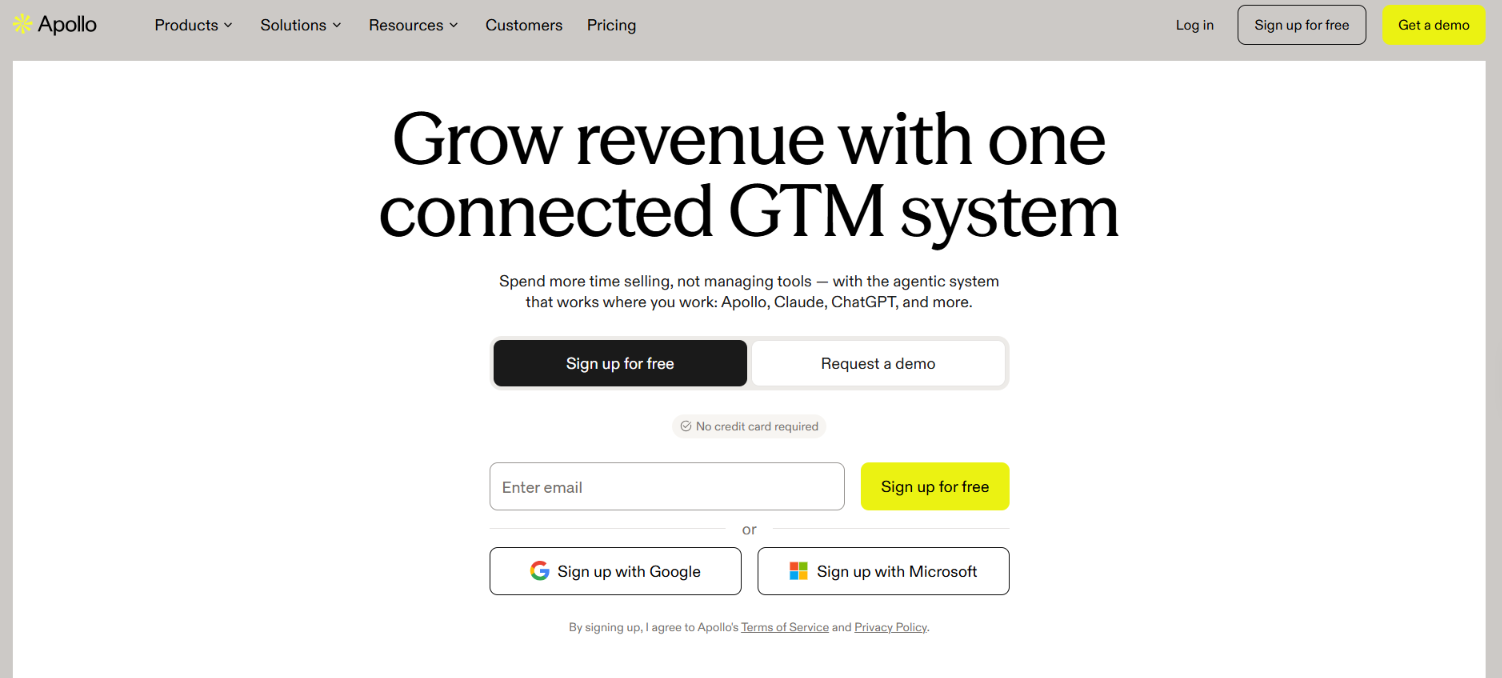
This image shows the Apollo homepage
Apollo.io combines a B2B prospect database with email, LinkedIn and calling tools.
You can build automated email sequences and add LinkedIn or call tasks between email steps. Apollo also has a built-in dialer for reps to make calls without moving to another sales tool.
Its contact database is the bigger difference. You can find prospects and enroll them into outreach without first importing a list.
Why Choose Apollo.io for Multichannel Outreach?
Apollo.io is worth considering if you want your sales reps to find leads and contact them across email, LinkedIn and phone from the same platform.
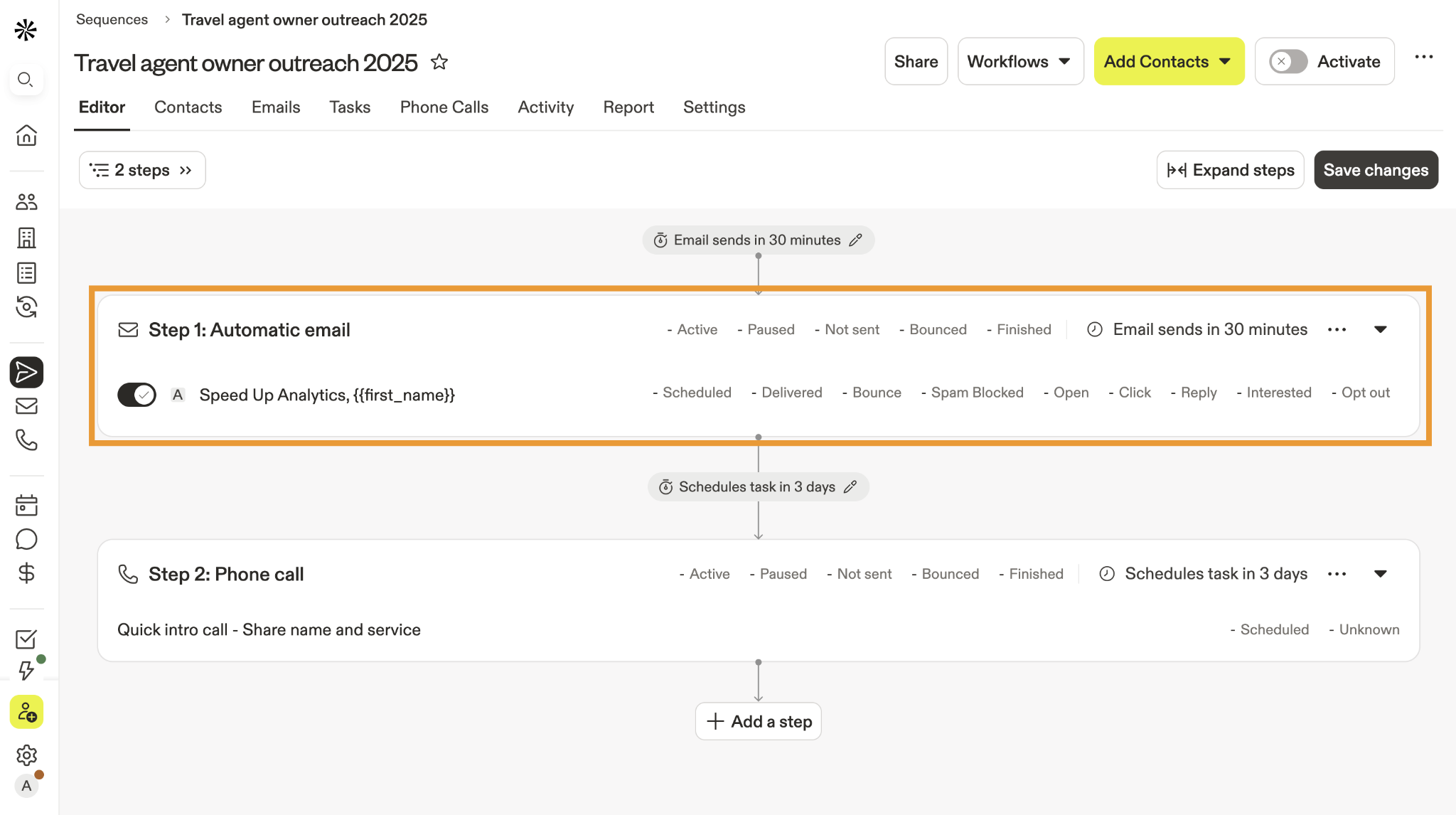
This image shows the Apollo sequences overview
The three channels don't work the same way.
Email is automated. Apollo sends the initial email and follow-ups for you.
LinkedIn is manual. Apollo adds tasks for profile visits, connection requests and messages. Your rep completes them.
Phone is rep-led. Apollo adds call tasks and gives you a built-in dialer to make those calls.
Reply.io supports email, LinkedIn, calls, SMS and WhatsApp in the same sequence. LinkedIn and SMS can include automated steps, while calls and WhatsApp involve rep-led tasks. So if you move from Reply.io to Apollo, you aren't getting better multichannel automation. You're getting prospecting and multichannel sales engagement under one roof.
A rep can find a target account in Apollo, get the decision-maker's contact details and add that person to a sequence. Apollo can then send the emails and tell the rep when it's time to connect on LinkedIn or make a call.
That makes Apollo a better alternative for teams where reps still handle LinkedIn and calls personally.
Pros of Apollo.io
Email steps can run automatically inside sequences.
LinkedIn tasks can be placed between email follow-ups.
Built-in dialer handles call tasks without a separate calling tool.
B2B database connects lead search directly with outreach.
Contact enrichment fills missing emails and phone numbers.
Prospects can move from search results directly into sequences.
Cons of Apollo.io
LinkedIn connection requests are manual tasks.
LinkedIn messages are not automatically sent as sequence steps.
Calls still require a rep to make them.
No native SMS channel comparable to Reply.io.
Manual tasks can hold up later steps in a sequence.
Apollo.io Pricing
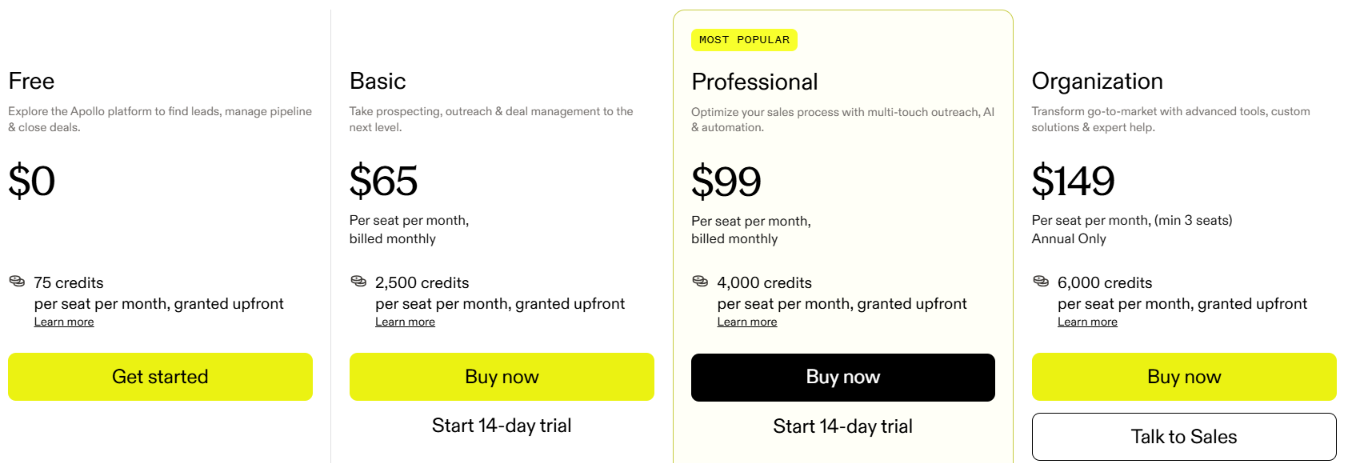
This image shows the Apollo pricing
Free – $0/month: 75 credits per user per month.
Basic – $65/user/month: 2,500 credits per user per month.
Professional – $99/user/month: 4,000 credits per user per month.
Organization – $149/user/month: 6,000 credits per user per month. Minimum 3 users. Annual billing only.
Basic and Professional have 14-day trials. Apollo charges 1 credit for a verified email and 8 credits for a verified phone number.
3. Salesloft – Best for Enterprise Sales Engagement
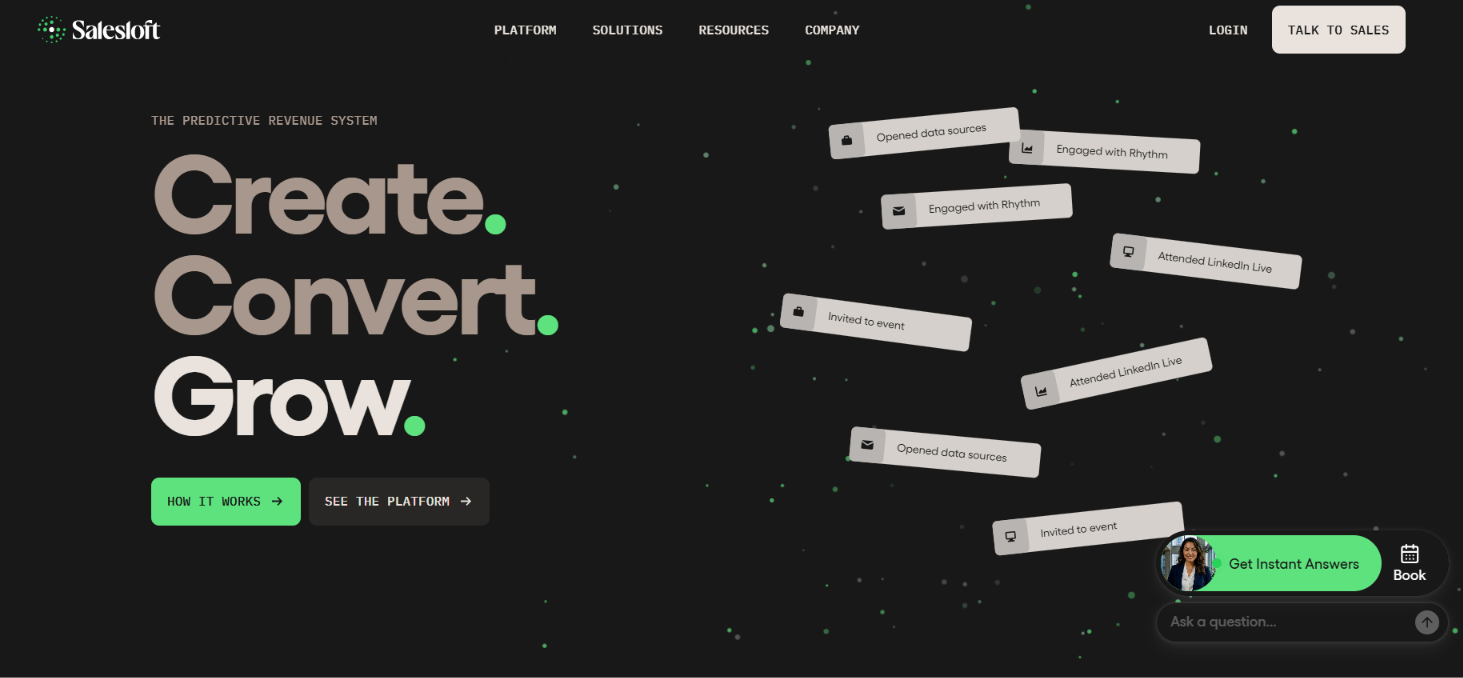
This image shows the Salesloft homepage
Salesloft is a sales engagement platform for managing prospect outreach and sales follow-ups. Its Cadence tool lets reps organize emails, calls and LinkedIn touches into a series of steps. Salesloft also has a built-in dialer for calls and Conversations for recording and reviewing sales meetings.
Beyond outreach, teams can use Salesloft to track deals, manage rep tasks and forecast sales.
Why Choose Salesloft for Multichannel Outreach?
Salesloft is worth considering if your reps use email, phone and LinkedIn as part of the same outreach process. Reply.io covers more channels. Salesloft puts more focus on how reps work through each touch.
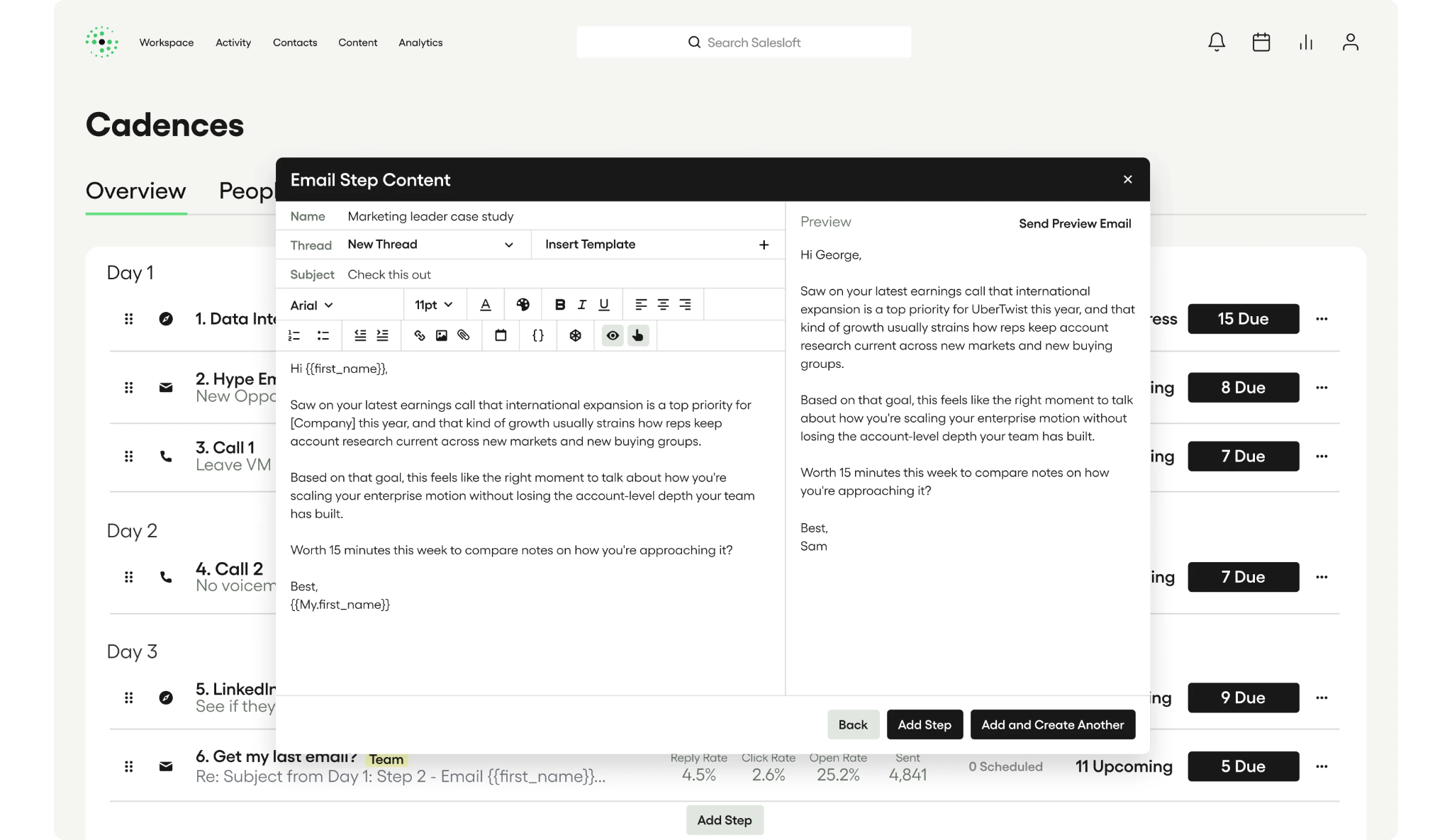
Email can run through automated Cadence steps and follow-ups.
This image shows the Email can run through automated Cadence steps
Calls can be added between email touches and made through Salesloft's built-in dialer.
LinkedIn touches can sit alongside email and call steps in the same Cadence.
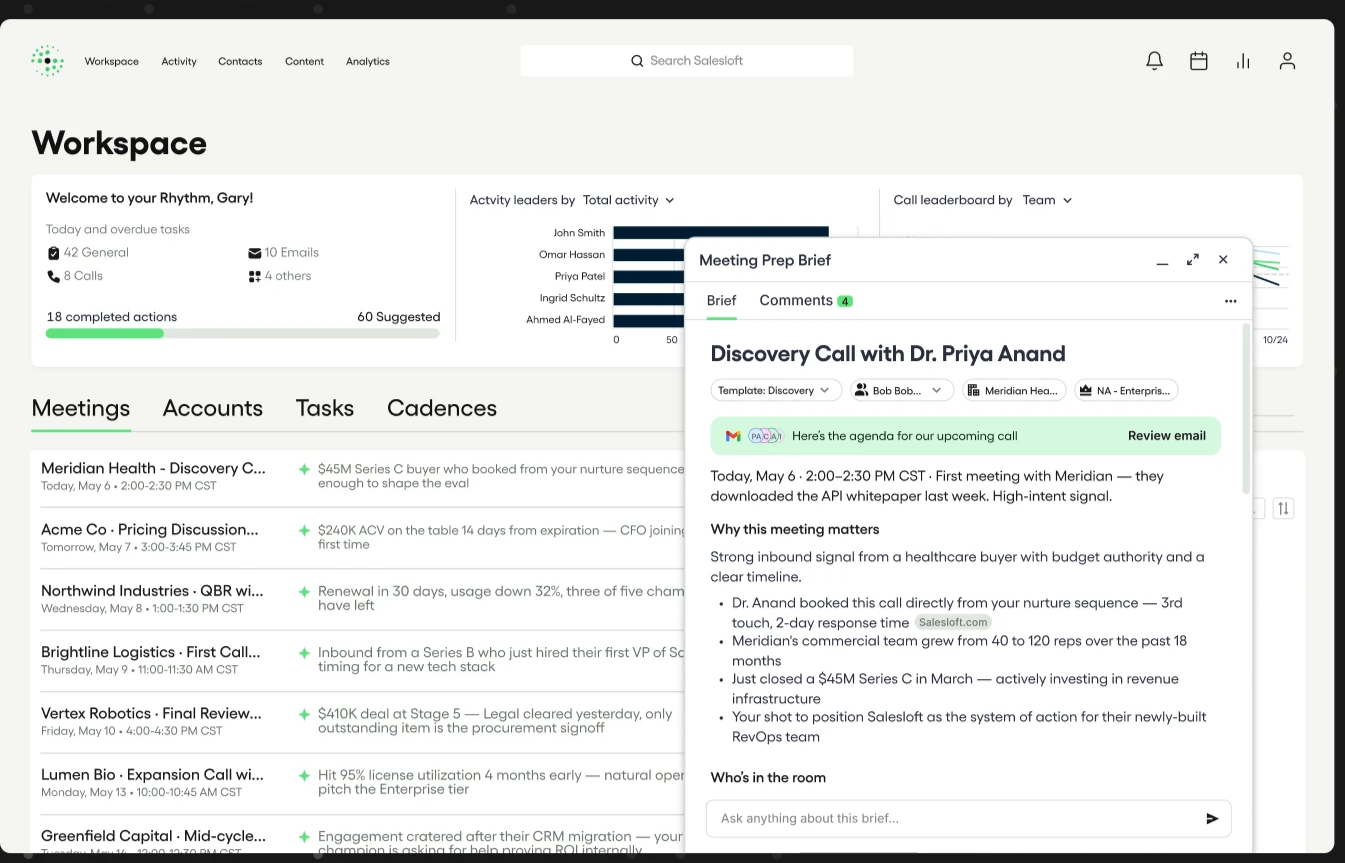
Rhythm brings the next outreach tasks to each rep based on which prospects need attention.
This image shows the Rhythm by Salesloft
Conversations records and transcribes calls. Reps can use the summaries and action items for the next follow-up.
This gives reps one workflow for moving between email, phone and LinkedIn instead of treating each channel separately.
Reply.io is stronger if you want broader channel coverage. It also supports SMS and WhatsApp. Salesloft is better suited to larger teams that want reps working through email, phone and LinkedIn from a structured daily workflow.
Pros of Salesloft
Cadences support email, call and LinkedIn touches.
Built-in dialer keeps calls inside Salesloft.
Call recording and transcription are included in Conversations.
AI creates call summaries and action items.
Rhythm tells reps which follow-ups need attention.
Deals tracks open opportunities and deal risks.
Forecast adds sales forecasting for managers.
Cons of Salesloft
No public fixed pricing.
LinkedIn outreach is less automated than Reply.io.
Salesloft may be too much if you only need cold outreach.
Forecast is offered as an add-on.
Account Agents are also sold as an add-on.
Salesloft Pricing
Salesloft does not publish fixed monthly prices. It offers different packages based on the sales tools your team needs. Forecast and Account Agents are available as add-ons. You need to contact Salesloft for a quote.
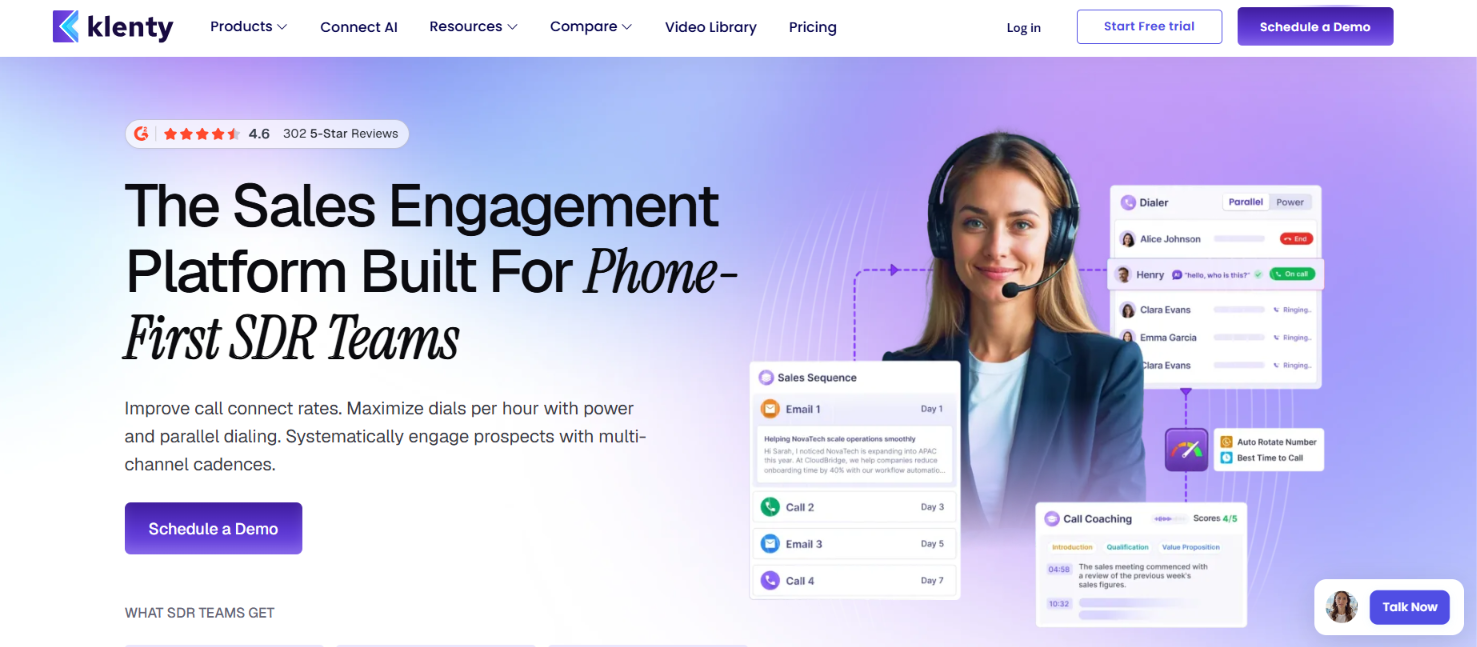
4. Klenty – Best for Phone-First Multichannel Outreach
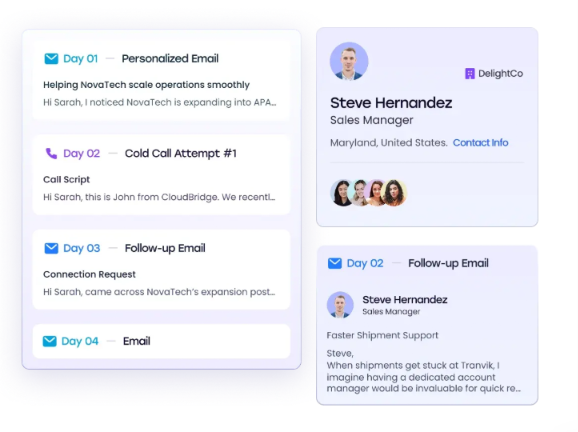
You can build multichannel Cadences that tell SDRs which prospect to contact, which channel to use and when to follow up.
Klenty puts a strong focus on cold calling. It includes a click-to-call dialer and offers power and parallel dialing for teams making a high number of calls. It also has tools for managing calling numbers and following up after conversations.
Why Choose Klenty for Multichannel Outreach?
Klenty gives SDRs more ways to connect what happens across email, phone, LinkedIn, SMS and WhatsApp. For example, an email doesn't have to lead to another email. Klenty's Multichannel Playbooks can use that engagement to move the prospect to a different channel.
If a prospect engages with an email, Klenty can create a call task.
After a cold call, an SMS follow-up can be sent automatically.
WhatsApp follow-ups can be completed in one click.
Agentic Cadences can research prospects and write personalized emails before the rep steps in.
This image shows From ‘Standardized’ Cadences to Tailored Execution with AI
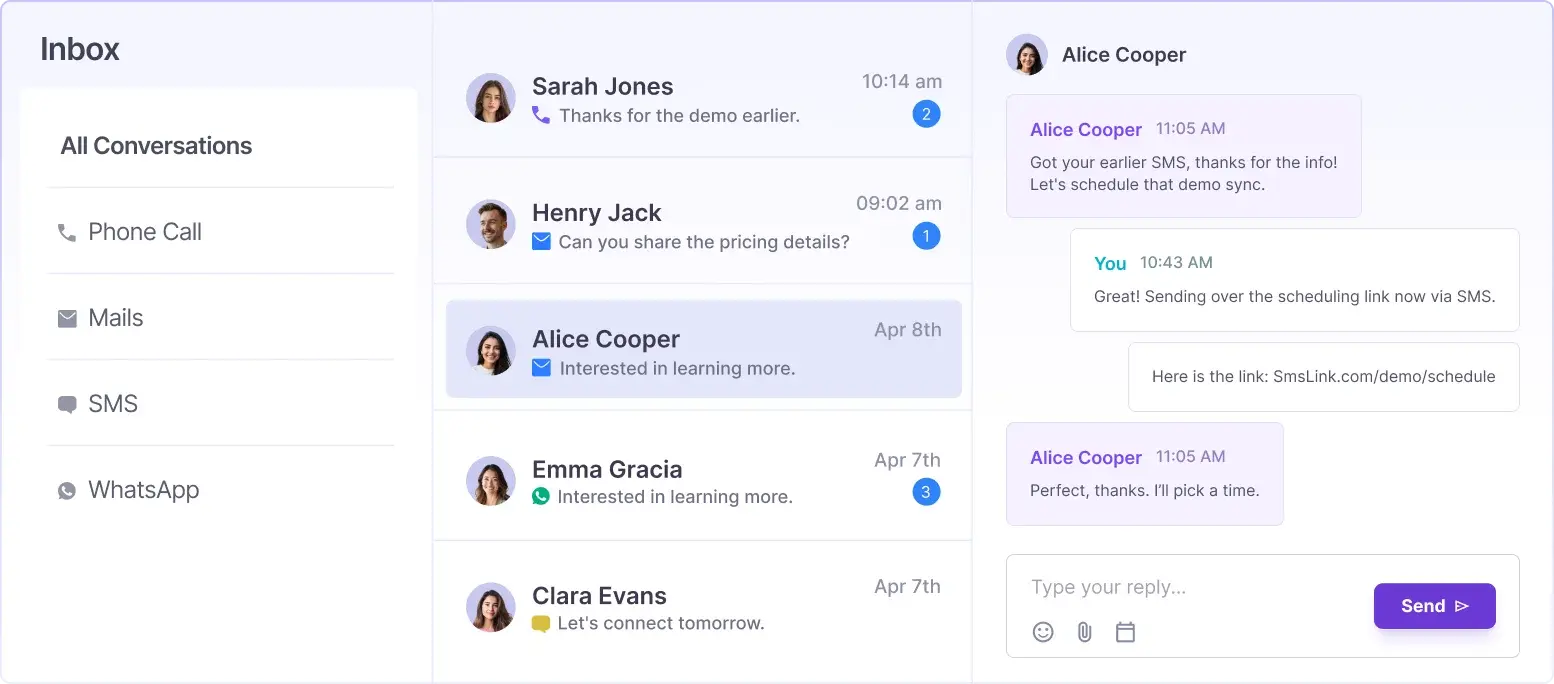
Multichannel Inbox keeps email, phone, SMS and WhatsApp conversations in one place.
This image shows the Multichannel inbox by Klenty
For phone outreach, reps get click-to-call, power and parallel dialing plus voicemail detection and number rotation.
This is where Klenty starts to separate itself from Reply.io. Reply.io already has strong multichannel coverage. It automates email and LinkedIn and also supports calls, SMS and WhatsApp.
Klenty gives you more ways to trigger follow-up tasks across channels and much deeper tools for cold calling. Engagement on one channel can lead to the next task on another. And when that next step is a call, Klenty gives SDRs more calling tools to work with.
So Klenty is for SDR teams that use email to open conversations but rely heavily on calls and cross-channel follow-ups to keep them moving.
Pros of Klenty
Supports email, phone, LinkedIn, SMS and WhatsApp outreach.
Parallel Dialer can call up to five prospects at once.
Power Dialer works through call lists automatically.
Number rotation helps spread calls across different numbers.
Dynamic Presence includes 350+ local numbers per seat.
WhatsApp follow-ups can be completed in one click.
Cons of Klenty
Multichannel outreach starts on the Growth plan.
Power and Parallel Dialing cost extra on the Sales Engagement plans.
Dynamic Presence is another paid add-on.
WhatsApp follow-ups use one-click execution rather than full automation.
Klenty Pricing
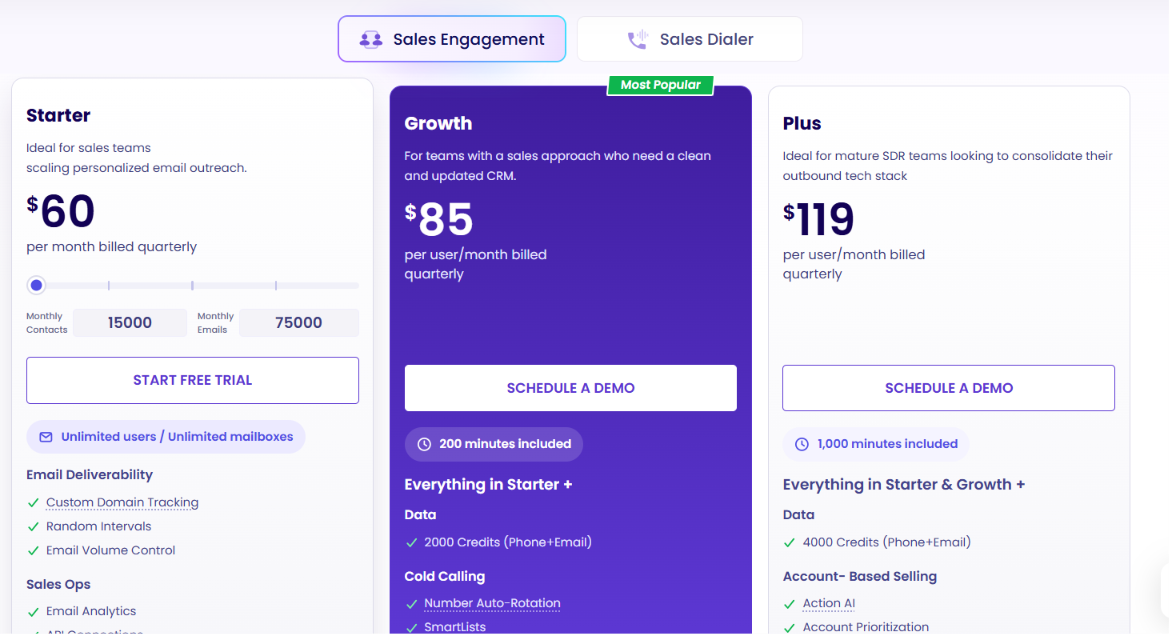
This image shows the Klenty pricing
Klenty has three Sales Engagement plans when billed quarterly:
Plus – $119/user/month, adds account-based selling, Action AI, call coaching, 1,000 calling minutes and 4,000 phone + email credits.
For higher-volume calling, the Power and Parallel Dialing add-on costs $45/user/month. Klenty also offers a 14-day free trial.
5. Smartlead – Best for Email and Calling at Scale
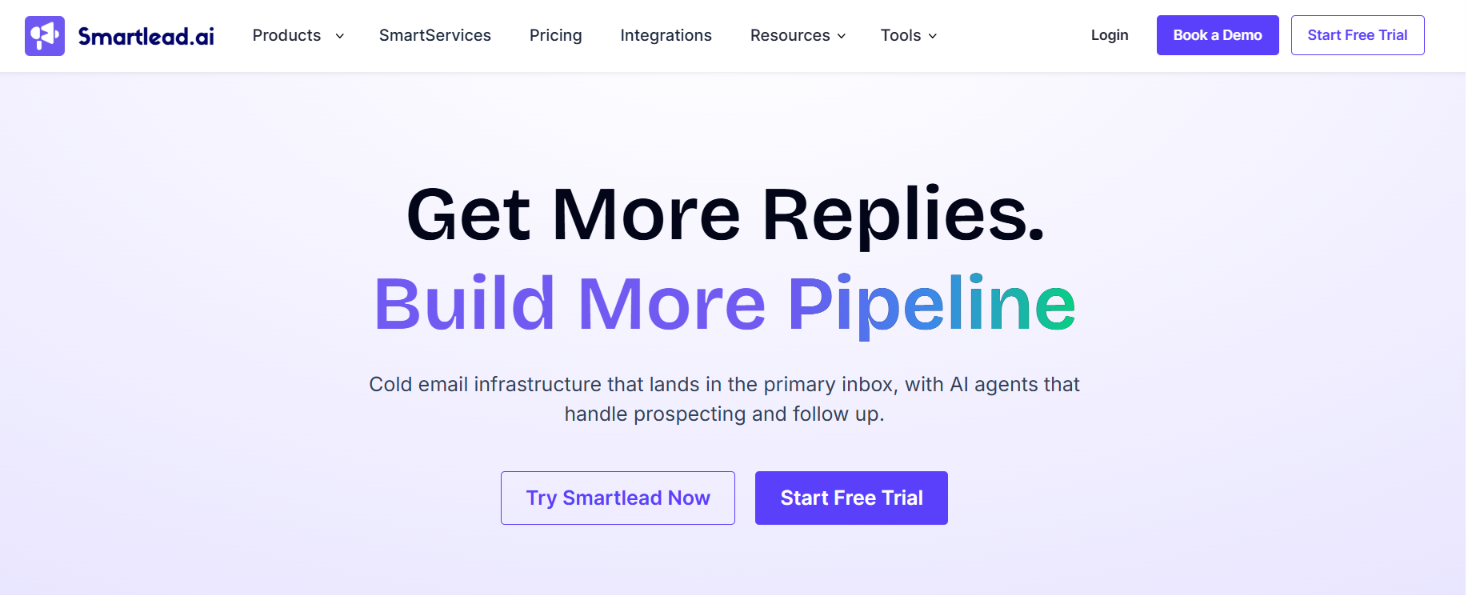
This image shows the Smartlead homepage
Smartlead is a sales outreach platform for running cold email campaigns and following prospects by phone.
You can connect unlimited email accounts, rotate sending across mailboxes and warm up your senders. SmartDialer adds a power dialer that works through a selected list one call at a time.
Reps can see the emails already sent to a prospect before calling them. After the call, Smartlead keeps the transcript, notes and outcome with the same lead.
Why Choose Smartlead for Multichannel Outreach?
Smartlead works well if cold email starts the conversation and calls are used to follow up with the same prospects.
The email side is built for sending across a large number of accounts. You can connect unlimited mailboxes, warm them up and rotate sending between them. Once a lead needs a call, SmartDialer brings phone outreach into the same workflow.
That gives reps a simple email-to-call flow:
Run cold email campaigns across unlimited email accounts.
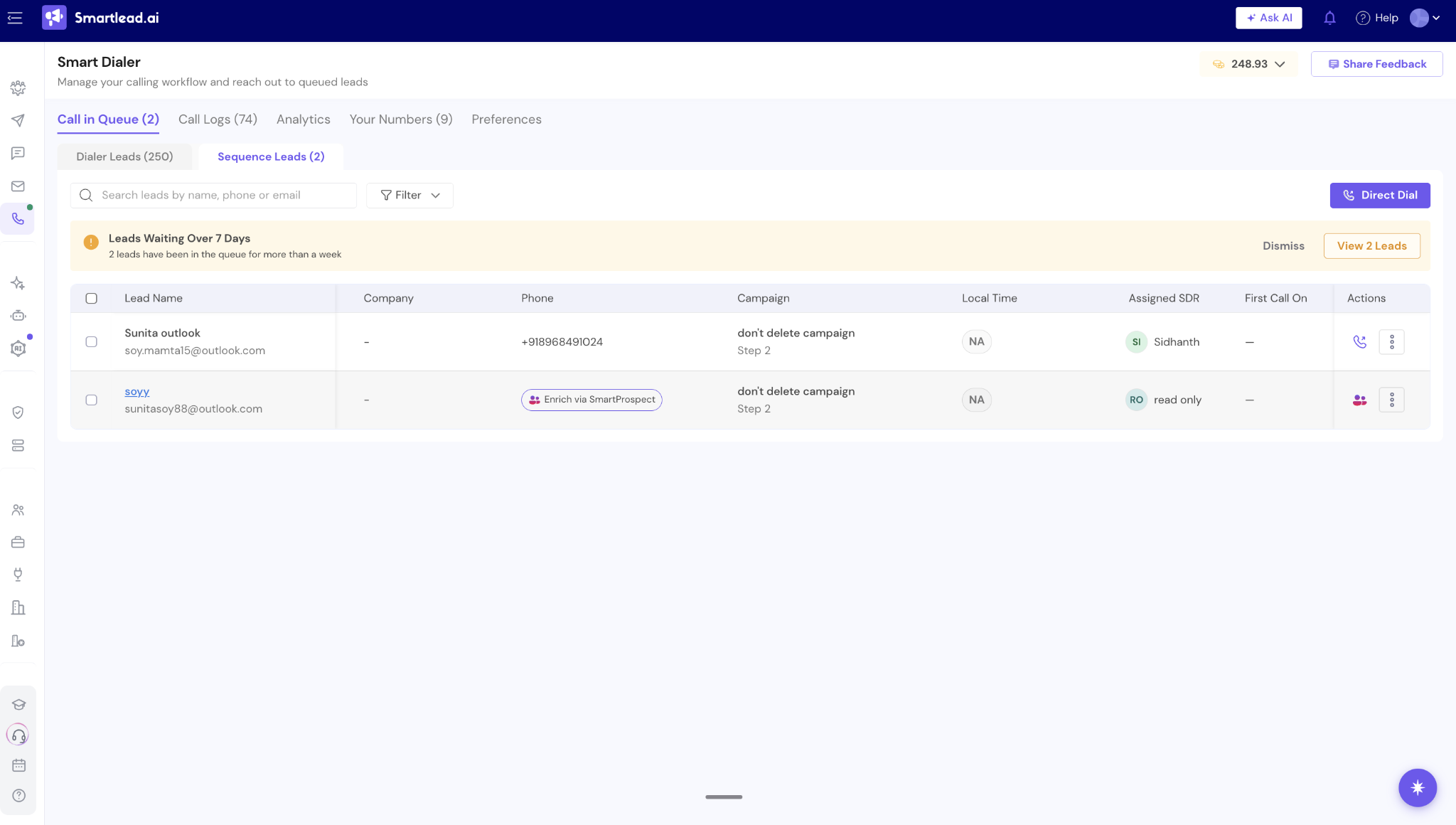
Move Sequence Leads into SmartDialer when you want to call them.
This image shows the Smart Dialer sequence leads
See previous emails and calls before speaking with the prospect.
Keep call transcripts, notes and outcomes with the same lead.
Let AI handle call notes and follow-up actions after each conversation.
Reply.io gives you a broader channel mix. It supports email, LinkedIn, calls, SMS and WhatsApp. Smartlead goes narrower. It combines high-volume cold email with a power dialer for the same leads.
Pros of Smartlead
Unlimited email accounts on every plan with no per-mailbox fee.
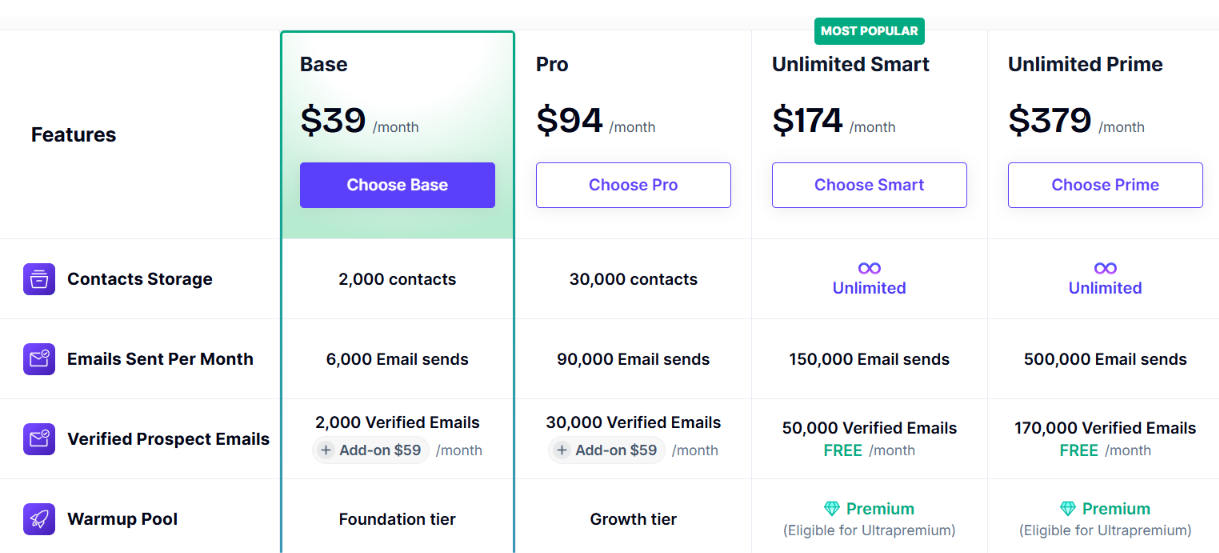
Unlimited Prime – $379/month, Unlimited contacts and 500,000 email sends.
Every plan includes unlimited email accounts. Annual billing saves 17%. Smartlead also offers a 14-day free trial with no credit card required. SmartDialer uses separate calling credits starting at $9/month.
6. Mailshake – Best for Simple Multichannel Outreach
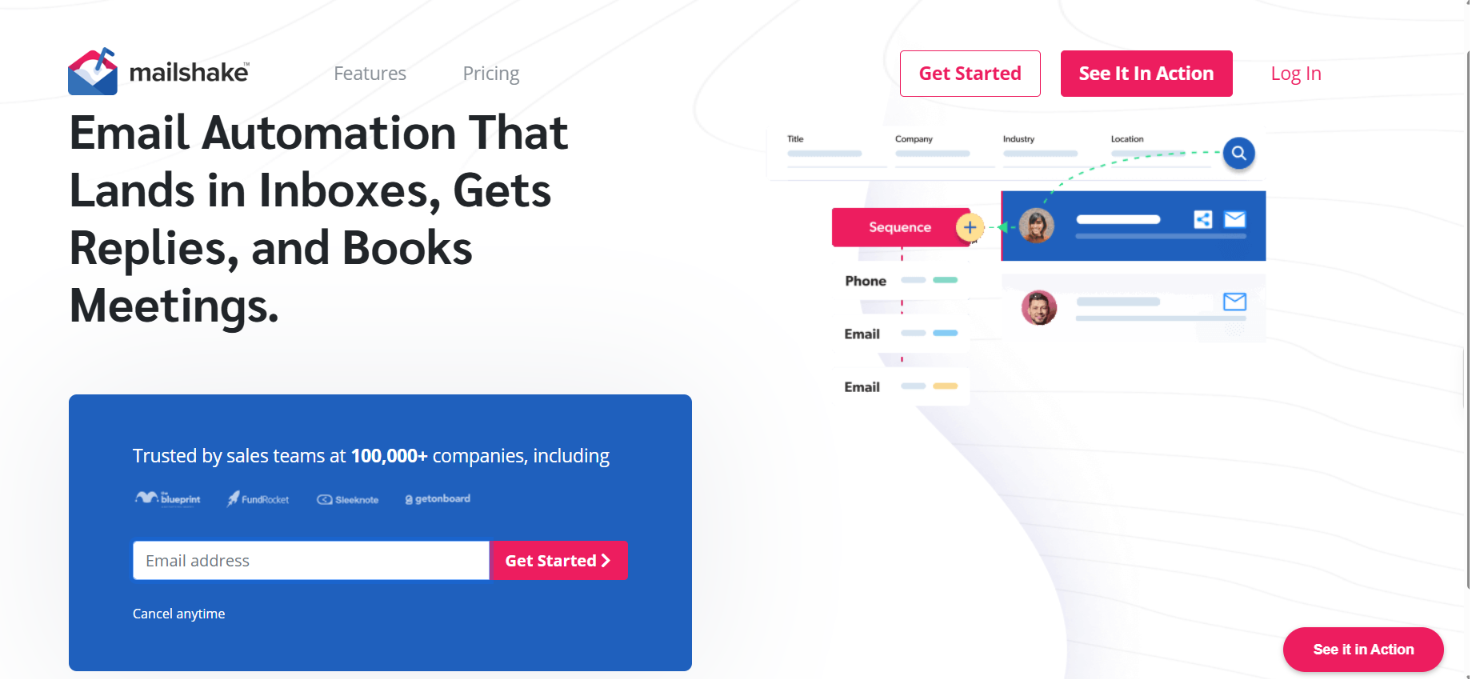
This image shows the Mailshake homepage
Mailshake is a sales outreach platform built around cold email. It also supports LinkedIn outreach and phone calls.
You can automate email sequences and follow-ups. LinkedIn automation covers messages and connection requests. It also supports profile views. Phone calls can be added through Mailshake's dialer.
For cold email, you get warm-up and email rotation. Mailshake also gives you a unified inbox for managing replies.
Why Choose Mailshake For Multichannel Outreach?
Mailshake makes sense if your reps mainly work across email, LinkedIn and phone and don't need SMS or WhatsApp. You don't have to pay for channels such as SMS or WhatsApp that you may not use.
Its Sales Engagement plan brings those three channels into the same campaign:
Run automated email sequences with unlimited sends.
This image shows the Personalized sequences on Mailshake
Automate LinkedIn messages, connection requests and profile views.
Add phone calls between email and LinkedIn steps.
Use a power dialer with 5 phone numbers.
Connect up to 10 email addresses.
See email, social and phone activity for each prospect.
The Sales Engagement plan costs $99/month or $85/month with yearly billing. Reply.io's Multichannel plan starts at $89/user/month billed annually. It includes email, LinkedIn and calls. You also get SMS and semi-automated WhatsApp.
So if your outreach stops at email + LinkedIn + phone, Mailshake gives you those channels for $85/month on annual billing. Reply.io costs slightly more but gives you SMS and WhatsApp too.
Pros of Mailshake
Strong multichannel coverage across email, LinkedIn and phone.
Useful email rotation for spreading sends across multiple accounts.
Strong LinkedIn automation for messages and connection requests.
Useful reply detection for stopping follow-ups after a response.
Good calling tools with a built-in power dialer.
Generous deliverability tools with unlimited warm-up and verification.
Cons of Mailshake
Limited channel coverage with no SMS or WhatsApp.
Browser-dependent LinkedIn automation through its Chrome extension.
Limited mailbox capacity with 10 addresses on Sales Engagement.
Restricted email rotation with no rotation on Starter.
Paid sending infrastructure with Ready to Use Mailboxes costing extra.
Mailshake Pricing
This image shows the Mailshake pricing
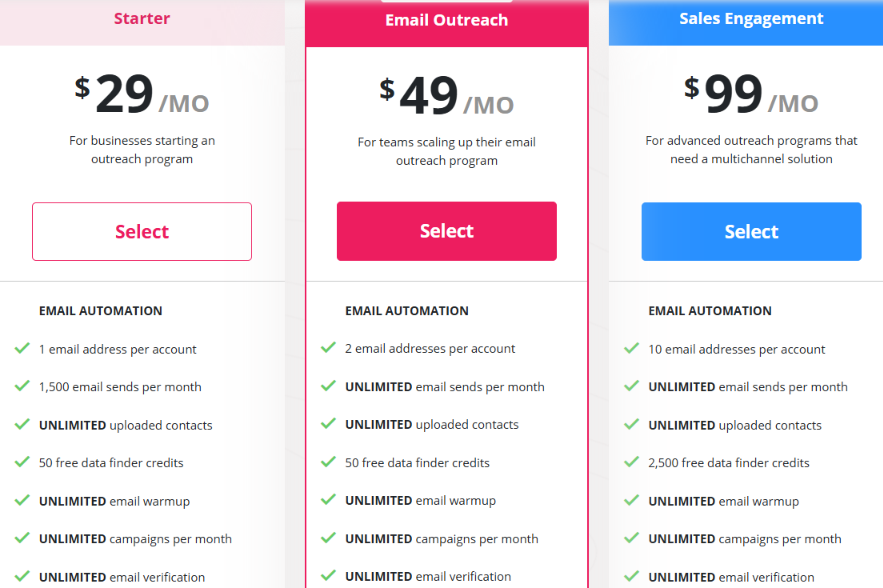
Starter – $29/month or $25/month billed yearly with 1,500 monthly email sends.
Email Outreach – $49/month or $45/month billed yearly with unlimited email sends and email rotation.
Sales Engagement – $99/month or $85/month billed yearly with LinkedIn automation and a power dialer.
Agency – Custom pricing with unlimited email addresses.
Mailshake does not offer a free trial.
7. Lemlist – Best for Personalized Multichannel Outreach
This image shows the Lemlist homepage
Lemlist is a multichannel sales outreach platform for email, LinkedIn, phone, SMS and WhatsApp. You can combine these channels in the same sequence. LinkedIn steps include profile visits, connection requests, messages, InMails and voice notes.
Lemlist also has native calling and a unified inbox. Its 650M+ lead database can be used to find prospects before adding them to campaigns.
Why Choose Lemlist For Multichannel Outreach?
This image shows the Lemlist multichannel sequence example
You can choose Lemlist if you want to make LinkedIn and WhatsApp more personal without turning them into manual follow-up work. Reply.io already covers email, LinkedIn, calls, SMS and WhatsApp. So channel count is not the reason to switch.
Lemlist gives you a few specific differences:
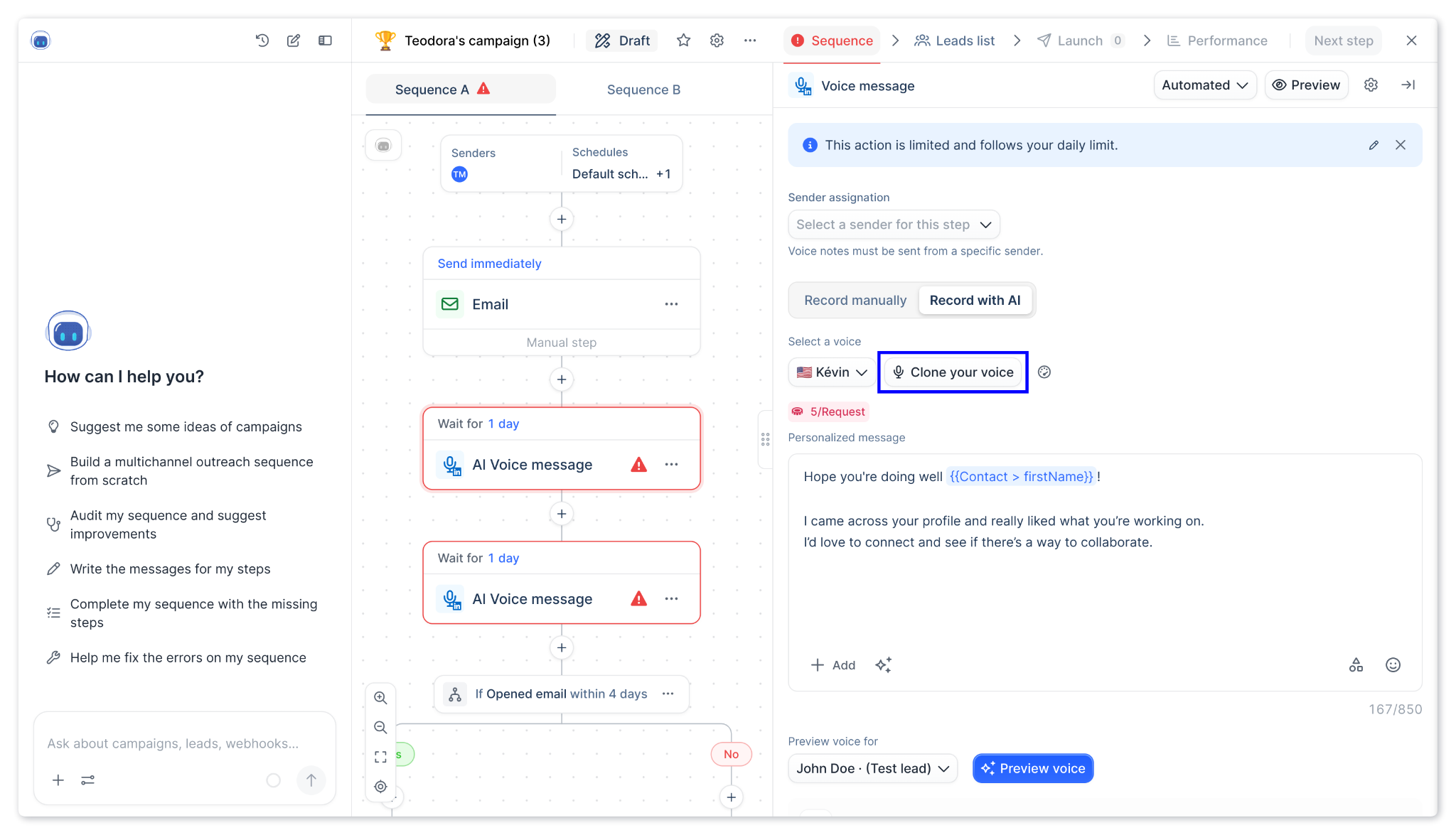
AI LinkedIn voice notes can clone your voice and personalize the script for each lead. Each message can use details such as the prospect's name or company.
This image shows the AI LinkedIn voice notes can clone your voice
WhatsApp can run as an automated sequence step. Reply.io lists WhatsApp as semi-automated on its Multichannel plan.
LinkedIn outreach can start before the message. Lemlist can automatically visit profiles and send invites before moving to messages, InMails or voice notes.
Conditional steps can change the next touch based on actions such as an email open, LinkedIn invite acceptance or call status.
There is a cost to that setup. WhatsApp is a $20/seat/month add-on, and AI LinkedIn voice notes use credits.
So I would pick Lemlist over Reply.io for highly personalized LinkedIn outreach with automated WhatsApp follow-ups. If you mainly need broad multichannel coverage, Reply.io already covers that.
Pros of Lemlist
Useful voice personalization with AI-generated LinkedIn voice notes in your own voice.
Good WhatsApp automation for adding WhatsApp follow-ups to sequences.
Flexible multichannel sequences across email, LinkedIn, calls, SMS and WhatsApp.
Useful conditional steps for changing outreach based on prospect activity.
Cons of Lemlist
LinkedIn automation is still subject to LinkedIn activity limits.
Calls still require rep involvement.
LinkedIn accounts can still face restrictions.
Complex conditional sequences take more setup.
AI voice messages consume credits.
Lemlist Pricing
This image shows the Lemlist pricing
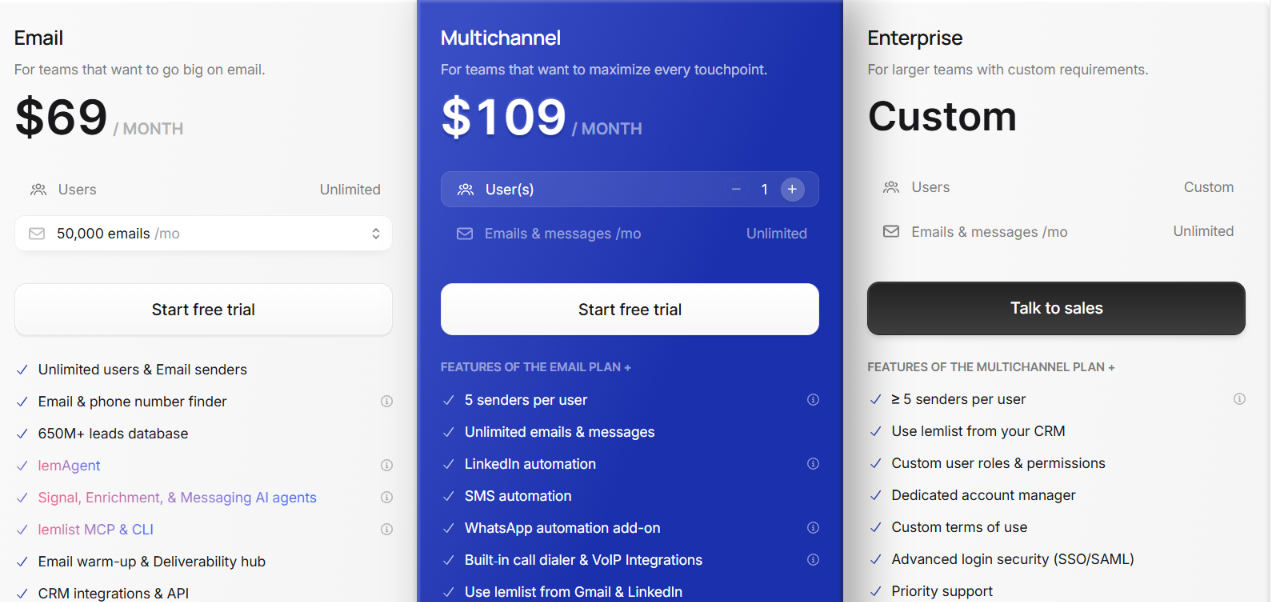
Lemlist currently has three main plans:
Email – $69/month or $55/month billed yearly, unlimited users and email senders with 50,000 emails per month.
Multichannel – $109/user/month or $87/user/month billed yearly, adds LinkedIn automation, SMS, calling and 5 senders per user.
Enterprise – Custom pricing, adds custom user controls, SSO/SAML, priority support and a dedicated account manager.
WhatsApp costs an additional $20/seat/month on Multichannel and Enterprise. Lemlist offers a 14-day free trial.
8. Woodpecker – Best for Cold Email Agencies
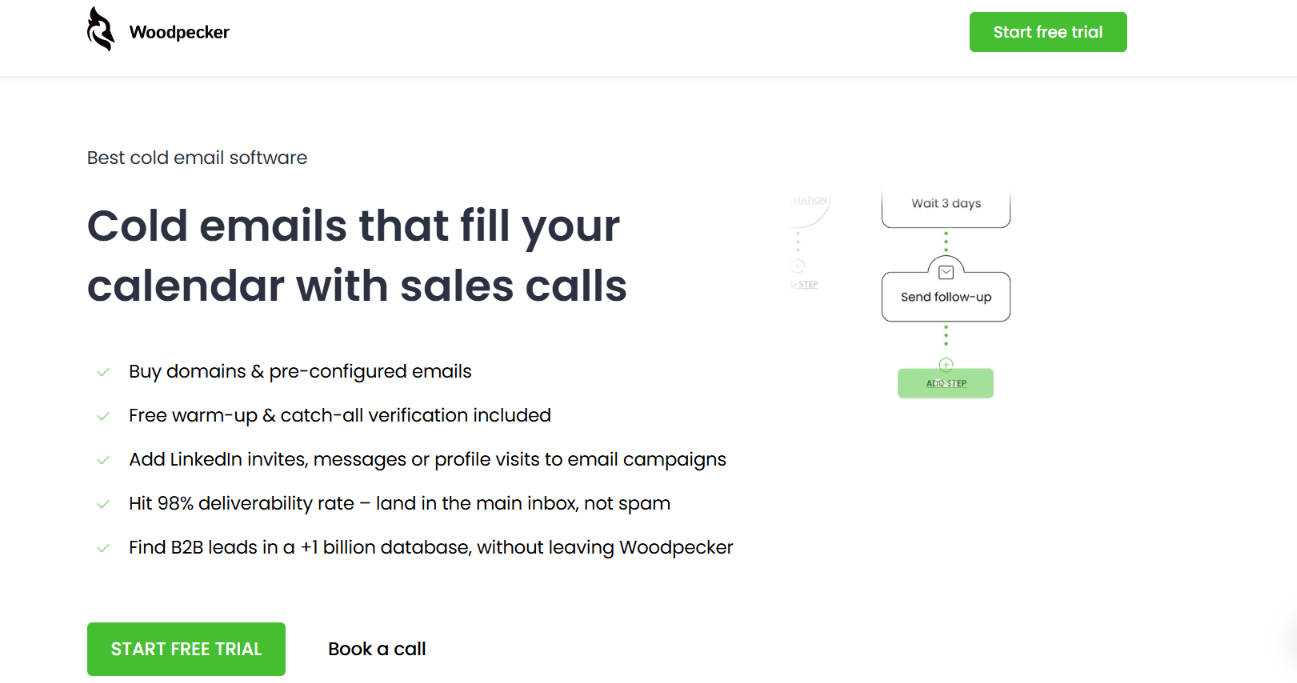
This image shows the Woodpecker homepage
Woodpecker is a cold email platform built for sending campaigns at scale. It also has tools for email verification and deliverability.
You can connect unlimited email accounts and rotate sending between them. LinkedIn steps can also be added to your campaigns. These include profile visits, connection requests, messages and InMails.
Why Choose Woodpecker For Multichannel Outreach?
You should choose Woodpecker if you run cold email campaigns for multiple clients. Its Agency Panel gives each client a separate prospect database. You can manage all client campaigns from one panel. Clients can also connect their own mailboxes without sharing passwords.
Woodpecker also gives you unlimited team members and unlimited email accounts.
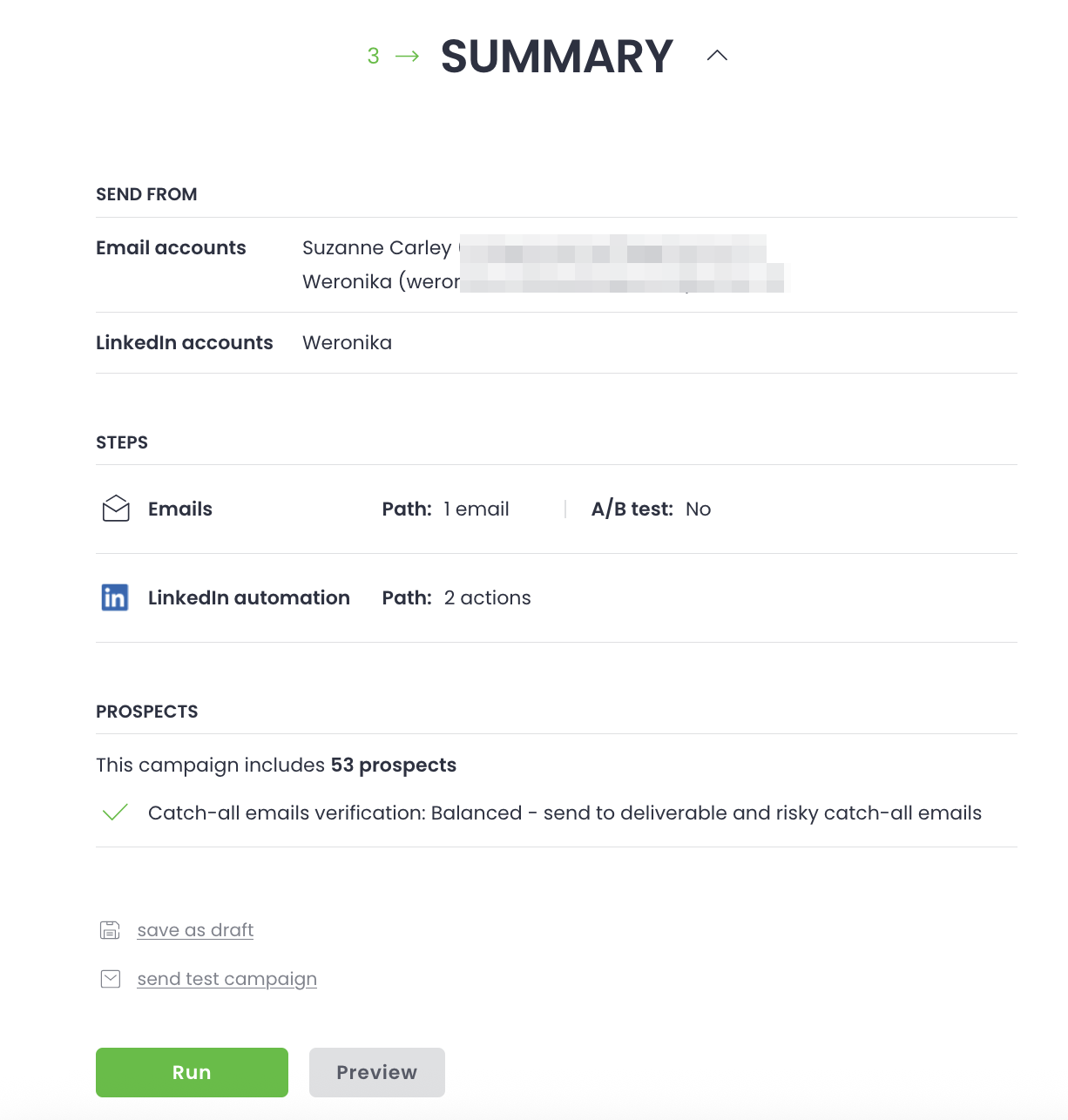
This image shows the Woodpecker campaign preview
Reply.io gives you more outreach channels. Its Multichannel plan includes email, LinkedIn, calls, SMS and semi-automated WhatsApp.
Woodpecker stays closer to cold email and LinkedIn. Calls and SMS can be added as manual tasks. For agencies that mainly sell cold email outreach, Woodpecker gives you better controls for managing client campaigns.
Pros of Woodpecker
Unlimited email accounts at no extra cost.
Free catch-all verification before sending.
Useful deliverability tools including Adaptive Sending.
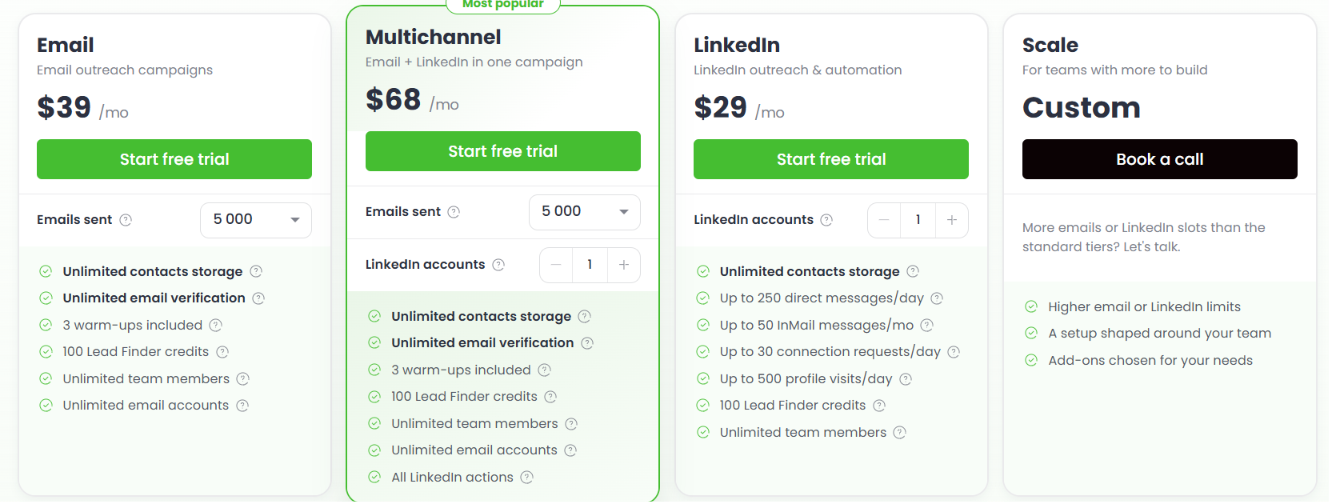
Multichannel – 68/month, 5,000 emails, 1 LinkedIn account, all LinkedIn actions and 3 warm-up slots.
LinkedIn – $29/month, 1 LinkedIn account with automated messages, connection requests, InMails and profile visits.
Scale – Custom pricing: Higher email limits, more LinkedIn accounts and custom add-ons.
Woodpecker also offers a free trial.
9. Snov.io – Best for Lead Generation and Outreach
This image shows the Snov homepage
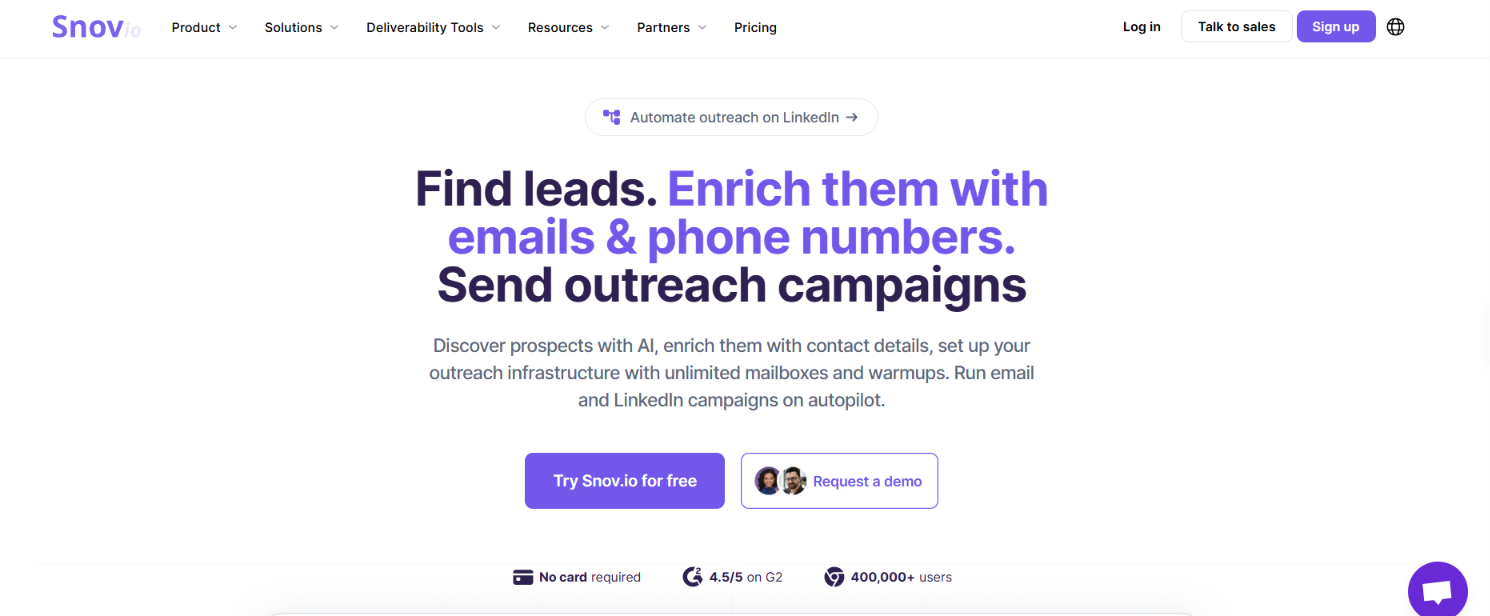
Snov.io combines email and LinkedIn outreach in one campaign builder. You can create sequences with automated emails and LinkedIn actions such as profile visits, connection requests and messages.
It also includes a B2B lead database and email finder. You can find prospects and verify their email addresses before adding them to campaigns.
Why Choose Snov.io for Multichannel Outreach?
Snov.io is useful if you want to find prospects and reach them through both email and LinkedIn.
You can build a sequence that moves between the two channels. For example, send an email first and follow up with a LinkedIn profile visit or connection request. You can also set different follow-ups based on email opens, link clicks or meeting bookings.
Snov.io gives you a few useful controls for these campaigns:
Automated LinkedIn actions include profile visits, connection requests, messages and InMails.
Mailbox rotation distributes campaign emails across connected sender accounts.
Conditional follow-ups change the next step based on prospect activity.
Time-zone scheduling lets you schedule email and LinkedIn actions around each prospect's local time.
Unibox brings email and LinkedIn conversations into one place.
Reply.io also supports email and LinkedIn automation. Its Multichannel plan adds calls, SMS and semi-automated WhatsApp. Snov.io focuses on email and LinkedIn. You also need to buy a separate LinkedIn account slot for each profile you connect.
Pros of Snov.io
Built-in lead database with email search and verification.
Automated LinkedIn outreach with connection requests and messages.
Conditional sequences based on prospect activity.
Unlimited email senders across paid plans.
Mailbox rotation across connected email accounts.
Unibox for managing email and LinkedIn replies.
Cons of Snov.io
No native call or SMS steps in multichannel campaigns.
LinkedIn automation requires a separate paid account slot.
Prospect search and email verification use monthly credits.
Starter includes only three email warm-up slots.
Snov.io Pricing
This image shows the Snov pricing
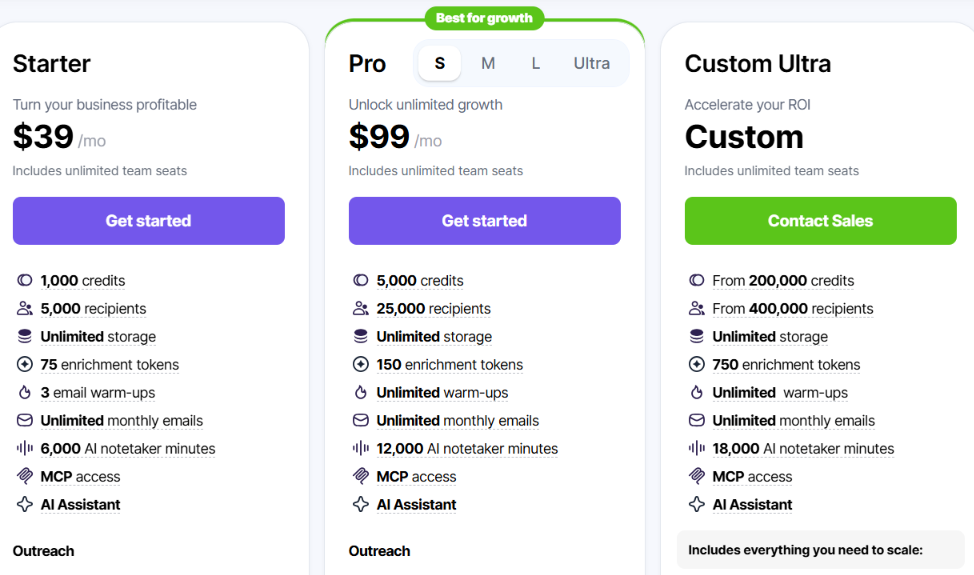
Starter – $39/month, 1,000 credits and 5,000 recipients.
Pro S – $99/month, 5,000 credits and 25,000 recipients.
Pro M – $189/month, 20,000 credits and 50,000 recipients.
Pro L – $369/month, 50,000 credits and 100,000 recipients.
Ultra – $738/month, 100,000 credits and 200,000 recipients.
LinkedIn Automation – $69/month per account slot.
Free plan– 50 credits, 100 recipients and one email warm-up slot.
Which Reply.io Alternative Should You Choose?
The best alternative depends on which part of Reply.io you want to replace. Use this table to match your outreach needs with the right tool.
If you need...
Choose
Unlimited email mailboxes and LinkedIn senders on Growth
Salesforge
Prospect search, contact enrichment and email sequences
Apollo.io
Enterprise sales cadences, call coaching and forecasting
Salesloft
CRM-triggered follow-ups and advanced calling tools
Klenty
High-volume cold email with mailbox rotation and warm-up
Smartlead
Email and LinkedIn campaigns with a built-in power dialer
Mailshake
Personalized LinkedIn outreach, voice notes and WhatsApp sequences
Lemlist
Cold email campaigns and client management for agencies
Woodpecker
Lead finding, email verification and email-to-LinkedIn sequences
Snov.io
Personalized Outbound Strategy
Get The Right Outbound Strategy In Minutes
Enter your email to get a custom plan & stack recommendation for your
business
It's being carefully crafted by AI
Please check your mailbox in 5 minutes
Conclusion
Reply.io covers email, LinkedIn, calls and SMS, but its sequence issues may push you to look for alternatives. The best replacement depends on the channels you use and the level of automation you need.
If your outreach mainly runs through email and LinkedIn, Salesforge is worth considering. You get unlimited email mailboxes on both paid plans, plus unlimited LinkedIn senders on Growth. You can also manage replies from both channels in Primebox.