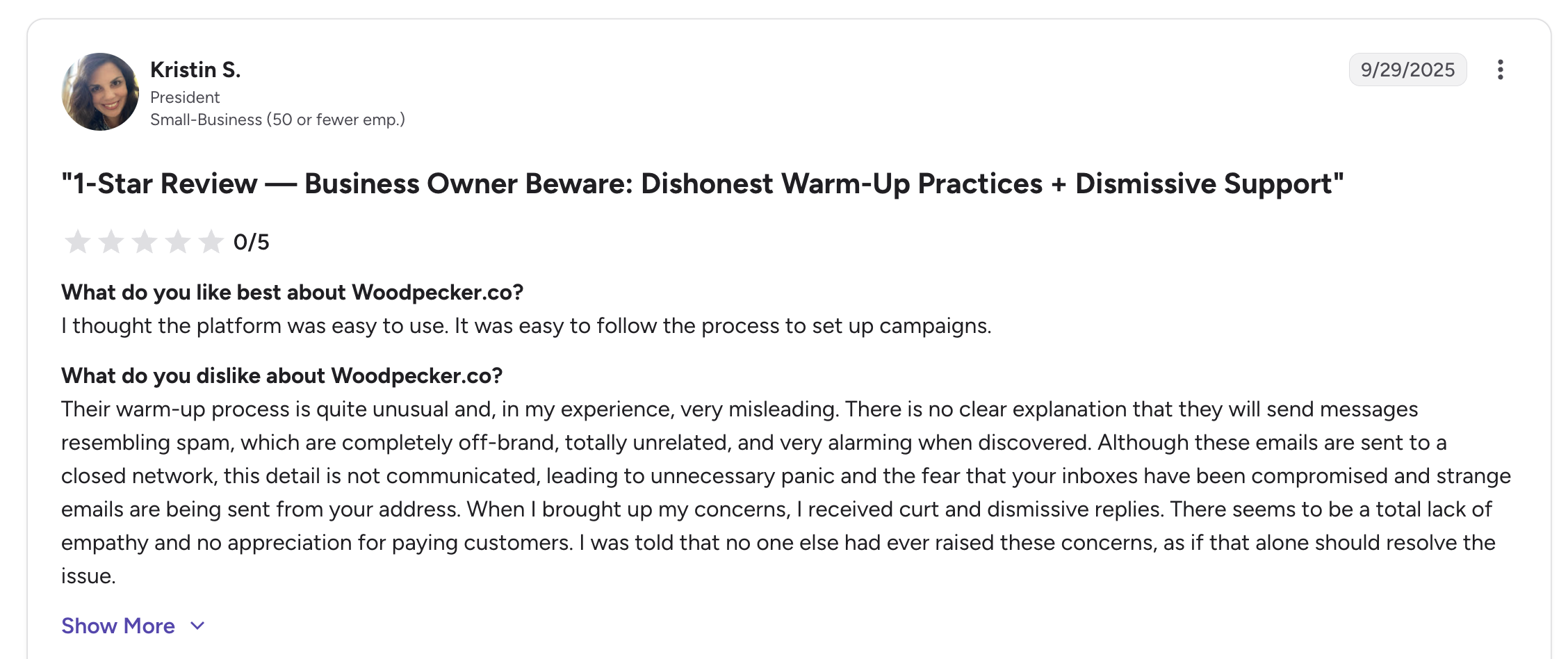
These issues make it harder to run outreach at scale, especially for teams or agencies that need flexibility and reliability. The same complaints turn up across G2, Capterra, and Trustpilot, so this is not just my take.
That is why I tested a few tools that not only solve these pain points but also bring better automation, deliverability, and pricing.
In this post, you will find the 7 best Woodpecker alternatives in 2026, tested, compared, and ranked on usability, scalability, and overall value.
Short on time? Three of the seven cover most cases.
Salesforge is the best overall multichannel outreach tool, because it prices on the plan instead of per prospect, so mailboxes, LinkedIn senders and users cost nothing extra as you scale. Plans start at $48 a month.
Instantly is the best pick for pure send volume, with flat pricing, unlimited mailboxes and free warm-up on a fast setup. It runs email only, and plans start at $47 a month.
Smartlead is the best pick for agencies, giving you a whitelabel client portal and unlimited mailboxes on every tier. Support is the weak spot, and plans start at $39 a month.
A Quick Comparison of 7 Top Woodpecker Alternatives
Let's get a quick glimpse of all the top alternatives to Woodpecker.co cold email software.
Top 7 Woodpecker.co Alternatives Explained in Detail
Let's understand each cold email tool in detail, with all its features, pros, cons, and pricing.
1. Salesforge
Best For: SDR teams and agencies that want to scale outreach without the bill going up.
If you want a Woodpecker alternative that lets you scale outreach without paying more, Salesforge is the best choice.
It is an AI-powered multichannel platform that runs cold email and LinkedIn from one sequence. You can connect as many mailboxes and senders as you want. The price stays on the plan, not on the people you contact.
What I liked most is that growth does not cost extra. You get advanced deliverability features, plus more mailboxes, senders, or users, within the same billing plan. That means you can send two to three times more without a hefty invoice.
More outreach at the same price means more replies and more booked meetings. Every reply lands in Primebox, even the ones from a different address.
And if you want it hands-off, you can hire Agent Frank, the AI SDR that runs the whole motion for you.
How Salesforge Compares to Woodpecker.co
Woodpecker's bill climbs with every extra prospect you contact, while the API is locked behind a $20 add-on and the agency panel costs $27 per client.
Salesforge prices on the plan, so the per-sender and per-seat cost stays at zero as you scale.
Predictable pricing: Growth is $80 a month on annual billing. It includes unlimited mailboxes, senders, and users, so adding more never raises the price.
Free warm-up: Salesforge builds Warmforge in-house and includes it at no extra cost, while Woodpecker resells its warm-up from an outside vendor.
One inbox: Primebox brings replies from email and LinkedIn into one place, while Woodpecker has no cross-channel inbox.
AI SDR: Agent Frank runs the full motion end-to-end, which Woodpecker has no answer to.
Key Features of Salesforge
Unlimited mailboxes, LinkedIn senders, users, workspaces, and warm-up, with no per-seat or per-mailbox charge
Cold email and LinkedIn in one conditional sequence with if/then conditions
Six native LinkedIn actions plus account safety through proxies and session tokens
Primebox brings every reply from every mailbox and LinkedIn account into one inbox
Premium free unlimited warm-up through Warmforge
Agent Frank, an AI SDR that runs the full motion in Auto-Pilot or Co-Pilot
AI personalization across 21+ languages, so localized campaigns run without a copywriter per region
MCP, CLI, and open API access, so you can drive the account from Claude, Cursor, or your own agents
What I Liked About Salesforge
The per-sender and per-seat cost is zero, so adding mailboxes, LinkedIn senders or teammates does not raise the bill.
Cold email and LinkedIn run in the same conditional sequence, so a LinkedIn step can fire based on what the email did.
Primebox saves the replies other tools lose, including the ones that come back from a different address.
Premium unlimited warm-up through Warmforge, so I can focus on my sender reputation within the same platform.
Agent Frank takes the whole SDR motion off my plate when I let him.
What Are the Cons of Salesforge?
You get only 14 days of free trial.
It offers unlimited LinkedIn sender from Growth plan.
Everything in Pro, 10,000 active contacts, 50,000 emails, unlimited LinkedIn senders, unlimited users, A/B testing, ESP matching, API
Salesforge Ratings and Reviews
G2: 4.6 out of 5
2. Lemlist
Best For: Founders and small teams that want to win replies with personalized emails.
Lemlist is one of the popular multichannel outreach software due to its personalization features. It is a cold outreach platform with a 650M+ built-in lead database behind it.
What stands out most is how it personalizes cold email campaigns.
You can drop a custom image, video, or landing page into each one. Nothing else on this list does it as well.
The trade is the cost of each plan and email deliverability. Images add weight to the email, and plain text tends to land better.
Additionally, LinkedIn outreach also costs extra, since it only comes on the pricier Multichannel plan.
How Lemlist Compares to Woodpecker.co
Lemlist gives you far better personalization than Woodpecker. But you pay for it through per-seat pricing and credits.
Advanced personalization: Custom images and landing pages beat Woodpecker's snippets and spintax by a wide margin.
Paid LinkedIn: It lives on the Multichannel plan at $87 per user per month, where Woodpecker bundles LinkedIn for free.
Credit costs: Data lookups bill in credits, and that count surprises people more than the seat price does.
Unlimited users: An improvement on the old per-seat model that brings it closer to Woodpecker.
Key Features of Lemlist
Custom image, video, and landing page personalization inside the email body
A 650M+ lead database with an email and phone number finder built in
Multichannel sequences across email, LinkedIn, SMS, WhatsApp, and calls
Lemwarm warm-up included on every plan
lemAgent and MCP access on every tier, not gated behind a higher plan
What I Liked About Lemlist
The personalization is genuinely a category of one, since nothing else drops a custom image or landing page into an email this cleanly.
The Email plan now includes unlimited users and senders, which is a clear improvement on the old per-seat model.
Lemwarm comes free on every plan, including the cheapest one.
The AI features are not gated, so lemAgent and MCP access come with every tier.
What Are the Cons of Lemlist?
Credits surprise people, since a verified email costs 5 credits, a phone number costs 20, and 1,000 credits cost $10.
CRM sync breaks fairly often, especially with HubSpot after platform updates.
LinkedIn, SMS and calling all live on the per-user Multichannel plan, so a five-person team pays five times over.
Lemlist Pricing
Plan
Price (annual)
Includes
Email
$55/month
Unlimited users and senders, 50,000 emails/month, 650M+ database, lemwarm
Multichannel
$87/user/month
Everything in Email, plus LinkedIn, SMS, WhatsApp, calling, 5 senders per user
Enterprise
Custom
SSO/SAML, dedicated account manager, custom roles
Lemlist Ratings and Reviews
G2: 4.6 out of 5, from 1,345 reviews
Capterra: 4.6 out of 5, from 387 reviews
3. Snov.io
Best For: Solo founders who want to find, verify, and send leads on one cheap plan.
Snov.io is an all-in-one sales engagement platform for finding, verifying, and sending.
What I liked most is the value. You get an email finder, a verifier, drip campaigns, warm-up, and a light CRM on one plan from $39.
For a first outbound motion, that is hard to beat. Follow-ups are free too, so you only pay once to reach someone.
The downside is the credit pool. Email finding and email verification both draw from the same credits, and they run out fast. Sales and outreach teams often upgrade in their first month.
How Snov.io Compares to Woodpecker.co
Snov.io adds a built-in finder and verifier for less money. The trade is two counters to watch instead of one.
Built-in finder: You find, verify and send from one $39 plan instead of paying for prospecting elsewhere.
Two counters: Both tools charge by the people you contact, and Snov.io adds a credit count on top for finding and verifying.
Paid LinkedIn: It runs $69 a month per slot, where Woodpecker bundles LinkedIn for free.
Free follow-ups: You pay once when you first contact a recipient, which keeps sequences cheap.
Key Features of Snov.io
Email finder and seven-step verifier drawing from a 500M+ contact database
Drip campaigns with conditional logic and unlimited follow-ups
Free email warm-up with an AI-written, rotating message pool
A built-in sales CRM for tracking deals through early stages
Unlimited sender accounts and unlimited team seats on paid plans
MCP access, so you can drive the account from Claude or ChatGPT
What I Liked About Snov.io
Five tools on one subscription at $39, which is hard to beat for a first outbound motion.
Follow-ups are free, so every follow-up after the first contact costs nothing.
Unlimited sender accounts on every plan, and unlimited team seats on paid ones.
The seven-step verifier is the strongest part of the platform and holds up against known-good lists.
What Are the Cons of Snov.io?
The credit pool is the top complaint across every review platform, since finding and verifying draw from the same bucket and it empties fast.
Email tracking is unreliable, so opens and clicks do not always register, especially with Gmail.
Data quality is inconsistent, and the verified rate lands below what Snov.io advertises.
LinkedIn automation is $69 a month per slot, and the automation itself is shallow compared to a dedicated tool.
Starter locks A/B testing and behavioral conditions behind the Pro plan, and caps warm-up at 3 mailboxes.
Snov.io Pricing
Plan
Price
Includes
Trial
Free
50 credits, 100 recipients, 1 warm-up slot
Starter
$39/month
1,000 credits, 5,000 recipients, 3 warm-ups, unlimited senders and follow-ups
Pro S
$99/month
5,000 credits, 25,000 recipients, unlimited warm-up, A/B testing, API
Best For: Sales teams that want a big lead database and outreach on one bill.
Apollo is the best choice when you want lead data with cold email sequences in one tool.
What stands out most is the data. You get 275M+ contacts and can find an email, then drop it into a sequence without leaving the tool. For a rep who prospects all day, that flow is smooth.
The downside is data accuracy for leads from outside the US. Many users have faced bounce rates higher than the verified label suggests. So plan a second verification pass before you send, especially outside the US.
Additionally, you get detailed analytics for your cold email campaigns, which lets you modify and update campaigns for better results.
How Apollo Compares to Woodpecker.co
Apollo gives you a far bigger contact database. But the data accuracy is weaker, and you pay per seat.
Bigger database: If data is your main limitation, this is the swap that solves it.
Credit costs: Credits expire at the end of the billing cycle whether you use them or not.
Weaker data: Woodpecker's whole reason for existing is deliverability, with free catch-all verification built in.
Per-seat pricing: A five-person team on Professional pays five times the headline price.
Key Features of Apollo
A 275M+ B2B contact database with 65+ search filters
Multi-step sequences with A/B testing and conditional logic
A built-in dialer, with a parallel dialer available as an add-on
Buying intent signals to flag accounts researching your category
A Chrome extension that reveals contact data anywhere on the web
Native CRM sync with HubSpot and Salesforce
What I Liked About Apollo
The find-to-send workflow is the smoothest here, with no exporting, no importing and no second tool.
The free plan is usable enough to test whether the data covers your market before you pay.
Unlimited email credits on paid tiers, subject to fair use.
Waterfall enrichment became the default in late 2025, and bounces dropped as a result.
What Are the Cons of Apollo?
Data accuracy is the biggest complaint by far, so expect to verify before you send, especially outside the US.
European, APAC and LATAM coverage is noticeably weaker than North American coverage.
Credits expire at the end of every billing cycle, so unused credits are gone.
Pricing is per seat, and the Organization plan enforces a three-seat minimum.
Apollo Pricing
Plan
Price (annual)
Includes
Free
$0
2 sequences, limited credits, Chrome extension
Basic
$49/user/month
Unlimited email credits, CRM integrations
Professional
$79/user/month
Unlimited sequences, A/B testing, dialer, AI lead scoring
Organization
$119/user/month
Everything above, plus SSO, custom reports. Minimum 3 users.
Apollo Ratings and Reviews
G2: 4.7 out of 5, from 9,600+ reviews
Trustpilot: 2.9 out of 5, from 1,049 reviews
5. Reply.io
Best For: Mid-market teams that want email, LinkedIn, SMS, and calls in one sequence.
Reply.io is the best choice for teams running email, LinkedIn, SMS, and calls in one sequence.
What stands out most is how advanced the cold email sequencing is.
You can add logic between every step, so each channel fires based on what the prospect did. The builder has years of refinement behind it, and it shows.
There are two limitations. The headline price is email only, so LinkedIn and calls cost extra on top.
Apart from that, the billing terms also surprise people, so read them before you sign anything annual.
How Reply.io Compares to Woodpecker.co
Reply.io runs more channels in one sequence. But it charges per seat, and LinkedIn and calls cost extra.
More channels: The SMS and calls that Woodpecker handles only as manual tasks live inside the sequence here.
Email only: LinkedIn and calls cost extra. True multichannel lands near $187 per user.
Per-user pricing: Woodpecker gives you unlimited team members for free, which changes the math for bigger teams.
Billing terms: Auto-renewal and a minimum contract term are the dominant complaint against the tool.
Key Features of Reply.io
Email, LinkedIn, SMS, WhatsApp, and calls in one conditional sequence
A built-in dialer with call recording, included rather than sold separately
A 1B+ contact database covering 150+ countries
Jason, an AI SDR that sources, personalizes, sequences, and books meetings
Email warm-up through Mailtoaster, plus SPF, DKIM, and DMARC checks
Native CRM sync with Salesforce, HubSpot, Pipedrive, and Close
What I Liked About Reply.io
Five channels in one conditional sequence, which nothing else on this list matches.
The sequence builder has twelve years of iteration behind it and it feels like it.
The dialer is included rather than sold as an add-on, unlike almost every rival.
Support is fast, with chat responses usually inside fifteen minutes.
What Are the Cons of Reply.io?
Billing is the dominant complaint, including auto-renewal surprises, a minimum contract term and no self-serve cancellation.
The headline price is email only, so LinkedIn is $69 per account and calls and SMS are another $29.
LinkedIn automation runs through a Chrome extension, and users report multiple accounts getting restricted on cookie refresh failures.
Reviewers report follow-ups occasionally skipping steps or sending twice.
The interface is dense, so expect one to two weeks before it feels comfortable.
Reply.io Pricing
Plan
Price (annual)
Includes
Free
$0
200 emails/month, 200 data credits, Chrome extension
Email Volume
From $49/month
1,000 active contacts, email sequences, unlimited warm-up, B2B database
Multichannel
$89/user/month
Sequence builder across channels, email only without add-ons
AI SDR (Jason)
From $500/month
Autonomous prospecting and qualification, unlimited users and mailboxes
Reply.io Ratings and Reviews
G2: 4.6 out of 5, from 1,501 reviews
6. Instantly
Best For: High-volume senders who want unlimited mailboxes on a flat plan.
Instantly is the best choice for high-volume senders who want unlimited mailboxes on a flat plan.
What stands out most is how easy it is to set up and run. It prices by volume, not by seat. So a twenty-person team pays what a five-person team pays. Warm-up is free and runs on its own network.
There are two downsides. There is no LinkedIn channel at all. And domains bought through its done-for-you service are hard to take with you, so buy your domains elsewhere.
How Instantly Compares to Woodpecker.co
Instantly is cheaper to scale because it prices by volume, not per prospect. But it drops LinkedIn entirely.
Volume pricing: A twenty-person team pays what a five-person team pays. Woodpecker's bill climbs with every extra prospect.
Free warm-up: Instantly runs its own network instead of reselling from a third party.
No LinkedIn: Woodpecker bundles LinkedIn steps, while Instantly stays email only.
Domain lock-in: Domains bought through Instantly's done-for-you service are hard to take with you when you leave.
Key Features of Instantly
Unlimited email accounts and unlimited team seats on every plan
Free unlimited warm-up running continuously on Instantly's own network
Unibox, a unified inbox that gathers replies from every connected mailbox
A/Z split testing with unlimited email variations
Inbox placement testing across Gmail, Outlook, and other providers
AI agents for reply sorting and first-response handling
What I Liked About Instantly
Volume pricing means a twenty-person team pays what a five-person team pays.
Warm-up is free, unlimited, and runs on Instantly's own network rather than a resold one.
Unibox gathers replies from every connected mailbox into a single view.
It is the fastest tool here to go from signup to a live campaign.
What Are the Cons of Instantly?
Domains bought through the done-for-you service are hard to take with you when you leave.
Warm-up scores can read healthy while campaigns still land in spam.
There is no LinkedIn channel, so it stays email only.
Active contacts are capped, and the Growth plan's 1,000 fills faster than you expect.
The lead database and CRM are separate subscriptions, so $47 is rarely what you end up paying.
Instantly Pricing
Plan
Price (annual)
Includes
Growth
$37.60/month
5,000 emails, 1,000 active contacts, unlimited accounts and warm-up
Hypergrowth
$77.60/month
100,000 emails, 25,000 active contacts
Light Speed
$286.30/month
500,000+ emails, 100,000+ contacts
Enterprise
Custom
Private deliverability network, dedicated manager
Instantly Ratings and Reviews
G2: 4.8 out of 5, from 3,400+ reviews
Trustpilot: 3.8 out of 5
7. Smartlead
Best For: Lead generation agencies that want to run cold email for many clients at scale.
Smartlead is the best choice for agencies looking for cold email automation across many client accounts.
What stands out most is the client setup.
You get unlimited mailboxes, automatic inbox rotation, a master inbox, and whitelabel client portals. The whitelabel is why agencies pick it over Instantly.
The downside is support. It is the complaint that comes up most, and its Trustpilot score reflects that.
Plus, bugs can hit live campaigns while tickets go unanswered. There is also no LinkedIn channel.
How Smartlead Compares to Woodpecker.co
This is the agency comparison. It comes down to Smartlead's branded client portals against Woodpecker's stronger support.
Whitelabel portals: Smartlead's client portal is $29 per client, where Woodpecker's $27 panel has no client-facing dashboard.
Unlimited mailboxes: Both tools give you these, so it is table stakes rather than a reason to switch on its own.
No LinkedIn: Woodpecker bundles it, while Smartlead stays email only.
Weaker support: Woodpecker's support is what its users praise most, while Smartlead's is what its users complain about most.
Key Features of Smartlead
Unlimited mailboxes and unlimited warm-up on every plan, including the $39 tier
Automatic inbox rotation spreading volume across every connected mailbox
A master inbox with AI reply categorization into Interested, Out of Office, and Not Now
Whitelabel client portals, which almost nothing else at this price offers
SmartDelivery, pre-send inbox placement testing across providers
API, webhooks, and 116+ MCP tools, from the Pro plan up
What I Liked About Smartlead
The whitelabel client portal is the reason agencies pick this over Instantly, and nothing else at $29 per client comes close.
Unlimited mailboxes hold on every tier, including the $39 one.
Inbox rotation is automatic, so volume spreads without you managing it.
The master inbox sorts replies into Interested, Out of Office and Not Now, which cuts triage time.
What Are the Cons of Smartlead?
Support is the weakest part of the product, with slow responses and issues that go unresolved for months.
Bugs hit live campaigns, including warm-up pausing, campaigns failing to send, and analytics not loading properly.
There is no LinkedIn channel, so it stays email only.
API and webhooks need the Pro plan at $94, since the Base plan will not do it.
Add-ons stack fast, with verified emails at $59/month, SmartServers at $39/month, and whitelabel at $29 per client.
Smartlead Pricing
Plan
Price
Includes
Base
$39/month
2,000 contacts, 6,000 emails, unlimited mailboxes and warm-up
Choose the Right Alternative to Woodpecker for Cold Outreach
Every tool here does something Woodpecker does not.
If you want a platform where growing your outreach does not grow your invoice, Salesforge is the one to start with.
You get unlimited mailboxes, unlimited LinkedIn senders, no seat charge, and no cap on the people you reach, so the cost tracks your plan instead of your ambition.
Every reply lands in Primebox, including the ones that come back from an address you never sent to. Agent Frank runs the whole SDR motion when you want him to, and Warmforge keeps the mailboxes healthy underneath.
Start a free 14-day trial and see what your outbound looks like without a counter running on every prospect you reach.
Woodpecker Alternatives, FAQs
1. Why Should You Consider Switching From Woodpecker in 2026?
The main reasons come down to cost and control, because Woodpecker's bill climbs with every extra prospect you contact, the API is locked behind a $20 add-on, and the agency panel charges $27 for each active client. Tools like Salesforge, Lemlist and Instantly drop those charges and let the price track your plan instead.
2. How Do You Choose the Right Woodpecker Alternative for Your Business?
Start from the thing that is a limitation for you, then look for what Woodpecker makes you pay extra for:
A pricing model that does not climb with every prospect you contact
Unlimited mailboxes and senders at no per-seat charge
Email and LinkedIn inside one sequence rather than two disconnected tools
Warm-up the vendor owns rather than resells from a third party
One inbox for replies across every mailbox and channel
Salesforge covers all of these on a single plan, which is why it ranks at the top of this list.
3. How Did I Select These Woodpecker Alternatives?
I tested each tool the way I actually run outbound, so I connected mailboxes, built sequences, sent real campaigns, and watched where replies and deliverability landed. I then ranked them on pricing model, sender scale, channel coverage, warm-up quality and reply management, which are the areas Woodpecker users tend to outgrow first.
4. Which Is the Best Woodpecker Alternative for Scaling Cold Email Outreach?
Salesforge is the strongest choice for scaling, because it supports unlimited mailboxes, unlimited LinkedIn senders and free warm-up without charging per prospect. Primebox brings every reply into one inbox, so nothing gets lost as your sending fleet grows.
5. Which Woodpecker Alternative Offers the Best Balance Between Cost and Scalability?
Salesforge gives you the most for the money, starting at $48 a month with unlimited mailboxes, unlimited warm-up and Primebox included. Because the price tracks the plan and not the people you reach, the cost stays predictable as your team and volume grow.
6. Why Does Deliverability Matter More Than the Tool?
Because the sequencer only decides when an email sends, not whether it lands, so the tool is rarely the reason cold email hits spam. Placement comes from your sender reputation, DNS records, warm-up and list quality, none of which change when you swap sequencers, so warm your mailboxes for 14 days and check SPF, DKIM and DMARC before you send.
7. Is It Easy to Migrate Your Existing Woodpecker Campaigns to Another Tool?
Yes, since most tools import Woodpecker contacts and sequences without much friction. The part people underestimate is the infrastructure, because your sender reputation lives on the mailbox rather than the tool, so budget time to move or replace any domains you bought inside Woodpecker.