
Every outreach tool added an AI SDR this year, and almost none of them mean the same thing by it.
For one vendor, it means the agent builds your list, writes to each person, chases the follow-up, and books the meeting. For another, it means there is an AI button inside the sequence builder you already had.
Both get sold as an AI SDR, and both get priced like one.
That is the part worth slowing down on, because a real SDR does seven things. They source the list, research each account, write the message, send it, follow up, handle the reply, and get a meeting on your calendar.
Drop any one of those and the work does not disappear. It lands back on you or on the rep you were trying to free up.
So this list only includes tools that run the full cycle. Six of them made the cut, and I reviewed each one on what it covers, what it leaves to you, what it costs and who it suits.
Let's get into it.
Before any comparison makes sense, the job itself needs a definition, because the category has stretched the term badly.
A sales development rep owns the top of the funnel from end to end. They build a list that matches your ideal customer, research each account well enough to say something relevant, write and send the message, follow up when nobody answers, handle the reply when somebody does, and hand you a meeting.
An AI SDR is a tool that owns those same seven steps without a person driving each one. That is the whole test.
It is a different product from AI email agents, which write and send on your behalf but expect you to bring the list and work the replies. Both are useful, and they solve different problems at different prices.
The distinction matters most when you compare costs. A tool that handles four of the seven steps is not cheaper than one that handles all seven. It just moves the other three back onto your team, where they still cost time and salary.
So that is the standard I held each tool to.
I worked only from what each vendor publishes on its own site, which means no third-party pricing estimates and no figures pulled from review aggregators. Where a company does not publish something, I have said so rather than filled the gap.
Five things decided the order.
This was the entry requirement rather than a scoring axis. A tool that writes email but cannot source a list is a writing assistant, and it did not make the list at all.
One tool here covers five of the seven by design rather than by limitation, and I have ranked it on that basis and explained the reasoning in its section.
Sourcing is step one, so a tool without data behind it is asking you to buy a database separately.
That is a real line item. Teams comparing ZoomInfo alternatives know the range runs from a few hundred to several thousand a month, which can quietly double the cost of an AI SDR that looked affordable.
Steps three and four need somewhere to send from, and a new domain that has not been warmed will land in spam no matter how good the copy is.
Some tools here provision the mailboxes, warm them and rotate the sending for you. Others ask you to connect your own, which means you are also buying domains, running warmup and watching placement with your own inbox placement tools.
Full autonomy suits teams who want volume and are comfortable with the agent sending unreviewed. Approval mode suits teams with a brand to protect or a regulated market to sell into.
The tools that offer both let you start cautiously and open up later, and I weighted that flexibility heavily.
This one surprised me. Half the tools on this list will not show you a number without a sales call, which makes a self-serve comparison impossible for anyone shortlisting on budget.
I have treated published pricing as a feature, because for a buyer it behaves like one.
Here is how the six landed against those criteria, starting with the one that covers the most of the cycle for the least amount of separate buying.
Agent Frank is the best AI SDR tool in 2026 because he covers all seven steps of the cycle and because the data, the mailboxes and the warmup all come inside the plan rather than as separate purchases.
That second point is what separates him from most of this list. You set your ideal customer profile by job title, location and industry, and he keeps finding new contacts against it rather than waiting for you to upload a list.
He then writes from a knowledge base you build yourself, where you upload your brochures, documentation and website links so his emails describe your product accurately.
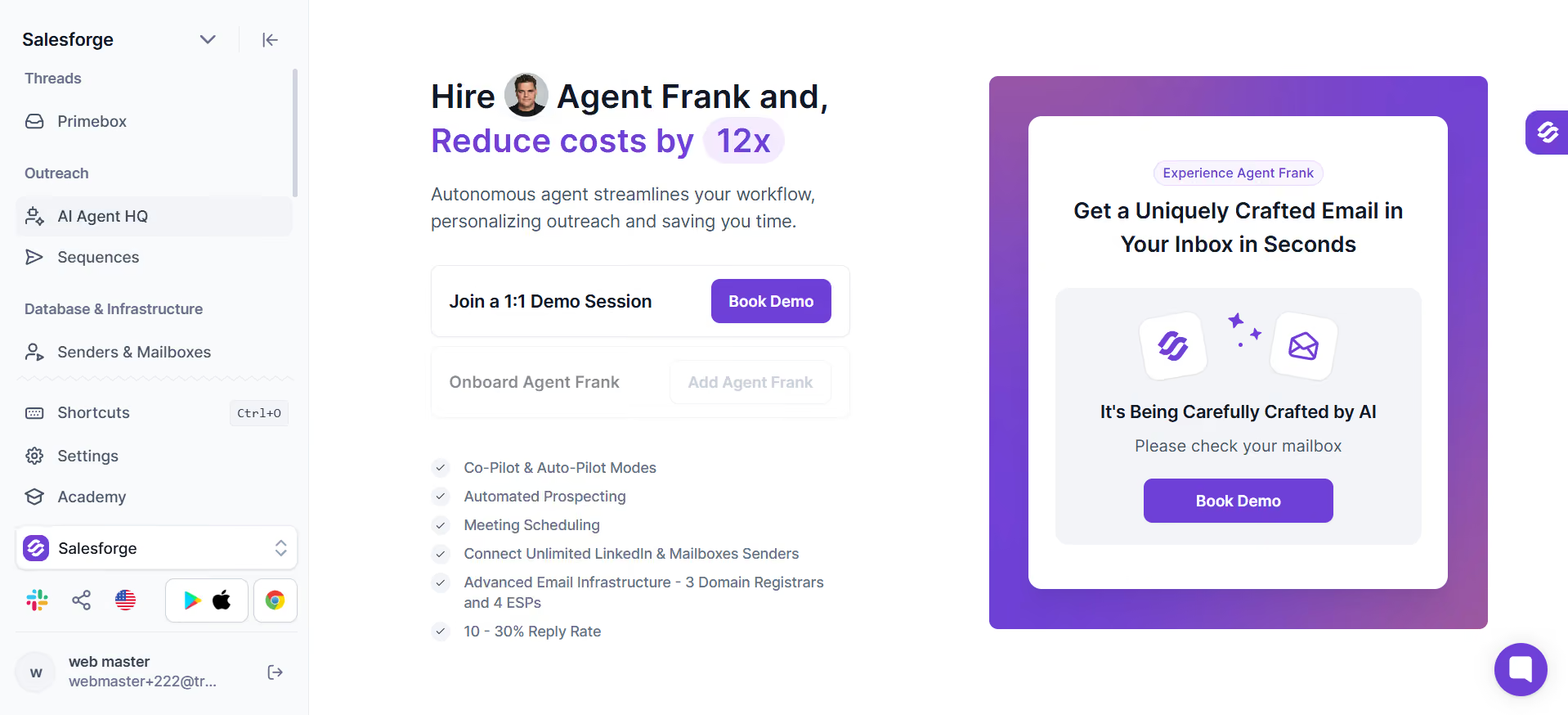
You also choose how much rope to give him. On Auto-Pilot he prospects, writes, sends, follows up and answers replies without asking. On Co-Pilot he drafts everything and waits for you to approve each message before it goes out.
Infrastructure is where the stack behind him shows. Warmup runs automatically through Warmforge at no extra cost, with a two-week warmup before he starts sending, and you can bring your own mailboxes or use the Megaforge setup built for him.
He is positioned as an addition to your team rather than a replacement for it, which matches how the better teams I have seen actually deploy this category. He takes prospecting and meeting booking, and your reps keep the conversations that need a human.
Salesforge holds a 4.6 rating on G2, and Agent Frank comes with a dedicated account manager and a shared Slack channel for setup and ongoing tuning.
The second AI SDR on my list is Artisan.
Artisan confirms through its support centre that you connect your own mailbox, which means you are supplying the domains, and the warm-up only runs on the account you plug in.
For a team that already has infrastructure sitting there, that is a saving. For a team starting from nothing, it is a project before day one.
What earns Artisan its place is that Ava genuinely runs the rest of the cycle. She finds and qualifies leads from a built-in B2B database, researches each prospect before writing, sends across email and LinkedIn, and manages the conversation through to scheduling without waiting for approval.
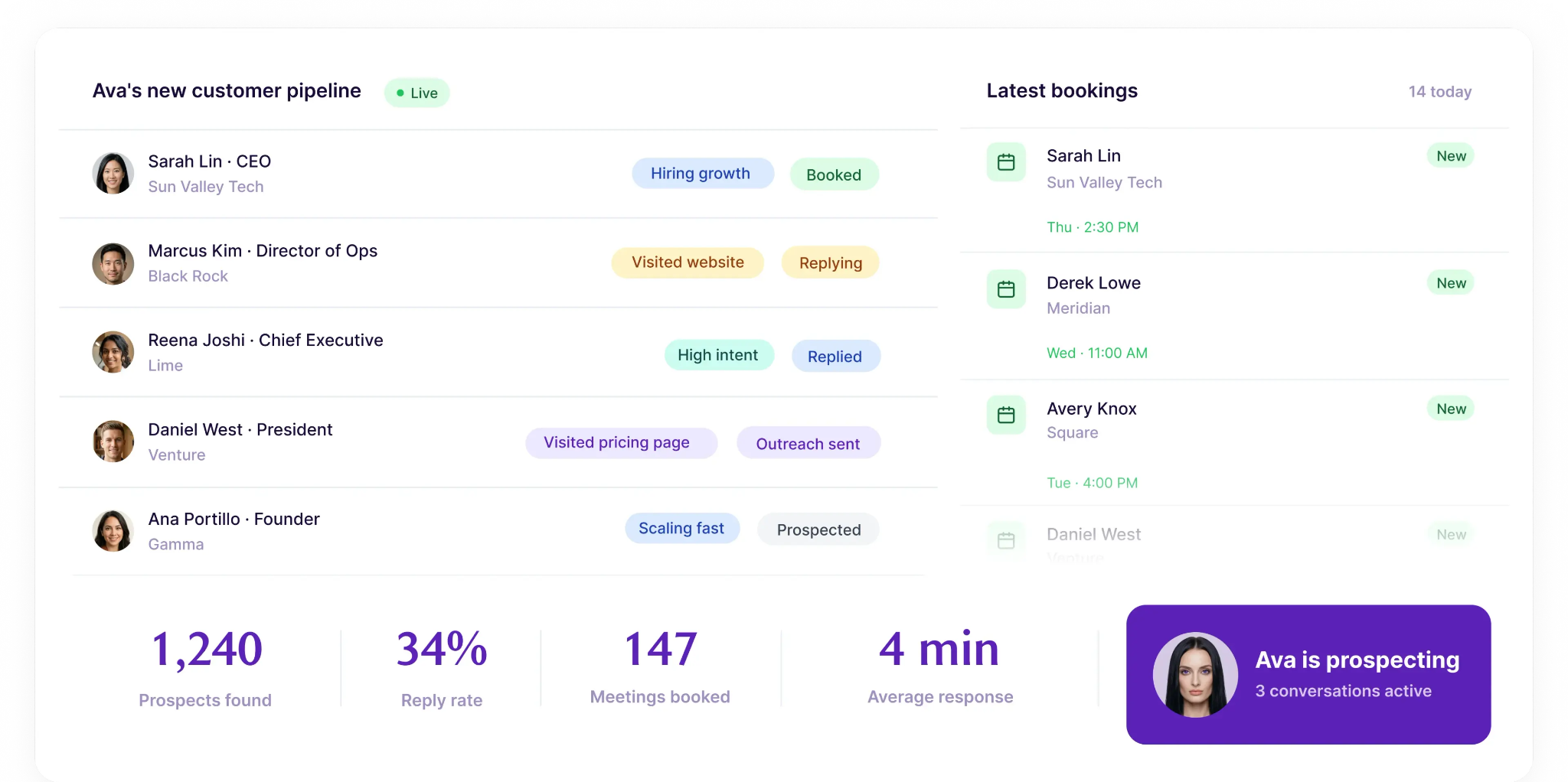
She works autonomously only, so there is no mode where you review her drafts first. That suits teams who want volume and have no compliance reason to check every send.
The database behind her is real but undocumented. Artisan does not publish how many contacts sit inside it, which makes it hard to judge coverage for a narrow vertical before you are already a customer.
Here is the detail that tells you most about how 11x sells. Its pricing page returns an error, and there is not a single number anywhere else on the site.
That is worth sitting with, because on capability 11x is one of the stronger options here. Alice handles outbound across email, LinkedIn and a built-in dialer, draws on a database of over 400 million contacts, and manages conversations through to a booked meeting.
The infrastructure story is the most explicit of any tool I looked at. 11x states plainly that mailboxes cycle automatically to protect deliverability and that warmup runs without you configuring anything, which removes the single biggest setup burden in cold email.
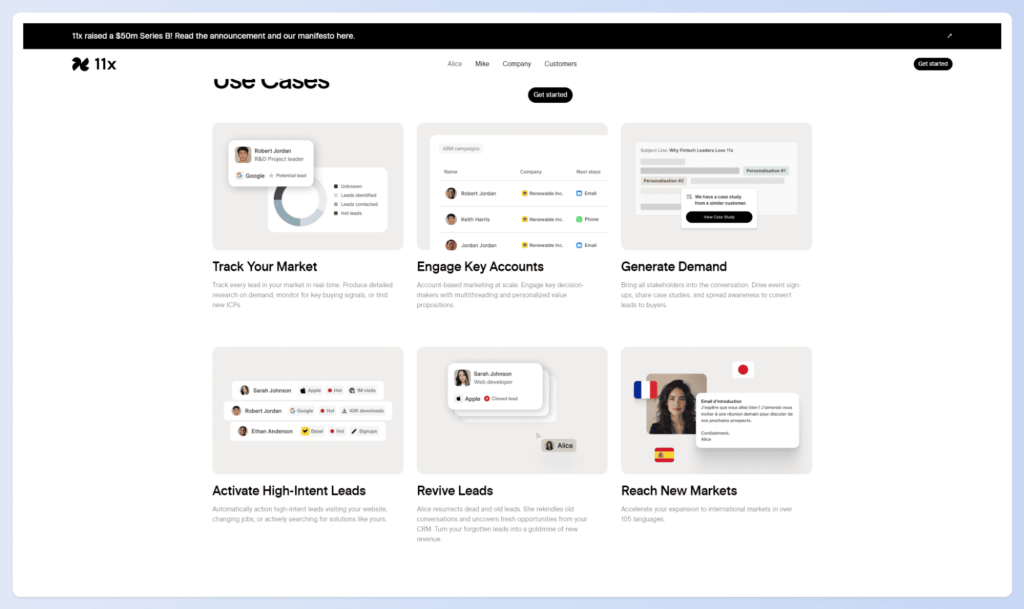
The split between Alice and Julian is the structural difference. Alice runs outbound while Julian covers inbound across voice, chat, SMS, email and WhatsApp, so a team covering both motions buys two agents rather than stretching one.
Whether they are sold together, and at what commitment, is not something you can find out without a call.
Treat any 11x pricing you find on a third-party site as unverified and confirm it directly.
Compared with every other tool here, AiSDR prices on a completely different basis, and that is exactly why it is worth a look.
Rather than a monthly seat or a tier, AiSDR charges $1.50 per person reached, counting anyone who receives at least a first-step email. Nobody else on this list lets you start without committing to a monthly floor.
For a team testing the category, that structure removes most of the risk. You can run 200 contacts, see the reply rate, and decide whether to scale without having signed anything.
On capability it covers the full cycle. Contact credits come inside each plan, personalisation draws on prospect data and company signals rather than templates, and the agent handles replies and re-engagement for prospects who go quiet.
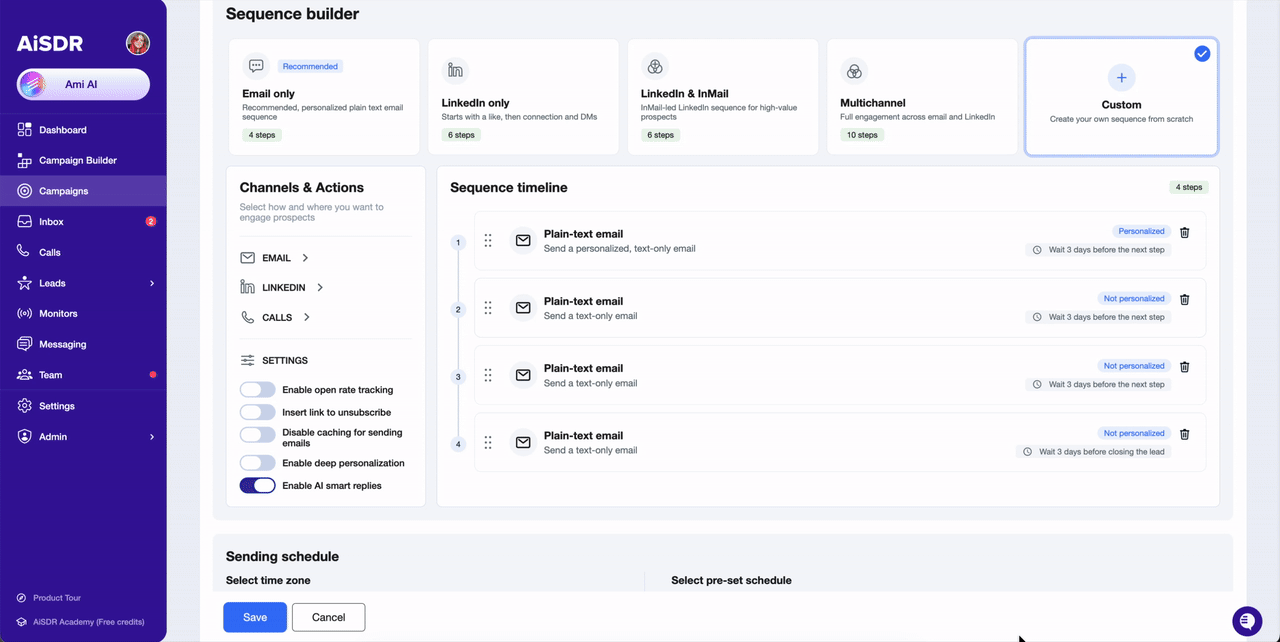
You also get both modes here, running sequences autonomously or holding drafts for approval, which puts it alongside Agent Frank and Jason AI on flexibility.
The gap is infrastructure. Warmup is referenced as included, but whether mailboxes and domains are provisioned or expected from you is not clearly stated on the pricing page.
Regie.ai is the one tool here that deliberately stops short of autonomy, and I think that is a feature rather than a shortfall.
It covers five of the seven steps. It sources and enriches, researches, drafts and sends, and it handles follow up sequencing. What it will not do is answer replies for you, because replies land in your rep's own inbox and your rep writes back.
The architecture behind that choice is the interesting part. Regie.ai sends through your connected Gmail or Outlook account rather than a domain it rents you, so your sending reputation stays yours and your conversations stay where you already read them.
For teams who have watched a vendor domain get burned, that is a meaningful difference from everything else on this list.
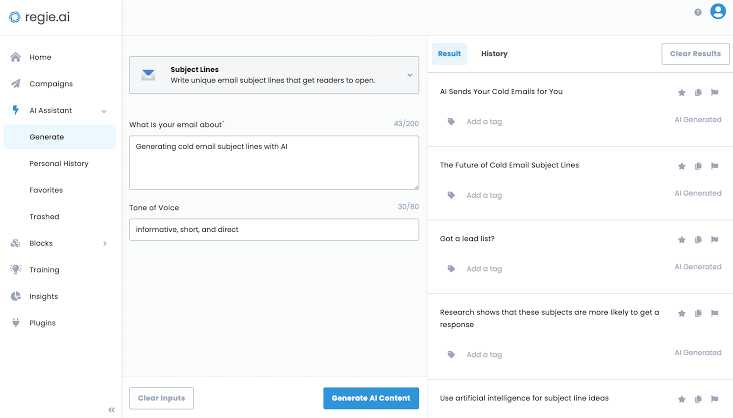
Enrichment works as a waterfall across several providers rather than one database, and a credit is only spent when a provider actually returns data, so misses cost you nothing.
Drafting pulls from more sources than most. It can draw on call transcripts from Gong or Attention and approved content from Seismic, which gives it context that a pure prospect-research agent does not have.
A free CRM comes with every plan, so this does not sit on top of existing email sequence software the way some assistants do.
The problem Jason AI solves best is the one that appears when a team outgrows a starter plan and still cannot get a straight answer on what scale costs.
Reply.io publishes two of its three AI SDR tiers with contact caps attached, which is more transparency at the top end than anyone else here manages. You can see that 5,000 active contacts a month costs $1,500 before you talk to a salesperson.
Jason runs the full cycle across email, LinkedIn and phone, with LinkedIn covering connection requests, messages, follow ups and AI-generated voice messages. That channel depth is the widest on this list.
Infrastructure is included at every tier, with unlimited mailboxes and warmups and managed deliverability, so there is no separate infrastructure purchase at any price point.
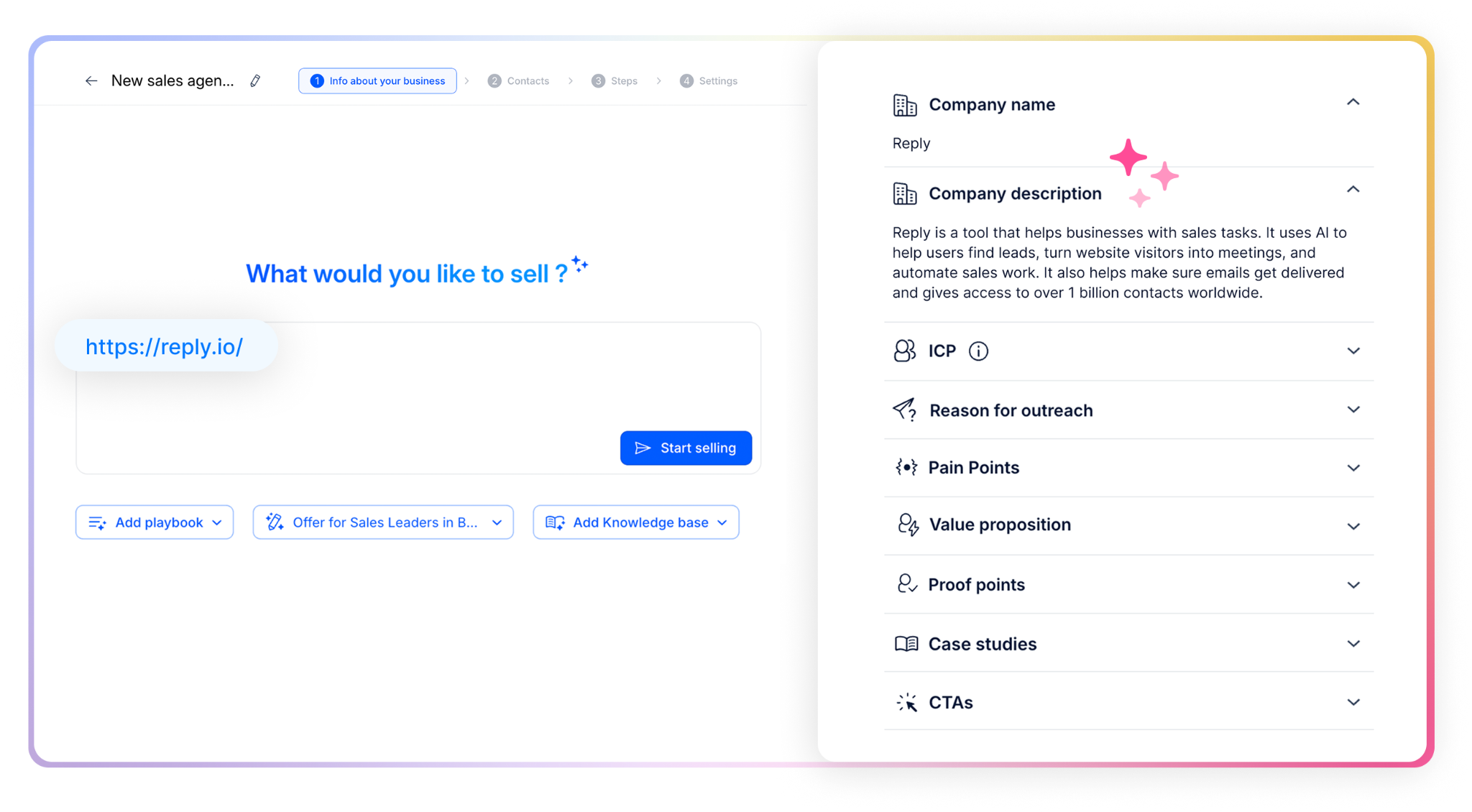
Two details stood out while reading the feature pages. Jason gives you direct links to the sources behind each message, so you can check what he based a claim on, and you choose which underlying model he runs on from Claude, Gemini, Mistral or OpenAI.
Both modes are available, sending automatically or holding drafts for your approval, and he writes in over 50 languages.
The catch is the floor. At $500 a month for 1,000 active contacts, the entry price is the highest here, and there is no free trial on the AI SDR side.
Agent Frank is my pick, because he is the only tool here that runs all seven SDR steps while including the data, the mailboxes and the warmup at a published price.
Jason AI is the stronger choice if you need phone and LinkedIn voice in the same sequence and can absorb a $500 floor. Regie.ai wins outright if you want your reps answering every reply from their own inbox.
If you want to see how he handles your ideal customer profile, hire Agent Frank and start with a demo against your own list.
Agent Frank is the best AI SDR tool in 2026 because he covers all seven steps of the sales development cycle and includes contact sourcing, mailboxes and warmup inside the plan. He starts at $499 a month on annual billing and offers both Auto-Pilot and Co-Pilot modes.
Published pricing ranges from $41 a month for Regie.ai Pro to $1,500 a month for Jason AI Growth. Agent Frank sits at $499 a month on annual billing, and AiSDR charges $1.50 per person reached with no monthly commitment. Artisan and 11x do not publish pricing at all.
Some do and some do not, and the difference changes your real cost. Agent Frank, 11x Alice and Jason AI include mailboxes and warmup. Artisan Ava and Regie.ai require you to connect your own mailbox, which means buying domains and running warmup separately.
An AI SDR handles prospecting, outreach, follow up and meeting booking at a volume a human cannot match. The better framing is augmentation, because conversations that need judgement, nuance or negotiation still belong with your reps. Most teams use an AI SDR to scale without adding headcount rather than to cut it.
Regie.ai publishes all four tiers, AiSDR publishes its per-contact rate, Jason AI publishes two of three tiers, and Agent Frank publishes both annual and quarterly rates. Artisan redirects its pricing page to the homepage, and the 11x pricing page returns an error.
Agent Frank, Artisan Ava, 11x Alice, AiSDR and Jason AI all include contact data. 11x lists over 400 million contacts and Jason AI lists over a billion. Regie.ai runs enrichment across several providers instead, charging a credit only when data is returned.
