What’s the point of a good email sequence if your emails never reach the inbox?
I’ve tested a lot of email sequence software, and the problems usually show up when you start sending at scale.
A campaign that feels easy to manage at 50 cold emails a week can become much harder at 500 or 5,000.
At higher volumes, these are the things I look at:
How many mailboxes can you connect, and how does the platform handle deliverability?
Can you add LinkedIn steps to the same sequence?
Can you personalize emails at scale?
Can you manage replies without jumping between different tools?
What can the AI features actually handle?
I tested the leading platforms with these things in mind.
This guide covers the 5 best email sequence software for cold outreach in 2026, what each one offers, where it has limitations, and who it is best for.
TL;DR: 5 Best Email Sequence Software for Cold Outreach at Scale (2026)
Salesforge: Best email sequence software for GTM teams and agencies that want AI-powered sequences, LinkedIn outreach, and advanced personalization in one platform.
Instantly: Top email sequencing tool for founders and lead gen agencies that want raw sending volume, with unlimited email accounts and warmup on every plan.
Lemlist: Ideal email sequence software for small sales teams and SDRs that want image and video personalization plus LinkedIn steps.
Smartlead: Go-to email sequence tool for agencies running client campaigns across multiple mailboxes at high volume.
Woodpecker: Beginner-friendly email sequence software for solo founders and small sales teams that want a simple setup.
How I Evaluated These Email Sequence Software
I looked at the features that matter most for cold outreach. I also considered how each platform handles larger campaigns.
Sequence Automation – Can you create multi-step sequences and automate follow-ups?
Deliverability – Does the platform include warmup, bounce protection, and mailbox health checks?
Multi-Mailbox Management – How many mailboxes can you connect and manage?
Personalization – Can you personalize emails for each prospect at scale?
Multichannel Outreach – Can you add LinkedIn and other channels to your sequences?
Reply Management – Does the platform track replies and stop sequences automatically?
Analytics – Can you track replies, bounces, meetings, and campaign results?
Integrations – Can you connect CRMs and other sales tools?
Ease of Use – How easy is it to create and manage campaigns?
Scalability – Can the platform handle more contacts, mailboxes, and users?
AI, API, MCP & CLI – Does the platform offer AI features and external ways to manage campaigns?
Pricing – What do you get at each pricing level, and how does the cost change as you scale?
The tools below all support email sequences, but they take different approaches to automation, personalization, and scaling outbound campaigns.
5 Best Email Sequence Software for Cold Outreach at Scale (2026): Quick Comparison
1. Salesforge - Best for AI-Powered Cold Outreach at Scale
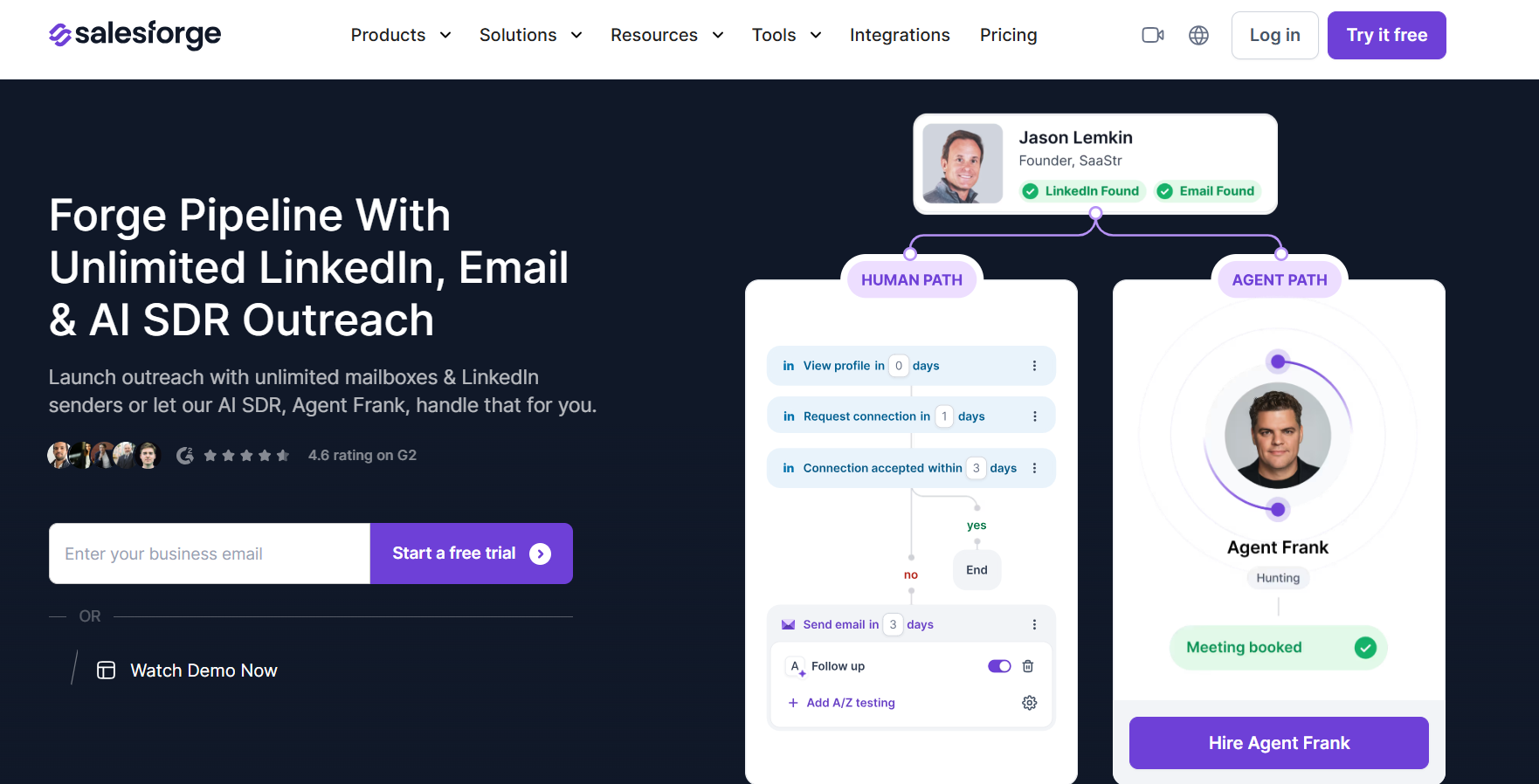
This image shows the Salesforge homepage
Salesforge is an email sequence platform built for teams that want to run cold outreach at scale without stitching together multiple tools. Most email sequence software focuses on sending emails and automating follow-ups.
Salesforge goes beyond that by combining email sequences, LinkedIn outreach, AI personalization, reply management, and deliverability tools in a single platform.
What makes Salesforge different is the ecosystem around it. If you need email infrastructure, you can connect Mailforge to provision domains and mailboxes. If you want to automate prospecting and outreach, you can add Agent Frank, the platform's AI SDR.
Instead of buying separate tools for outreach, infrastructure, deliverability, and AI automation, everything works together inside the same ecosystem.
In my opinion, this is where Salesforge has a real advantage over most email sequence software. Many tools can send follow-ups. Far fewer can help you manage deliverability, mailbox scaling, LinkedIn outreach, and AI-powered prospecting from one place.
Key Features of Salesforge
Connect unlimited mailboxes and manage outreach from one platform.
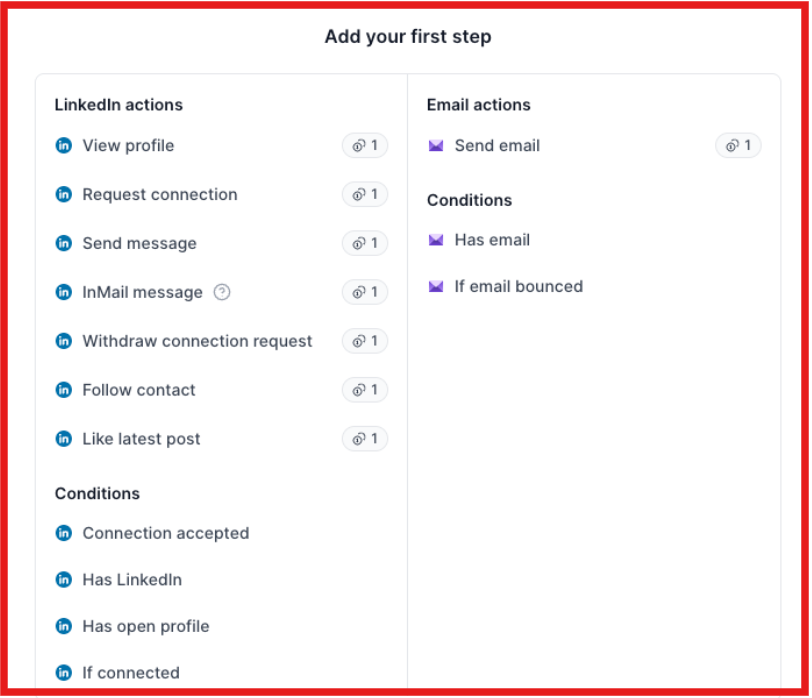
Build email and LinkedIn sequences in the same campaign.
This image shows start building your multichannel sequence on Salesforge
Use AI personalization to create more relevant outreach messages.
Manage all replies in Primebox™ instead of switching between inboxes.
Rotate sending across multiple mailboxes automatically with Smart Mailbox Rotation.
Warm up unlimited mailboxes with Warmforge included.
Automate prospecting and follow-ups with Agent Frank AI SDR.
Run A/B tests to improve sequence performance.
Launch campaigns in multiple languages from the same account.
Connect Mailforge infrastructure directly for faster mailbox and domain setup.
Pros of Salesforge
Combines email and LinkedIn outreach in one platform.
Lets you connect unlimited mailboxes without paying for each sender.
Includes premium unlimited email warmup at no extra cost.
Offers advanced AI personalization for cold outreach.
Primebox™ makes it easier to manage and organize replies.
Supports MCP and CLI for running outbound workflows.
Supports teams running outbound campaigns at scale.
Cons of Salesforge
Offers only a 14-day free trial.
Advanced features are locked behind the Growth plan.
Salesforge Pricing
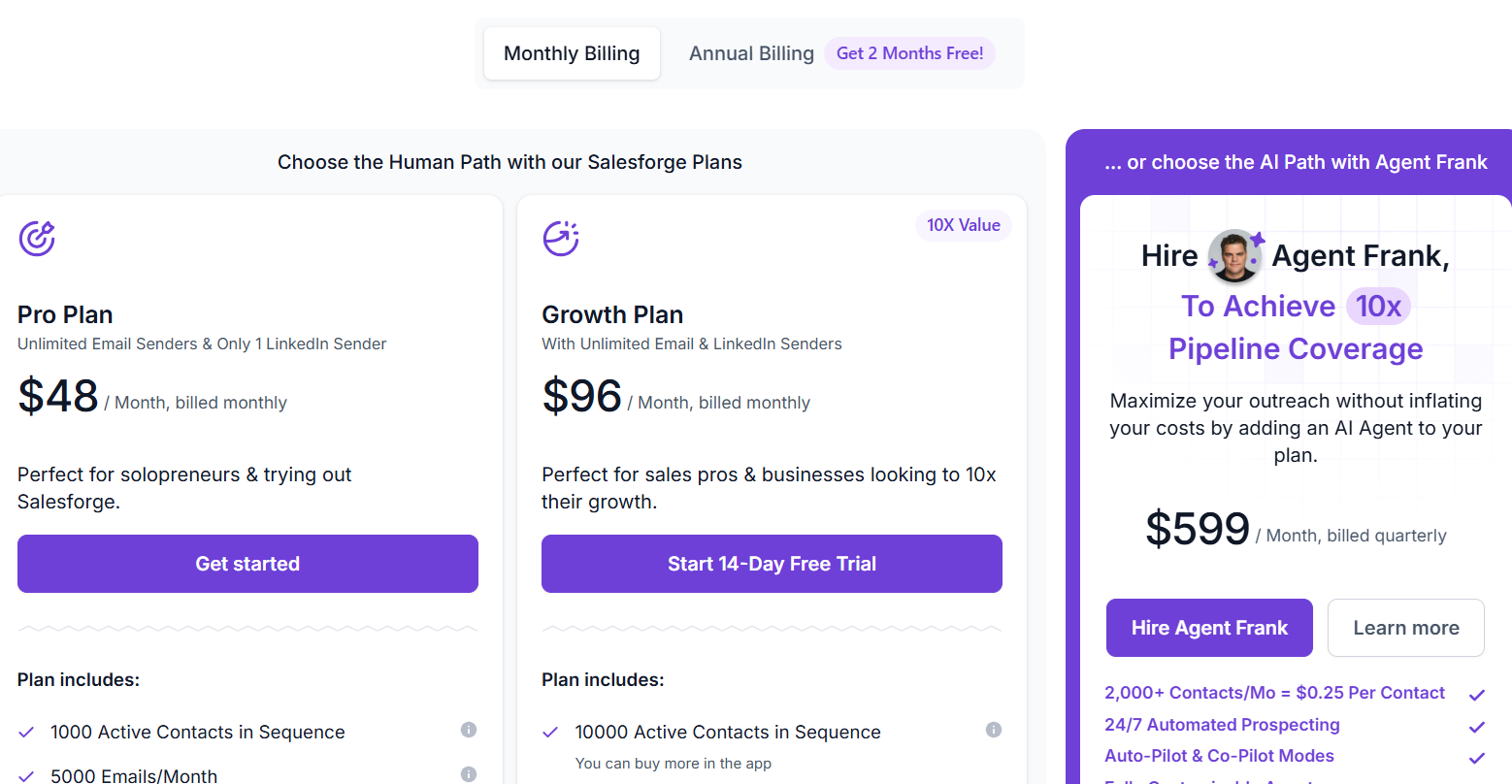
This image shows the Salesforge pricing
Pro Plan: $48/month, 1 LinkedIn sender, Unlimited mailbox connections, 1,000 active contacts, 5,000 emails per month
Growth Plan: $96/month, Unlimited LinkedIn senders, Unlimited mailbox connections, 10,000 active contacts, 50,000 emails per month
Agent Frank: Starts at $599/month (billed quarterly)
How Salesforge Handles Email Sequencing?
Salesforge lets you build automated email sequences with follow-ups, personalization, and mailbox rotation from a single platform. You can also combine email and LinkedIn touchpoints in the same sequence, manage replies through Primebox™, and use unlimited warm-up through Warmforge.
For teams that want more automation, Agent Frank can handle prospecting, outreach, follow-ups, and meeting booking.
Overall, Salesforge is more than a basic email sequencer. It is built for teams that want to manage outreach, deliverability, and reply handling in one place.
Enter your email to get a custom plan & stack recommendation for your
business
It's being carefully crafted by AI
Please check your mailbox in 5 minutes
2. Instantly - Best for High-Volume Cold Email Sending
Instantly.ai is an email sequence software for high-volume cold outreach. It lets you connect as many sending accounts as you want without paying more. Every plan includes unlimited email accounts and unlimited warmup.
If your strategy is more mailboxes and more sends, the pricing works in your favor.
Instantly has also added a lot of AI. An AI Sales Agent can run outreach for you, a Lead Finder Agent builds lists, and an AI Reply Agent sorts responses. AI workflows tag and route leads when they visit your site or reply.
The platform stays simple through all of this. Campaigns take minutes to set up, deliverability runs mostly on its own, and Instantly pauses campaigns that start underperforming. It also tracks results down to pipeline and revenue, not just opens.
The limits show up outside of email. There's no LinkedIn channel, so every sequence is email only. The lead database and the CRM are separate subscriptions, so the advertised price covers sending and nothing else.
In my experience, that's the honest trade. You get one of the cheapest sending engines in the category, and you bring or buy everything around it.
Key Features of Instantly
Connect unlimited email accounts on every plan without per-mailbox fees.
Warm up every connected mailbox with the built-in warmup network at no extra cost.
Rotate sending across inboxes automatically to protect sender reputation.
Hand outreach to the AI Sales Agent, which finds leads and runs campaigns for you.
Triage replies with the AI Reply Agent, with human approval controls.
Automate lead routing with AI workflows that tag and trigger next steps when leads visit your site, reply, or book.
Track campaigns by opportunities, pipeline, and revenue instead of just opens.
Manage responses from all accounts in one place with Unibox (Hypergrowth plan and up).
Find prospects in the 450M+ B2B lead database (separate Credits subscription).
Run A/Z tests on campaigns (Hypergrowth plan and up).
Pros of Instantly
Unlimited sending accounts and warmup on every plan.
One of the cheapest entry points in the category at $47/month, less on yearly billing.
Very little learning curve, campaigns go live fast.
Deliverability protections run automatically in the background.
Flat pricing that doesn't punish you for adding teammates or mailboxes.
Cons of Instantly
Email only. No LinkedIn steps in sequences.
The lead database and CRM cost extra as separate subscriptions.
The Growth plan caps you at 5,000 emails per month and 1,000 uploaded contacts.
A working full stack lands closer to $200+/month once you add Credits and the CRM.
Instantly Pricing
Growth Plan: $47/month, unlimited email accounts and warmup, 1,000 uploaded contacts, 5,000 emails per month
Hypergrowth Plan: $97/month, 25,000 uploaded contacts, 125,000 emails per month, premium live support
Light Speed Plan: $358/month, 100,000 uploaded contacts, 500,000 emails per month, SISR system
Lead database (Credits) and CRM: separate subscriptions, priced individually
How Instantly Handles Email Sequencing?
Instantly lets you build automated email sequences with follow-ups, scheduling windows, and inbox rotation across unlimited connected accounts. Warmup runs continuously in the background, and campaigns pause on their own if bounce rates climb.
What it doesn't do is go beyond email. There are no LinkedIn touchpoints, and reply management in Unibox requires the Hypergrowth plan.
Overall, Instantly is a well known platform for its outreach email scaling capabilities. If pure email volume is the goal, it's very hard to beat at this price. As outbound operations grow, many SaaS vendors also expand the engineering teams behind their sales platforms to accelerate feature delivery, strengthen infrastructure, and improve deliverability systems. Companies evaluating outsourcing to romania often prioritize the region for its experienced software engineers, strong expertise in cloud applications, SaaS platforms, AI-powered automation, and enterprise software development. Access to this talent enables providers of email sequence software to scale product development, build advanced personalization and analytics features, and continuously improve platform reliability without slowing product innovation.
3. Lemlist - Best for Multichannel Outreach With Visual Personalization
Lemlist is an email sequence platform that made its name on personalization beyond text. You can drop dynamic images, personalized videos, and custom landing pages into sequences at scale.
It's also genuinely multichannel on the right plan. The Multichannel plan combines email, LinkedIn steps, calls, and SMS in one sequence with conditioned next steps. WhatsApp comes as an add-on.
AI does more here than in most sequence tools. You describe your outreach goals and lemAgent builds the campaign, while intent signal agents flag leads showing buying signals like fundraises or job changes.
lemwarm and the Deliverability Hub come with every plan. It also includes a 650M+ lead database, with pay-per-success credits for finding emails and phone numbers.
The pricing splits by channel. Email-only is cheap and flat: $55/month billed annually with unlimited users and email senders. The moment you want LinkedIn, calls, or SMS, you're on the Multichannel plan at $87 per user per month, with 5 senders per user.
Key Features of Lemlist
Personalize at scale with dynamic images, custom videos, and personalized landing pages.
Build email, LinkedIn, call, and SMS steps in one sequence with conditioned next steps (Multichannel plan).
Describe your outreach goals in plain English and lemAgent builds the campaign.
Spot buying signals like fundraises, hiring, and LinkedIn engagement with intent signal agents.
Find prospects in the built-in 650M+ B2B lead database.
Warm up mailboxes with lemwarm, which comes with every plan.
Check mailbox and domain health in the Deliverability Hub before campaigns go live.
Run lemlist from AI assistants and scripts with the lemlist MCP server and CLI.
Pros of Lemlist
The strongest visual personalization in the category.
True multichannel sequences with conditional logic on the Multichannel plan.
The Email plan includes unlimited users and email senders at a flat price.
Warmup, the Deliverability Hub, and a 650M+ lead database come with the plan instead of costing extra.
MCP server and CLI for teams running outbound from AI workflows.
14-day free trial, no credit card required.
Cons of Lemlist
LinkedIn, calling, and SMS all require the Multichannel plan, which charges per user.
The Multichannel plan caps senders at 5 per user, so scaling mailboxes means adding seats.
Email and phone lookups run on paid credits (5 credits per email, 20 per phone number).
WhatsApp automation is a paid add-on even on the Multichannel plan.
Lemlist Pricing
Email Plan: $69/month ($55/month billed annually), unlimited users and email senders, 50,000 emails per month
Multichannel Plan: $109/user/month ($87/user/month billed annually), 5 senders per user, unlimited emails and messages, LinkedIn, SMS, and calling
Enterprise Plan: custom pricing for teams of 5+ users, SSO, dedicated account manager
Credits: 1 credit = $0.01, verified emails at 5 credits each, phone numbers at 20 credits each
How Lemlist Handles Email Sequencing?
Lemlist lets you build automated sequences where email, LinkedIn, calls, and SMS run as steps in one flow with conditioned next steps.
The visual personalization layer is what separates it: images, videos, and landing pages that adapt to each prospect.
Email-only teams get a genuinely good deal with unlimited users and senders on the flat Email plan. The per-user pricing only kicks in when you add channels beyond email.
Overall, Lemlist fits teams that win on creative personalization and multichannel touches. If you want LinkedIn steps without per-user pricing, that's where Salesforge fits better.
4. Smartlead - Best for High-Volume Cold Email Outreach
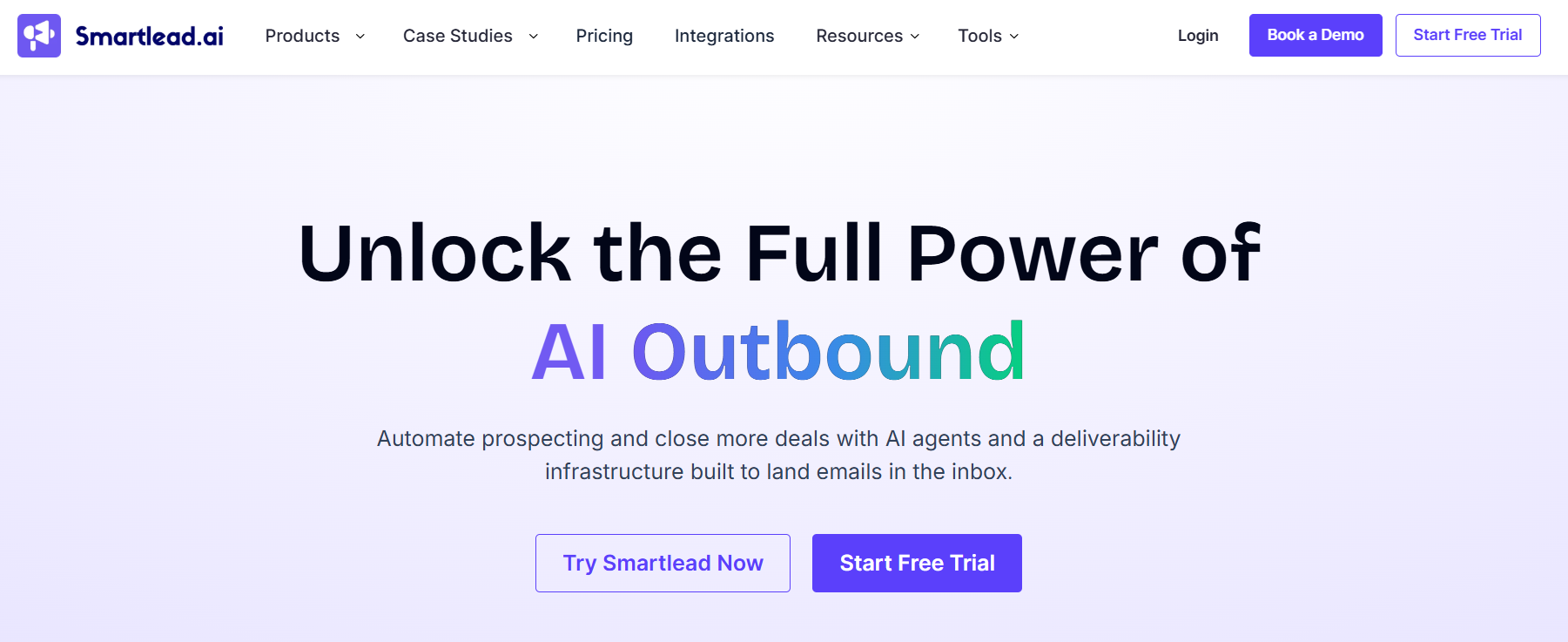
This image shows the Smartlead homepage
Smartlead is a cold email platform built for teams that need to send large volumes of emails while keeping deliverability under control. What stood out to me is how much attention Smartlead gives to deliverability.
You can buy domains and mailboxes through SmartSenders, monitor inbox placement with SmartDelivery, manage replies in the Master Inbox, and even use SmartAgents to automate parts of your outbound process.
In my opinion, Smartlead is a strong option for agencies and outbound teams managing hundreds of mailboxes. If your biggest challenge is scaling cold email without hurting deliverability, Smartlead offers more built-in tools than most email sequencing platforms.
Key Features of Smartlead
Connect unlimited mailboxes from a single account.
Build automated cold email sequences with follow-ups.
Manage replies through the Master Inbox.
Monitor inbox placement with SmartDelivery.
Purchase domains and mailboxes through SmartSenders.
Generate leads using SmartProspect.
Automate outbound workflows with SmartAgents.
Warm up mailboxes using Smartlead's built-in warm-up network.
Connect dedicated infrastructure through SmartServers.
Pros of Smartlead
Supports unlimited mailboxes.
Strong deliverability-focused feature set.
Includes lead generation tools.
Built for agencies and larger outbound teams.
Offers mailbox infrastructure and warm-up tools.
Powerful automation and workflow options.
Cons of Smartlead
No built-in LinkedIn outreach.
Advanced deliverability features may require additional setup.
Primarily focused on email outreach workflows.
Some advanced functionality is available only on higher plans.
Smartlead lets you build automated email sequences with follow-ups, sender rotation, unlimited mailboxes, and built-in warmup. You can manage replies through Unibox, monitor inbox placement with SmartDelivery, and scale outreach using SmartSenders and SmartServers. For teams running large outbound campaigns, Smartlead combines email sequencing and deliverability management in one platform.
5. Woodpecker
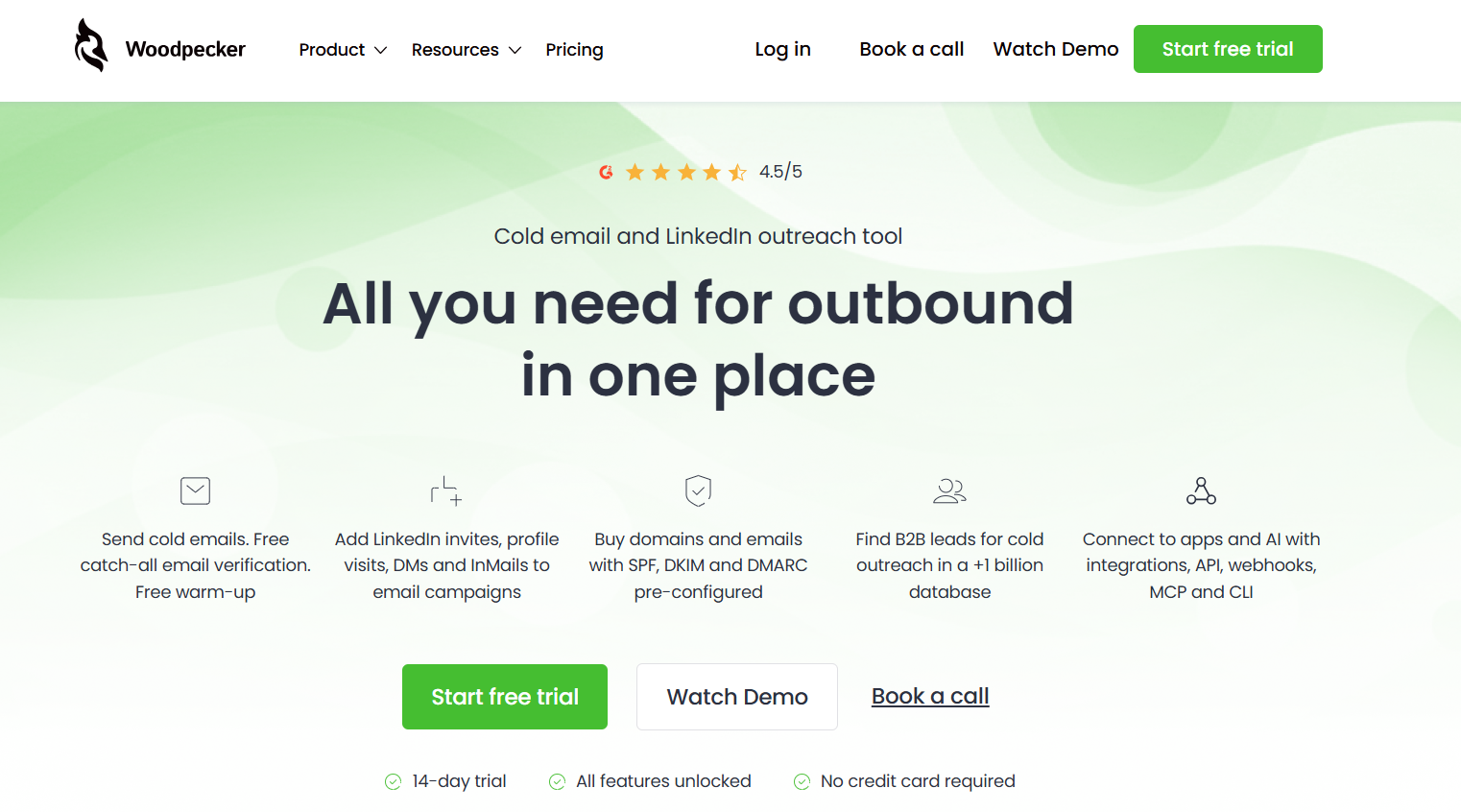
This image shows the Woodpecker homepage
Woodpecker is a good fit for teams that want a clean outbound tool without too many moving parts. Its main strength is simplicity. You can run cold email campaigns, add LinkedIn steps, verify emails, warm up inboxes, and manage replies from one place. It gives you the core features needed for outbound without feeling too heavy.
Woodpecker works best for small sales teams, agencies, and founders who want email sequencing plus light LinkedIn automation. It is not the strongest choice for advanced AI workflows or very complex outbound systems, but it is practical and easy to understand.
Key Features of Woodpecker
Build cold email campaigns with automated follow-ups.
Add LinkedIn profile visits, connection requests, direct messages, and InMails to campaigns.
Use free catch-all email verification to reduce invalid email sends.
Warm up email accounts using Mailivery or Warmy.
Rotate inboxes across campaigns with Inbox Rotation.
Use Adaptive Sending to avoid exceeding sending limits.
Check domain setup with SPF and DKIM audits.
Create condition-based campaigns and workflows.
Pros of Woodpecker
Simple and easy to use for cold email campaigns.
Supports both email and LinkedIn outreach.
Includes free warm-up slots based on your plan.
Offers free catch-all email verification.
Good deliverability features for small and mid-sized teams.
Cons of Woodpecker
LinkedIn outreach requires a paid LinkedIn slot.
Extra warm-up slots cost more after the free limit.
Some integrations and API access require an add-on.
Agency panel is also a separate add-on.
Less suitable for teams that want fully autonomous AI outbound.
Woodpecker Pricing
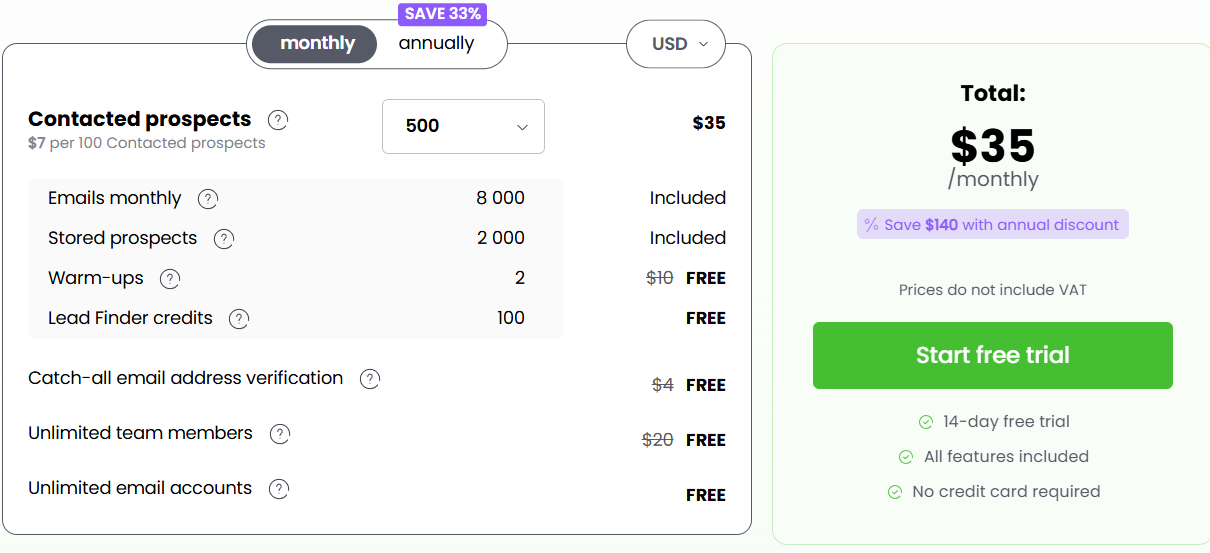
This image shows the Woodpecker pricing
Woodpecker uses a usage-based pricing model instead of fixed plans. The starting plan costs $35/month and includes:
500 contacted prospects per month
8,000 emails per month
2,000 stored prospects
2 free warm-up accounts
100 Lead Finder credits
Free catch-all email verification
Unlimited email accounts
Unlimited team members
Additional contacted prospects are charged based on usage, starting at $7 per 100 contacted prospects. Optional add-ons include:
LinkedIn Outreach
Lead Finder Credits
Email Infrastructure
Integrations, API, Webhooks, MCP, and CLI ($20/month)
Agency Panel ($27/month per active client)
Woodpecker also offers a 14-day free trial with all features unlocked and no credit card required.
How Woodpecker Handles Email Sequencing?
Woodpecker lets you build cold email sequences with automated follow-ups, conditions, A/B tests, personalization, and sending controls. You can also add LinkedIn steps, manual tasks, calls, and SMS to the same campaign.
For deliverability, Woodpecker supports warm-up, inbox rotation, adaptive sending, domain audits, spam checks, and email verification.
Overall, Woodpecker is a practical email sequencing tool for teams that want cold email and LinkedIn outreach without a very complex setup.
What Features Should You Look for in Email Sequence Software?
Most email sequence tools can send automated follow-ups. The real difference is how well they help you manage outreach as your volume grows. If you're comparing different platforms, focus on the features that directly impact campaign performance, team productivity, and scalability.
Feature
Why It Matters
Automated Follow-Ups
Ensures every prospect receives follow-up emails without manual work.
Email Personalization
Helps make outreach more relevant and improve reply rates.
Deliverability Controls
Helps keep emails out of spam folders and improve inbox placement.
Multi-Mailbox Management
Makes it easier to scale outreach across multiple sending accounts.
Reply Detection
Stops follow-ups automatically when a prospect responds.
Analytics & Reporting
Helps track opens, replies, bounce rates, and campaign performance.
CRM Integrations
Keeps prospect data and outreach activity organized.
Multi-Channel Outreach
Allows you to combine email with LinkedIn and other touchpoints.
Sequence Builder
Makes it easy to create and manage outreach campaigns.
Team Collaboration
Helps sales teams work together from a single platform.
The best email sequence software combines most of these features in one place, making it easier to run, manage, and scale cold outreach campaigns.
How to Choose Email Sequence Software
Before choosing a tool, start with what kind of outreach it supports. Then look at sequence features, deliverability, automation, reporting, and scalability.
Is it built for cold email only, or does it support multichannel outreach?
Can you create branching sequences based on prospect behavior, or do sequences follow a fixed path?
Can you add LinkedIn steps to the same sequence, or do they run as separate campaigns?
How does personalization work at scale, and which plans support multi-language sequences?
Can you A/B test messages within a sequence? Which plan includes A/B testing?
How many mailboxes can you connect, and how much does each additional mailbox cost?
Does the tool automatically rotate sending across connected mailboxes?
Is email warmup included, or do you need a separate subscription?
How does the tool prevent bounces? Does it validate emails during import, before sending, or not at all?
What happens when a prospect replies? Does the sequence stop automatically?
Where do replies appear, and can you manage them inside the tool?
What do the analytics track? Do they include reply rate, positive reply rate, and meetings booked?
What are the limits for active contacts, monthly emails, and users? How does pricing change as your volume grows?
Can you run sequences outside the app through an API, MCP server, or CLI? Which plans include these options?
Personalized Outbound Strategy
Get The Right Outbound Strategy In Minutes
Enter your email to get a custom plan & stack recommendation for your
business
It's being carefully crafted by AI
Please check your mailbox in 5 minutes
Conclusion
The best email sequence software depends on how you run outbound. If you only need basic email automation, tools like Woodpecker and Saleshandy can handle the job. If your focus is high-volume cold email, Smartlead is built for scale. And if you want an AI agent to run outreach for you, Artisan is worth considering.
But if you want one platform that combines email sequences, LinkedIn outreach, AI personalization, reply management, mailbox rotation, and AI SDR automation, Salesforge stands out.
What I like most about Salesforge is that it does not stop at email sequencing. If you need email infrastructure, you can connect Mailforge to provision domains and mailboxes, manage deliverability, and scale sending volume without dealing with the technical setup yourself.
For teams that want to run and scale outbound from a connected ecosystem, Salesforge is the platform I would choose. Try Salesforge and see how much simpler cold outreach becomes when your sequencing, deliverability, and infrastructure work together.