
Apollo.io is still worth shortlisting in 2026 if you want prospecting data, enrichment, email sequences, calling, CRM activity, AI assistance, and basic email infrastructure in one platform.
My rating is 7.5/10.
Apollo’s biggest advantage is not the size of its contact database. It is workflow compression.
A founder or SDR can move from defining an ICP to finding contacts, revealing emails, enrolling prospects into a sequence, making calls, updating CRM records, and reviewing campaign performance without stitching together five separate tools first.
That makes Apollo commercially useful, especially for small and mid-market teams trying to build an outbound motion quickly.
The main trade-off is control.
Apollo covers data, sending, and email infrastructure, but it is not necessarily the strongest specialist in any one of those layers. You still need to verify contact data, control credit consumption, protect sender reputation, govern CRM updates, and understand what happens to domains and mailboxes if your Apollo plan changes.
The right question is not simply:
Is Apollo a good sales tool?
It is:
Does Apollo give your team enough control over data, sending, and email infrastructure for the way you plan to scale outbound?
This Apollo.io review answers that question.
Choose Apollo when your main problem is getting outbound organized quickly.
It is particularly useful when you need one platform for:
Look elsewhere when one part of your outbound system has become mission-critical.
A dedicated provider may be a better fit when your main requirement is:
Apollo is strongest as a broad operating surface. Its limitations become more visible when your team needs depth rather than consolidation.
I evaluated Apollo as a GTM operator reviewing a platform before budget approval.
The evaluation focused on eight areas:
Apollo.io is a sales intelligence and engagement platform.
It helps revenue teams find companies, identify decision-makers, access business contact information, enrich records, run outreach sequences, make calls, sync CRM activity, and track outbound performance.
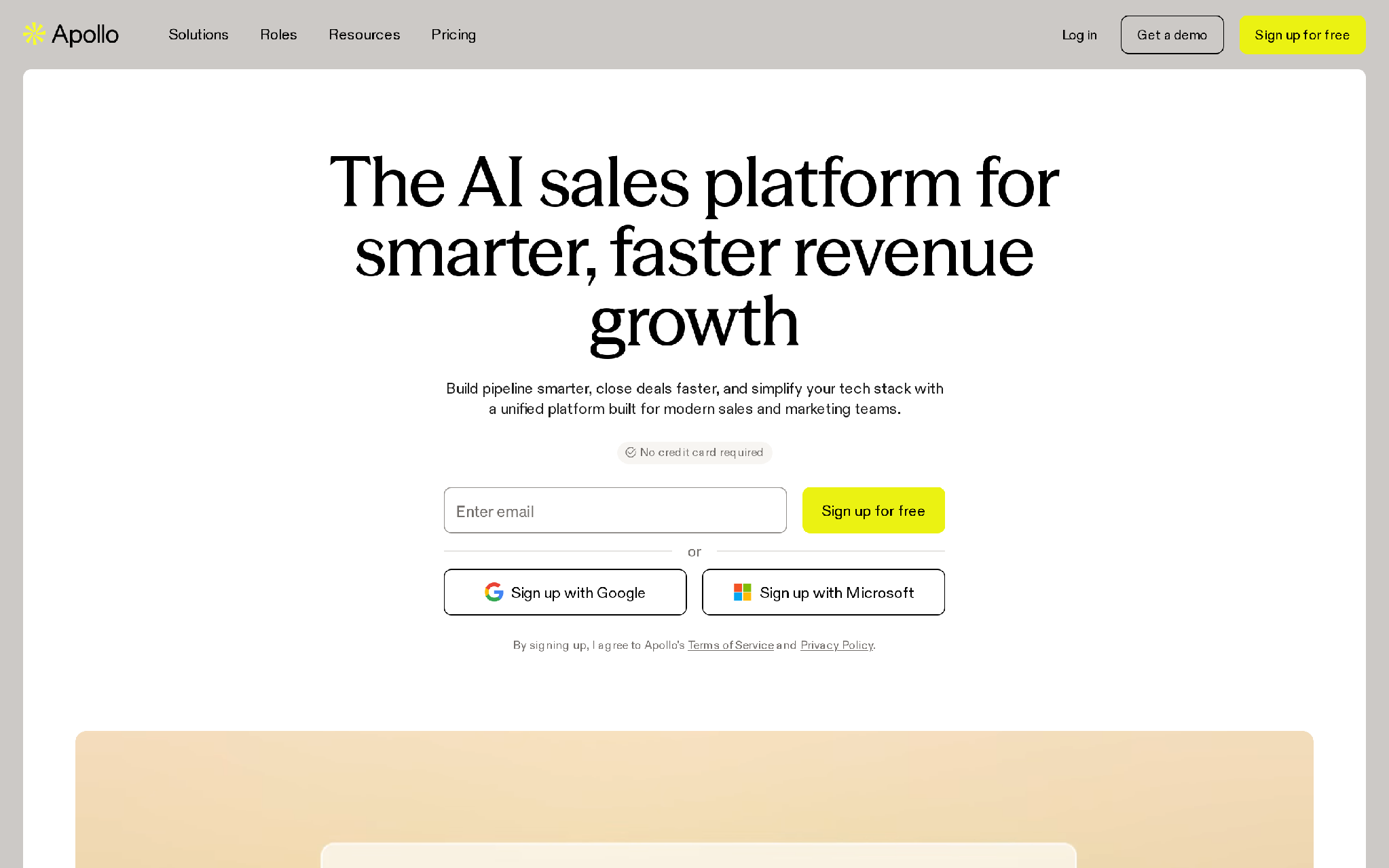
Apollo can support three major parts of an outbound system:
The value is not any single feature. The value is that these features can sit inside one connected workflow.
A typical Apollo workflow looks like this:
That connected process is Apollo’s core advantage.
It can also become its weakness. Because Apollo makes list creation and campaign enrollment fast, teams can scale poor targeting, stale data, weak messaging, and unhealthy sender behavior before anyone notices the underlying problem.
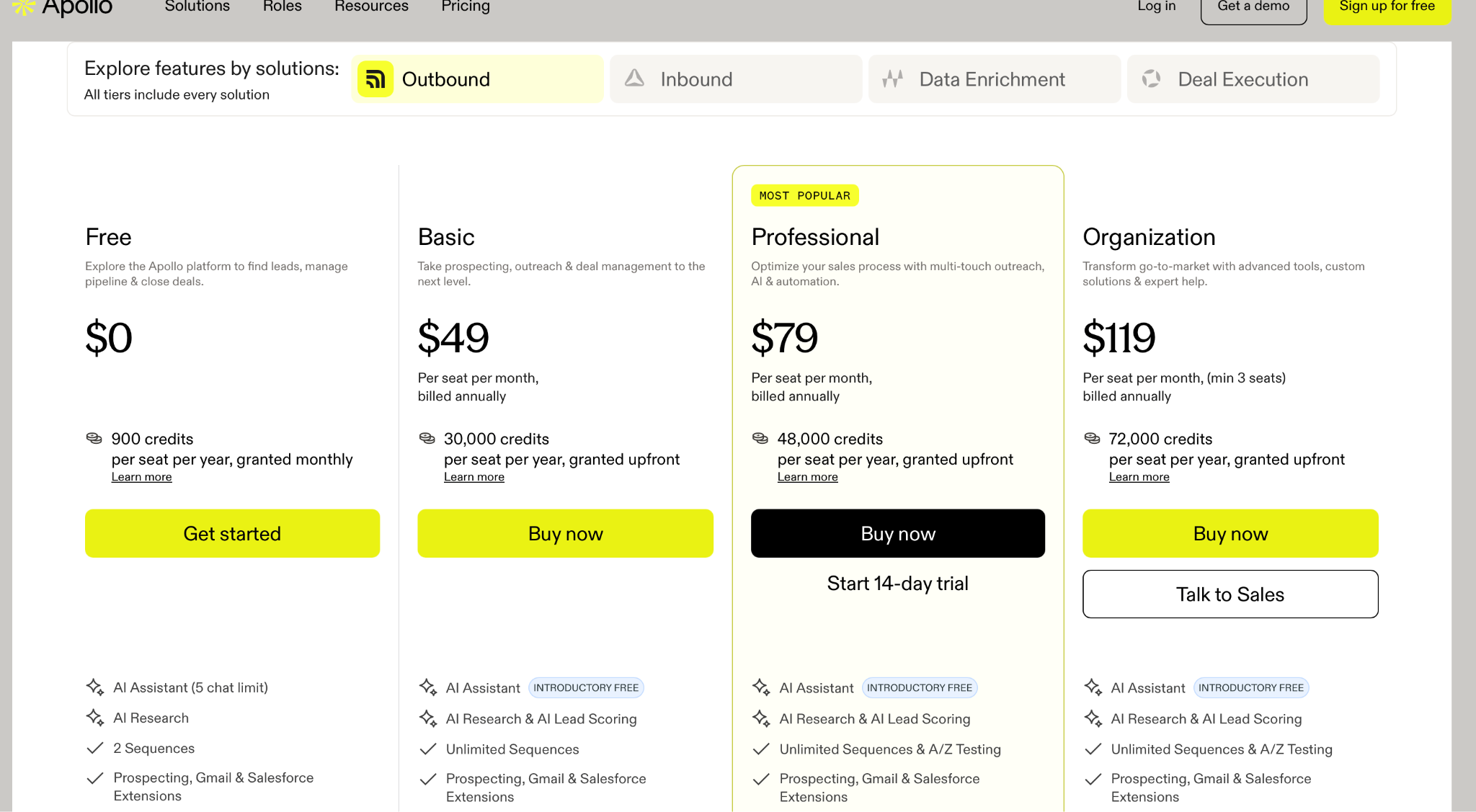
Apollo’s seat price is only the first part of its real cost.
Its current annual pricing is:
The Organization plan requires at least three seats. Apollo also supports custom arrangements for more complex requirements.
Credits may be consumed when you:
Apollo says credits expire at the end of the applicable billing cycle and do not roll over. Annual-plan credit allocations may be released upfront or according to the billing arrangement.
That makes Apollo’s real pricing question more complicated than:
How much does one seat cost?
The better question is:
What does one campaign-ready contact cost after data access, phone reveals, enrichment, exports, verification, and rep time?
Assume one rep builds a targeted list each month:
The Basic plan can work when the motion is email-led and the rep is disciplined.
The Professional plan becomes easier to justify when calling, scoring, reporting, and more advanced team workflows matter.
For a five-rep outbound team, the economics change:
Apollo may still cost less than separate subscriptions for data, enrichment, sequencing, calling, and reporting.
But consolidation does not eliminate cost. It moves the cost into credits, governance, data cleanup, sender management, and operational discipline.
Data accuracy is the biggest buying question in any Apollo.io review.
Apollo is useful because it lets you search a large pool of companies and contacts using filters such as title, department, seniority, company size, industry, geography, technology, funding, intent, and other attributes.
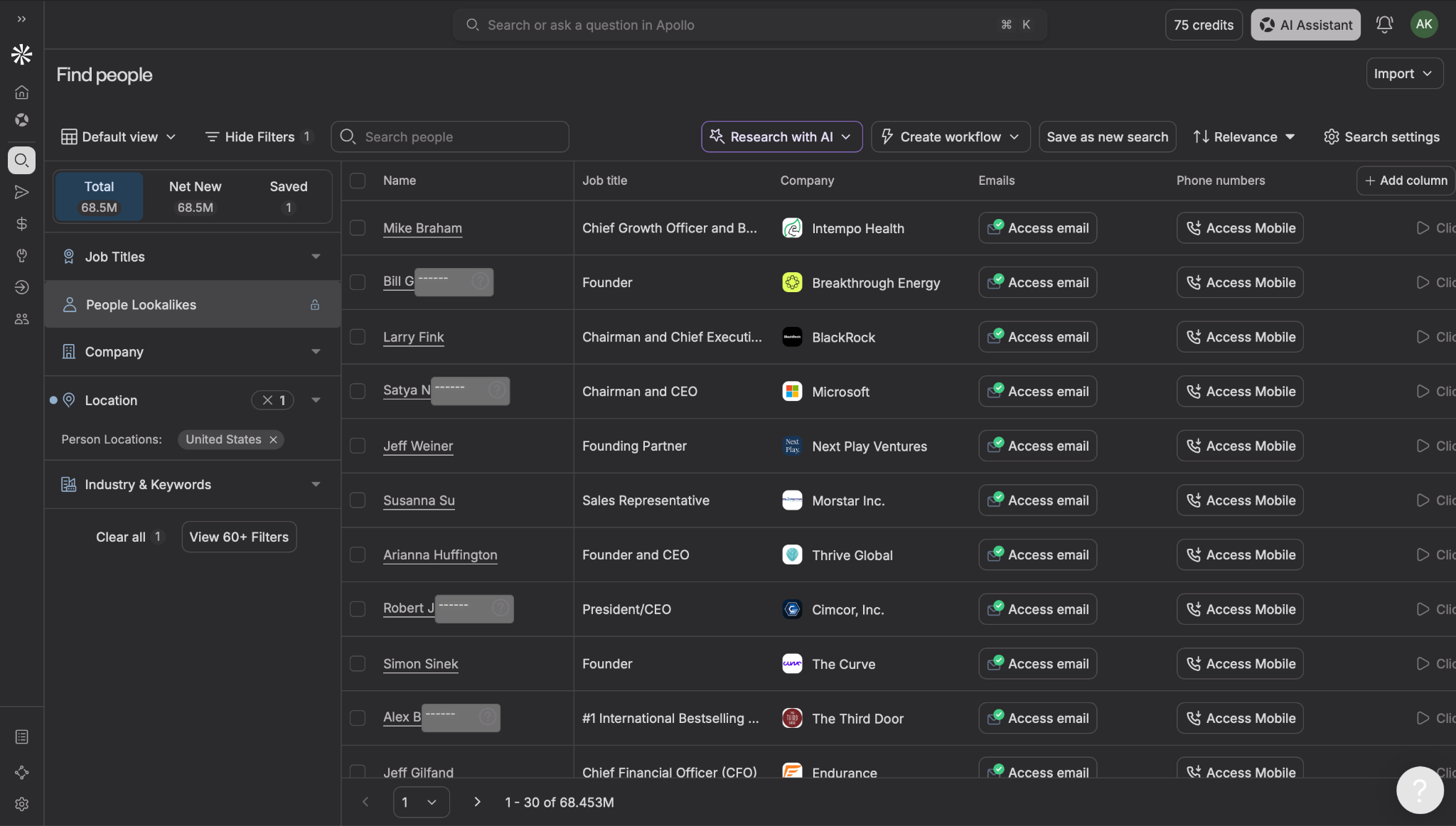
That makes it possible to move from an ICP description to a usable prospect list quickly.
For example:
US-based B2B SaaS companies with 50–500 employees that recently hired sales leadership, targeting Heads of Sales and Revenue Operations.
Apollo can help turn that idea into a list of accounts and contacts without weeks of manual research.
The problem is that searchable does not mean current.
People change companies. Titles change. Departments get reorganized. Domains move. Businesses shut down. Phone numbers are reassigned. Company-size data becomes stale.
My rule would be:
Treat Apollo as a strong candidate-record layer, not an unquestionable source of truth.
Before enrolling a large Apollo list into a campaign, check:
Do not export thousands of contacts simply because Apollo makes it easy.
Filter first. Access data second. Verify third. Enroll only the contacts that pass your commercial and technical checks.
Apollo’s search experience is one of its strongest features.
You can build account lists using firmographic, technographic, geographic, hiring, funding, and intent-related filters. You can then search inside those accounts for specific job titles, seniority levels, departments, or personas.
That reduces the manual work required to create an initial market segment.
The main risk is false productivity.
A rep can create a list of 2,000 people in minutes and feel productive even when:
Apollo makes list building fast. It cannot decide whether the list deserves a campaign.
Apollo’s waterfall enrichment can check Apollo’s own data and connected third-party sources in a defined order until it finds the requested email or phone information.
Admins can configure which data sources are used and in what order. Teams can also add validation providers as an additional layer. Apollo shows an estimated credit impact before some enrichment runs and stops when a provider returns the required data.
This improves coverage, but it creates two operational questions:
Use waterfall enrichment selectively.
It makes sense for:
It makes less sense as a default enrichment step for every contact in a broad, unqualified list.
More providers can improve coverage. They can also increase spend and data noise.
Apollo’s Chrome Extension helps reps prospect while browsing LinkedIn and company websites.
A rep can inspect a profile, access available contact details, save the prospect, add the contact to a list, and move the record into an Apollo workflow without manually copying fields between tabs.
That is useful because SDR work rarely happens inside one platform. Reps move between LinkedIn, company pages, job listings, CRM, news, email, and internal research.
The extension shortens that loop.
It does not, however, turn Apollo into a fully native LinkedIn automation platform.
Apollo supports LinkedIn tasks inside sequences, but those tasks are designed around actions such as visiting profiles, sending connection requests, or engaging with posts. Apollo’s current documentation says the tasks require manual completion rather than being automatically executed as a bot.
That distinction matters when comparing Apollo against tools built specifically for automated email and LinkedIn sequencing.
Apollo can run multistep outreach sequences containing:
Apollo’s sequence documentation describes workflows combining emails, calls, social engagement, and other tasks over a planned outreach period.
For standard founder-led or SDR-led outbound, that is enough to create a repeatable cadence.
A clean Apollo sequence might look like:
The software can manage the sequence.
Your team still needs to decide:
Apollo is a strong fit when:
Compare a specialist sending platform when:
Apollo’s sending layer is convenient. Convenience should not be confused with complete infrastructure ownership.
This is the part many Apollo reviews understate.
Cold email does not begin with a sequence.
It begins with:
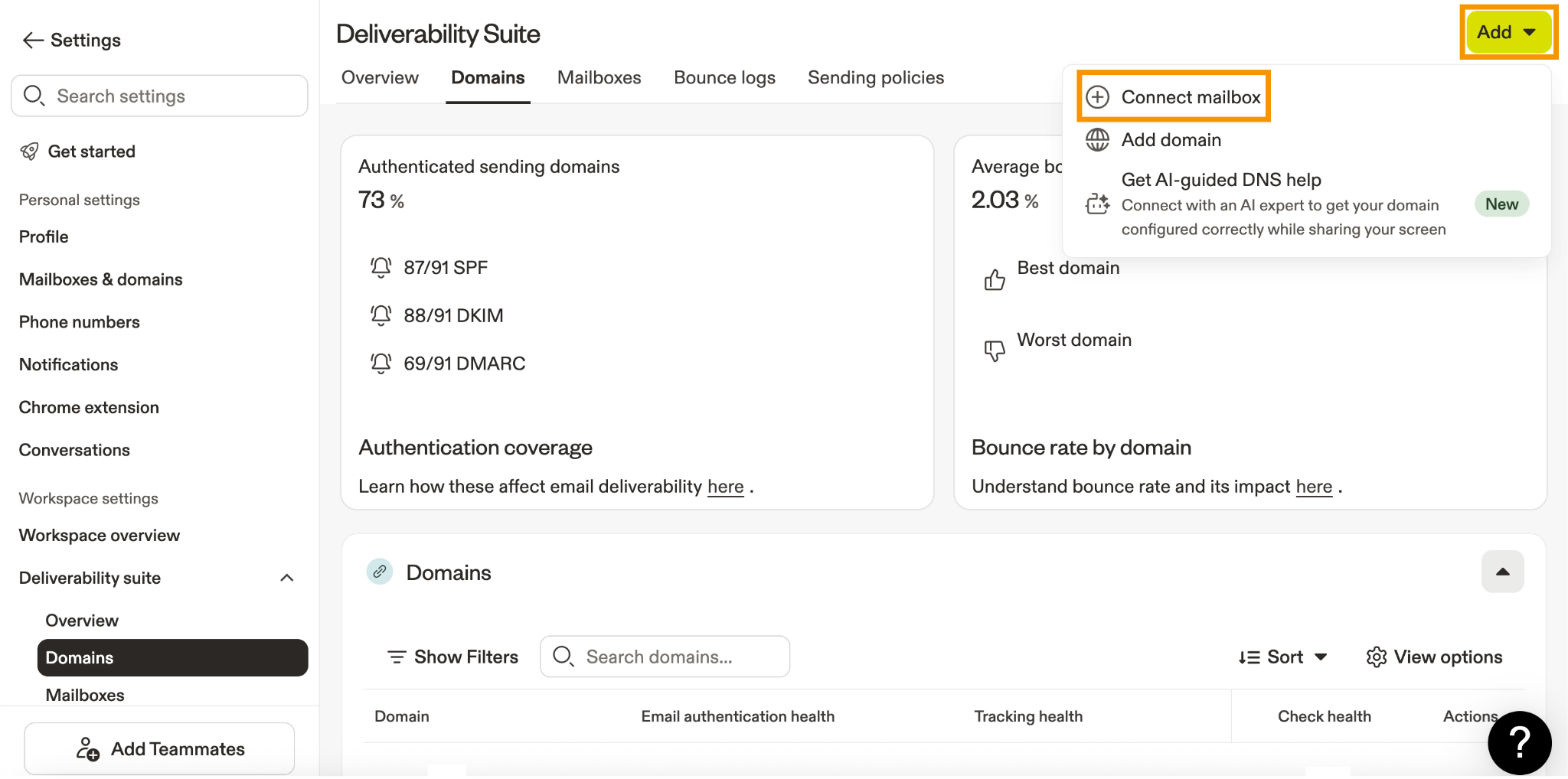
Apollo now lets users purchase domains and mailboxes directly inside the platform.
It supports three mailbox paths:
Apollo also handles authentication for domains purchased through its workflow.
That simplifies setup for teams that do not want to purchase domains, create workspaces, configure DNS records, and connect every mailbox manually.
However, buyers need to understand the commitments behind that convenience.
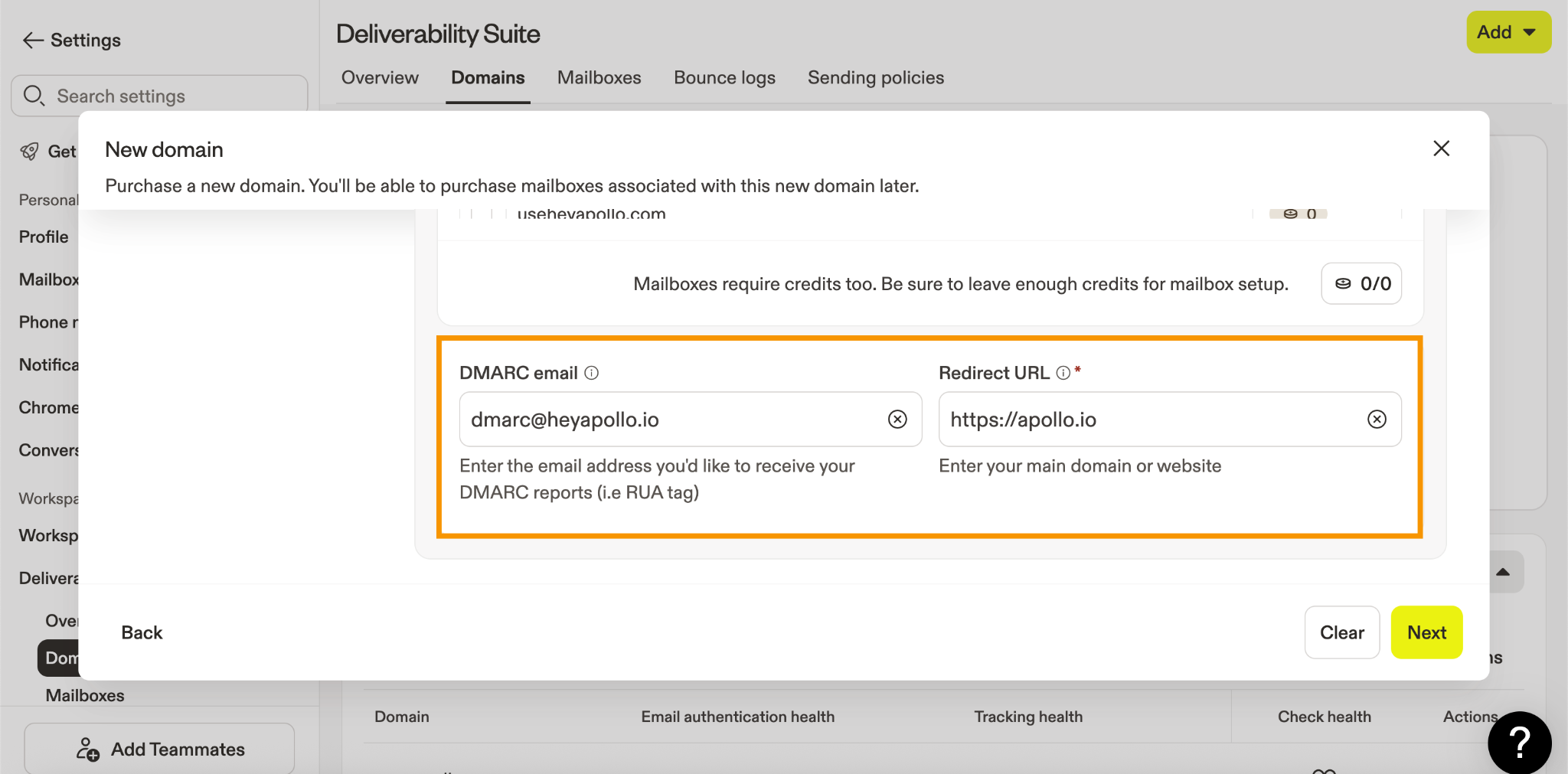
Apollo’s documentation says you can only purchase Apollo-provisioned mailboxes for domains purchased directly through Apollo.
You can still connect existing external mailboxes to Apollo, but the integrated domain-and-mailbox purchasing flow is tied to Apollo-purchased domains.
That means you should decide whether you want Apollo merely to connect to your infrastructure or to become the place where that infrastructure is purchased and managed.
The first mailbox purchased for a domain sets the mailbox provider for that domain.
If the first mailbox is SMTP, Google Workspace, or Microsoft Outlook, future mailboxes purchased for the same domain must use that same mailbox type.
This is an operational commitment.
You cannot casually test one provider on the domain and later mix other Apollo-provisioned mailbox types underneath it.
Before purchasing the first mailbox, decide:
Apollo currently states that domain and mailbox purchases are non-refundable.
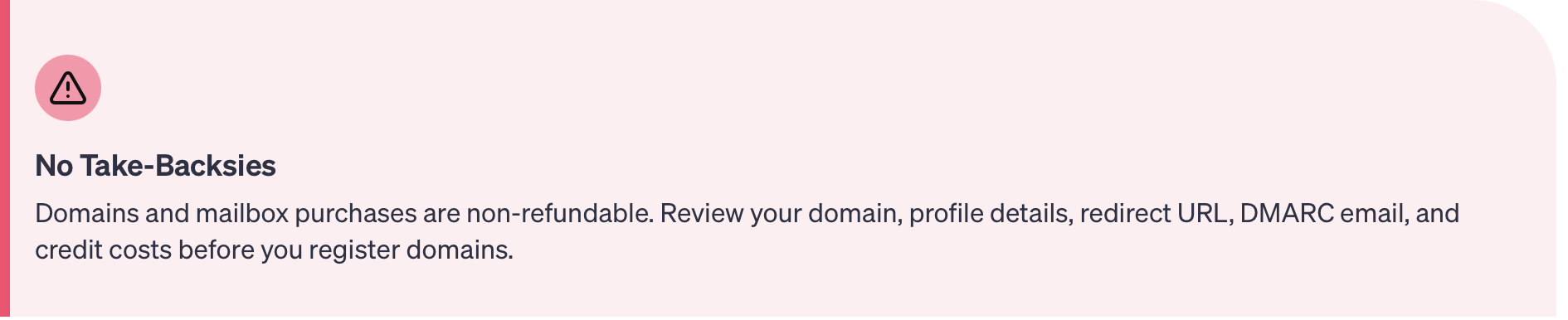
Its documentation clearly says:
This is more nuanced than a simple monthly software subscription.
The domain is an annual infrastructure commitment, while the mailbox is described as monthly. Both are tied to Apollo account conditions.
Apollo’s current public documentation does not describe a universal three-month mailbox lock-in.
It describes domains as annual, mailboxes as monthly, and both purchases as non-refundable.
Account-specific checkout flows, sales agreements, promotions, or older commercial terms may differ.
Before purchasing, ask Apollo to confirm in writing:
Do not publish or make a procurement decision based on a three-month lock-in claim unless it appears in your current Apollo checkout, invoice, contract, or support confirmation.
Apollo recommends waiting approximately 30 days after purchasing a domain before creating and assigning mailboxes.
The purpose is to allow the domain to establish some authenticity before being used for outreach.
That means Apollo’s infrastructure flow is not an instant path from purchasing a domain to launching a campaign safely.
If you purchase a domain today, the operational plan should include a waiting period before mailbox creation.
After the mailbox is created, Apollo recommends warming it for at least six weeks before using it for cold outreach.
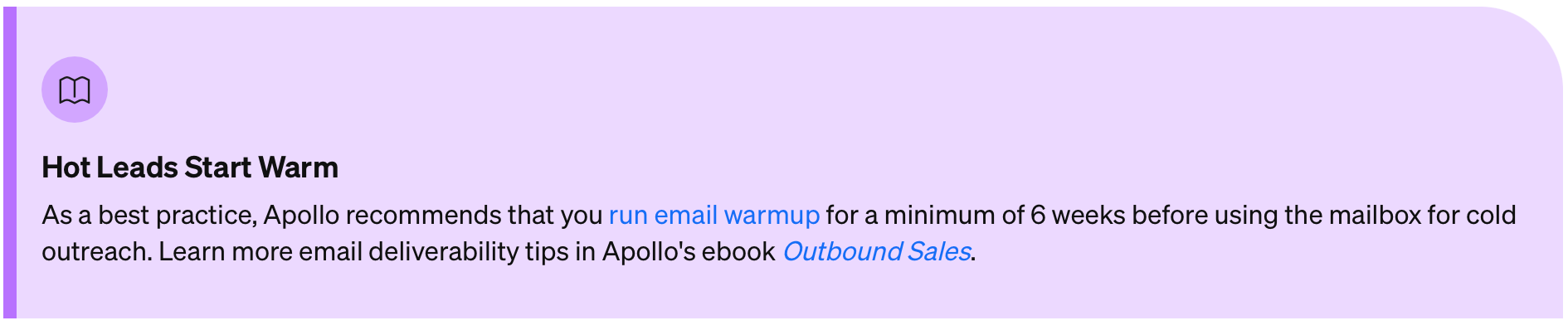
Taken literally, the recommended preparation timeline may include:
That is a long runway.
The exact timeline your team uses will depend on provider, domain history, mailbox type, sending behaviour, engagement, and risk tolerance. The important point is that infrastructure should be planned before the campaign deadline.
You should not buy domains the week before a major launch and assume the sequencer can solve the reputation problem.
Apollo-purchased mailboxes have a technical platform cap of 200 emails in a rolling 24-hour period. Apollo advises purchasing more mailboxes rather than exceeding that cap.
That does not mean you should send 200 cold emails from a new mailbox every day.
Apollo’s recommended starting settings are:
Apollo also recommends adding mailboxes rather than aggressively increasing the daily limit on one mailbox.
The distinction is important:
A technical ceiling is not a deliverability target.
Apollo can help with:
Your team still owns:
Apollo reduces setup work. It does not transfer sender-reputation responsibility away from you.
Apollo’s domain and mailbox functionality may be enough when:
A dedicated infrastructure platform becomes more useful when:
This is the difference between using email infrastructure as a feature and managing it as a system.
Apollo’s dialer makes sense when calling is one step inside a broader outbound motion.
A rep can:
Apollo supports calling tasks and dialer workflows inside its task and sequence system.
That connected context is useful for teams that primarily use email but call valuable or engaged prospects.
Compare Apollo against a dedicated dialer when calling is the main sales motion.
Calling-led teams may need deeper functionality around:
Apollo wins when the call needs to remain connected to the wider prospecting workflow. Specialist dialers win when calling is the workflow.
Apollo integrates with CRM platforms including HubSpot and Salesforce.
Its HubSpot integration can support bi-directional syncing of contacts, accounts, deals, and activities. Apollo also provides a separate enrichment-only HubSpot option. Apollo currently notes that only one CRM can be connected at a time.
The Salesforce integration can pull leads, contacts, and accounts into Apollo and push updates back according to the configured sync rules.
The risk is not whether Apollo can sync.
The risk is uncontrolled syncing.
Before connecting Apollo to CRM, define:
A broad platform requires governance because one badly configured workflow can update thousands of records quickly.
Apollo has expanded beyond conventional prospecting and sequencing into AI-assisted GTM workflows.
Its AI features can support areas such as:
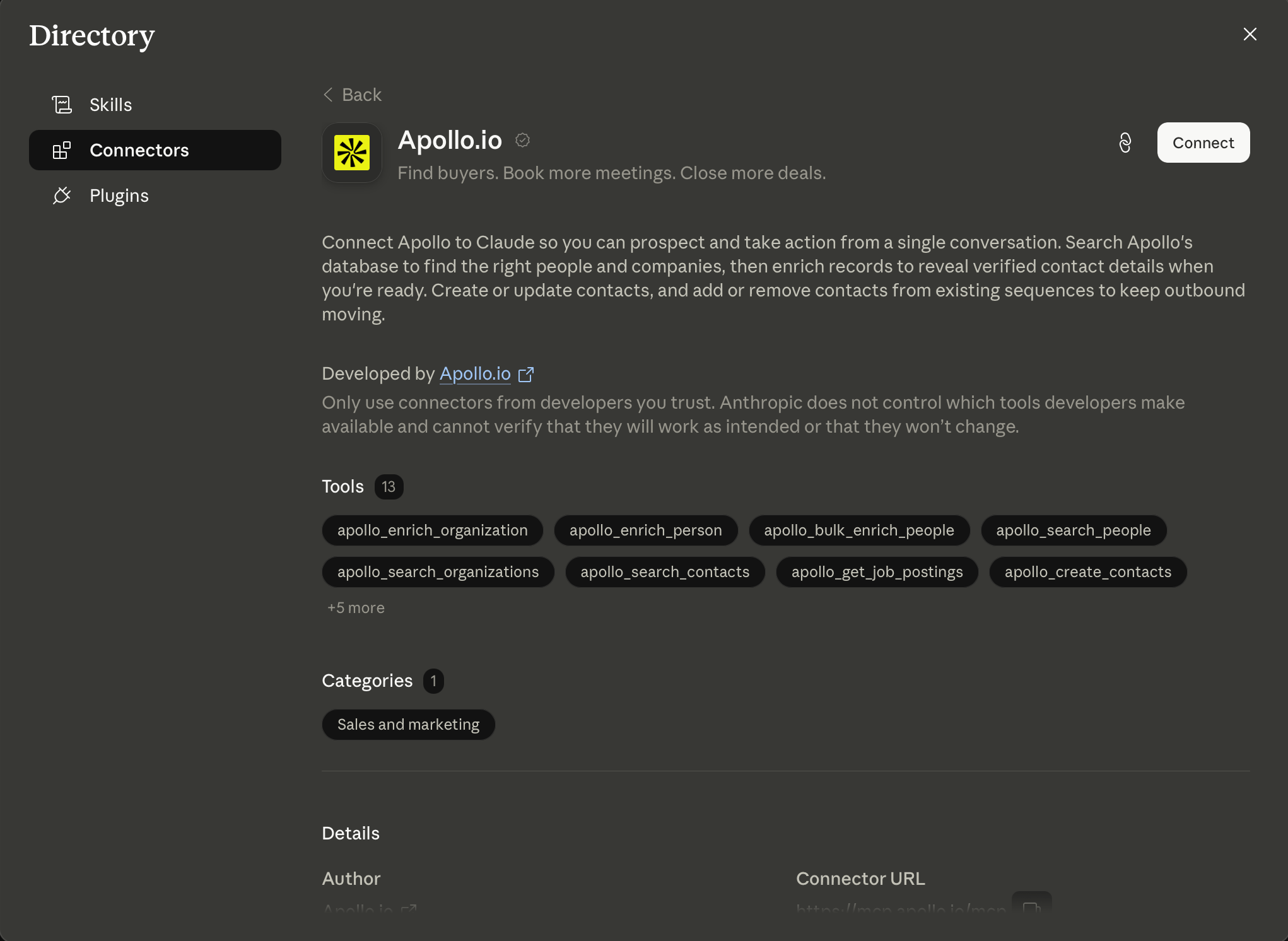
Apollo MCP also allows compatible AI clients to interact with Apollo data and workflows. Apollo currently positions it as a way to use Apollo prospecting and outbound capabilities from AI interfaces rather than requiring every action to begin inside Apollo itself.
This is useful when the underlying GTM process is already clear.
AI can help a good team research and execute faster. It can also accelerate poor targeting, generic messages, duplicate records, and unnecessary credit usage.
The quality of the result still depends on:
Apollo’s reporting is useful when you want visibility across prospecting and outreach in one platform.
Teams can inspect:
Apollo provides pre-built analytics for individual sequences and broader team performance.
This is enough for many small and mid-market teams.
The limits appear when attribution becomes more complicated.
If a prospect is influenced by Apollo emails, LinkedIn activity, paid media, partners, events, content, and AE follow-up, Apollo alone will not explain the complete buyer journey.
You still need:
Apollo can report what happened inside Apollo. Your revenue system must explain what those activities meant.
Apollo makes the first stage of outbound feel fast.
A new user can:
The complexity appears later.
Once Apollo becomes part of daily operations, someone must manage:
That creates a split experience:
Apollo is not difficult because any one feature is impossible to use. It becomes complex because it covers many parts of the GTM system.
Review platforms show a clear split.
As of July 2026:
Users frequently praise:
Users also report concerns around:
G2’s review summary highlights ease of use and filtering while noting inconsistent data accuracy, particularly for some segments. Capterra reviewers similarly value prospecting efficiency but mention occasional inaccuracies and the need for additional verification. Trustpilot shows sharper dissatisfaction around support, restrictions, usability, and outdated data.
You should not merge those ratings into one artificial average.
Each platform captures a different part of the customer experience.
The useful conclusion is:
Apollo is a strong fit when your main problem is getting outbound organized.
Use Apollo when:
Apollo can outperform a modular stack when speed is more important than precision.
One login, one dataset, one sequencer, one task system, and one CRM-connected workflow can create real operating leverage for a team that needs to start producing pipeline now.
Apollo is less suitable when your primary constraint is not consolidation.
Look elsewhere when:
Apollo’s biggest strength is breadth.
Its biggest weakness is also breadth.
It does many jobs well enough to consolidate a stack, but it is not the deepest product for every job it includes.
The best Apollo alternative depends on the part of the workflow you need to improve.
Apollo is the better fit when you want data, enrichment, emails, calls, tasks, and CRM workflows inside one general platform.
Salesforge is the better fit when your primary requirement is running email and LinkedIn as one coordinated outreach workflow with more control over sending operations.
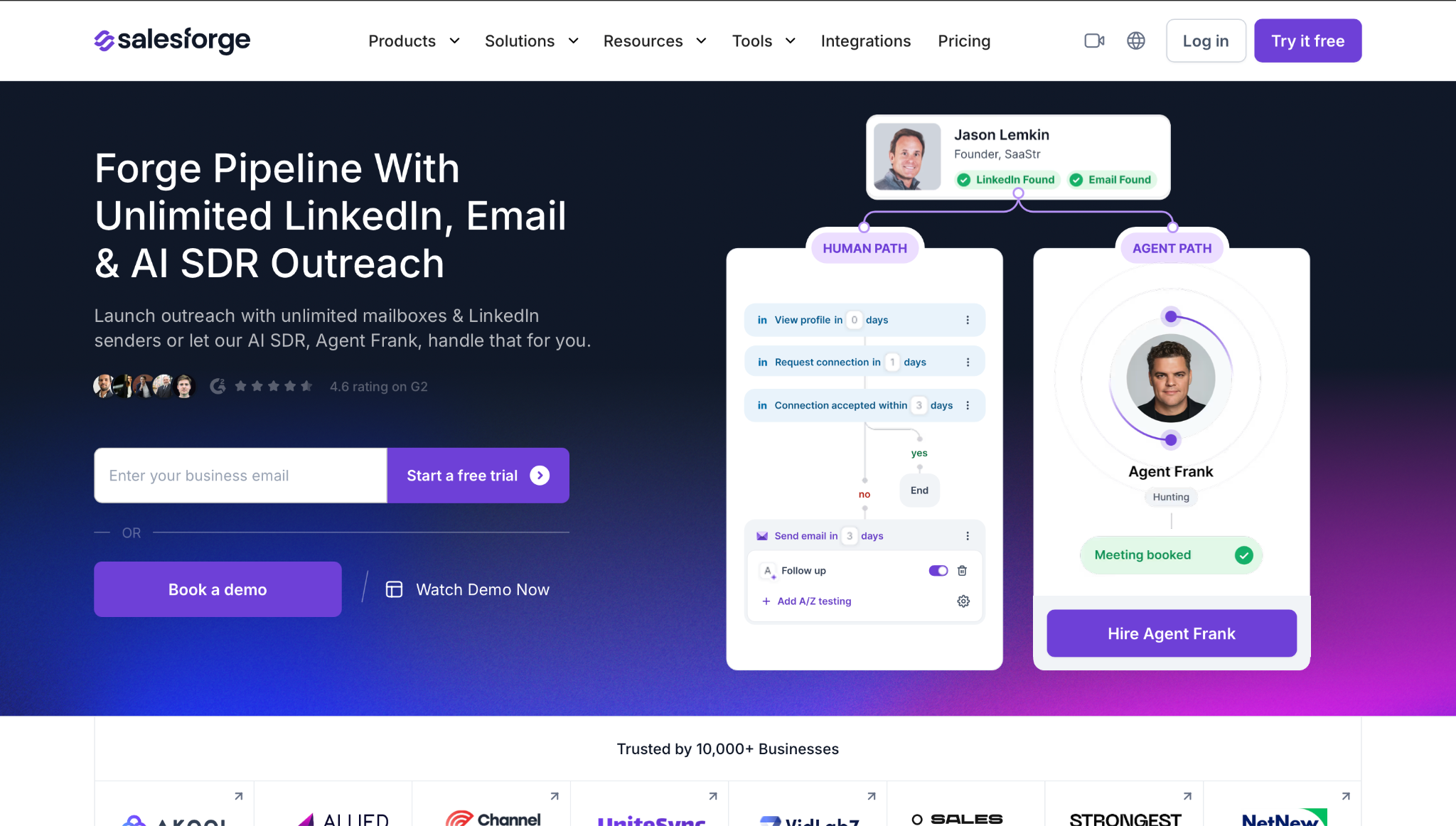
Salesforge supports conditional multichannel sequences, multiple sending identities, AI-assisted personalization, reply management through Primebox, and Warmforge warmup within the wider Forge ecosystem.
The trade-off is modularity.
Apollo puts more of the workflow into one product. The Forge stack separates data, sending, infrastructure, warmup, and agent-led execution into more specialized products.
Choose Apollo for consolidation.
Choose Salesforge when the outreach workflow itself requires more channel and sender control.
Apollo’s infrastructure is convenient when you want to purchase domains and mailboxes inside the same platform used for prospecting and sending.
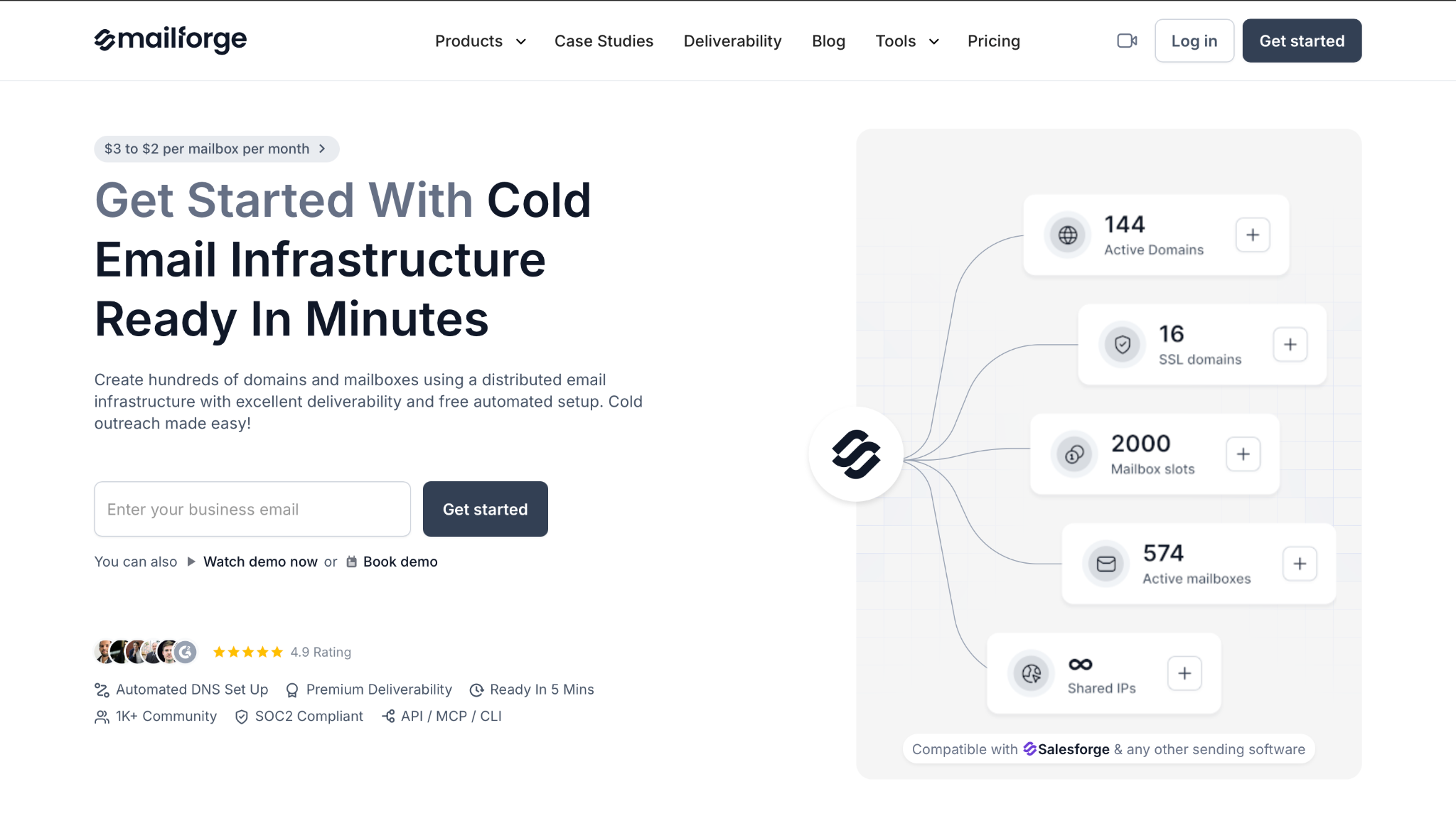
Mailforge is the cleaner fit when domains and mailboxes are the bottleneck.
It is designed around:
That is a different job from Apollo’s broader GTM workspace.
Apollo can still be used for data while Mailforge handles infrastructure. You do not have to make one product own every layer.
Apollo.io is still a strong outbound platform in 2026.
I would shortlist it for founders, SDR teams, agencies, and mid-market revenue teams that want prospecting, enrichment, sequencing, calling, AI assistance, CRM activity, and basic email infrastructure in one place.
It earns a 7.5/10 because it reduces tool sprawl and gets teams from market selection to outbound execution quickly.
I would not treat it as a guaranteed answer to:
The buying decision comes down to one distinction:
Choose Apollo when the main job is consolidation. Choose specialist tools when one layer of outbound has become the constraint.
Before committing, run one controlled test:
That test will tell you more than a generic database-size claim or feature checklist.
