If you’re searching for email infrastructure built for deliverability, you’re likely trying to send high-volume emails without landing in spam.
Your deliverability depends on more than just content; it's driven by your domains, IPs, and DNS setup.
This is your email infrastructure, and it determines how safely and consistently your emails reach the inbox.
Traditional inboxes like Gmail or Outlook weren’t made for cold outreach at scale.
You need dedicated infrastructure that lets you create multiple domains, automate authentication (SPF, DKIM, DMARC), and monitor reputation.
In this guide, I’ve listed the 5 top email infrastructure providers for deliverability that help you scale outreach confidently, protect domain health, and maintain steady inbox placement across campaigns.
Let’s take a closer look.
TL;DR: 5 Top Email Infrastructure Providers for High Volume Emails
Mailforge: Scalable cold email deliverability with automated DNS and 100+ domains.
Infraforge: For dedicated IPs and full control over domain reputation.
Saleshandy: All-in-one outreach + infra with lead data and automation.
Inframail: For agencies needing unlimited Microsoft-backed inboxes with dedicated IPs.
Mailscale:Quick, low-cost inbox generation with a deliverability guarantee.
What Is Email Infrastructure and How Does It Work?
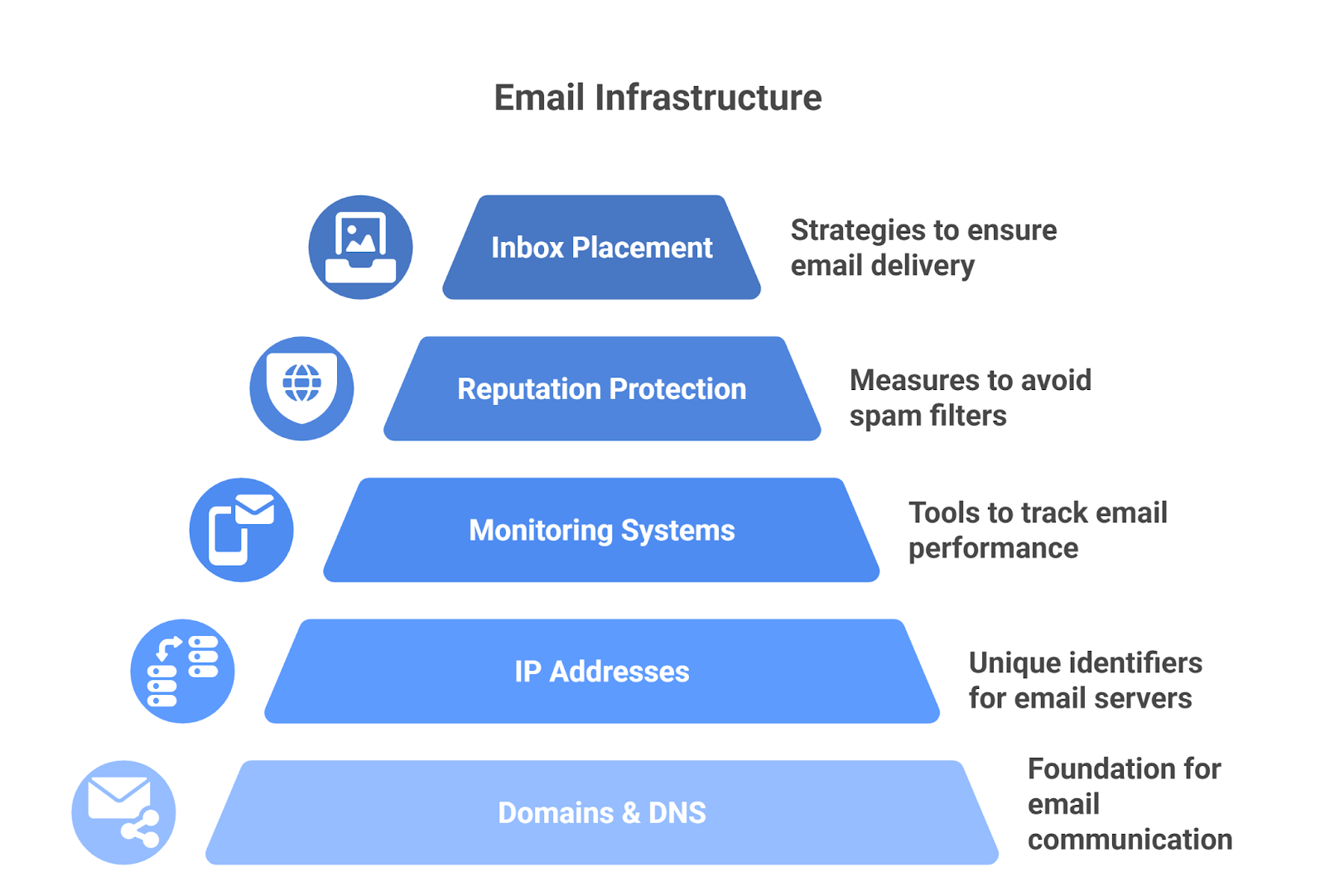
This image shows the Email Infrastructure
Email infrastructure is basically the foundation that allows your domain and mailboxes to send emails at scale without ending up in spam.
It combines domains, DNS records, IP addresses, and monitoring systems to protect your reputation and improve inbox placement.
Overall, it is the foundation that keeps your emails deliverable and your domain safe when you send high volumes.
How Email Infrastructure Works (Step by Step)
Before your emails can reach inboxes, your infrastructure needs to be properly set up behind the scenes.
Here’s how the process works from start to finish.
1. Set up your domain
You start by registering a domain and creating mailboxes. This becomes your sending identity, the foundation of your cold email setup.
2. Add authentication records
SPF, DKIM, and DMARC are added to your DNS settings.These tell inbox providers that your emails are safe and verified.
3. Send through trusted IPs
Your emails travel through specific IP addresses. The reputation of these IPs helps inboxes like Gmail or Outlook decide whether to trust your message.
4. Warm up before sending large volumes
Instead of blasting thousands of emails on day one, warm up the domains and start with smaller volumes to build trust and show consistent behavior.
5. Pass inbox filters
Email providers constantly scan domains, IPs, and patterns. When your setup looks clean and authentic, your emails land in the inbox.
6. Monitor and adjust
You can track where your emails go, inbox, spam, or bounce and use that feedback to tweak your setup for better results.
7 Features Every Cold Email Infrastructure Provider Must Offer
The right setup protects your domain, builds trust with inbox providers, and keeps your campaigns running long-term.
Here are the key features you should look for in any cold email infrastructure provider:
1. Simple domain and mailbox setup
Create and rotate sending domains and mailboxes without risking your primary domain.
A good provider makes that process quick and painless, so you can scale outreach safely.
2. Proper email authentication
Think of SPF, DKIM, and DMARC as your email’s proof of identity.
When these are set up correctly, inboxes like Gmail and Outlook know your emails are legit, not spammy.
3. Clean and trusted IPs
Whether shared or dedicated, IPs should be monitored and maintained. Look for reverse DNS set correctly, blocklist checks, and reputation monitoring with alerts when risk rises.
4. Built-in warm-up system
No domain should start sending hundreds of emails on day one because inbox providers instantly flag that as suspicious behavior.
A good warm up system ramps gradually, randomizes send windows, mixes templates, manages replies, and pauses automatically when bounce or complaint rates spike.
5. Real-time deliverability tracking
You should always know where your emails are landing. Dashboards that show inbox rates, bounces, and blacklists help you fix problems before they grow.
6. Easy scalability
As you grow, you’ll probably add more domains and mailboxes. Look for per-provider rate controls, queueing, scheduling, and pools that let you spread load without tripping provider limits.
7. Built-in compliance support
Good infrastructure helps you scale safely by keeping your domains trusted and compliant with email-sending standards like GDPR and CAN-SPAM.
It prevents reputation damage while letting you send at higher volumes confidently.
How We Chose the Best Top Email Infrastructure Providers
To find the most reliable providers, we focused on factors that directly affect inbox placement, domain safety, and long-term deliverability:
Inbox Placement & Deliverability – how well the provider improves inbox rates, reduces spam folder delivery, and maintains a strong sender score.
Mailbox Warm-Up & Reputation Building – whether the system automates domain warm-up with realistic sending patterns to protect new domains and mailboxes.
Scaling Domains & Mailboxes – how easy it is to add multiple domains and accounts as your outreach grows without hitting limits.
Infrastructure Control – options like private IPs, automated DNS setup (SPF, DKIM, DMARC), and domain reputation monitoring for safer scaling.
Ease of Use – guided setup, simple dashboards, and clear deliverability reporting so you don’t need deep technical skills.
Pricing & Value – transparent plans that are affordable and flexible for different team sizes, without hidden costs.
Support & Guidance – whether the provider offers hands-on help for setup, DNS issues, and troubleshooting deliverability problems.
By following this checklist, we were able to highlight the top email infrastructure for deliverability.
Quick Comparison of Top Email Infrastructure Providers
To make your choice easier, we made a side-by-side look at the top email infrastructure providers and how they compare:
Provider
Infrastructure Type
IP Setup
Scalability (Domains / Inboxes)
Starting Price per Inbox
Key Strength for Deliverability
Mailforge
Distributed infrastructure built for cold outreach
Shared IPs
Hundreds to thousands of domains and mailboxes
$2–$3/month
Optimized DNS + sending setup built only for cold email
95–100% deliverability guarantee + recovery support
Let's look into each provider in detail to understand, so you can see which one actually fits your needs best
1. Mailforge – Best for Cold Email Deliverability
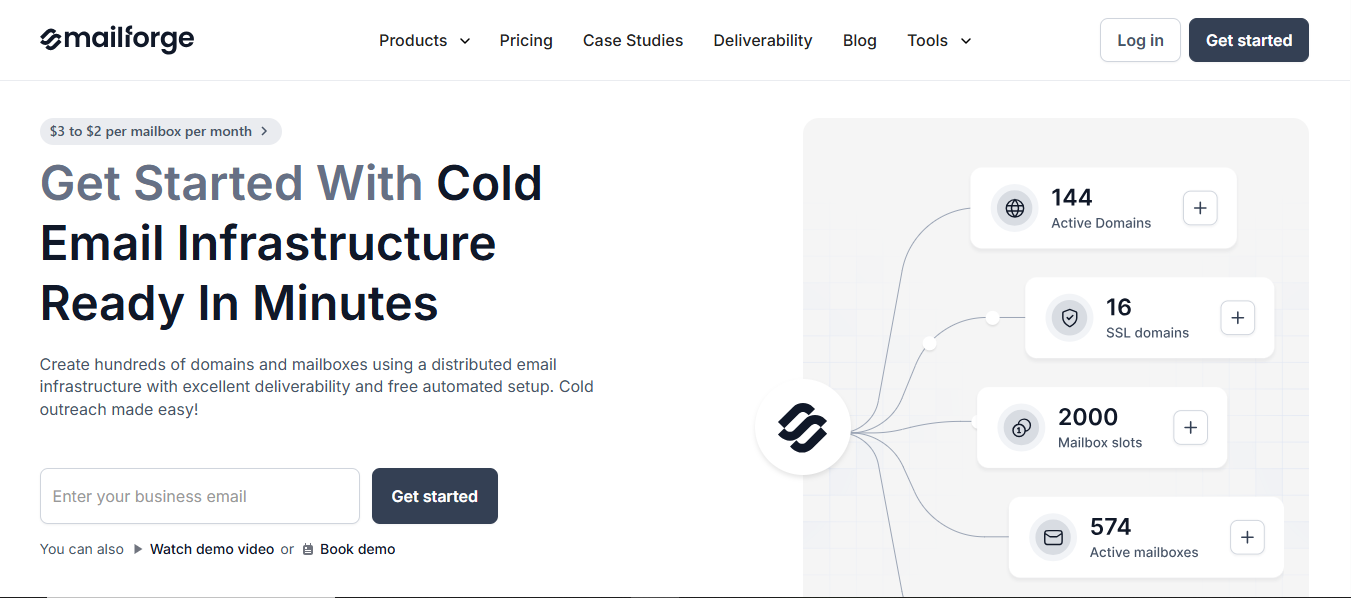
Mailforge is a distributed cold email infrastructure built to help businesses scale outreach with strong deliverability.
This image shows the Mailforge homepage
It lets you create hundreds of domains and mailboxes in minutes, with automated DNS setup (SPF, DKIM, DMARC, and tracking) included by default.
The platform uses a shared IP setup that’s optimized for cold outreach, giving new and advanced senders a trusted reputation base to build from.
Mailforge provides affordable, ready-to-use infrastructure that keeps your domains safe, your IP reputation strong, and your emails landing in the inbox.
Important Features for Cold Email Infrastructure
Uses shared IP infrastructure optimized for cold email deliverability.
Automates DNS setup with SPF, DKIM, DMARC, and tracking.
Offers unlimited mailboxes and multiple workspaces.
Integrates well with Salesforge and other outreach tools.
Includes real-time monitoring for domain and sender reputation.
How Good Is Mailforge’s Email Deliverability to Scale?
Mailforge is designed to handle the challenges of cold email at scale.
Automatically sets up SPF, DKIM, and DMARC records in minutes, saving hours of manual setup and ensuring every domain is verified before sending.
Uses trusted shared IPs tuned for cold outreach, helping new domains start with a strong reputation.
Sends in natural, human-like patterns that prevent new mailboxes from getting flagged as spam.
Keeps domain reputation steady even when scaling to hundreds of inboxes.
Teams moving from Gmail or Outlook typically see higher open rates and fewer delivery blocks with Mailforge.
Mailforge Cons
Runs only on shared IPs, so you don’t get the control or isolation that dedicated IP setups offer.
Doesn’t include built-in warm-up; you’ll need an external warm-up solution.
SSL and domain masking are paid add-ons, not included by default.
A minimum of 10 mailbox slots is required, which may not suit small teams.
Mailforge Pricing
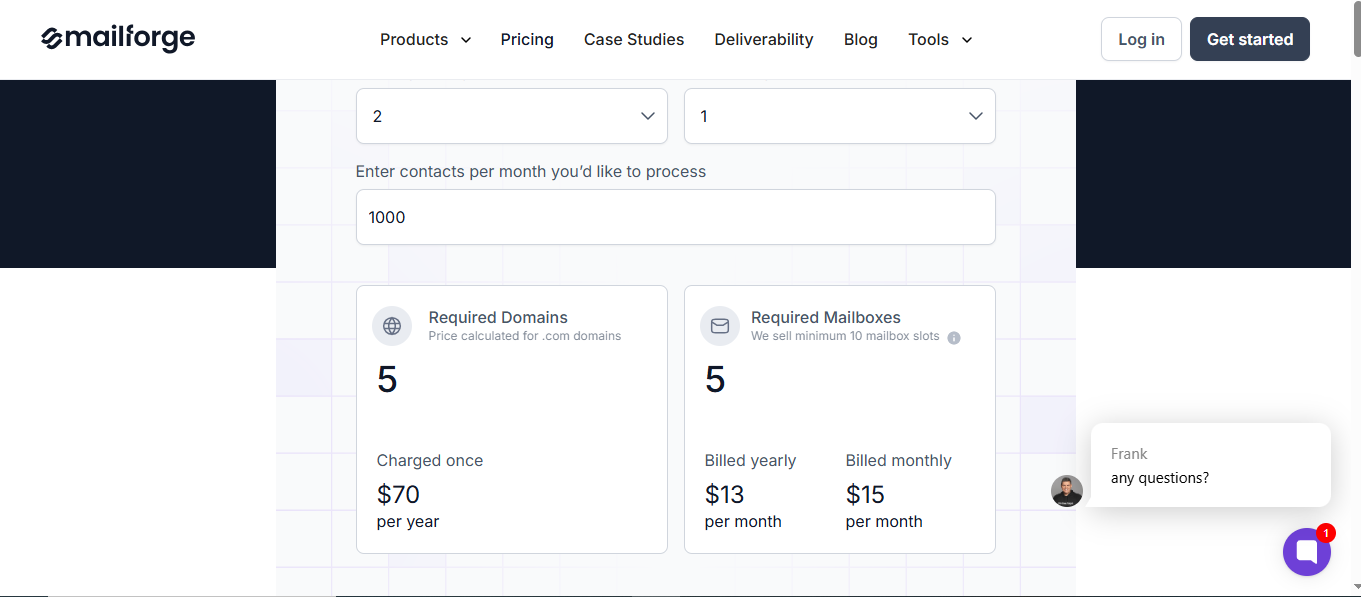
This image shows the Mailforge pricing
Mailforge uses a simple, mailbox-based pricing model:
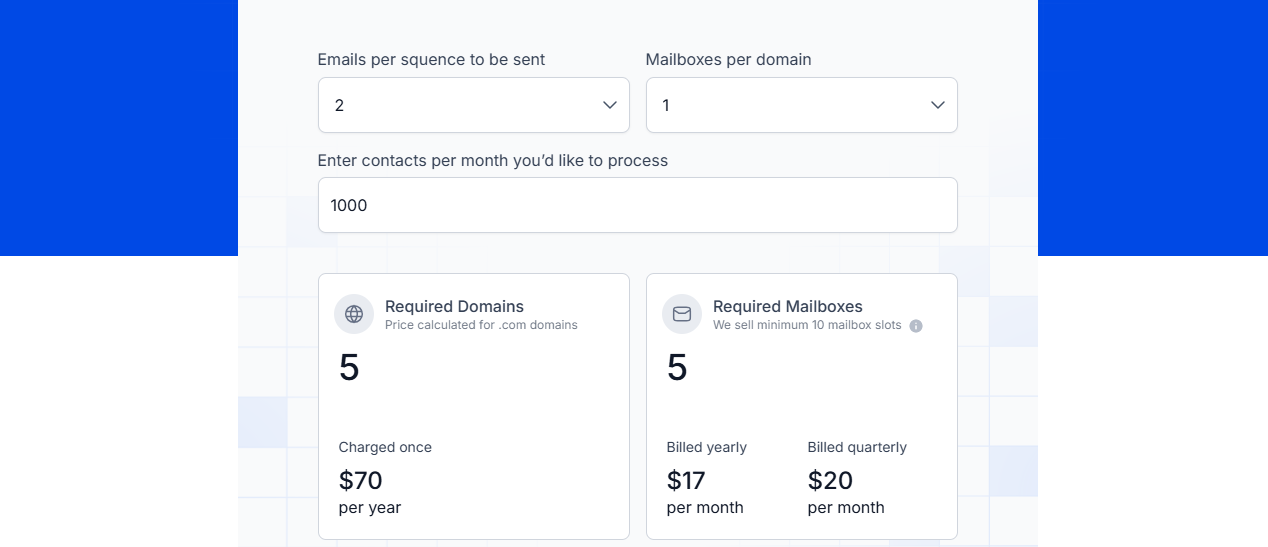
$3 to $2 per mailbox per month (depending on volume and billing).
Domains: $70 per year (per .com domain).
Mailboxes: Minimum 10 slots required.
Add-ons: SSL & domain masking at $2/month (or $6/year) per domain.
Expert sessions: $500 for two 1:1 consulting sessions for outreach strategy.
This pricing is far more cost-efficient compared to Gmail or Outlook, where each inbox typically costs $6–$12 per month, making Mailscale nearly 3x cheaper for high-volume mailbox creation.
2. Infraforge
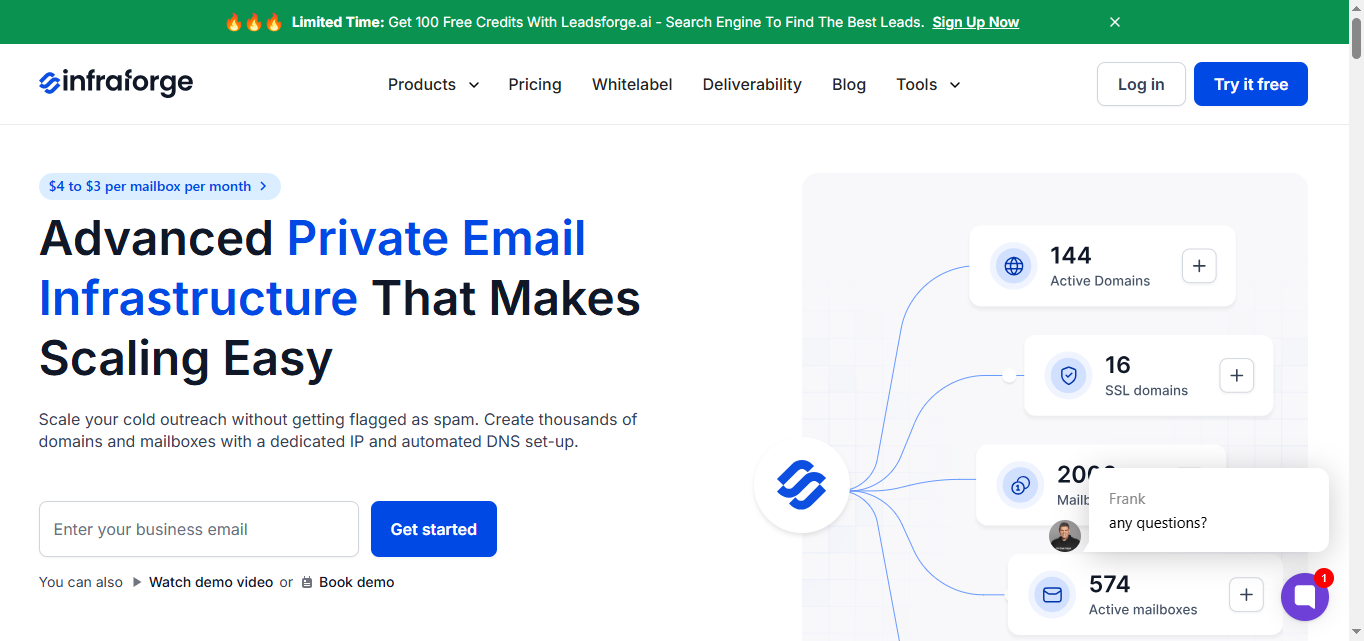
Infraforge is a private email infrastructure built for businesses that need full control over scaling cold outreach.
This image shows the Infraforge homepage
Unlike shared IP setups, Infraforge provides dedicated IP addresses, giving you a clean sender reputation base and greater control over deliverability.
It lets you set up thousands of domains and mailboxes in minutes with DNS handled for you, or start right away with pre-warmed accounts.
Built-in rotation, smart limits, and real-time monitoring keep your outreach safe and your deliverability strong.
Important Features for Cold Email Infrastructure
Provides dedicated IPs for every setup.
Comes with pre-warmed domains and mailboxes.
Automates DNS setup with SPF, DKIM, and DMARC.
Supports multi-IP provisioning for large-scale outreach.
Includes a Masterbox for unified inbox visibility.
Offers API access for integrations and automation.
Allows bulk DNS updates and domain transfers.
Adds SSL and domain masking for security.
Supports multiple workspaces for team management.
Fully compatible with Salesforge and other outreach tools.
How Good Is Infraforge’s Email Deliverability to Scale?
Uses dedicated IPs for every setup, giving you full control over reputation and sending history.
Offers pre-warmed domains and mailboxes, so you can start sending right away without risking spam flags.
Smart sending limits and sender rotation help you avoid spikes that damage domain health.
Infraforge Cons
Features like Masterbox, SSL, and extra IPs cost extra, increasing the overall setup price.
Infraforge Pricing
This image shows the Infraforge Pricing
Infraforge pricing is based on domains, mailboxes, and add-ons:
Mailbox slots:
$20 per mailbox/month (billed quarterly).
$17 per mailbox/month (billed annually).
Minimum of 10 slots required.
Domains: $70 per year (.com).
Dedicated IP addresses: $99 per month (billed quarterly).
SSL & domain masking: $2/month or $6/year per domain.
Masterbox add-on: $9/month per workspace (quarterly billing) or $7/month (annual billing).
Expert sessions: $500 for two 1:1 consulting sessions.
3. Saleshandy
Saleshandy combines cold email infrastructure, automation, and lead generation into one platform.
This image shows the Saleshandy
With built-in email warm-up, inbox placement testing, and sender rotation, Saleshandy keeps your campaigns deliverable while helping you manage outreach at scale.
Important Features for Cold Email Infrastructure
Provides unlimited email accounts.
Includes a deliverability suite with email warm-up, spam testing, and inbox radar.
Uses sender rotation for balanced sending.
Offers inbox placement testing for tracking.
Provides a unified inbox for managing replies.
Includes a B2B lead finder with 700M+ verified contacts.
Integrates with CRMs and outreach tools.
How Good Is Saleshandy’s Email Deliverability to Scale?
Saleshandy’s Deliverability Suite automatically adjusts sending speed and limits to mimic natural, human-like activity.
The built-in Inbox Radar tracks where your emails land: inbox, promotions, or spam , helping you fix issues fast.
It includes automated warm-up and sender rotation, both of which build domain trust and prevent spam flags when sending at volume.
With inbox placement testing before campaigns go live, users often see steadier open rates and better deliverability as they scale across multiple accounts.
Saleshandy Cons
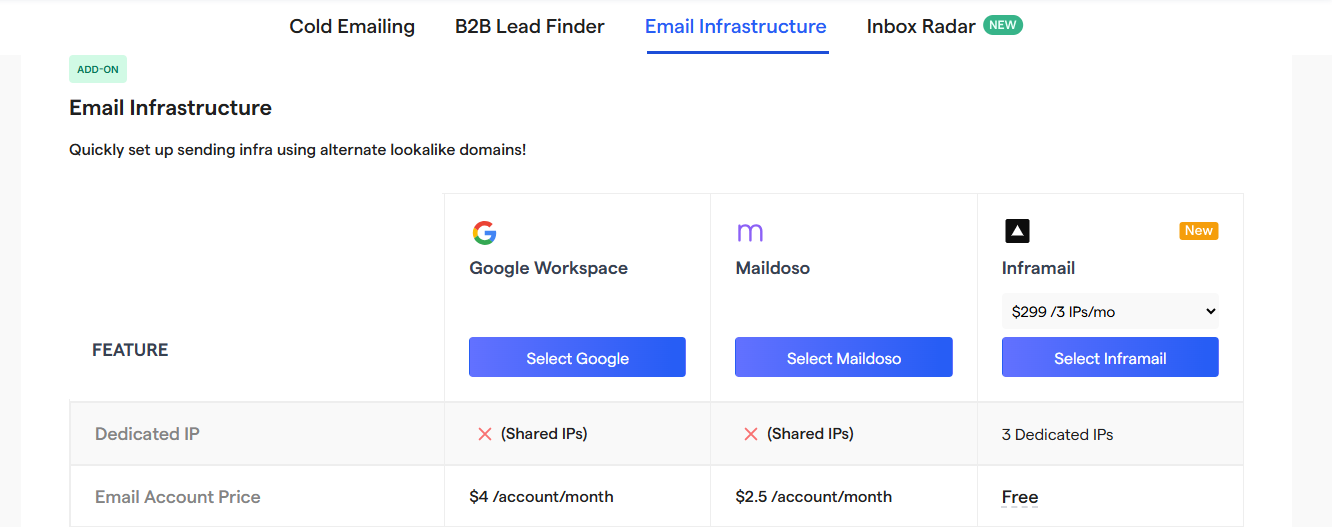
Infrastructure runs on shared IPs unless upgraded via Inframail.
Dedicated IPs cost extra ($299 for 3 IPs).
Deliverability glitches that may lead to spoiling the reputation.
This image shows the Saleshandy user review
Daily sending limits per mailbox (30–50 emails) require scaling via multiple accounts.
Infrastructure features are lighter since it’s an all-in-one outreach platform.
Scaling high-volume campaigns often means adding paid extensions or higher plans.
Saleshandy Pricing
This image shows Saleshandy Infrastructure pricing
Saleshandy’s pricing combines accounts, domains, and infrastructure:
Email accounts: $4/account/month (monthly) or $2.5/account/month (volume).
Domains: $14/year per domain.
Infrastructure add-on: $299/month for 3 dedicated IPs (via Inframail).
Shared IPs: included in standard plans.
7-day free trial with no credit card required.
This makes Saleshandy a cost-effective choice for agencies and teams that want both outreach and infrastructure in one place.
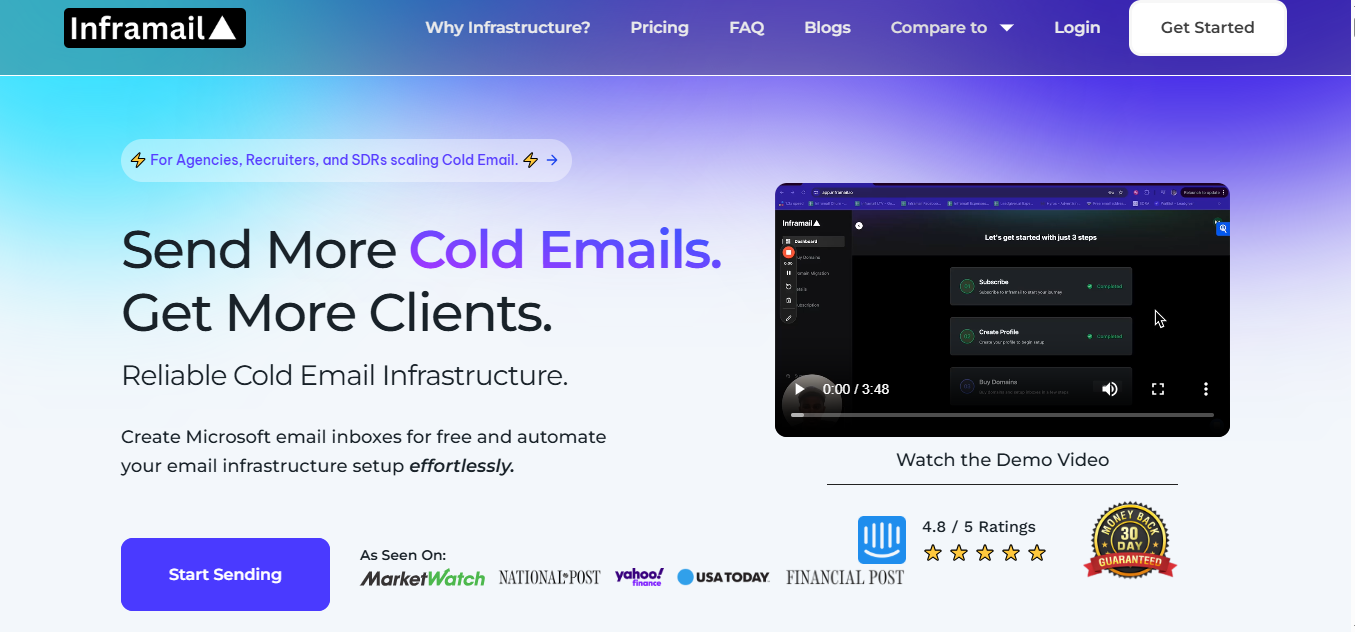
Inframail is a cold email infrastructure platform designed for speed, scale, and reliability.
This image shows the Inframail homepage
It specializes in creating Microsoft-backed inboxes with dedicated servers, so agencies and B2B teams can spin up unlimited email accounts in minutes without relying on Google Workspace or Outlook.
With built-in SPF, DKIM, and DMARC setup, plus real-time deliverability monitoring, Inframail helps businesses maintain healthy domains while scaling outreach.
Important Features for Cold Email Infrastructure
Provides dedicated IPs for every setup.
Includes unlimited email inboxes with quick setup.
Automates DNS configuration with SPF, DKIM, and DMARC.
Offers Microsoft-backed email infrastructure.
Adds Phantom redirect for domain masking and privacy.
Includes real-time deliverability monitoring and blacklist tracking.
Integrates with tools like Salesforge, Smartlead, and ReachInbox.
Offers AI deliverability consultant and automation support.
How Good Is Inframail’s Email Deliverability to Scale?
Built on Microsoft’s trusted cloud network with high-reputation IPs for safer sending.
Automatically adds SPF, DKIM, and DMARC for verified domain setup.
Phantom Redirect hides domain tracking links from ESPs to prevent spam flags.
Delivers up to 98%+ inbox placement with real-time health monitoring and delisting support.
Inframail Cons
You can only set up a limited number of domains per day (5 to 15, depending on your plan), which can slow down scaling.
The number of dedicated IPs you get depends on your plan, so you’ll need to upgrade if you want more.
It mainly focuses on exporting your setup to tools like Instantly or Smartlead instead of sending directly.
Since it’s built around Microsoft’s cloud setup, it might not be the best fit if you’re using other email platforms.
Inframail Pricing
This image shows the Inframail pricing
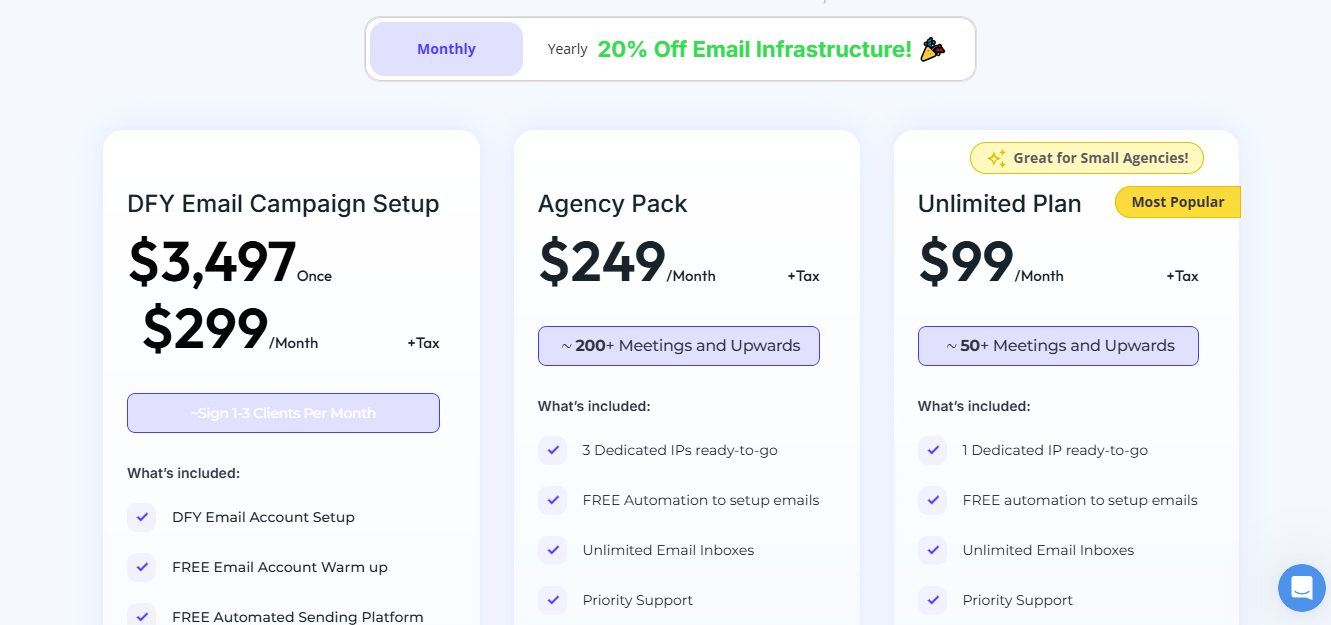
Inframail offers three main plans designed for different agency sizes:
DFY Campaign Setup – $299/month or $3,497 one-time
Done-for-you inbox + campaign setup with coaching, warm-up, and 2,500 contacts.
Inframail is far more cost-efficient than Google Workspace or Outlook, especially for agencies managing 50+ inboxes.
5. Mailscale
Mailscale is an email infrastructure platform built for agencies and B2B firms that need to spin up inboxes fast and at low cost.
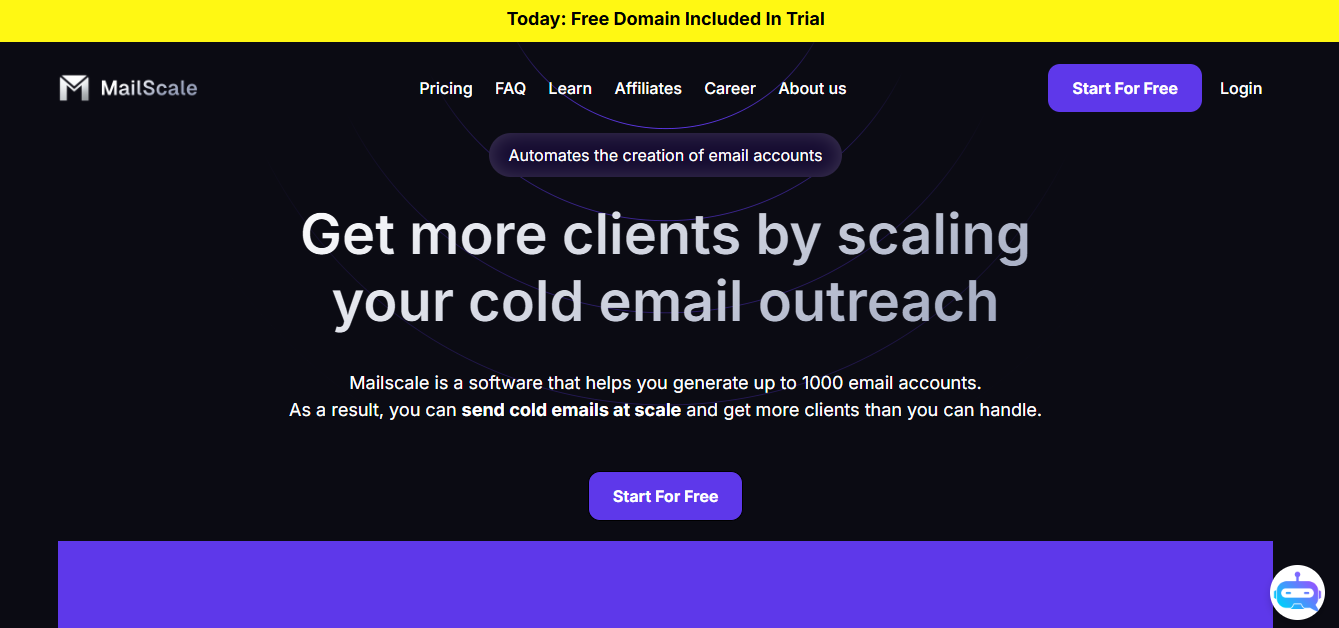
This image shows the Mailscale homepage
Unlike Gmail or Outlook, which weren’t designed for cold outreach, Mailscale lets you create 50 to 1000 inboxes in under a minute and plug them directly into any sending tool like Salesforge
With built-in deliverability, automated DNS setup, and domain recovery support, Mailscale makes it easy to scale campaigns while saving up to 80% compared to traditional providers like Google Workspace and Outlook.
Important Features for Cold Email Infrastructure
Enables instant inbox generation with up to 1,000 inboxes in under 60 seconds.
Automates domain and DNS setup with SPF, DKIM, and DMARC.
Provides CSV export for ready-to-use inbox accounts.
Offers domain recovery support within 7 days if flagged.
How Good Is Mailscale’s Email Deliverability to Scale?
The platform automatically configures SPF, DKIM, and DMARC and creates up to 1000 inboxes in less than 60 seconds, cutting manual setup time from hours to seconds.
Its system is optimized for cold email sending, not marketing blasts - meaning no throttling or rate limits like Gmail or Outlook.
If any domain gets blacklisted, Mailscale’s support team helps recover it within 7 days, keeping your campaigns uninterrupted.
B2B firms using Mailscale often see fewer spam complaints and stronger inbox placement, especially when sending at high volumes.
Mailscale Cons
A business plan allows up to 50 inboxes; scaling to 1,000+ likely needs higher plans.
This image shows the Mailscale user complaining about its limited scalability
Doesn’t offer dedicated IPs or IP reputation controls.
Monitoring tools are basic compared to advanced infra platforms like Infraforge and Mailforge.
Mailscale Pricing
This image shows the Mailscale pricing
Business Plan – $95/month
Generate up to 50 inboxes.
Domains included inside the platform.
5-minute setup, ready to plug into any sending tool.
Save up to $3180/year compared to Google/Outlook.
A 7-day free trial is available
Which Email Infrastructure Should You Pick?
If you just need a basic sending setup, any provider will work.
But if you care about consistent inboxing at scale, here’s how they differ:
Mailforge focuses on deliverability. It automates DNS, supports over 100 domains, and uses shared IP pools tuned for cold outreach.
Infraforge offers full control with dedicated IPs, pre-warmed domains, and real-time deliverability tracking.
Saleshandy combines outreach, infrastructure, and lead data in one place with inbox radar and sender rotation.
Inframail fits Microsoft-based teams and agencies that need unlimited inboxes, quick setup, and dedicated IP options.
Mailscale makes volume simple, spin up to 1,000 inboxes instantly with a 95–100% deliverability guarantee.
If your goal is to send high-volume cold email safely and predictably, choose Mailforge.
It’s built to keep campaigns landing while letting you scale without extra complexity.