
Personalized Outbound Strategy
Get The Right Outbound Strategy In Minutes
Enter your email to get a custom plan & stack recommendation for your business
It's being carefully crafted by AI
Please check your mailbox in 5 minutes

HyperInboxes is still serving existing customers, but it is not accepting new customers right now. Its homepage says new signups and purchases are paused while the team focuses on current users.
So if you came here looking for a simple HyperInboxes review, the direct answer is this: treat HyperInboxes as unavailable for new procurement until proven otherwise. Existing customers do not need to assume an immediate shutdown, but a sales team shopping for 2026 mailbox capacity should not build its plan around a provider that is not taking new accounts.

The more useful question is why a provider like this pauses.
The likely reasons are not one neat public statement. The risk signals point to a mix of capacity control, reseller-supply pressure, deliverability quality issues, and Google Workspace cold-email enforcement getting harder.
If HyperInboxes was relying heavily on Indian-origin Google Workspace supply, that matters because mailbox origin, reseller controls, and shared account patterns can affect cold email performance.
That does not mean every Indian-origin inbox is bad.
It means serious outbound teams need to know exactly what they own, where the mailbox was provisioned, how reputation is monitored, and what happens when Google or a reseller changes the rules.
HyperInboxes advertised premium Google Workspace inboxes for cold email, 12-hour setup, automated SPF/DKIM/DMARC, centralized management, and free replacements. On paper, that solves the painful part of mailbox setup.
The current problem is availability.
HyperInboxes may have been useful when you only needed fast Google Workspace inbox setup. In 2026, that is not enough. The provider is paused, public pricing is unclear, and the stronger buying decision is to move toward infrastructure with clear ownership, ESP diversification, warmup, monitoring, and an offboarding path.
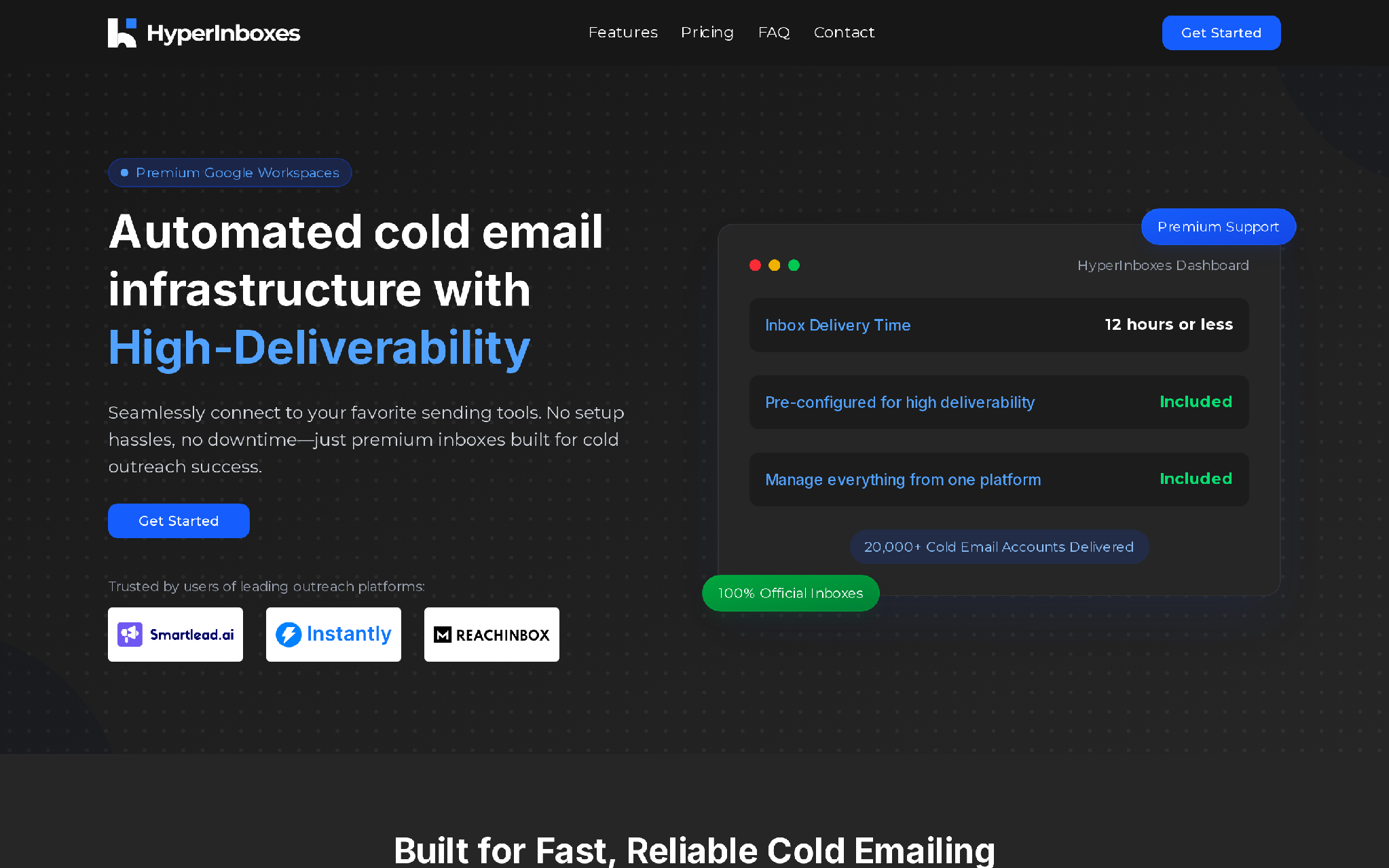
HyperInboxes is a cold email inbox provider built around Google Workspace mailboxes. The pitch is simple: buy mailboxes, let the provider handle technical setup, connect the inboxes to Smartlead, Instantly, ReachInbox, or another sequencer, then start outreach after warmup.
The public promise includes:
That is a useful product category.
A sales team does not lose pipeline because one person forgot how to write a DNS record. The pipeline gets hit when no one owns the whole outbound infrastructure chain. Domains get bought in a rush, inboxes are warmed badly, data is dirty, sequences hit volume too quickly, and the team starts debugging after replies vanish.
HyperInboxes tried to remove the first setup burden. The issue is that the market has moved. In 2026, buyers need more than setup.
They need operating control.
The cleanest wording is this: HyperInboxes is paused for new customers, not clearly shut down for existing customers.
That distinction matters.
A full shutdown means the provider has stopped operating. This looks different. HyperInboxes has stopped new signups and purchases while continuing to serve existing users.
For a new buyer, the practical result is almost the same.
For a new sales team, it is not an active procurement option. Next month’s outbound capacity cannot depend on a provider that is not taking the order. Old pricing, old delivery timelines, and old replacement terms also should not be treated as current.
For an existing HyperInboxes customer, the decision is different. No need to panic-migrate just because the sales page is paused. First check:
If those answers are weak, plan a controlled migration before a total outage forces the timeline.
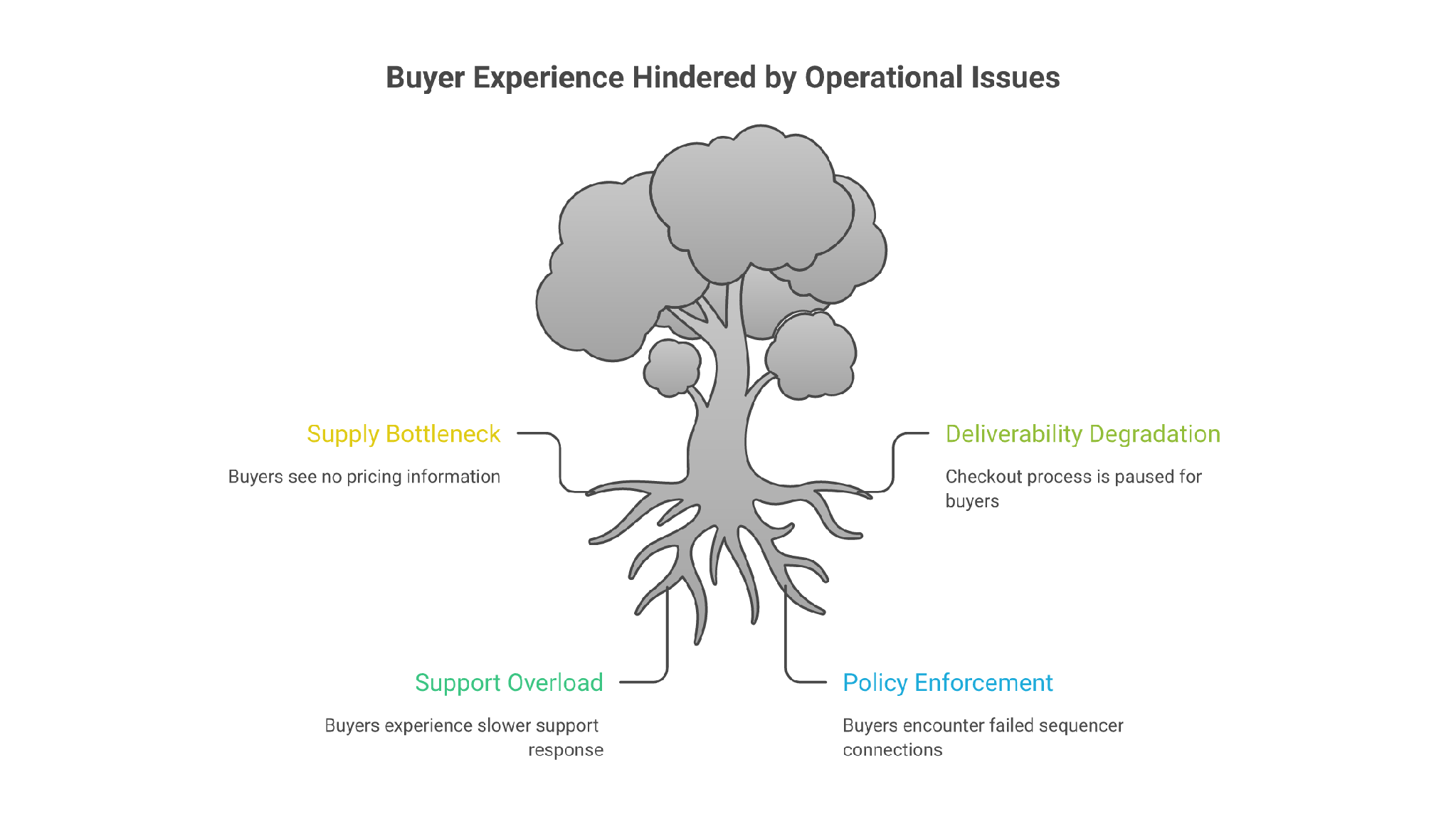
Nobody outside the company should pretend to know the exact internal cause unless HyperInboxes says it directly.
But in cold email infrastructure, pauses usually come from a small set of operational pressures.
Google Workspace mailboxes are not a magic cold email resource. They are business email accounts running on infrastructure built for normal business communication.
Cold outreach changes the pattern.
When many new domains, many new inboxes, similar authentication patterns, sequencer logins, warmup traffic, and high outbound volume appear together, the system starts to look less like normal business email and more like a scaled sending operation.
That can create supply pressure for any reseller-heavy provider.
If the provider cannot reliably provision new inboxes at the same quality, pausing sales is better than selling capacity it cannot support.
The brief calls out a specific market concern: Indian-origin Google inboxes have had lower deliverability success than US-origin Google inboxes.
That is plausible as a buyer-risk factor, but it needs careful wording. The issue is not nationality. The issue is infrastructure context.
Origin can matter because it may correlate with reseller channel, billing geography, IP reputation, tenant history, abuse pressure, support path, and what receiving systems expect from the sender’s business identity.
If a US company suddenly sends US-targeted cold email from a stack that looks regionally mismatched, heavily resold, and pattern-heavy, inbox placement can suffer.
The buyer lesson is simple: ask where the accounts are provisioned, whether IPs and tenants match your target market, and whether you get admin control.
If the provider will not answer clearly, you are buying a black box.
Mailbox infrastructure breaks in annoying ways.
A sequencer disconnects. App passwords fail. Forwarding stops. Domain redirects break. A DKIM record drifts. A mailbox gets suspended. A client campaign is live, and every hour of delay burns leads.
Fast setup is attractive, but support is the real product when something breaks.
If a provider sells cheap or high-volume inboxes without enough support capacity, growth turns against it. New purchases then become a liability because every new customer adds more tickets, more replacements, and more edge cases.
A pause can be a rational move to protect existing customers.
HyperInboxes appear primarily associated with Google Workspace inboxes.
That used to be enough for many cold email teams. It is weaker now.
A modern outbound system needs multiple lanes: Google Workspace when it fits, Microsoft 365 when the prospect base is Microsoft-heavy, shared or private SMTP where ownership and isolation matter, and monitoring across all of it.
Google-only infrastructure is fragile because one provider policy shift can hit your whole sending base.
That works until it doesn’t.
This is the fair read, not the panic read.
The best thing about HyperInboxes was the promise of removing setup friction.
The biggest problem is that setup friction is not the whole cold email problem anymore.
The harder parts are reputation, origin, tenant quality, sending discipline, warmup, monitoring, recovery, and ownership. If a provider does not make those visible, a low per-inbox price can hide a bigger pipeline cost.
I evaluated HyperInboxes like a buyer who needs working outbound capacity this month, not like someone collecting feature bullets. A cold email inbox provider has to be judged on availability, account control, mailbox origin, deliverability safeguards, support reality, pricing clarity, and whether the setup can survive provider changes.
Current pricing is not the main buying point because new purchases are paused.
That is where many reviews get sloppy. They list old prices as if buyers can still purchase them.
That is bad buying advice.
If HyperInboxes reopens, ask these questions before buying:
The cheapest answer is not always the best answer.
A $2 mailbox that quietly burns your target market is more expensive than a $4 mailbox that sends predictably, warms properly, and can be monitored.
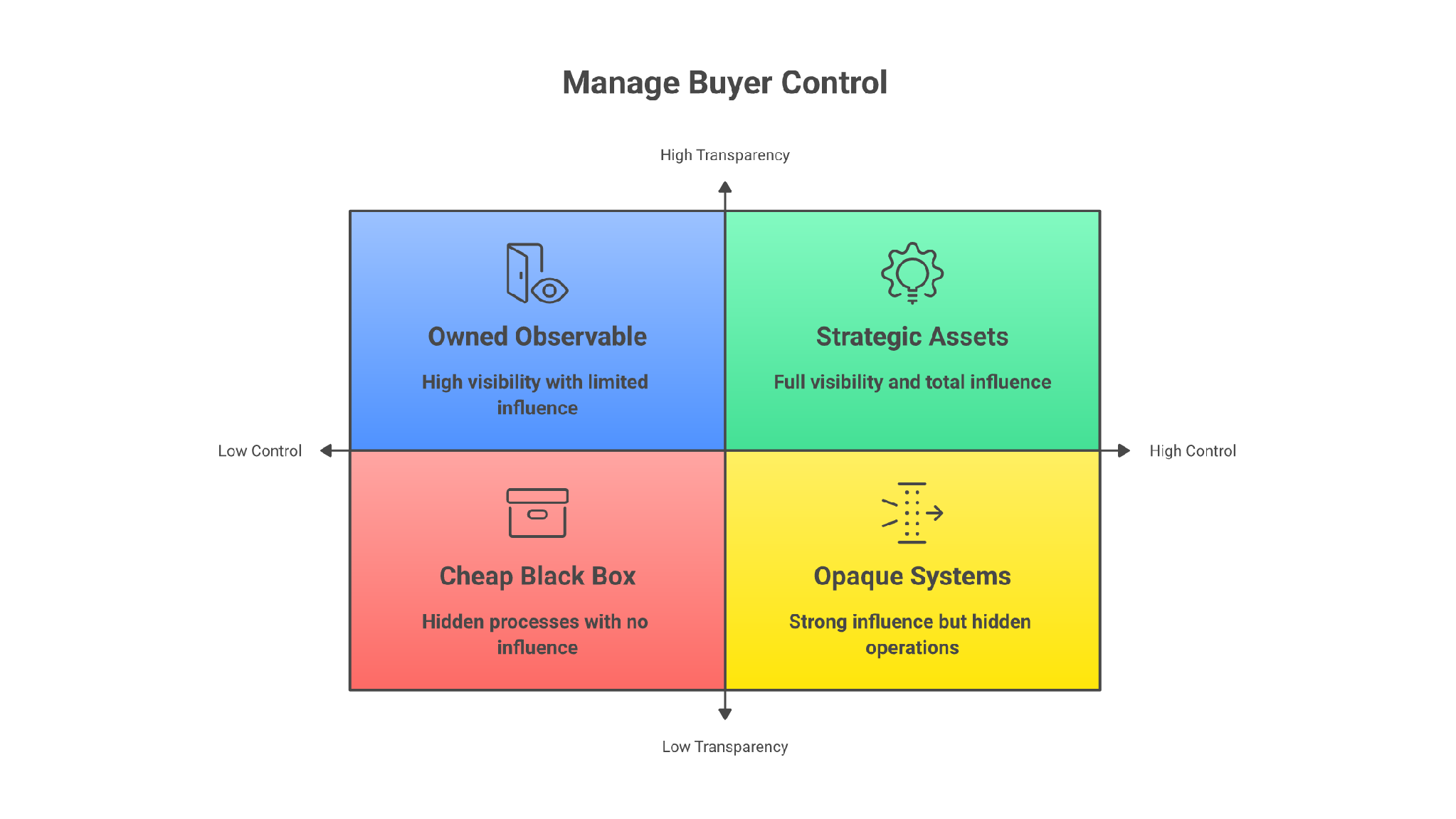
HyperInboxes is just one example of a bigger cold email problem.
Teams want more replies, so they buy more inboxes. Then they push more volume. Then deliverability drops. Then they buy another provider and repeat the same broken process.
That is not an infrastructure strategy. That is churn with DNS records.
The better question is not, “Which provider can give me inboxes fastest?”
The better question is, “Which setup gives me control, visibility, recovery, and enough diversification to keep the pipeline moving when one lane degrades?”
A serious outbound infrastructure workflow looks like this:
Tools are not the strategy. The workflow is the strategy.
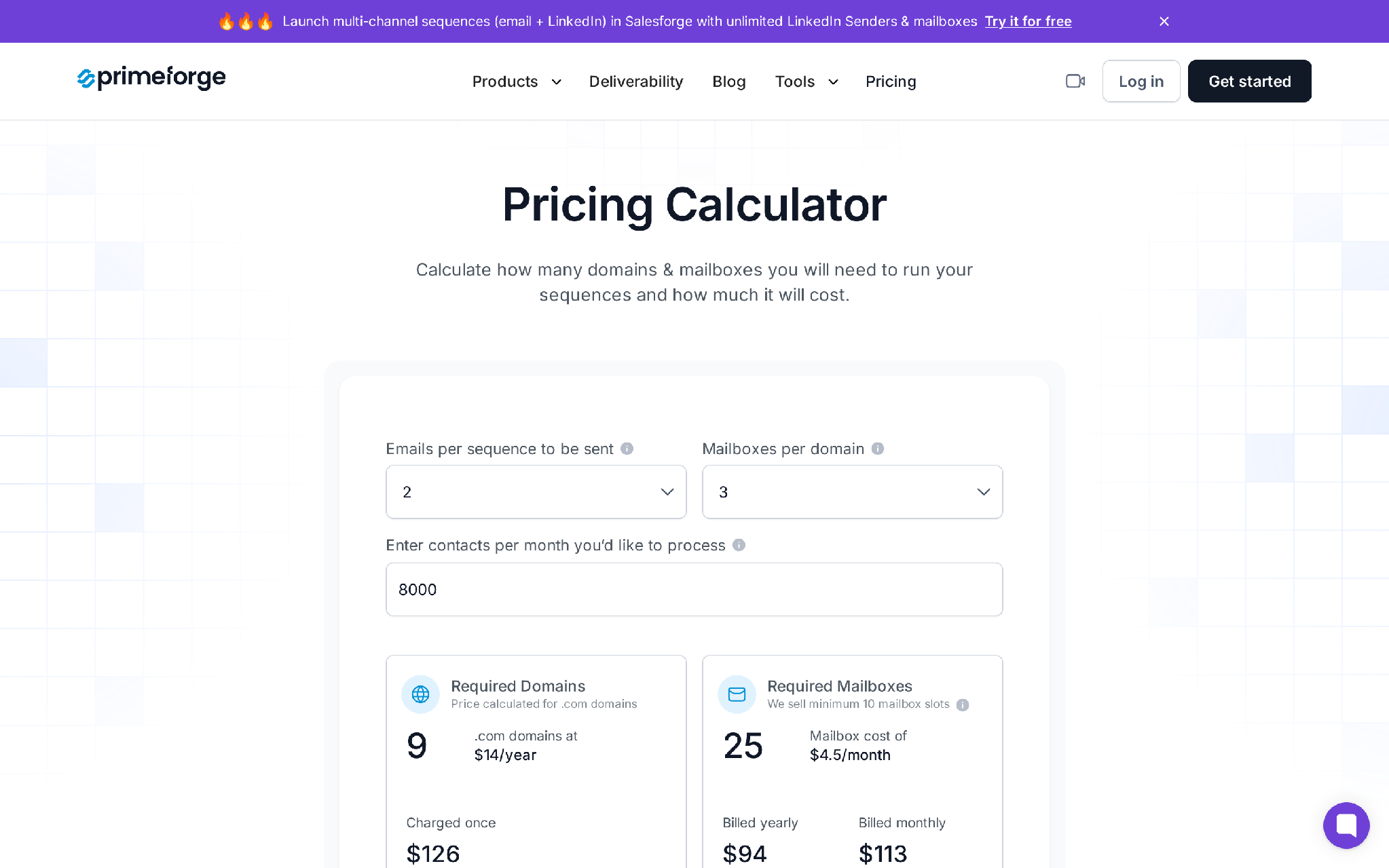
For Google Workspace and Microsoft 365 mailboxes that are active today, Primeforge is the closest Forge-stack replacement path.
Primeforge provides Google Workspace and Microsoft 365 mailboxes for cold outreach, automated DNS setup, US-based IPs, profile setup, and mailbox slots that start around $4.50 per mailbox per month with volume/annual economics that can bring the per-mailbox cost lower.
It is built for teams that want mainstream ESP matching rather than a mystery mailbox pool.
Use Primeforge when:
Primeforge is not perfect for every buyer. There is no free trial because infrastructure requires purchased domains and mailboxes. Mailbox slots also need to be planned carefully, since unused slots still cost money. For one or two normal business inboxes for internal email, buying directly from Google or Microsoft is cleaner.
For lower-cost shared infrastructure, Mailforge fits teams that need fast cold email infrastructure with automated domain setup and shared IP economics. For heavier operators who want more control, Infraforge is the private-infrastructure path with dedicated IPs and deeper control.
Warmforge handles warmup and deliverability checks. Salesforge handles sequencing, mailbox rotation, personalization, reply management, and LinkedIn/email outreach execution.
That order matters: infrastructure first, warmup second, clean list third, personalized copy fourth, volume last.
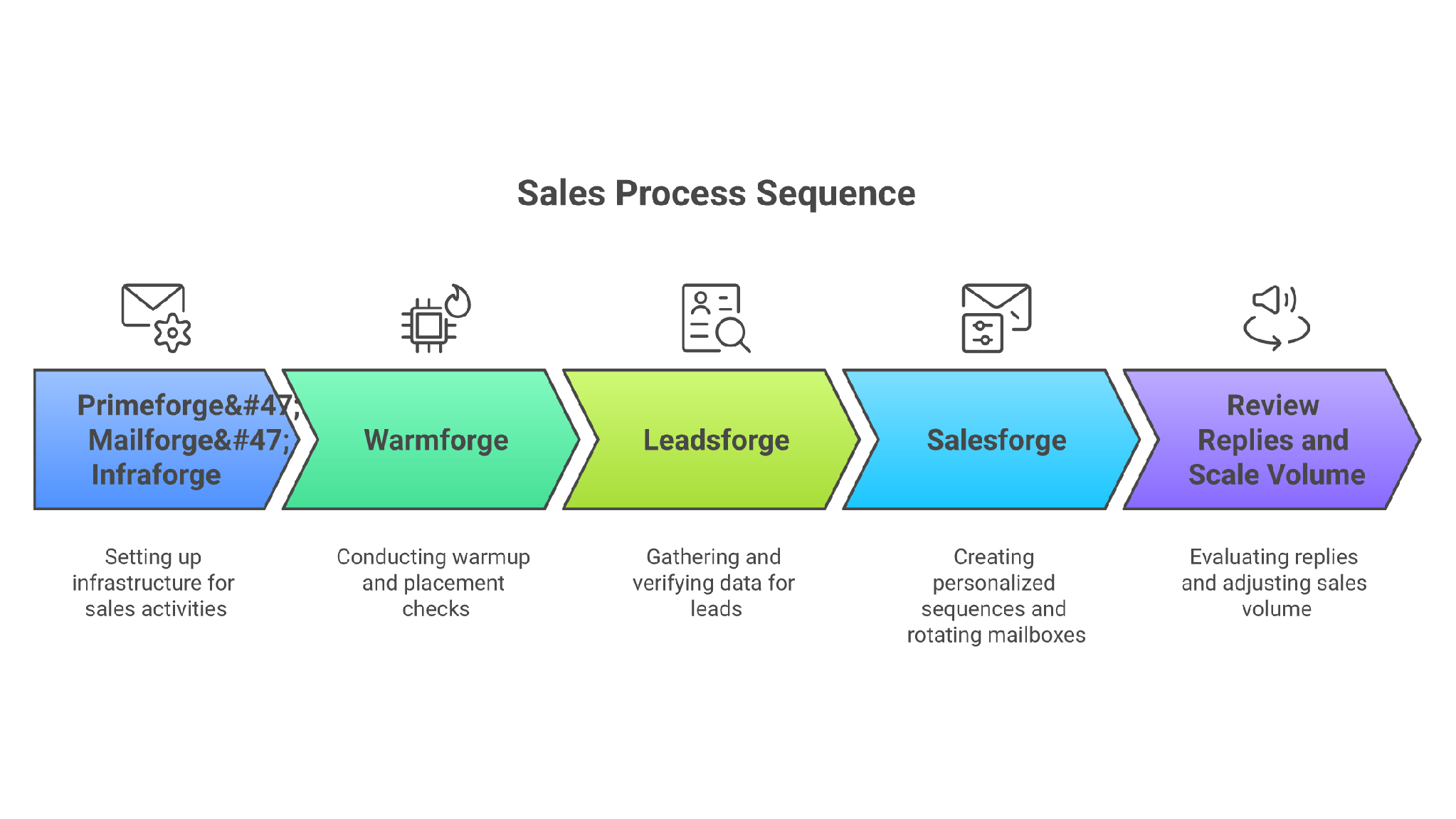
Forge send-order discipline
When a current provider pauses, breaks, or becomes unclear, the founder instinct is usually to replace it fast. That is understandable, but rushing into the next cheap inbox offer repeats the same risk.
This decision path is safer.
Google Workspace and Microsoft 365 mailboxes fit when prospects live heavily in those ecosystems and sender-recipient provider alignment matters.
That is where Primeforge makes sense.
Shared infrastructure fits when fast setup, lots of domains, and lower operating cost matter more than deep control.
That is where Mailforge can fit.
Private infrastructure fits when dedicated IPs, custom setup, API control, stricter isolation, and a more defensible long-term sending base matter more than convenience.
That is where Infraforge fits.
A mailbox is not ready because it exists.
It is ready when authentication is correct, warmup is stable, inbox placement is acceptable, bounce rates are controlled, and your first campaign ramps slowly enough not to create a pattern spike.
That is where Warmforge belongs in the workflow.
Salesforge should run the outbound motion: sequences, personalization, reply handling, LinkedIn touches, mailbox rotation, and pipeline follow-up.
It should not be used as a reason to skip infrastructure discipline.
Enter your email to get a custom plan & stack recommendation for your business
Please check your mailbox in 5 minutes

HyperInboxes may not be fully shut down, but it is not a safe default for new buyers while purchases are paused.
Existing customers with stable inboxes should monitor closely, document ownership, and prepare a fallback. New buyers should move on until purchases reopen.
The real lesson is bigger than one provider.
Cold email infrastructure is no longer about buying the cheapest Google inboxes and hoping the sequencer can carry the rest. The winning teams build the send system in order: mailbox origin, domain control, authentication, warmup, monitoring, data quality, personalization, and controlled volume.
If your outbound depends on a black-box reseller, you do not own a pipeline system. You rent a fragile sending lane.
The Forge path is straightforward: Primeforge for Google/Microsoft mailboxes, Mailforge or Infraforge for broader infrastructure coverage, Warmforge for deliverability discipline, and Salesforge to run the actual outbound workflow with unlimited mailbox connections and LinkedIn senders.
The next step this week is simple: audit your sending pool. List every domain, mailbox, provider, country/origin signal, admin owner, SPF/DKIM/DMARC status, warmup state, inbox placement result, daily send cap, and cancellation/offboarding path.
If that sheet cannot be filled in one sitting, the infrastructure is already riskier than it looks.