

Personalized Outbound Strategy
Get The Right Outbound Strategy In Minutes
Enter your email to get a custom plan & stack recommendation for your business
It's being carefully crafted by AI
Please check your mailbox in 5 minutes
I used Inboxkit to understand how much work it actually removes from cold email setup, things like DNS, mailboxes, and warmup.
At first, it looks simple and ready to use.
But when I tested and went step by step, a few things became clear.
I noticed how the setup works, what is included, what comes as an add-on, and how it changes when you start adding more mailboxes.
These small details can affect how you actually use it.
If you’re considering Inboxkit, here are 7 things you should know before you decide.
Inboxkit gives you structured cold email infrastructure with Google, Microsoft 365, and Azure mailboxes, plus automatic DNS setup and a central dashboard.
But important parts like warmup, monitoring, and scaling still need to be managed separately as you grow.
If you want a more ready-to-use setup with distributed email infrastructure, simpler scaling, and more predictable mailbox management, Mailforge is the better fit.
Inboxkit is a platform that gives you ready-to-use cold email infrastructure in one place, with Google, Microsoft 365, and Azure mailboxes included.
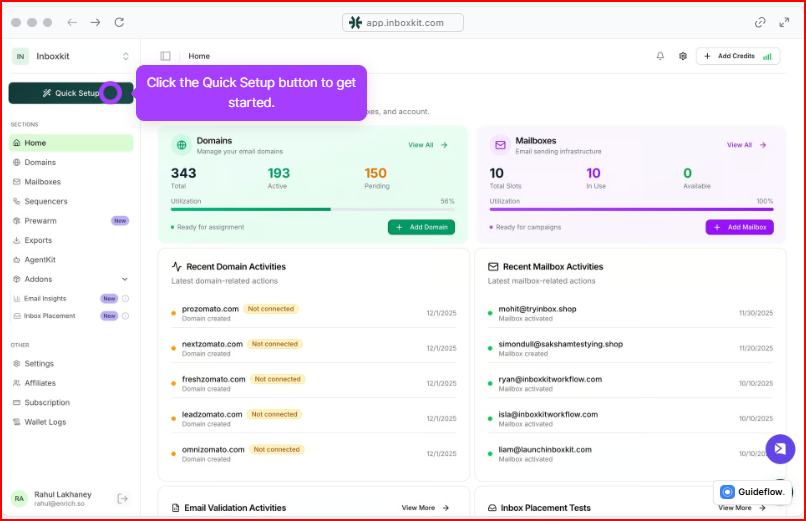
It also sets up things like SPF, DKIM, and DMARC for you, so you don’t have to do it manually.
You can manage your mailboxes, check performance, and monitor everything from one dashboard.
Instead of setting up mailboxes, DNS, and tracking separately, everything is handled in one place, so you can manage your email setup more easily.
Here’s how the setup works:
You can also create multiple mailboxes at once and manage everything in the same place.
When I went through this myself, the setup felt simple and easy to follow.
But I also noticed that some parts, like warmup and monitoring, are added separately, so you need to enable them and pay per mailbox, especially when you start adding more mailboxes.
Inboxkit pricing mainly depends on how many mailboxes you use.
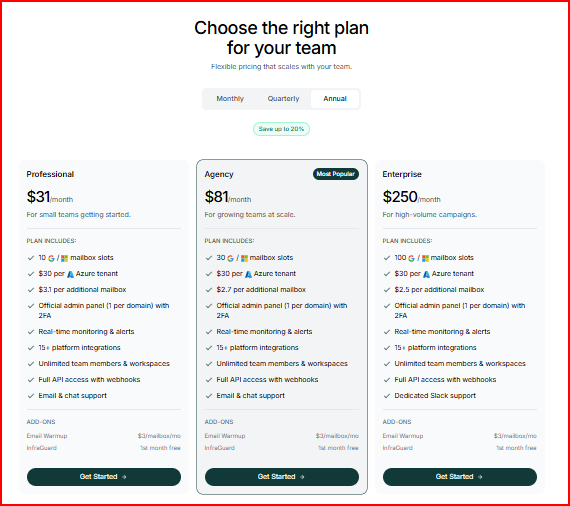
Warmup is $3 per mailbox/month, and InfraGuard is an add-on (first month free).
When I used Inboxkit, I noticed a few things that are not obvious at first but matter when you actually start using it.
You need to enable them separately, and warm-up is per mailbox.
So the base setup is ready, but key deliverability parts depend on what you add.
So before sending, your setup is not just one step; it includes a few parts that you complete inside the platform.
Warmup is available, but it needs to be enabled per mailbox, and it gradually increases sending volume.
So scaling is not just about increasing volume.
It means adding more mailboxes one by one.
As you grow, cost and features like warmup also increase per mailbox.
So you can see how each mailbox is performing in one place.
This helps you manage multiple domains without overlap.
If you need more control, Infrastructure tools like Infraforge offer dedicated IPs and real-time alerts for better visibility over domain and IP safety.
These tools are available to use alongside the platform, so you can run checks and validate your setup when needed.
After using it, these are the things I found useful and the things you should be aware of before deciding.
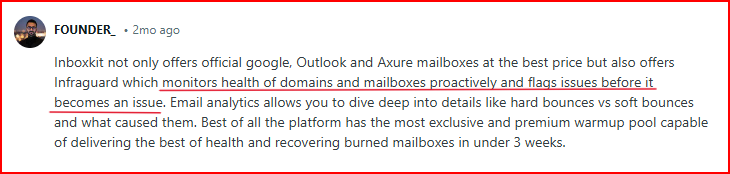
After using Inboxkit, one thing becomes clear: setup is structured, but you still need to manage parts like warmup, mailbox count, and add-ons as you go.
If you want a setup where these are handled more directly without managing each part separately, Mailforge is worth considering.
Mailforge is a ready-to-use cold email infrastructure platform that uses shared IP, distributed infrastructure and lets you manage unlimited domains and mailboxes for outbound.
One important difference is the mailbox model itself.
Inboxkit relies on reseller-style Google, Microsoft 365, and Azure mailboxes.
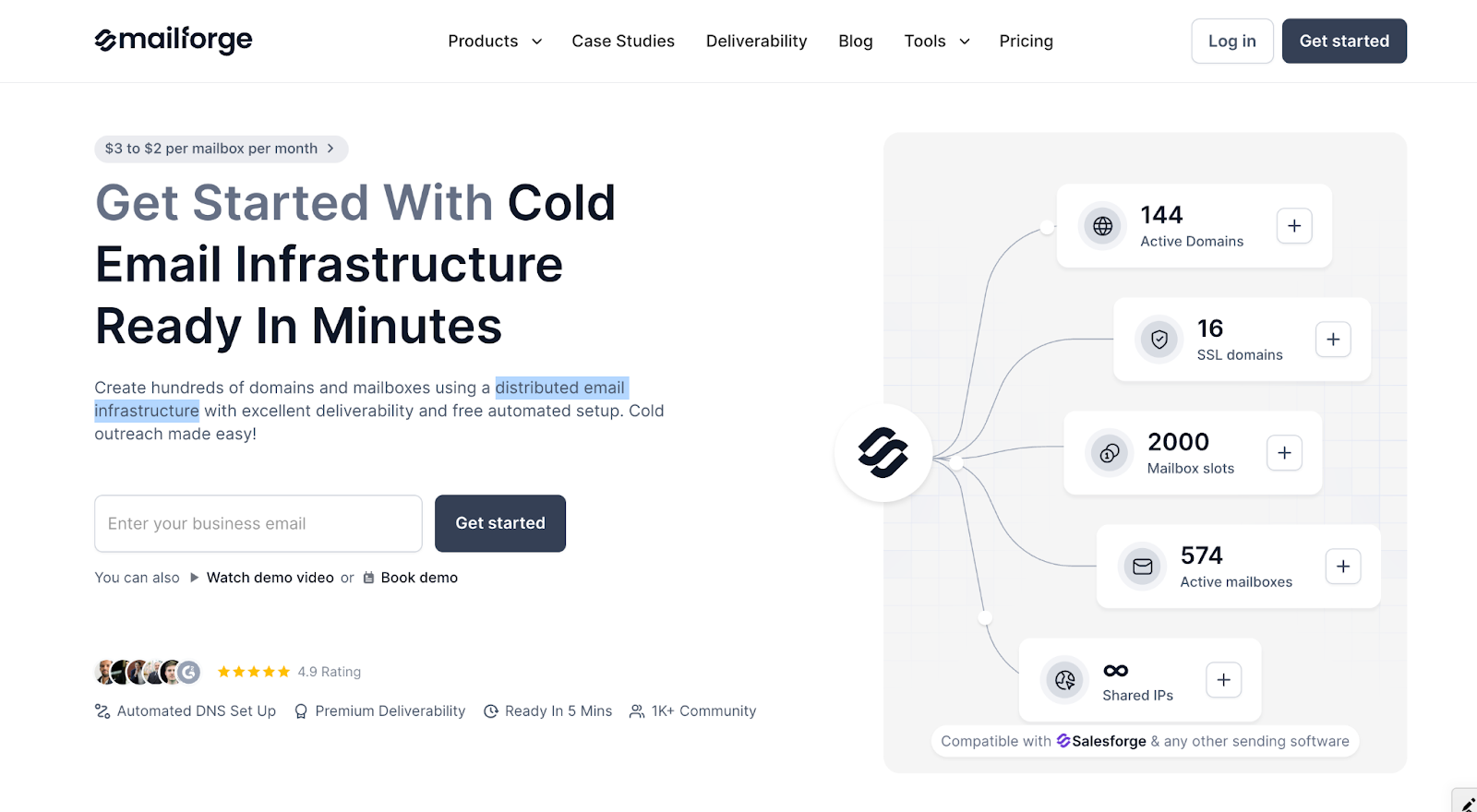
That can feel familiar if you want to use standard mailbox providers and keep your setup close to that model.
Mailforge takes a different route.
It uses a distributed email infrastructure built specifically for cold outreach, which makes it a better fit for teams that care more about scaling flexibility and outbound-focused infrastructure.
It is built specifically for cold outreach, where you can create domains and mailboxes and have SPF, DKIM, and DMARC set up automatically.
Setup is guided and takes only a few minutes.
Once your domains are added, Mailforge handles configuration, hosting, and ongoing maintenance of your inboxes.
It uses a mailbox slot system, where you are charged based on slots, not active mailboxes.
This lets you create, delete, or replace mailboxes within those slots without extra cost.
You also get features like bulk DNS updates, domain transfers, multiple workspaces, and SSL with domain masking for added security.
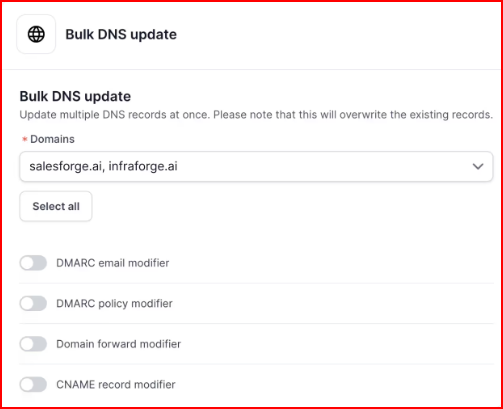
It works with any sending software, so you can connect it to your existing outreach setup.
Pricing starts around $3 per mailbox per month, which keeps it more affordable as you scale since you’re not paying for every active mailbox in the same way.
Enter your email to get a custom plan & stack recommendation for your business
Please check your mailbox in 5 minutes

After using Inboxkit, it’s clear how the setup works.
You get control over mailboxes, DNS, and monitoring, but you also need to manage things like warmup, mailbox count, and add-ons as you scale.
So the real decision comes down to what kind of mailbox setup you want.
If you prefer reseller-style Google, Microsoft 365, or Azure mailboxes and you are okay with managing warmup, monitoring, and mailbox growth step by step, Inboxkit works well.
But if you want something that feels more ready to use, easier to scale, and built around a distributed email infrastructure instead of reseller-style mailboxes, Mailforge is the better option.
It handles DNS setup, inbox hosting, and maintenance, so your setup is ready in minutes.
It also gives you more flexibility when managing large numbers of domains and mailboxes for outbound.
Start with Mailforge at just $2–$3 per mailbox per month and scale your outbound with unlimited domains and mailboxes.