Top LinkedIn automation tools help you scale lead generation, messaging, and CRM sync while keeping your account safe.
But the problem is that every LinkedIn automation tool promises to be the best. That makes it hard to decide which one you actually pick.
So I did the homework and found 5 BEST LinkedIn automation tools worth your time.
I looked at what each one automates, how it connects to your account, what it costs once you run more than one profile, and what reviewers say after six months rather than six days.
By the end, you will know which one fits your account count, your channel mix and your budget.
I did not rank these on feature counts, because feature counts tell you nothing about whether your account survives the quarter. Here is what I actually judged.
1. Whether the Tool Runs in the Cloud or in Your Browser
Cloud tools execute on their own servers and keep sending when your laptop is shut. Browser extensions run inside your Chrome session, which is also the easiest footprint for LinkedIn to spot.
This single architectural choice separates the safe tools from the risky ones.
2. How the Tool Prices a Second LinkedIn Account
Almost every tool here looks affordable at one account. The gap opens at five.
So I priced every tool at one account and then at ten, because that is where most teams actually end up.
3. Whether LinkedIn and Email Run in the Same Sequence
A LinkedIn-only tool means a second subscription the moment you want an email follow-up. Some tools send email natively, some hand it off to your own provider, and some do not touch it at all.
If you are comparing the email side separately, I broke that down in my guide to cold email tools.
4. How Replies Get Managed Across Accounts
Automation is the easy half. The hard half is what happens when forty people reply across six LinkedIn profiles on a Tuesday morning.
A unified inbox is the difference between a system and a mess.
5. What Reviewers Complain About After Six Months
I read the three-star and below reviews on G2 and Capterra, because that is where the real limits surface. Marketing pages never mention campaigns stalling without an error message.
5 Best LinkedIn Automation Tools in 2026
Here is how each tool performed against those five criteria, starting with the one I would pick first.
1. Salesforge
The first LinkedIn automation tool on my list is Salesforge. Salesforge is the best LinkedIn automation tool because it lets you connect unlimited LinkedIn accounts without any per-sender pricing.
Every other tool on this list bills you per sender or per seat. Add a fifth LinkedIn profile and your bill moves five times. On the Salesforge Growth plan, it does not move at all.
The second reason is channel. LinkedIn and email steps sit inside the same sequence, so you are not running a LinkedIn tool and an email tool with two separate reply inboxes.
Salesforge also connects through a session token rather than storing your password, and routes activity through its own proxies instead of a Chrome extension.
Key features I liked:
Unlimited LinkedIn senders and unlimited users on the Growth plan
LinkedIn and email steps built into one sequence, not two tools
Primebox™, a single inbox for LinkedIn and email replies with sentiment analysis
Agent Frank, an AI SDR you hire to prospect, write and follow up on both channels
Conservative per-action daily caps that pace sending for you
AI personalization across 20+ languages and nine tonalities
Salesforge Pros
Unlimited LinkedIn senders on Growth means your bill stops moving when your team grows.
LinkedIn and email sit in one sequence, so you are not paying for and reconciling two separate platforms.
Primebox™ pulls replies from every sender and both channels into one place, which saves real hours once volume picks up.
Unlimited users on Growth means VAs and teammates cost nothing to add.
Agent Frank gives you an autonomous option if you want outreach running without daily input.
Salesforge Cons
The trial runs 14 days, which is tight if you want to test a full sequence end to end.
There is no permanent free plan, so you commit to a paid month to keep testing past the trial.
Bonus read: If you are weighing the wider category, here is my breakdown of the best email automation tools.
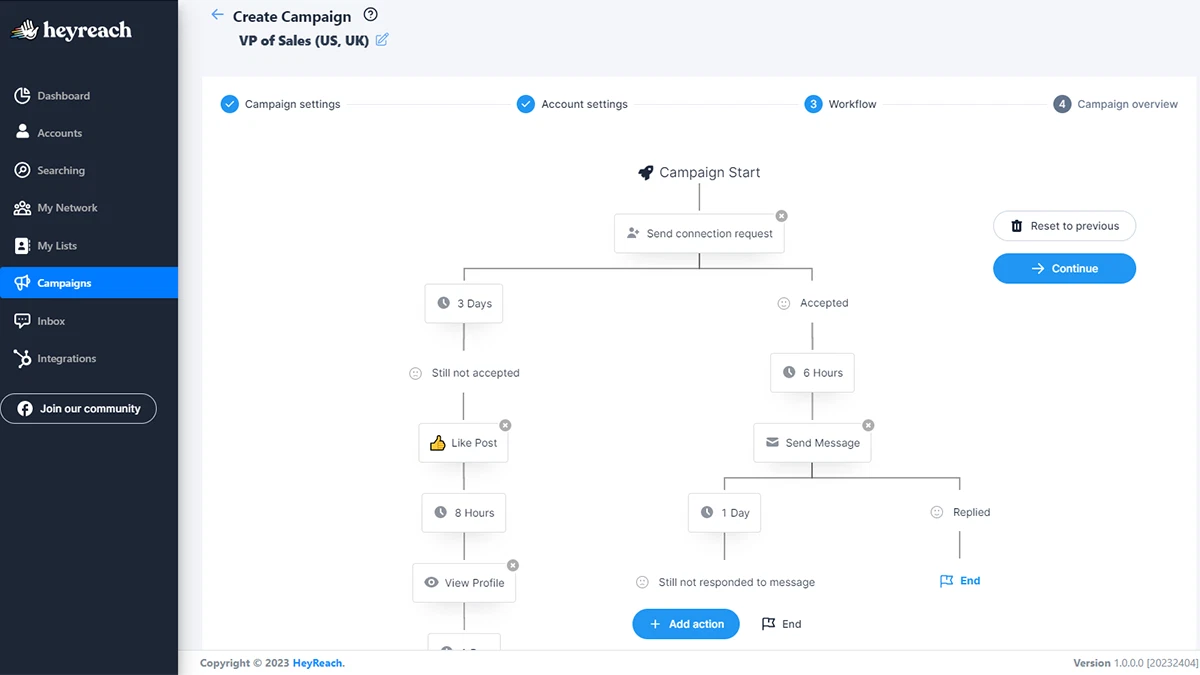
The next LinkedIn automation tool on my list is HeyReach, and it solves one problem better than anything else here. Running a single campaign across dozens of LinkedIn accounts at once.
Most tools make you build the same campaign five times for five profiles. HeyReach rotates senders inside one campaign and keeps the per-account safety limits intact.
The other thing I liked is that teammates, VAs, and clients are free on every plan. You pay for LinkedIn senders, not seats.
Key features I liked:
Sender rotation inside a single campaign across many accounts
A dedicated residential proxy per sender on the Growth plan
Unified inbox on every plan, with sentiment tagging and conversation assignment
Conditional branching on if-connected and if-replied
Voice notes as a sequence step
White-label branded client reports from the Agency plan up
HeyReach Pros
Sender rotation inside one campaign is genuinely the cleanest implementation I found on this list.
Free platform users mean an agency can give every client a login without a bigger bill.
The unified inbox ships on every plan rather than sitting behind a higher tier.
Per-sender economics improve sharply at the Agency bundle if you are running 25 accounts.
HeyReach Cons
It is LinkedIn only, so any email motion means paying for Instantly or Smartlead on top.
There is no middle tier between $64 per sender and the $800 Agency bundle, which stings at around ten accounts.
Built-in enrichment is light at 100 credits per sender on Growth, so your data sourcing stays your problem.
Reviewers report campaigns stopping mid-run without an error message, and support response times that stretch to days.
Bonus read: HeyReach does not send email natively, so here is my comparison of the best cold email service options to pair with it.
Pricing:
Growth: $64 per sender per month
Agency: $800 per month for 25 senders
Unlimited: $2,399 per month for up to 300 senders
3. Expandi
The third LinkedIn automation tool on my list is Expandi, and it automates more LinkedIn actions than anything else I tested.
Endorsements, event invites, group campaigns, and post engagement are all in scope, which is unusual. Most tools stop at connection requests and messages.
It also runs entirely in the cloud with no Chrome extension at all, and Expandi is upfront that this is deliberate.
Key features I liked:
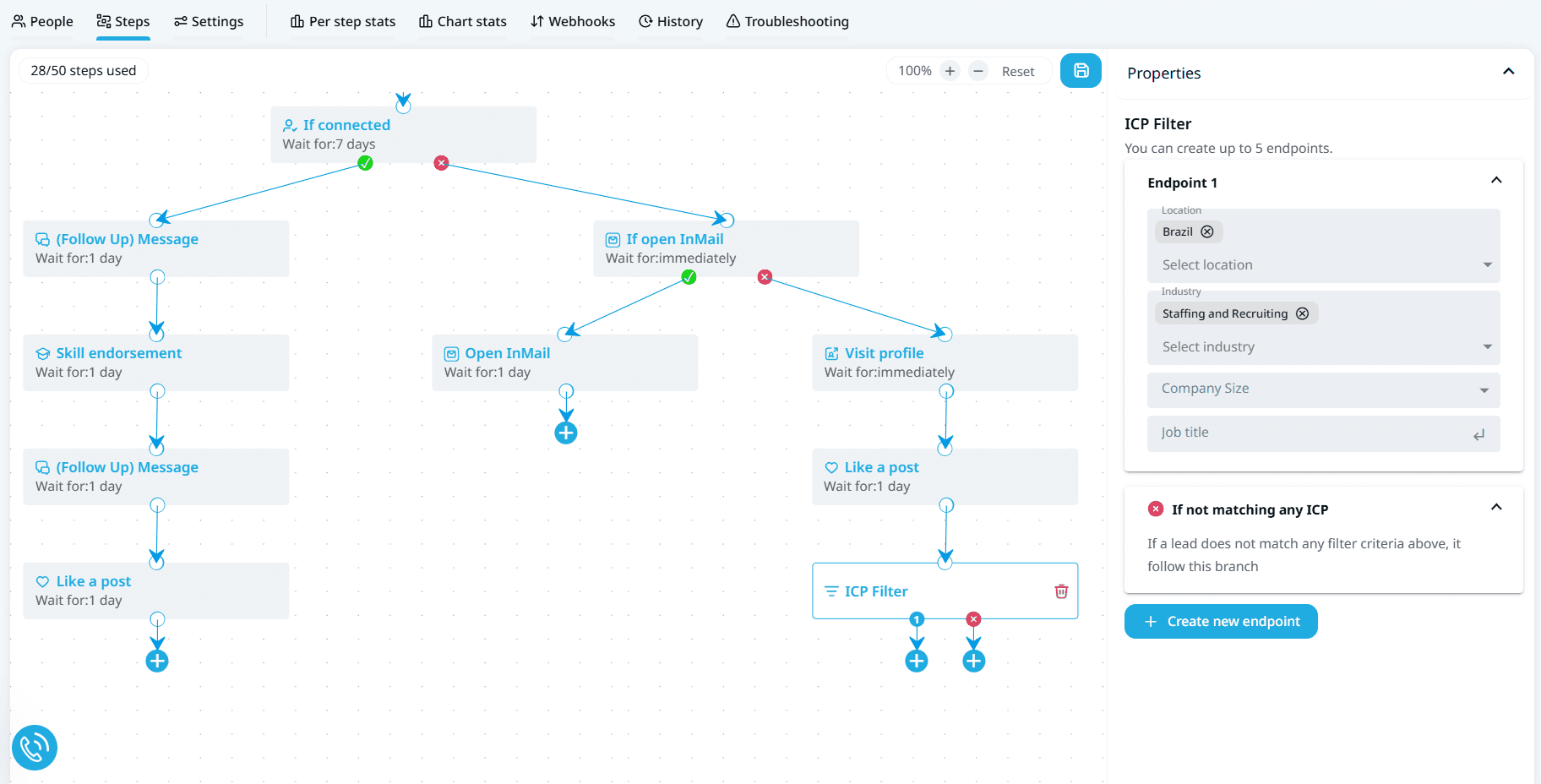
The widest action set here, including endorsements, event invites, and group campaigns
No Chrome extension anywhere in the product
A dedicated country-based IP per account
Automatic warm-up that ramps from 20 to 40 actions a day
Native HubSpot, Salesforce and Pipedrive sync with no middleware
Campaigns that auto-pause when LinkedIn throws a security challenge
Expandi Pros
The action set covers LinkedIn plays that the other four tools simply cannot run.
Native CRM sync with Salesforce and Pipedrive saves you a Zapier bill and a failure point.
The no-extension architecture is the safest design on this list alongside Salesforge.
Automatic warm-up and auto-pause on security challenges take real risk off your hands.
Expandi Cons
At $79 per seat on annual billing, it is the most expensive entry point here, and ten accounts run $790 a month.
The 7-day trial is the shortest on this list, which is not long enough to judge a branching sequence.
Multiple G2 reviewers report being billed for more seats than they contracted, with partial credits rather than refunds.
Annual plans are prepaid and generally not refunded if you stop using them.
Image and GIF personalization both sit behind separate paid subscriptions.
Bonus read: Expandi sends email through your own provider, so your setup matters. Here is my guide to cold email infrastructure.
Pricing:
Business: $79 per seat per month
Agency: custom pricing at 10 or more seats
4. Dripify
The fourth LinkedIn automation tool on my list is Dripify, and it is the one I would hand to someone who has never automated LinkedIn before.
The campaign builder is drag-and-drop, the branching logic is readable, and you are live in an afternoon. That shows up in the scores, where Dripify holds the strongest Capterra rating of anything here.
The trade-off is that the simplicity has edges once you want to change something.
Key features I liked:
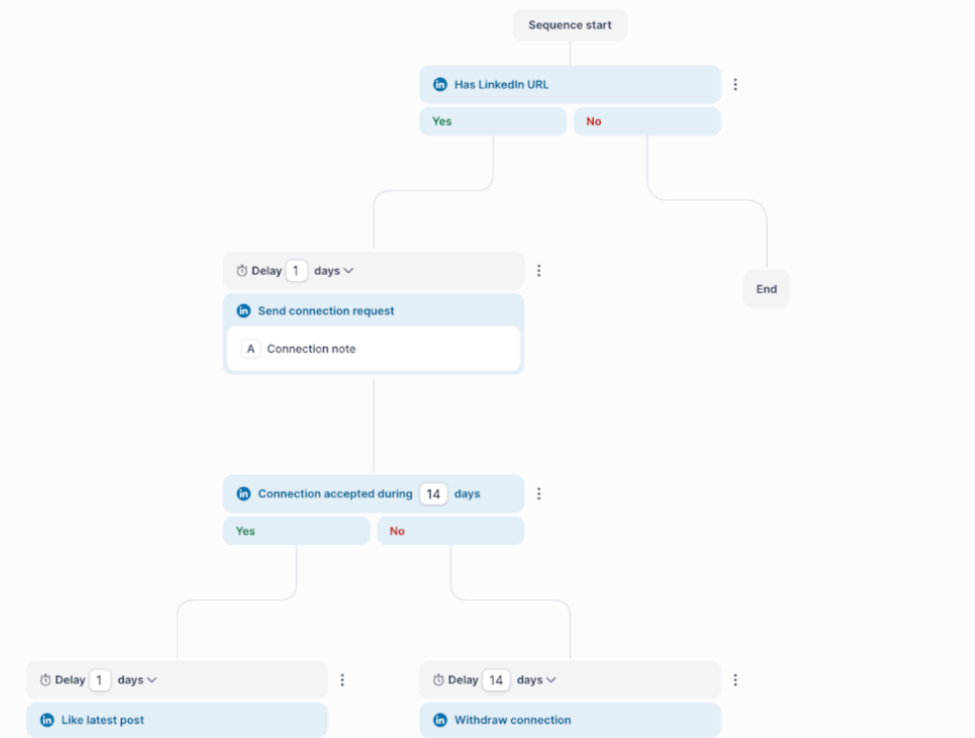
A drag-and-drop sequence builder with accepted, replied, and viewed branches
User-configurable daily caps rather than fixed ones
Advanced LinkedIn Protection on the Advanced plan
A dedicated LinkedIn inbox from the Pro plan up
20+ smart variables plus an AI icebreaker
Native HubSpot sync, open API and an MCP server on Pro
Dripify Pros
The learning curve is the shortest here, so a new SDR is running campaigns on day one.
Open API and an MCP server arrive at the entry Pro tier rather than an enterprise plan.
Daily limits are yours to set, which suits anyone easing a warm account into volume.
The 7-day trial needs no credit card and simply goes inactive rather than auto-charging.
Dripify Cons
Editing a live campaign is awkward, and reviewers report rebuilding sequences from scratch to make changes.
Leads import by CSV from LinkedIn or Sales Navigator only, so you cannot define an audience inside the tool.
The email channel is thin, capped at 100 finder credits a month, with Outlook support unconfirmed.
Pricing is per user, so ten LinkedIn accounts means ten seats at $590 a month.
There is no agency or white-label capability at all.
Bonus read: If sequencing rather than LinkedIn is your real bottleneck, compare the Saleshandy alternatives I ranked.
Pricing:
Pro: $59 per user per month
Advanced: $79 per user per month
Enterprise: custom pricing
5. Waalaxy
The last LinkedIn automation tool on my list is Waalaxy, and it has the lowest barrier to entry of anything here by a wide margin.
Entry pricing starts at €9.50 a month on annual billing, and there is a permanent free plan with 80 invitations a month. It also carries by far the largest review base of these five tools, so the feedback is well tested.
The architecture is where I would pause. Waalaxy runs through a Chrome extension, and campaigns continue cloud-side after you close the browser.
Key features I liked:
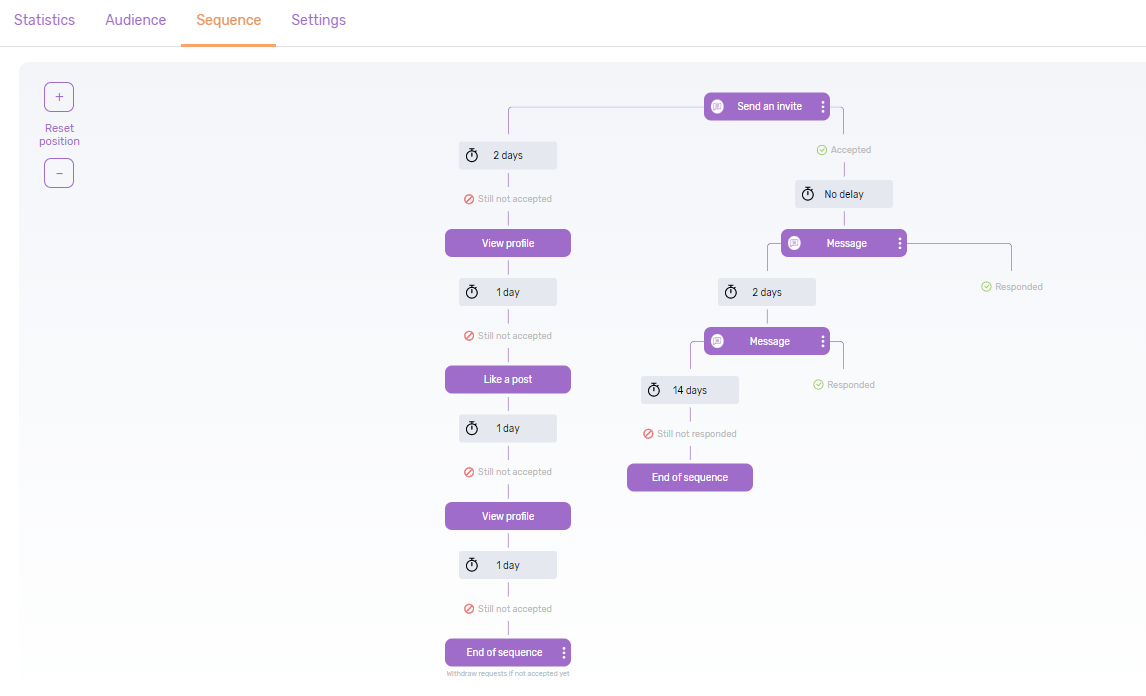
99+ pre-built sequence templates you customize rather than build
A free plan with 80 LinkedIn invitations a month
Sales Navigator, Recruiter Lite, and LinkedIn Basic imports on every paid plan
The Waami AI assistant for drafting messages
LinkedIn plus cold email in one workflow on the Business plan
Zapier and Make connections into 2,000+ apps
Waalaxy Pros
The entry price is the lowest here, and the free plan lets you test before paying anything.
Templated sequences mean a first campaign goes live in well under ten minutes.
The review base is the largest of these five tools, so the feedback is broad and current.
Business plan bundles LinkedIn and cold email at a price the others cannot match.
Waalaxy Cons
The Chrome extension architecture carries higher detection risk than the cloud-only tools here.
There is no custom sequence builder, so you work within the templates you are given.
The unified inbox is a €20 monthly add-on and is never included in a base plan.
Multichannel only arrives on the €34.50 Business plan, and cheaper tiers stay LinkedIn-only.
Invitation caps run monthly rather than daily, and 300 a month on Pro is restrictive.
Bonus read: If you move to the Business plan for email, your mailbox choice matters. Here are the Outlook alternatives worth considering.
Pricing:
Pro: €9.50 per user per month
Advanced: €24.50 per user per month
Business: €34.50 per user per month
LinkedIn Inbox add-on: €20 per user per month
Final Verdict on the Best LinkedIn Automation Tools
Salesforge is my pick. You connect unlimited LinkedIn accounts with no per sender pricing, and email runs in the same sequence rather than a second tool.
HeyReach is the better call if you are an agency rotating 25 client accounts. Expandi wins if native Salesforce sync is non-negotiable.
But for most teams scaling LinkedIn outreach in 2026, the pricing model is the deciding factor, and Salesforge is the only one here that stops charging you per account.
What is the best LinkedIn automation tool in 2026?
Salesforge is the best LinkedIn automation tool for most teams because you can connect unlimited LinkedIn accounts with no per-sender pricing on its $80 Growth plan, with LinkedIn and email running in the same sequence. HeyReach is the stronger pick for agencies rotating many client accounts, and Expandi suits teams needing native Salesforce or Pipedrive sync.
Is LinkedIn automation safe to use?
LinkedIn automation is safe when the tool runs in the cloud, respects conservative daily limits and warms new accounts gradually. Cloud-based tools like Salesforge and Expandi route activity through their own infrastructure instead of your browser session. Chrome extension tools carry higher detection risk because they operate inside your logged-in LinkedIn session.
How many connection requests can I send per day?
Most LinkedIn automation tools cap daily connection requests between 20 and 30 per account, and that range reflects what LinkedIn tolerates rather than an arbitrary limit. Salesforge caps each action type at 30 per 24 hours. Expandi starts new accounts at 20 a day and warms up to 40.
Which LinkedIn automation tool is cheapest?
Waalaxy is the cheapest at €9.50 per user per month on annual billing, with a free plan offering 80 invitations a month. But cost per account changes the answer at scale. Running ten LinkedIn accounts costs €95 on Waalaxy before the €20 inbox add-on, $590 on Dripify and $80 on the Salesforge Growth plan.
Can LinkedIn automation tools send emails too?
Some do and some do not. Salesforge runs LinkedIn and email steps natively in one sequence. Expandi and Dripify add email steps that send through your own provider. Waalaxy includes cold email only on its Business plan, and HeyReach is LinkedIn only and requires a separate tool like Instantly or Smartlead.
Do I need Sales Navigator to use these tools?
You do not need it, but it helps. HeyReach, Expandi, Dripify and Waalaxy all support importing leads from Sales Navigator searches, and all four require you to hold your own Sales Navigator seat. None of these tools include Sales Navigator in their subscription.