
Personalized Outbound Strategy
Get The Right Outbound Strategy In Minutes
Enter your email to get a custom plan & stack recommendation for your business
It's being carefully crafted by AI
Please check your mailbox in 5 minutes

Mailin’s smallest SMTP plan gives you 200 email accounts for $299 per month.
That is a lot of inboxes to buy at once.
But if you run cold email at scale, the package includes more than the accounts. Mailin gives you dedicated servers and IPs and sets up SPF, DKIM, DMARC, and DNS for your sending domains.
If you use all 200 accounts, the price comes to about $1.50 per account per month.
The bigger question is whether you actually need that many accounts and whether Mailin’s infrastructure is a good fit for sending cold emails from them.
In this Mailin review, I’ll look at exactly what you get, how its SMTP, Google Workspace, and Microsoft 365 options differ, what each costs, and what you should know about its deliverability setup before choosing it.
Mailin gives you the infrastructure needed to create and run email accounts for cold outreach. You can choose between SMTP, Google Workspace, and Microsoft 365, depending on the type of setup you want.
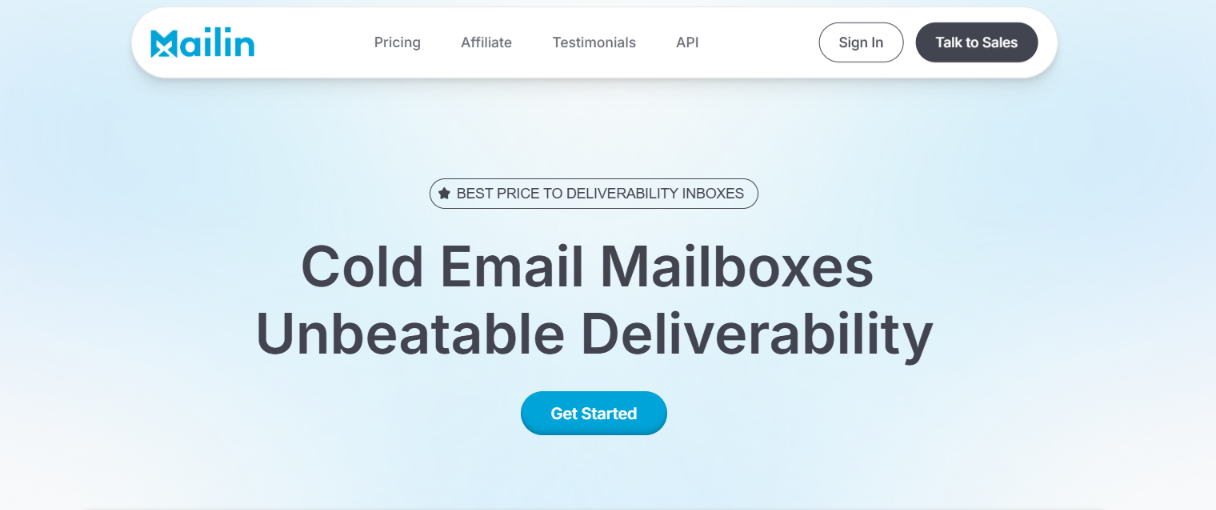
If you choose its SMTP infrastructure, Mailin provides dedicated servers and IPs and handles SPF, DKIM, DMARC, and DNS setup. You also get email verification, domain transfers, API access, and deliverability support.
But Mailin is not the only way to build this type of setup. Infraforge focuses specifically on private cold email infrastructure, so there are some important differences in what you get.
The biggest difference is how you buy the infrastructure. Mailin's SMTP plan starts at $299 per month for 200 email accounts, so it is clearly aimed at larger sending setups.
Infraforge starts with 10 mailbox slots and charges based on the number of slots you buy. That gives you another option if you want private cold email infrastructure but do not need 200 accounts from the start.
There are currently no user reviews for Mailin.ai on G2, Trustpilot, or Capterra.
This makes it harder to independently judge what customers think about Mailin's deliverability, reliability, support, and long-term performance.
So, if independent user reviews are important to your buying decision, this is one limitation to keep in mind with Mailin.
Mailin handles most of the technical work needed to get your cold email accounts ready. You choose the type of email infrastructure you want, add your domains, and Mailin takes care of the setup. Here is how it works:
Choose between SMTP, Google Workspace, or Microsoft 365 based on the type of email accounts you want.
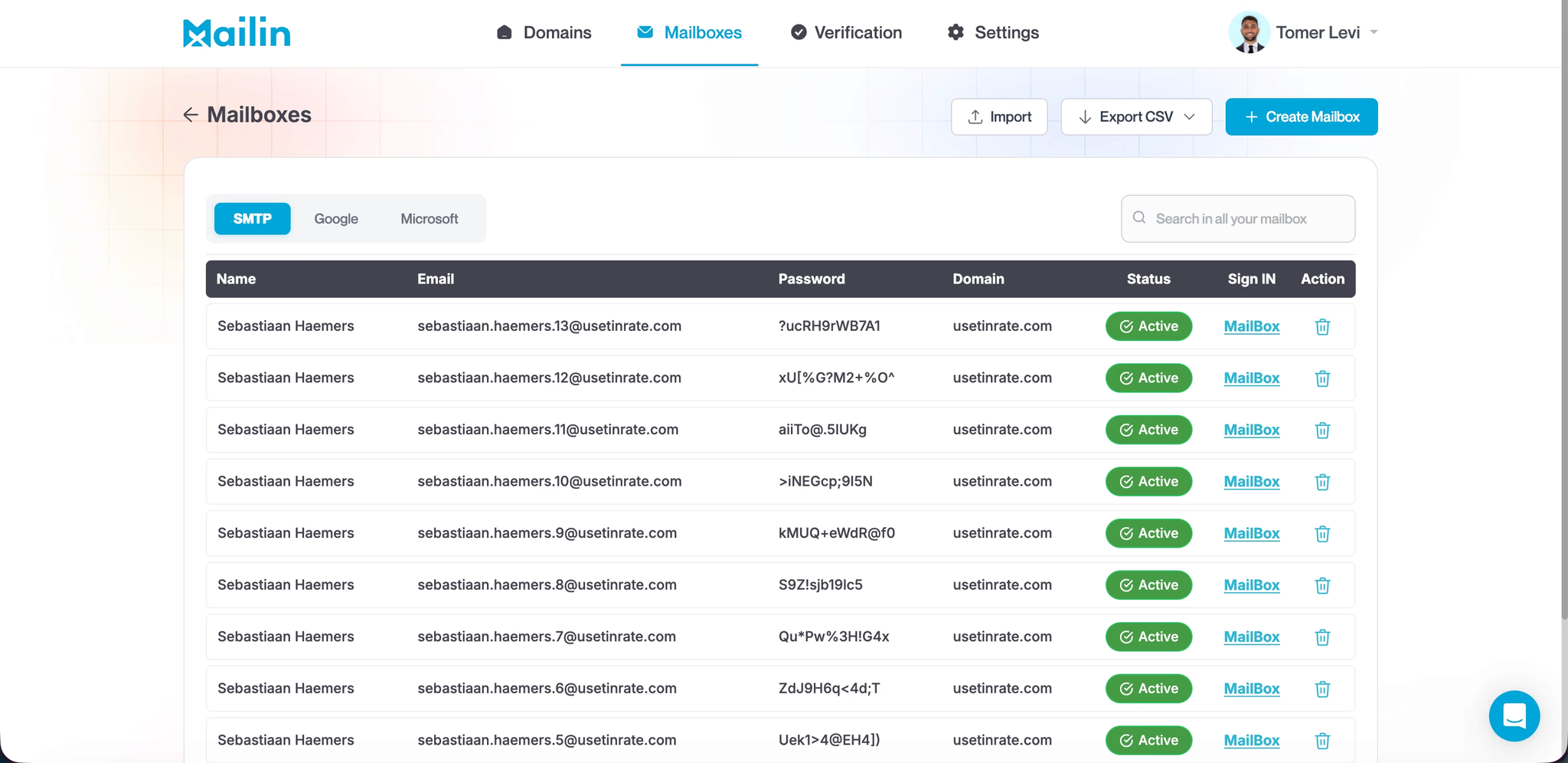
Once you pick a plan, Mailin asks you to complete a short onboarding form. According to Mailin, the onboarding takes about 5 minutes.
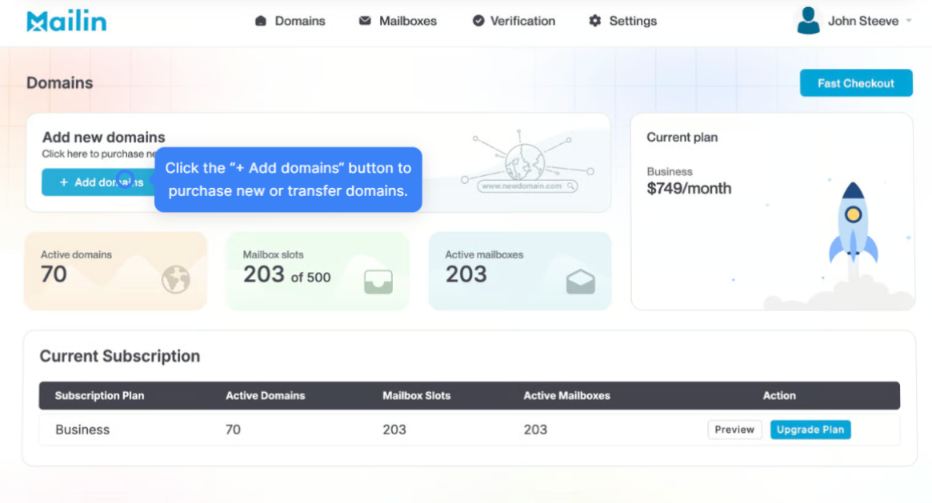
You can buy domains through Mailin or transfer domains you already own. Mailin says existing domains can be transferred at no extra cost.
Mailin handles the technical setup for you. This includes configuring DNS, SPF, DKIM, and DMARC, so you do not have to set up these records manually for every domain.
Once your accounts are ready, Mailin recommends warming them up for around 2-3 weeks before increasing your cold email volume.
After that, you can start using the accounts for your cold outreach and scale your sending gradually.
Mailin does more than give you email accounts. It also handles much of the setup and gives you tools to manage the infrastructure as you scale.
Here are the main features that stand out for cold email:
The useful part here is that Mailin combines the email accounts, technical setup, verification, and infrastructure management in one place. You do not have to manually configure every domain and mailbox as you add more accounts.
Mailin has several things in place that are important for cold email deliverability. For starters, it automatically sets up SPF, DKIM, DMARC, and DNS for your domains. This gives each sending domain the basic email authentication it needs without you having to configure the records yourself.
If you use Mailin's SMTP plans, you also get dedicated servers and IPs. Mailin also says each domain is placed in its own dedicated tenant, which is designed to stop other senders from affecting your domain's reputation.
Mailin does not suggest sending at full volume as soon as your accounts are ready. It recommends warming them up for 2-3 weeks before scaling your cold outreach.
There is also a built-in email verifier for standard and catch-all addresses. This can help you remove risky addresses before sending and reduce avoidable bounces.
If you run into deliverability problems, Mailin provides 24/7 Slack access to a team that covers technical and deliverability issues.
So, the setup gives you several useful tools for protecting deliverability. However, Mailin's claims about consistently reaching the primary inbox or avoiding flagging are its own claims. The data provided does not include independent inbox placement tests that verify those results.
Mailin has separate pricing for SMTP, Google Workspace, and Microsoft 365. The number of email accounts you get changes significantly depending on which infrastructure you choose.
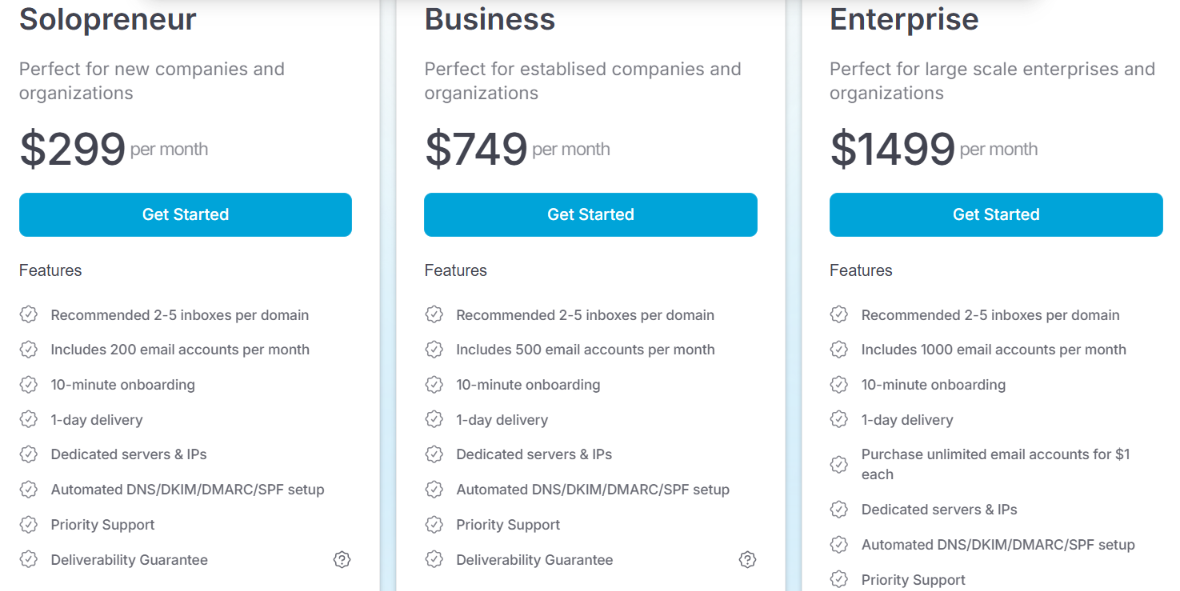
All three SMTP plans include dedicated servers and IPs, automated DNS/SPF/DKIM/DMARC setup, priority support, and a deliverability guarantee. Mailin recommends using 2–5 inboxes per domain. The Enterprise plan also lets you purchase additional email accounts for $1 each.
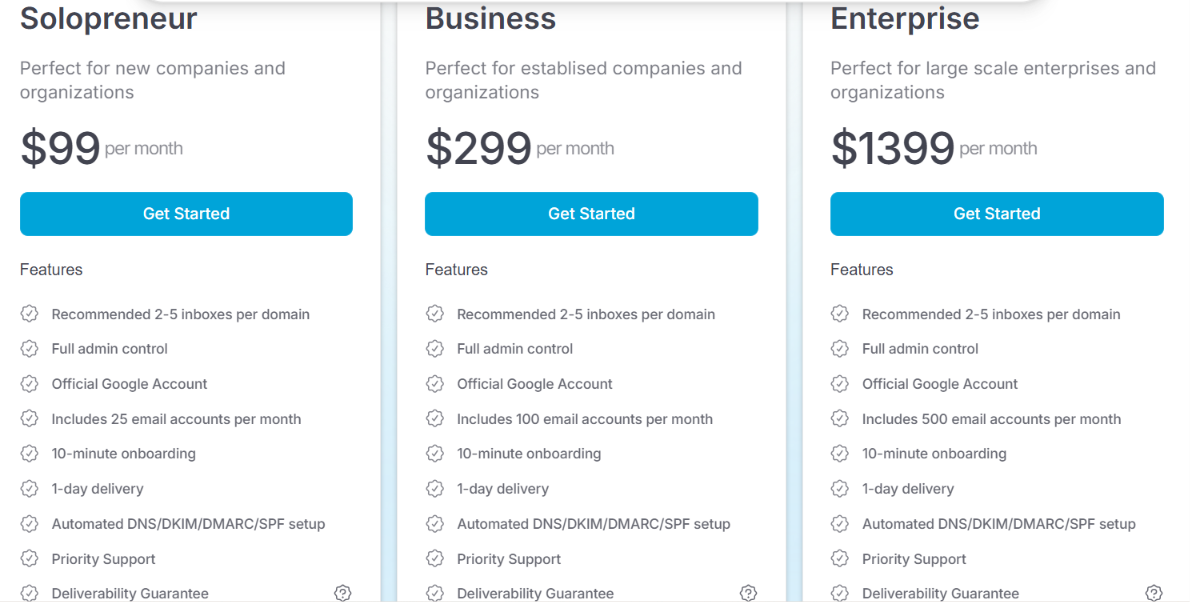
These plans include official Google accounts, full admin control, automated DNS/SPF/DKIM/DMARC setup, priority support, and a deliverability guarantee. Mailin again recommends 2-5 inboxes per domain.
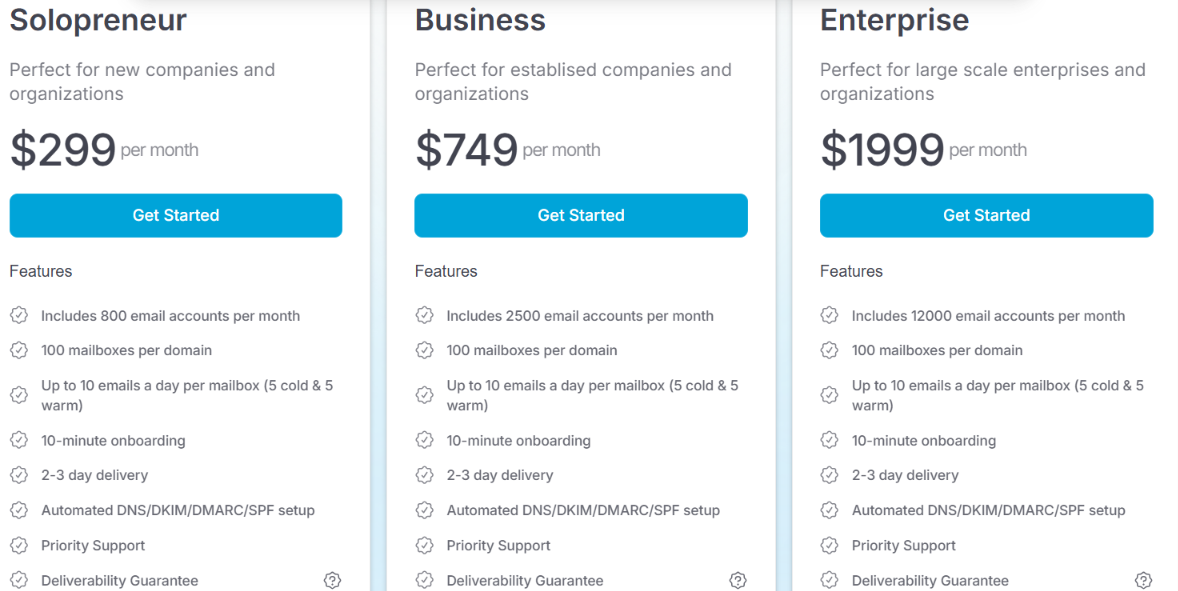
Mailin lists up to 100 mailboxes per domain and up to 10 emails per mailbox per day, split into 5 cold emails and 5 warm emails. These plans also include automated DNS/SPF/DKIM/DMARC setup, priority support, and a deliverability guarantee.
The main thing to consider is how many accounts you actually need. Mailin's SMTP plan starts with 200 accounts, while its Microsoft 365 plan starts with 800. If you only need a small number of accounts, you may end up paying for more capacity than you need.
Mailin makes the most sense if you need a lot of email accounts for cold outreach and want most of the technical setup handled for you.
If Mailin's 200-account starting point for SMTP is more than you need, Infraforge is an alternative worth considering.
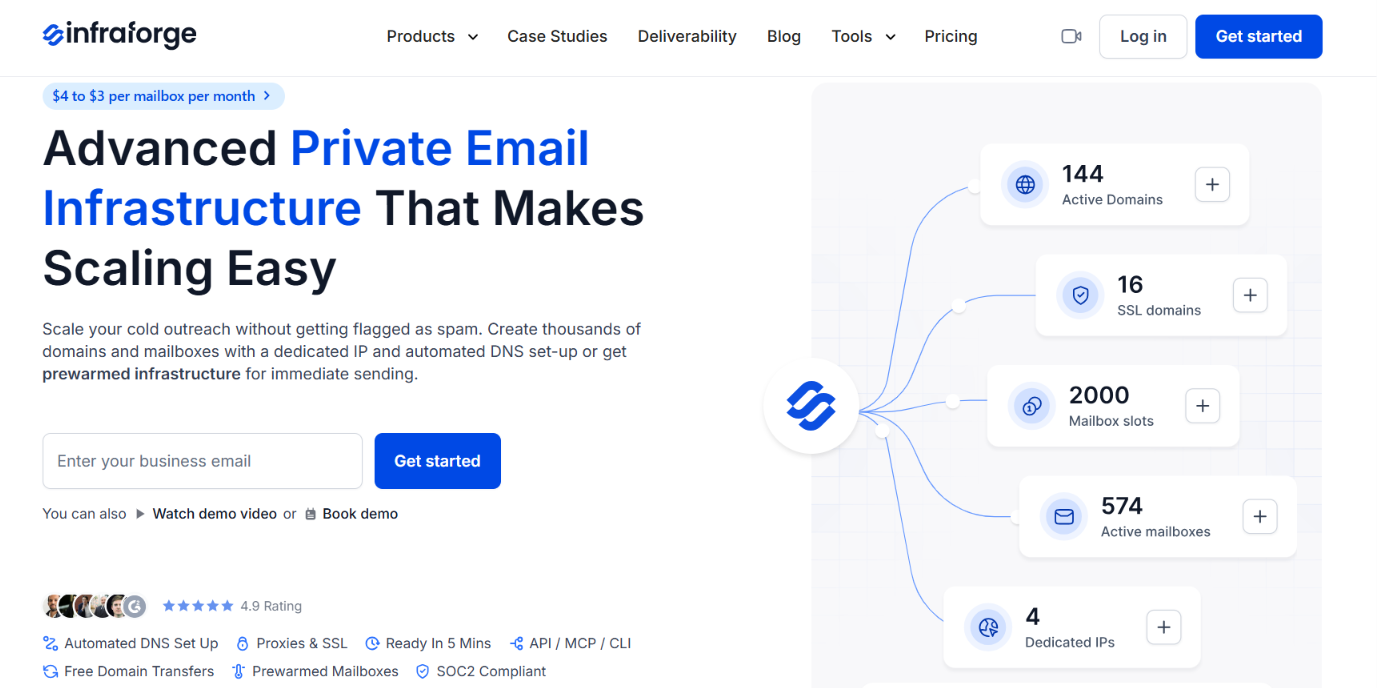
Infraforge also provides private email infrastructure built for cold outreach, but you can start with a minimum of 10 mailbox slots instead of buying a package with 200 email accounts.
You pay based on the number of mailbox slots you need, with mailbox pricing ranging from $4 to $3 per mailbox per month as you scale.
Infraforge also gives you:
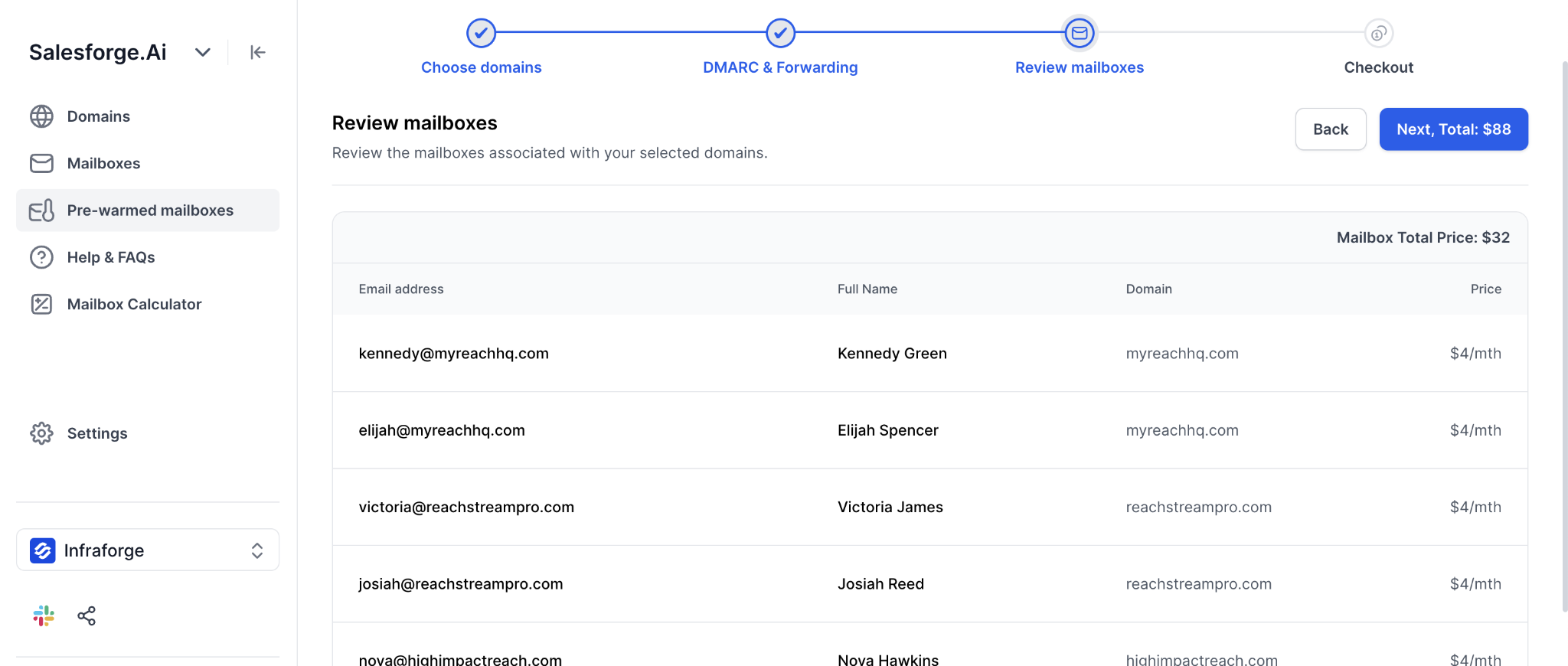
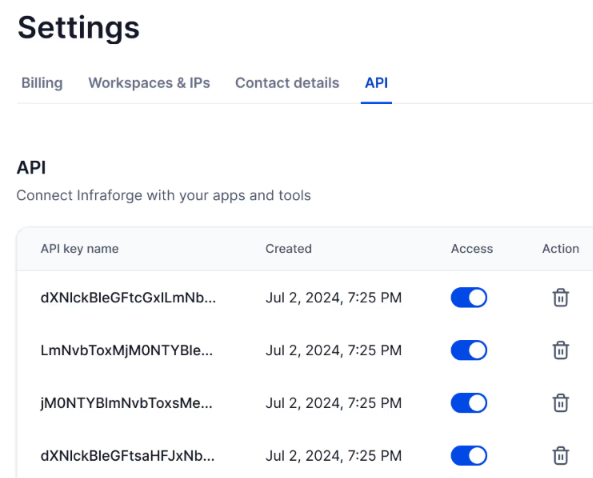
So, if you want private cold email infrastructure but do not need Mailin's 200-account SMTP package, Infraforge gives you a way to start with fewer mailbox slots and add more as your sending setup grows.
Enter your email to get a custom plan & stack recommendation for your business
Please check your mailbox in 5 minutes

Yes, Mailin is worth considering if you need a large number of cold email accounts and want the setup handled for you.
Its SMTP plan starts at $299 per month for 200 accounts and includes dedicated servers and IPs, automated DNS setup, email verification, API access, and deliverability support.
That makes Mailin a better fit when you can actually use hundreds of accounts and want the infrastructure delivered as a package.
If you want to build your private setup differently, Infraforge is worth a look. You can start with 10 mailbox slots, add more as needed, make DNS changes across domains in bulk, separate clients into different workspaces, add extra IPs, and use the sending software you already have.
So, choose based on how you want to build your setup. Mailin gives you large ready-made account packages, while Infraforge lets you build and manage the private infrastructure around the number of mailboxes, workspaces, and IPs you need.