We took a closer look at three setups that fix what ScaledMail misses - with dedicated IPs, automatic DNS setup, built-in warm-up, and real-time deliverability tracking.
These alternatives are designed to address the unique challenges of cold email outreach, such as improving deliverability, ensuring inbox placement, and scaling campaigns efficiently.
Each alternative also offers a different setup process, ranging from quick, automated configurations to more manual, customizable options, unlike ScaledMail’s more standardized approach.
In this blog, I’ll share what we found and which setup worked best for managing outreach campaigns at scale safely and affordably.
TL;DR – 3 Best ScaledMail Alternatives in 2025
Mailforge – Fastest setup, strong deliverability, and affordable pricing ($13–15 per mailbox); key features include automated warm-up, detailed analytics, and seamless integration with other tools in your sales and marketing stack.
Infraforge – Best for advanced infra with dedicated IPs, API access, and pre-warmed mailboxes; key features include robust infrastructure control, custom domain management, and advanced security options.
Saleshandy – All-in-one outreach tool with lead finder, AI sequences, and inbox placement testing; key features include multi-channel campaigns, real-time tracking, advanced personalization, and automation and analytics designed to benefit the entire team by streamlining collaboration and outreach.
Why Consider ScaledMail Alternatives?
ScaledMail gives you a strong foundation, Google and Microsoft inboxes with pre-set DNS, isolated tenants, and IPs that rotate every 15 days.
But as you start sending at scale, a few limits show up—especially when it comes to deliverability and compliance practices that are non-negotiable for successful email outreach and cold email campaigns.
For high-volume email outreach, it’s critical to protect your sender reputation. Managing multiple domains becomes increasingly complex as you scale, and automation is key to handling this challenge.
Using a dedicated sending domain for cold emails helps protect your main business domain’s reputation, ensuring better deliverability and reducing the risk of being flagged as spam. Some alternatives also offer Google Workspace provisioning for official accounts, which can further improve deliverability and provide a more professional sender identity.
Finally, relying on a shared platform can expose your campaigns to risks from other users and limit your control over deliverability.
1. Rotating IPs Can Affect Long-Term Reputation
ScaledMail uses Microsoft tenants with IP addresses that rotate every 15 days for security and reliability.
While this setup helps prevent blacklisting, it also means your sender reputation may periodically reset, making consistent inbox placement harder to maintain over time compared to providers that offer fixed or reputation-managed IPs.
Sharing infrastructure with other users can further impact your sender reputation if their practices are not aligned with best deliverability standards.
Alternatives that provide complete control over your IPs and infrastructure allow for more stable sender reputation and deliverability.
Additionally, frequent IP changes can impact your domain reputation, which is another key factor in email deliverability and inbox placement.
2. Domain Management Isn’t Fully Automated
ScaledMail gives you two options:
You can purchase domains directly through ScaledMail, and even “age” them for later use.
Or you can bring your own domains from registrars like GoDaddy or Namecheap.
However, both options involve manual coordination with ScaledMail’s team for DNS and inbox setup, including the entire domain setup process. Limited admin access can slow down the provisioning process and restrict your ability to manage email accounts efficiently.
To maximize deliverability, it’s essential to set up and authenticate your domain properly with SPF, DKIM, and DMARC. Unlike alternatives, there’s no one-click automated provisioning or instant domain purchase workflow.
3. Warm-Up Is Optional and Partly Manual
ScaledMail allows you to start sending immediately (up to 2 emails per day per account), but recommends a two-week warm-up period to improve deliverability.
This 'email warm' process is important for establishing a positive sending reputation and ensuring your emails avoid spam folders.
While they offer guidance and flexibility (“warm up or start right away”), ScaledMail does not provide ongoing automated warm-up management; the process is more user-driven.
4. Limited Built-In Deliverability Analytics
ScaledMail focuses on providing the technical foundation, domains, inboxes, DNS records (SPF, DKIM, DMARC), rather than deep analytics.
There’s no built-in real-time inbox placement tracking or sender reputation dashboard inside the platform. Without these insights, it’s harder to ensure your emails consistently land in the inbox rather than the spam folder. Alternatives offering custom tracking domains can further enhance deliverability and protect sender reputation by isolating tracking from your main domain.
Users who need granular deliverability insights, especially for monitoring cold email deliverability and ensuring their campaigns reach inboxes, typically rely on third-party monitoring tools.
5. Emphasis on Manual Setup and White-Glove Support
ScaledMail’s “white-glove” onboarding is a plus for non-technical users but may feel slow or manual for teams that want to self-manage and scale instantly.
The onboarding process includes a technical setup phase, where email authentication records like SPF, DKIM, and DMARC are configured in your domain’s DNS to ensure deliverability and trust.
Setup typically takes a few days, whereas some competitors provide instant automated deployments for new inboxes.
So while ScaledMail sets up a clean, reliable foundation, teams that want automated scaling, built-in warm-up, and live deliverability insights often turn to more advanced alternatives that cover the full cold email workflow. Teams seeking direct control over their domain setup and deliverability settings often prefer alternatives with more self-service options.
How Propeller Scaled from 500 to 10,000+ Customers with Mailforge
Transparent, predictable pricing that scales fairly.
ScaledMail Competitors: Quick Comparison Table
When evaluating ScaledMail alternatives, it’s important to compare different email service providers and their offerings to find the best fit for your outreach needs.
ScaledMail vs Mailforge vs Infraforge vs Saleshandy
Unlimited outreach accounts, infra scaling via add-on
API Access
Not available
Not available
Available
Available (limited)
Pricing
$45–$842/month (based on package)
$2–$3 per mailbox/month
$3–$4 per mailbox/month
$2.5–$4 per account/month (+ $299 add-on for infra)
Ideal For
Teams that prefer a Microsoft-based setup with privacy but slower deployment
Teams that want fast, affordable, zero-setup infrastructure
Teams that need full control, privacy & top deliverability
Teams that want all-in-one outreach with optional infra
Note: Both Mailforge and Infraforge offer premium inboxes designed for high-volume or enterprise cold email campaigns, providing improved deliverability and helping avoid spam filters. These premium inboxes are suitable for teams seeking higher quality outreach infrastructure.
1. Mailforge
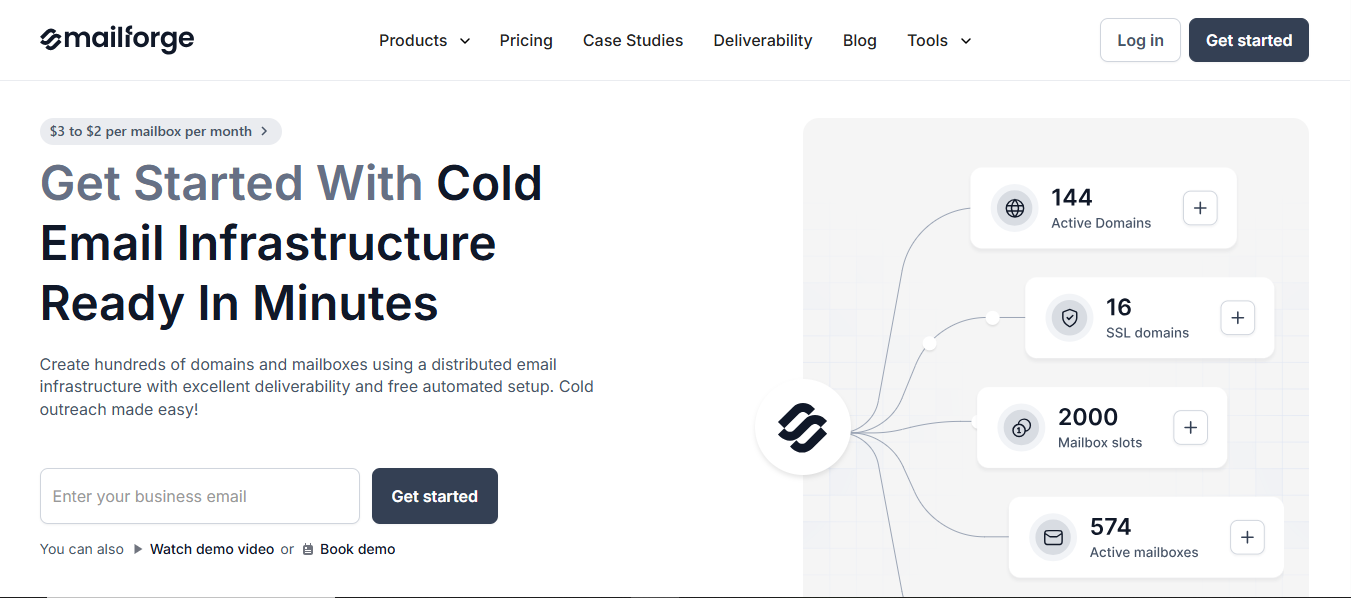
Mailforge is a cold email infrastructure tool that lets you set up and manage hundreds of domains and mailboxes in just a few minutes, using a shared infrastructure optimized for cold outreach and effective lead generation.
This image shows the Mailforge homepage
It takes care of everything for you, from SPF, DKIM, and DMARC to SSL and domain masking, so your emails are ready to send right away.
It also works smoothly with Salesforge and other outreach tools, so you can plug it into your existing setup and start scaling instantly.
Integration with Google Sheets for streamlined data management and campaign tracking
How Mailforge Compares to ScaledMail
ScaledMail vs Mailforge — Quick Comparison
Category
ScaledMail (from your facts)
Mailforge (from your text)
Setup time
Infrastructure delivered in ~4 days
Ready in minutes (about 5 minutes)
DNS & records
Team handles SPF, DKIM, DMARC (white-glove setup)
Automatic DNS setup (SPF, DKIM, DMARC, custom tracking)
Bulk DNS updates
Domain provisioning
Buy via ScaledMail (can “age” domains) or bring your own
ScaledMail sets up DNS + inboxes
Create hundreds of domains & mailboxes
Domain transferring
Multiple workspaces
Warm-up
Day-1 sending allowed (2 emails/day/account)
~2-week warm-up recommended
No built-in warmup
Warm-up available (within the Forge stack)
Infrastructure model
Separate, isolated tenants
Microsoft tenant IP rotates every 15 days
Distributed/shared IP pool built for cold outreach
Accounts/compatibility
Google & Microsoft accounts provided
Works with any sending software
Compatible with Salesforge
Scaling guidance/limits
~49 users per Microsoft domain
Per-inbox caps: Microsoft up to 15/day, Google up to 25/day (incl. warm-up)
Unlimited mailboxes
Multiple workspaces
Fast bulk setup
Easily manage sending volume to match your campaign needs and protect deliverability
Deliverability tooling
No in-app real-time deliverability dashboard mentioned
Emphasis on deliverability
SSL & Domain Masking
Reputation safeguards
Pricing
Tiered plans from $45 to $842/month (package-dependent)
Tiered monthly plans
$3 → $2 per mailbox per month
Per-mailbox pricing
Mailforge Pricing
$2–$3 per mailbox/month, depending on whether you pay monthly or yearly.
You’ll need at least 10 mailboxes to start.
Domains cost $14/year (.com).
Optional SSL and domain masking:$2/month or $6/year per domain.
Pros
Super quick setup, you can start sending in minutes without touching DNS records.
This image shows the mailforge user compliment about quick setup
Much cheaper than using Google or Outlook mailboxes for outreach.
As you grow, you can add more mailboxes or domains anytime without needing to start over.
Mailforge's deliverability features help ensure your emails land in recipients' inboxes.
“Setting up new domains and mailboxes is quick, and they stay portable-if we ever change tools, we can take everything with us without drama.”-Colin Graham, Trustpilot.
It fits right into your workflow, so you can keep using your favorite outreach tools without changing how you work.
Cons
Runs on shared IPs, so it’s not as private as dedicated setups like Infraforge.
Shared IPs can increase the risk of triggering spam filters, which may impact email deliverability.
Doesn’t include built-in analytics for tracking opens or replies.
Not ideal for very large companies that need dedicated IPs or compliance features.
2. Infraforge
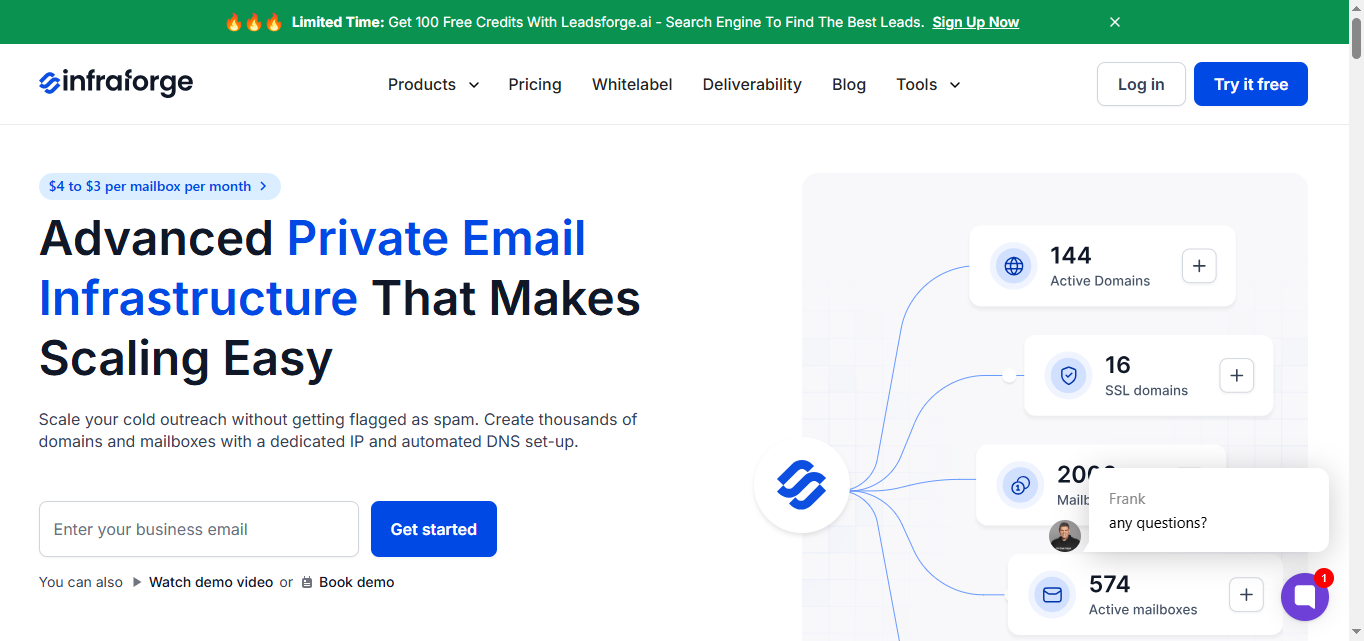
Infraforge is a private cold email infrastructure platform that gives you full control over deliverability with dedicated IPs, automated DNS setup, and pre-warmed mailboxes, helping ensure your emails consistently reach the primary inbox for better engagement.
This image shows the Infraforge homepage
Built for teams that want to scale big without landing in spam, Infraforge lets you create thousands of domains and mailboxes on private infrastructure with SSL, proxies, and real-time monitoring, helping ensure your emails consistently reach the primary inbox for better engagement.
Infraforge’s Most Relevant Features
Dedicated IPs for each setup to keep reputation isolated
Automated DNS, SPF, DKIM, and DMARC setup for every domain
Domain forwarding to improve email deliverability and safeguard domain reputation
$3–$4 per mailbox/month, based on billing frequency.
Requires a minimum of 10 mailboxes.
Domains cost $14/year (.com).
Add-ons for advanced control:
Dedicated IPs: $99/month each
SSL & domain masking: $2/month or $6/year per domain
Masterbox dashboard: $7–$9/month per workspace
Pros
Dedicated IPs and private setup give you full control and better deliverability.
IP rotation keeps the sender reputation strong.
Real-time tracking makes it easy to monitor inbox placement and health.
Infraforge's dedicated infrastructure and monitoring tools result in improved deliverability for cold email campaigns.
“Unlike some providers where you constantly worry about downtime or hidden limitations, Infraforge feels dependable. Their monitoring and alerting tools are straightforward yet powerful, which gives me peace of mind.” - user review, Trustpilot
SSL, proxies, and masking add security and protect brand identity.
Easy to scale with unlimited domains and mailboxes.
API makes it flexible for advanced teams or custom integrations.
Cons
Might be too advanced for small teams that don’t need private IPs or complex infrastructure.
Doesn’t show email performance or reply analytics; it’s made just for infrastructure, not campaign tracking.
Users need to be aware of sending limits when scaling campaigns, as managing these limits is crucial for successful outreach and maintaining sender reputation.
3. Saleshandy
Saleshandy is an all-in-one cold email and outreach platform that helps you find leads, automate follow-ups, and track replies.
It supports a comprehensive multi-channel outreach strategy, allowing you to connect with prospects through various channels for maximum engagement.
Saleshandy also supports A/B testing of different elements, such as subject lines, to help optimize campaign performance and improve response rates.
This image shows the Saleshandy homepage
While it includes deliverability tools like auto-warmup, inbox placement testing, and sender rotation, it’s not a dedicated email infrastructure tool by default.
You’ll need to buy its Email Infrastructure add-on (Inframail) if you want ready-to-send domains, dedicated IPs, or private setups for scaling.
Saleshandy’s Most Relevant Features
Saleshandy offers infrastructure through its Inframail add-on. Here are Inframail features.
Dedicated IPs for private sending
Ready-to-send secondary domains and email accounts
Automated SPF, DKIM, and DMARC setup
Lookalike domains for brand-safe scaling
Built-in warm-up and sender rotation
Up to 50 emails per account per day
Multi-channel outreach capabilities, including email, LinkedIn, and SMS
How Saleshandy Compares to ScaledMail
ScaledMail vs Saleshandy — Infrastructure & Outreach Comparison
Category
ScaledMail
Saleshandy
Setup time
Infrastructure delivered in ~4 days
Instant setup for outreach; infrastructure via Inframail add-on
DNS & records
Team handles SPF, DKIM, DMARC
Automated DNS & authentication only through the Inframail add-on
Domain provisioning
Buy via ScaledMail or bring your own
Purchase or connect domains directly via the Saleshandy dashboard
Warm-up
Day-1 sending allowed; warm-up recommended
Manual warm-up
Built-in auto-warmup and sender rotation for safe scaling
Auto warm-up
Infrastructure model
Isolated tenants with IP rotation
Tenant-based
Shared IPs by default; dedicated IPs via Inframail add-on ($299/month for 3 IPs)
Add-on for dedicated IP
Accounts/compatibility
Google & Microsoft accounts provided
Works with Google, Outlook, IMAP
Integrates with CRMs and automation tools
Scaling guidance/limits
Limited by users per domain (≈49) and inbox caps
Unlimited outreach accounts; infrastructure scaling through add-ons, allowing efficient management of high email volume across multiple accounts and domains
Deliverability tooling
No in-app deliverability dashboard
Inbox Placement Testing
Deliverability Suite
Sender Rotation
Pricing
Tiered plans from $45–$842/month
Package-based
$2.5 → $4 per account/month (+ $299 Inframail add-on for infrastructure)
Per-account + add-on
Saleshandy Pricing
$2.5–$4 per account/month for the main outreach platform.
Base plan includes auto-warmup, sender rotation, inbox placement testing, and access to a 700M+ lead database.
Pros
Everything for cold outreach, lead search, sending, and tracking - in one place.
Built-in warmup and deliverability tools help improve inbox placement.
The lead database saves hours on prospect research.
Enables users to send personalized emails to improve engagement and response rates.
Great option for agencies and teams that want simplicity and scale.
Cons
Not a dedicated infrastructure platform, you need to pay extra for the Inframail add-on to get private IPs or pre-warmed mailboxes.
Shared IPs can limit deliverability consistency at scale and increase the risk of emails landing in the spam folder.
Less control over backend setup compared to tools like Mailforge or Infraforge.
Lead data accuracy can vary depending on location and industry.
Conclusion
All three tools bring something different to the table, it really depends on what you're looking for and the type of cold email campaigns you want to run.
Mailforge – Perfect if you want a fast, affordable, and fully automated cold email setup. Ideal for launching effective cold email campaigns in minutes without touching any technical settings.
Infraforge – Best for teams that need private infrastructure, dedicated IPs, and pre-warmed mailboxes with real-time monitoring and full control, making it suitable for optimizing and scaling cold email campaigns.
Saleshandy – Great if you want an all-in-one outreach platform with lead finding, automation, and analytics — though you'll need a paid add-on for infrastructure. This makes it a strong choice for managing and analyzing cold email campaigns from start to finish.
If your goal is to start sending fast, scale safely, and keep costs low is the smart choice.