
Personalized Outbound Strategy
Get The Right Outbound Strategy In Minutes
Enter your email to get a custom plan & stack recommendation for your business
It's being carefully crafted by AI
Please check your mailbox in 5 minutes

Your first month with LiteMail goes smoothly. You pick a bundle, add your domains, export to Instantly or Smartlead, and start sending.
By month two, you want more volume. Each inbox is capped at 25 emails a day, so to send more, you need to add inboxes. On Growth with 30 inboxes, adding 70 means jumping to Pro's 100 or paying $3.25 for every extra one.
Fresh inboxes also arrive without warm-up. If you added an email warm-up tool to cover that, it now sits on every bill next to LiteMail.
Then a payment fails. That can suspend or lose your inboxes, and getting them back takes a new subscription, with warmed domains possibly needing up to 14 more days of warm-up. If you leave instead, any domains you bought through LiteMail go with the subscription.
The five tools below each fix a different one of these. MailDeck and Outreach2day cut the cost per inbox, PureMail handles setup for you, Maildoso removes the SMTP send cap, and Primeforge lifts it on Google and Microsoft.
If you want to stay on Google and Microsoft, I'd start with Primeforge. It has no fixed daily cap; you buy mailboxes one at a time, and your domains stay yours if you cancel.
Primeforge is my top pick for Google and Microsoft mailboxes with no fixed daily cap. Outreach2day is my pick if you want warmup and sending on one bill.
I compared every tool against what LiteMail charges and allows today, using six checks.
I divided each tool's monthly price per inbox by the number of cold emails it allows or recommends per day. LiteMail Pro comes to about 12 cents per daily send ($2.97 ÷ 25), so each alternative had to beat that or justify the higher price.
I checked whether each tool sells single inboxes or bundles, and how small its minimum order is. A small minimum lets me test with 10 or 12 inboxes before moving a campaign.
I noted which tools sell Google, Microsoft 365, SMTP mailboxes, or a mix, and which of those come pre-warmed. If 40% of my list uses Outlook, I want Outlook inboxes for that 40%.
I checked whether warm-up is included, how many days a new inbox waits before cold sending, and whether a pre-warmed option states its warm-up age.
I read each tool's refund, billing, and cancellation terms, and checked who owns the domains after you leave.
I checked whether the API comes with the first plan, and whether the tool shows bounces, blacklists, or inbox health without a separate product.
On paper, Primeforge review costs more than LiteMail. A mailbox is $4.50 a month, against $2.97 on LiteMail Pro.
Per daily send, the gap is smaller. Primeforge sets no daily cap on Google mailboxes and recommends about 30 a day. That makes a $4.50 mailbox about 15 cents per daily send, against about 12 cents on LiteMail Pro. Google's own limits still apply, so I'd stay near 30.
For those 3 cents, I get data LiteMail doesn't give me. Each Primeforge mailbox shows the blacklist status of every IP it sends from.
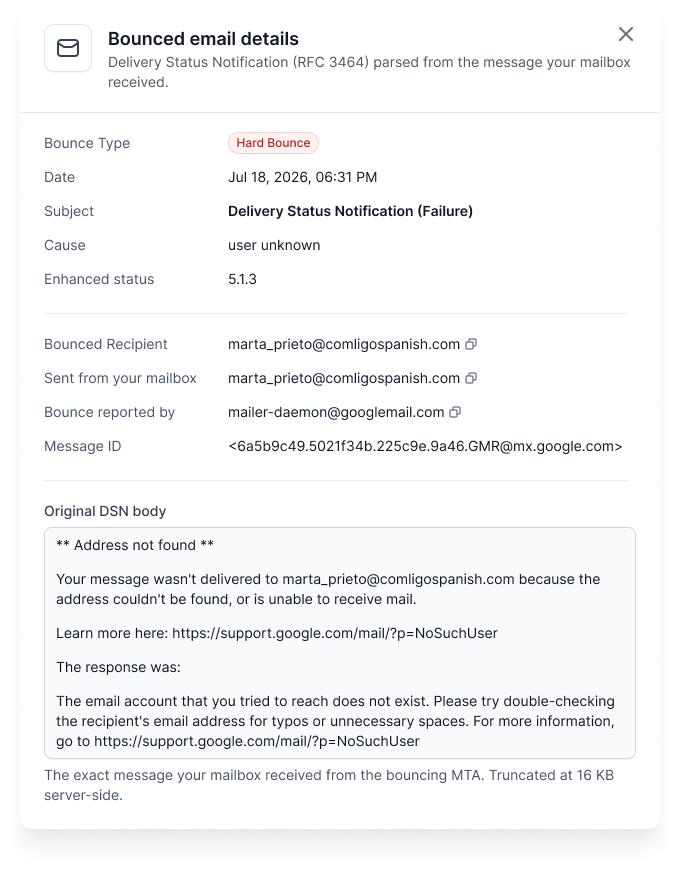
Each bounce opens with the server's reason, such as "user unknown." When one IP gets listed, I pause that mailbox and the rest of the campaign keeps running.
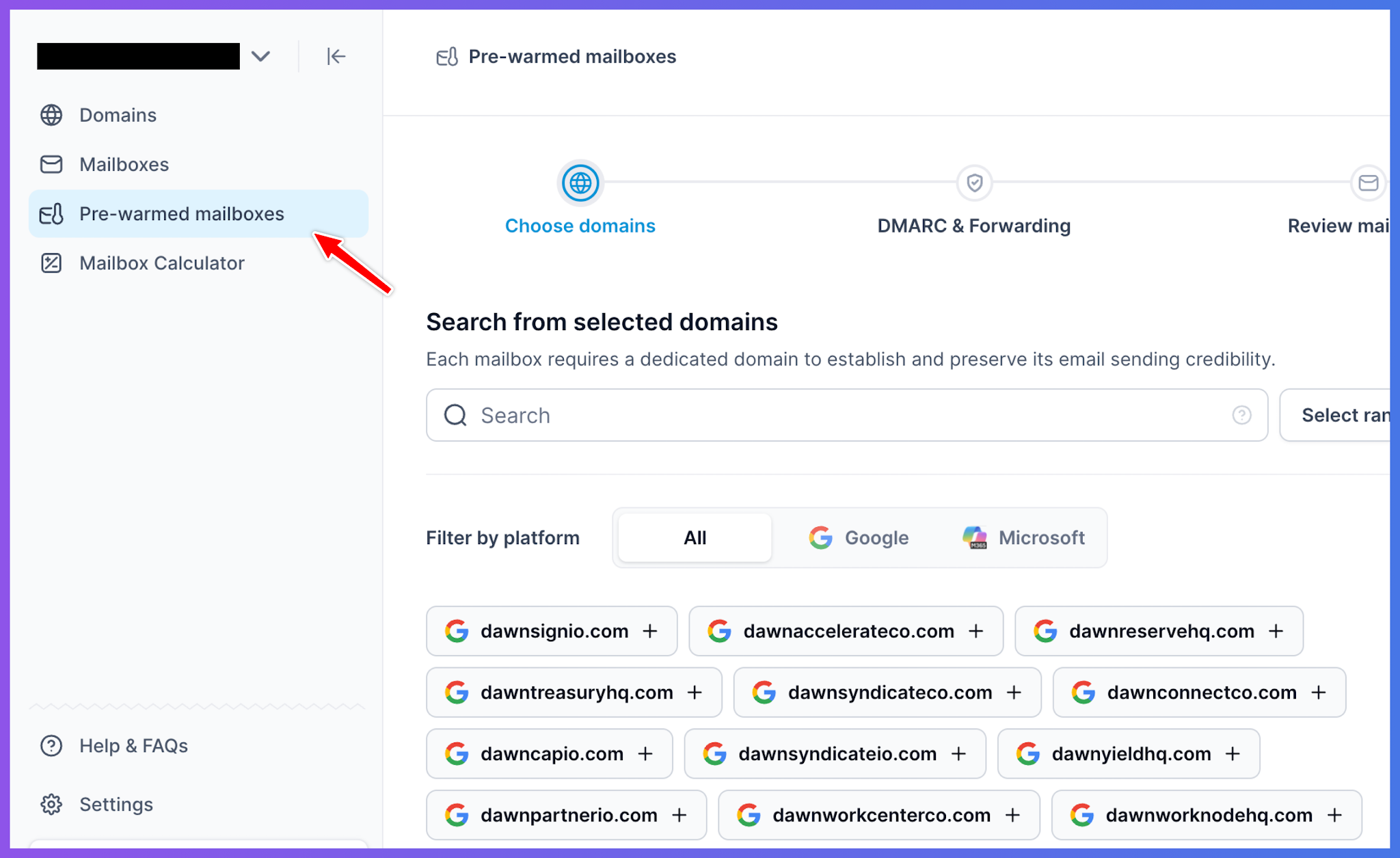
I aim for about 30 cold emails per day, as Primeforge recommends, so the same number of mailboxes can handle more volume. Google’s own limits still apply.
The extra cost also gives me a heads-up when something goes wrong. With LiteMail, I’d only know a domain was blacklisted when replies started drying up.
Primeforge’s mailbox analytics show the blacklist status of every sending IP, and each bounce explains why the server rejected it. That lets me pause one mailbox before it affects the whole campaign.
Outlook prospects are the last piece. LiteMail’s pre-warmed plans list Google only, and you have to contact support for Microsoft.
With Primeforge, I can choose Microsoft when ordering pre-warmed domains, and each domain comes with three mailboxes already set up.
LiteMail sells fixed bundles with a 25-a-day cap and leaves me to check for blacklists. Primeforge lets me buy exactly the number of mailboxes I need and monitor each one in the same app.
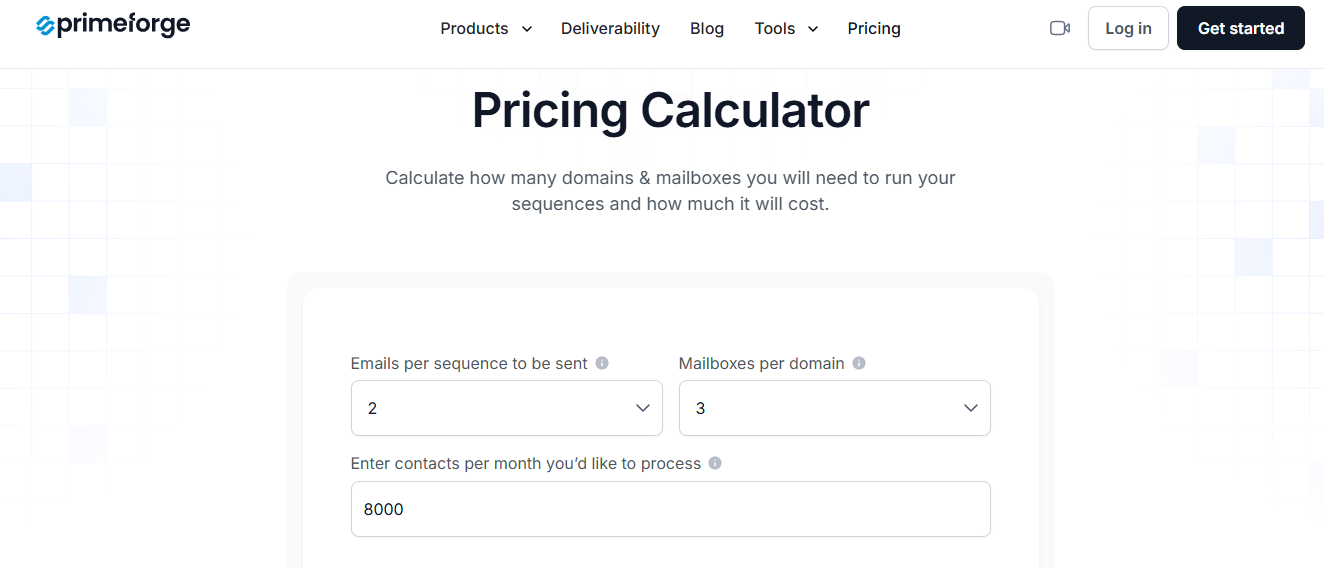
Primeforge pricing is per mailbox, with no bundles.
At 750 cold emails a day, I'd run 25 Primeforge mailboxes for $112.50 a month. LiteMail's Growth plan covers 750 with 30 inboxes for $97. I pay about $15 more a month for the blacklist and bounce data.
Enter your email to get a custom plan & stack recommendation for your business
Please check your mailbox in 5 minutes
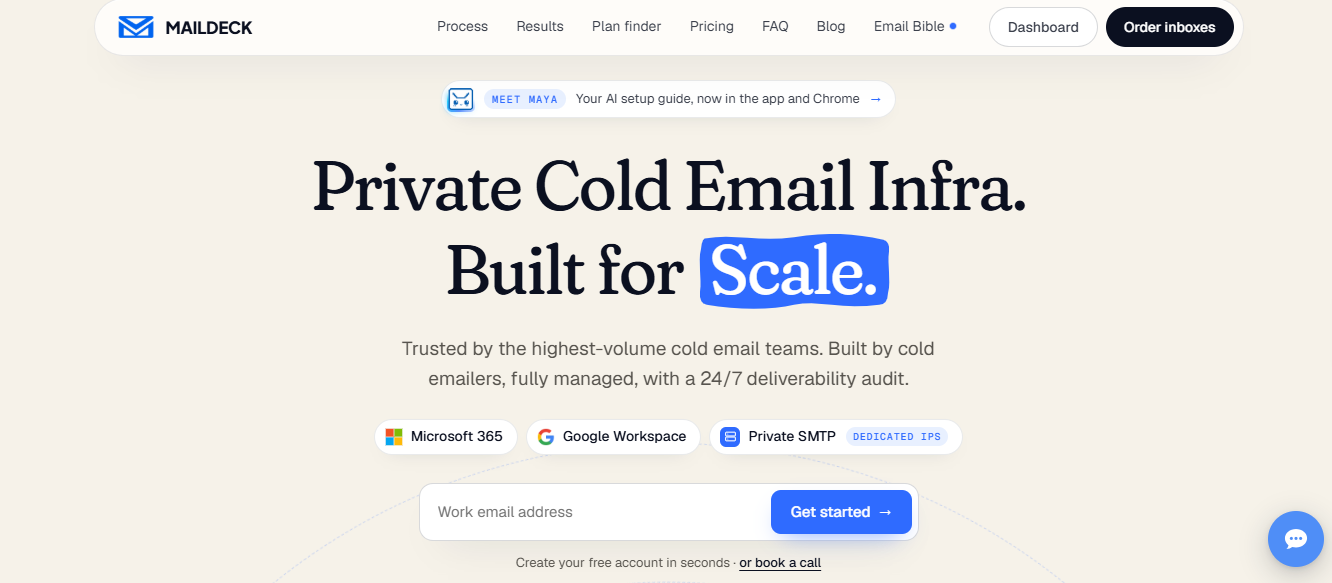
Say 60% of my list uses Outlook. On LiteMail, Microsoft 365 is an option on a Google-first setup, priced the same as Google. MailDeck sells Outlook by the tenant—100 inboxes at a time—for cents per inbox.
Cheap inboxes come with low limits. Each Outlook inbox sends 4 to 5 cold emails a day on Normal and 6 to 7 on Premium. To reach 1,000 a day on Premium, I'd run about 150 inboxes, and my sequencer would have to connect to and track each one.
So I'd use MailDeck for the Outlook share and keep Google prospects on Google inboxes. MailDeck sells those too, at 18 to 22 sends a day, a little below LiteMail's 25.
Timing depends on the inbox type. Google is instant, Outlook takes 2 to 3 days, and SMTP needs 24 hours plus 3 to 4 weeks of warm-up. MailDeck doesn't state refund or cancellation terms or mention an API, so I'd ask before a large order.
LiteMail centers on Google bundles with 25 sends per inbox per day. MailDeck lets me spread sending across Outlook, Google, and SMTP, while paying far less per Outlook inbox.
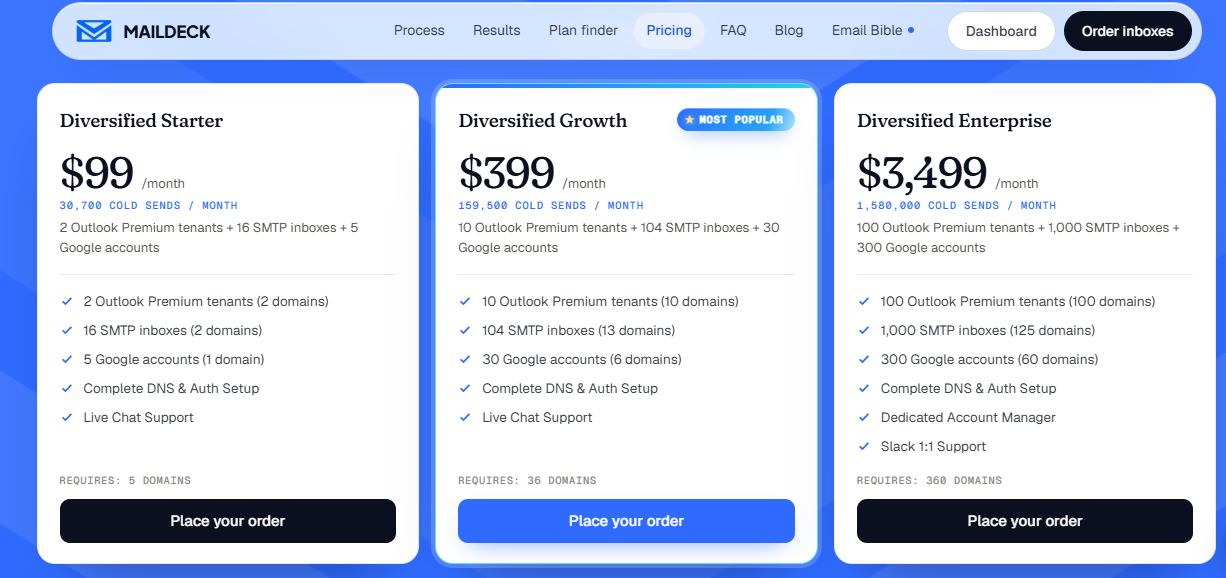
MailDeck prices each provider separately.
At 2,500 cold emails a day, LiteMail Pro costs $297 for 100 inboxes. Four MailDeck Outlook Premium tenants cost $160 for 400 inboxes. I save $137 a month and manage four times as many inboxes.
On LiteMail, I set it up myself. I create the workspace, buy or connect domains, pick names and photos, and export each batch to my sequencer.
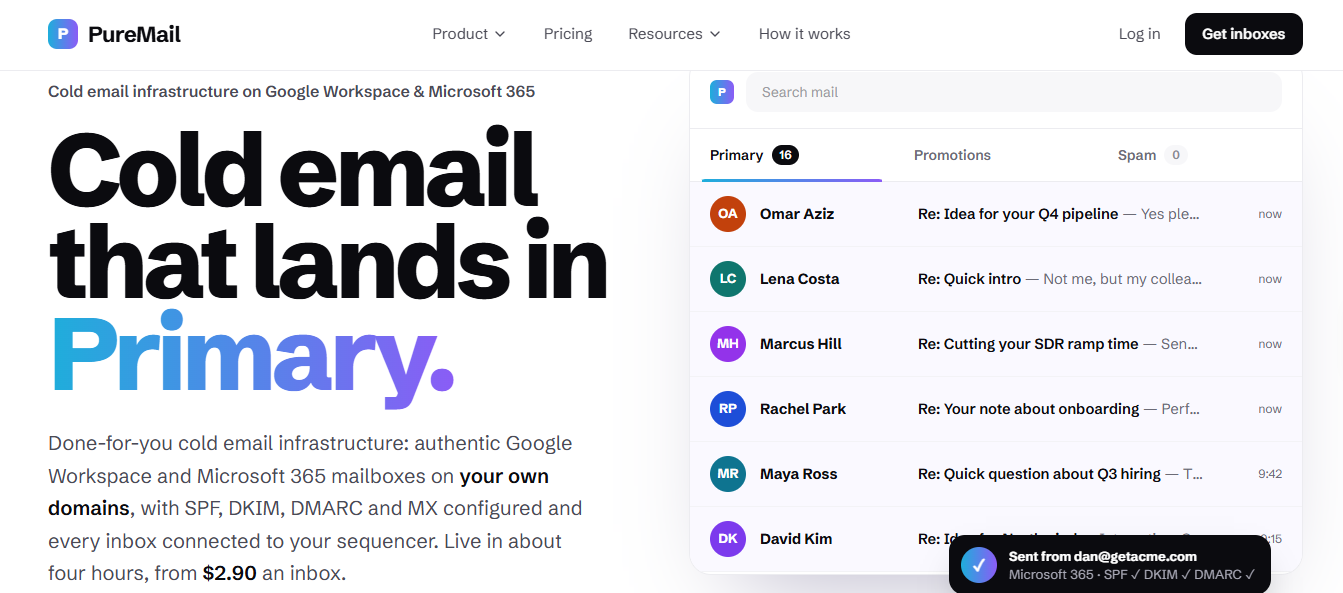
PureMail's team does that work. They set up SPF, DKIM, DMARC, and MX records for each domain, create every inbox with a sender name, and connect it to Instantly, Smartlead, ReachInbox, or the tool I use. A typical order is live in about 4 hours, and I keep admin access and every login.
Since their team connects the inboxes to my sending tool, I'd ask how they'll get access before I order.
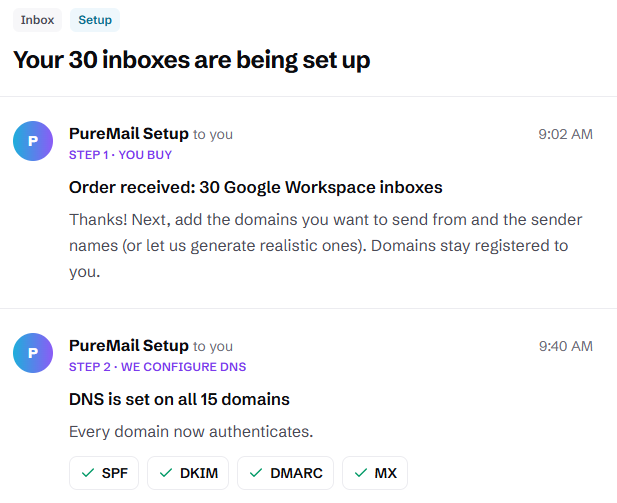
Warmup is the wait I'd plan for. PureMail doesn't include it, and pre-warmed inboxes are listed as coming soon, so I'd run two to three weeks of warm-up in my sequencer first.
After that, PureMail's guidance allows 20 to 40 cold emails per inbox per day.
PureMail doesn't sell domains, so I'd bring mine from a registrar like Namecheap or Cloudflare. It doesn't state an API, refund terms beyond monthly billing, or a replacement policy.
PureMail suits me when I'd pay to skip the setup work and can wait a few weeks for warm-up.
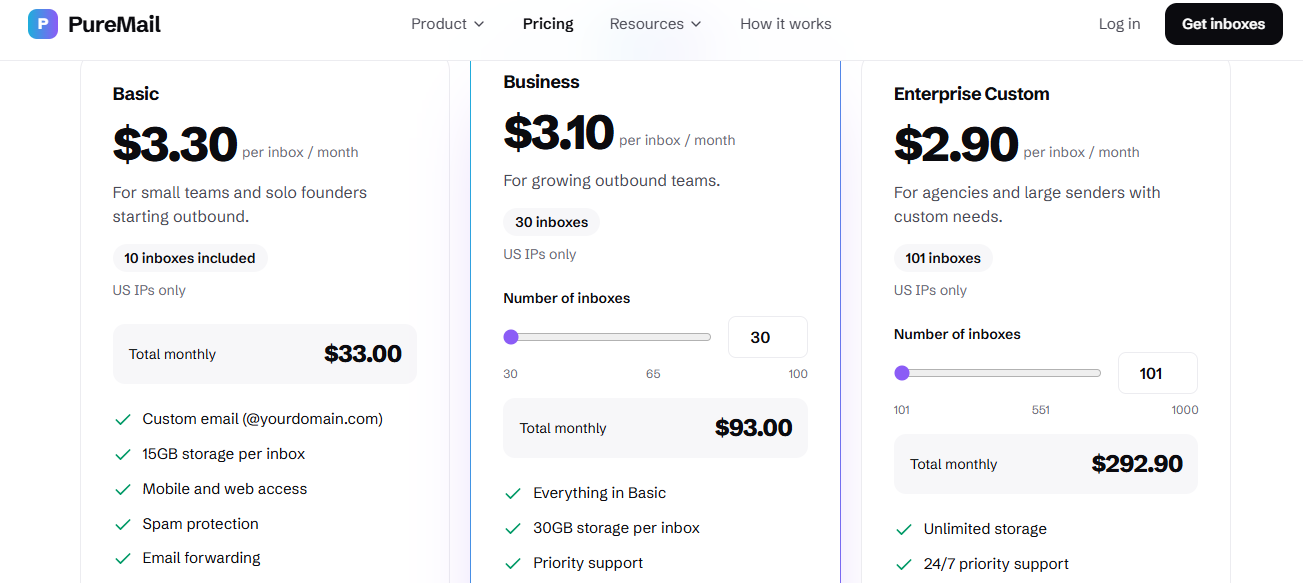
PureMail charges one monthly rate per inbox, based on order size.
At 50 inboxes, I'd pay $155 on PureMail, against $162 on LiteMail Growth plus 20 extras. At exactly 100, LiteMail's $297 bundle is cheaper than PureMail's $310.
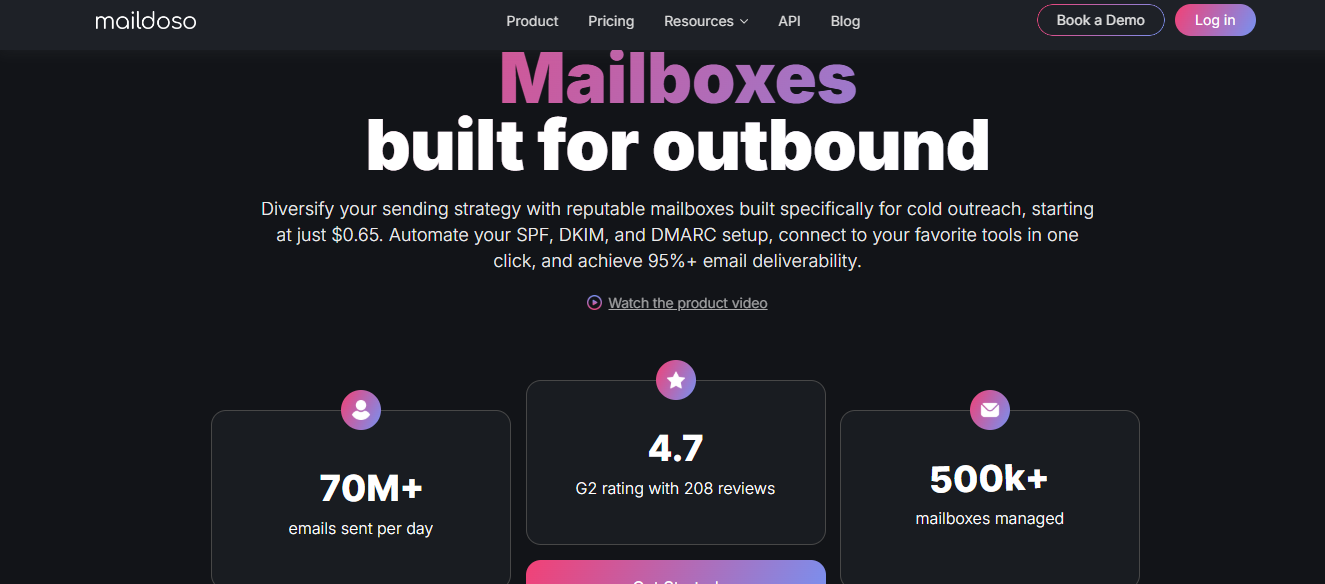
At a few hundred inboxes, some always go bad. On LiteMail, I find them and replace them myself. Maildoso rotates IPs and automatically replaces unhealthy inboxes, so a failing inbox leaves before it drags down a campaign.
Maildoso also sets no daily send cap and no per-account cap. I pay a flat price per mailbox, so my volume depends on how I warm and pace each one.
Its API, with webhooks, comes on every plan. On LiteMail, the API starts at Pro. If I want to create inboxes from my own onboarding flow while running only 50, Maildoso lets me do it from the first order.
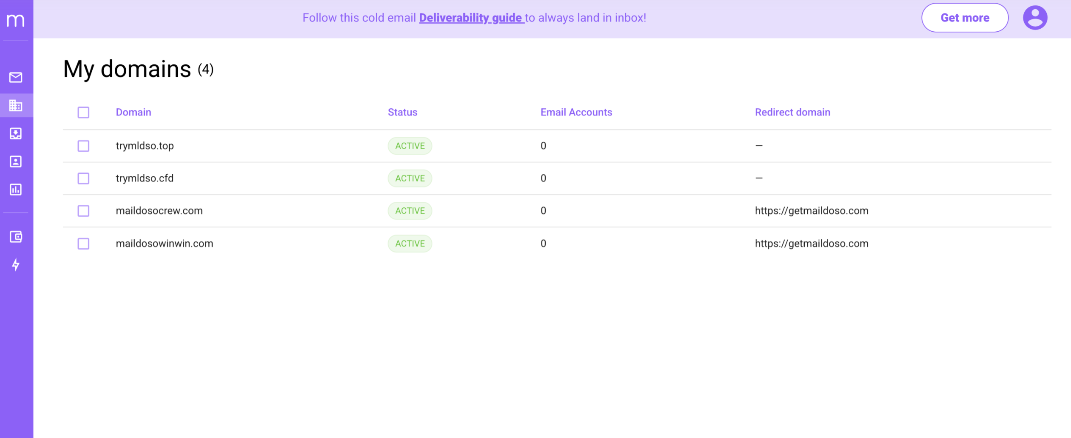
Before paying, I'd confirm a few points. Maildoso covers SMTP and Google Workspace but doesn't mention Microsoft 365, and it doesn't specify warm-up or setup times.
Its refund terms also conflict: one line offers a 30-day money-back guarantee, and another says no refunds. The free trial of 300 SMTP mailboxes for 30 days lets me test without that risk.
LiteMail caps each inbox at 25 sends a day, reserves API access for larger plans, and leaves me to deal with broken inboxes. Maildoso removes the cap, includes API access on every plan, and automatically replaces unhealthy inboxes.
If my list needs Microsoft 365 inboxes, I'd keep those on LiteMail or Primeforge.
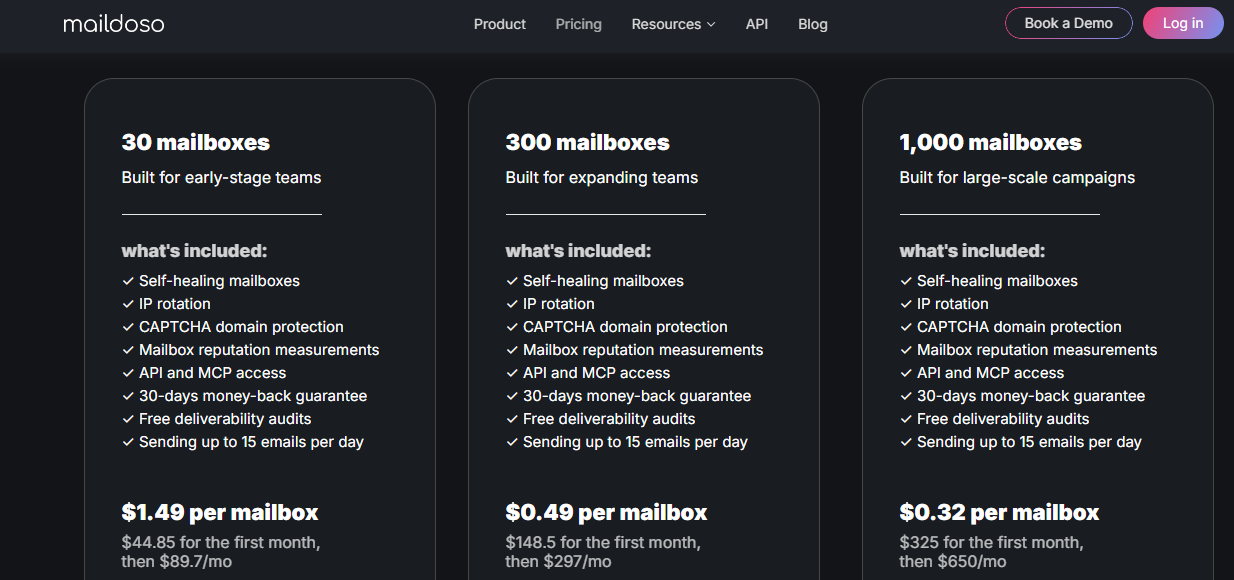
Maildoso charges per mailbox, with a minimum package for each mailbox type.
Even at the top SMTP price, 100 mailboxes cost $250 a month, against $297 for LiteMail's 100-inbox plan.
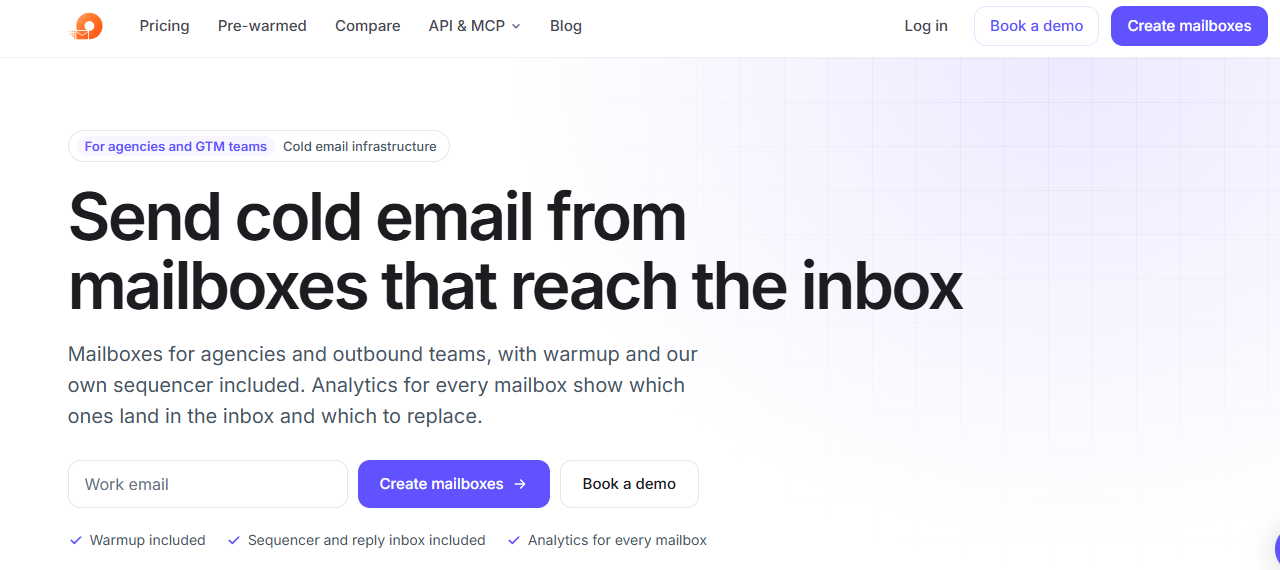
My LiteMail bill only covers the inboxes. Warmup and sending need a sequencer plan on top, so my real monthly cost is two bills.
Outreach2day puts both on one. Warmup runs for as long as I keep each mailbox, at 75+ warmup emails a day. The sequencer handles steps, send schedules, stop-on-reply, and a shared reply inbox. Each mailbox sends 25 cold emails a day, the same as LiteMail.
Domains are the other reason I'd switch. Outreach2day registers them in my name. On LiteMail, domains bought through the service are deprovisioned when the subscription ends, so leaving costs me the domains I warmed.
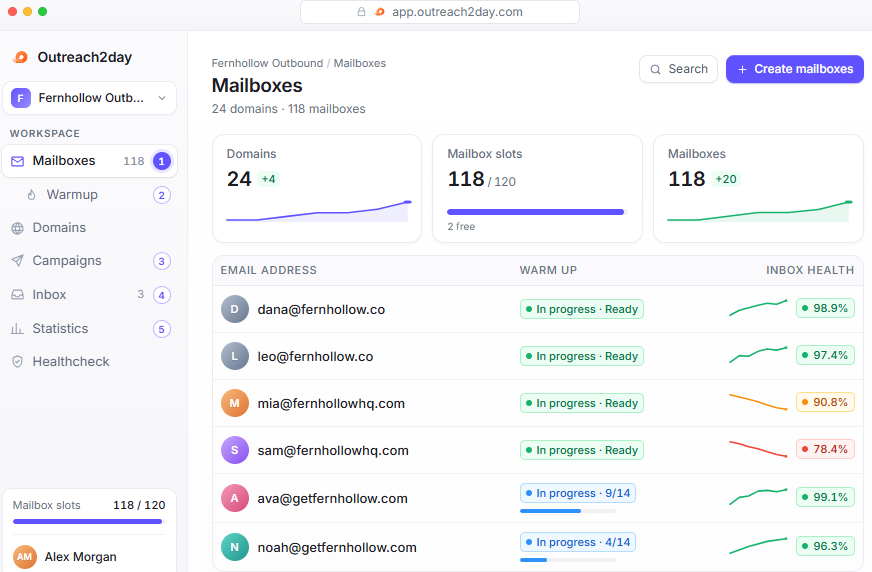
Outreach2day sells SMTP/IMAP mailboxes on my domains. It doesn't sell Google Workspace or Microsoft 365 inboxes. New mailboxes wait 14 days before cold sending unless I buy pre-warmed ones, and there's no free trial.
To move, I'd keep LiteMail sending for those 14 days, then cancel it at the end of its billing period.
LiteMail sells me the mailbox but leaves warm-up, sending, and domain ownership to me. Outreach2day bundles all three at a lower per-mailbox price.
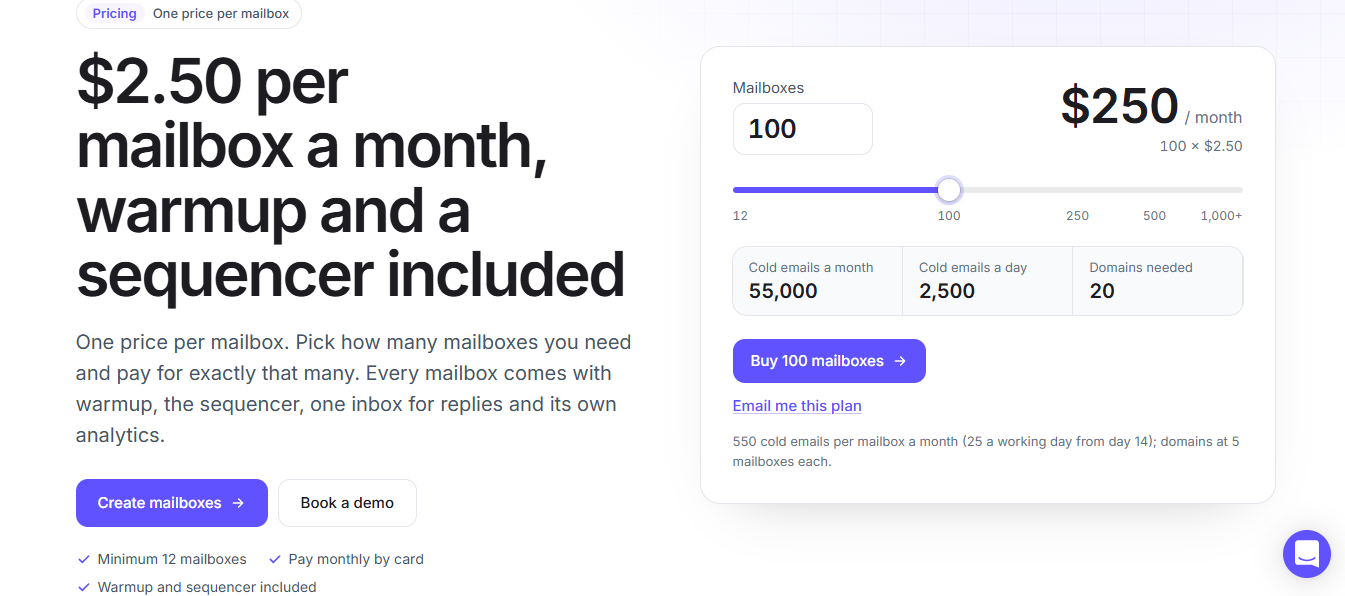
Outreach2day charges per mailbox, with lower rates as you add more.
At 5,000 cold emails a day, I'd need 200 mailboxes. That's $300 a month on Outreach2day, against $597 for LiteMail Pro plus 100 extra inboxes, before LiteMail's sequencer cost.
Enter your email to get a custom plan & stack recommendation for your business
Please check your mailbox in 5 minutes
Your next LiteMail renewal sets the timeline, since it bills a month in advance.
Pick by what you'd fix first. If you want to stay on Google and Microsoft and see why emails fail, pick Primeforge.
If Outlook makes up most of your list, MailDeck covers it for cents per inbox. If you're paying for LiteMail and a sequencer, Outreach2day folds both into one bill.
PureMail fits when you'd rather someone else did the setup, and Maildoso when you run SMTP at volume.
Start two weeks before that renewal. Order a batch of Primeforge mailboxes on domains you own at your own registrar, and let them warm while LiteMail keeps sending. If you can't wait, take pre-warmed ones.
Then cancel LiteMail before it bills again.