

Personalized Outbound Strategy
Get The Right Outbound Strategy In Minutes
Enter your email to get a custom plan & stack recommendation for your business
It's being carefully crafted by AI
Please check your mailbox in 5 minutes
LiteMail offers a faster way to get cold email inboxes running. You can buy fresh or pre-warmed Google Workspace and Microsoft 365 inboxes, with the DNS setup handled for you.
But one LiteMail customer had a very different experience. The customer said they kept their inboxes at 10 emails per day for the first week and then increased them to 15 emails per day. Three days later, they said the inboxes had burned. They also questioned how the inboxes appeared to have been warmed.
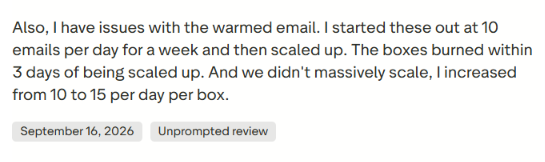
That does not mean every LiteMail inbox will have the same problem. But it is something worth checking when LiteMail sells pre-warmed inboxes specifically to help cold email teams start sending sooner.
So, in this LiteMail review, I’ll look at how its fresh and pre-warmed inboxes work, what they cost, what other customers are saying, and what you should know about deliverability before buying them at scale.
LiteMail handles most of the infrastructure setup needed before you start cold email outreach. You can get Google Workspace or Microsoft 365 inboxes, connect your existing domains or buy new ones, and LiteMail handles SPF, DKIM, and DMARC setup for you.
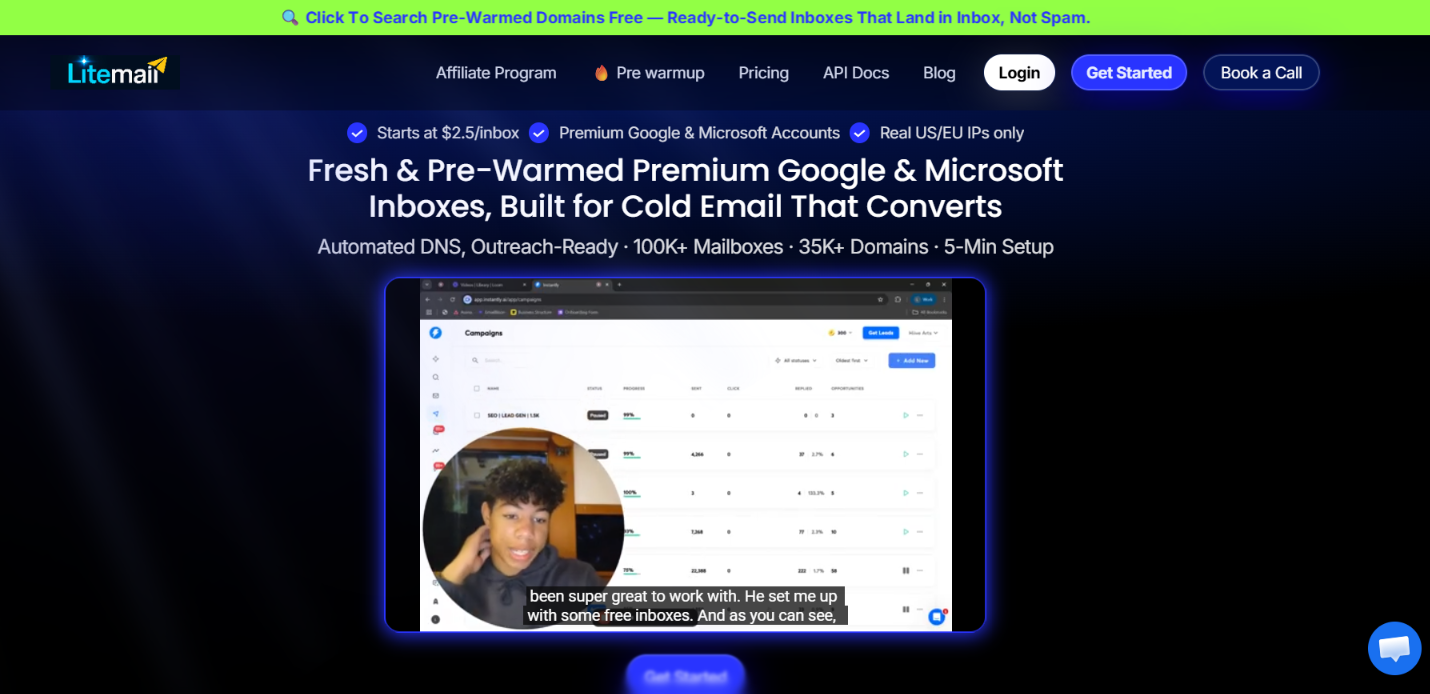
You can choose between fresh and pre-warmed inboxes. Fresh plans start at $37 per month for 10 inboxes, while pre-warmed plans start at $39 per month for 5 inboxes and 1 domain. LiteMail also lets you connect your inboxes to sending tools such as Instantly and Smartlead through OAuth.
What you do not get with LiteMail is the same flexibility in how you build the setup. LiteMail sells its pre-warmed option as plans that bundle a set number of domains and inboxes. For example, its Starter plan includes 1 domain and 5 pre-warmed inboxes, while the larger plans increase the number of domains and inboxes together.
Primeforge takes a different approach. You choose the number of Google Workspace or Microsoft 365 mailbox slots you need, and pre-warmed mailboxes are available separately as an add-on. This gives you more flexibility to choose how many mailboxes you need and whether you want them pre-warmed.
Here is how they compare.
The biggest difference is how the two services package their mailboxes. LiteMail sells fresh and pre-warmed inboxes through separate plans. Its pre-warmed plans bundle a set number of domains and inboxes, starting with 1 domain and 5 inboxes for $39 per month.
Primeforge prices its infrastructure around mailbox slots instead. You choose how many Google Workspace or Microsoft 365 mailbox slots you need, with a minimum of 10 slots, and domains are priced separately. Pre-warmed mailboxes are also available.
So, with LiteMail, you are mainly choosing between its ready-made fresh and pre-warmed plans. With Primeforge, you build the setup around the number of mailbox slots and domains you need.
The available LiteMail reviews are mostly positive, with customer support and pre-warmed inboxes coming up often. However, there is also some negative feedback around pre-warmed inbox quality and domain selection.
LiteMail has a 4.5/5 TrustScore from 23 reviews on Trustpilot. Customer support is one of the most common positives. Users mention quick responses, help with setup, and support when connecting domains and inboxes.
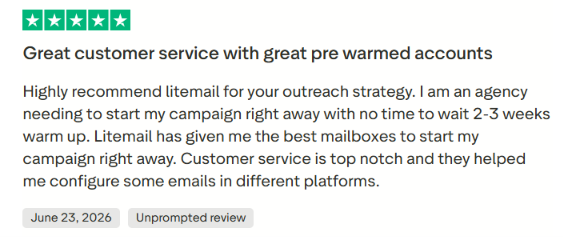
Pre-warmed inboxes also receive positive feedback. One agency user said the pre-warmed accounts helped them start a campaign without waiting another two to three weeks for warm-up.
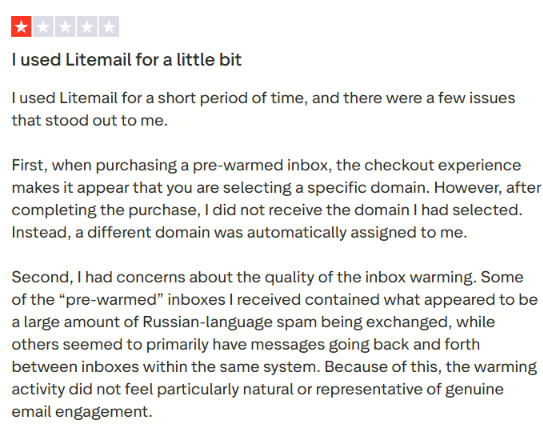
The main negative feedback comes from one detailed review. The customer said they received a different domain from the one they thought they had selected and questioned how the pre-warmed inboxes were being warmed.
The same customer said they started at 10 emails per inbox per day, increased to 15, and the inboxes burned within three days of the increase.
Feedback on G2 is also positive, but there are only a few reviews available. Users mainly mention responsive customer support, pre-warmed mailboxes, and pricing as positives.
The main limitation mentioned was domain selection. One user liked the support but said the domain names were not automatically aligned with what they needed.

Overall, users mostly praise LiteMail for its support and pre-warmed inboxes. However, the limited number of reviews and concerns about warming quality are worth keeping in mind.
LiteMail handles the technical setup needed to create Google Workspace or Microsoft 365 inboxes for cold email. The process is mostly automated, so you do not have to create every mailbox or configure every DNS record manually.
Here is how it works.
First, choose between Google Workspace and Microsoft 365 and decide whether you want fresh or pre-warmed inboxes. Fresh inboxes start without a warm-up history, while LiteMail says its pre-warmed option comes with 12 weeks of sending history.

You can connect domains you already own or buy new ones through LiteMail. If you choose a pre-warmed plan, domains are already included based on the plan you select.
LiteMail automatically configures SPF, DKIM, and DMARC for the domains. This removes the need to set up these authentication records manually for every domain.
LiteMail then creates the Google Workspace or Microsoft 365 accounts on your domains. The inboxes can also be set up with sender names and profile photos.
If you choose fresh inboxes, they come without an existing warm-up history, so you need to build their sending history before scaling your cold email campaigns. With the pre-warmed option, LiteMail says 12 weeks of warm-up history has already been built.
Once the inboxes are ready, you can export them through OAuth to tools such as Instantly, Smartlead, Pipl.ai, and Lemlist. You then use that separate platform to create your sequences and run your cold email campaigns.
So, LiteMail mainly takes care of the domain, mailbox, DNS, and connection setup. Your cold email sending and campaign management still happen in the outreach tool you connect to it.
LiteMail is built to take the manual work out of setting up and managing cold email inboxes. Instead of creating accounts, configuring DNS records, and connecting each inbox yourself, LiteMail handles much of the setup for you. Here are the main features you get.
For agencies managing many domains and inboxes, the most useful features are the automated DNS setup, bulk OAuth export, and API access because they reduce the amount of manual work as the setup grows.
LiteMail has a few things in place to support cold email deliverability. The main focus is on email authentication, IP setup, and building sending history before you scale.
Here is what LiteMail provides:
The pre-warmed option is the most interesting part for deliverability because the inboxes already have some sending history. However, LiteMail's setup alone does not guarantee inbox placement. You still need to control your sending volume and watch how your inboxes perform as you scale.
LiteMail has separate pricing for fresh and pre-warmed inboxes. Fresh plans start at $37 per month for 10 inboxes, while pre-warmed plans start at $39 per month for 5 inboxes and 1 domain.
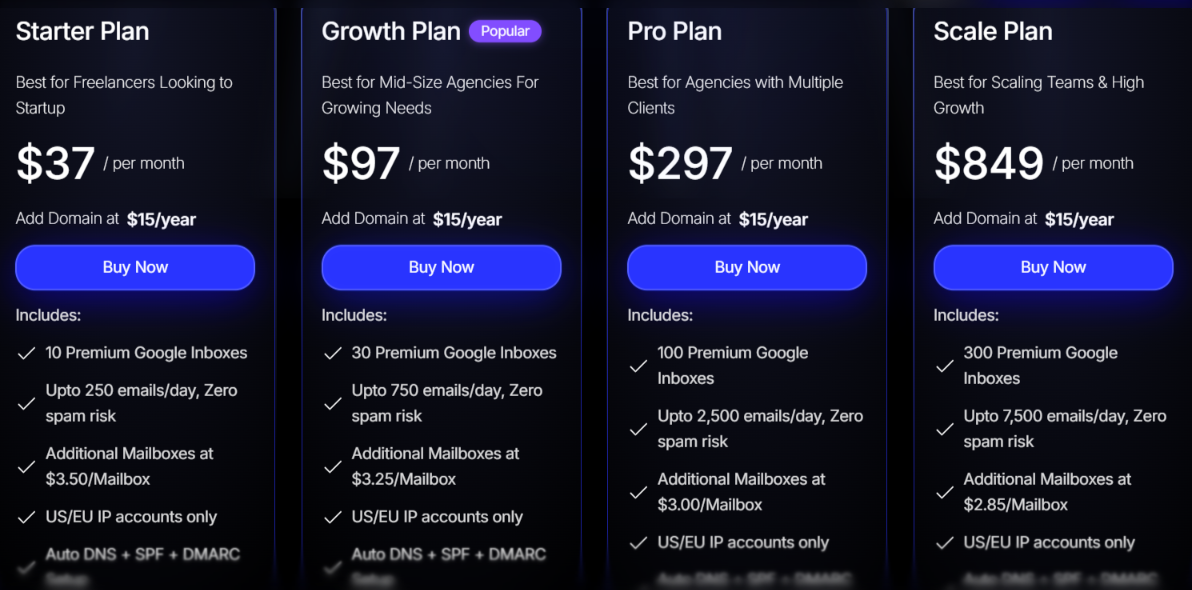
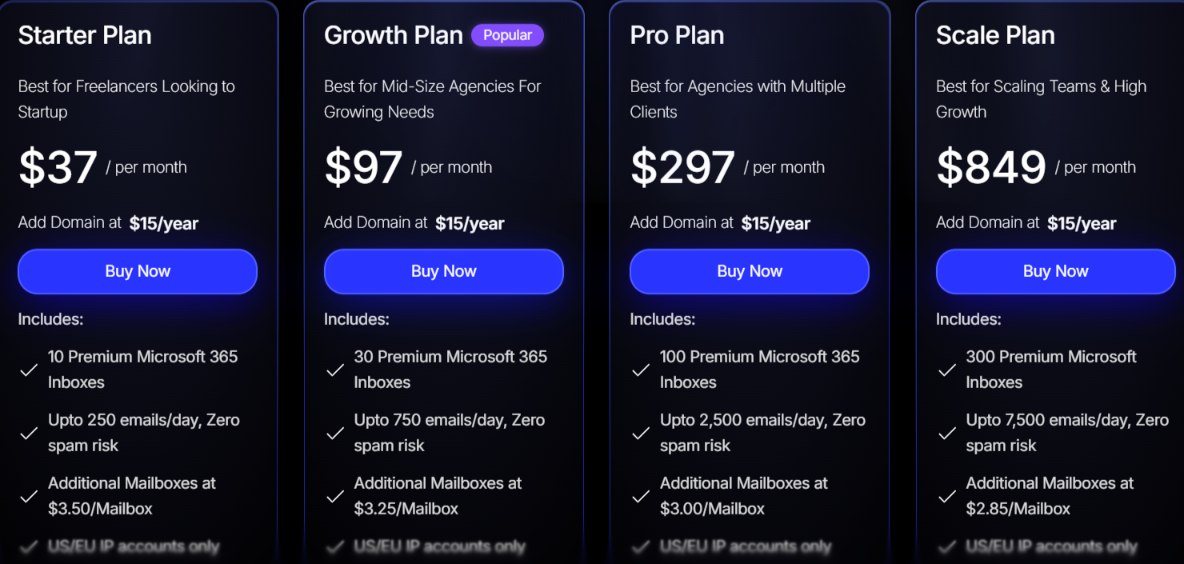
LiteMail lists the same fresh plan structure for Google Workspace and Microsoft 365. Domains cost an extra $15 per year.
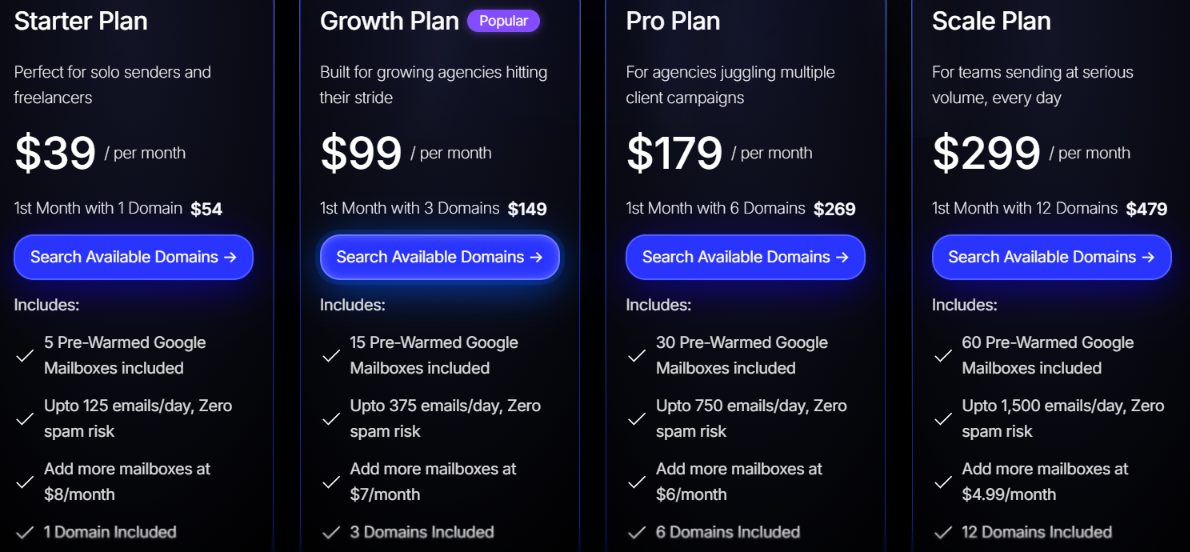
LiteMail's pre-warmed plans include pre-warmed domains and Google Workspace inboxes. LiteMail says these domains come with 12 weeks of warm-up history.
The first month costs more on each pre-warmed plan. Starter is $54 for the first month, Growth is $149, Pro is $269, and Scale is $479. Extra domains cost $15 per domain per year.
If you want more inboxes at a lower price per inbox, the fresh plans are cheaper. If you want inboxes with warm-up history already built, LiteMail offers separate pre-warmed plans.
LiteMail is mainly for cold email teams that need multiple Google Workspace or Microsoft 365 inboxes without handling all the setup themselves.
LiteMail may be less suitable if you only need a small setup or want features that are limited to its higher plans.
Overall, LiteMail makes the most sense when you need to set up and connect many cold email inboxes without doing the technical work for each one. If you only need a few inboxes or want more flexibility in how you build your setup, another provider may be a better fit.
If you want more control over your domains and mailboxes after they are set up, Primeforge is a better alternative to consider. You can connect domains you already own, edit DNS records, change individual mailbox settings, and see detailed mailbox analytics in one place.
Plus, with Primeforge MCP you can create, connect and manage your mailboxes via Agents.
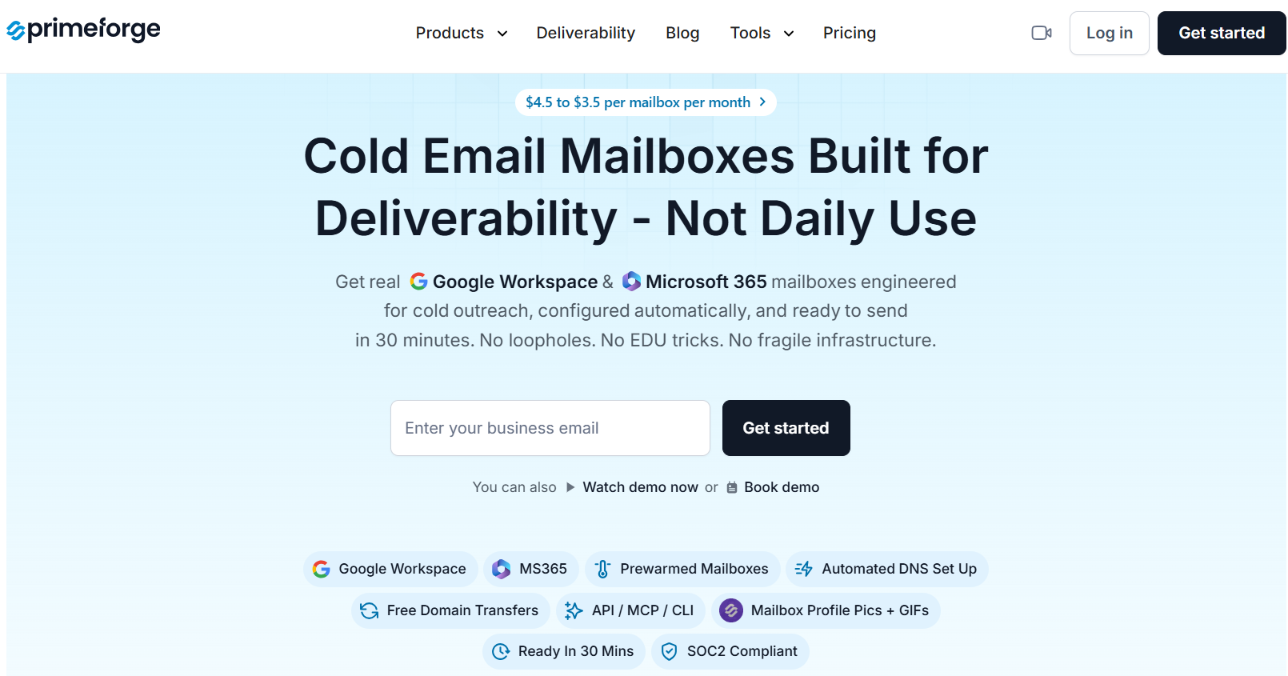
Like LiteMail, Primeforge provides Google Workspace and Microsoft 365 mailboxes and handles SPF, DKIM, and DMARC setup automatically.
Where Primeforge stands out is the extra control and visibility it gives you after setup.
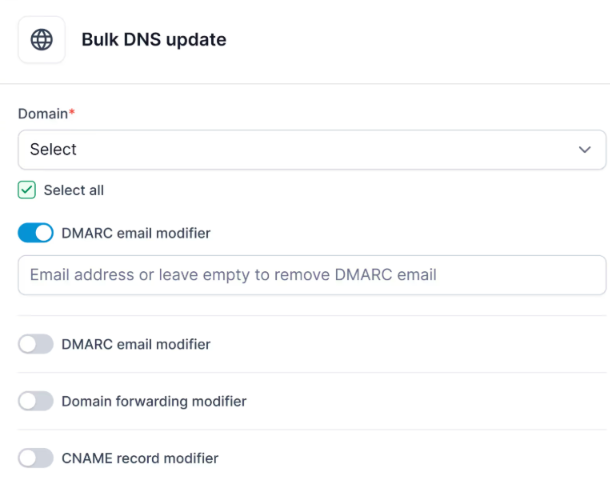
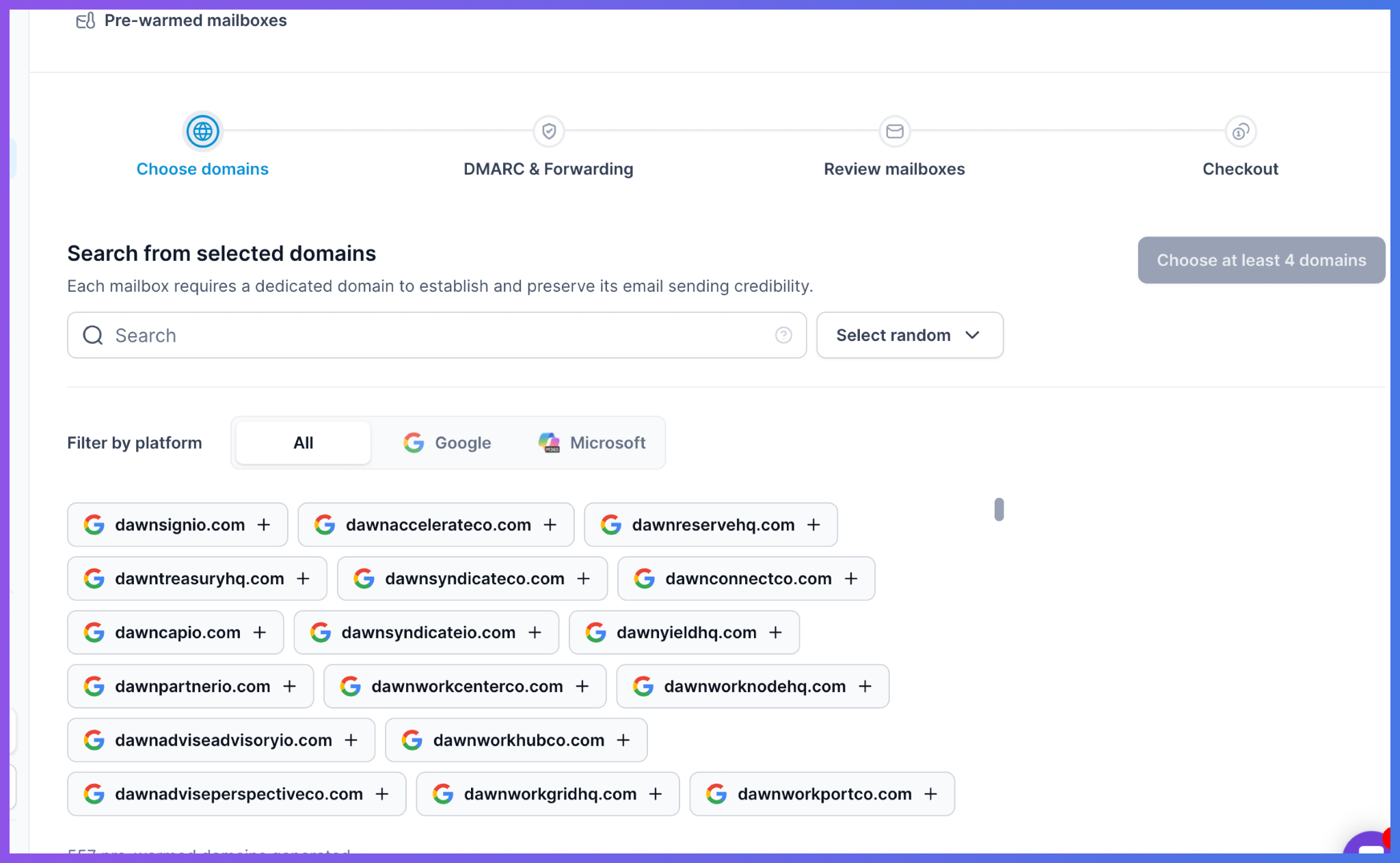
Primeforge starts at $4.50 per mailbox per month, with a minimum purchase of 10 mailbox slots. Annual billing gives you two months free.
So, if you want Google Workspace or Microsoft 365 inboxes but also want to manage your domains, change mailbox settings, update DNS records in bulk, and monitor each mailbox more closely, Primeforge gives you those options.
Enter your email to get a custom plan & stack recommendation for your business
Please check your mailbox in 5 minutes

Yes, LiteMail is worth considering if you need Google Workspace or Microsoft 365 inboxes for cold email without setting up every domain and mailbox yourself.
You can choose between fresh and pre-warmed inboxes, while LiteMail handles SPF, DKIM, and DMARC setup for you. It also lets you connect multiple inboxes to tools such as Instantly and Smartlead through OAuth.
For agencies and outbound teams managing a lot of inboxes, this means you do not have to configure every domain and mailbox manually.
The main thing to consider is how much control you want after the inboxes are set up. If you want features such as bulk DNS updates, editable mailbox settings, and detailed mailbox analytics, Primeforge gives you more tools to manage and monitor your setup.
So, if LiteMail's ready-made fresh and pre-warmed plans fit what you need, it is a solid option to consider. But if you want to manage more of your infrastructure yourself as you scale, Primeforge is worth a look.