Most people pick a cold email tool by comparing feature lists. Then they spend the first week finding out the tool does not include the thing that decides whether the campaign lands.
That thing is the mailboxes. Smartlead does not give you any.
You connect your own, or you buy them through a third-party partner inside the app. Either way, the cost sits outside the plan you signed up for.
I am not saying that to knock it. Plenty of good tools work this way. But it changes what you should be evaluating, because the number on the pricing page is not the number you will pay.
So I went through Smartlead the way you would setting it up for a real campaign. I connected mailboxes, built a sequence, ran warmup, worked the master inbox, and priced every add-on that setup needed.
Then I read the reviews across three platforms. They disagree with each other in a way that turns out to be useful rather than just noisy.
Here is everything I found.
Start with what Smartlead hands you versus what it expects you to bring.
It hands you the sending engine, the warmup, the sequence builder and the reply inbox. It expects you to bring the mailboxes, and on the cheaper plans, the leads.
The company was founded in 2021 and runs out of Sydney, Australia. It started as a sending and deliverability tool, and that is still the strongest part of the product.
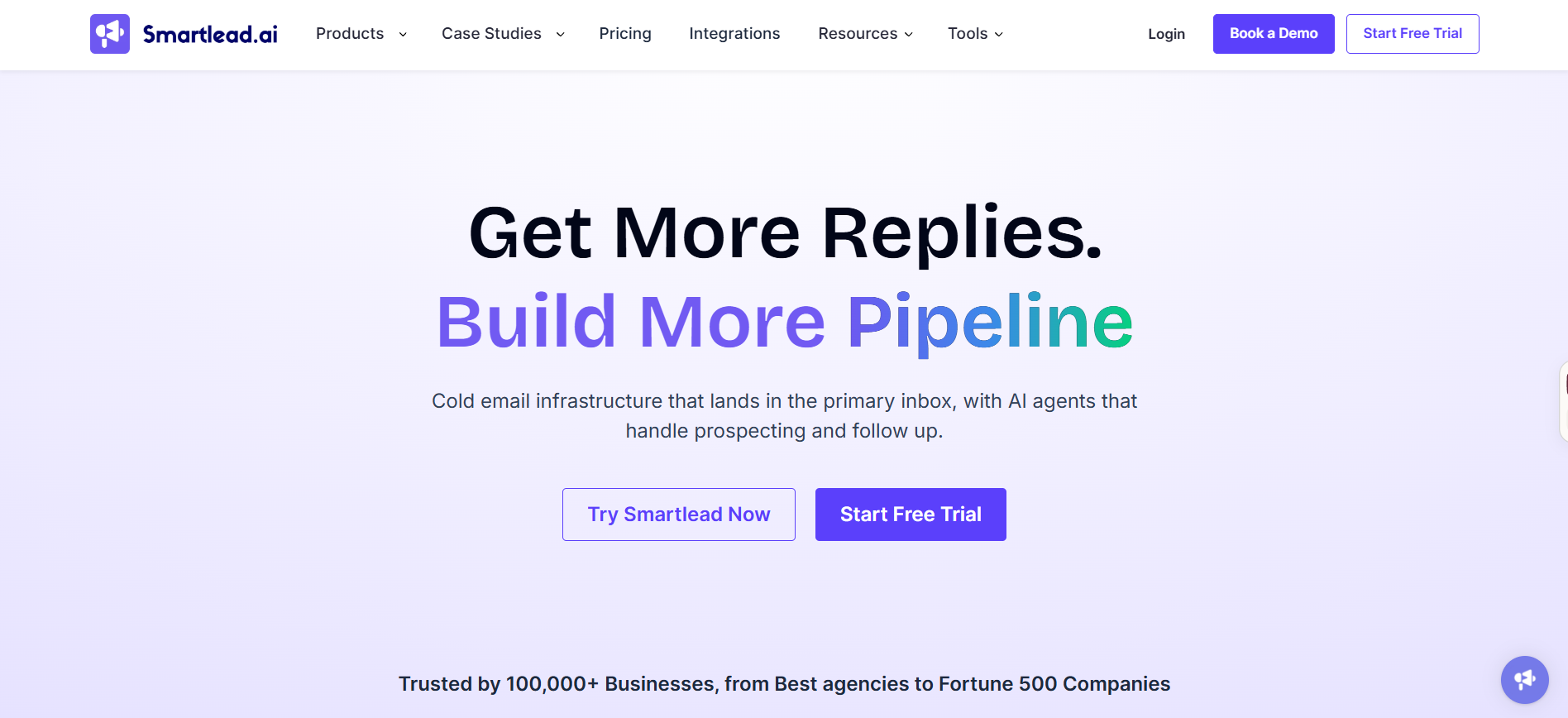
The shape changed in 2026 though. Smartlead added a contact database called SmartProspect, a power dialer called SmartDialer, and no-code workflow agents called SmartAgents.
One thing did not change. Email is the only channel Smartlead runs natively.
LinkedIn works through outside integrations like Aimfox and HeyReach, not inside the platform. If multichannel is your requirement, that distinction matters more than any feature list.
That is the product on paper. Here is the order of operations when you sit down to launch something.
You connect mailboxes first. Then you import leads, build a sequence, assign your mailbox pool to that sequence, and watch replies land in one shared inbox.
People underestimate the first step. Everything downstream depends on how many mailboxes you have and how healthy they are.
Send 5,000 emails a month from one inbox and you will burn it inside a fortnight. Spread the same volume across 20 inboxes and each one stays inside limits Google and Microsoft are comfortable with.
Which is why your cold email infrastructure decides more about your results than your choice of sending tool does.
So that is the flow. Here is each module, in the order I set it up.
The first thing I tested was the sequence builder, and it is the most mature part of the platform.
You build multi-step campaigns with delays between each email. Most teams run four to six steps across two or three weeks.
Each step sends as a fresh email or threads onto the previous one. Threaded follow-ups performed better in my setup.
Conditional branching is where it gets genuinely useful. Someone who opened twice without replying can get a different step three than someone who never opened at all.
Sub-sequences go further. You fire a separate flow off a trigger, which is how out-of-office replies get parked and picked back up on the right date.
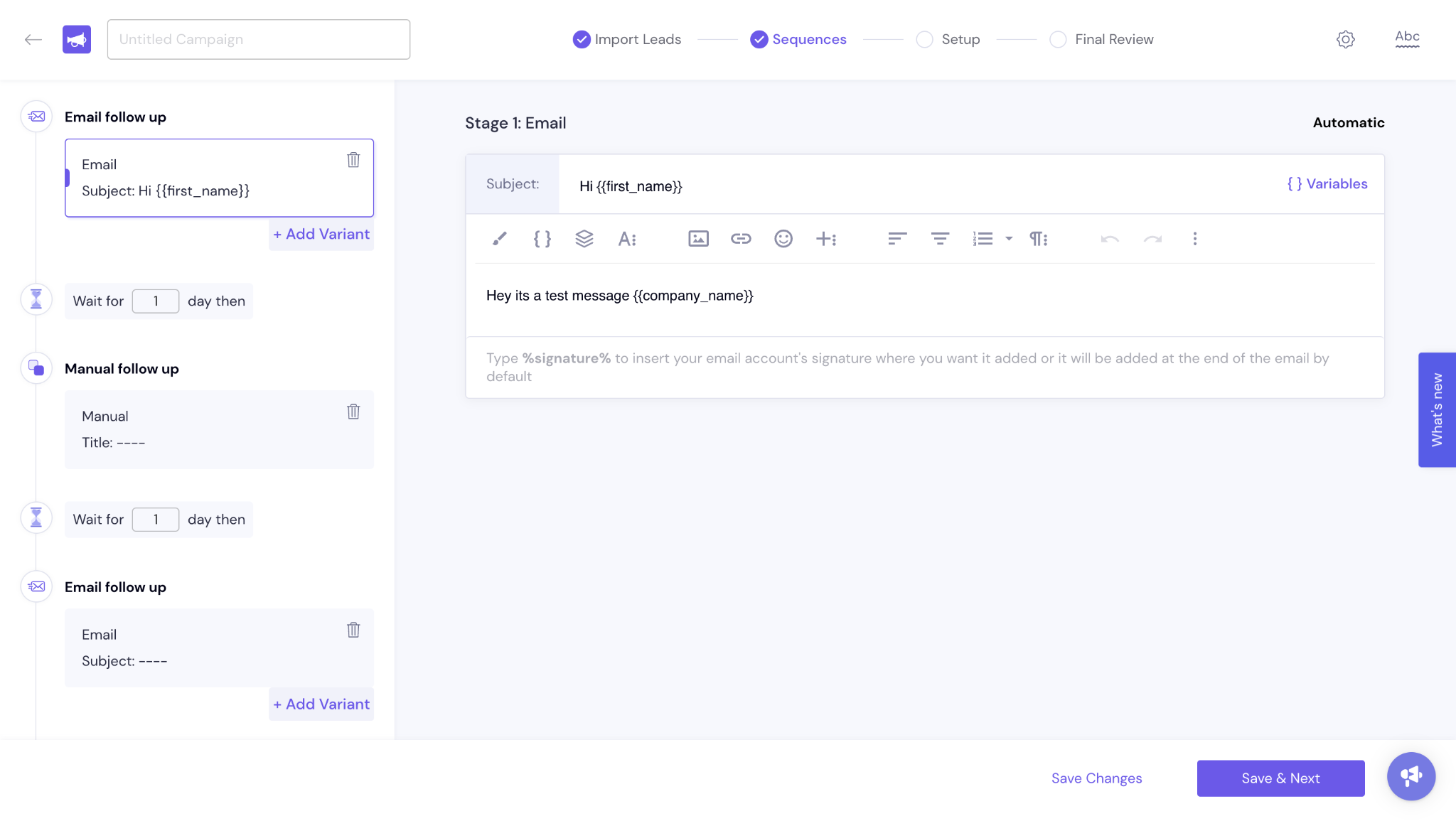
Build that follow-up flow as its own sequence first, then point a trigger at it from the main campaign. It takes about ten minutes.
Variant testing splits traffic across two or three versions of a step, then reports open and reply rates for each.
I would test one element at a time. Three subject lines against three body variants gives you nine combinations and no clear read on any of them.
Sending identical copy from twenty mailboxes creates an obvious pattern, and spintax breaks it up.
You wrap alternatives in curly braces with pipes between them. {Hi|Hey|Hello} gives each recipient one of those three at random.
Whole sentences can be spun, not just single words.
I would spin the greeting, one body line, and the closing. Spinning every sentence produces copy that reads like it was assembled by a machine.
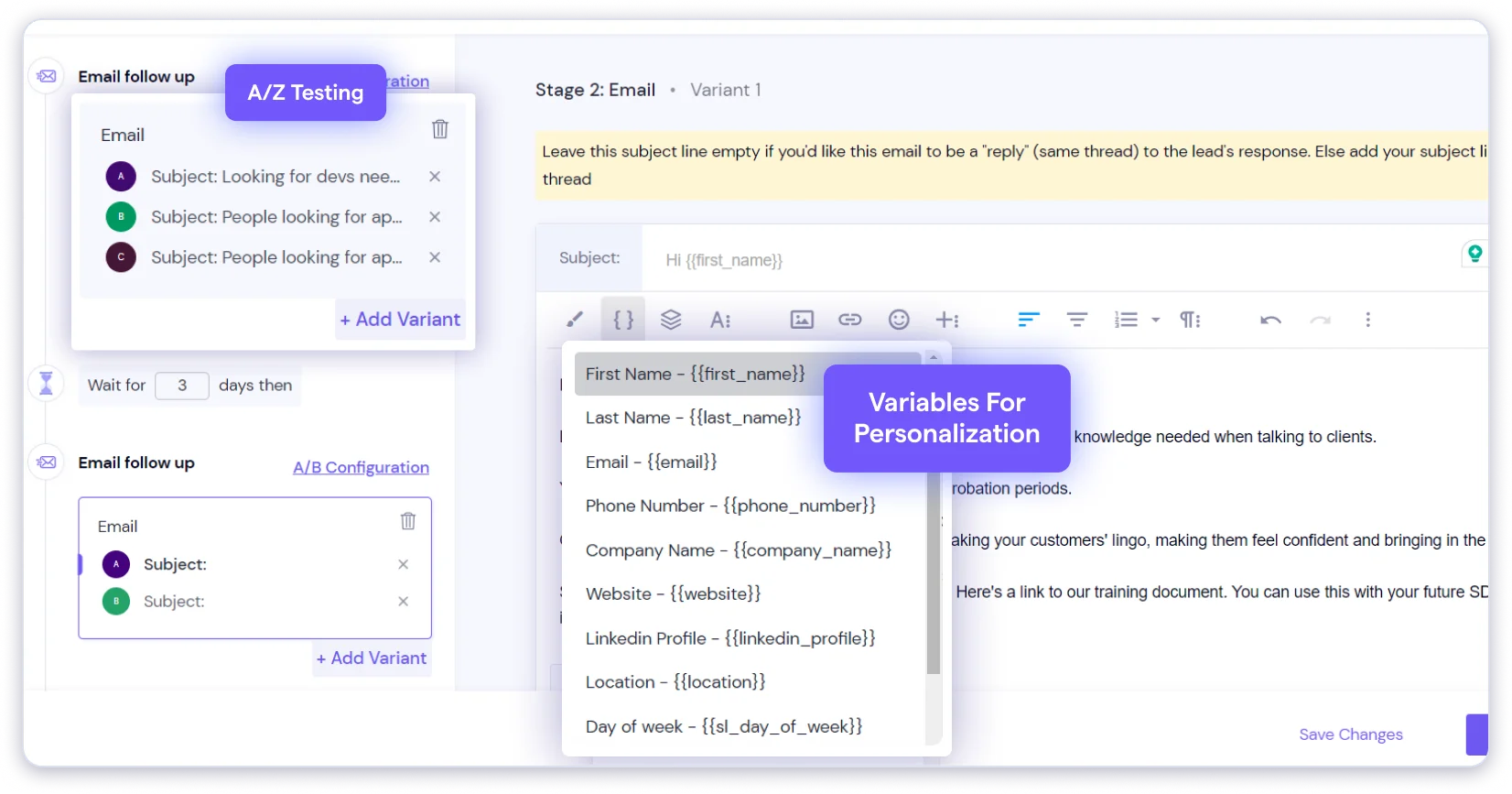
Merge tags handle the real personalization. First name, company, job title or any custom column from your list, with fallbacks so empty fields do not leave gaps mid-sentence.
There is an AI writing assistant for drafting copy. Useful for a first pass, though I rewrote most of what it produced.
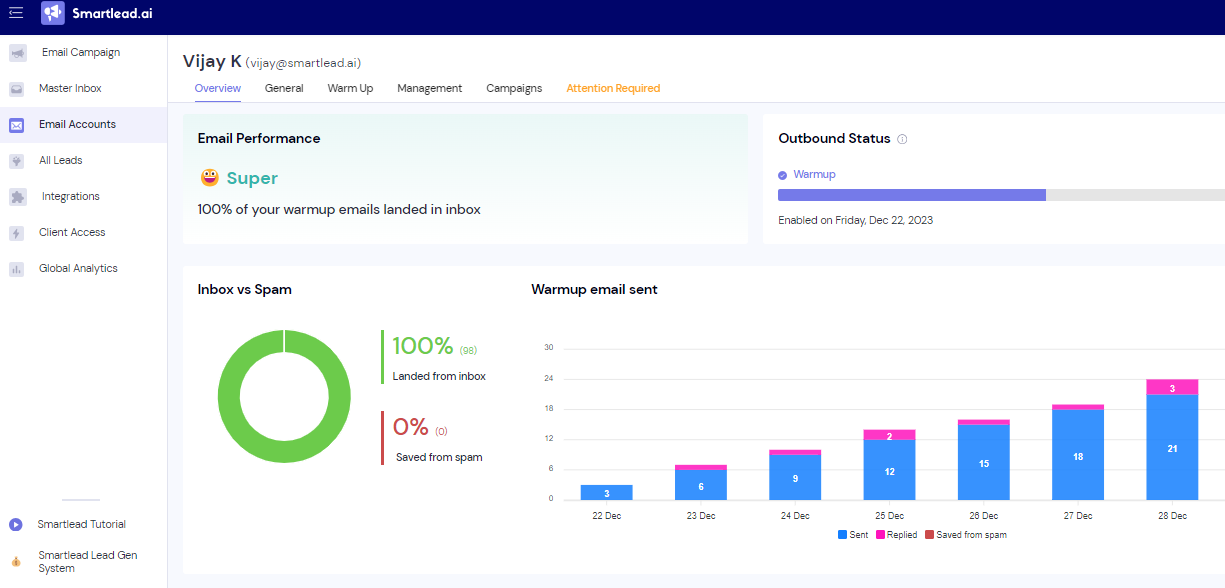
Warmup runs on a tiered pool system, and the tier you get depends on what you pay.
Foundation sits at the bottom, then Growth, then Premium, with Ultra Premium added in 2026 for visibility into pool quality.
Your mailbox exchanges real-looking emails with others in the network. Those get opened, read and replied to, which teaches inbox providers your address behaves normally.
You set a daily warmup volume and a ramp-up increment. I ran 5 emails a day climbing by 2 to 3, and left it going a full two weeks before any cold sending.
Here is the cost catch. Premium warmup is a $59 monthly add-on on Base and Pro, and only comes free at Unlimited Smart, which runs $144 a month.
So the cheapest plan gives you the weakest pool. And the weakest pool is the one most likely to sit you beside senders you would not choose.
Reliability is a real complaint too. One G2 reviewer reported warmup pausing over IP issues that needed a support ticket to clear.
Worth pricing against dedicated email warmup tools before you commit to the bundled version.
And leave it running after launch. Switching warmup off once campaigns start is why mailboxes that were fine in month one land in spam by month three.
Every reply from every connected mailbox lands in one view, and this is the feature that earns Smartlead most of its goodwill.
You are not logging into twenty inboxes to find out who responded.
Replies go back out from whichever mailbox originally sent the email, so the thread stays consistent to the prospect.
One G2 reviewer described the consolidation as making twenty inboxes feel like one. That matches what I saw.
AI categorization tags replies as interested, not interested, out of office or unsubscribe. Those tags drive your sub-sequence triggers.
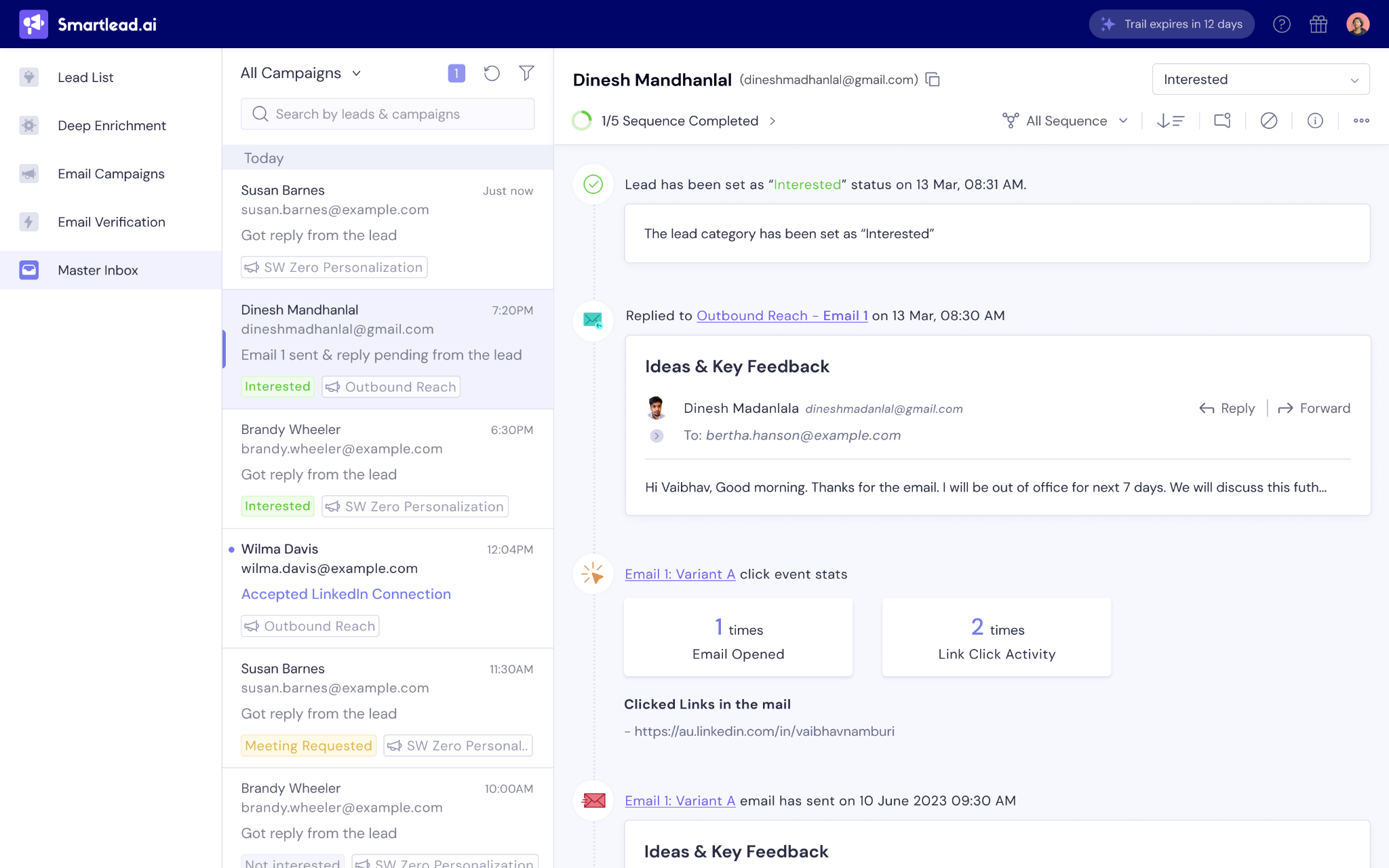
Accuracy is the problem. Tags land in the wrong bucket often enough that you need to check rather than trust, and a separate reviewer flagged correcting them manually.
The consequence is real. An interested reply tagged as out of office gets parked in a pause flow instead of reaching a human fast.
Treat the tags as a sorting aid, not automation you can walk away from.
If you do not already have mailboxes, SmartSenders sells them inside the app through third-party providers.
Here is what each option costs:
DNS records get configured for you, so you are not editing SPF and DKIM by hand.
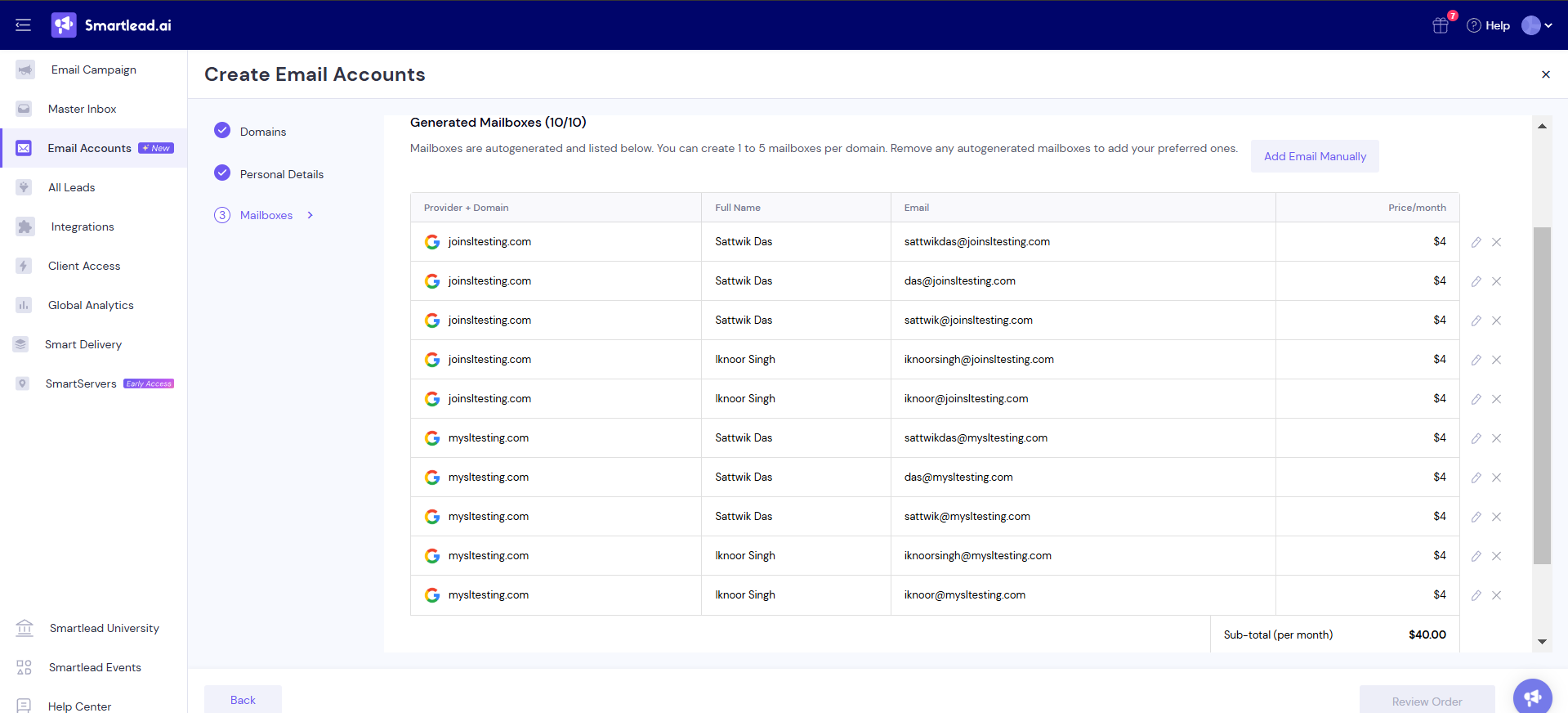
Pre-warmed costs exactly double. You pay $9 a mailbox instead of $4.50 to skip the two-week wait.
SMTP through Mailreef is the cheapest at $3.99, but SMTP accounts do not carry the same inbox reputation as Google Workspace mailboxes.
My guide to cold email SMTP covers where that gap shows up.
If you can wait two weeks, buy fresh and warm them yourself for half the cost. If you are launching a client campaign Monday, pre-warmed mailboxes are the reason this add-on exists.
SmartProspect is the B2B contact database Smartlead added in 2026, covering around 300 million profiles.
You filter by job title, industry, location and company size, then push matches straight into a campaign without exporting a CSV.
Verified email credits are included on every plan, though the volume scales with your tier. Base gives you 2,000 a month, Unlimited Smart gives you 50,000.
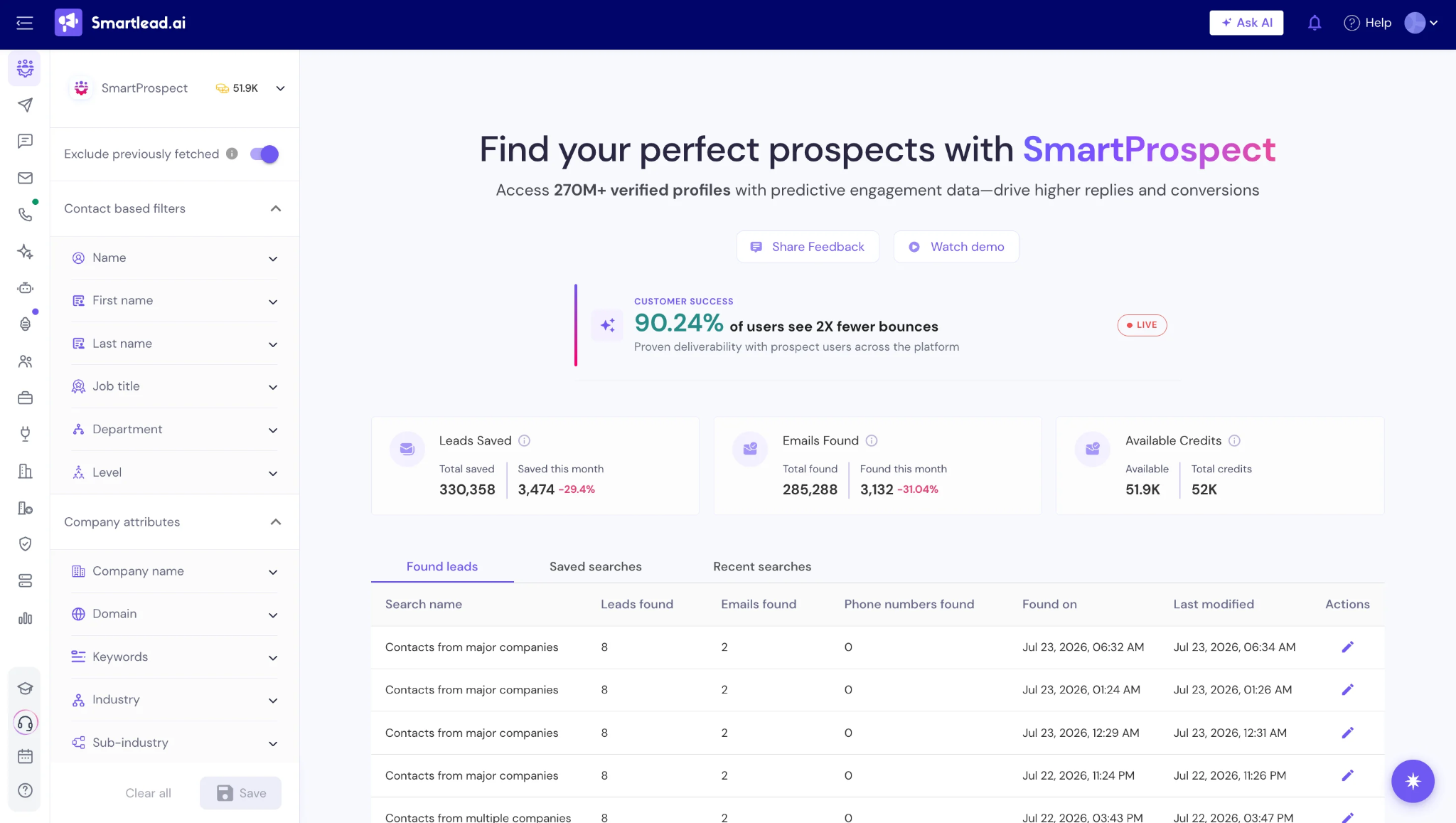
It is a convenience feature more than a data play. Smartlead is a sending tool that added a database, not a data provider that added sending.
If contact accuracy is the thing your pipeline lives or dies on, I would verify a sample before building lists at volume on it.
SmartDialer is a native power dialer, also new in 2026, and it is gated to the Smart and Prime plans.
You get outbound calling, call recordings, transcripts and conversation intelligence inside the same platform as your email sequences.
Calling credits start from around $9 a month on top of your plan.
One G2 reviewer described running email and calling from the same tool as the convenience that stood out.
Worth knowing that Pro gets the CRM but not the calling. If you want phone in the mix, your entry point is $144 a month, not $78.
SmartAgents are no-code AI agents that run GTM workflows, and this is the newest and least proven module.
You describe a workflow in plain language and the agent executes it. Automated follow-ups, CRM syncing, cross-channel outreach when paired with a LinkedIn integration.
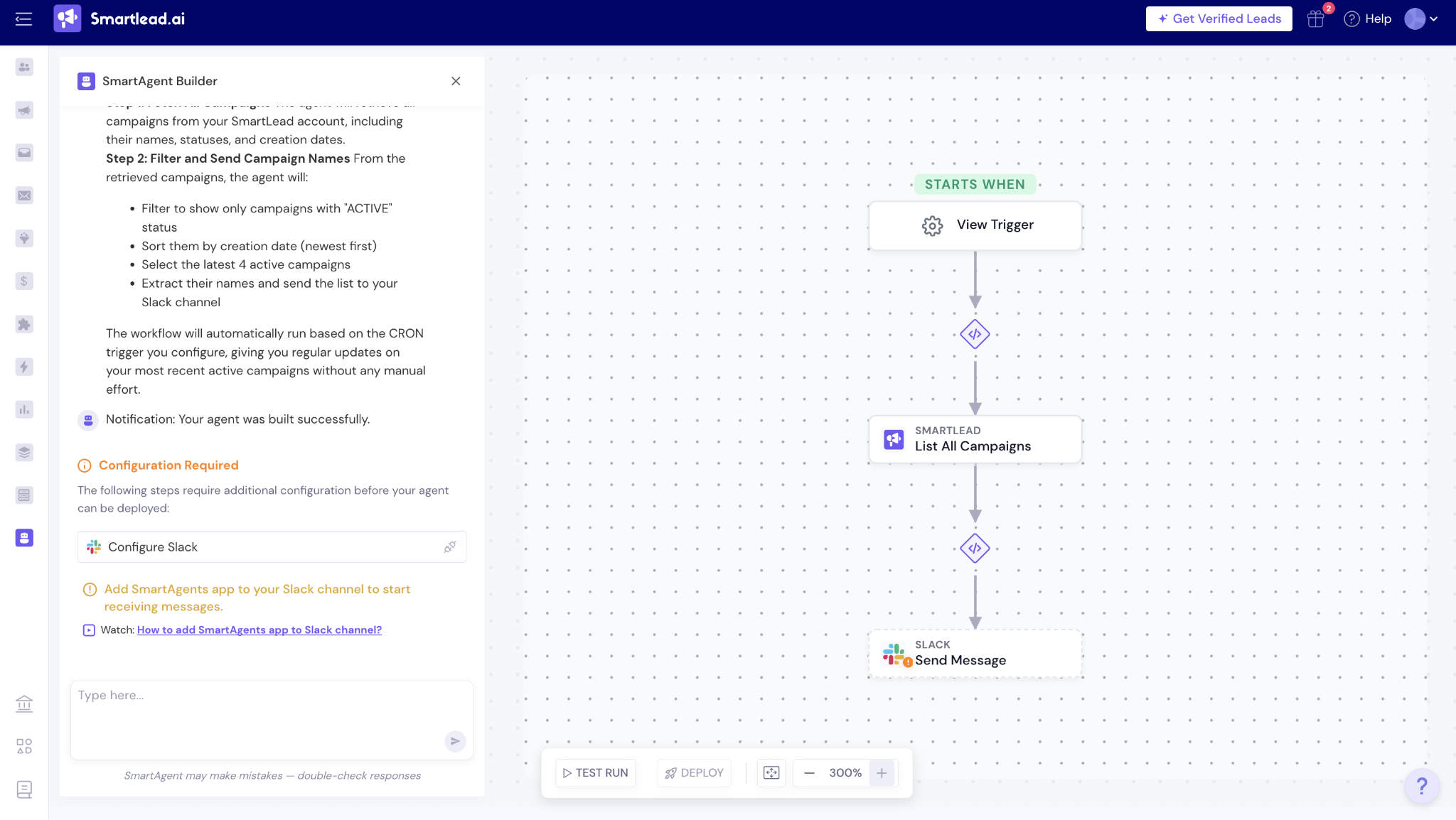
The idea is good and the execution is early. It does not proactively surface anything to you, so you still decide what needs doing and the agent carries it out.
I would not choose Smartlead for this module today. Choose it for the sending, and treat SmartAgents as something that may mature.
Native integrations cover HubSpot, Salesforce, Pipedrive, Clay and Listkit.
Everything else runs through webhooks or automation platforms like Zapier, Make and n8n.
There is a REST API with key-based authentication and rate limiting, plus an MCP server with read-only diagnostic endpoints for AI clients.
The gap shows up in practice. Reviewers report needing Make to get cross-platform workflows running that they expected to work natively, and one Capterra user reported the HubSpot sync failing entirely.
So check your specific CRM connection during the trial rather than assuming the logo on the integrations page means it works the way you need.
Campaign analytics cover opens, clicks, replies and bounces, with a global view across all campaigns.
It answers what happened. It is thinner on why.
You do not get deep account-level reporting or the kind of cohort analysis that tells you which ICP segment is actually converting.
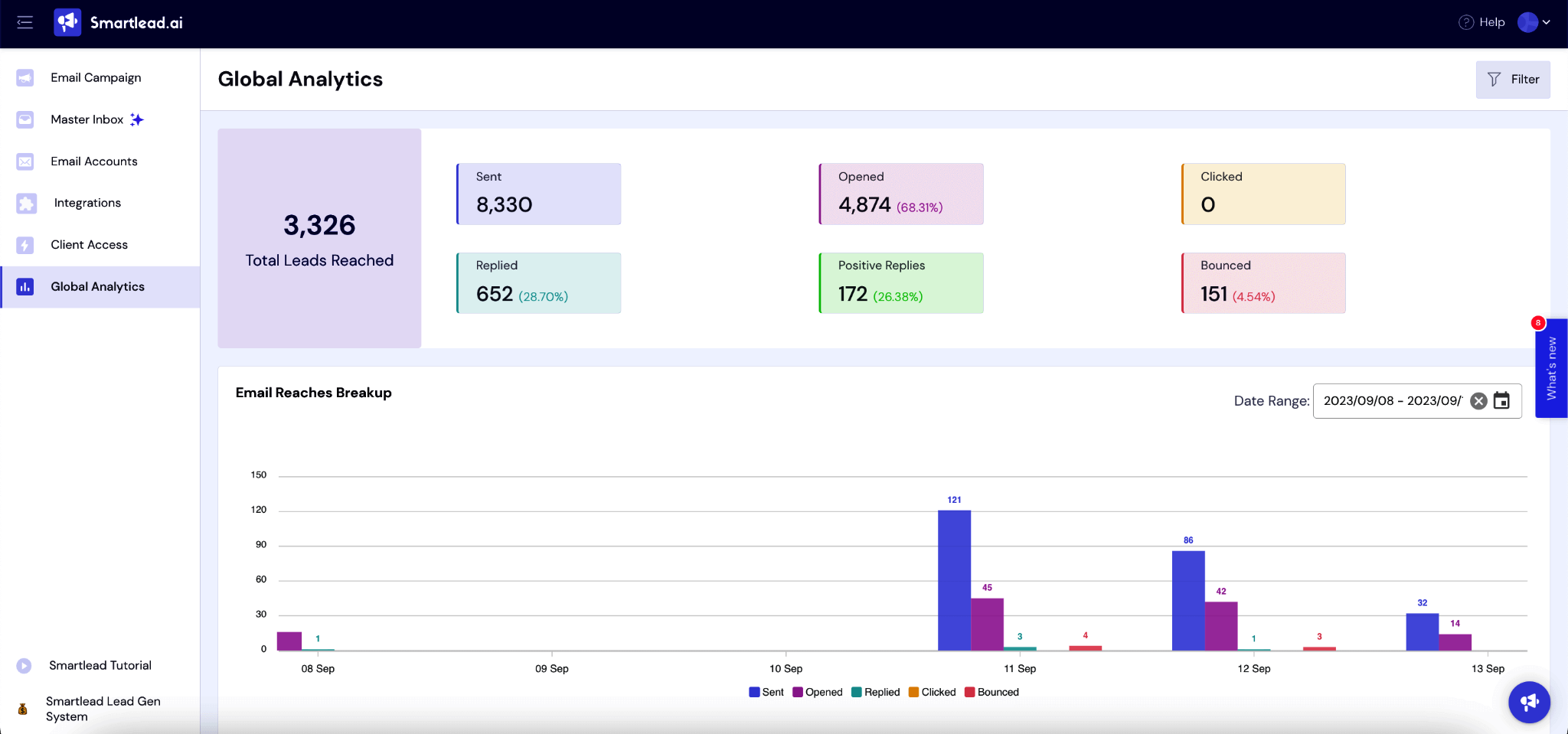
Multiple reviewers name reporting depth as the weakest part of the product, and I would agree with them.
That covers what you get. Here is what you pay for it, verified against the live pricing page in September 2026.
Annual billing saves 17% on every tier. There is currently a 50% off first month promotion running on all plans.
Then the add-ons:
Plan pricing on its own tells you very little here, so let me price a realistic setup.
Say you are a five-person outbound team sending 400 emails a day. You need roughly 15 mailboxes to spread that safely.
Unlimited Smart on annual billing runs $144 a month. Fifteen fresh Google mailboxes at $4.50 add $67.50. Four domains at $13 a year work out to about $4.33 a month.
That lands you around $216 a month, against a $144 sticker price.
Go pre-warmed on those mailboxes instead and you add another $67.50, taking you past $280.
Neither number is unreasonable for the volume. But the gap between $144 and $216 is the thing the pricing page does not show you, and it is worth knowing before you commit annually.
Try Salesforge free for 14 days if you want to compare that total against a platform where the mailboxes are not a separate line item.
Pricing is one input. What people report after six months is a better one.
Smartlead sits at 4.5 on G2 and 4.3 on Capterra, though the Capterra figure comes from a very small sample. Trustpilot tells a different story at 3.0.
The Trustpilot distribution is the part worth pausing on. Roughly 46% gave five stars and roughly 46% gave one star, with almost nothing in the middle.
That is not a tool people feel lukewarm about. It is a tool where your experience depends heavily on which path you end up on.
The single most repeated piece of praise is not a feature people describe as clever. It is the one that removes a daily operational headache.
Connecting many mailboxes and having sending volume spread across them automatically is what users point to first when asked what works.
"The ability to connect multiple email accounts and have the sending volume automatically distributed across them is the biggest win for us."
Source: G2, Arne Stammen
Plenty of tools work fine at 50 emails a day. The test is what happens at 500.
Reviewers running large multi-domain operations report that inbox placement stays stable as volume climbs, which is the thing that justifies the setup work.
"Running cold email across a large number of sending domains has stayed surprisingly manageable from one place, and inbox placement continues to hold up even when pushing serious daily volume."
Source: G2, Matt R.
Reply management is where multi-mailbox setups usually fall apart, and the master inbox is the answer to that.
Users describe the consolidation as the thing that makes the whole model workable rather than a nice extra on top.
"I like the seamless consolidation of inboxes/domains... consolidation into one master inbox allows me to feel like I'm only using one inbox."
Source: G2, Derek W.
Protecting the primary business domain is a specific reason teams adopt a tool like this, and reviewers name it directly.
Sending cold from separate infrastructure means a deliverability problem does not take your actual company email down with it.
"It's solving the problem of having a wider reach for potential customers without affecting our main inbox health score."
Source: G2, Brandon E.
Speed to first campaign matters, particularly for agencies onboarding a new client on a deadline.
Reviewers who bought pre-warmed domains through the platform report going from signup to sending without the usual two-week wait.
"Really quick to get set up, pre-warms domains so that you are set to go."
Source: Trustpilot, Matthew Banks
The stated target is a response within 24 hours. The most common complaint is that it is not met, and the gap is not small.
Multi-day waits on issues that block sending are the single most repeated negative across every platform I checked.
"It takes at least 2-3 days to answer a small question to fix a small issue!"
Source: G2, anil k.
Worth noting that I found no visible vendor responses on the negative G2 reviews. Smartlead does not appear to engage publicly with critical feedback there.
Slow is one problem. Being abandoned halfway through a conversation is a different one, and it comes up repeatedly.
Reviewers describe starting a chat, getting an agent, and then waiting without acknowledgement until the session effectively dies.
"They ghosted me for over half an hour despite me asking if they were still there."
Source: G2, Jennifer P.
The AI categorization in the master inbox is the feature most likely to create quiet damage, because a wrong tag routes a real lead into the wrong flow.
This complaint shows up inside otherwise positive reviews, which is usually a sign it is a genuine bug rather than general dissatisfaction.
"The tag system in the inbox section has multiple issues... sometimes it automatically puts a tag as 'interested'... but sometimes we have to do it manually."
Source: G2, Hammad R.
This is the most serious complaint in the set, because the damage outlives the subscription.
Domain blacklisting tied to warmup and volume appears independently on two separate review platforms, which makes it harder to dismiss as one bad experience.
"We used this for multiple companies and suddenly these domains appear on the SURBL blacklist as 'ABUSE'..."
Source: Trustpilot, Sellx Limited
Several reviewers report being charged incorrectly, with the mailbox add-on named specifically.
Billing complaints are worth weighing differently from feature complaints, because they point at operational process rather than product design.
"Their billing system is all over the place. They often over charge as well, especially with Smart Sender."
Source: Trustpilot, Gregory Frank
Smartlead prices on contacts stored plus emails sent, which works well until your database grows.
The behaviour it produces is the problem. Users describe deleting leads to stay under a tier threshold, which is the opposite of what a prospecting database should encourage.
"I don't like that pricing depends on how many leads were uploaded to the tool. It has me deleting leads in order not to go to a higher pricing tier."
Source: Capterra, Jan P.
Native integration on the pricing page does not guarantee a working connection, and this is the one I would test hardest during a trial.
A CRM sync that silently fails means your team is working from incomplete activity data without knowing it.
"Integration with Hubspot does not work; none of my email activity is ever sent to hubspot."
Source: Capterra, Joey M.
Both sides of the review split make sense once you look at who is on each side.
The overwhelming majority of reviewers on both sides identify as small business teams under 50 people. That tells you where this product actually lives, regardless of the Fortune 500 claim on the homepage.
If the gaps above are the ones that matter to you, one alternative closes most of them.
Salesforge is the best Smartlead alternative because it runs email and LinkedIn natively from one platform, and it does not charge per seat as your team grows.
The multichannel difference is the practical one. Where Smartlead sends you to Aimfox or HeyReach for LinkedIn, Salesforge runs both channels inside the same sequence, so a prospect who ignores two emails can get a connection request without leaving the flow.
Smartlead still wins on raw sending economics if email is genuinely your only channel and you are sending at the very top of the volume range. That is a real use case and I would not argue you out of it.
If you want to see the wider field rather than a single swap, my breakdown of Smartlead alternatives covers eight tools across different use cases.
Smartlead is worth it if you send high volume from many mailboxes and you can run it without leaning on support.
The sending engine is genuinely good. Rotation, warmup and the master inbox solve the three problems that break multi-mailbox outreach, and reviewers running serious volume confirm placement holds up.
At $216 a month for a realistic five-person setup, the economics work against most per-seat alternatives.
Take the 14-day trial
No. Smartlead sends from mailboxes you connect yourself, either your existing Google Workspace, Outlook or SMTP accounts, or ones you buy separately through SmartSenders inside the app. Mailboxes run $3.99 to $9.00 each per month on top of your plan.
Plans run $32 to $315 a month on annual billing. A realistic five-person setup sending 400 emails a day lands closer to $216 a month once you add roughly 15 mailboxes and domains to the $144 Unlimited Smart plan.
Not natively. Email is the only channel Smartlead runs itself, and LinkedIn works through third-party integrations like Aimfox and HeyReach. If you need both channels in one sequence, a natively multichannel platform will be less fragile.
It can, and multiple users on both G2 and Trustpilot report exactly that. The risk is higher on Base and Pro, where the premium warmup pool costs $59 extra, so you sit in the lower-quality network by default. Run independent placement testing rather than relying on warmup alone.
It depends on what you are optimizing for. Smartlead starts cheaper and offers stronger white-labeling for agencies at scale. Instantly bundles a lead database and placement testing into its price, which Smartlead charges extra for, so the real-cost gap is narrower than the sticker prices suggest.
Yes, a 14-day free trial. Verify at signup whether a credit card is required, since that detail is not stated clearly on the pricing page. There is also a 50% off first month promotion running as of September 2026.
It is one of the better options for agencies, which is where most of its positive reviews come from. Client workspaces cost $29 per client per month, with three included on the Prime plan alongside white-label branding, a dedicated account manager and a private Slack channel.

