In this guide, I will compare the 5 best Mailerr alternatives and break down what each tool is, along with its key features, pricing, and pros and cons.
This will help you quickly see which option makes more sense if you want better deliverability.
Table of contents
TL;DR- Mailer Alternatives
Mailforge is a strong Mailerr alternative if you want infrastructure built specifically for cold email, with automated setup and easy scaling.
Infraforge is better suited for teams that want dedicated IPs and more hands-on control over deliverability.
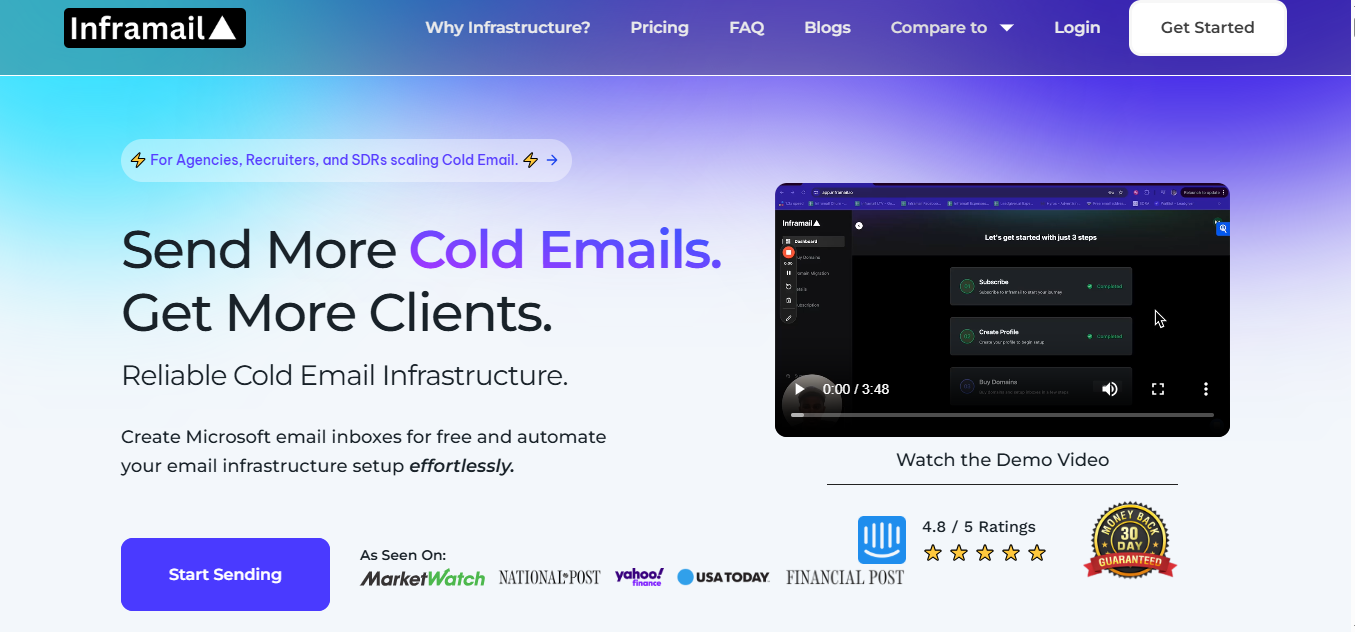
Inframail is a good fit for Microsoft-based teams and agencies that want unlimited inboxes under a flat monthly plan.
Mailscale helps when speed matters and you need to create a large number of inboxes quickly.
Maildoso is useful if you want flexibility by mixing SMTP and Google Workspace inboxes.
Before listing the alternatives, here are the exact factors I used to shortlist these tools:
Ease of initial setup and speed of inbox creation
Support for creating and managing mailboxes and domains
Automated handling of DNS and authentication records (SPF, DKIM, DMARC, MX)
Setup built to support deliverability and inbox placement
Ability to scale across multiple inboxes and domains
Clear and transparent pricing for infrastructure usage
Quick Comparison of 5 Best Mailerr alternatives
Provider
Infrastructure Type
IP Setup
Scalability (Domains / Inboxes)
Starting Price per Inbox
Key Strength for Deliverability
Mailforge
Distributed cold email infrastructure built specifically for outbound
Shared IP infrastructure optimized for cold email
Designed to handle hundreds to thousands of domains and mailboxes
Around $2–$3 per mailbox per month
Automated DNS setup and infrastructure designed only for cold email sending
Infraforge
Private cold email infrastructure with higher control
Dedicated IPs per mailbox
Built to support thousands of domains and inboxes
Around $3–$4 per mailbox per month
Dedicated IPs, optional pre-warmed mailboxes, and real-time deliverability monitoring
Inframail
Microsoft-backed inbox hosting platform
Dedicated hosting with US IPs
Unlimited inboxes depending on plan; bulk domain setup supported
Included in $129/month plan
Fast setup, automated DNS, and IP/domain health monitoring
Mailscale
Inbox generation platform for cold outreach
Managed IP infrastructure
Scales from dozens to hundreds of inboxes based on plan
Starts around $79–$95/month depending on plan
Automated setup and managed reputation for large inbox volumes
Maildoso
Cold email inbox provider supporting SMTP and Google Workspace
SMTP IP rotation or isolated Google Workspace accounts
Supports large-scale setups using mailbox licenses
From ~$1.8 per mailbox per month
Ability to mix SMTP and Google inboxes with health scoring and placement checks
1. Mailforge
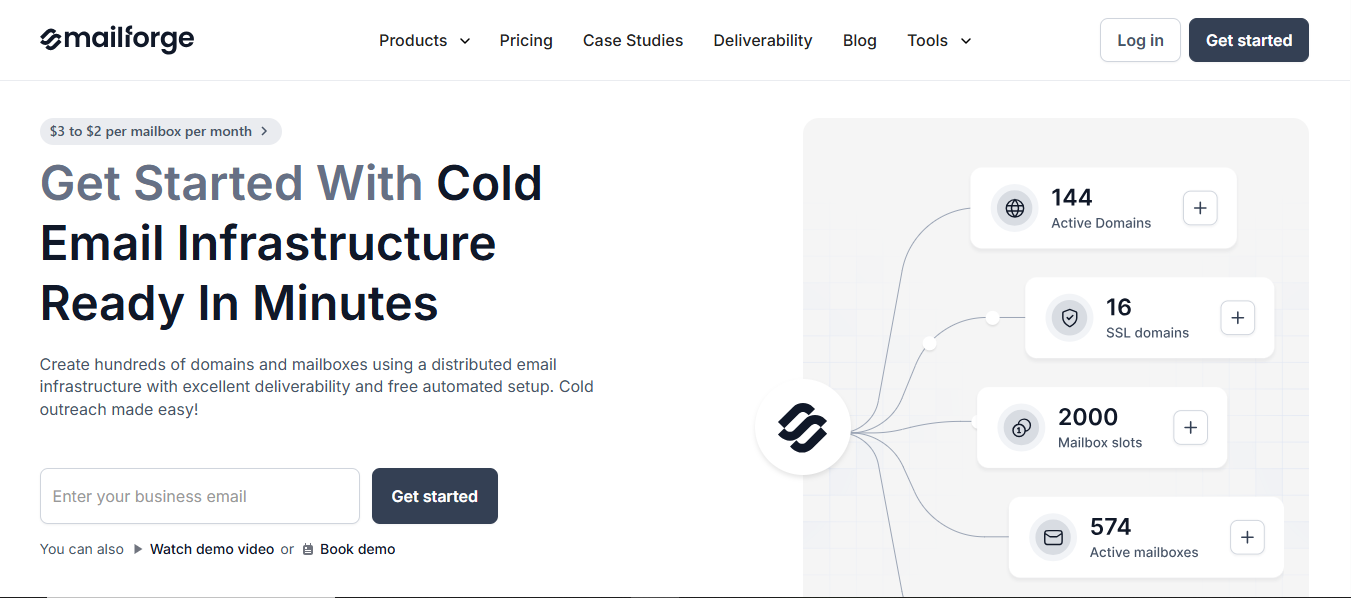
Mailforge is a Shared IP cold email infrastructure platform built to help teams set up and scale outbound email with deliverability in mind.
This image shows the Mailforge – Best email infrastructure provider for deliverability
Mailforge lets you create large numbers of domains and mailboxes in minutes.
It automatically handles DNS setup, including SPF, DKIM, DMARC, and tracking records, so inboxes are ready for cold outreach without manual configuration.
Includes monitoring related to the domain and sender reputation
Pricing
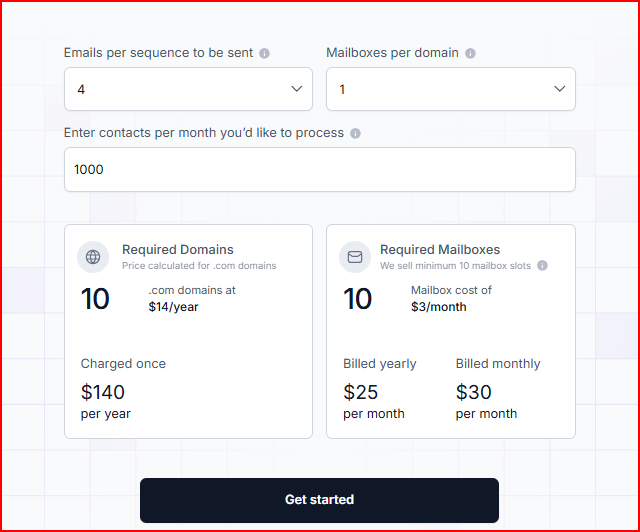
Mailforge pricing is based on domains and mailbox slots.
This image shows the Mailforge pricing
.com domains are priced at $14 per year, charged once
A minimum of 10 mailbox slots is required
Mailbox pricing:
$3 per mailbox per month when billed monthly
Around $2 per mailbox per month when billed yearly
The subscription includes automated DNS setup, inbox hosting, ongoing maintenance, and customer support.
Optional add-ons:
SSL and domain masking, priced per domain, billed monthly or yearly
Mailforge Pros
You can create hundreds of domains and mailboxes very quickly, which makes it easier to run large cold email campaigns.
You are not forced to use Google Workspace or Microsoft accounts, so inbox creation stays flexible.
If a mailbox or domain causes issues, you can replace it without rebuilding your entire setup.
Domains are portable. If you change sending tools later, you can keep using the same domains and mailboxes. “New domains and mailboxes are easy to set up, and nothing feels locked in. Switching tools doesn’t mean starting over.” - Colin Graham, Trustpilot
You can reuse domains across campaigns instead of setting everything up again from scratch.
Mailforge Cons
Mailforge does not send emails or run sequences, so you need another tool for campaigns.
Because it uses shared IPs, you do not get full control over sender reputation like you would with dedicated IPs.
You need to start with at least 10 mailbox slots, which can be more than what very small teams need.
Personalized Outbound Strategy
Get The Right Outbound Strategy In Minutes
Enter your email to get a custom plan & stack recommendation for your
business
It's being carefully crafted by AI
Please check your mailbox in 5 minutes
2. Infraforge
Infraforge is a private cold email infrastructure tool built for teams that want more control over deliverability using dedicated IPs.
This image shows the Infraforge homepage
Infraforge lets you create domains and mailboxes with automated DNS setup, or use pre-warmed infrastructure if you want to start sending sooner.
Infraforge also includes features like IP rotation, smart sending limits, and real-time monitoring.
These are designed to help keep outreach activity steady and reduce deliverability risks as volume increases.
Key Features
Uses private email infrastructure with dedicated IPs for each mailbox.
Automatically sets up SPF, DKIM, DMARC, and tracking records for every domain.
Supports pre-warmed domains and mailboxes to start sending sooner.
Allows bulk DNS updates and easy domain transfers.
Provides real-time IP and domain health monitoring
Built on Microsoft’s cloud infrastructure
Pricing
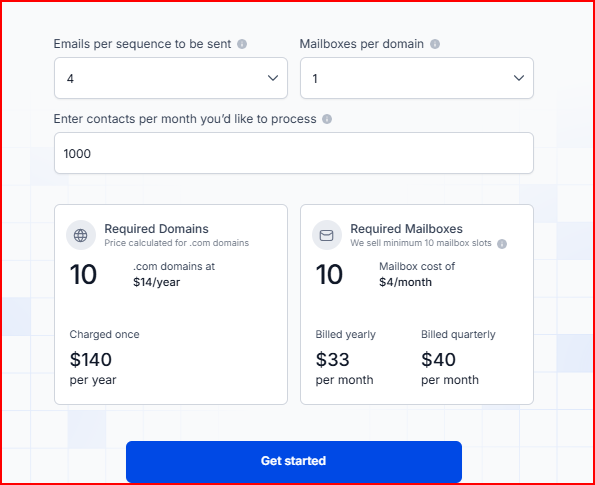
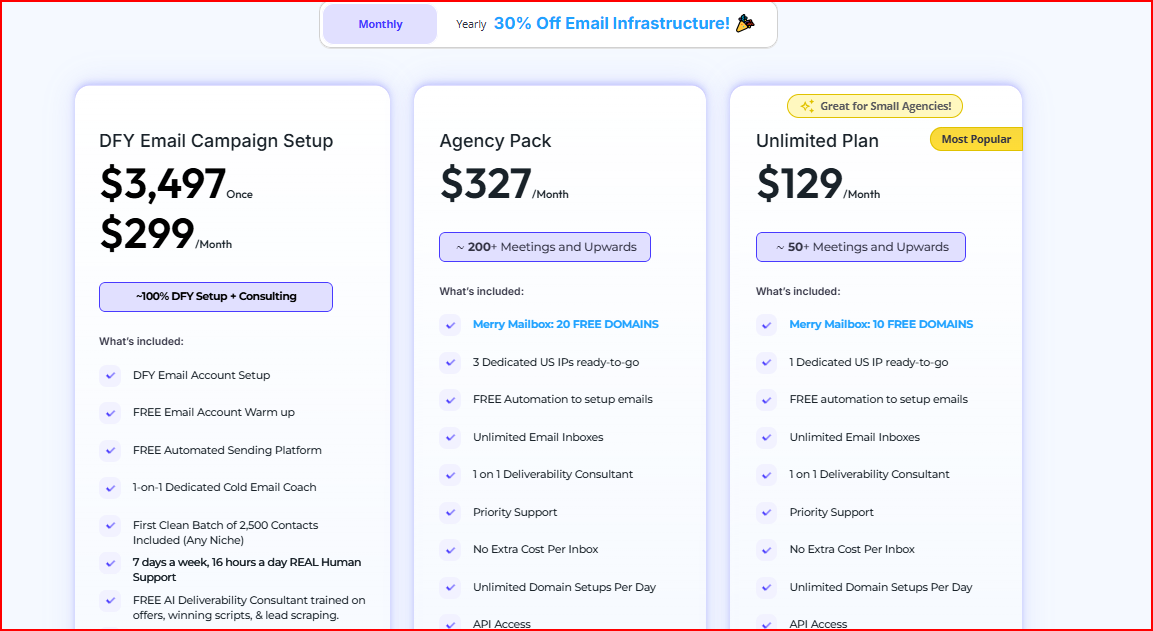
Inframail offers multiple plans depending on usage and scale.
This image shows the Inframail pricing
Unlimited Plan – $129/month
This plan is good if you want unlimited inboxes without paying per inbox.
You get one dedicated US IP, automated setup, and can create inboxes as needed while buying domains separately.
Agency Pack – $327/month
This plan is built for agencies managing higher volume and multiple clients.
It includes unlimited inboxes, three dedicated US IPs, more free domains, and priority deliverability support.
Inframail Pros
You can create a large number of inboxes quickly, which helps when scaling cold email without long setup times.
The infrastructure runs on Microsoft’s cloud network, using well-established IPs that are safer for cold email sending.
Tracking links are protected with a redirect layer that helps prevent spam filters from flagging your domains.
Real-time IP and domain monitoring helps you catch deliverability issues early.
Domains remain under your control, so you can reuse them even if you switch tools later.
Inframail Cons
Warm-up is not included, so you still need a separate warm-up tool before sending at scale.
Inframail does not send emails or manage campaigns, which means you need a separate sending platform.
Domains are not included by default and usually need to be purchased separately.
The platform is mainly built around Microsoft-based inboxes, which may not fit teams that prefer Google-based setups.
Even though inboxes are unlimited, you still need to follow safe sending limits to protect deliverability.
4. Mailscale
Mailscale is a cold email inbox creation platform designed to help teams scale outreach by generating inboxes in bulk, very quickly.
This image shows the Mailscale best Mailerr Alternative for B2B teams
It is mainly built for agencies and B2B teams that want to create dozens or even hundreds of inboxes without going through long manual setups.
With Mailscale, you can buy or connect domains, fill out a simple form, and get ready-to-use inboxes in under 60 seconds.
Mailscale takes care of the technical setup like SPF, DKIM, and DMARC, automatically and gives you inbox credentials that can be plugged into any cold email sending tool.
Key Features
Instantly creates large numbers of email inboxes for cold outreach
Automatically handles SPF, DKIM, DMARC, and domain setup
Provides ready-to-use inbox details in a CSV file
Works with most cold email sending tools via SMTP and IMAP
Uses self-hosted email infrastructure owned by Mailscale
Includes automated monitoring for reputation, bounces, and spam issues
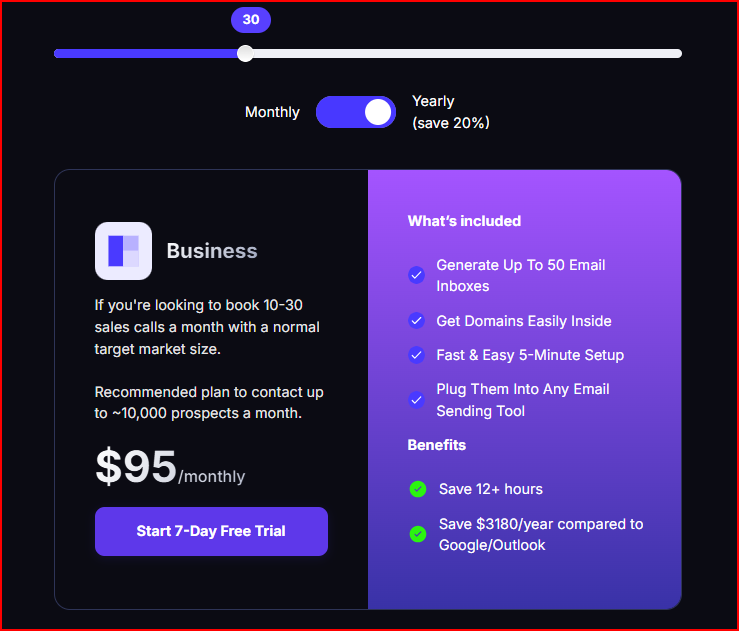
Pricing
Mailscale pricing is based on the number of inboxes you create.
This image shows the Mailscale pricing
Inboxes can cost as low as $1 per inbox per month
Domains typically cost $10 to $15 per year when purchased through Mailscale
Plans can be upgraded at any time
You can cancel your subscription anytime
Mailscale does not charge based on the number of emails you send, but recommends sending 30 to 50 emails per inbox per day to protect deliverability.
Mailscale Pros
You can create hundreds of inboxes in under a minute, which saves a lot of setup time.
Inbox creation is much cheaper compared to Google Workspace or Outlook, especially when scaling volume.
The platform handles SMTP servers, IP pools, and monitoring internally, so you do not have to manage infrastructure yourself.
Mailscale Cons
Mailscale only creates inboxes, so you still need a separate tool for sending campaigns and warming up inboxes.
The infrastructure is fully managed for you, which means you have limited visibility or control over IP-level behavior.
It is better suited for teams running high-volume outbound, so for very small or low-volume setups, it becomes expensive to scale.
This image shows the Mailscale user complaining about its limited scalability
Deliverability still depends on how you send emails, so poor copy, high volume, or bad warm-up practices can still hurt inbox placement.
5. Maildoso
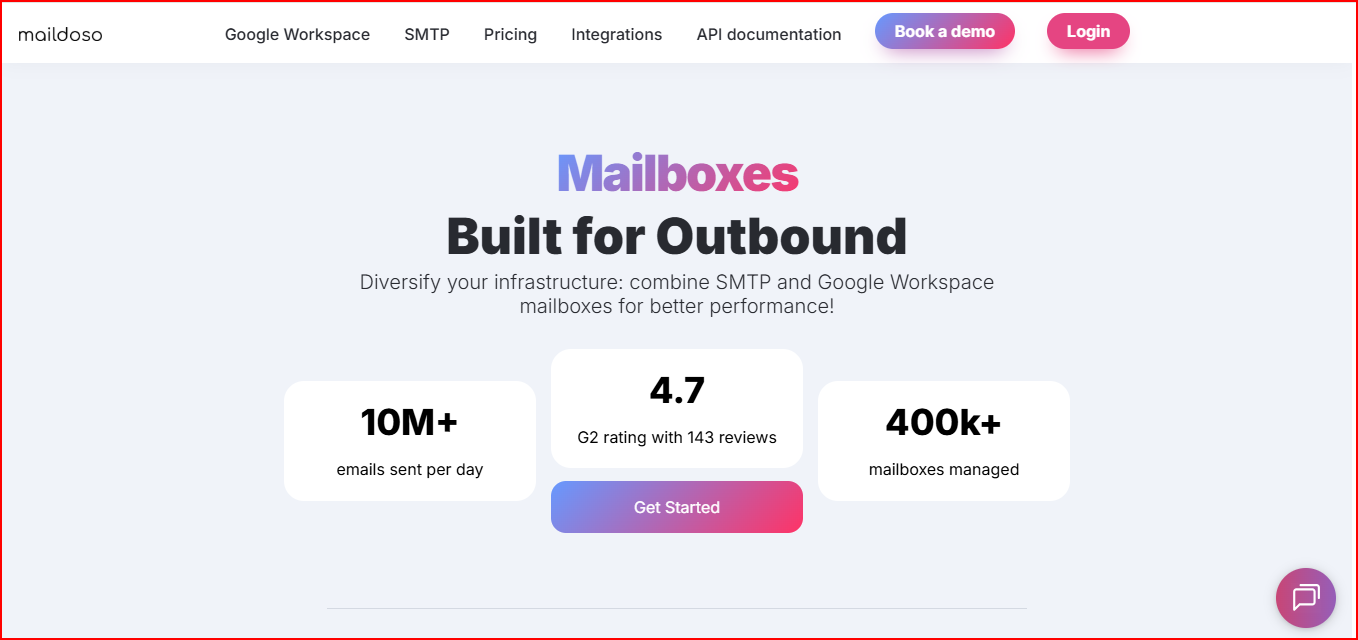
Maildoso is a cold email infrastructure provider built for outbound teams that want to diversify their setup using both SMTP and Google Workspace mailboxes.
This image shows the Maildoso- best Mailerr alternative for SMTP and Google workspace
It allows you to create both SMTP-based inboxes and official Google Workspace inboxes, or use a mix of both.
This makes it easier to spread sending risk and test different setups instead of relying on just one inbox type.
Maildoso handles the technical setup like SPF, DKIM, and DMARC for you and helps manage inbox health through monitoring and placement checks.
For teams running cold outreach at scale, this flexibility can make deliverability easier to manage over time.
If you are running Google Workspace or MS 365 inboxes, keeping an eye on inbox placement is important.
Pairing your setup with something like Warmforge can make it easier to spot deliverability issues early.
Key Features
Supports both SMTP and Google Workspace mailboxes
Automatically configures SPF, DKIM, and DMARC during setup
Exports mailboxes directly to tools like Instantly and Smartlead
Offers API access for automated mailbox creation
Includes IP rotation and automatic replacement for SMTP inboxes
Runs inbox placement tests and shows mailbox health scores
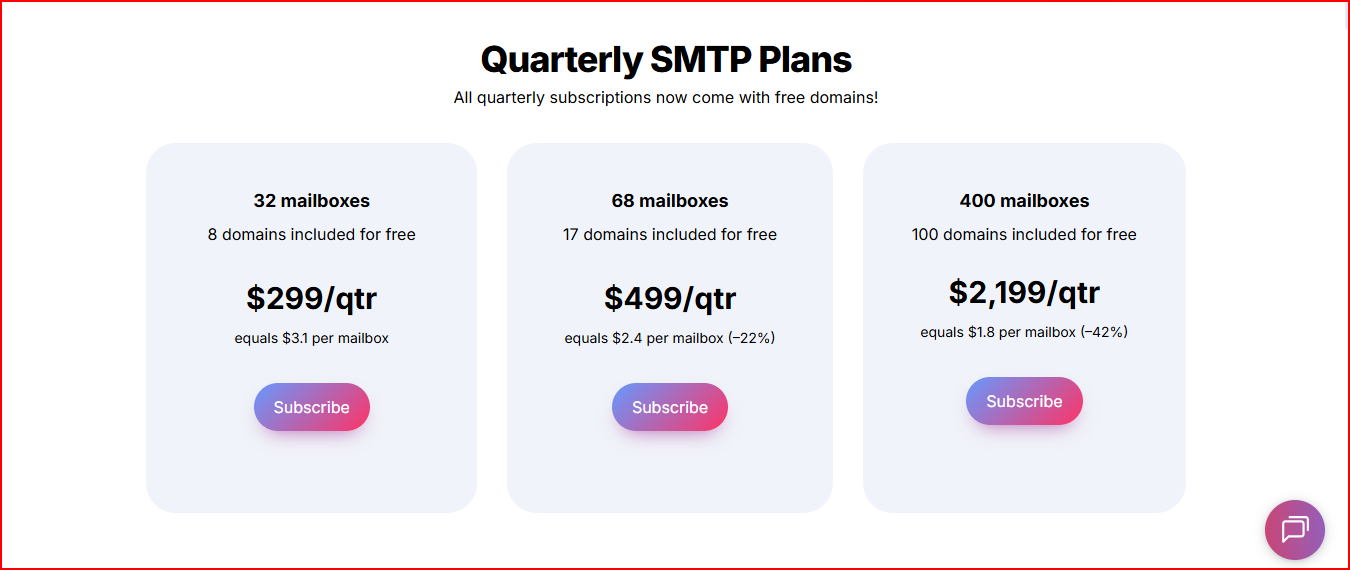
Pricing
Maildoso pricing depends on the mailbox type and billing plan.
This image shows the Maildoso pricing
Mailboxes start at around $1.8 per mailbox per month
Domains cost $12 per year when purchased through Maildoso
You can choose SMTP, Google Workspace, or a combined setup
Custom plans are available for higher volumes
A 30-day money-back guarantee is offered for new users
You pay for mailbox licenses, not individual inbox accounts, so mailboxes can be deleted and recreated without extra cost.
Maildoso Pros
You can use SMTP inboxes, Google Workspace inboxes, or a mix of both, which helps diversify your sending setup.
SMTP inboxes are built specifically for outbound and run on Maildoso’s own servers and IPs.
If a mailbox gets burned, it is automatically disconnected so it can recover without hurting the rest of your setup.
Maildoso Cons
SMTP inboxes have lower daily sending limits compared to some other setups, which can slow scaling.
Sending to personal email providers like Gmail or Yahoo may require Google Workspace inboxes instead of SMTP.
Managing different inbox types (SMTP and Google) can add complexity for beginners.
You still need to follow proper warm-up and sending practices to maintain good inbox placement.
Personalized Outbound Strategy
Get The Right Outbound Strategy In Minutes
Enter your email to get a custom plan & stack recommendation for your
business
It's being carefully crafted by AI
Please check your mailbox in 5 minutes
Conclusion
If Mailerr inboxing starts to drop as you scale, choosing the right infrastructure becomes important.
Mailforge is a strong alternative built for cold email infrastructure. It offers automated DNS, scalable domains and mailboxes, and shared IPs optimized for outbound
Infraforge suits teams that want more control. It offers dedicated IPs, optional pre-warmed mailboxes, and real-time deliverability monitoring
Inframail works well for teams using Microsoft-based inboxes who want unlimited inboxes under a flat plan with quick setup.
Mailscale is useful if your priority is speed and volume. It lets you create a large number of inboxes very quickly compared to manual setups.
Maildoso is a good option if you want flexibility beyond Mailerr. It allows you to mix SMTP and Google Workspace inboxes to spread sending risk.
If you want to move beyond Mailerr and scale cold email safely, Mailforge is ready to send infrastructure at an affordable cost of $3-$2 per mailbox.
It simplifies setup, focuses on deliverability, and scales unlimitedly.