

Zapmail is a cold email infrastructure tool that sells real Google Workspace and Microsoft 365 mailboxes, with warm-up sold as a paid add-on. Hypertide sells Azure and Entra (Microsoft) inboxes in fixed orders of 100, each capped at roughly two emails a day, plus a one-time setup fee. Neither lets you edit your own DNS, and neither ships inside a wider infrastructure stack.
For fast, portable shared cold email infrastructure you can point at any sending tool, Mailforge is my pick. You get hundreds of domains and mailboxes live in about five minutes, full bulk DNS control, no setup fee, and free premium Warmforge warm-up when you also run Salesforge. Mailboxes start at $3 and drop toward $2 at volume.
I have set up cold email infrastructure on all three of these tools, and they solve the same job in very different ways. This guide is for one specific decision: which provider should host the domains and mailboxes you send cold outreach from. I am writing it as the operator who has to keep deliverability stable, not as a brand.
Zapmail and Hypertide both sell you finished mailboxes and keep the plumbing hidden. Mailforge sells you the plumbing and lets you wire it into whatever sender you already use. That difference shapes everything below, so I will be specific about where each one fits.
Cold Email Infrastructure Compared at a Glance: Zapmail vs Hypertide
| Feature | Mailforge | Zapmail | Hypertide |
|---|---|---|---|
| Infrastructure type | Shared-IP distributed SMTP | Real Google Workspace + Microsoft 365 | Azure / Entra (Microsoft), plus Google |
| Entry price | From $3/mailbox/mo (~$2.50 annual), min 10 slots | $39/mo (10 Google mailboxes) | $50/mo per order (100 inboxes) + one-time setup fee |
| Setup time | ~5 minutes, automated DNS | Under 10 minutes | 4-6 hours |
| Per-inbox sending | Your sender's limits (typically 30-50/day cold) | Provider limits apply | ~2 emails/day per inbox (5,000/mo per order) |
| Warm-up | Via Warmforge (free + unlimited with Salesforge) | Paid add-on (shared pool) | 2-week warm-up + bulk tools included |
| DNS control | Full edit + bulk DNS updates | Automated, workspace-isolated | No DNS access (fully managed) |
| Domain portability | Transfer in or out, keep everything | You own domains, workspace-bound | Bring or buy; swap if a domain burns |
| Works with any sender | Yes (Salesforge, Instantly, Smartlead, etc.) | Yes (50+ export targets) | Yes (Smartlead, Instantly, Bison) |
| Free trial | No (buy mailbox slots) | No | No |
| SOC 2 compliant | Yes | Not publicly stated | Not publicly stated |
| Part of a wider stack | Yes (Infraforge, Primeforge, Warmforge, Salesforge) | No | No |
| Best for | Fast, portable shared infra paired with any sender | Real Google/MS mailboxes, pre-warmed option | Microsoft/Outlook-heavy bulk at low per-inbox cost |
Zapmail Overview: Real Google and Microsoft Mailboxes
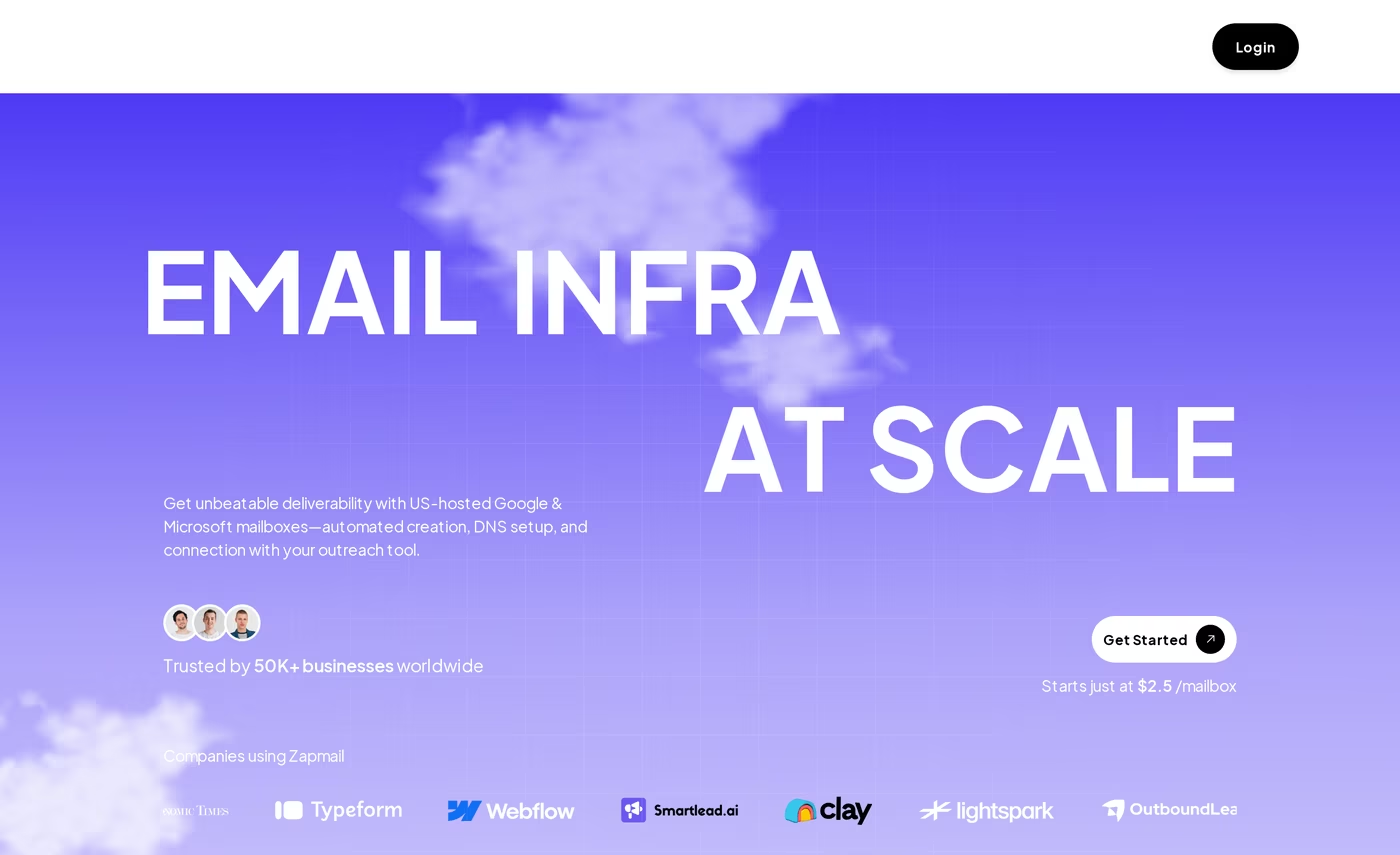
Zapmail is a cold email infrastructure platform that provisions real Google Workspace and Microsoft 365 mailboxes for outbound campaigns. It handles domain registration, mailbox creation, and DNS authentication automatically, then exports the mailboxes to your sending tool. Its pitch is speed: mailboxes live in under ten minutes.
What stands out is the workspace isolation model. Each workspace gets one domain with full admin access, which keeps one client's reputation separate from another's.
Core features I noticed when testing it:
- Real Google Workspace and Microsoft 365 mailboxes with US or EU IP addresses, not raw SMTP.
- Pre-warmed mailboxes sold as a separate purchase, so you can skip the warm-up wait.
- Automated DNS for SPF, DKIM, DMARC, and custom tracking domains.
- AI helpers like an Instant Domain Genie and a Smart Mailbox Namer that draft on-brand handles.
- Exports to 50+ tools including Instantly, Smartlead, ReachInbox, Reply, and Lemlist.
- API access on the Pro plan for programmatic mailbox provisioning.
Pricing runs in three monthly tiers: Starter at $39 (10 Google mailboxes, $3.50 per extra), Growth at $99 (30 mailboxes, $3.25 per extra), and Pro at $299 (100 mailboxes, $3.00 per extra). Annual billing adds two months free, which brings the effective rate to about $2.50 per inbox. Microsoft 365 mailboxes, pre-warmed inboxes, and warm-up are priced on top.
Zapmail fits agencies and senders who specifically want mainstream Google or Microsoft mailboxes and like the pre-warmed shortcut. If you are weighing it up, I keep a wider list of Zapmail alternatives that covers how the per-inbox math changes at scale.
What reviewers say about Zapmail
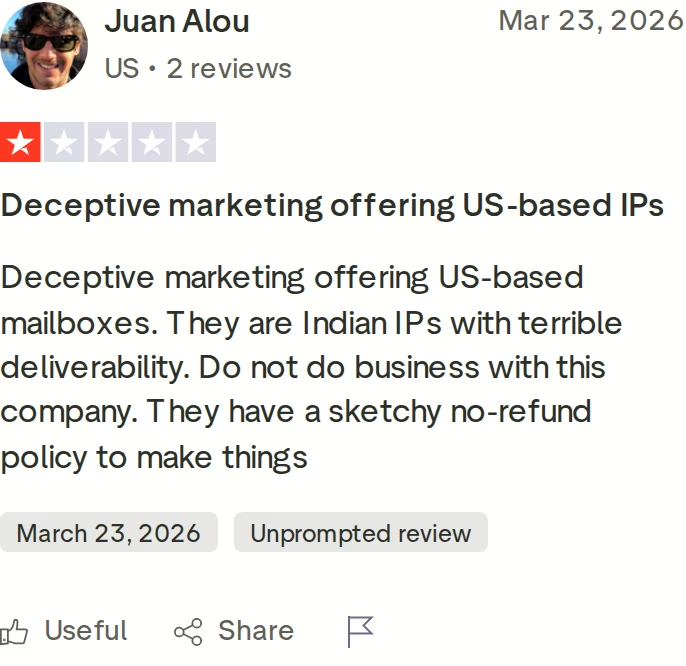
Reviews are mixed. The headline rating sits around four stars, but the critical ones repeat a few themes: warm-up and monitoring cost extra on top of the mailbox price, the refund policy is strict, and some users dispute the US-IP claim. One Trustpilot reviewer called the US-IP marketing "deceptive" and reported poor deliverability. A separate Reddit thread alleged the underlying accounts are provisioned through an India-based reseller, which Zapmail's founder has publicly rebutted. Treat those as data points worth verifying before you commit annually.
Hypertide Overview: Azure and Entra Inboxes in Bulk
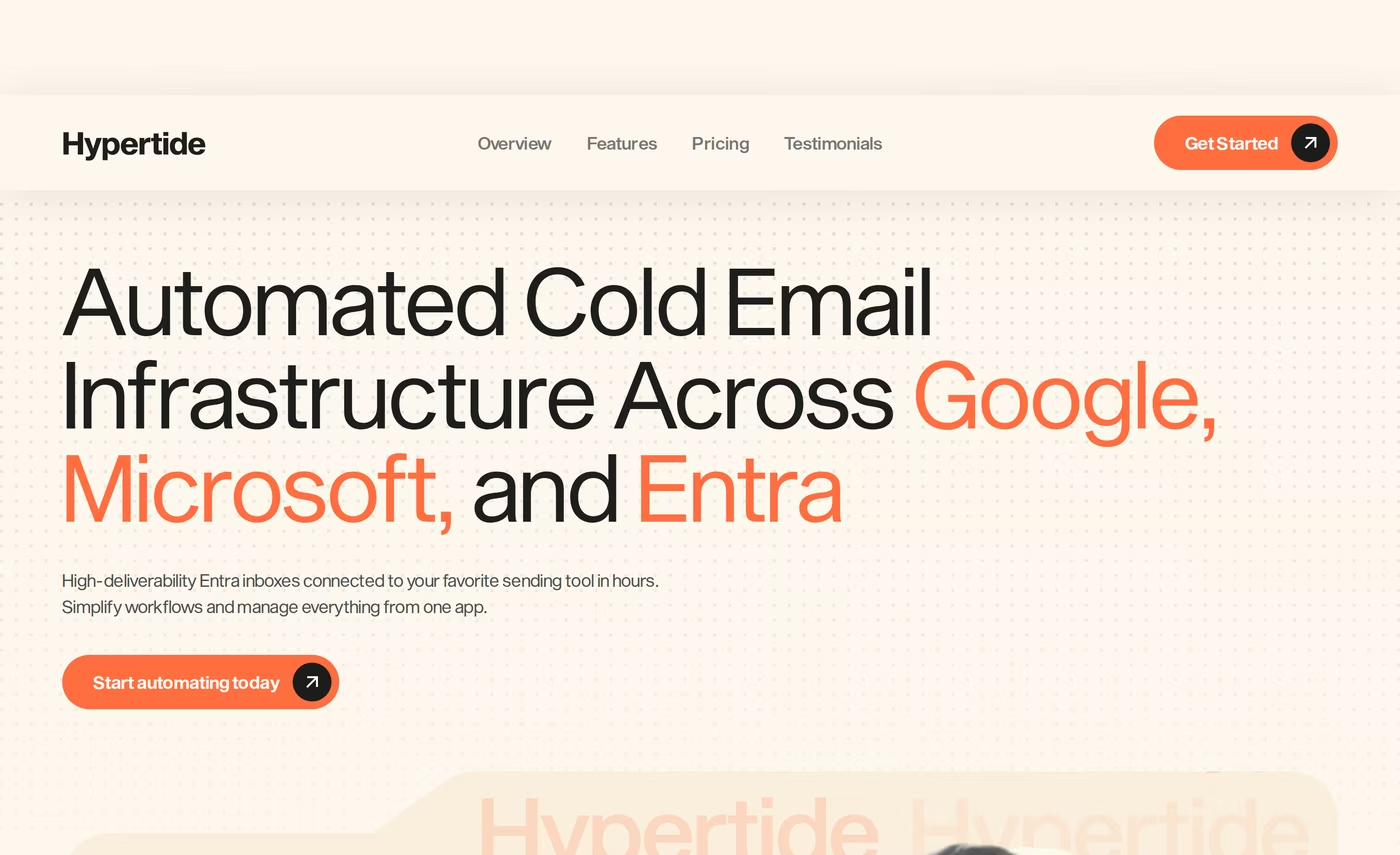
Hypertide is automated cold email infrastructure built mainly around Microsoft Azure and Entra inboxes, with a native Outlook interface. It was founded in August 2024 and targets lead generation agencies that send high volume. Each order is isolated into its own tenant, so domains and IPs are not shared with other users.
The setup promise is hands-off: a fully automated build in four to six hours, with SPF, DKIM, and DMARC pre-configured. You then connect the inboxes to your sequencer.
Core features from its own site:
- Azure and Entra (Microsoft) inboxes with a native Outlook UI, plus regular Google and Microsoft accounts to diversify.
- Tenant separation per order, giving each batch its own domains, IPs, and users.
- 100 inboxes per order, split across two domains at 50 each.
- Pre-configured authentication and bulk warm-up tools limited to Hypertide clients.
- Sequencer connections for Smartlead, Instantly, and Bison.
- Domain options to bring your own or buy inside the platform, with swaps if one burns.
Pricing is one flat figure: $50 per month per order of 100 inboxes, with a one-time setup fee on top that covers the Azure configuration. After a two-week warm-up, each inbox sends about two emails a day, which works out to roughly 5,000 emails a month per order. There is no free trial, but the plan is month-to-month and you can cancel from the app. Because Hypertide leans Microsoft, my Gmail vs Outlook breakdown is useful context if your prospects are mixed.
Hypertide fits Microsoft-heavy outbound where Outlook placement matters and you want a very low per-inbox cost at high volume. It also shows up in my roundup of mailbox automation tools alongside the Forge options.
What reviewers say about Hypertide
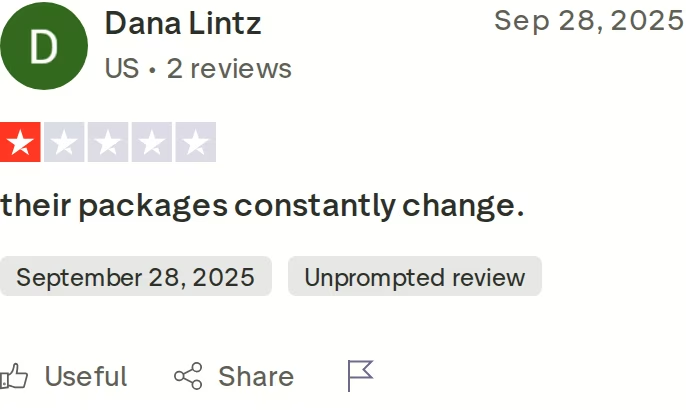
Hypertide is new, so there is little independent feedback. Its Trustpilot score is 3.2 out of 5 from a single one-star review titled "their packages constantly change." Third-party reviewers add more caution: you get no DNS access and little control over domains, the two-emails-a-day ceiling is low, and some users report domain bans and slow support during incidents. One reviewer flagged "Azure shutdown risk," describing a friend who lost a batch of inboxes overnight. None of that disqualifies Hypertide, but it is worth knowing before you wire your pipeline to it.
Mailforge Overview: Shared Cold Email Infrastructure in Minutes
Mailforge is shared cold email infrastructure built specifically for outbound. It uses a distributed shared-IP pool and fully automated DNS, so you can create hundreds of domains and mailboxes in about five minutes. It was built by the cold outreach team behind Salesforge, and it is the infrastructure layer of the wider Forge Stack.
The thing I value most is that Mailforge does not lock you in. The mailboxes work with any sending software, the domains transfer in and out, and you manage everything from one dashboard.
Core features, from hands-on use:
- Distributed shared-IP infrastructure tuned for cold outreach, so you start on a trusted foundation instead of a cold domain.
- Automated DNS setup for SPF, DKIM, DMARC, and custom tracking domains on every domain.
- Full DNS control and bulk updates across hundreds of domains at once.
- Mailbox Slots that let you delete and recreate mailboxes without extra cost, since you pay per slot.
- Domain transferring in or out, plus SSL and domain masking as an add-on.
- Multiple workspaces for clean separation across clients or projects.
- Works with any sender, from Salesforge to Instantly to Smartlead.
- SOC 2 compliance and a support team that replies in minutes.
Here is where the stack matters. Mailforge handles the sending infrastructure, and the other Forges fill the gaps: Infraforge for dedicated IPs when you want isolation, Primeforge for real Google and Microsoft mailboxes, and Warmforge for warm-up and Heat Score monitoring. Run Salesforge on top and Warmforge warm-up is free and unlimited. That lets you mix shared and dedicated infrastructure to spread risk, which one tool alone cannot do.
Pricing is simple. Mailboxes start at $3 per month and drop toward $2 at volume, with a minimum of 10 mailbox slots and .com domains at $14 per year. Annual billing lands near $2.50 per mailbox, and roughly $484 a month covers 200 mailboxes. Inbox hosting and maintenance are included, and there is no setup fee. Warm-up runs through Warmforge, which is free with Salesforge or a separate subscription on its own.
Mailforge fits B2B teams and agencies that want to scale cold email cheaply and keep control of their domains. SalesCaptain migrated 70% of its infrastructure to Mailforge and now runs cold outreach across more than 30 clients. Its honest limits: it is a shared-IP pool, so you have less reputation control than a dedicated setup; there is no free trial; and free Warmforge warm-up depends on a Salesforge subscription.
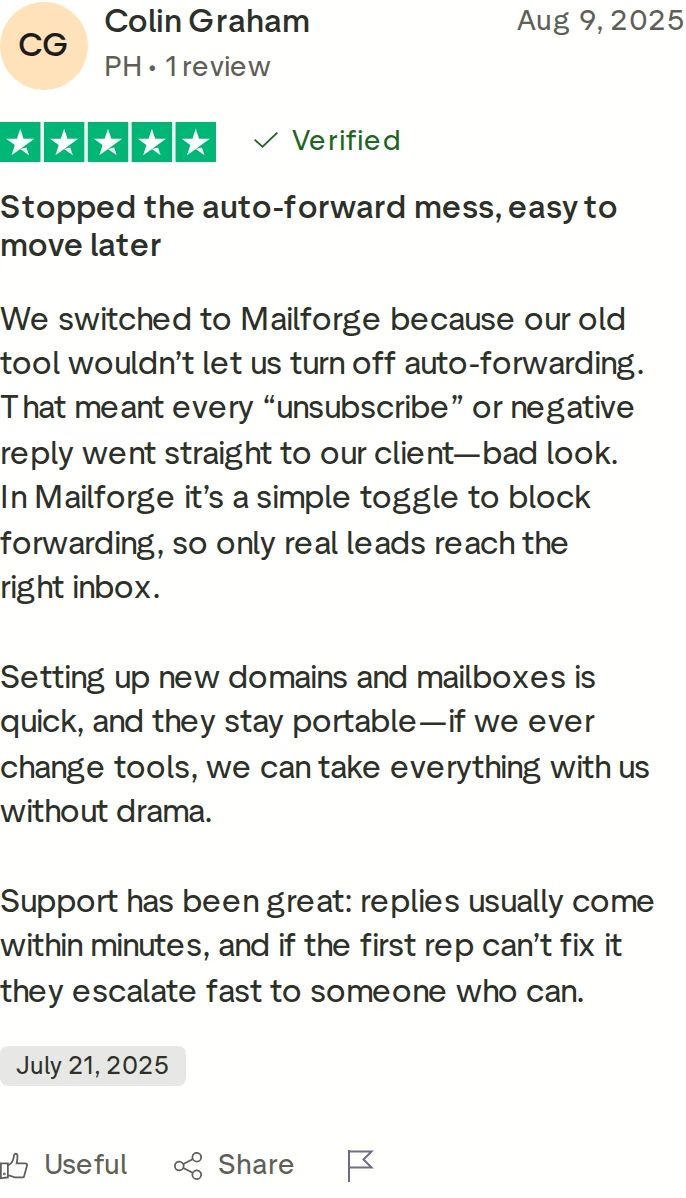
in Action

Head-to-Head Feature Comparison: Zapmail vs Hypertide
All three sit at the infrastructure layer. None of them is a sequencer, so reply handling and campaign automation happen in whatever sender you connect. With that framing, here is how they actually differ across the things that move deliverability.
Mailbox type and infrastructure model
This is the core split. Zapmail provisions real Google Workspace and Microsoft 365 mailboxes, which inherit provider trust. Hypertide builds Azure and Entra inboxes with a native Outlook look, plus some Google and Microsoft accounts. Mailforge runs a distributed shared-IP pool purpose-built for cold sending. Real mailboxes carry strong baseline reputation; shared infrastructure trades some of that for speed, scale, and a much lower setup burden. The honest read is that all three can deliver well with clean data and disciplined warm-up.
Email deliverability and warm-up
Warm-up is handled differently in each. Zapmail sells warm-up as a paid add-on on a shared pool and offers placement-test credits. Hypertide includes a two-week warm-up and bulk warm-up tools with every order. Mailforge routes warm-up through Warmforge, which is free and unlimited when you run Salesforge and adds a per-mailbox Heat Score plus inbox-placement monitoring. If you want to skip the wait entirely, both Zapmail and Mailforge can pair with pre-warmed mailbox providers. Watch bounce rates closely on any of them.
Setup speed and DNS control
Mailforge sets up hundreds of domains and mailboxes in about five minutes with automated DNS, and crucially it lets you edit DNS records and push bulk updates yourself. Zapmail is also fast, under ten minutes, but DNS sits inside its workspace model. Hypertide takes four to six hours and gives you no DNS access at all, since the build is fully managed. If you ever need to fix a record fast or rotate domains across a large account, self-serve DNS is the difference, and Mailforge is the only one of the three that hands it to you.
Scale, sending limits, and domain portability
Hypertide's ceiling is the catch: about two emails a day per inbox, or 5,000 a month per order of 100. That is fine for raw volume but limiting per inbox. Zapmail and Mailforge both let your sender set realistic cold limits, usually 30 to 50 a day per mailbox. Portability also splits them: Mailforge lets you transfer domains in and out and keep everything if you switch tools, Zapmail keeps domains in your name inside its workspaces, and Hypertide lets you swap a burned domain but keeps you inside its managed tenant.
Pricing and scalability
On sticker price, Hypertide looks cheapest per inbox at $50 for 100, but the setup fee and the two-email ceiling change the real math. Zapmail's annual rate is about $2.50 per inbox, with warm-up and Microsoft mailboxes priced separately. Mailforge starts at $3 and drops toward $2 at scale, with no setup fee, a slots system that recycles mailboxes for free, and SOC 2 compliance. I break down the hidden line items in this guide to IP and infrastructure costs.
Integrations and the wider stack
All three export to the common cold outreach tools, so on raw connectivity they tie. The real gap is what sits around them. Zapmail and Hypertide are single products. Mailforge plugs into the Forge Stack, so you can run shared infrastructure here, dedicated IPs in Infraforge, real Google or Microsoft mailboxes in Primeforge, warm-up in Warmforge, and sending in Salesforge, all under one login. That is the diversified setup the most stable senders run, and it is hard to assemble from a standalone tool.
Pricing Comparison: Mailforge vs Zapmail vs Hypertide
Headline prices hide the real cost, so here is each plan side by side, pulled from the live pricing pages.
| Plan | Price | What you get | Key terms |
|---|---|---|---|
| Mailforge (per mailbox) | $3/mo, toward $2 at scale (~$2.50 annual) | Minimum 10 mailbox slots | No setup fee; domains $14/yr; SOC 2; slots recycle free |
| Zapmail Starter | $39/mo | 10 Google mailboxes (+$3.50 each) | Warm-up, MS365 and pre-warmed cost extra |
| Zapmail Growth | $99/mo | 30 Google mailboxes (+$3.25 each) | ~$2.50/inbox on annual billing |
| Zapmail Pro | $299/mo | 100 Google mailboxes (+$3.00 each) | API access; annual adds 2 months free |
| Hypertide (per order) | $50/mo + one-time setup fee | 100 Azure/Entra inboxes | ~2 emails/day each (5,000/mo); month-to-month |
Now run a real scenario. Say you want to send about 90,000 cold emails a month. On Mailforge that is roughly 100 mailboxes sending 30 a day, which lands near $250 to $300 a month plus a handful of domains, with no setup fee. On Zapmail Pro you would pay $299 a month for 100 mailboxes, or about $250 on annual billing, then add warm-up and domains on top.
Hypertide is where the math flips. Each order caps at 5,000 emails a month, so 90,000 needs roughly 18 orders at $50 each, around $900 a month, plus the one-time setup fee and managing each tenant separately. The $50 sticker is genuinely cheap at low volume, but the per-inbox sending ceiling makes it expensive to scale. Mailforge keeps the per-mailbox price low and lets your sender set normal cold limits, so volume does not force you into more orders.
Try Mailforge for Your Next CampaignWho Should Use Which Cold Email Infrastructure Tool
You might consider Zapmail if:
- You specifically want real Google Workspace or Microsoft 365 mailboxes rather than shared infrastructure.
- You want pre-warmed inboxes to skip the warm-up wait and will pay the add-on.
- You are comfortable with warm-up and monitoring billed separately from the mailbox price.
You might consider Hypertide if:
- Your prospects are heavily on Microsoft and Outlook, and native Outlook inboxes matter to you.
- You send lower per-inbox volume and want the lowest per-inbox sticker price.
- You are fine with no DNS access and a one-time setup fee to get a managed build.
Choose Mailforge if:
- You want hundreds of domains and mailboxes live in about five minutes with automated DNS.
- You need to edit DNS and push bulk updates yourself across a large account.
- You want domain portability and a Mailbox Slots system that recycles mailboxes for free.
- You sell B2B and want to scale cold email cheaply, with no setup fee and no required demo.
- You want to diversify across shared and dedicated infrastructure inside one stack with Infraforge, Primeforge, Warmforge, and Salesforge.
Final Verdict: Which Cold Email Infrastructure to Choose
Zapmail and Hypertide are both real products that do one slice of the job well. Zapmail gives you mainstream Google and Microsoft mailboxes with a pre-warmed shortcut. Hypertide gives you cheap Azure and Entra inboxes for Microsoft-heavy sending. Neither lets you touch your own DNS, and both keep you inside a single managed product.
For fast, portable, low-cost cold email infrastructure that you control and can scale, Mailforge is the stronger choice. You get bulk DNS in your hands, domain portability, a slots system that recycles mailboxes for free, no setup fee, and the rest of the Forge Stack when you need dedicated IPs, real Google or Microsoft mailboxes, or free Warmforge warm-up through Salesforge.
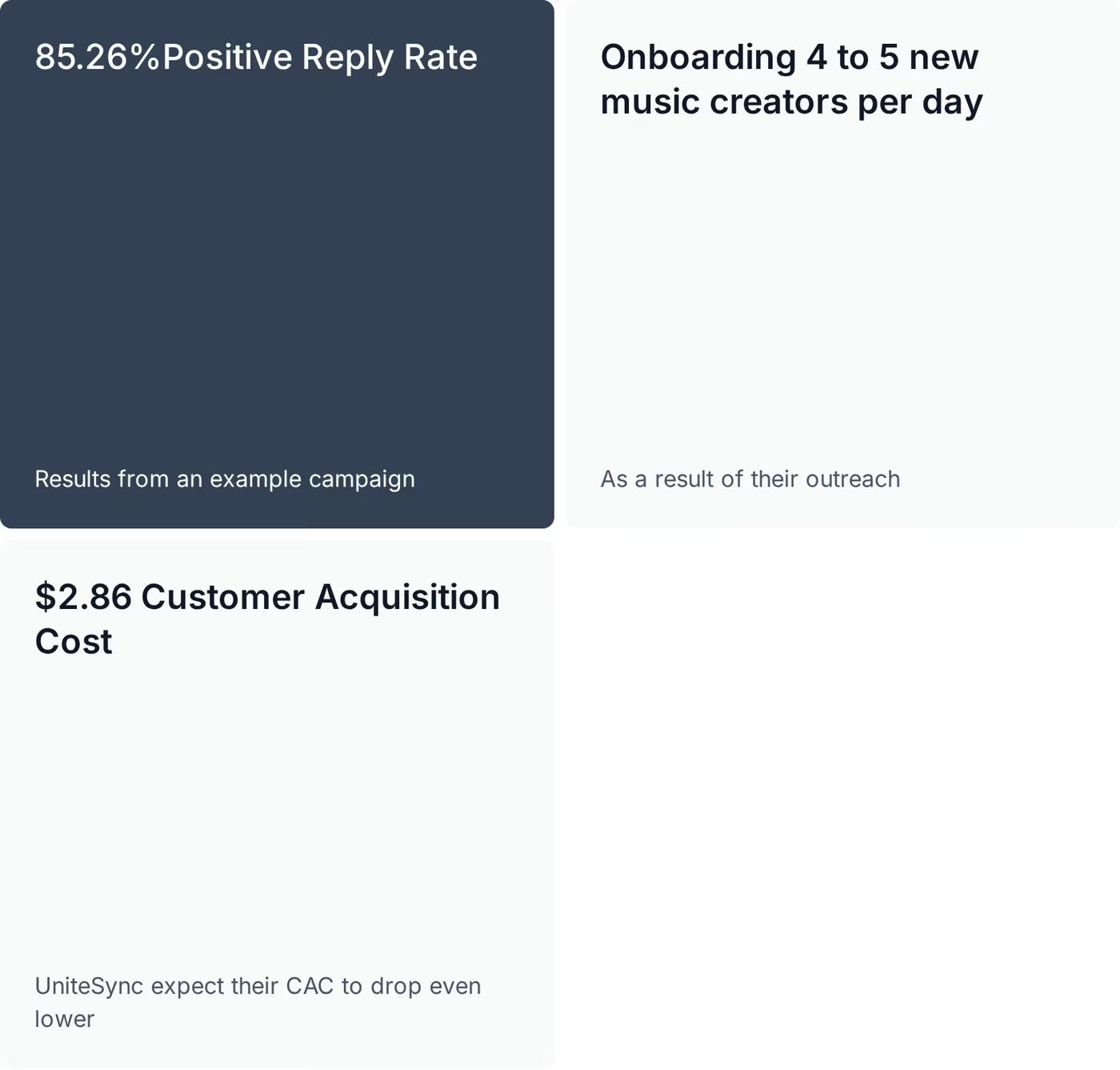
One falsifiable benchmark: UniteSync ran on Salesforge, Mailforge, and Warmforge to an 85.26% positive reply rate and a $2.86 customer acquisition cost across more than 11,700 prospects. The case study is public, with the numbers shown above.
Check Out MailforgeFrequently Asked Questions
Is Mailforge better than Zapmail or Hypertide?
For fast, portable shared cold email infrastructure you pair with any sending tool, I would pick Mailforge. It sets up hundreds of domains and mailboxes in about five minutes, gives you full DNS control, and recycles mailboxes through its slots system. Zapmail provisions real Google and Microsoft mailboxes instead, and Hypertide focuses on Azure and Entra inboxes. The right fit depends on whether you want shared infrastructure you control or finished mailboxes someone else manages.
What is the main difference between Mailforge, Zapmail, and Hypertide?
The core difference is the infrastructure model. Mailforge runs a distributed shared-IP pool built for cold outreach, with self-serve DNS and domain portability. Zapmail provisions real Google Workspace and Microsoft 365 mailboxes with workspace isolation. Hypertide builds Azure and Entra inboxes with a native Outlook interface, capped at about two emails a day per inbox. Mailforge is also the only one of the three that plugs into a wider stack of infrastructure, warm-up, and sending tools.
Which is cheaper: Mailforge, Zapmail, or Hypertide?
On raw per-inbox sticker price, Hypertide is lowest at $50 for 100 inboxes, but each sends only about two emails a day and a one-time setup fee applies. Zapmail runs around $2.50 per inbox on annual billing, with warm-up and Microsoft mailboxes priced separately. Mailforge starts at $3 per mailbox and drops toward $2 at scale, with no setup fee and a slots system that recycles mailboxes for free. For high sending volume, Mailforge usually costs less in practice.
Does Hypertide only do Microsoft and Outlook inboxes?
Hypertide leans heavily on Microsoft, building Azure and Entra inboxes with a native Outlook UI, which is its main selling point for Microsoft-heavy outbound. It also offers regular Google and Microsoft accounts so you can diversify. Each order ships 100 inboxes split across two domains, and after a two-week warm-up each inbox sends roughly two emails a day. If your prospect list is mixed across Gmail and Outlook, plan your domain split accordingly.
Can I switch from Zapmail or Hypertide to Mailforge easily?
Yes. Mailforge sets up new domains and mailboxes in about five minutes with automated SPF, DKIM, and DMARC, so you can stand up a parallel setup before moving campaigns. Because Mailforge supports domain transfers in and out, your domains stay portable rather than locked to one tool. Most teams add Mailforge mailboxes to their existing sender, warm them, then shift volume over gradually to protect deliverability.
Which has better email deliverability for cold outreach?
Deliverability depends more on warm-up discipline, list quality, and bounce rates than on the provider's logo. Zapmail's real Google and Microsoft mailboxes start with strong provider trust. Hypertide leans on Azure and Entra with isolated tenants. Mailforge uses a shared-IP pool tuned for cold sending and pairs with Warmforge for Heat Score monitoring and inbox-placement tests. Keep bounce rates under 1% on any of them and warm up for at least two weeks before sending.
Does Mailforge offer a free trial?
Mailforge does not offer a free trial. You buy mailbox slots to start, with a minimum of 10 slots and mailboxes from $3 each, dropping toward $2 at volume. There is no setup fee, and the slots system lets you delete and recreate mailboxes without paying again. Neither Zapmail nor Hypertide offers a free trial either, so on this point all three are the same.
Who is Zapmail best for, and who is Hypertide best for?
Zapmail fits agencies and senders who specifically want real Google Workspace or Microsoft 365 mailboxes and like the pre-warmed shortcut. Hypertide fits Microsoft-heavy outbound where Outlook placement matters and you want a low per-inbox cost at high volume. If you instead want shared infrastructure you control, with self-serve DNS, domain portability, and a wider stack to grow into, Mailforge is the stronger fit.